In today’s fast-paced work environment, managing and auditing daily tasks is not easy. Whether you are running a business, leading a team, or managing your own productivity, keeping track of daily activities can quickly become overwhelming without the right system. This is where the Daily Routine Audit Checklist in Excel proves to be a game-changing tool.
Excel’s flexibility, automation, and ease of use make it one of the best platforms to build a structured checklist that not only tracks tasks but also helps monitor accountability and progress. With a ready-to-use template, you can save time, improve efficiency, and ensure that no important activity gets missed.
In this article, we will explore everything you need to know about the Daily Routine Audit Checklist in Excel: its structure, features, benefits, setup, best practices, and how you can use it to maximize productivity in your personal or professional life.
Click to buy Now Daily Routine Audit Checklist in Excel
What Is a Daily Routine Audit Checklist in Excel?
A Daily Routine Audit Checklist in Excel is a structured digital tool that helps individuals or teams track daily tasks and ensure accountability. Unlike paper checklists, which are prone to errors and hard to update, this Excel-based checklist is dynamic, interactive, and easy to customize.
It allows you to:
- Assign responsibilities to different people.
- Track task completion with checkmarks or crosses .
- Monitor pending vs completed work with automatic counts.
- Use drop-down lists for standardization of entries.
- View progress with visual elements like progress bars.
This template ensures that every small yet important activity is audited daily. It is useful for managers, team leaders, students, teachers, and professionals in all industries.
Structure of the Daily Routine Audit Checklist in Excel
The template is designed with two simple yet powerful worksheets that make tracking straightforward.
Main Sheet – Daily Routine Audit Checklist
This is the core of the template where all task details are captured.
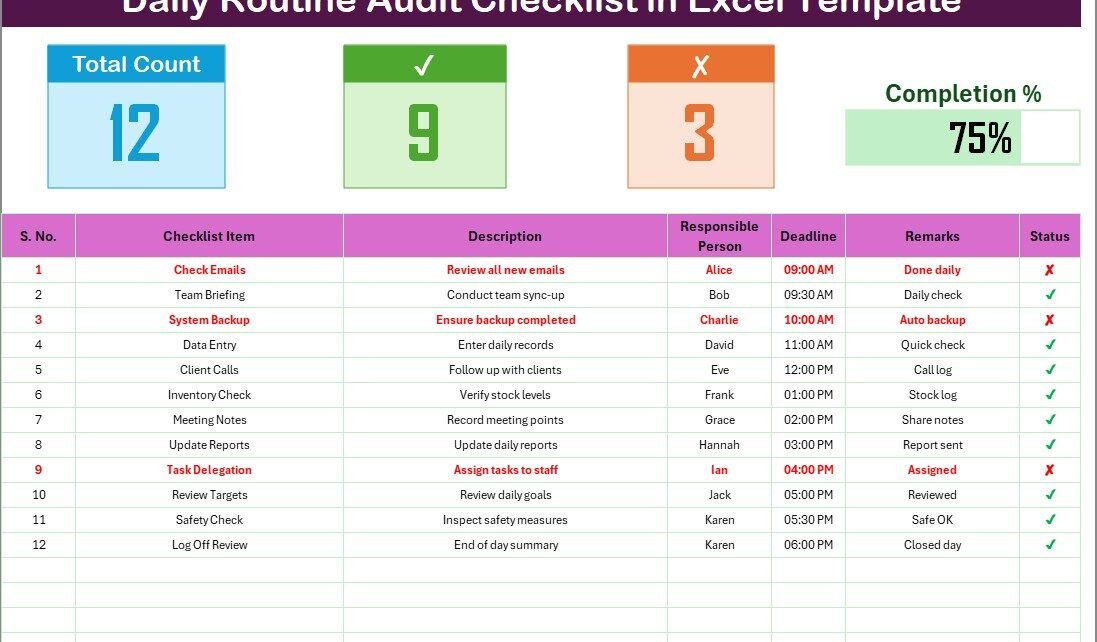
- Top Section:
- Displays three cards:
- Total Count: Total number of tasks listed.
- Completed Count: Tasks marked with .
- Pending Count: Tasks marked with .
- A Progress Bar is shown to reflect the completion percentage visually.
- Checklist Table:
This is where the actual daily audit takes place. It includes the following columns: - Serial No. – Unique identifier for each task.
- Checklist Item – The name of the task or activity.
- Description – A short detail about the task.
- Responsible Person – The person assigned to the task.
- Deadline – The due date or time for task completion.
- Remarks – Notes about status, issues, or updates.
- Status – Marked as (completed) or (pending).
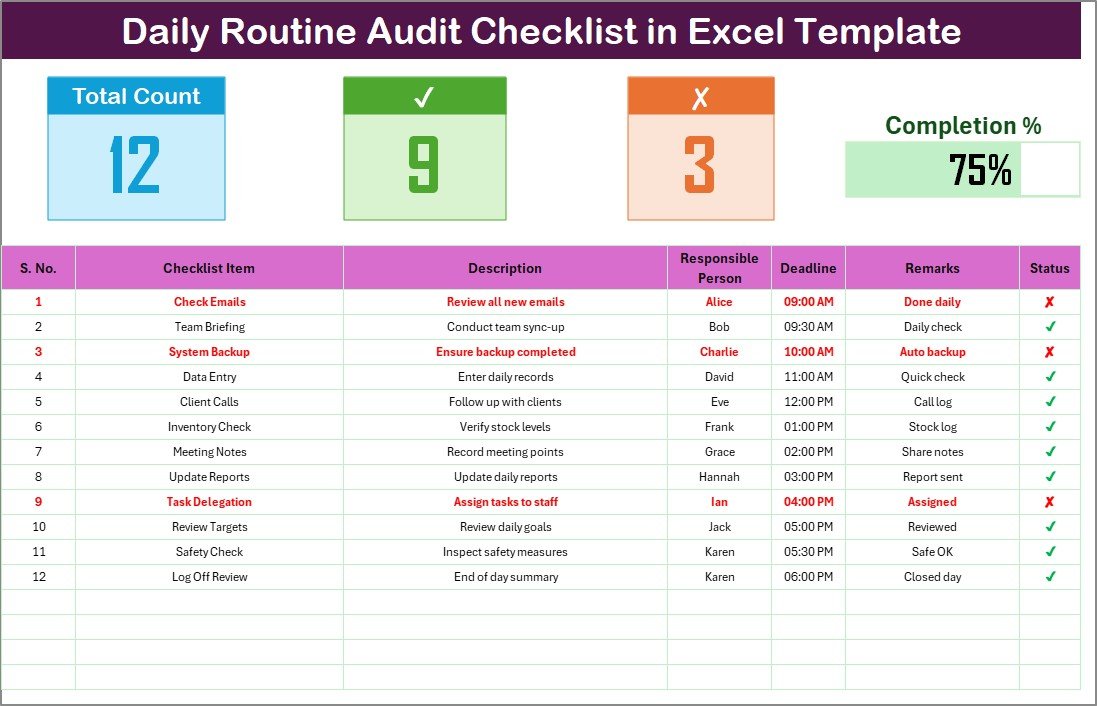
This structured approach ensures nothing is left out.
Click to buy Now Daily Routine Audit Checklist in Excel
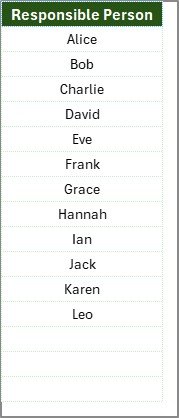
- List Sheet – Responsible Persons
This sheet captures a unique list of Responsible Persons. It is used to create a drop-down list in the main table. By standardizing the input, you avoid spelling mistakes and ensure cleaner reporting.
Click to buy Now Daily Routine Audit Checklist in Excel
Why Use an Excel-Based Daily Routine Checklist?
You may wonder: why Excel when there are countless apps available for task management? The answer lies in the versatility and familiarity of Excel. Most professionals already use Excel daily, which reduces the learning curve.
Here are some strong reasons:
- Customizable: You can add or remove columns as per your needs.
- Automation-Friendly: Formulas calculate progress automatically.
- Offline Access: Unlike online tools, Excel works without the internet.
- Integration: Excel data can be linked to Power BI or other systems.
- Cost-Effective: No need to pay for subscription-based apps.
Advantages of a Daily Routine Audit Checklist in Excel
Using this checklist brings several advantages:
- Improves Productivity: Tracks and audits tasks consistently.
- Enhances Accountability: Assigns clear responsibility for each task.
- Saves Time: Eliminates confusion with structured data.
- Provides Visual Clarity: Progress bar and counts give instant updates.
- Flexible and Scalable: Works for individuals, teams, or entire departments.
- Error Reduction: Drop-down lists and status markers minimize manual errors.
- Better Monitoring: Managers can quickly see pending and completed tasks.
Opportunities for Improvement in Daily Routine Audit Checklists
While the Excel template is powerful, there are always areas to enhance.
- Mobile Accessibility: Though Excel is available on phones, mobile usability can be limited compared to apps.
- Automation Scope: Adding VBA macros or Power Query can make reporting even faster.
- Collaboration: For real-time collaboration, integration with Google Sheets or OneDrive is helpful.
- Advanced Analytics: Adding charts for trends in completion rates can make it more insightful.
- Customization Needs: Beginners may need guidance to modify the template effectively.
How to Use the Daily Routine Audit Checklist in Excel
Here’s a step-by-step process to use the template effectively:
- Download the Template
Start by opening the Daily Routine Audit Checklist Excel file. - Enter Checklist Items
Add all daily tasks with descriptions. - Assign Responsibility
Use the drop-down in the “Responsible Person” column to assign tasks. - Set Deadlines
Enter realistic dates or times to monitor punctuality. - Update Status
Mark ✔ for completed tasks and ✘ for pending ones. - Monitor Dashboard Section
Keep track of progress with counts and progress bar. - Review and Improve
At the end of the day, review remarks and pending items for improvements.
Best Practices for the Daily Routine Audit Checklist in Excel
To get maximum benefit from the checklist, follow these best practices:
- Keep Descriptions Short: Avoid lengthy text; use concise explanations.
- Update Daily: The checklist works best when updated regularly.
- Use Standard Names: Maintain a consistent format for Responsible Persons.
- Review Progress Weekly: Analyze completed vs pending tasks for improvements.
- Automate Where Possible: Add conditional formatting for overdue tasks.
- Backup Files: Save copies regularly to avoid data loss.
- Encourage Team Involvement: Make the checklist a shared responsibility.
Click to buy Now Daily Routine Audit Checklist in Excel
Who Can Benefit from a Daily Routine Audit Checklist?
This checklist is versatile and can be used in various scenarios:
- Managers: To track team tasks and progress.
- Employees: To maintain personal productivity.
- Students: To plan daily study schedules.
- Teachers: To organize lesson planning and grading.
- Healthcare Professionals: To audit patient care routines.
- Business Owners: To monitor operational tasks.
Conclusion
The Daily Routine Audit Checklist in Excel is more than just a table—it is a productivity and accountability system. It ensures that daily tasks are not only tracked but also completed on time with clarity and responsibility.
By using Excel, you get a tool that is cost-effective, customizable, and easy to adopt. Whether you are an individual seeking personal discipline or a manager handling multiple team members, this checklist can transform your workflow.
With the right approach and best practices, you can turn routine audits into a smooth, efficient, and results-driven process.
Frequently Asked Questions (FAQs)
- What is a Daily Routine Audit Checklist in Excel?
It is a ready-to-use Excel template that helps track and audit daily tasks with responsibility assignments, deadlines, and status updates.
- Can I customize the checklist?
Yes, you can add or remove columns, change colors, or add automation as per your needs.
- How does the progress bar work?
The progress bar is based on the percentage of tasks marked as ✔ (completed).
- Can multiple people use the checklist?
Yes, if saved on a shared drive like OneDrive or Google Drive, multiple people can update it.
- Is this checklist useful for personal use?
Absolutely! Students, freelancers, and professionals can use it to manage their own daily routines.
- Do I need Excel expertise to use it?
No. Even beginners can use the template easily since it is pre-built and user-friendly.
- Can I track overdue tasks?
Yes. You can add conditional formatting to highlight tasks that cross their deadlines.
Visit our YouTube channel to learn step-by-step video tutorials
Watch the step-by-step video tutorial:
Click to buy Now Daily Routine Audit Checklist in Excel