New: NextGenTemplates Academy - video courses on Excel formulas with AI and Pivot Tables & dashboards. Early-bird: 20% off with code EARLYBIRD20 - first 20 orders only. See the courses →
  • Learn Excel (Free Course)
    • 1. Shortcut Keys
    • 2. Fill & Flash Fill
    • 3. Find & Replace
    • 4. Sort & Filter
    • 5. Formulas & Functions
    • 6. Data Validation
    • 7. Conditional Formatting
    • 8. Basic Charts
    • 9. Advanced Charts
    • 10. Pivot Tables
    • 11. Excel Dashboards
    • 12. VBA Course
    • 13. Excel Formulas with AI
  • Templates
  • Tutorials
    • Charts and Visualization
    • VBA
    • Excel Tips and Tricks
    • Excel Dashboards
    • Power Pivot & DAX
  • Power BI
  • Template Store
    • Ready to Use Templates
  • Courses
  • Academy
    • Excel + AI Mastery: 100 Formulas
    • Excel Pivot Tables & Dashboards
  • About Us
  • Contact Us

PK: An Excel Expert

Transforming Data into Decisions

Tag: Car Rental Services

Dashboard Templates

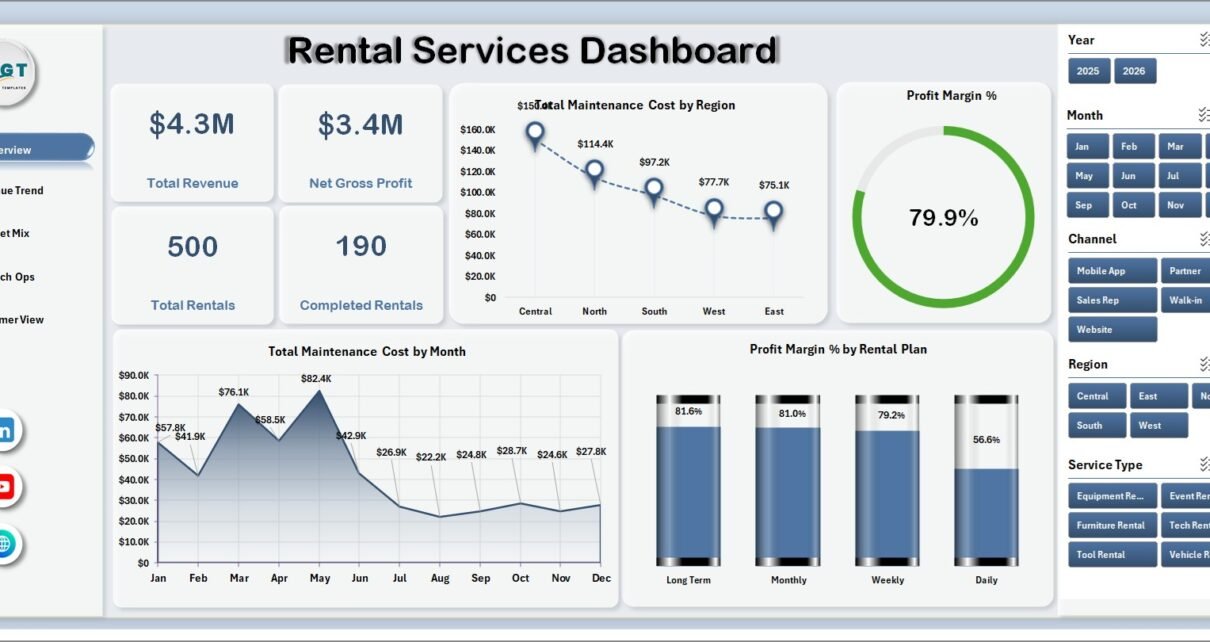
Rental Services Dashboard in Excel

August 2, 2026August 2, 2026 PKComments Off on Rental Services Dashboard in Excel
Rental service teams often have plenty of records but not enough reporting clarity. Revenue may sit in one export, maintenance cost in another file, customer ratings in a separate sheet,
Read More
Dashboard Power BI

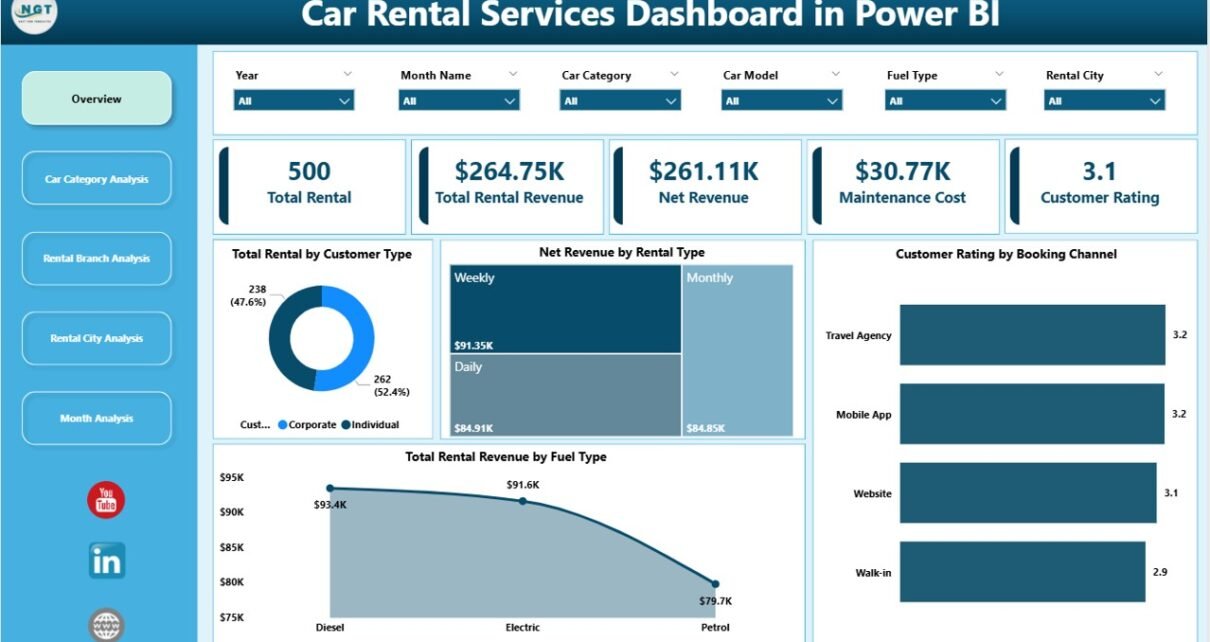
Car Rental Services Dashboard in Power BI

January 31, 2026January 31, 2026 PKComments Off on Car Rental Services Dashboard in Power BI
Managing a car rental business involves more than just renting vehicles. Every day, teams must track rentals, revenue, maintenance costs, customer behavior, and city-wise demand. However, when data remains scattered
Read More
Dashboard

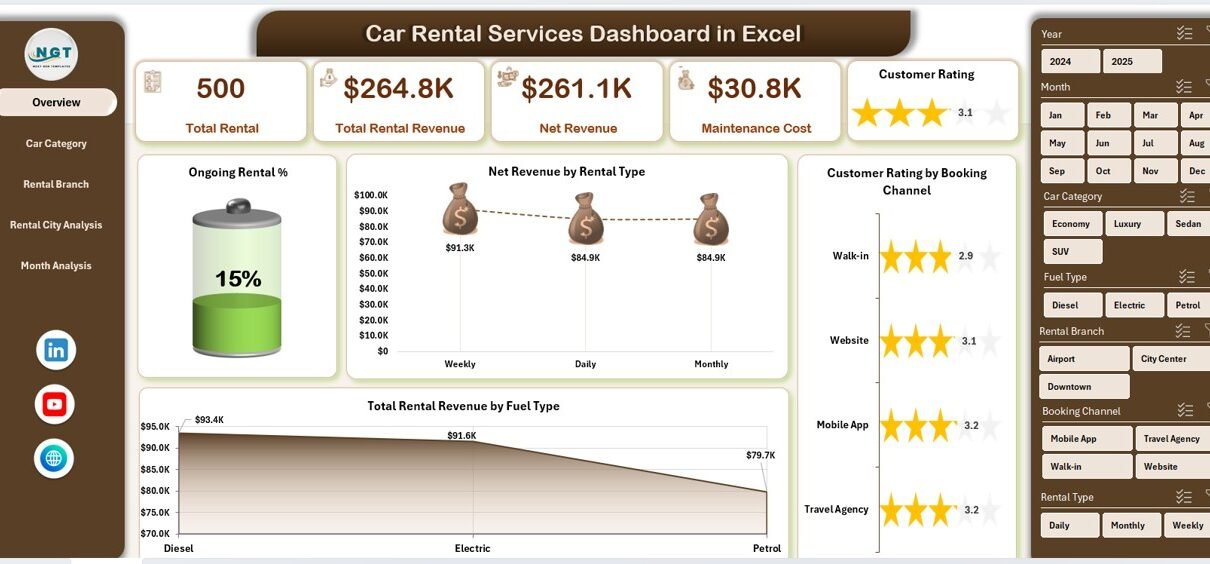
Car Rental Services Dashboard in Excel

January 31, 2026January 31, 2026 PKComments Off on Car Rental Services Dashboard in Excel
Managing a car rental business without clear visibility always creates confusion. Rental data stays scattered across multiple sheets. Revenue numbers remain unclear. Maintenance costs grow silently. Customer satisfaction becomes difficult
Read More
  • Learn Excel (Free Course)
    • 1. Shortcut Keys
    • 2. Fill & Flash Fill
    • 3. Find & Replace
    • 4. Sort & Filter
    • 5. Formulas & Functions
    • 6. Data Validation
    • 7. Conditional Formatting
    • 8. Basic Charts
    • 9. Advanced Charts
    • 10. Pivot Tables
    • 11. Excel Dashboards
    • 12. VBA Course
    • 13. Excel Formulas with AI
  • Templates
  • Tutorials
    • Charts and Visualization
    • VBA
    • Excel Tips and Tricks
    • Excel Dashboards
    • Power Pivot & DAX
  • Power BI
  • Template Store
    • Ready to Use Templates
  • Courses
  • Academy
    • Excel + AI Mastery: 100 Formulas
    • Excel Pivot Tables & Dashboards
  • About Us
  • Contact Us
Copyright © 2023 PK-AnExcelExpert.com - Privacy Policy