Data validation stops bad data before it reaches your formulas. Ten short chapters cover every rule type in the Data Validation dialog, from a simple drop-down list to formula-based rules, input messages and error alerts.
What is data validation in Excel?
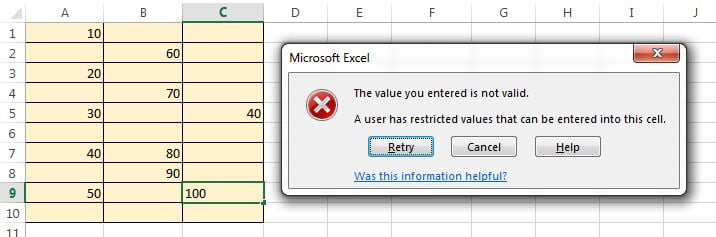
Data validation is the feature on the Data tab that restricts what a user can type into a cell: only whole numbers, only dates in a range, only values from a list, or only entries that pass a formula you write. It also lets you show an input message before typing and an error alert after an invalid entry. Used well, it keeps trackers, forms and templates clean without any VBA.
Course curriculum
-
Whole Number ValidationAllow only integers, with between, greater than and other operators.
-
Decimal Number ValidationPercentages, prices and any value with decimals.
-
List (Drop-Down) CreationThe most used rule: typed lists, lists from a range and dynamic lists.
-
Date ValidationAccept only dates in a range, after today, or within a month.
-
Time ValidationShift start and end times, appointment slots.
-
Text Length ValidationFixed-length codes such as PIN, phone or employee ID.
-
Custom (Formula) ValidationBlock duplicates, force upper case, restrict by another cell, and more.
-
Input MessageShow instructions when the cell is selected.
-
Error Alert: Stop, Warning and InformationChoose how strictly Excel reacts to invalid entries.
-
Circle Invalid DataAudit existing data against your rules.
-
Dependent Drop-Down List in ExcelCreate a dependent drop-down list in Excel so the second list changes with the first.
-
Dynamic Drop-Down List in ExcelCreate a dynamic drop-down list in Excel that grows as you add items, using an Excel Table, the UNIQUE function in Excel 365, or OFFSET and COUNTA.
-
Searchable Drop-Down List in ExcelBuild a searchable drop-down list in Excel with the built-in autocomplete in Excel 365, or a SEARCH helper column plus FILTER or INDEX for older versions.
-
Copy, Find and Remove Data Validation in ExcelRemove data validation in Excel with Clear All, copy rules with Paste Special, find validated cells with Go To Special and stop paste from wiping rules.
See validation in real templates
Our data entry systems and trackers on NextGenTemplates use dependent drop-downs, custom rules and error alerts throughout. Open one and inspect the rules to learn faster.
Frequently asked questions
Can validation stop values pasted into a cell?
No. Paste bypasses validation. Chapter 10 shows how to circle invalid data afterwards, and the VBA module shows how to block paste if you must.
How do I make a drop-down list that grows automatically?
Base the list on an Excel Table or use OFFSET/COUNTA. Chapter 3 covers both methods.
Does it work in Google Sheets?
Google Sheets has an equivalent Data validation feature with similar rule types. The concepts transfer directly.