New: NextGenTemplates Academy - video courses on Excel formulas with AI and Pivot Tables & dashboards. Early-bird: 20% off with code EARLYBIRD20 - first 20 orders only. See the courses →
  • Learn Excel (Free Course)
    • 1. Shortcut Keys
    • 2. Fill & Flash Fill
    • 3. Find & Replace
    • 4. Sort & Filter
    • 5. Formulas & Functions
    • 6. Data Validation
    • 7. Conditional Formatting
    • 8. Basic Charts
    • 9. Advanced Charts
    • 10. Pivot Tables
    • 11. Excel Dashboards
    • 12. VBA Course
    • 13. Excel Formulas with AI
  • Templates
  • Tutorials
    • Charts and Visualization
    • VBA
    • Excel Tips and Tricks
    • Excel Dashboards
    • Power Pivot & DAX
  • Power BI
  • Template Store
    • Ready to Use Templates
  • Courses
  • Academy
    • Excel + AI Mastery: 100 Formulas
    • Excel Pivot Tables & Dashboards
  • About Us
  • Contact Us

PK: An Excel Expert

Transforming Data into Decisions

Tag: data filtering

Excel Tips and Tricks

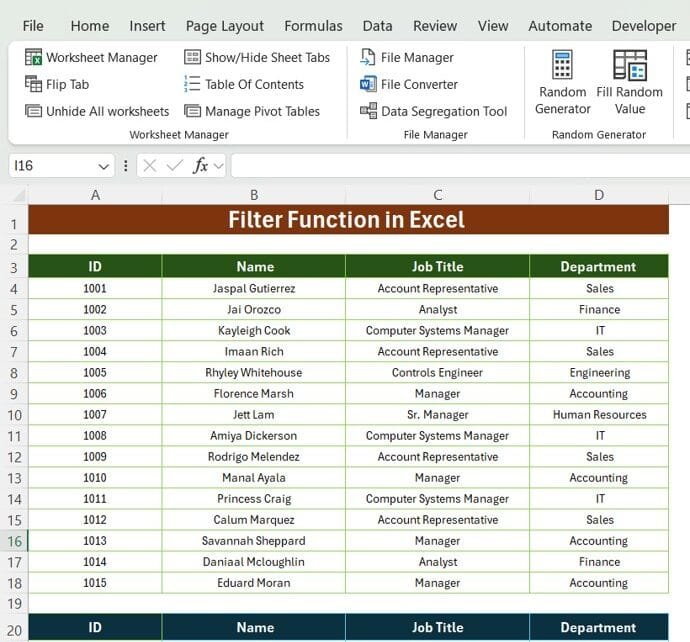
Filter Function in Excel with Examples

November 18, 2024October 10, 2026 PKComments Off on Filter Function in Excel with Examples
Excel’s Filter Function in Excel is a game-changer when it comes to working with data. It enables you to quickly locate and display specific records based on your chosen criteria,
Read More
Excel Tips and Tricks

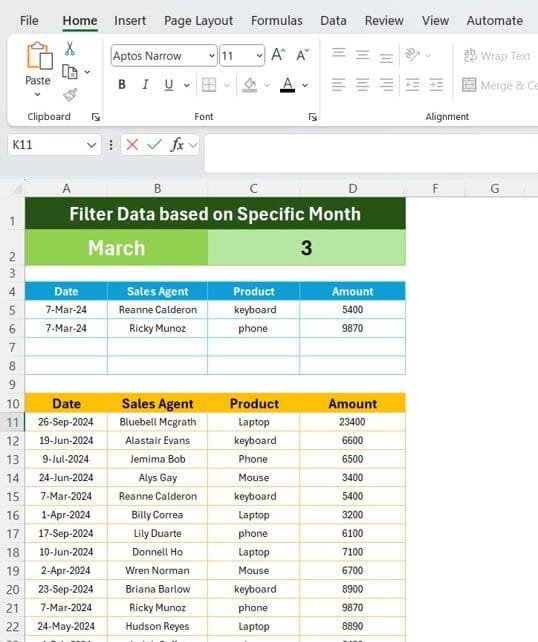
FILTER Data based on Specific Month in Excel

October 8, 2024October 10, 2026 PKComments Off on FILTER Data based on Specific Month in Excel
FILTER Data based is one of the most crucial tasks in Excel, especially when you want to narrow down results based on specific criteria—like a particular month. In this blog
Read More
Excel Tips and Tricks

How to use in FILTER Function in Excel with Examples

September 4, 2024October 10, 2026 PKComments Off on How to use in FILTER Function in Excel with Examples
Are you ready to level up your Excel game? Today, we're going to explore one of Excel’s most powerful tools—the FILTER Function in Excel with Examples  This function is a
Read More
  • Learn Excel (Free Course)
    • 1. Shortcut Keys
    • 2. Fill & Flash Fill
    • 3. Find & Replace
    • 4. Sort & Filter
    • 5. Formulas & Functions
    • 6. Data Validation
    • 7. Conditional Formatting
    • 8. Basic Charts
    • 9. Advanced Charts
    • 10. Pivot Tables
    • 11. Excel Dashboards
    • 12. VBA Course
    • 13. Excel Formulas with AI
  • Templates
  • Tutorials
    • Charts and Visualization
    • VBA
    • Excel Tips and Tricks
    • Excel Dashboards
    • Power Pivot & DAX
  • Power BI
  • Template Store
    • Ready to Use Templates
  • Courses
  • Academy
    • Excel + AI Mastery: 100 Formulas
    • Excel Pivot Tables & Dashboards
  • About Us
  • Contact Us
Copyright © 2023 PK-AnExcelExpert.com - Privacy Policy