New: NextGenTemplates Academy - video courses on Excel formulas with AI and Pivot Tables & dashboards. Early-bird: 20% off with code EARLYBIRD20 - first 20 orders only. See the courses →
  • Learn Excel (Free Course)
    • 1. Shortcut Keys
    • 2. Fill & Flash Fill
    • 3. Find & Replace
    • 4. Sort & Filter
    • 5. Formulas & Functions
    • 6. Data Validation
    • 7. Conditional Formatting
    • 8. Basic Charts
    • 9. Advanced Charts
    • 10. Pivot Tables
    • 11. Excel Dashboards
    • 12. VBA Course
    • 13. Excel Formulas with AI
  • Templates
  • Tutorials
    • Charts and Visualization
    • VBA
    • Excel Tips and Tricks
    • Excel Dashboards
    • Power Pivot & DAX
  • Power BI
  • Template Store
    • Ready to Use Templates
  • Courses
  • Academy
    • Excel + AI Mastery: 100 Formulas
    • Excel Pivot Tables & Dashboards
  • About Us
  • Contact Us

PK: An Excel Expert

Transforming Data into Decisions

Tag: IT Security Dashboard

Dashboard Power BI

IT Security Auditing KPI Dashboard in Power BI

February 15, 2026February 15, 2026 PKComments Off on IT Security Auditing KPI Dashboard in Power BI
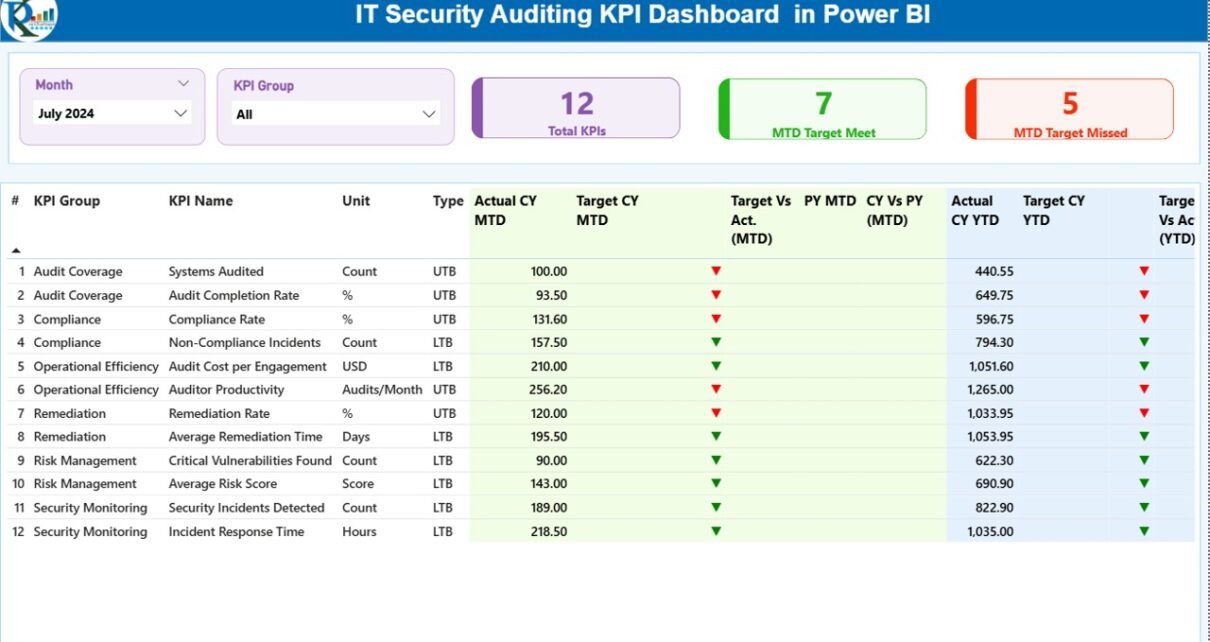
In today’s digital world, cyber threats grow every single day. Hackers target systems. Data breaches increase. Compliance rules change frequently. Therefore, organizations must track security performance continuously. However, many IT
Read More
Dashboard

IT Security Auditing KPI Dashboard in Excel

February 15, 2026February 15, 2026 PKComments Off on IT Security Auditing KPI Dashboard in Excel
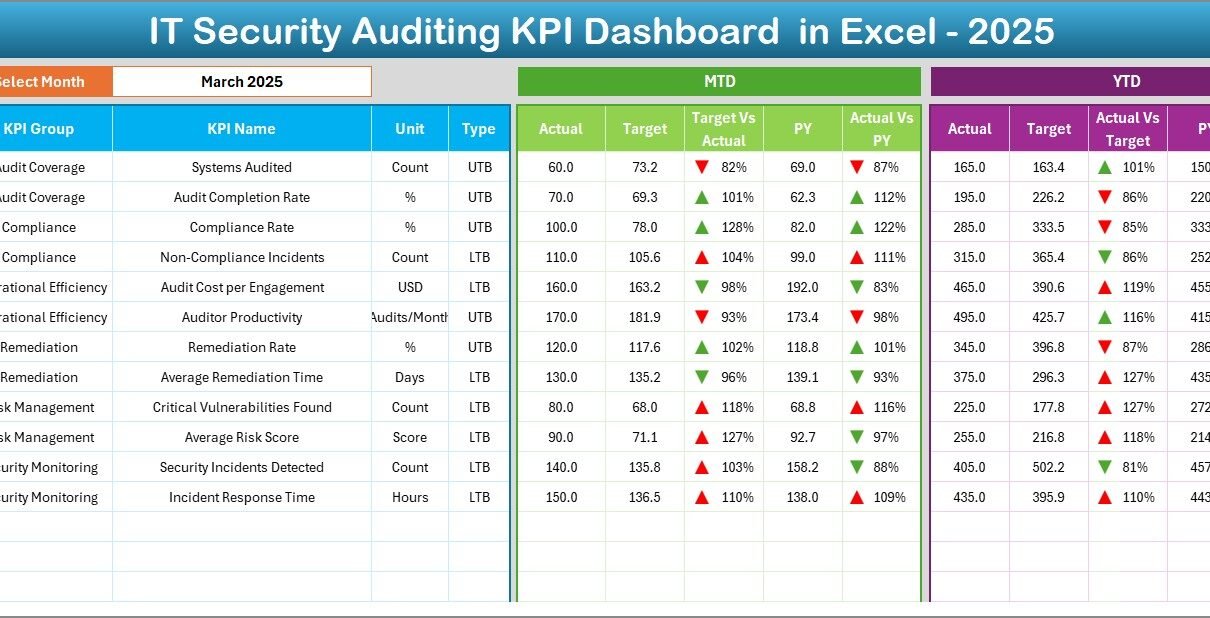
Cyber threats grow every day. Meanwhile, regulations become stricter. At the same time, organizations face constant pressure to protect sensitive data. So, how do you measure whether your IT security
Read More
Dashboard

Security Dashboard in Excel

January 4, 2026January 4, 2026 PKComments Off on Security Dashboard in Excel
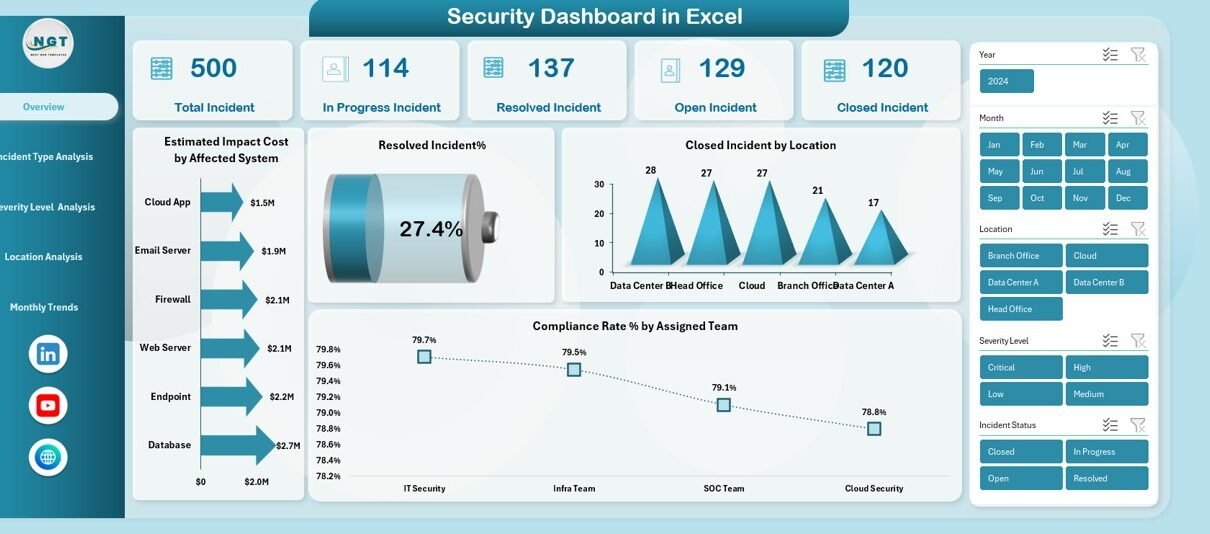
Managing security incidents has become more complex than ever. Organizations face cyber threats, compliance risks, system vulnerabilities, and operational disruptions every day. Therefore, teams must track incidents, monitor risks, and
Read More
  • Learn Excel (Free Course)
    • 1. Shortcut Keys
    • 2. Fill & Flash Fill
    • 3. Find & Replace
    • 4. Sort & Filter
    • 5. Formulas & Functions
    • 6. Data Validation
    • 7. Conditional Formatting
    • 8. Basic Charts
    • 9. Advanced Charts
    • 10. Pivot Tables
    • 11. Excel Dashboards
    • 12. VBA Course
    • 13. Excel Formulas with AI
  • Templates
  • Tutorials
    • Charts and Visualization
    • VBA
    • Excel Tips and Tricks
    • Excel Dashboards
    • Power Pivot & DAX
  • Power BI
  • Template Store
    • Ready to Use Templates
  • Courses
  • Academy
    • Excel + AI Mastery: 100 Formulas
    • Excel Pivot Tables & Dashboards
  • About Us
  • Contact Us
Copyright © 2023 PK-AnExcelExpert.com - Privacy Policy