New: NextGenTemplates Academy - video courses on Excel formulas with AI and Pivot Tables & dashboards. Early-bird: 20% off with code EARLYBIRD20 - first 20 orders only. See the courses →
  • Learn Excel (Free Course)
    • 1. Shortcut Keys
    • 2. Fill & Flash Fill
    • 3. Find & Replace
    • 4. Sort & Filter
    • 5. Formulas & Functions
    • 6. Data Validation
    • 7. Conditional Formatting
    • 8. Basic Charts
    • 9. Advanced Charts
    • 10. Pivot Tables
    • 11. Excel Dashboards
    • 12. VBA Course
    • 13. Excel Formulas with AI
  • Templates
  • Tutorials
    • Charts and Visualization
    • VBA
    • Excel Tips and Tricks
    • Excel Dashboards
    • Power Pivot & DAX
  • Power BI
  • Template Store
    • Ready to Use Templates
  • Courses
  • Academy
    • Excel + AI Mastery: 100 Formulas
    • Excel Pivot Tables & Dashboards
  • About Us
  • Contact Us

PK: An Excel Expert

Transforming Data into Decisions

Tag: Procurement Dashboard Excel

Dashboard

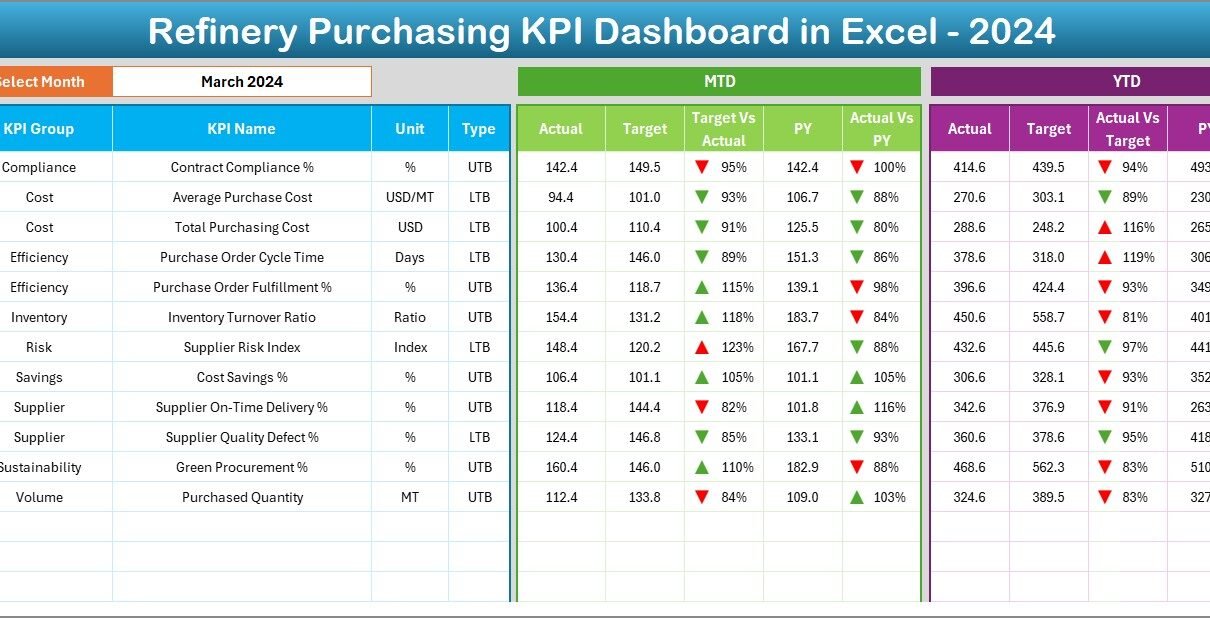
Refinery Purchasing KPI Dashboard in Excel

December 27, 2025December 27, 2025 PKComments Off on Refinery Purchasing KPI Dashboard in Excel
Managing purchasing operations in a refinery always demands precision, transparency, and fast decision-making. Because refinery purchasing involves high-value materials, long-term supplier contracts, strict compliance rules, and fluctuating prices, even a
Read More
Dashboard

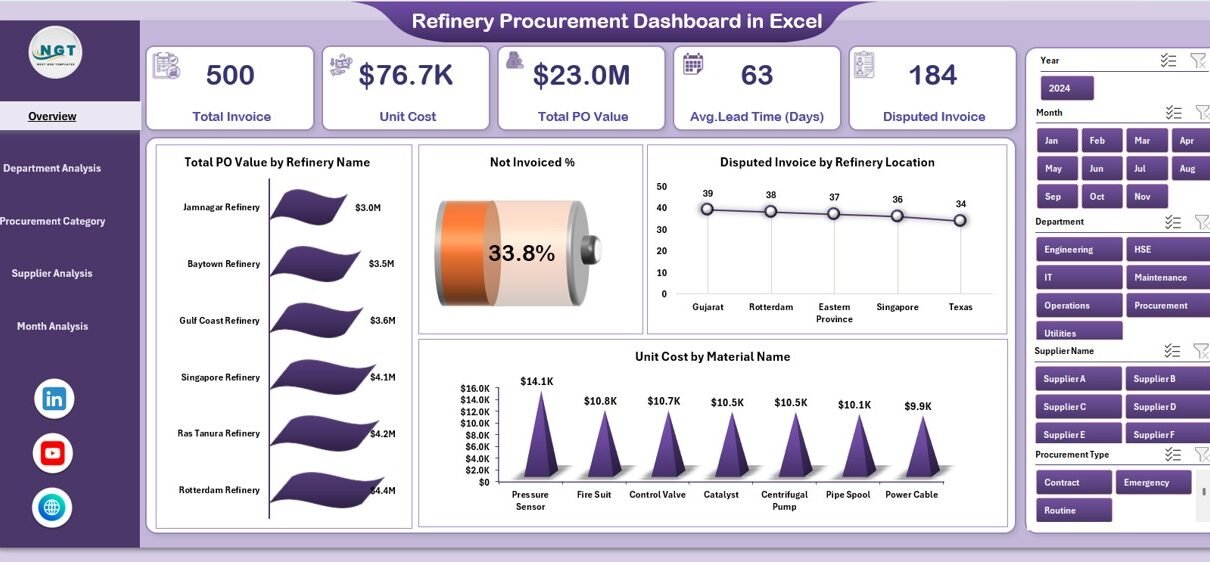
Refinery Procurement Dashboard in Excel

December 25, 2025December 25, 2025 PKComments Off on Refinery Procurement Dashboard in Excel
Managing procurement operations in a refinery is never simple. Refineries deal with large volumes of raw materials, multiple suppliers, strict quality standards, and tight delivery timelines. Because of this, even
Read More
Dashboard

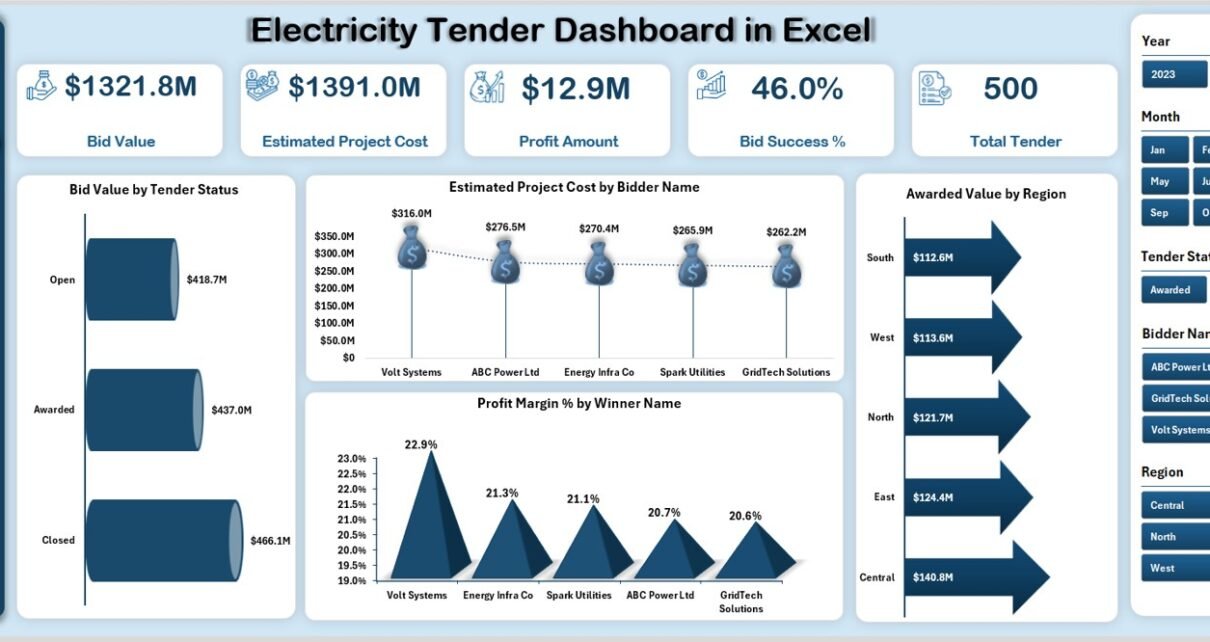
Electricity Tender Dashboard in Excel

December 22, 2025December 22, 2025 PKComments Off on Electricity Tender Dashboard in Excel
Managing electricity tenders requires precision, transparency, and strong analytical control. However, many organizations still rely on scattered spreadsheets and manual tracking. As a result, decision-making becomes slow and error-prone. Therefore,
Read More
  • Learn Excel (Free Course)
    • 1. Shortcut Keys
    • 2. Fill & Flash Fill
    • 3. Find & Replace
    • 4. Sort & Filter
    • 5. Formulas & Functions
    • 6. Data Validation
    • 7. Conditional Formatting
    • 8. Basic Charts
    • 9. Advanced Charts
    • 10. Pivot Tables
    • 11. Excel Dashboards
    • 12. VBA Course
    • 13. Excel Formulas with AI
  • Templates
  • Tutorials
    • Charts and Visualization
    • VBA
    • Excel Tips and Tricks
    • Excel Dashboards
    • Power Pivot & DAX
  • Power BI
  • Template Store
    • Ready to Use Templates
  • Courses
  • Academy
    • Excel + AI Mastery: 100 Formulas
    • Excel Pivot Tables & Dashboards
  • About Us
  • Contact Us
Copyright © 2023 PK-AnExcelExpert.com - Privacy Policy