New: NextGenTemplates Academy - video courses on Excel formulas with AI and Pivot Tables & dashboards. Early-bird: 20% off with code EARLYBIRD20 - first 20 orders only. See the courses →
  • Learn Excel (Free Course)
    • 1. Shortcut Keys
    • 2. Fill & Flash Fill
    • 3. Find & Replace
    • 4. Sort & Filter
    • 5. Formulas & Functions
    • 6. Data Validation
    • 7. Conditional Formatting
    • 8. Basic Charts
    • 9. Advanced Charts
    • 10. Pivot Tables
    • 11. Excel Dashboards
    • 12. VBA Course
    • 13. Excel Formulas with AI
  • Templates
  • Tutorials
    • Charts and Visualization
    • VBA
    • Excel Tips and Tricks
    • Excel Dashboards
    • Power Pivot & DAX
  • Power BI
  • Template Store
    • Ready to Use Templates
  • Courses
  • Academy
    • Excel + AI Mastery: 100 Formulas
    • Excel Pivot Tables & Dashboards
  • About Us
  • Contact Us

PK: An Excel Expert

Transforming Data into Decisions

Tag: Workload Analysis

Dashboard Power BI

Employee Workload Dashboard in Power BI

February 8, 2026February 8, 2026 PKComments Off on Employee Workload Dashboard in Power BI
Managing employee workload has become more challenging than ever. Teams handle multiple projects. Deadlines move quickly. Priorities change daily. Meanwhile, managers struggle to understand who feels overloaded and who has
Read More
Templates

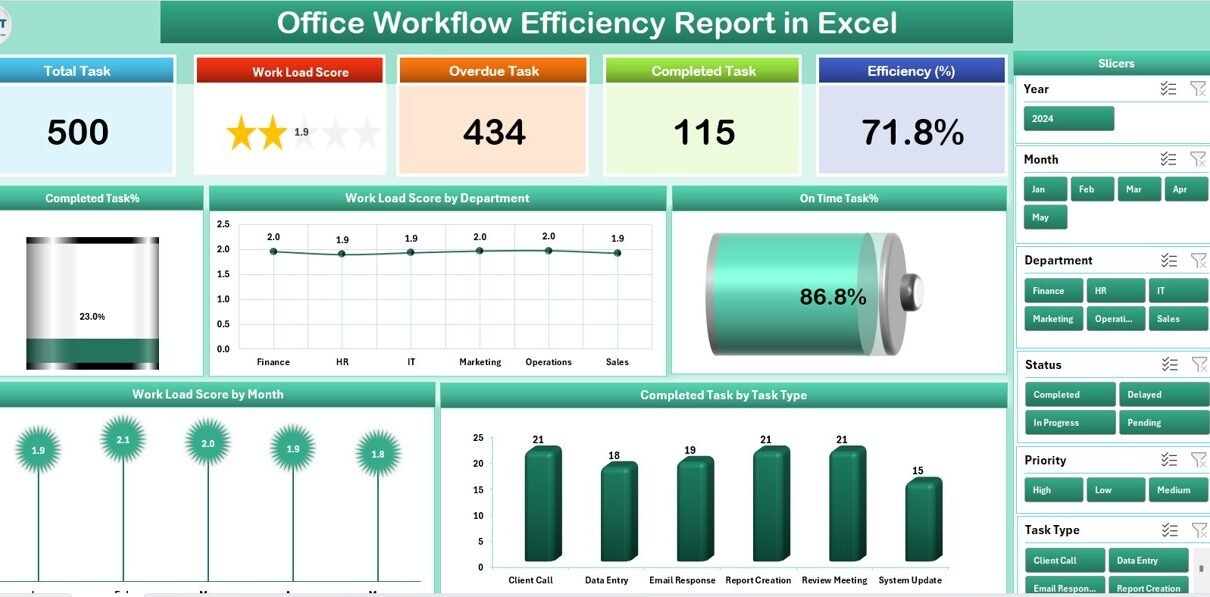
Office Workflow Efficiency Report in Excel

August 14, 2025August 14, 2025 PKComments Off on Office Workflow Efficiency Report in Excel
In today’s fast-paced business world, every organization aims to maximize productivity while minimizing wasted time and resources. However, without proper tracking, managing workflow efficiency can quickly become a challenge. This
Read More
Dashboard

Workload Balance KPI Dashboard in Excel

March 22, 2025March 22, 2025 PKComments Off on Workload Balance KPI Dashboard in Excel
In today’s fast-paced business world, balancing workload across teams and departments is more crucial than ever. Uneven task distribution, overwhelmed employees, or under-utilized resources can lead to missed deadlines, low
Read More
  • Learn Excel (Free Course)
    • 1. Shortcut Keys
    • 2. Fill & Flash Fill
    • 3. Find & Replace
    • 4. Sort & Filter
    • 5. Formulas & Functions
    • 6. Data Validation
    • 7. Conditional Formatting
    • 8. Basic Charts
    • 9. Advanced Charts
    • 10. Pivot Tables
    • 11. Excel Dashboards
    • 12. VBA Course
    • 13. Excel Formulas with AI
  • Templates
  • Tutorials
    • Charts and Visualization
    • VBA
    • Excel Tips and Tricks
    • Excel Dashboards
    • Power Pivot & DAX
  • Power BI
  • Template Store
    • Ready to Use Templates
  • Courses
  • Academy
    • Excel + AI Mastery: 100 Formulas
    • Excel Pivot Tables & Dashboards
  • About Us
  • Contact Us
Copyright © 2023 PK-AnExcelExpert.com - Privacy Policy