Teacher Substitution Calendar in Excel
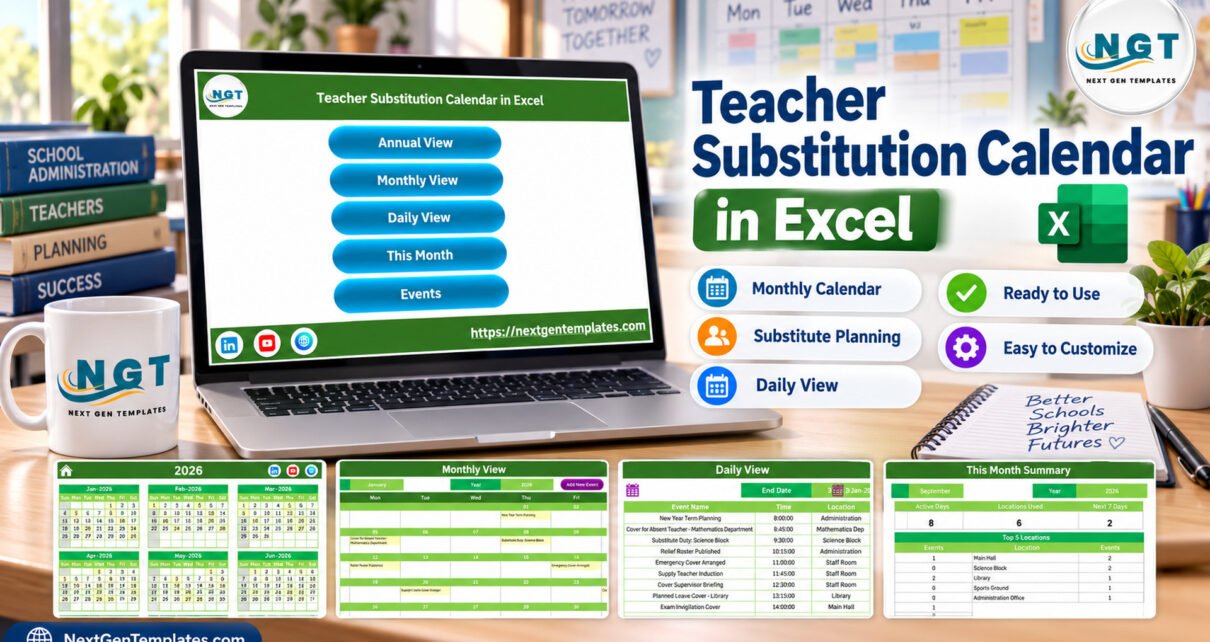
Teacher Substitution Calendar in Excel is a practical calendar template for schools that need a clearer way to organize substitute teacher cover, planned leave cover, daily duty notes, relief rosters, and monthly school administration events.
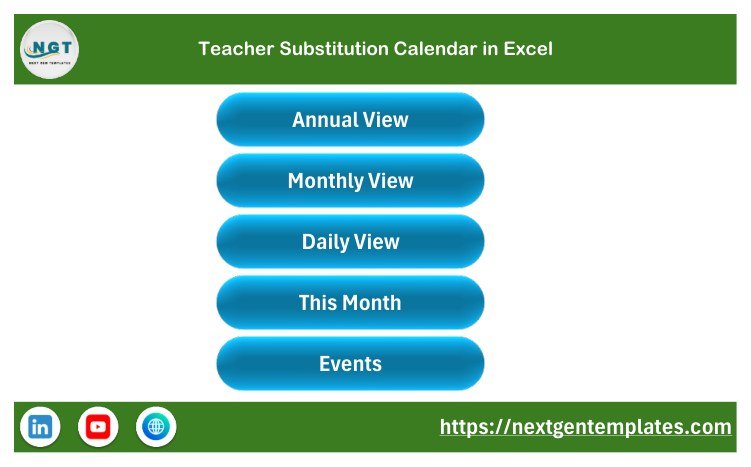
This workbook is designed as a macro-enabled Microsoft Excel file for Windows desktop Excel. It gives school teams a ready structure with Annual View, Monthly View, Daily View, This Month Summary, and Events pages, so substitution planning can be reviewed without building a calendar from scratch.
For more spreadsheet automation examples, visit PK: An Excel Expert, and open the file in desktop Microsoft Excel because this workbook uses macros.
Why Schools Need A Substitution Calendar
Teacher absence coverage is easy to lose inside messages, notebooks, and one-off spreadsheets. A dedicated calendar makes it easier to see which dates already have cover activities, which locations are being used, and which upcoming events need attention. This template keeps the planning inside a familiar Excel file.
It is useful for administrators, academic coordinators, department heads, and operations teams who want a reusable school scheduling workbook. The sample workbook includes substitution-style entries such as absent teacher cover, substitute duty, relief roster updates, supply teacher induction, supervisor briefing, planned leave cover, and exam invigilation cover.
Annual View
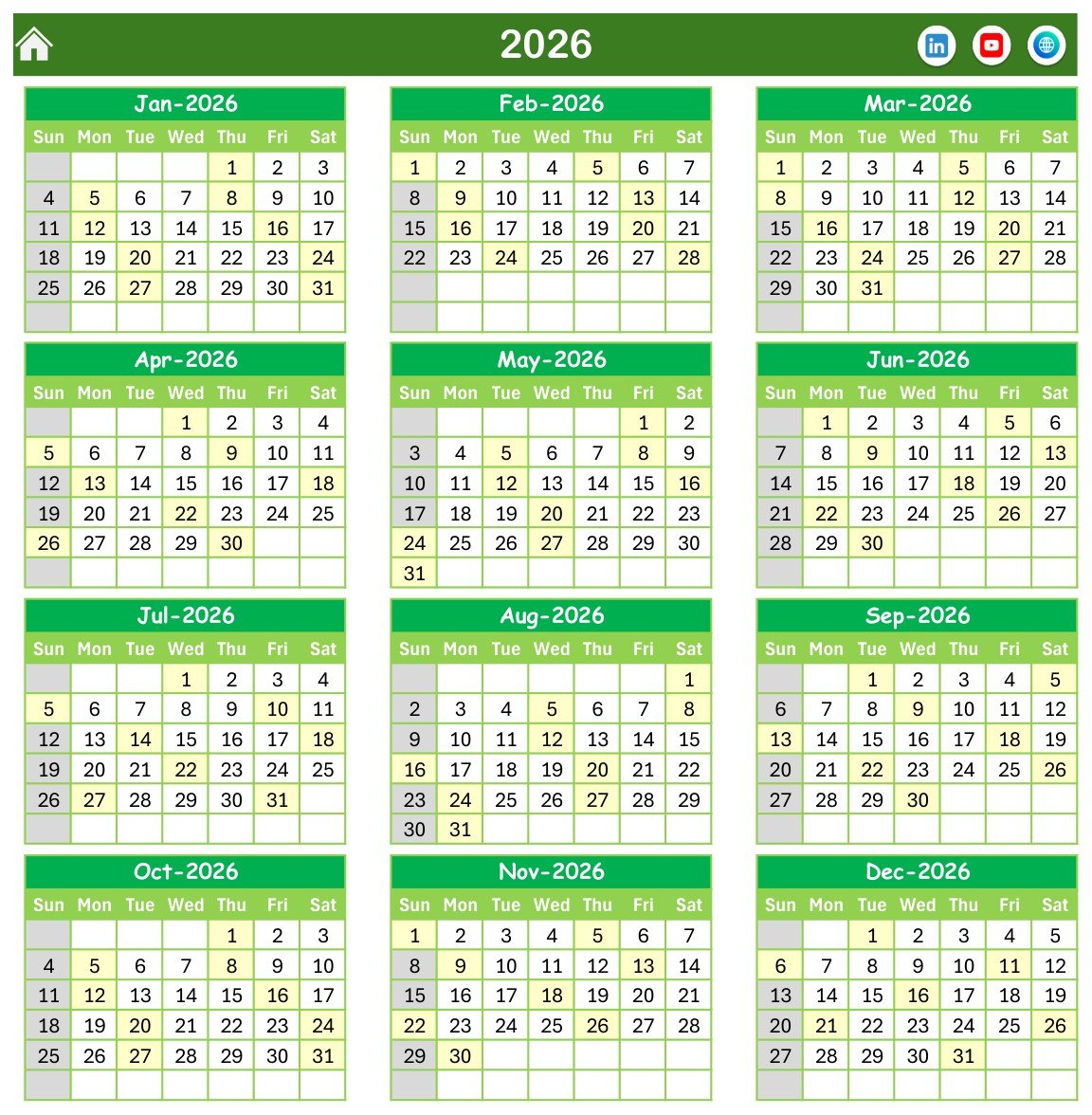
The Annual View provides a full-year calendar layout. It helps you scan the whole year and understand where active planning dates appear. This is helpful when school teams need a broad view before drilling into the month or day.
Monthly View
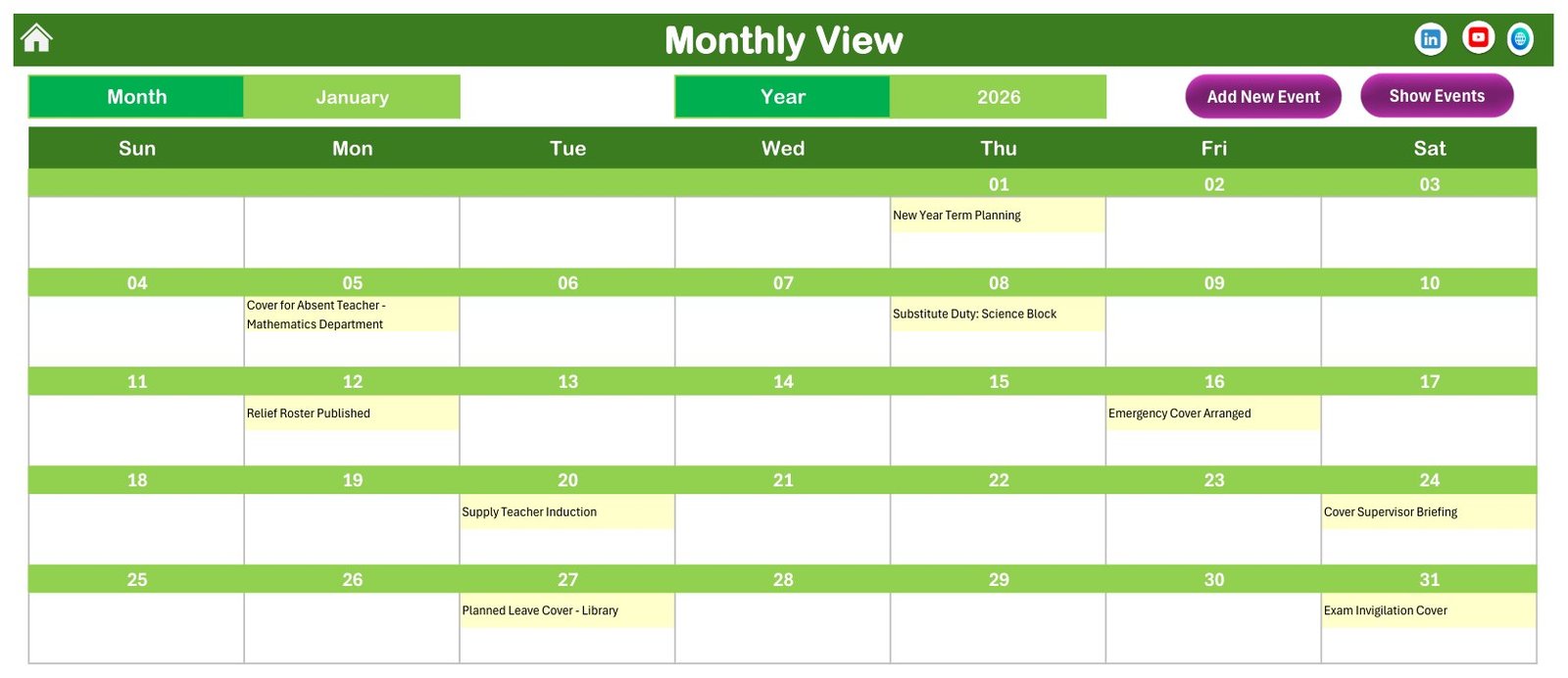
The Monthly View shows the selected month with substitution events placed on calendar dates. It is the main working view for planning cover across the month and reviewing which dates already have events.
Daily View
The Daily View presents event-level details such as event name, time, and location. This makes it easier to review a specific school day and prepare the necessary administrative actions.
This Month Summary
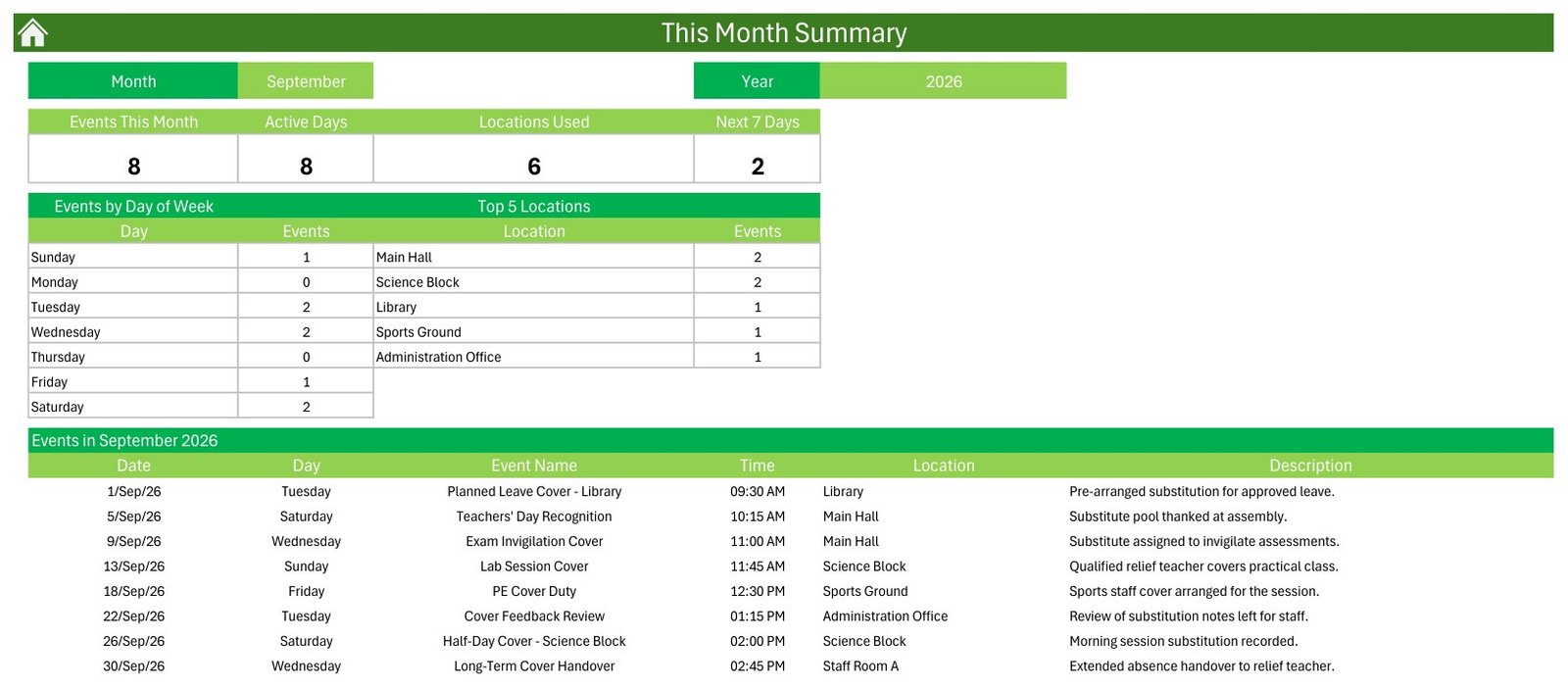
The This Month Summary page gives a compact overview of active days, locations used, upcoming events, and top locations. It is useful for quick coordination reviews and monthly school operations meetings.
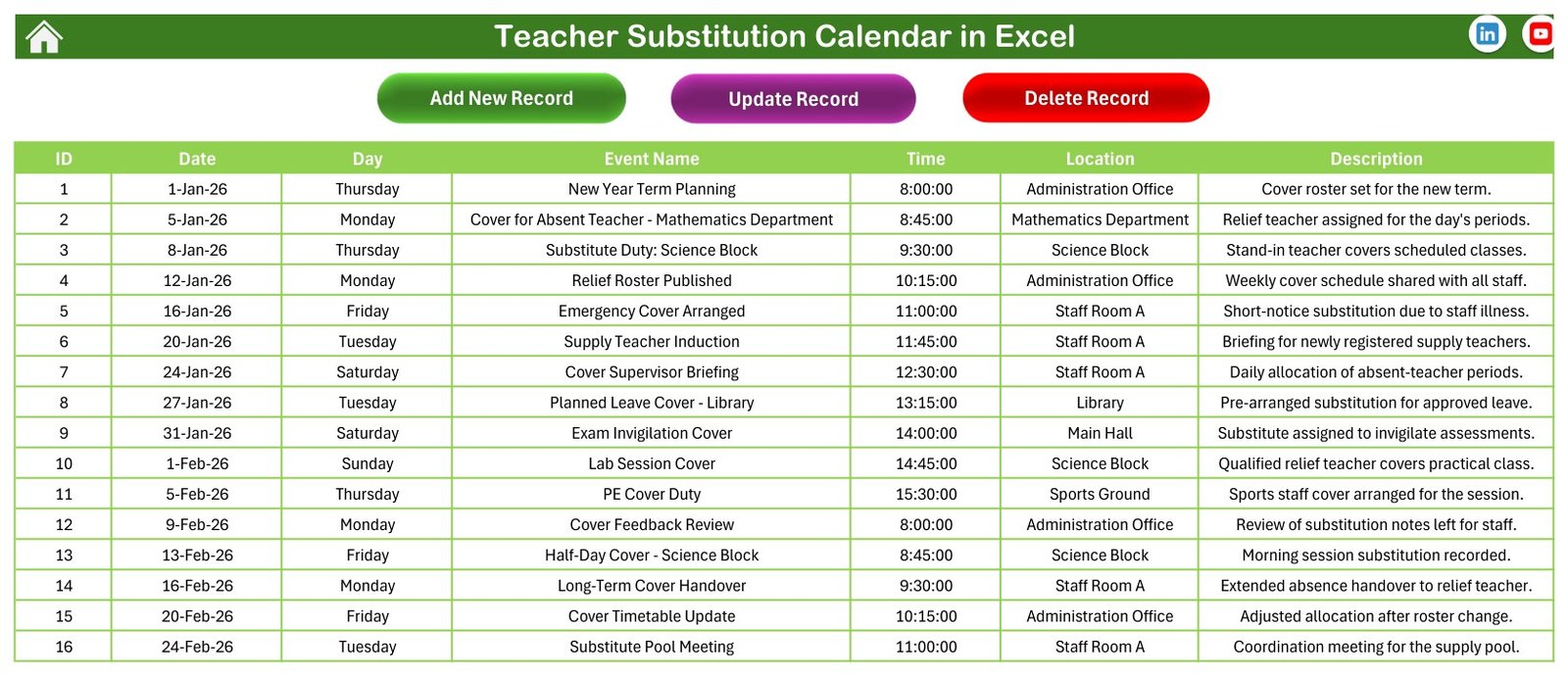
Events Page
The Events page stores the event list used by the calendar views. Replace the included sample data with your own school-specific substitution schedule, times, locations, and event names.
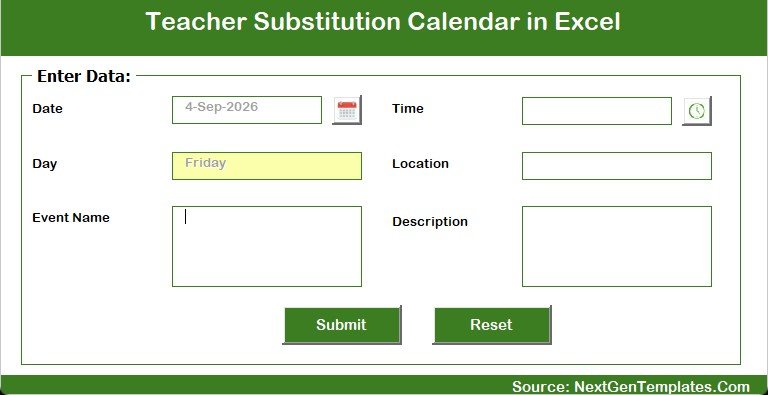
Excel For Windows And Macros
This is a macro-enabled workbook. It should be used in desktop Microsoft Excel for Windows, and macros must be enabled for the workbook controls and navigation to work as intended. It is not positioned as a Google Sheets, Excel Online, Numbers, or mobile workbook.
What The Download Includes
- Macro-enabled Excel workbook for teacher substitution calendar planning
- Excel Calendar user manual PDF
- Annual, Monthly, Daily, This Month, and Events views
- Sample substitution planning data that can be replaced with your own schedule
How To Use It
- Download and extract the ZIP file.
- Open the workbook in Microsoft Excel for Windows.
- Enable macros when Excel prompts you.
- Review the sample school substitution events.
- Replace the sample rows with your own teacher cover planning details.
- Use the calendar views for monthly review, daily preparation, and event tracking.
Important Limitations
This is a planning workbook, not an HR system, payroll system, attendance system, notification tool, or compliance platform. It does not validate substitute teacher eligibility, connect with school databases, or automatically prevent scheduling conflicts. Use it as an editable calendar structure for administrative planning.
FAQ
Is the school substitution calendar editable?
Yes. You can replace the sample events with your own school substitution schedule and planning details.
Do I need macros?
Yes. This is a macro-enabled Excel-for-Windows workbook, so macros should be enabled in desktop Microsoft Excel.
Can I use it in Google Sheets?
No. This product is made for Microsoft Excel on Windows. A Google Sheets edition is separate.
Is this a complete school HR system?
No. It is a calendar and planning template for substitution coordination, not a full HR, payroll, attendance, or compliance system.
This Excel calendar gives school teams a clean, reusable way to organize substitute teacher planning without starting from a blank workbook.