The healthcare industry moves fast. Every day, clinics, hospitals, diagnostic centers, pharmacies, and supply chain units deal with hundreds of tasks. Teams coordinate appointments, deliveries, inventory checks, maintenance activities, audits, training sessions, and digital transformation initiatives. Because the workflow is complex, even a small communication gap can affect patient care and operational efficiency.
However, you can manage all these tasks with ease when you use a well-designed calendar system. This is where the Healthcare Logistics Digital Transformation Calendar in Excel helps. It organizes your activities in a structured format and gives you full control over your schedule. Moreover, it keeps all events in one place so you can plan every workflow smoothly.
In this complete guide, you will learn everything about this template—its worksheets, features, advantages, best practices, and use cases. You will also get answers to the most common questions asked by users.
Click to buy Healthcare Logistics Digital Transformation Calendar in Excel
What Is a Healthcare Logistics Digital Transformation Calendar in Excel?
A Healthcare Logistics Digital Transformation Calendar in Excel is a ready-to-use planning tool that helps healthcare teams manage their yearly, monthly, and daily events. It supports daily operations and digital transformation tasks such as:
- Supply chain improvements
- Technology upgrades
- Staff training
- Equipment maintenance
- Emergency readiness
- Software implementation
- Process automation planning
The calendar includes an annual view, monthly view, daily view, and a complete events database. Because of these features, you can monitor schedules, track progress, and adjust workloads with confidence.
This Excel-based solution works well for hospitals, pharmaceutical companies, nursing homes, labs, and logistics partners who want to streamline their planning without using complex tools.
Why Healthcare Logistics Teams Need This Calendar
Healthcare logistics involves many moving parts. Teams handle medical supplies, transport schedules, digital initiatives, compliance tasks, and operational events. Without a centralized calendar, information spreads across emails, WhatsApp chats, sticky notes, and multiple spreadsheets. This becomes difficult to manage and may cause:
- Missed deadlines
- Miscommunication
- Confusion between teams
- Delayed processes
- Unbalanced workload
- Limited visibility
This Excel template solves all these problems. It provides a reliable planning system where every event, activity, and logistics-related task stays organized.
Key Features of the Healthcare Logistics Digital Transformation Calendar in Excel
This calendar template contains five powerful worksheets, each designed to simplify your planning process. Let’s explore each worksheet in detail.
Home Sheet Tab – The Main Navigation Center
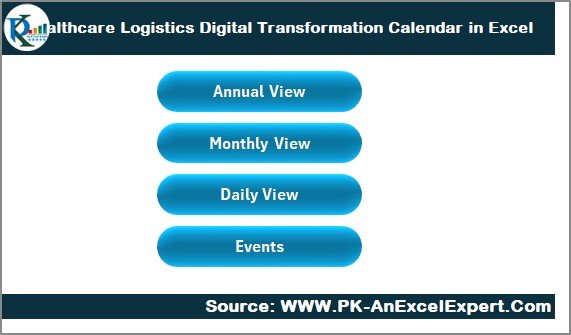
The Home sheet acts as the dashboard of the entire workbook. It contains four buttons that take you directly to your desired view:
- Annual View
- Monthly View
- Daily View
- Events
These navigation buttons make the workbook easy to use. You do not waste time searching for sheets. Instead, you click once and jump to the required section. The Home sheet also helps new users understand the structure of the template quickly.
Because of its simple layout, beginners can use it without training.
Annual View Sheet Tab – Complete Year Planner
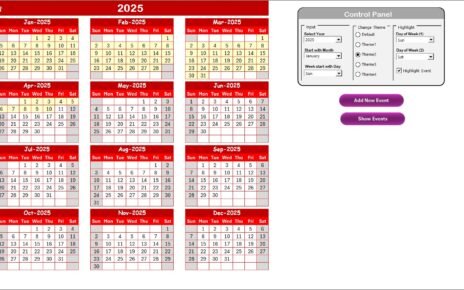
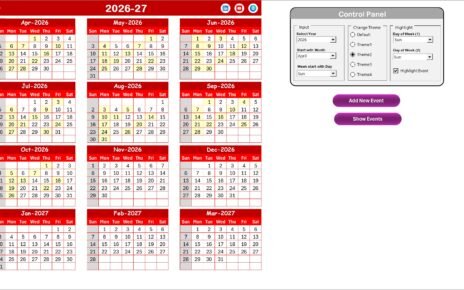
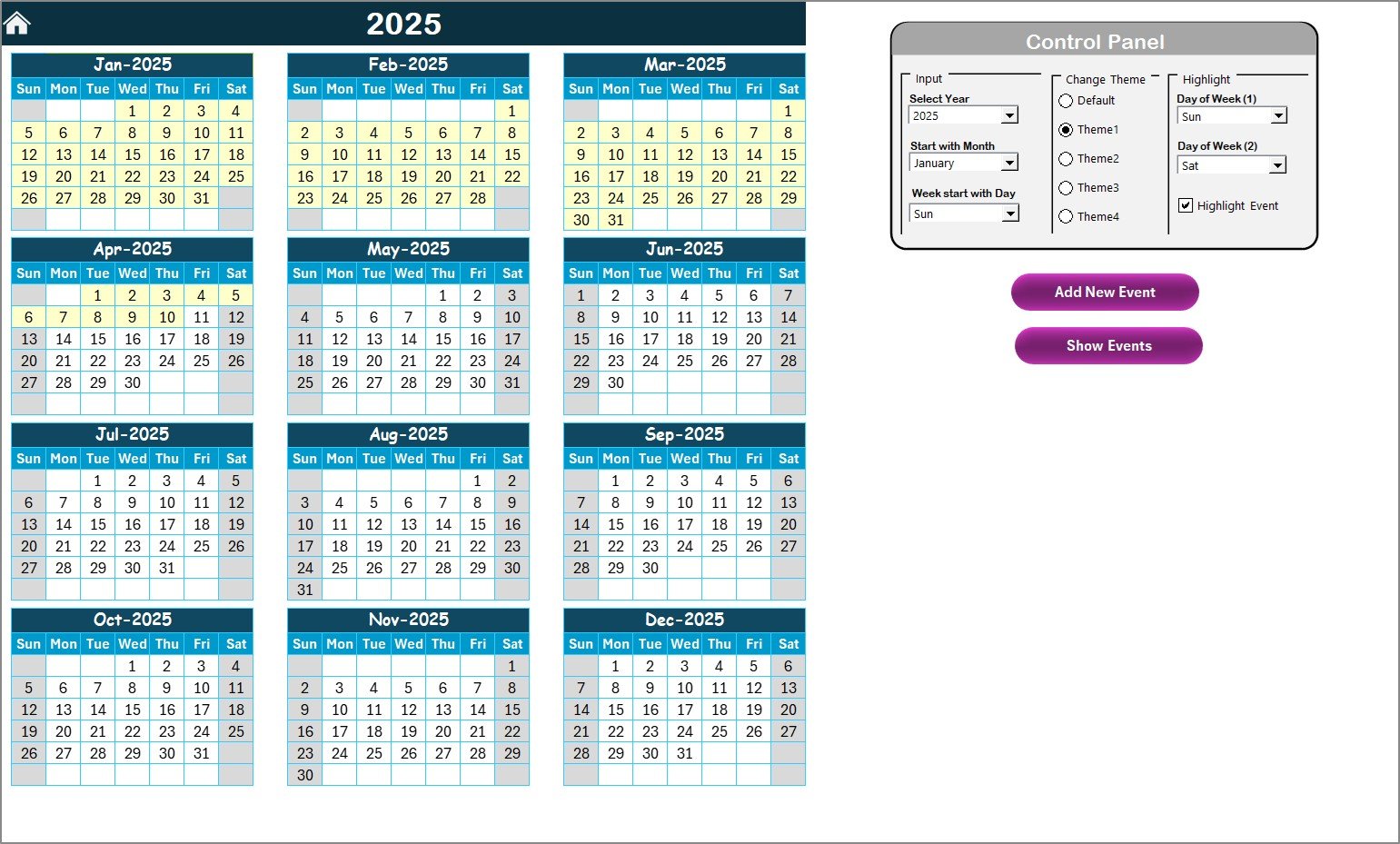
The Annual View sheet shows all 12 months on a single page. This view is helpful when you want a complete picture of your yearly schedule.
You can:
- View your entire year at a glance
- Identify busy months and free periods
- Adjust long-term project timelines
- Highlight weekends and important days
- Track events across all 12 months
In healthcare logistics, long-term planning is crucial. Because the Annual View summarizes everything in one place, it helps teams plan large-scale goals like supply upgrades, digital transformation phases, and seasonal demand patterns.
Click to buy Healthcare Logistics Digital Transformation Calendar in Excel
Annual View Sheet Features
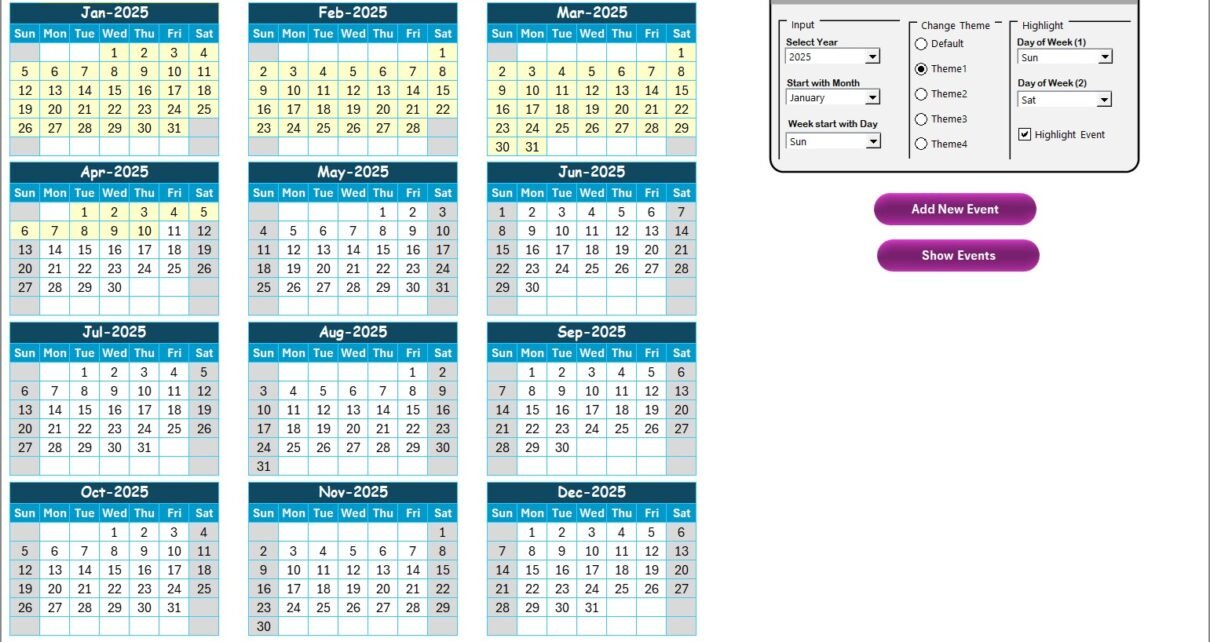
The sheet includes a powerful Control Panel and two action buttons.
Control Panel
The control panel contains three groups:
Input Group
This section allows you to customize your annual calendar:
- Select Year – Choose the year you want to plan.
- Select Starting Month – Useful for fiscal planning (e.g., April–March).
- Select Starting Day of the Week – Adjust based on regional or organizational format.
Because of these flexible options, the annual planner adapts to any healthcare environment.
Change Theme Group
The template includes five themes. You can switch between them to match your brand identity or presentation needs.
Themes help make the calendar visually appealing and easier to read.
Highlight Group
You can customize your highlights:
- Select Day of Week (1) to highlight
- Select Day of Week (2) to highlight
- Tick Highlight Event Checkbox to highlight event dates automatically
Because many healthcare facilities operate throughout the week, highlight options help teams quickly identify critical days like weekends or emergency shifts.
Add New Event Button
Select a date → click the button → enter event details.
This button opens a form that collects:
- Event name
- Date
- Time
- Location
- Description
After submitting, the event automatically appears on the selected date.
Show Event Button
When you select a specific date and click this button, you can see all events scheduled for that day.
This is useful when many tasks occur on the same date.
Monthly View Sheet Tab – Detailed Month Calendar
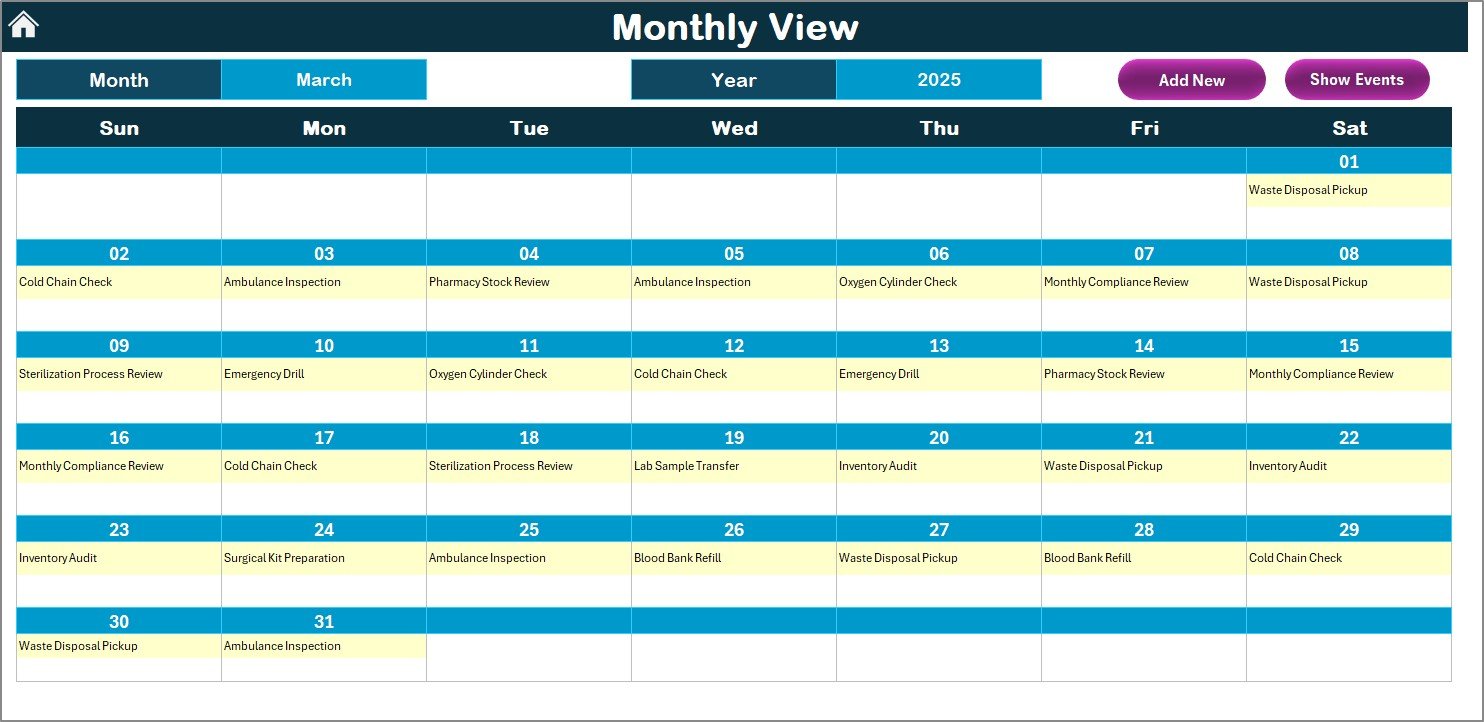
The Monthly View sheet allows you to focus on one month at a time. You can choose Month and Year from the dropdown, and the calendar updates instantly.
This view supports day-to-day healthcare logistics tasks such as:
- Tracking patient transport schedules
- Monitoring equipment checkups
- Planning vaccine distribution
- Supervising digital transformation activities
- Checking staff training events
The Monthly View also displays one event directly on the calendar. When a date contains more than one event, it shows “More than 1…” so you know to check details using the Show Event button.
Monthly View Buttons
Add New Event Button
Select a date → add event → save.
The process is straightforward and takes only a few seconds.
Show Event Button
If a date has multiple events, click this button to view the complete list.
This simple navigation helps healthcare teams stay aware of all responsibilities.
Click to buy Healthcare Logistics Digital Transformation Calendar in Excel
Daily View Sheet Tab – Events Within a Date Range
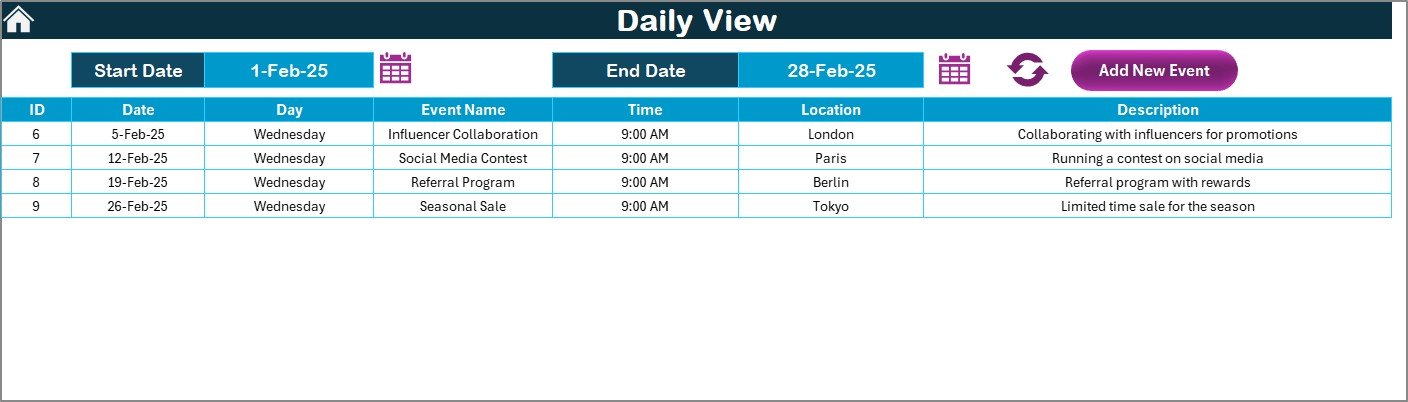
Sometimes, you need a focused view of events happening within a specific period. The Daily View sheet helps you achieve that.
You select:
- Start Date
- End Date
Click Refresh, and the sheet displays all events happening within the selected date range.
This view is perfect for:
- Weekly work planning
- Staff scheduling
- Equipment movement tracking
- Routine audits
- Digital project timelines
- Emergency planning
- Delivery schedules
Because the Daily View shows full details of each event, your team stays informed and prepared.
Add New Event Button
Click this button anytime to add a new event directly from the Daily View.
The event form is simple and helps you update data without switching sheets.
Click to buy Healthcare Logistics Digital Transformation Calendar in Excel
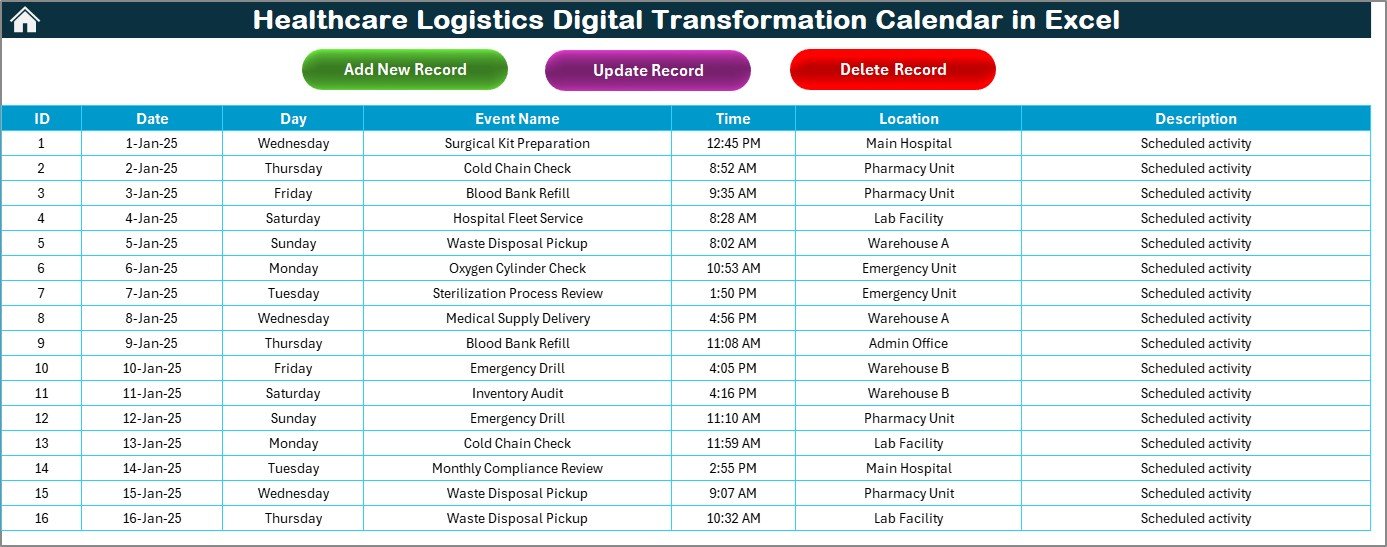
Events Sheet Tab – The Complete Database
The Events sheet acts as the heart of the calendar system. It stores all event-related information in a structured database.
Each record contains:
- ID – Auto-generated unique number
- Date – Event date
- Day – Day of the week
- Event Name – Title of the event
- Time – Event time
- Location – Location or department
- Description – Short description
This database helps you easily manage, search, update, and delete events.
Buttons on the Events Sheet
The Events sheet includes three main action buttons:
- Add New Record Button
Click → Open form → Enter event → Submit.
The new record appears automatically in the database.
- Update Existing Record Button
Select the record ID → Click → Form opens with data → Edit and save.
This helps maintain accuracy in healthcare logistics, where schedules change frequently.
- Delete Record Button
Select ID → Click → Remove the record instantly.
This keeps your event list clean and updated.
Click to buy Healthcare Logistics Digital Transformation Calendar in Excel
Advantages of Healthcare Logistics Digital Transformation Calendar in Excel
This calendar offers several advantages that improve the efficiency of healthcare operations.
- Clear Yearly, Monthly, and Daily Planning
Because the template provides three types of calendar views, users can switch between long-term and short-term planning with ease.
- Better Collaboration
Everyone follows the same calendar. This avoids confusion and ensures smooth coordination between clinical, administrative, and logistics teams.
- Digital Transformation Tracking Becomes Easy
Healthcare organizations use this calendar to plan tasks like:
- Software rollouts
- Training sessions
- Data migration events
- Equipment upgrades
- Compliance updates
Because the calendar organizes everything in one place, project progress remains transparent.
- Reduces Errors and Miscommunication
The template provides structured data fields and event forms. Therefore, you record accurate and complete information.
- Improves Time Management
Teams prioritize tasks efficiently. As a result, delays reduce and operations run smoothly.
- Fully Customizable
You can change themes, highlight days, adjust the year, and customize views based on your needs.
- Easy to Use
No advanced technical knowledge is required. Even non-technical staff can use the template comfortably.
Best Practices for Using the Healthcare Logistics Digital Transformation Calendar
Follow these best practices to get the most value from this powerful tool.
- Update Events Daily
Add new activities as soon as you schedule them. This keeps your calendar accurate.
Use Themes to Improve Visibility
Choose a theme that makes it easy to view dates, weekends, and events.
Highlight Weekends and Peak Days
This helps you plan staffing and logistics activities effectively.
Use the Daily View for Operational Planning
At the start of each week, check the Daily View to stay aware of all tasks.
Maintain a Clean Events Database
Delete unnecessary records and update outdated entries regularly.
Encourage Team Usage
When all departments follow the same calendar, collaboration becomes stronger.
Review the Annual View Monthly
This helps you monitor long-term goals and digital transformation projects.
Use Cases of the Healthcare Logistics Digital Transformation Calendar
This Excel template supports multiple use cases such as:
- Hospital logistics planning
- Pharmacy distribution scheduling
- Vaccine supply management
- Medical equipment tracking
- Digital project milestone planning
- Staff rosters and rotation
- Transport and ambulance movement
- Facility maintenance
- Audit and compliance dates
- Training and development calendars
Because of its flexibility, many healthcare units rely on this template daily.
Conclusion
The Healthcare Logistics Digital Transformation Calendar in Excel is a complete planning system that brings clarity, structure, and efficiency to healthcare workflows. It helps hospitals and healthcare logistics teams organize their year, month, and day with ease. Because it focuses on digital transformation, operational planning becomes smoother, faster, and more accurate.
If you want a tool that simplifies planning, improves coordination, and supports digital growth, this calendar template is the right choice.
Frequently Asked Questions (FAQs)
- Who can use the Healthcare Logistics Digital Transformation Calendar?
Hospitals, clinics, labs, pharmacies, nursing homes, and logistics teams can use this calendar for daily and long-term planning.
- Does this template require advanced Excel skills?
No. Anyone with basic Excel knowledge can use it comfortably.
- Can I add unlimited events?
Yes, you can add as many events as needed. The database handles unlimited entries.
- Can I edit an event after creating it?
Yes. Use the Update Existing Record button to edit any event.
- Does the calendar support fiscal year planning?
Yes. You can change the starting month from the control panel.
- Can I highlight weekends or custom days?
Yes. You can highlight any two days of the week using the Highlight group.
- Is the template fully customizable?
Yes. You can modify themes, layout, colors, and formats as per your needs.
Visit our YouTube channel to learn step-by-step video tutorials
Watch the step-by-step video tutorial:
Click to buy Healthcare Logistics Digital Transformation Calendar in Excel