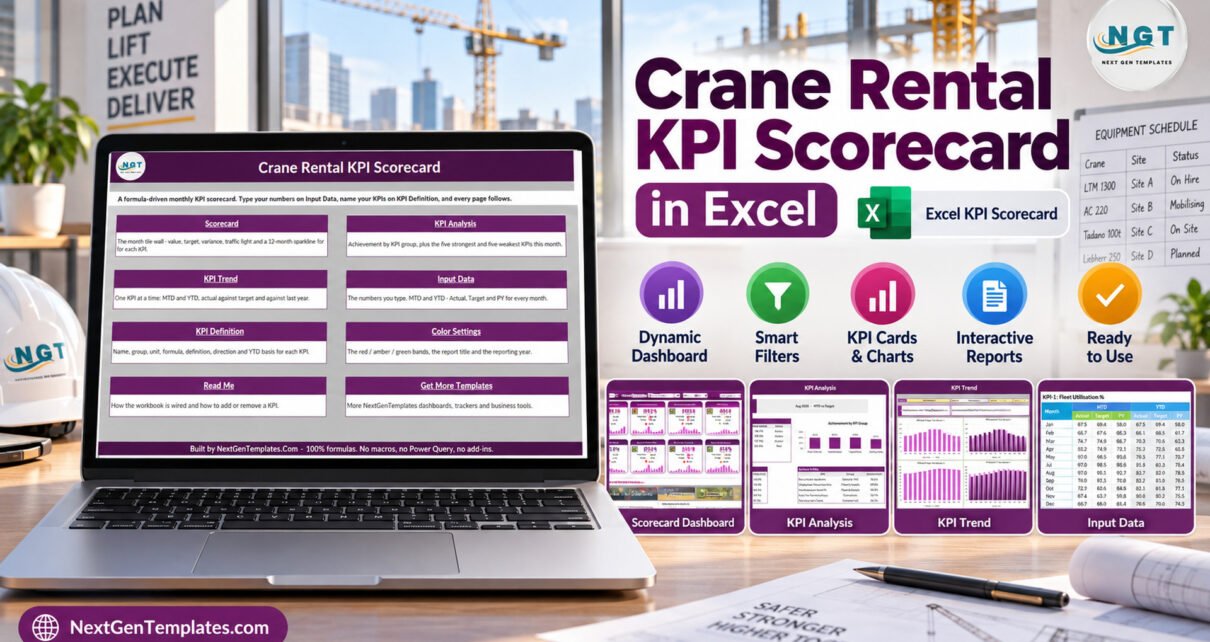
This Excel scorecard is a practical spreadsheet for crane rental teams that need a monthly performance review without creating every KPI page manually.
This scorecard keeps the review centred on the metrics that matter for crane hire operations, including utilisation, revenue, mobilisation, downtime, maintenance cost, and customer satisfaction.
Crane Rental KPI Scorecard in Excel is a ready-to-use crane rental kpi scorecard in excel for crane hire, lifting equipment, rental operations, and equipment service teams that want a clear monthly view of performance without building formulas from scratch.
The workbook is designed for monthly review meetings where managers need a clean page for numbers, status lights, and trend direction.
Use this review workbook when you need a clear crane rental scorecard for operations meetings, finance checks, and management reporting.
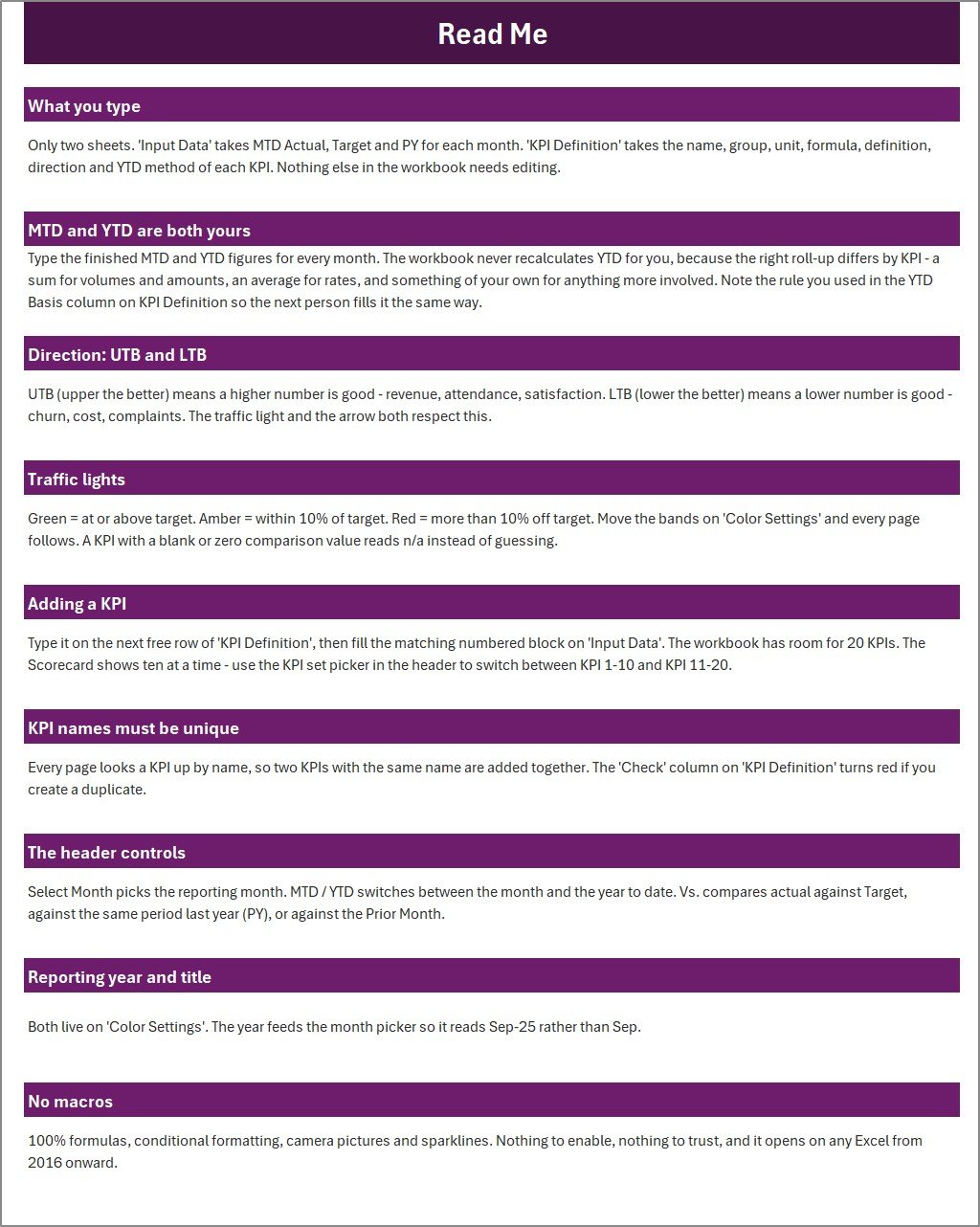
This crane rental kpi template is built as a formula-driven Excel workbook. You enter monthly MTD, YTD, target, and previous-year values in the Input Data page, define or adjust the KPI list on the KPI Definition page, and review the linked scorecard, trends, and analysis pages.
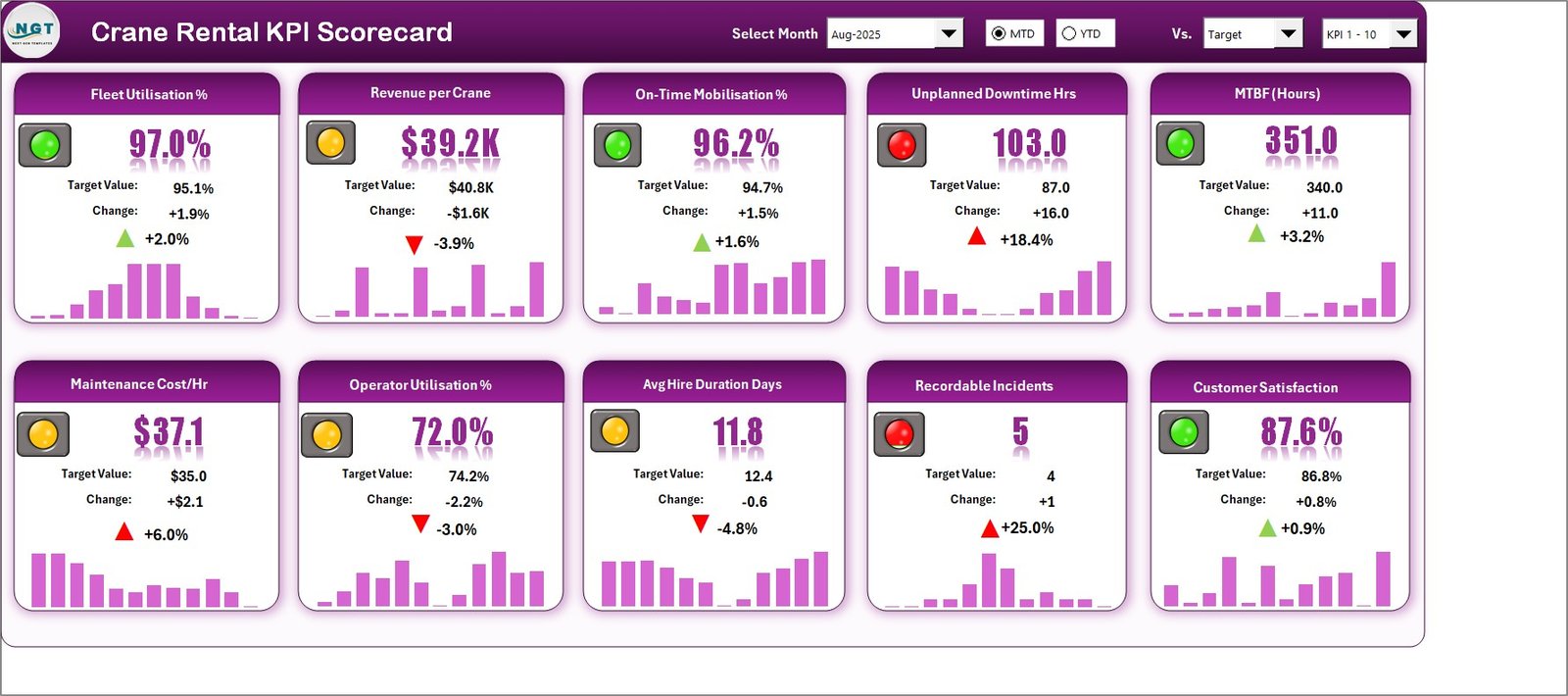
The workbook shown in the screenshots includes KPI cards for fleet utilisation, revenue per crane, on-time mobilisation, unplanned downtime, MTBF, maintenance cost per hour, operator utilisation, average hire duration, recordable incidents, and customer satisfaction. It is an equipment rental kpi dashboard style scorecard, not a live fleet-management system.
The layout is intentionally straightforward for weekly and monthly operations conversations. A manager can review the headline cards, open the analysis page to compare groups, move to the trend page for one selected metric, and then check the input or definition pages when a number needs explanation. That keeps the file useful for internal reviews, service meetings, rental planning, and management reporting.
What Is Included
- Excel workbook for the Crane Rental KPI Scorecard.
- User manual PDF inside the customer ZIP.
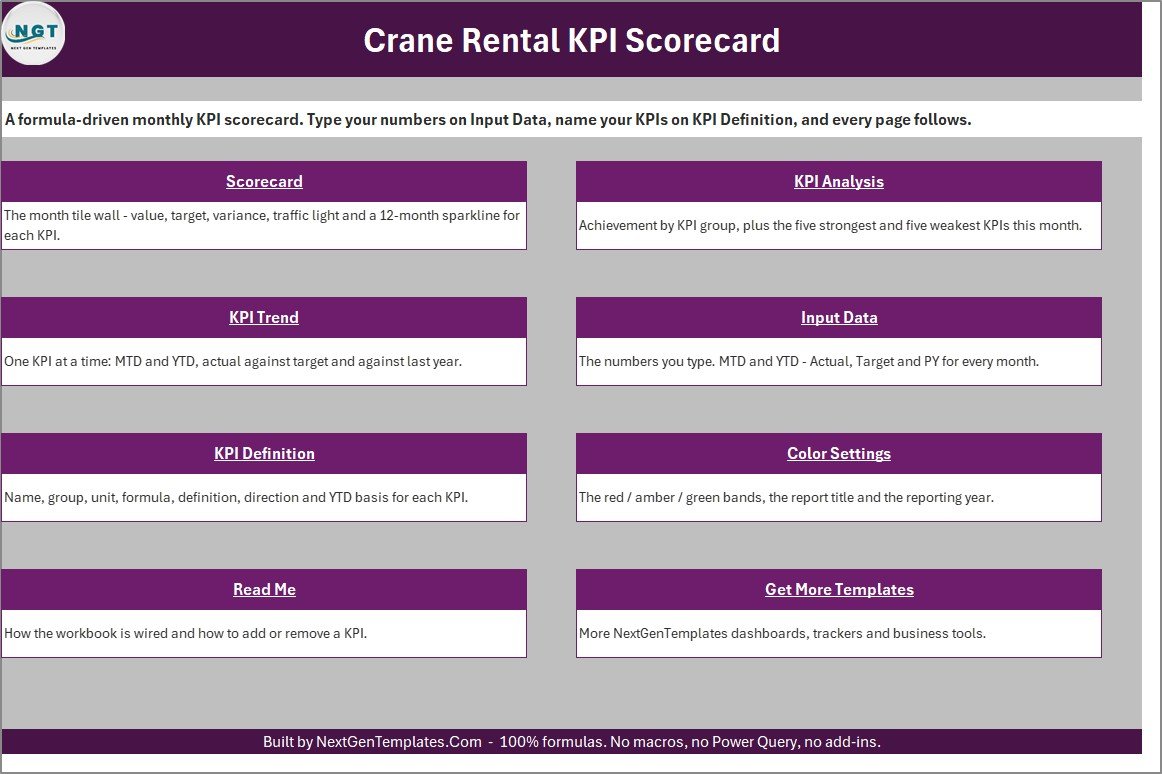
- Scorecard page with monthly KPI cards, targets, variances, traffic lights, and small trend bars.
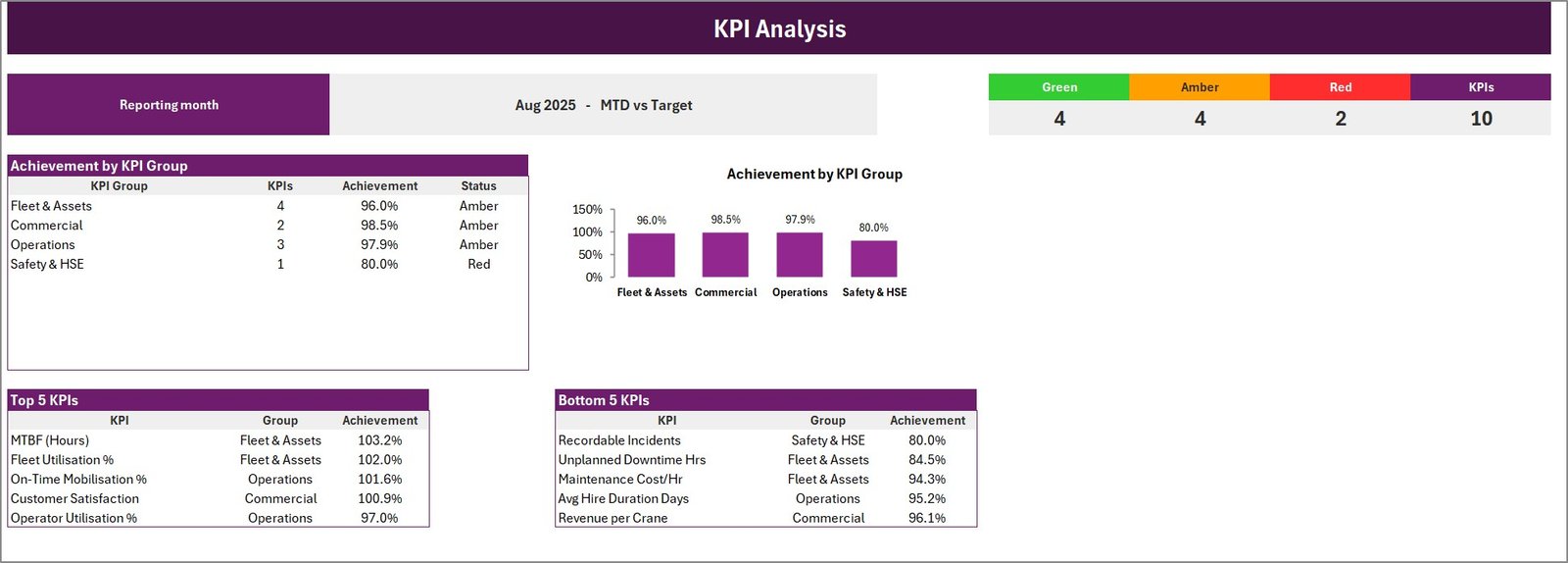
- KPI Analysis page showing achievement by KPI group plus strongest and weakest KPIs.
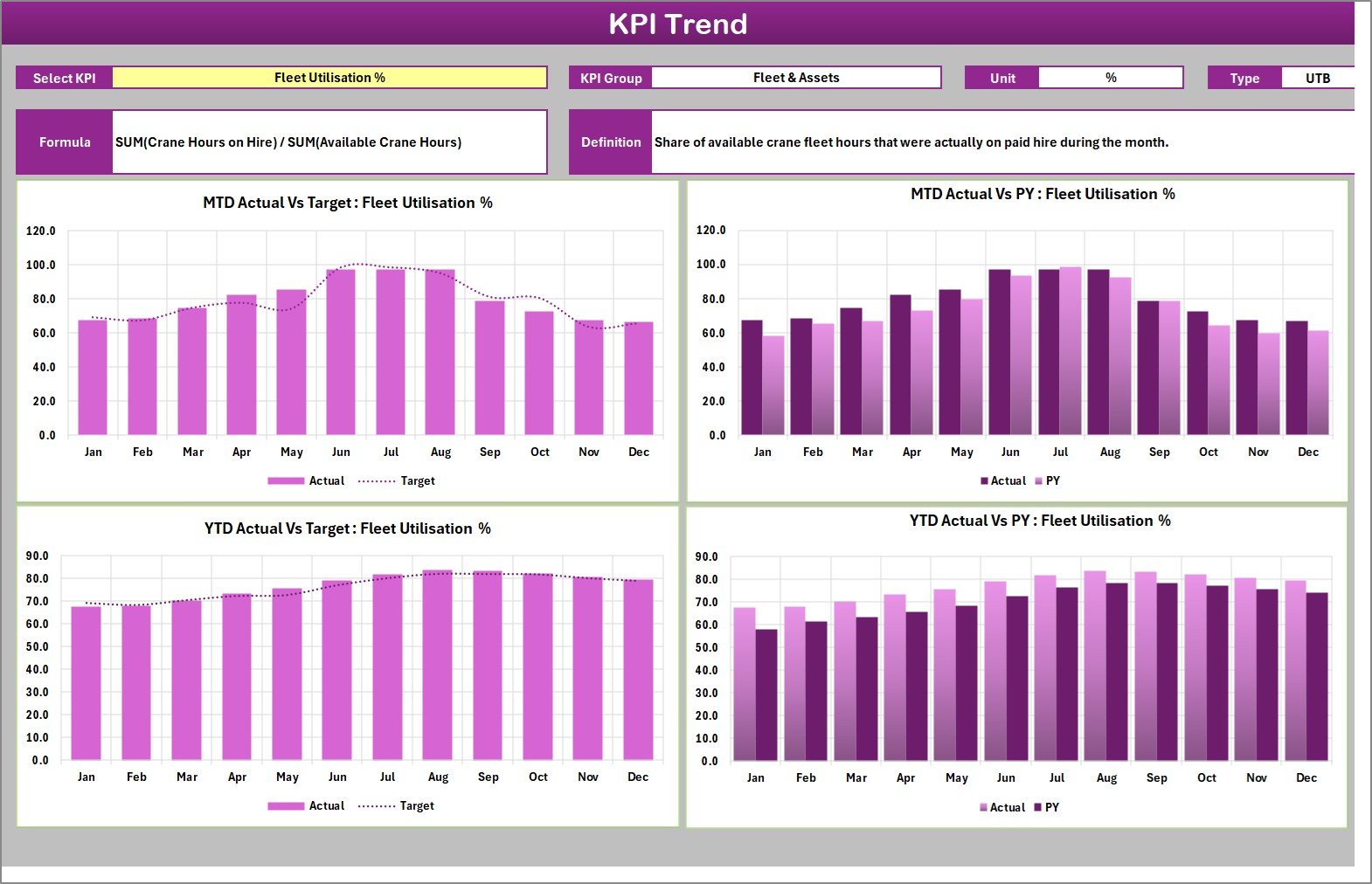
- KPI Trend page for one selected KPI at a time, with MTD and YTD actual versus target views.
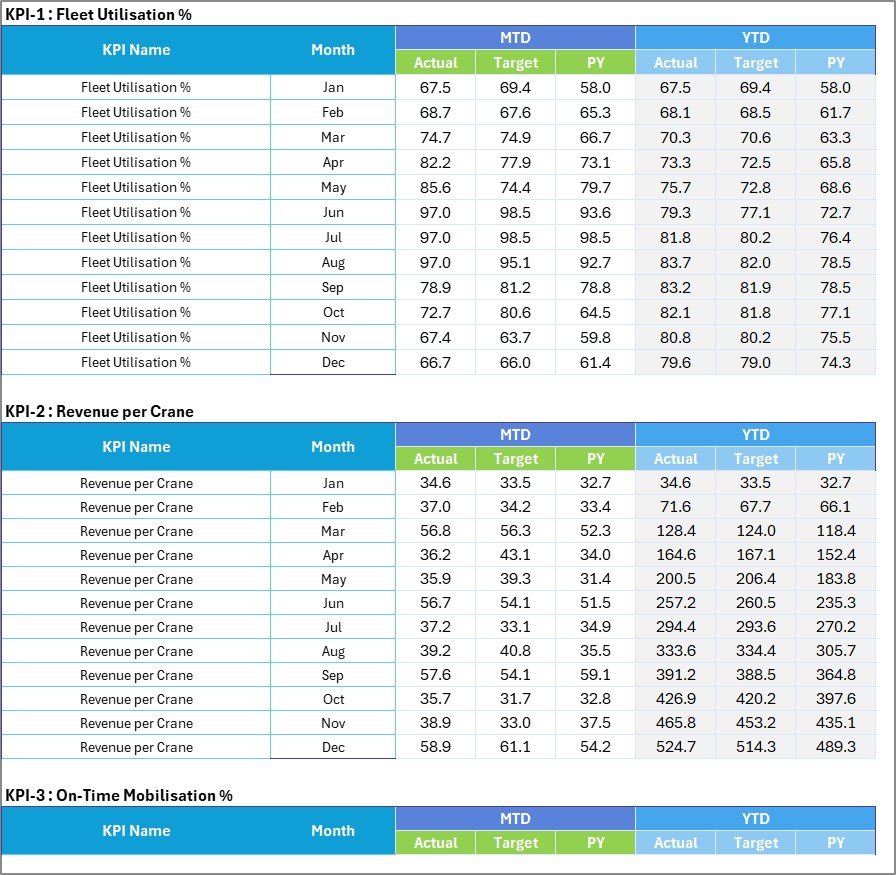
- Input Data page for monthly Actual, Target, and PY values.
- KPI Definition page for KPI name, group, unit, formula, definition, direction, and YTD basis.
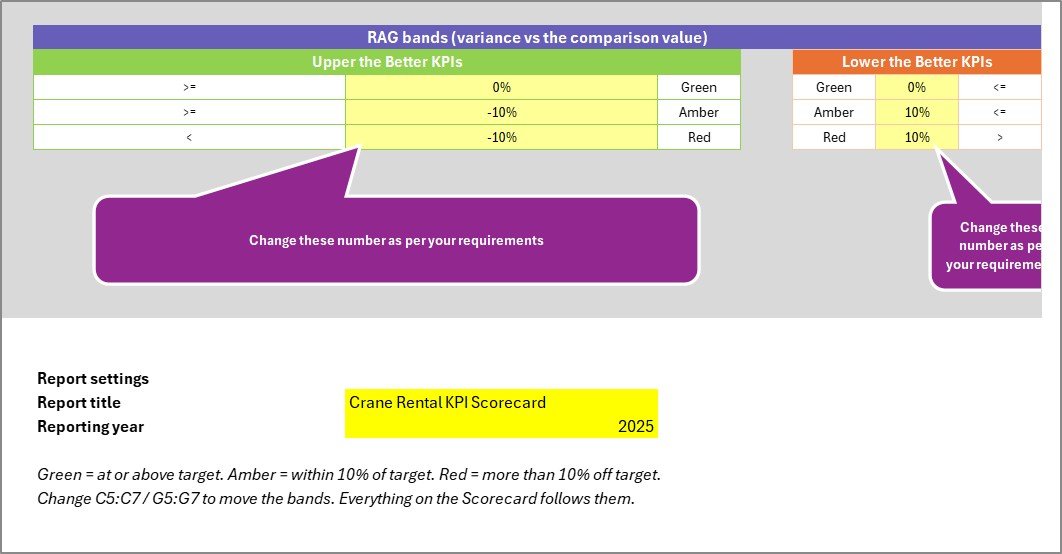
- Color Settings page for report title, reporting year, and red, amber, green bands.
Key Features
- Monthly scorecard view for quick crane rental performance review.
- Traffic-light status cards for operational, commercial, maintenance, and safety KPIs.
- MTD and YTD trend charts to compare actual values against target.
- Editable KPI definitions so the file can support your own crane hire performance tracker language.
- No macros, no Power Query, and no add-ins according to the workbook cover page.
- Works as an excel kpi scorecard template for managers who prefer an offline spreadsheet.
Preview Screens

Who This Is For
This template is useful for crane rental companies, equipment hire teams, project lifting coordinators, plant managers, rental operations analysts, and small businesses that need a practical scorecard for monthly performance conversations.
Use it when you want one place to review fleet utilisation, revenue per crane, mobilisation timing, downtime, reliability, maintenance cost, operator usage, hire duration, incidents, and customer satisfaction. It is not dispatch software, maintenance scheduling software, telematics software, accounting software, or a compliance certification tool.
How To Use
- Download the ZIP and extract the Excel workbook and user manual.
- Open the workbook in Microsoft Excel desktop.
- Update KPI names, groups, units, formulas, and definitions if your business uses different terms.
- Enter your monthly MTD, YTD, target, and previous-year numbers in Input Data.
- Use the month, MTD/YTD, comparison, and KPI selectors to review the scorecard, KPI analysis, and KPI trend pages.
- Adjust the color settings if your red, amber, and green thresholds differ.
Important Notes
- The workbook is a spreadsheet template, so results depend on the numbers you enter.
- The sample data is for demonstration and should be replaced before business use.
- The template does not connect to GPS, ERP, accounting, maintenance, dispatch, inspection, or rental contract systems by itself.
- The file is intended for Microsoft Excel users; test it in your own Excel version before relying on it for a formal review pack.
FAQ
Is this a crane rental kpi scorecard in excel?
Yes. The product is a downloadable Crane Rental KPI Scorecard in Excel with scorecard, KPI analysis, KPI trend, input data, KPI definition, color settings, and read-me pages.
Can I change the KPIs?
Yes. The KPI Definition page is built for KPI names, groups, units, formulas, definitions, directions, and YTD basis, so you can adapt the wording to your own crane rental kpi template.
Does it include live fleet data integration?
No. This is an Excel KPI scorecard template. It does not pull live data from telematics, rental software, accounting software, or maintenance systems unless you add your own integration outside the template.
Does it use macros?
The workbook cover page states that it uses formulas and has no macros, no Power Query, and no add-ins.
Is it only for cranes?
The labels and sample KPIs are written for crane rental, but the structure can also support similar heavy equipment rental KPI reviews if you adapt the definitions and input data.
Why Buy This Template
Building a clean crane rental scorecard takes time: KPI cards, trend charts, input tables, definitions, traffic-light logic, and presentation pages all need to stay aligned. This template gives you that structure up front, so your team can focus on the monthly performance review instead of formatting a workbook from scratch.
Use this focused crane rental kpi template when you need a scorecard rather than a broad business dashboard. For more Excel resources, visit PK: An Excel Expert.
The workflow stays intentionally simple: update the input page, review the scorecard page, then use the trend and analysis pages to explain what changed.
Get the Template
You can get the draft product here: download the Excel scorecard template.
For more Excel dashboard and automation tutorials, visit PK: An Excel Expert.