Managing consultants and freelancers can quickly become complex. You need to track assignments, projects, invoices, payments, expenses, documents, and user access—all without errors. However, when teams rely on scattered Excel files or manual registers, productivity drops and control becomes difficult.
That is exactly why we created the Consultant and Freelancer Management System V1.0 in Excel VBA.
This is a ready-to-use Excel and VBA-based management tool designed to help businesses manage consultants and freelancers efficiently from one centralized system. If you are looking for a simple, powerful, and offline solution, this tool fits perfectly.
What Is Consultant and Freelancer Management System V1.0 in Excel VBA?
The Consultant and Freelancer Management System V1.0 is a desktop-based solution built using Microsoft Excel and VBA. It allows you to manage end-to-end consultant and freelancer operations, including assignments, projects, invoices, payments, expenses, documents, and reports.
Instead of juggling multiple spreadsheets, this tool provides one integrated system with secure login, role-based access, and structured data management.
Key Features of Consultant and Freelancer Management System V1.0
Click to Buy Consultant and Freelancer Management System V1.0 in Excel VBA
This tool comes with multiple powerful features that make consultant and freelancer management smooth and organized.
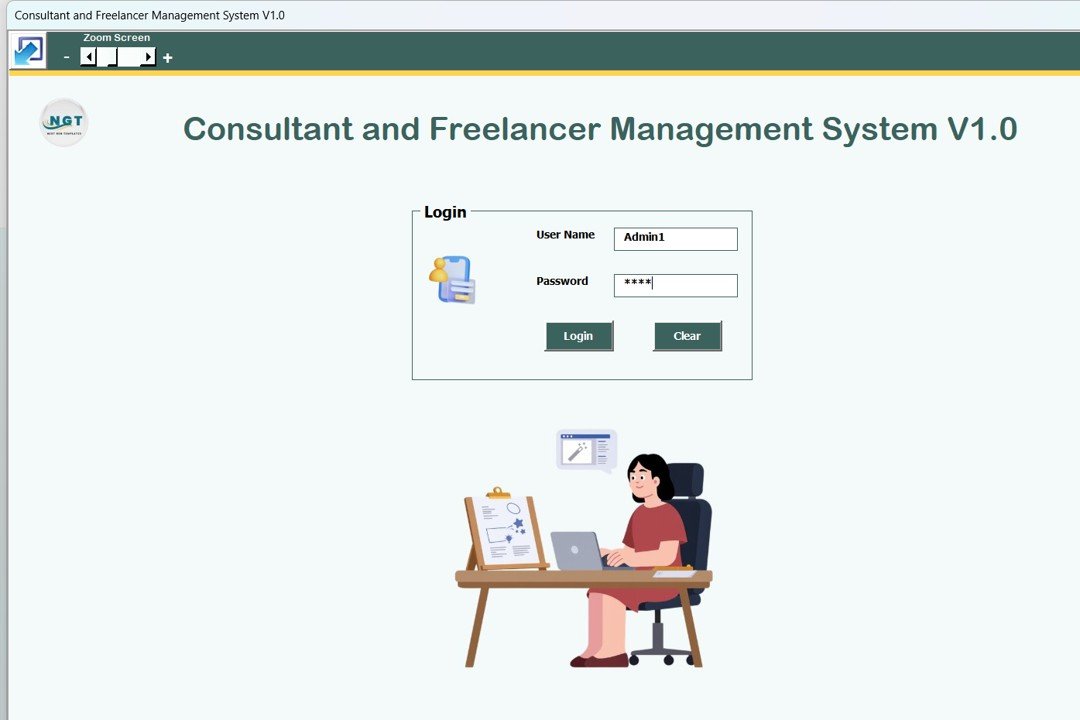
1. Secure Login Form (Admin & User Roles)
The system starts with a secure login form. You simply enter your username and password and click the Login button or press Enter to access the system.
Default Login Credentials
Admin Role
-
Username: Admin1
-
Password: abcd
User Role
-
Username: User1
-
Password: abcd
After login, the system automatically redirects you to the Main Form based on your role.
Click to Buy Consultant and Freelancer Management System V1.0 in Excel VBA
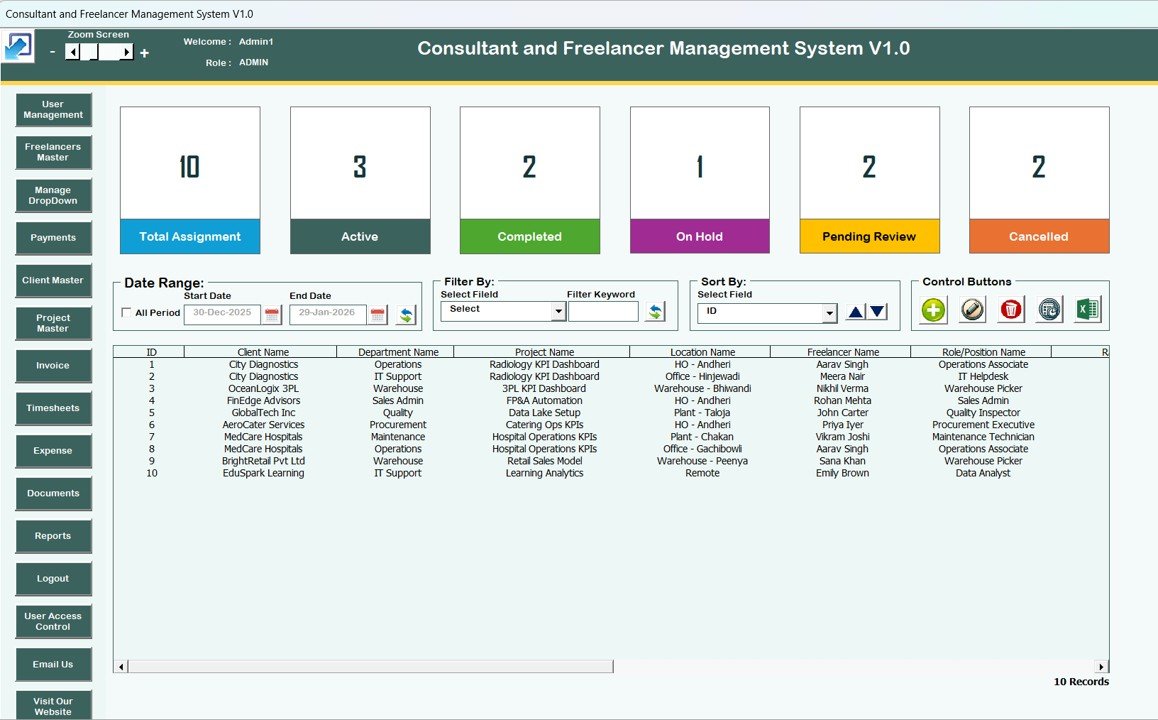
2. Main Form – Central Control Panel
The Main Form acts as the heart of the system. From this screen, you can manage all consultant and freelancer data efficiently.
List Box on Main Form
At the center of the main form, a List Box displays relevant records dynamically. You can view, select, and manage data easily from this list.
Filters for Easy Data Search
Above the list box, you can apply filters to:
-
Filter records by date range
-
Filter records by selected columns
This helps you find information quickly without scrolling through large datasets.
Sort By Feature
Using the Sort By option, you can sort records in the list box based on selected fields. This makes data review faster and more organized.
Control Buttons on Main Form
The main form includes several control buttons that allow full data management:
-
Add New Record
Add new consultant or freelancer records easily. -
Update Existing Record
Select a record and click this button to edit it.
You can also double-click a record in the list box to open it for editing. -
Delete Record
Delete any selected record securely. -
Show Record History
View the complete modification history of a record. -
Export to Excel
Export list box data into a new Excel file for sharing or backup.
Click to Buy Consultant and Freelancer Management System V1.0 in Excel VBA
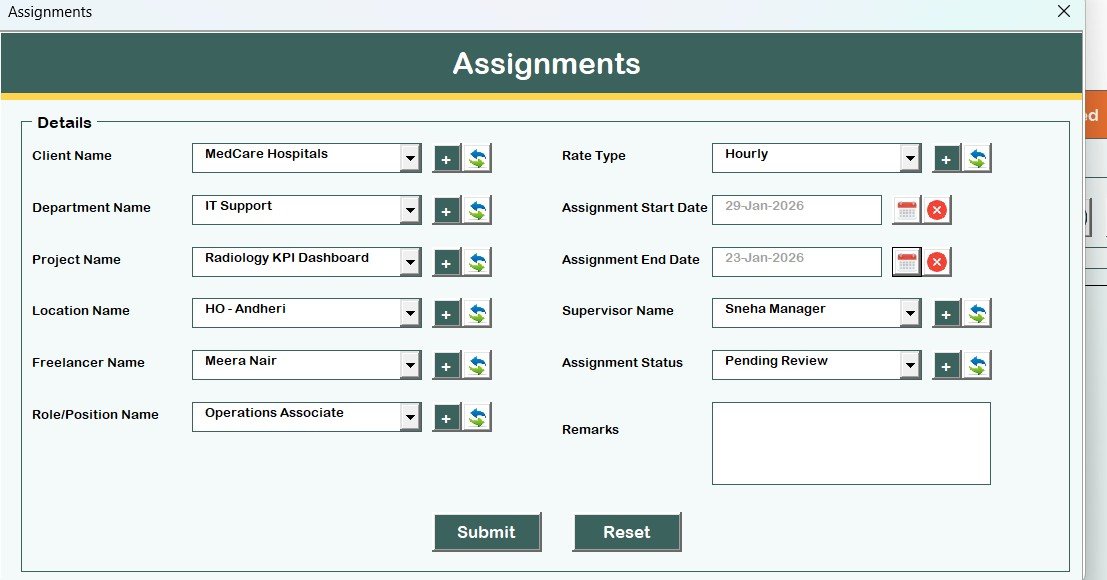
3. Assignments Form (Main Data Entry Form)
The Assignments Form opens when you click Add New Record or Update Existing Record.
From this form, you can:
-
Add new records
-
Update existing records
-
Save changes directly to the database
This form ensures structured and accurate data entry.
Navigation Menu (Left Side Panel)
The left-hand navigation menu provides quick access to all system modules.
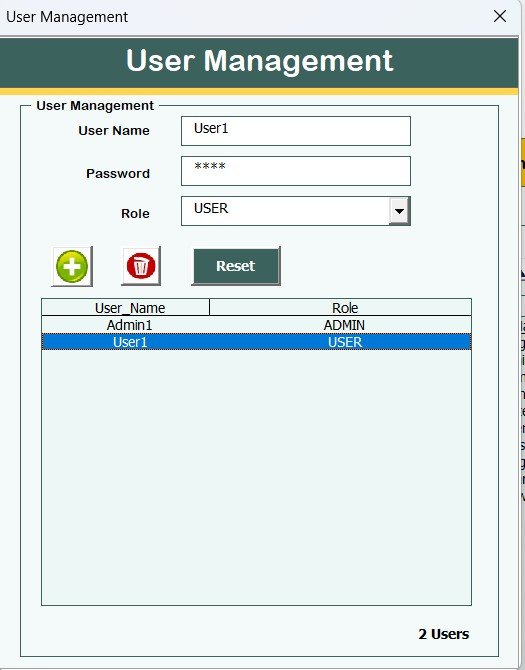
4. User Management
From the User Management screen, you can:
-
Add new users
-
Update existing users
-
Delete users
-
Reset passwords
-
Change user passwords
This screen allows complete control over system users.
Click to Buy Consultant and Freelancer Management System V1.0 in Excel VBA
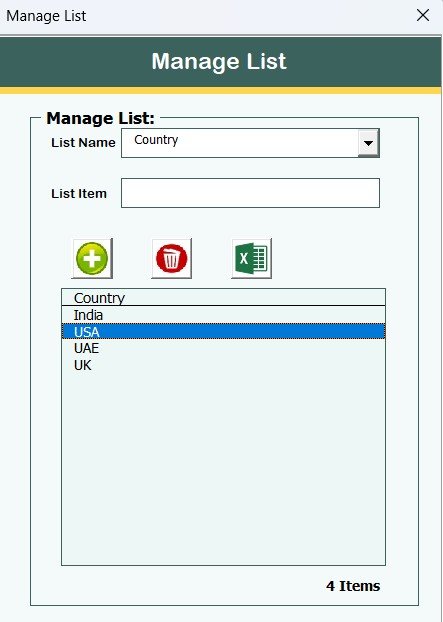
5. Manage List
Using the Manage List form, you can:
-
Add values to dropdown lists
-
Delete unwanted list items
This helps maintain clean and relevant master data.
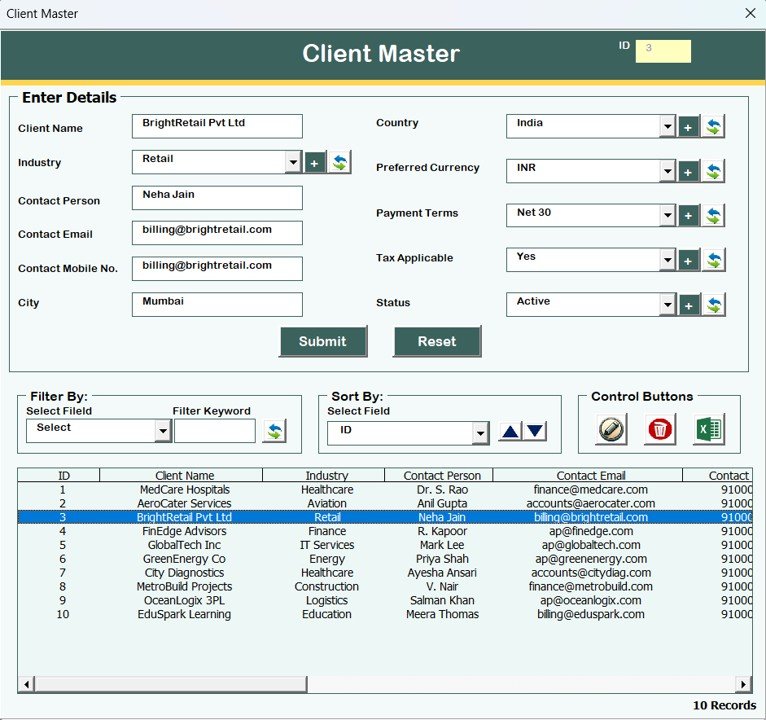
6. Client Master
The Client Master form stores all client-related information in one place. This ensures accurate mapping of consultants, freelancers, and projects with clients.
Click to Buy Consultant and Freelancer Management System V1.0 in Excel VBA
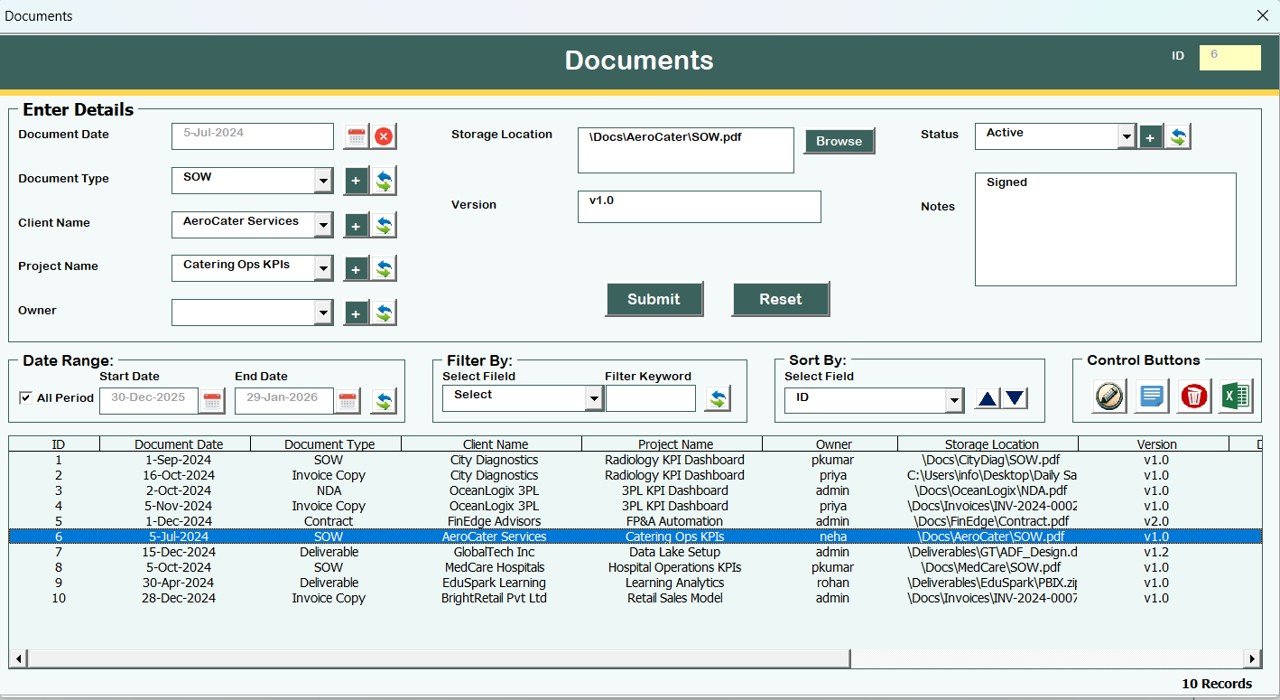
7. Documents Management
In the Documents form, you can store and manage document-related information linked to consultants, freelancers, or projects.
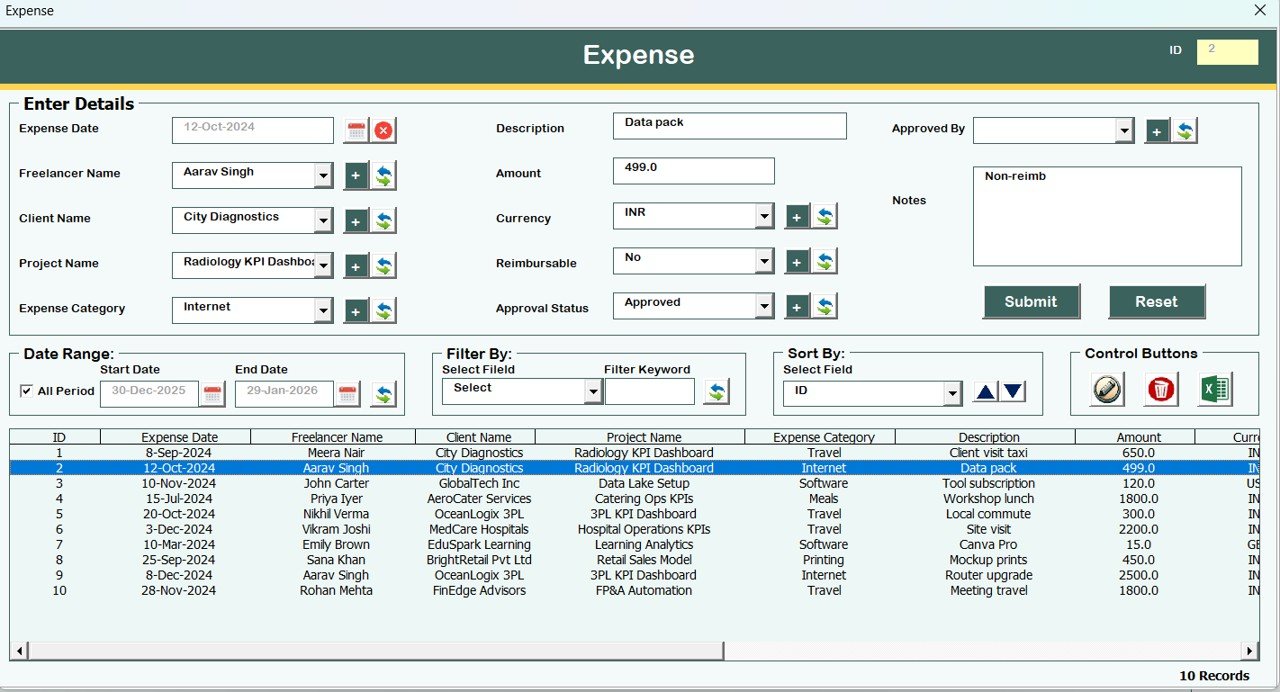
8. Expense Management
The Expense form allows you to:
- Record expense details
- Track expenses against consultants or projects
This helps in cost control and financial analysis.
Click to Buy Consultant and Freelancer Management System V1.0 in Excel VBA
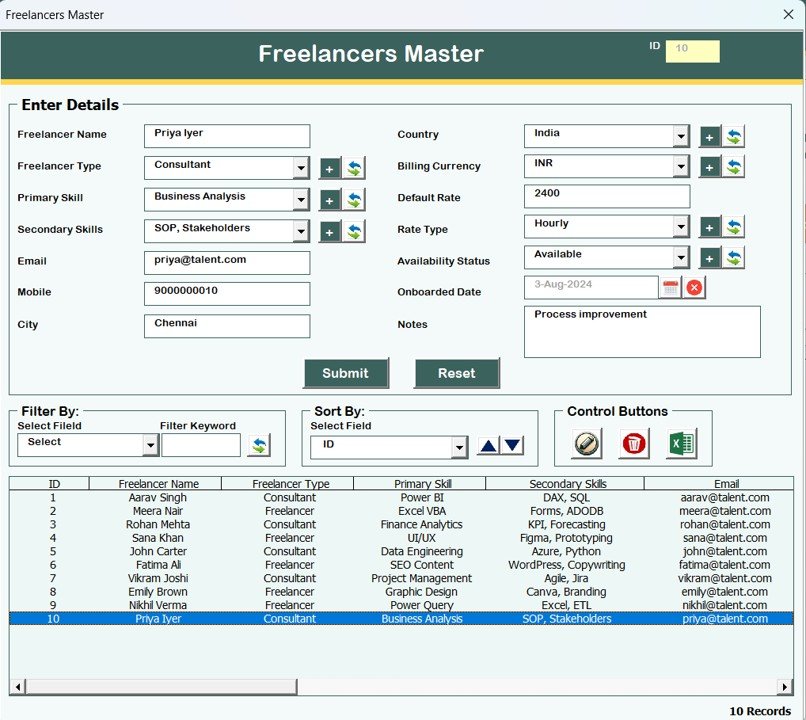
9. Freelancers Master
The Freelancers Master form stores complete freelancer information, making it easy to manage profiles and assignments.
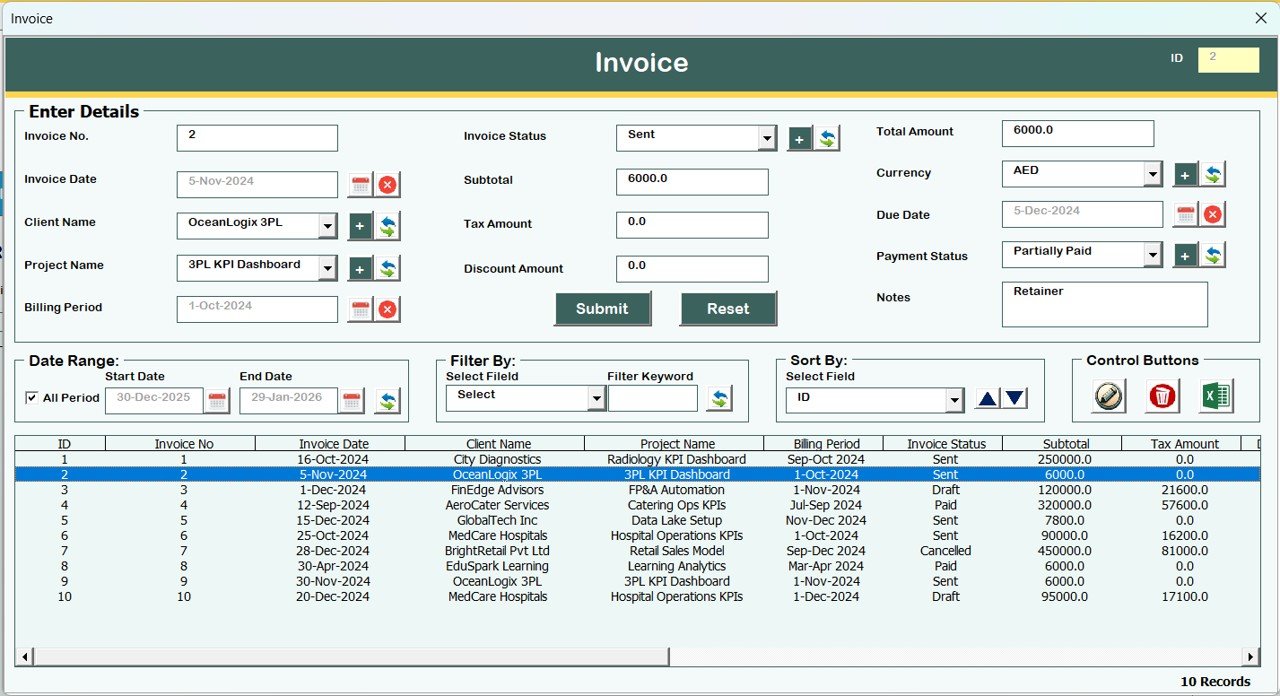
10. Invoice Management
Using the Invoice form, you can manage invoice-related information efficiently. This ensures better billing control and transparency.
Click to Buy Consultant and Freelancer Management System V1.0 in Excel VBA
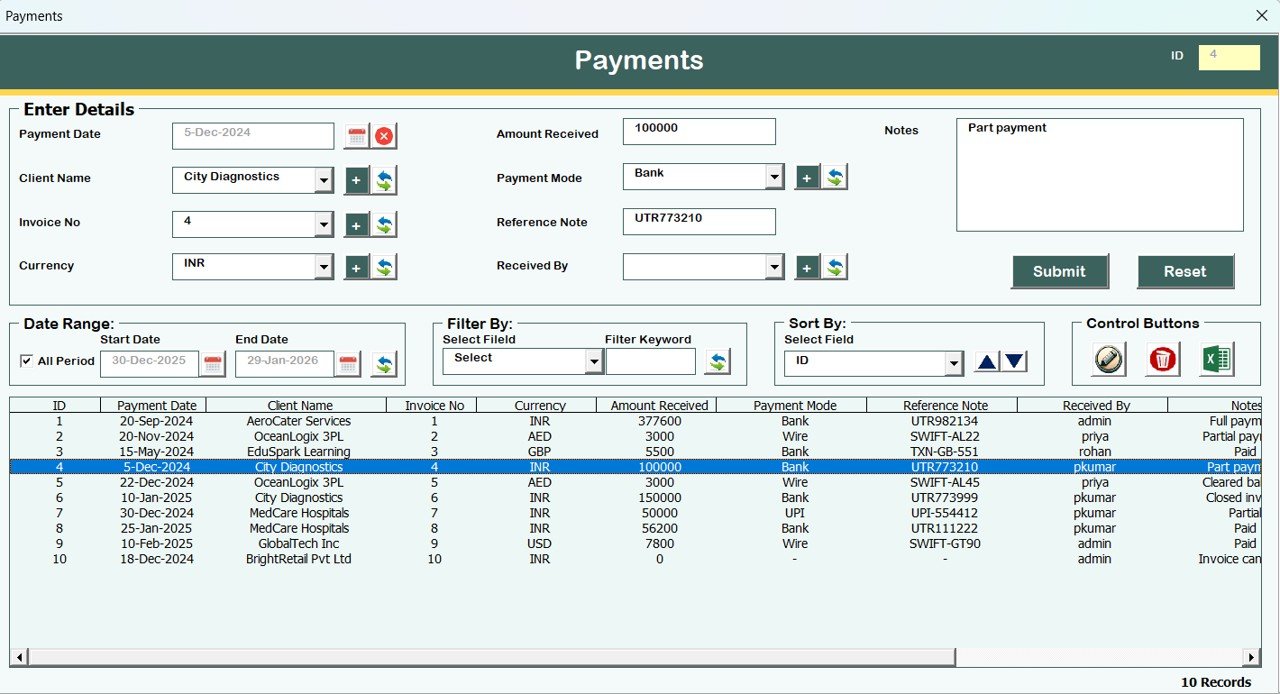
11. Payments Management
The Payments form allows you to track payment details clearly. This helps you monitor outstanding and completed payments.
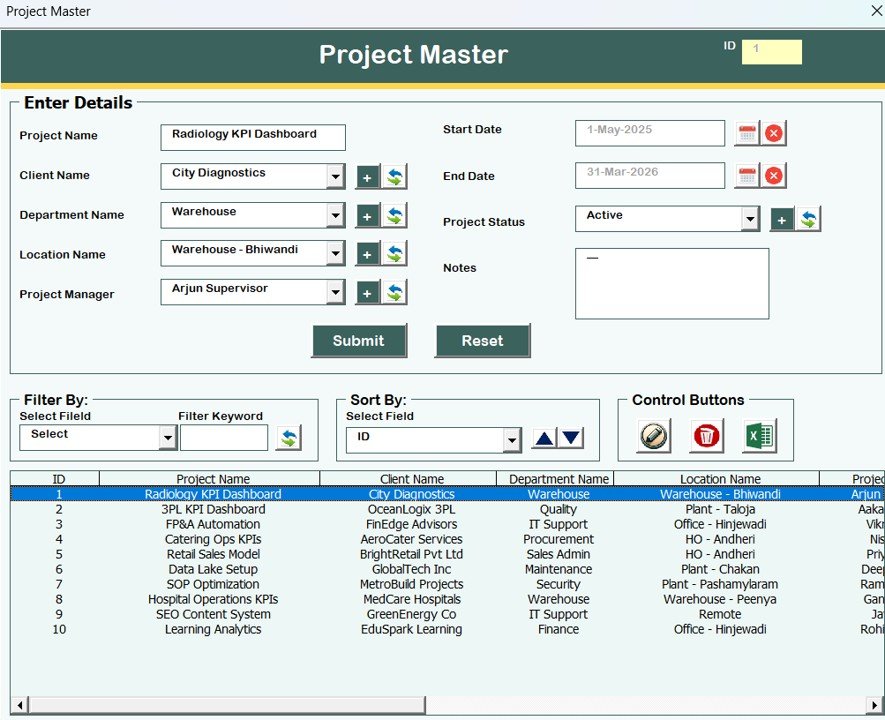
12. Project Master
The Project Master form stores all project-related details and links them with clients, consultants, and freelancers.
Click to Buy Consultant and Freelancer Management System V1.0 in Excel VBA
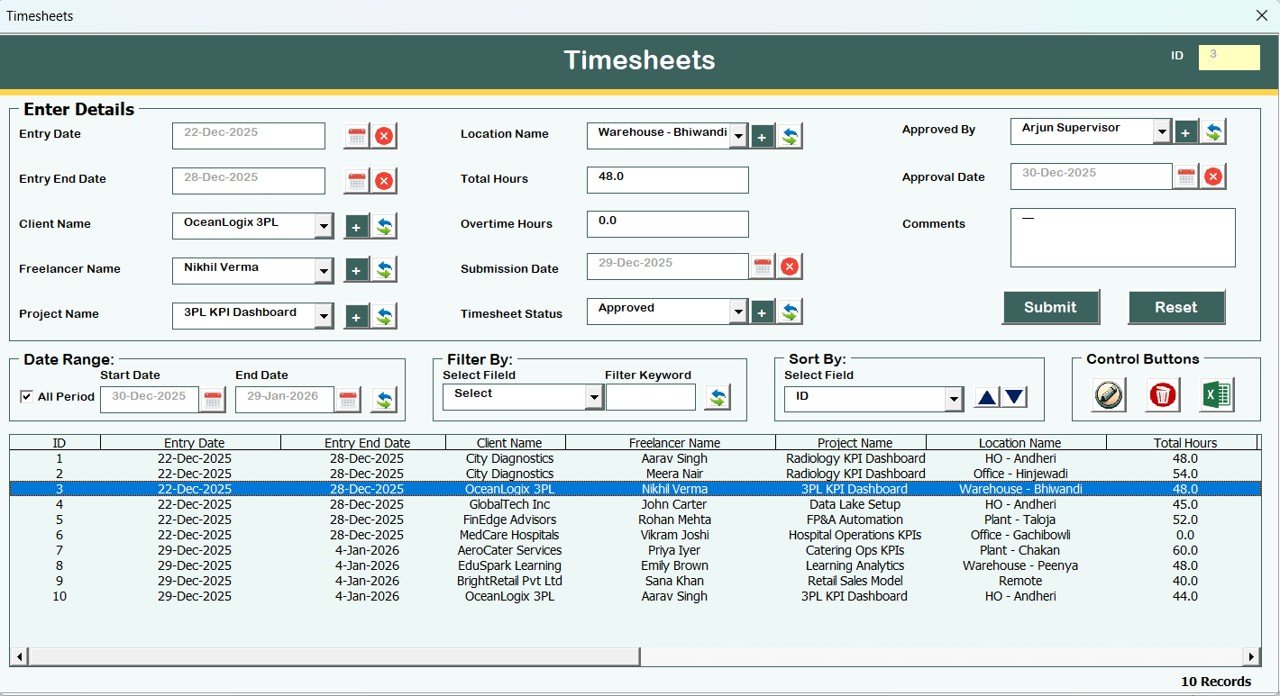
13. Timesheets
The Timesheets module helps you track working hours and effort, which supports accurate billing and performance analysis.
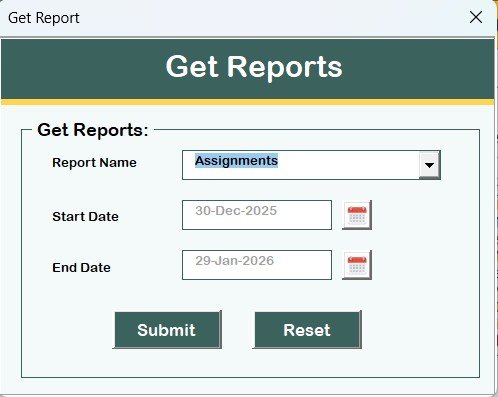
14. Reports Module
Using the Reports form, you can:
-
Select a date range
-
Fetch reports in Excel format
This helps in management reviews and audits.
Click to Buy Consultant and Freelancer Management System V1.0 in Excel VBA
15. Manage User Access Control
The User Access Control screen is available only to Admin users.
From this form, Admins can:
-
Assign module access to user roles
-
Control what each user can view or edit
This ensures system security and role-based control.
16. Logout Function
The Logout button:
-
Saves all data automatically
-
Closes the Excel file and forms safely
17. Email Us
Click to Buy Consultant and Freelancer Management System V1.0 in Excel VBA
The Email Us button displays our email ID. You can contact us for:
-
Support
-
Customization
-
Additional feature requests
18. Visit Our Website
The Visit Our Website button opens our official website, where you can explore and purchase more Excel and VBA-based tools.
System Compatibility (Important Highlights)
Click to Buy Consultant and Freelancer Management System V1.0 in Excel VBA
Please read these compatibility points carefully before using the tool:
-
Compatible with Windows 10 and above
-
Requires Microsoft Excel 2010 or above
-
Works only with Microsoft Excel Desktop application
-
Does NOT work on Mobile or Tablet devices
-
NOT compatible with Mac operating system
Conclusion
The Consultant and Freelancer Management System V1.0 in Excel VBA is a powerful, offline, and ready-to-use solution for managing consultants and freelancers effectively.
With secure login, role-based access, structured modules, and Excel-based reporting, this tool helps businesses stay organized, improve control, and save time—without investing in expensive software.
Visit our YouTube channel to learn step-by-step video tutorials
Watch the step-by-step video tutorial:
Click to Buy Consultant and Freelancer Management System V1.0 in Excel VBA