New: NextGenTemplates Academy - video courses on Excel formulas with AI and Pivot Tables & dashboards. Early-bird: 20% off with code EARLYBIRD20 - first 20 orders only. See the courses →
  • Learn Excel (Free Course)
    • 1. Shortcut Keys
    • 2. Fill & Flash Fill
    • 3. Find & Replace
    • 4. Sort & Filter
    • 5. Formulas & Functions
    • 6. Data Validation
    • 7. Conditional Formatting
    • 8. Basic Charts
    • 9. Advanced Charts
    • 10. Pivot Tables
    • 11. Excel Dashboards
    • 12. VBA Course
    • 13. Excel Formulas with AI
  • Templates
  • Tutorials
    • Charts and Visualization
    • VBA
    • Excel Tips and Tricks
    • Excel Dashboards
    • Power Pivot & DAX
  • Power BI
  • Template Store
    • Ready to Use Templates
  • Courses
  • Academy
    • Excel + AI Mastery: 100 Formulas
    • Excel Pivot Tables & Dashboards
  • About Us
  • Contact Us

PK: An Excel Expert

Transforming Data into Decisions

Blogs

VBA

VLOOKUP by cell background color

May 13, 2018September 2, 2024 PK0
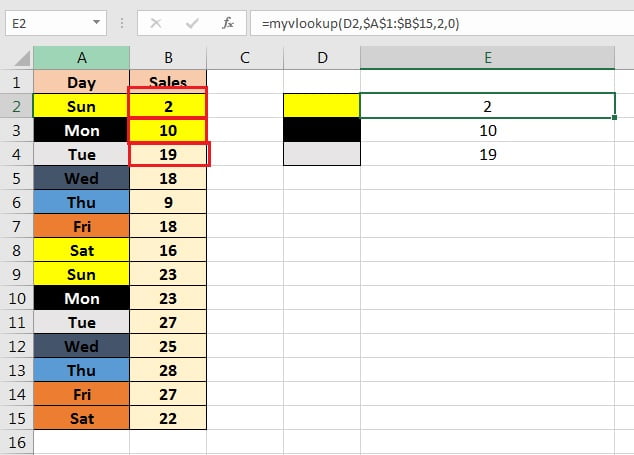
VLOOKUP is a popular function in Microsoft Excel. It helps users to find and retrieve specific data from a large table or range of data. However, there is a limitation
Read More
Yesterday Vs Today Sales Chart
Charts and Visualization

Yesterday Vs Today Sales Chart

May 12, 2018March 3, 2025 PK0
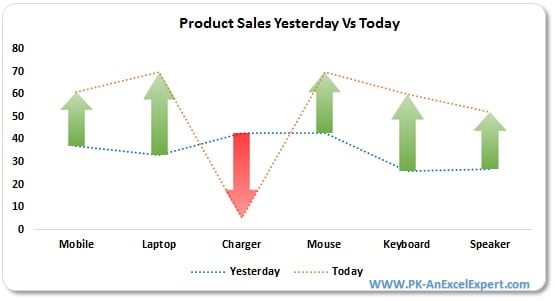
In this article you will learn how to create Yesterday Vs Today Sales Chart in Excel. In this chart we are displaying the green and red arrows. If Today's sale
Read More
3D Doughnut Chart
Charts and Visualization

3D Doughnut Chart for KPI Metrics

May 6, 2018March 10, 2025 PK0
In this article you will learn how to create beautiful 3D Doughnut Chart for KPI Metrics like (Service Level, Quality Score, Sales Conversion etc.). 3D Doughnut chart is not default
Read More
Weekly Sales Chart
Charts and Visualization

Weekly Sales Chart in Excel

May 2, 2018March 9, 2025 PK0
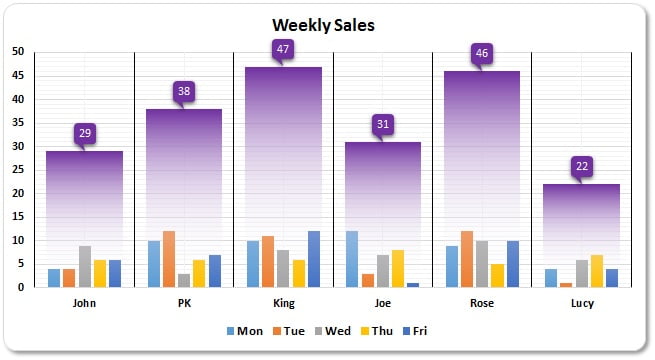
In today's business world, charts and graphs have become an essential part of data analysis. They help to present complex data in a clear and concise manner, allowing us to
Read More
Data Entry Form in Excel: Add, Update and Delete with VBA
Templates VBA

Data Entry Form in Excel: Add, Update and Delete with VBA

April 7, 2018October 9, 2026 PK0
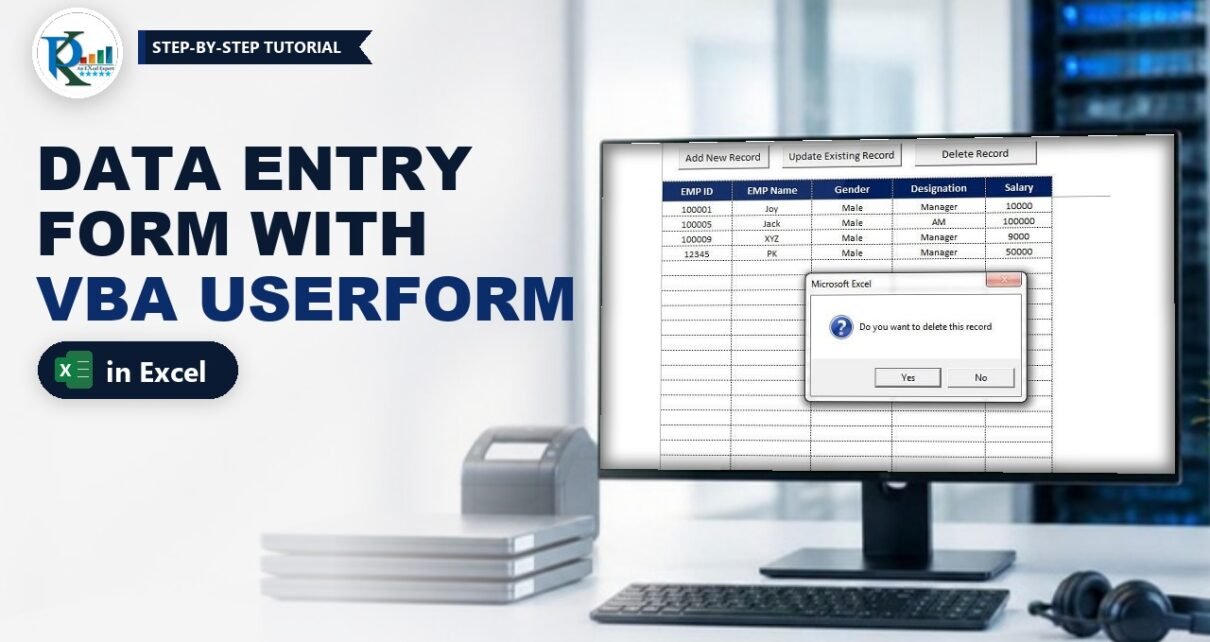
A data entry form in Excel lets users add, update and delete records through a clean pop-up window instead of typing straight into the sheet. In this tutorial you build
Read More

Posts pagination

Previous 1 … 386 387
  • Learn Excel (Free Course)
    • 1. Shortcut Keys
    • 2. Fill & Flash Fill
    • 3. Find & Replace
    • 4. Sort & Filter
    • 5. Formulas & Functions
    • 6. Data Validation
    • 7. Conditional Formatting
    • 8. Basic Charts
    • 9. Advanced Charts
    • 10. Pivot Tables
    • 11. Excel Dashboards
    • 12. VBA Course
    • 13. Excel Formulas with AI
  • Templates
  • Tutorials
    • Charts and Visualization
    • VBA
    • Excel Tips and Tricks
    • Excel Dashboards
    • Power Pivot & DAX
  • Power BI
  • Template Store
    • Ready to Use Templates
  • Courses
  • Academy
    • Excel + AI Mastery: 100 Formulas
    • Excel Pivot Tables & Dashboards
  • About Us
  • Contact Us
Copyright © 2023 PK-AnExcelExpert.com - Privacy Policy