Managing office issues efficiently is vital for smooth operations, employee satisfaction, and timely resolution. The Office Issues Management Dashboard in Excel provides a ready-to-use solution to track, analyze, and manage workplace issues across departments, channels, and locations.
In this article, we’ll explain the dashboard’s features, advantages, best practices, and how it helps organizations improve issue management.
What Is an Office Issues Management Dashboard?
An Office Issues Management Dashboard is a structured Excel tool designed to track and monitor office-related issues. It helps managers measure response times, resolution efficiency, employee satisfaction, and escalation trends.
Using this dashboard, organizations can:
Visualize issue trends and resolution rates
Monitor departmental performance in handling requests
Identify recurring issues and bottlenecks
Make data-driven decisions to improve office efficiency
Key Features of the Office Issues Management Dashboard
Click to Buy Office Issues Management Dashboard in Excel
This dashboard consists of multiple sheet tabs, each designed for specific insights:
1. Overview Sheet Tab
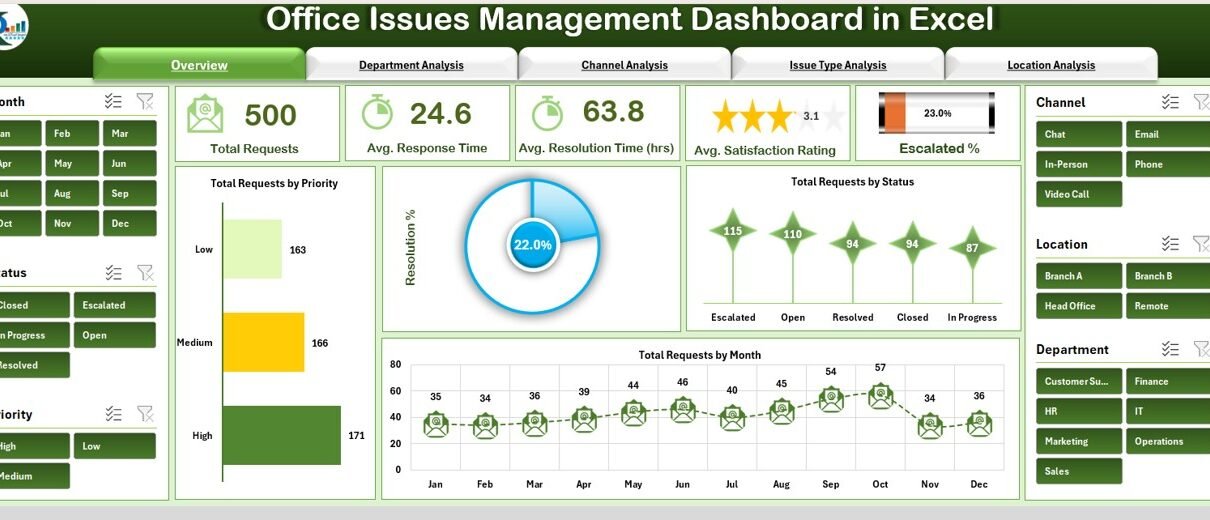
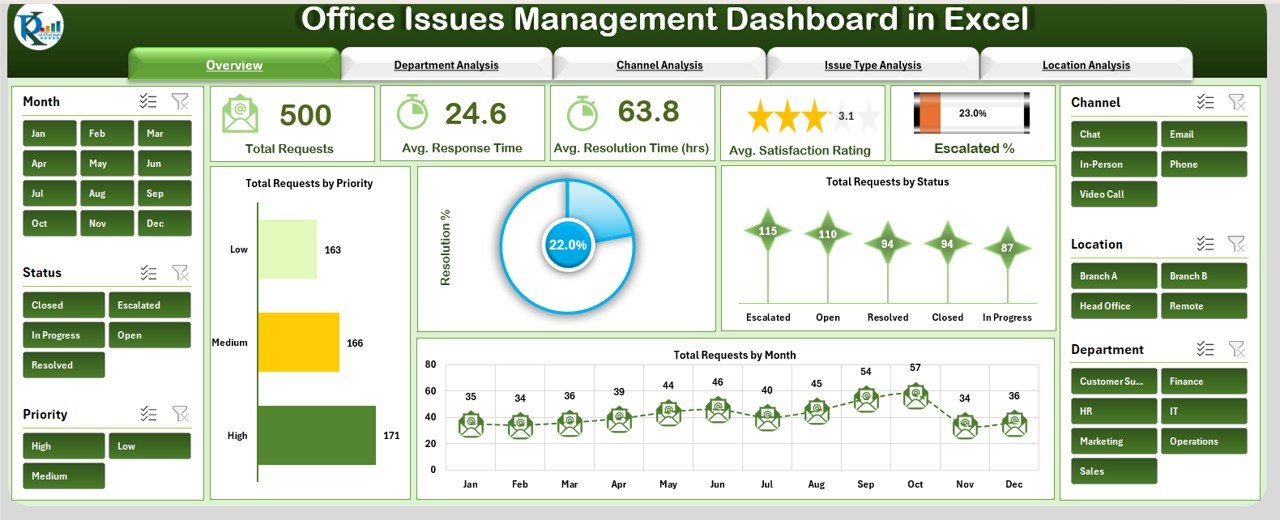
The Overview Sheet provides a high-level snapshot of office issue management.
Cards Section:
Total Requests: Total number of issues reported
Avg. Response Time (hrs): Average time taken to respond to issues
Avg. Resolution Time (hrs): Average time taken to resolve issues
Avg. Satisfaction Rating: Average employee satisfaction score
Escalated %: Percentage of issues escalated for higher-level attention
Charts Section:
Total Requests by Priority – Categorizes issues by priority levels
Total Requests by Status – Shows open, in-progress, and closed issues
Total Requests by Month – Tracks issue volume over time
Resolution % – Overall resolution percentage
Click to Buy Office Issues Management Dashboard in Excel
2. Department Analysis Sheet
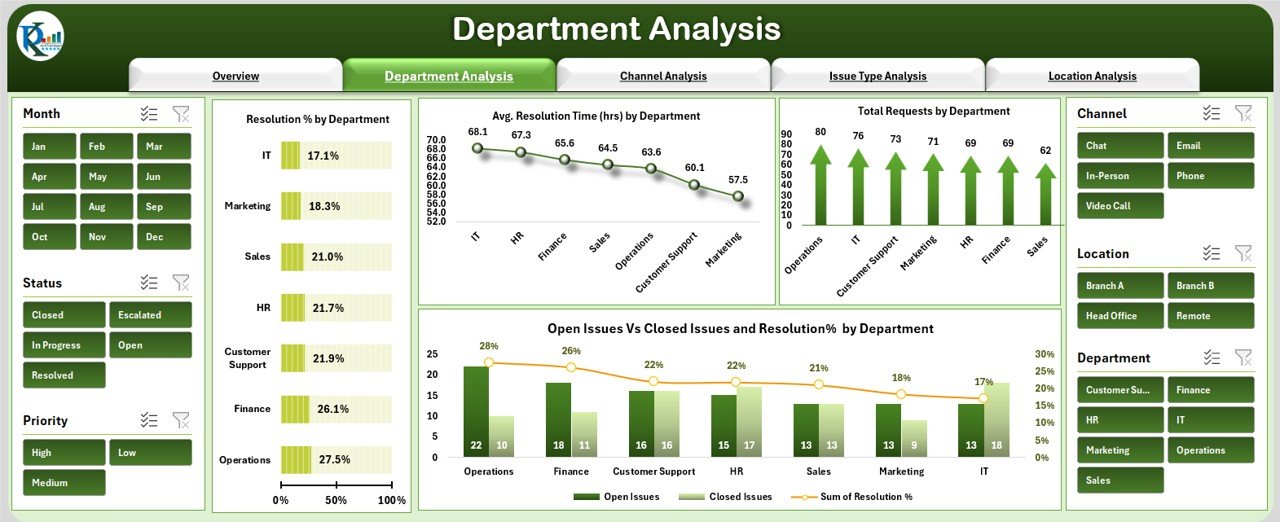
The Department Analysis sheet evaluates performance by department.
Charts Section:
Resolution % by Department – Percentage of issues resolved by each department
Avg. Resolution Time (hrs) by Department – Tracks time efficiency per department
Total Requests by Department – Shows workload distribution
Open Issues vs Closed Issues and Resolution % by Department – Compares open vs. closed issues and resolution rates
3. Channel Analysis Sheet
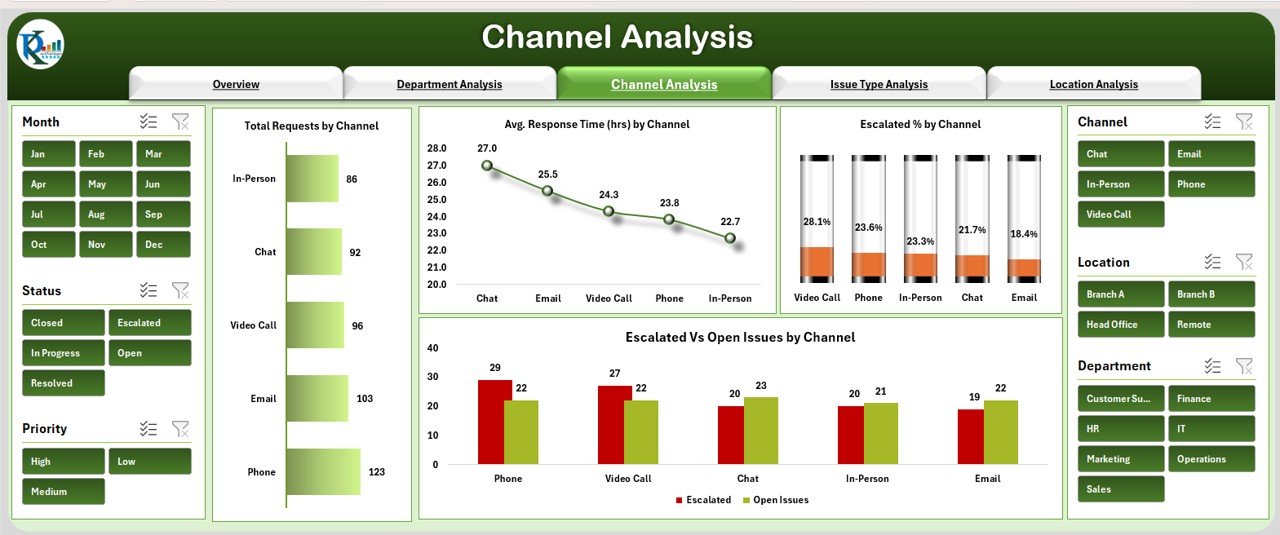
The Channel Analysis sheet monitors issue reporting channels.
Charts Section:
Total Requests by Channel – Number of issues per channel (email, portal, phone, etc.)
Avg. Response Time (hrs) by Channel – Response efficiency per channel
Escalated % by Channel – Percentage of escalated issues per channel
Escalated vs Open Issues by Channel – Comparison of escalated vs. unresolved issues
Click to Buy Office Issues Management Dashboard in Excel
4. Issue Type Analysis Sheet
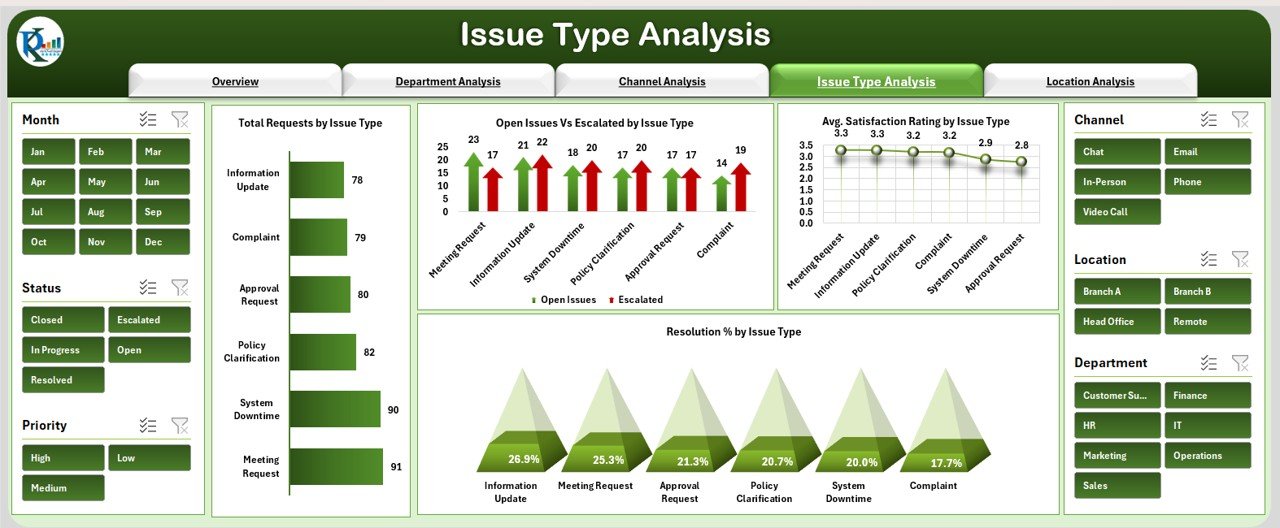
This sheet categorizes issues by type for better problem identification.
Charts Section:
Total Requests by Issue Type – Volume of issues per category
Open Issues vs Escalated by Issue Type – Identifies critical issue types
Avg. Satisfaction Rating by Issue Type – Employee satisfaction by issue category
Resolution % by Issue Type – Tracks efficiency of resolving each issue type
Click to Buy Office Issues Management Dashboard in Excel
5. Location Analysis Sheet
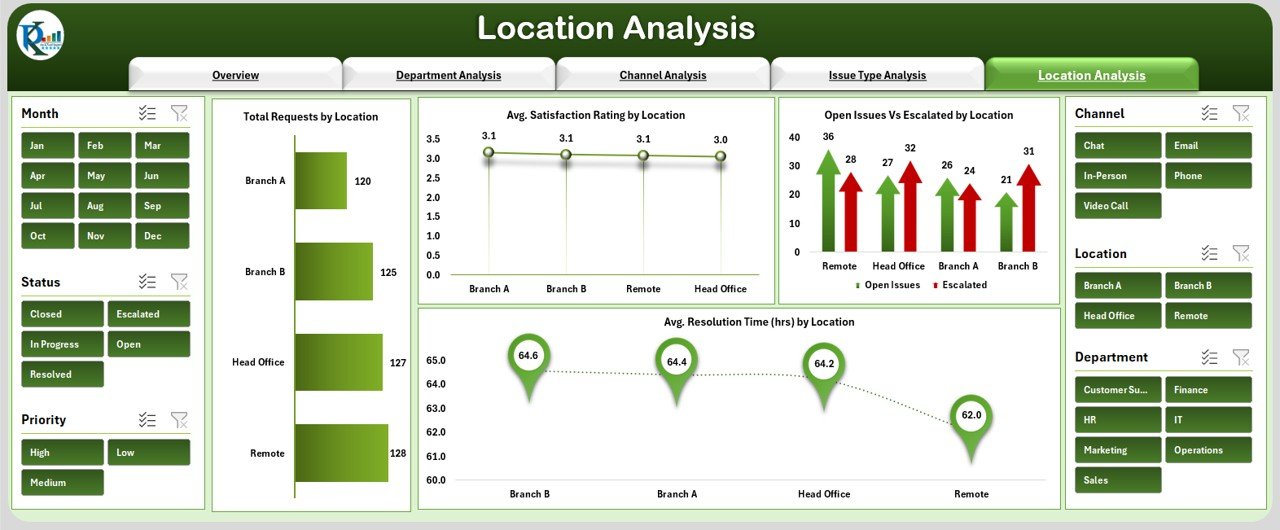
The Location Analysis sheet provides insights by office or branch location.
Charts Section:
Total Requests by Location – Volume of issues per location
Avg. Satisfaction Rating by Location – Measures employee satisfaction by location
Open Issues vs Escalated by Location – Highlights problem areas
Avg. Resolution Time (hrs) by Location – Time efficiency per location
6. Data Sheet Tab
The Data Sheet is the input sheet where all office issues are recorded:
Includes columns for request ID, priority, status, department, channel, issue type, location, response time, resolution time, satisfaction rating, and escalation
Updating this sheet automatically reflects in all other charts and summaries
Advantages of Using the Office Issues Management Dashboard
Click to Buy Office Issues Management Dashboard in Excel
Centralized Tracking: All office issues are tracked in one place
Visual Insights: Cards and charts provide instant understanding of trends
Identify Bottlenecks: Pinpoint departments, channels, or locations with delays
Monitor Employee Satisfaction: Measure satisfaction scores per issue type or department
Optimize Processes: Reduce response and resolution times
Data Accuracy: Structured input ensures reliable reporting
Best Practices for Using the Dashboard
Update Data Promptly: Enter new requests as they are reported
Segment by Department, Channel, and Location: Track performance across dimensions
Monitor Escalation Rates: Identify recurring issues and prevent bottlenecks
Track Monthly Trends: Review total requests and resolution percentage month-to-month
Review Satisfaction Scores: Focus on improving employee experience in low-rated areas
How This Dashboard Helps Organizations
Click to Buy Office Issues Management Dashboard in Excel
Enhances Efficiency: Track requests and ensure timely resolution
Improves Accountability: Departments and channels are clearly monitored
Supports Decision-Making: Prioritize issues based on urgency and impact
Boosts Employee Satisfaction: Timely resolution leads to higher satisfaction
Identifies Recurring Issues: Focus on areas requiring process improvement
Frequently Asked Questions (FAQs)
Q1: Can this dashboard handle multiple departments and locations?
Yes, the dashboard supports analysis across all departments and office locations.
Q2: How often should the data be updated?
Daily or weekly updates are recommended to maintain accurate reporting.
Q3: Can I track escalated issues separately?
Yes, the dashboard includes charts and cards specifically for escalated issues.
Q4: Is this dashboard suitable for large organizations?
Absolutely. With structured data and Excel pivot capabilities, it can manage a large volume of requests efficiently.
Q5: Can this dashboard help improve resolution times?
Yes, tracking response and resolution times per department and channel highlights bottlenecks and helps optimize processes.
Conclusion
Click to Buy Office Issues Management Dashboard in Excel
The Office Issues Management Dashboard in Excel is a powerful tool for tracking, analyzing, and resolving office-related issues. With visual summaries, detailed departmental, channel, issue-type, and location analysis, it empowers managers to streamline operations, improve employee satisfaction, and enhance overall office efficiency.
Visit our YouTube channel to learn step-by-step video tutorials
Youtube.com/@NeotechNavigators
Watch the step-by-step video Demo:
Click to Buy Office Issues Management Dashboard in Excel