Introduction
Office Parking Utilization Planning Calendar In Excel is an essential tool designed to help organizations efficiently manage and optimize their parking resources. This ready-to-use Excel template streamlines parking space allocation, event scheduling, and overall utilization tracking, making it easier to keep offices organized.
Key Features of Office Parking Utilization Planning Calendar In Excel
- Multiple views including Annual, Monthly, and Daily calendars for comprehensive planning and monitoring.
- Interactive buttons for easy navigation between sheets.
- Customizable calendar starting month, year, and week start day to fit organizational needs.
- Themes to personalize the calendar’s appearance across the workbook.
- Highlighting options for weekends or specific days and important events.
- Event management with Add, Update, Show, and Delete capabilities integrated within the calendar system.
Dashboard Pages Explanation
1. Home Sheet Tab
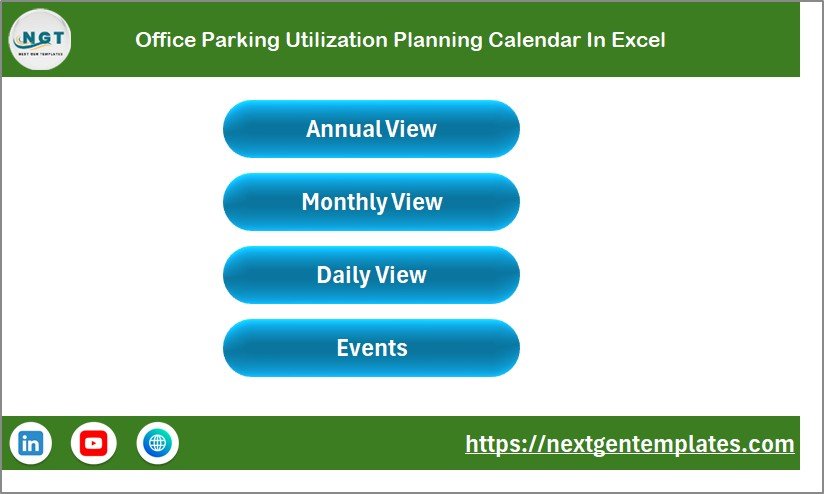
The Home sheet serves as the central index with four easy navigation buttons to jump to:
- Annual View
- Monthly View
- Daily View
- Events
Office Parking Utilization Planning Calendar In Excel
Click to Buy Office Parking Utilization Planning Calendar In Excel
2. Annual View Sheet Tab
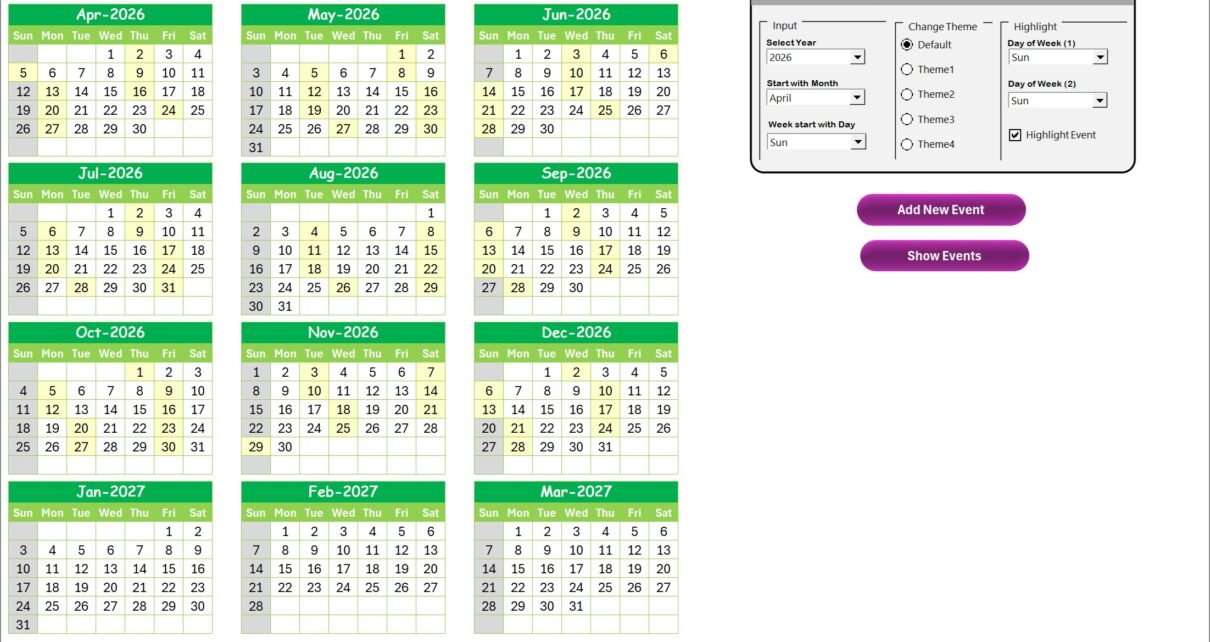
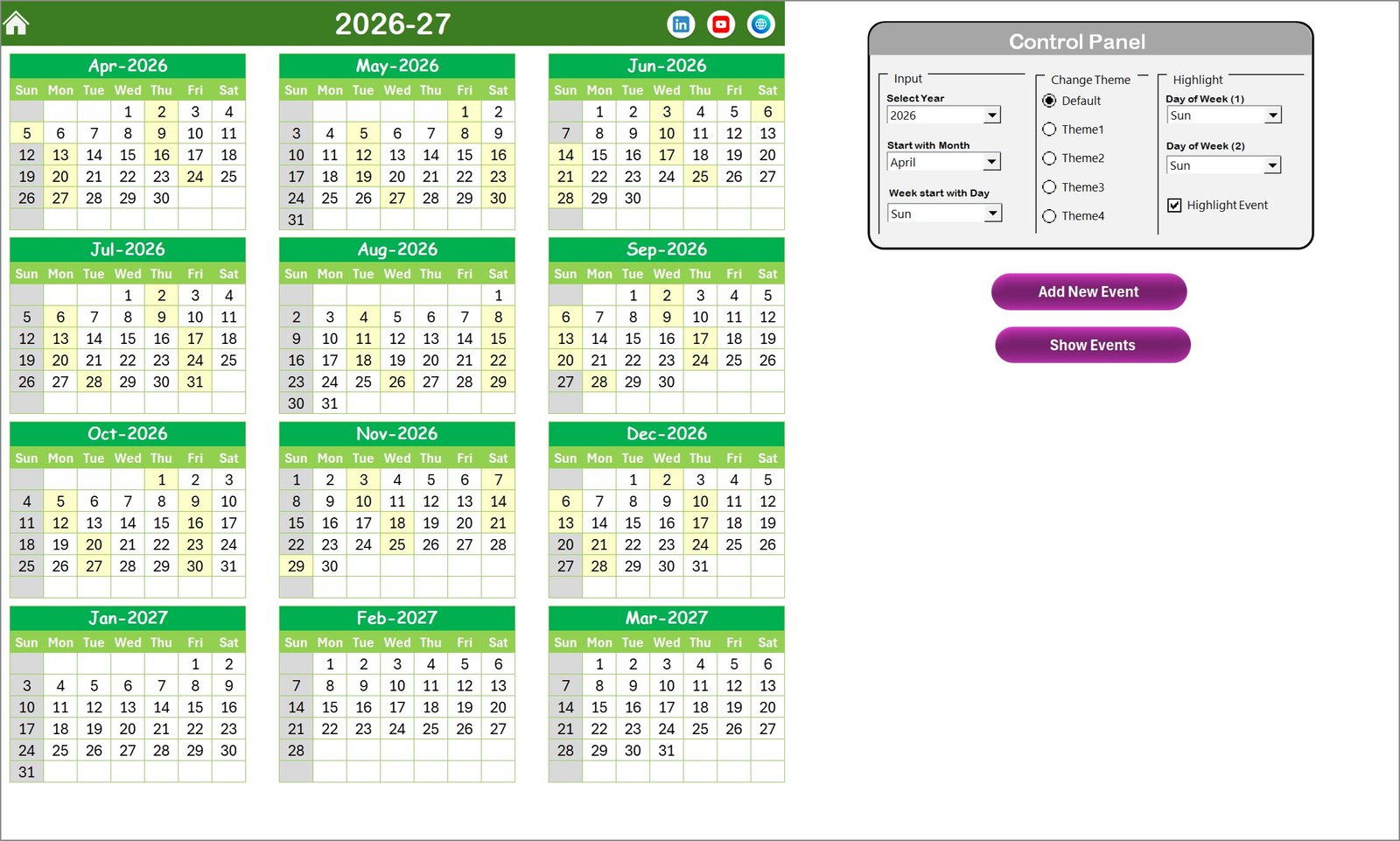
This sheet displays a yearly overview with calendars for all 12 months. It includes a versatile control panel and two key buttons.
- Input Group: Select year, starting month, and starting weekday to dynamically update the calendar.
- Change Theme Group: Choose from five color themes that apply across the entire workbook.
- Highlight Group: Highlight specific days of the week and highlight events with color-coded clues.
Buttons available:
- Add New Event: Open a form to add an event on the selected date.
- Show Event: View the event list for the selected date.
3. Monthly View Sheet Tab
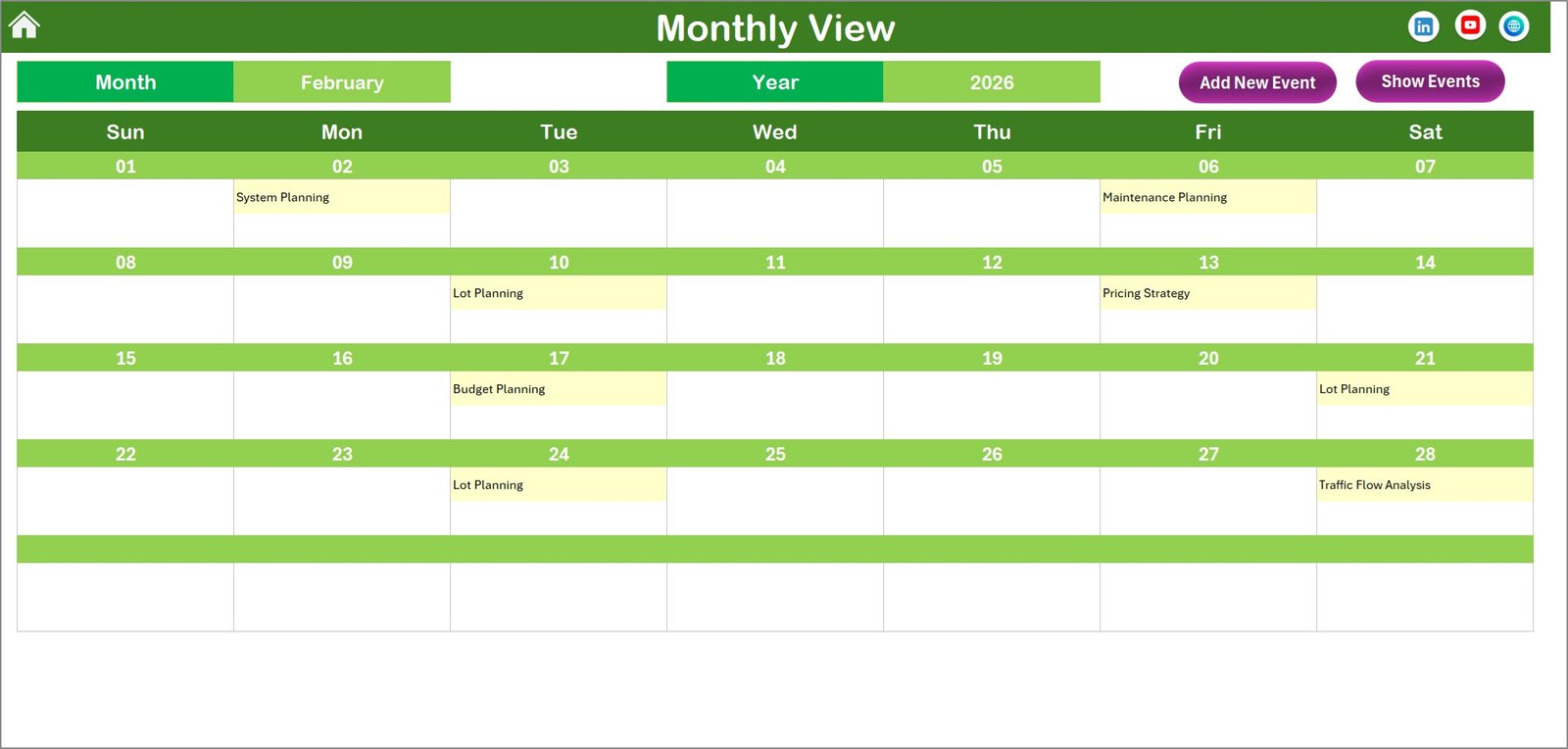
A focused calendar showing the selected month and year with events listed by date. Multiple events are summarized with ‘more than 1…’ notifications.
Buttons on top include:
- Add New Event: Create events for specific dates via a dedicated form.
- Show Event: Display all events for the chosen date.
4. Daily View Sheet Tab
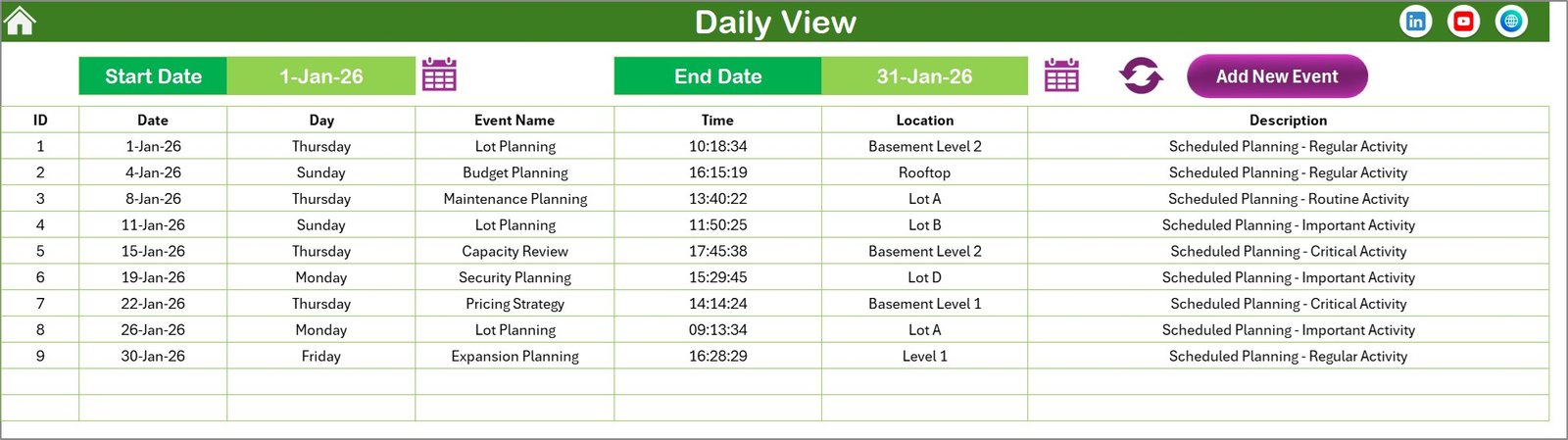
Offers detailed event listings within a selected date range. Easily select the start and end dates using calendar icons and refresh to get updated data.
A convenient Add New Event button on top opens the form to log new events quickly.
Daily View Sheet tab
5. Events Sheet Tab
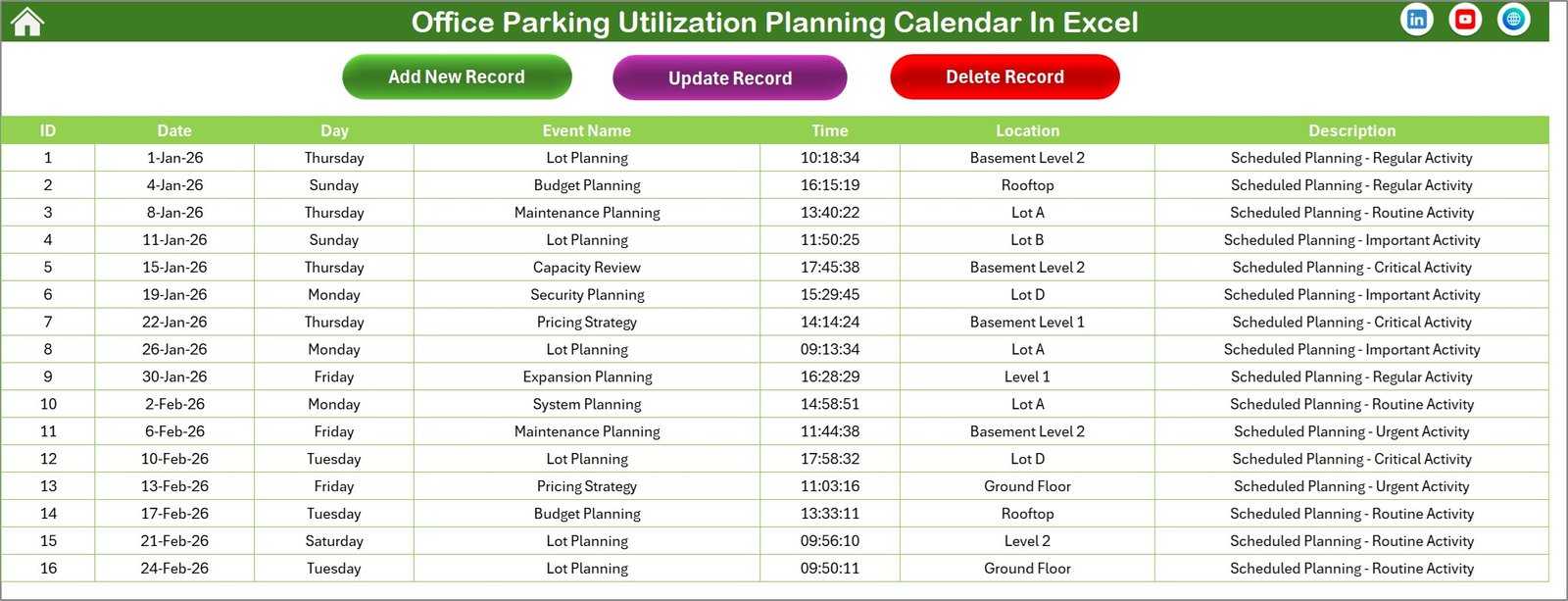
This acts as the database for all event records, capturing:
- ID (Auto-generated)
- Date of Event
- Day Name
- Event Name
- Time
- Location
- Description
Top buttons include:
- Add New Record: Open form to add a new event.
- Update Existing Record: Select and edit an event record with pre-filled data.
- Delete Record: Remove selected event records from the database.
Advantages of Office Parking Utilization Planning Calendar In Excel
- Improved Parking Efficiency: Reduces parking conflicts by visualizing space allocation clearly.
- User-Friendly: Intuitive navigation with clickable buttons and forms for event management.
- Customizable Views: Annual, monthly, and daily breakdowns allow precise tracking.
- Flexible Themes: Change color schemes for easier readability and personalization.
- Comprehensive Event Tracking: Add, update, and delete events with ease.
Opportunities for Improvement
- Integration with Outlook or Google Calendar for automatic syncing of parking events.
- Mobile app companion for on-the-go access and updates.
- Advanced analytics dashboard to provide insights on parking utilization trends.
- Incorporation of user roles and permissions for enhanced data security.
Best Practices
Click to Buy Office Parking Utilization Planning Calendar In Excel
- Regularly update events to keep calendar data accurate.
- Use theme customization to highlight priority events or dates.
- Leverage the highlight feature to differentiate weekends or holidays.
- Assign a dedicated person to manage the calendar and events.
- Back up the Excel workbook frequently to avoid data loss.
FAQs
- Can I customize the starting day of the week?
Yes, you can adjust the starting day of the week in the Annual View sheet’s control panel. - Is it possible to add recurring events?
The current template allows manual input of events; recurring event automation may require customization. - Can I highlight specific days such as weekends?
Yes, days of the week can be highlighted using the Highlight Group controls. - How do I view events for a particular date?
Use the Show Event button available in Annual, Monthly, and Daily views after selecting the date. - Is the template compatible with all Excel versions?
It is compatible with recent Microsoft Excel versions (2016 and above). Some features may vary depending on Excel compatibility.
Conclusion
Click to Buy Office Parking Utilization Planning Calendar In Excel
The Office Parking Utilization Planning Calendar In Excel is a versatile and user-friendly tool empowering organizations to manage office parking efficiently. Its multi-view calendars, event management, and customizable themes simplify parking logistics, enabling better resource optimization and planning. By adopting this solution, offices can reduce parking conflicts and improve overall operational flow.
For more resources, visit Microsoft Excel Support and explore other office productivity tools.
Visit our YouTube channel to watch the demo.
Click to Buy Office Parking Utilization Planning Calendar In Excel