New: NextGenTemplates Academy - video courses on Excel formulas with AI and Pivot Tables & dashboards. Early-bird: 20% off with code EARLYBIRD20 - first 20 orders only. See the courses →
  • Learn Excel (Free Course)
    • 1. Shortcut Keys
    • 2. Fill & Flash Fill
    • 3. Find & Replace
    • 4. Sort & Filter
    • 5. Formulas & Functions
    • 6. Data Validation
    • 7. Conditional Formatting
    • 8. Basic Charts
    • 9. Advanced Charts
    • 10. Pivot Tables
    • 11. Excel Dashboards
    • 12. VBA Course
    • 13. Excel Formulas with AI
  • Templates
  • Tutorials
    • Charts and Visualization
    • VBA
    • Excel Tips and Tricks
    • Excel Dashboards
    • Power Pivot & DAX
  • Power BI
  • Template Store
    • Ready to Use Templates
  • Courses
  • Academy
    • Excel + AI Mastery: 100 Formulas
    • Excel Pivot Tables & Dashboards
  • About Us
  • Contact Us

PK: An Excel Expert

Transforming Data into Decisions

Tag: Financial Analysis Template

Excel Tips and Tricks Templates

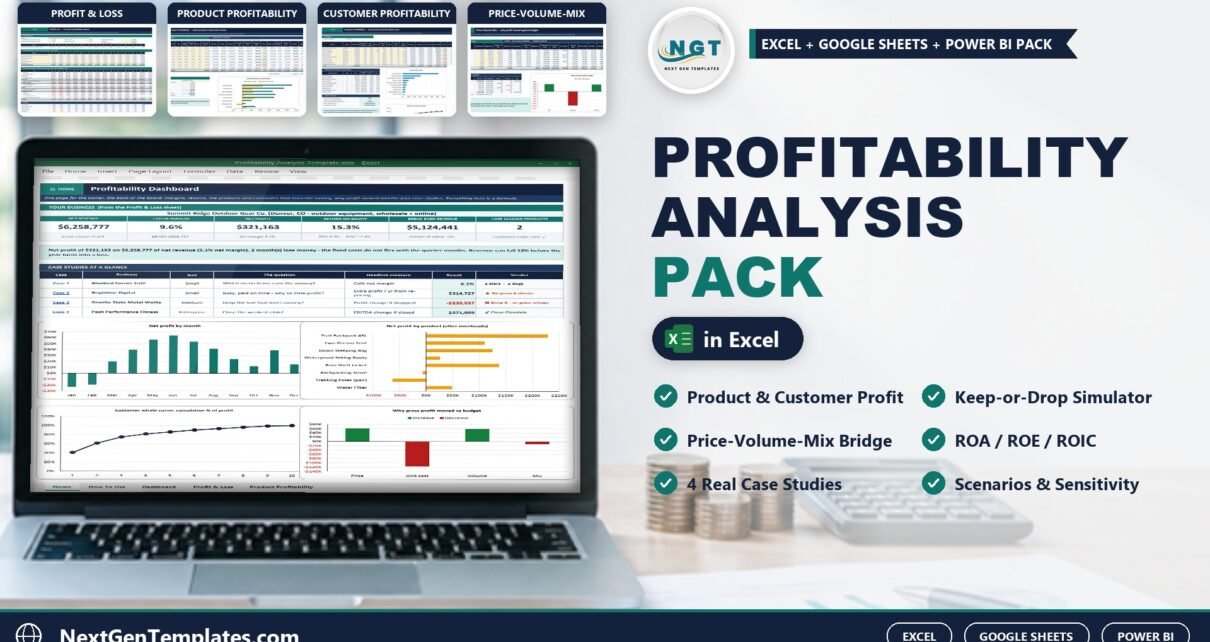
Profitability Analysis Pack in Excel

October 24, 2026 PKComments Off on Profitability Analysis Pack in Excel
Sales are up, so why is there so little profit left at the end of the year? The Profitability Analysis Pack in Excel answers that by showing which products, customers
Read More
Excel Tips and Tricks Templates

Break-Even Analysis Pack in Excel

September 24, 2026 PKComments Off on Break-Even Analysis Pack in Excel
Every business has a point where revenue exactly covers costs. Below it, every day of trading loses money. The Break-Even Analysis Pack in Excel finds that point for a single
Read More
Dashboard

Investment Banking Dashboard in Excel

November 1, 2025November 1, 2025 PKComments Off on Investment Banking Dashboard in Excel
In today’s fast-paced financial environment, investment banks handle an enormous amount of data daily. From deal values to client satisfaction and profit margins, the need for accurate, real-time analysis has
Read More
  • Learn Excel (Free Course)
    • 1. Shortcut Keys
    • 2. Fill & Flash Fill
    • 3. Find & Replace
    • 4. Sort & Filter
    • 5. Formulas & Functions
    • 6. Data Validation
    • 7. Conditional Formatting
    • 8. Basic Charts
    • 9. Advanced Charts
    • 10. Pivot Tables
    • 11. Excel Dashboards
    • 12. VBA Course
    • 13. Excel Formulas with AI
  • Templates
  • Tutorials
    • Charts and Visualization
    • VBA
    • Excel Tips and Tricks
    • Excel Dashboards
    • Power Pivot & DAX
  • Power BI
  • Template Store
    • Ready to Use Templates
  • Courses
  • Academy
    • Excel + AI Mastery: 100 Formulas
    • Excel Pivot Tables & Dashboards
  • About Us
  • Contact Us
Copyright © 2023 PK-AnExcelExpert.com - Privacy Policy