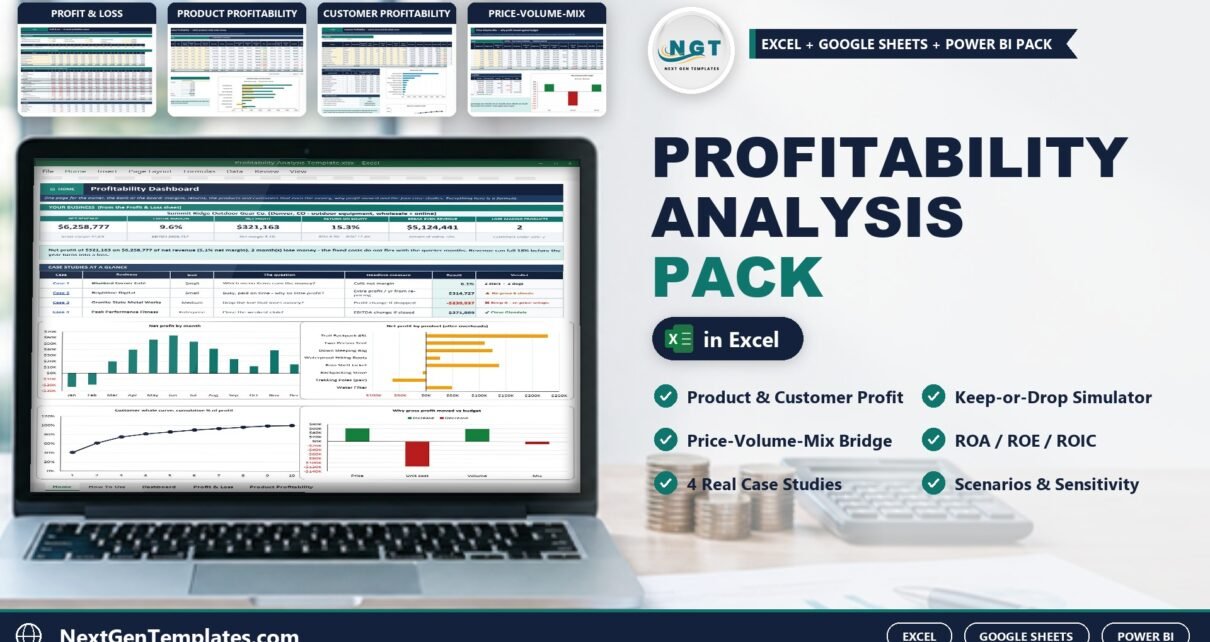
Sales are up, so why is there so little profit left at the end of the year? The Profitability Analysis Pack in Excel answers that by showing which products, customers and locations really make money, and why profit moved against budget. In the worked example, Summit Ridge Outdoor Gear Co. sells $6,258,777 a year at a 47.3% gross margin, yet keeps only 9.6% as EBITDA and 5.1% as net profit once $1,416,000 of shared overheads are charged. This post walks through the pack sheet by sheet and explains what each number means for your decisions.
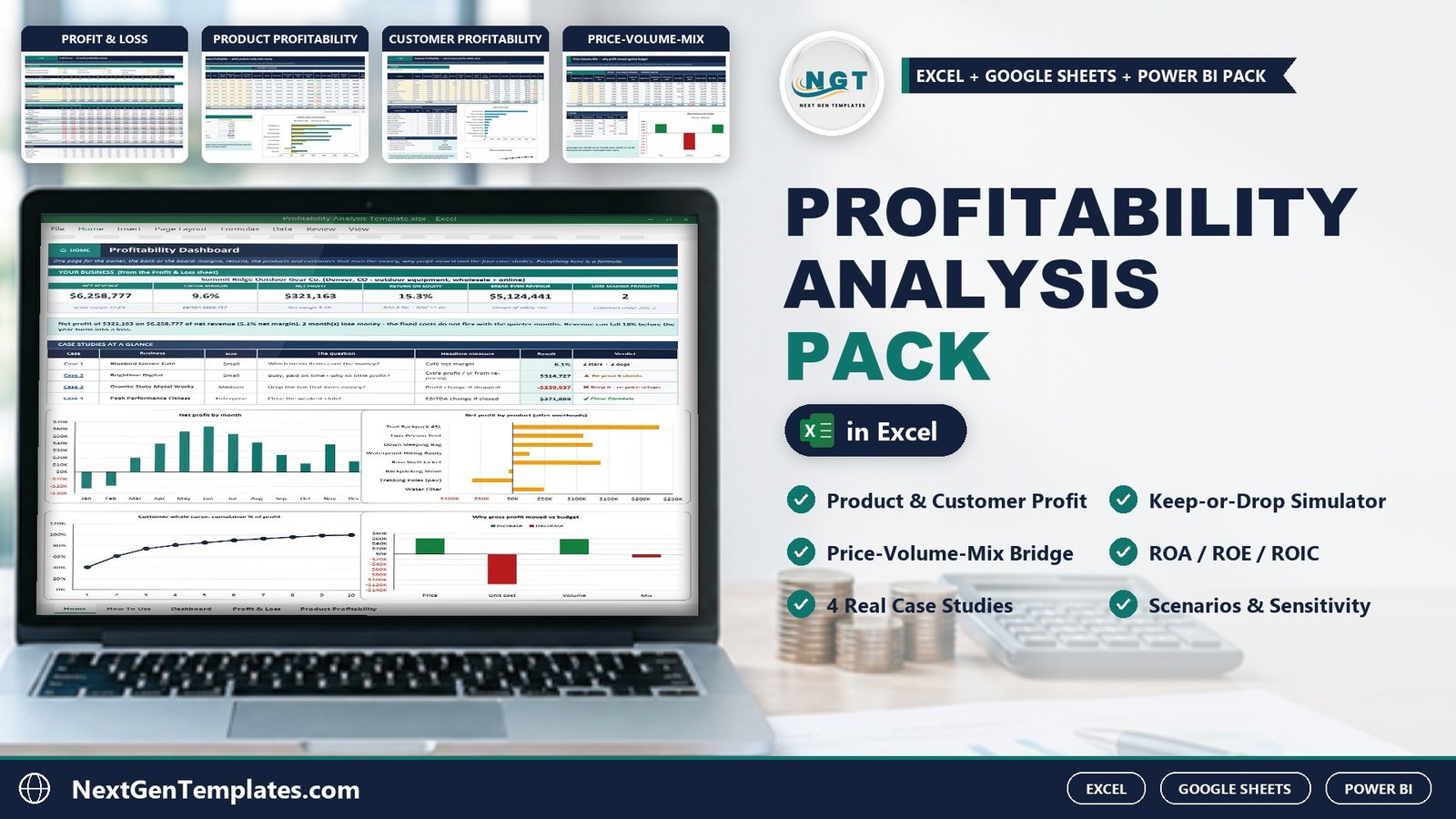
Watch the Profitability Analysis Pack in Excel walkthrough
Key Features of the Profitability Analysis Pack in Excel
- 17 linked sheets. Every result is a live formula, with no macros and no add-ins.
- 12-month profit and loss with five margins, ROA, ROE, ROIC, break-even revenue and margin of safety.
- Product profitability analysis for up to 8 products, with a keep-or-drop simulator.
- Customer profitability analysis for up to 10 customers, including cost to serve and a whale curve.
- Price-volume-mix analysis that splits the change in gross profit into price, unit cost, volume and mix effects.
- Scenarios, sensitivity and profit levers for stress-testing the plan.
- Four case studies: a café, a digital agency, a manufacturer and a six-club fitness chain.
- Sample and Blank editions, a Google Sheets copy, a Power BI explorer, a 16-slide PowerPoint deck and a PDF guide.
Workbook Sheets Explained
Home, Dashboard and Profit & Loss
The Home sheet links to every sheet and each sheet has a HOME button. The Dashboard shows six KPI cards, a verdict sentence, the four case studies at a glance and four charts. The Profit & Loss sheet builds the 12-month P&L from your product sheet, using a seasonality index, shared overheads, fees, depreciation, interest and tax. Its scorecard reports a 5.1% net margin, a 15.3% return on equity and break-even revenue of $5,124,441, which means revenue can fall about 18% before the year makes a loss.
Product Profitability
List up to 8 products with units, price, unit cost, shipping, returns and each product’s own fixed costs. The sheet shows contribution margin, product margin, a revenue-based overhead share and a verdict for each. The keep-or-drop simulator is the most useful part: the Trekking Poles look like a $63,000 loss after overhead, yet dropping them would cut operating profit by about $6,700 a year, because the overhead stays behind.
Customer Profitability
Discounts, orders, cost per order, freight, service hours and co-op marketing give each account’s true profit. The whale curve ranks customers, and in the sample the top three accounts earn 75% of customer profit.
Price-Volume-Mix
Type your budget or last year’s units, prices and unit costs. The bridge splits the change in gross profit into four effects that add up exactly. In the sample, price added $61,600 but higher unit costs took away $116,600.
Scenarios, Sensitivity and Profit Levers
Scenarios re-runs the full-year P&L for a worst, base and best case; the worst case turns net profit into a loss of $369,000. Sensitivity shows two-way heat-map grids and ranks six drivers, with price as the strongest lever. Profit Levers shows that a 1% price rise is worth $61,023 and that a 10% discount needs about 35% more units to earn the same contribution.
Case Studies and Monthly Tracker
The four case studies teach the main techniques: menu engineering for a café, client re-pricing for an agency, activity-based costing for a manufacturer and a close-a-club test for a multi-site operator. The Monthly Tracker compares your actual revenue, gross profit and net profit with the plan and flags each month as ahead or behind.
Profitability Analysis Pack in Excel vs. Free Templates vs. Paid Software – Feature Comparison
| Feature | This Excel pack | Free template | Paid FP&A software |
|---|---|---|---|
| Cost | One-time purchase | Free | Monthly subscription |
| Product and customer profitability | Yes | Rarely | Varies |
| Keep-or-drop simulator | Yes | No | Varies |
| Price-volume-mix bridge | Yes | No | Varies |
| Fully editable formulas | Yes | Usually limited | Limited to the vendor’s model |
| Case studies and a deck | 4 cases and 16 slides | No | No |
Who Should Use This Template
Small-business owners deciding which products to keep, FP&A analysts preparing a margin review, agencies checking client profitability, manufacturers comparing costing methods, multi-site operators and students of managerial accounting. It is a planning tool, not tax or accounting advice, and all sample companies are fictional.
Real-World Use Cases
Maria, café owner. Lattes sold the most but earned thin margins. The menu-engineering case showed her which items were worth a small price rise.
David, FP&A analyst. David used the P&L scorecard and the Scenarios sheet for a quarterly review and could show exactly which driver turned the worst case into a loss.
Anita, plant manager. Anita adapted the manufacturer case to her own overhead pools and found that a line that looked profitable under labor-hour costing lost money under activity-based costing.
Advantages of the Profitability Analysis Pack
- One model answers product, customer and variance questions, and the totals tie back to EBITDA.
- Insight sentences are written by formula, so the verdict updates when your numbers change.
- It works offline, with no macros, and comes with a Google Sheets copy and a Power BI explorer.
Opportunities for Improvement
- Overhead is allocated by revenue, which is simple but crude. Use the activity-based method from the manufacturer case when products use overhead unevenly.
- You type or paste figures, because there is no live link to accounting software.
- The sheets are sized for 8 products and 10 customers; add rows and copy formulas down for more.
Best Practices
- Run the keep-or-drop test before you drop any product that shows a loss.
- Check contribution margin before overhead share when pricing.
- Update the Monthly Tracker every month so variances stay small.
Explore Relevant Templates
- Break-Even Analysis Pack in Excel: the companion post for cost-volume-profit analysis.
- Profit and Loss (P&L) Template in Excel
- Cash Flow Template in Excel
Frequently Asked Questions
How do you calculate contribution margin in Excel?
Subtract cost of goods sold and variable selling costs such as shipping and fees from net revenue. The Product Profitability sheet does this for each product.
Should I drop a product that shows a loss?
Not before the keep-or-drop test. If contribution margin is positive, dropping it usually reduces profit because its overhead share stays behind.
What is price-volume-mix analysis?
It explains a change in gross profit as the sum of a price effect, a unit-cost effect, a volume effect and a mix effect.
Does it need macros?
No. It uses worksheet formulas only and works in Excel 2010 and later on Windows and Mac.
Is there a blank version?
Yes. The Blank edition clears the core tools and keeps the four case studies as worked examples.
About the Author
Built by PK – Microsoft Certified Professional with 15+ years of Excel, Google Sheets, and Power BI experience. Founder of NextGenTemplates, reaching 300K+ subscribers across YouTube channels. Every template is hand-built and tested before release.
Conclusion
Knowing which products and customers earn your profit turns pricing and cost decisions into arithmetic rather than guesswork. The Profitability Analysis Pack in Excel gives you the P&L, the keep-or-drop test, the price-volume-mix bridge, four worked industries and a presentation deck in one download.
Get the Profitability Analysis Pack in Excel. For video tutorials, visit youtube.com/@PKAnExcelExpert.