Managing employee probation and confirmation processes requires accuracy, consistency, and proper documentation. However, many organizations still rely on emails, manual Excel sheets, or HR registers. As a result, reviews get delayed, confirmation decisions become unclear, and HR teams lose control.Probation and Confirmation Management System V1.0 in Excel VBA
That is exactly why we developed the Probation and Confirmation Management System V1.0 in Excel VBA.
This is a ready-to-use Excel and VBA-based HR management tool designed to track probation periods, reviews, and confirmation decisions in one centralized system. If you are looking for a simple, offline, and powerful solution, this tool is an ideal choice.
What Is the Probation and Confirmation Management System V1.0?
Click to Buy Probation and Confirmation Management System V1.0 in Excel VBA
The Probation and Confirmation Management System V1.0 is a desktop-based HR tool built using Microsoft Excel and VBA. It helps HR teams manage employee probation records, review cycles, confirmation decisions, and reports efficiently.
Instead of managing multiple files, this system provides one integrated platform with secure login, role-based access, and structured data handling.
Key Features of Probation and Confirmation Management System V1.0
This tool includes multiple features that simplify HR operations and improve transparency.
1. Secure Login Form (Admin & User Roles)
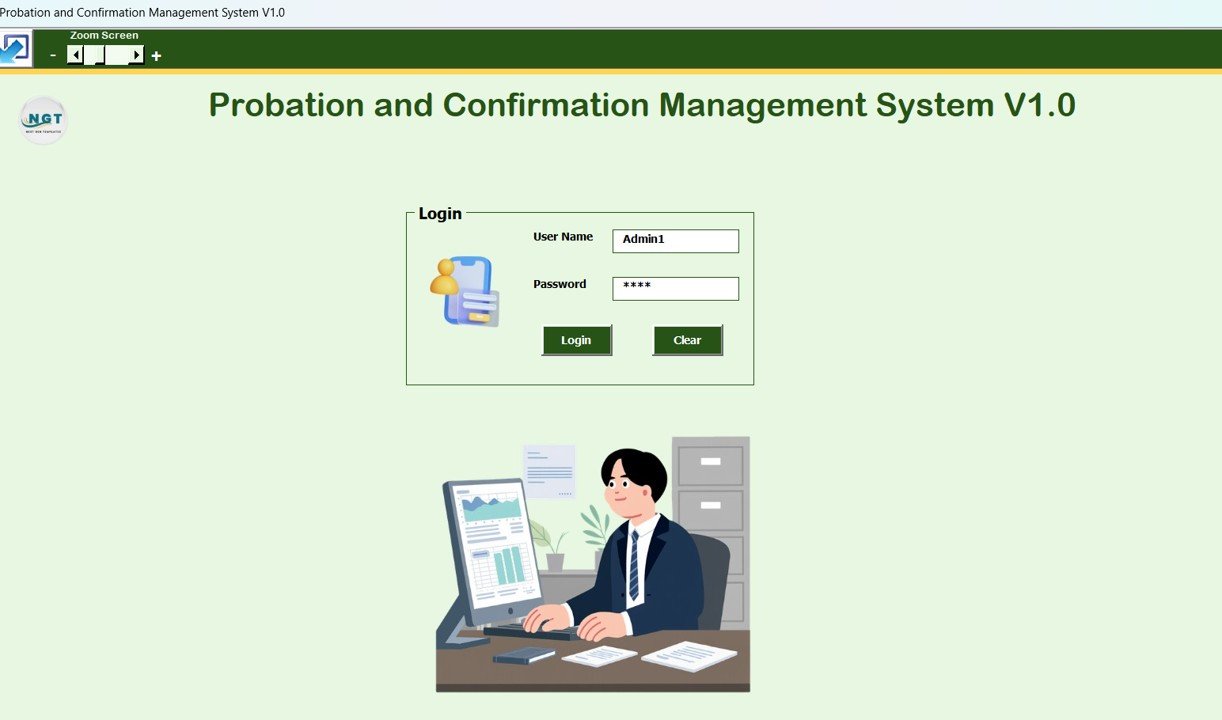
The system starts with a secure login form. You simply enter your username and password, then click the Login button or press Enter to access the system.
Default Login Credentials
Admin Role
-
Username: Admin1
-
Password: abcd
User Role
-
Username: User1
-
Password: abcd
After login, the system opens the Main Form based on the assigned user role.
Click to Buy Probation and Confirmation Management System V1.0 in Excel VBA
2. Main Form – Central Management Screen
The Main Form appears immediately after login. From this screen, you can manage all probation and confirmation records.
List Box on Main Form
At the center of the main form, a List Box displays relevant probation and employee records. You can select any record to view, update, or delete details.
Filters for Quick Search
Above the list box, the system provides filter options that allow you to:
-
Filter records by date range
-
Filter records by selected columns
This helps HR teams locate records quickly and accurately.
Sort By Option
The Sort By feature allows you to sort list box data based on selected fields. This keeps data organized and easy to review.
Control Buttons on Main Form
The following control buttons help manage records efficiently:
-
Add New Record
Add new probation or employee records. -
Update Existing Record
Select a record and click this button to edit it.
You can also double-click a record in the list box to open it for editing. -
Delete Record
Delete the selected record securely. -
Export to Excel
Export the list box data into a new Excel file.

Click to Buy Probation and Confirmation Management System V1.0 in Excel VBA
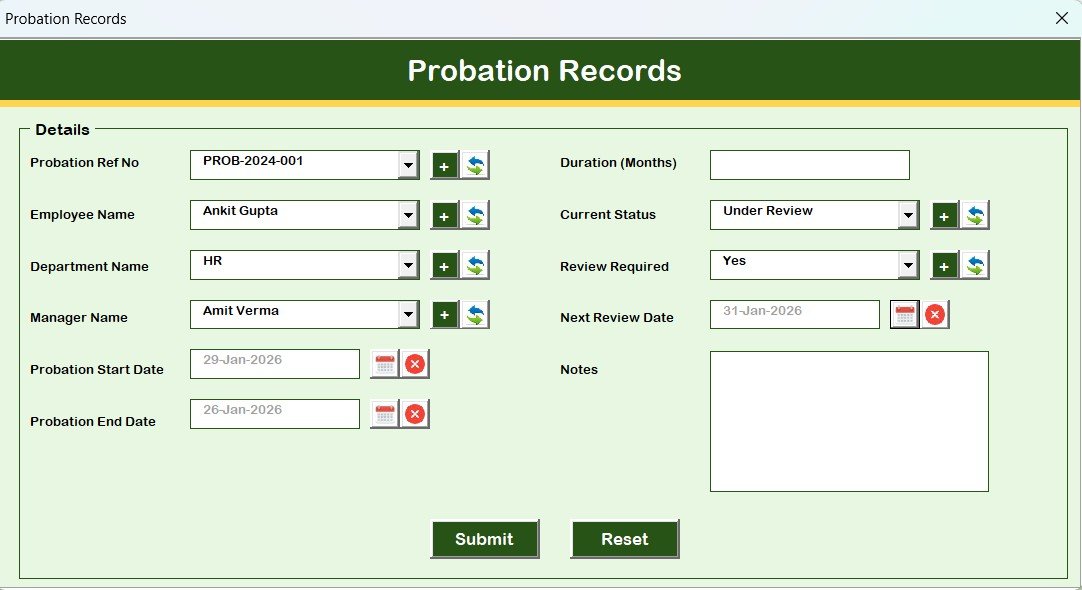
3. Probation_Records Form (Main Data Entry Form)
The Probation_Records form acts as the main data entry screen.
You can use this form to:
-
Add new probation records
-
Update existing probation records
-
Save changes directly to the system
This form opens when you click Add New Record or Update Existing Record.
Click to Buy Probation and Confirmation Management System V1.0 in Excel VBA
Navigation Menu (Left-Side Panel)
The left-hand navigation menu provides access to all system modules.
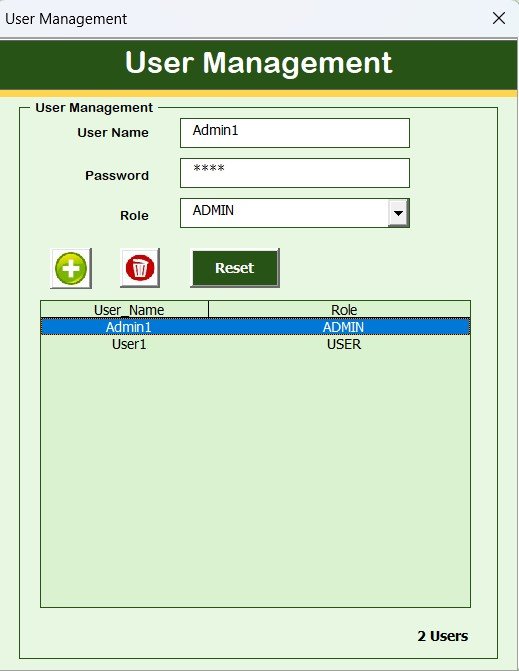
4. User Management
Using the User Management module, you can:
-
Add new users
-
Update user details
-
Delete users
-
Reset passwords
-
Change user passwords
This ensures proper control over system users.
Click to Buy Probation and Confirmation Management System V1.0 in Excel VBA
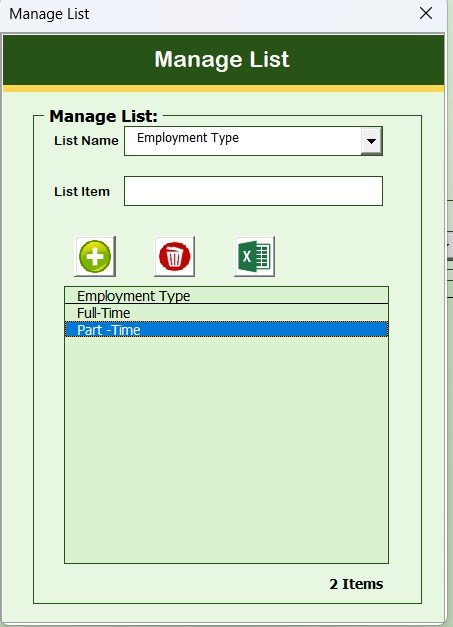
5. Manage List
The Manage List form allows you to:
-
Add dropdown list values
-
Delete unnecessary list items
This helps maintain clean and accurate master data.
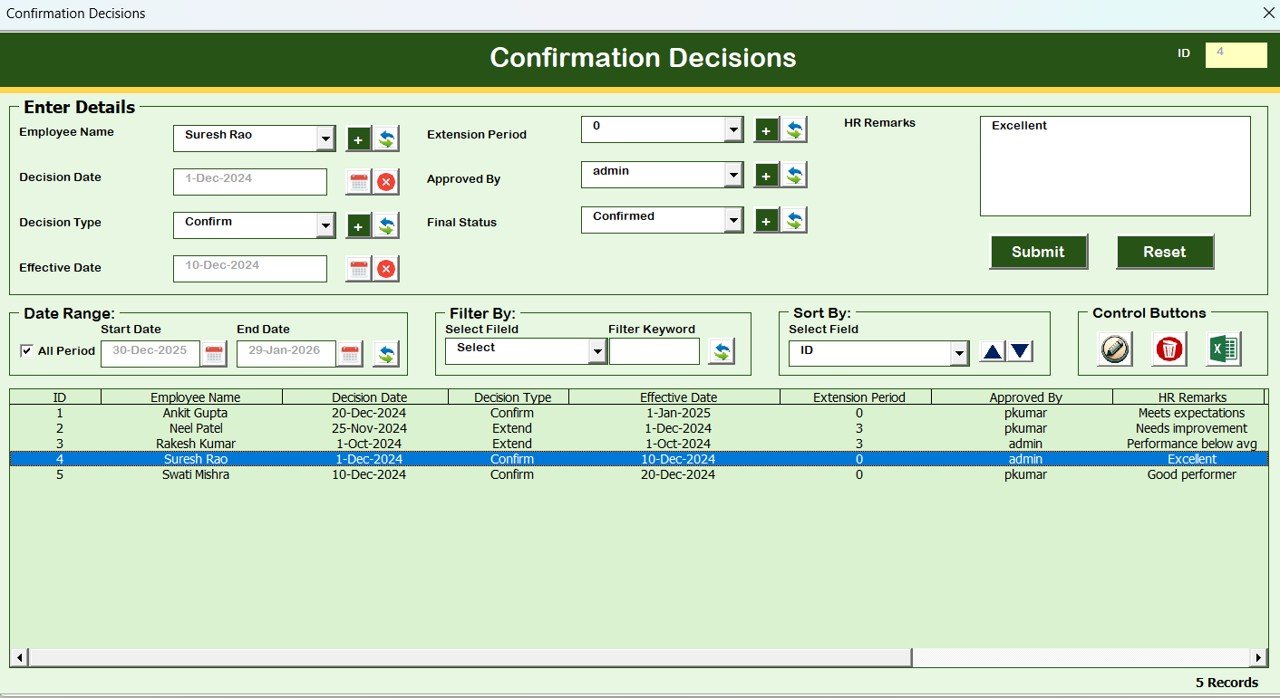
6. Confirmation Decisions
In the Confirmation Decisions form, you can record confirmation outcomes such as:
-
Confirmed
-
Extended probation
-
Not confirmed
This ensures proper documentation of HR decisions.
Click to Buy Probation and Confirmation Management System V1.0 in Excel VBA
7. Employee Master
The Employee Master form stores complete employee details. This ensures accurate linking of employees with probation and confirmation records.

Click to Buy Probation and Confirmation Management System V1.0 in Excel VBA
8. Probation Reviews
The Probation Reviews form helps track:
-
Review dates
-
Performance feedback
-
Review remarks
This supports structured and timely evaluations.

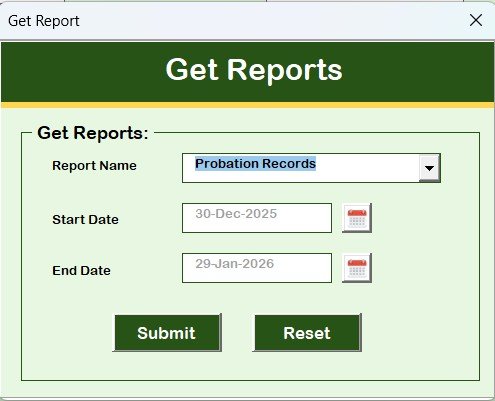
9. Reports Module
Using the Reports module, you can:
-
Select a specific date range
-
Export reports in Excel format
This helps HR teams with audits, reviews, and management reporting.
Click to Buy Probation and Confirmation Management System V1.0 in Excel VBA
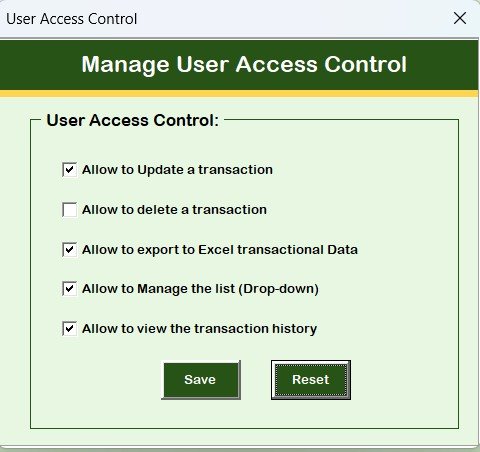
10. Manage User Access Control
The User Access Control screen is available only to Admin users.
From this screen, Admins can:
-
Assign module-level access to users
-
Control visibility and edit rights
This ensures data security and role-based access.
Click to Buy Probation and Confirmation Management System V1.0 in Excel VBA
11. Logout Function
The Logout button:
-
Saves all data automatically
-
Closes all forms and the Excel file safely
12. Email Us
The Email Us button displays our support email ID. You can contact us for:
-
Technical support
-
Customization requests
-
Feature enhancements
13. Visit Our Website
The Visit Our Website button opens our official website, where you can explore and purchase additional Excel and VBA-based tools.
System Compatibility (Important Highlights)
Click to Buy Probation and Confirmation Management System V1.0 in Excel VBA
⚠️ Please review the compatibility details carefully:
-
✅ Compatible with Windows 10 and above
-
✅ Requires Microsoft Excel 2010 or later
-
✅ Works only with Microsoft Excel Desktop application
-
❌ Does not work on Mobile or Tablet devices
-
❌ Not compatible with Mac operating system
Conclusion
Click to Buy Probation and Confirmation Management System V1.0 in Excel VBA
The Probation and Confirmation Management System V1.0 in Excel VBA provides HR teams with a structured, reliable, and offline solution to manage probation and confirmation processes efficiently.
With secure login, role-based access, structured forms, and Excel-based reporting, this tool reduces manual effort and improves HR decision-making.
Visit our YouTube channel to learn step-by-step video tutorials
Watch the step-by-step video tutorial:
Click to Buy Probation and Confirmation Management System V1.0 in Excel VBA