Introduction
Medical Tourism KPI Dashboard is an essential tool designed to monitor and analyze key performance indicators for medical tourism businesses. This ready-to-use template helps stakeholders track monthly and yearly performance, compare targets against actual outcomes, and visualize trends effectively. In this article, we explore the comprehensive features of this Medical Tourism KPI Dashboard, its multiple worksheet structure, and how it can empower your decision-making process.
Key Features of Medical Tourism KPI Dashboard
- 7 well-organized worksheets providing a detailed overview of KPIs and input data.
- User-friendly navigation via Home sheet with action buttons for quick access.
- Dynamic monthly selection dropdowns to adjust dashboard data instantly.
- Conditional formatting with up/down arrows indicating target vs actual and previous year vs actual performance.
- Comprehensive trend charts showcasing month-to-date and year-to-date figures.
- Structured input sheets for Actual numbers, Target numbers, and Previous Year data.
- Detailed KPI Definitions including formula, unit, and performance type (Lower The Better / Upper The Better).
Dashboard Pages Explanation
1. Home Sheet
This is the main index page that serves as the dashboard’s control center. It features 6 navigational buttons to jump directly to respective sheets for efficient data management and analysis.
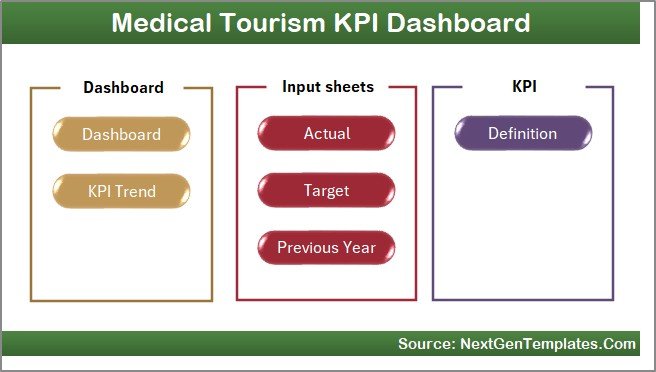 Home Page
Click to Buy Medical Tourism KPI Dashboard in Excel
2. Dashboard Sheet Tab
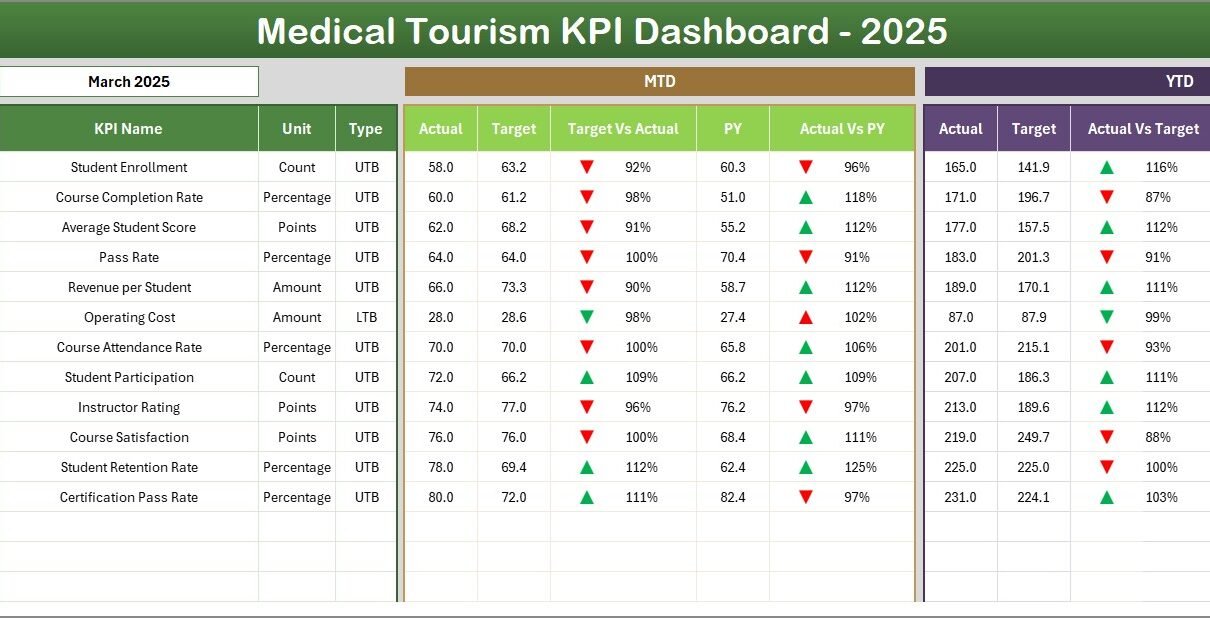
This is the main dashboard displaying all KPIs for the selected month. Users can choose the month from a dropdown in cell D3 to view relevant data. It showcases:
- Month-to-Date (MTD) Actual, Target, and Previous Year figures.
- YTD (Year-to-Date) Actual, Target, and Previous Year figures.
- Conditional formatting using up and down arrows to highlight performance gaps between Target vs Actual and Previous Year vs Actual.
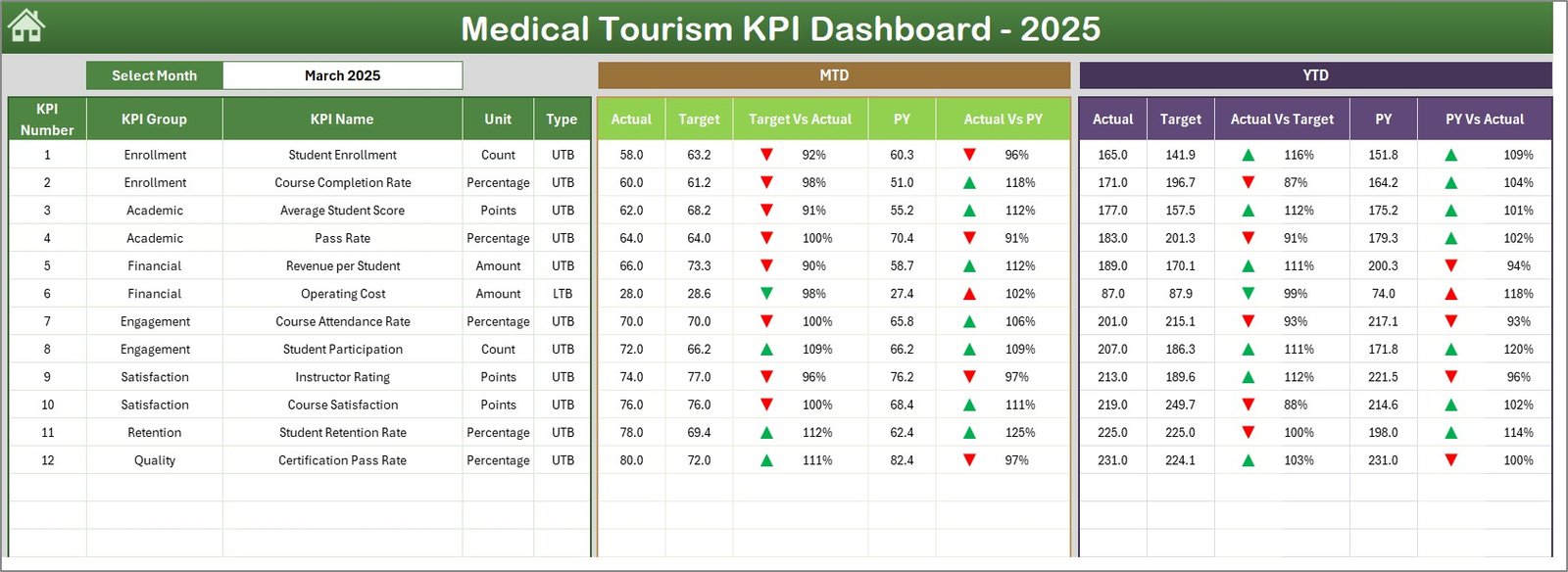 Medical Tourism KPI Dashboard
3. KPI Trend Sheet Tab
Here, select any KPI from the dropdown located in cell C3 to view an in-depth analysis. This sheet displays:
- KPI Group categorization.
- Unit of measure for the KPI.
- KPI Type specifying if Lower the Better (LTB) or Upper the Better (UTB).
- Formula and detailed definition of the KPI.
- Trend charts showing MTD and YTD Actual, Target, and Previous Year progress.
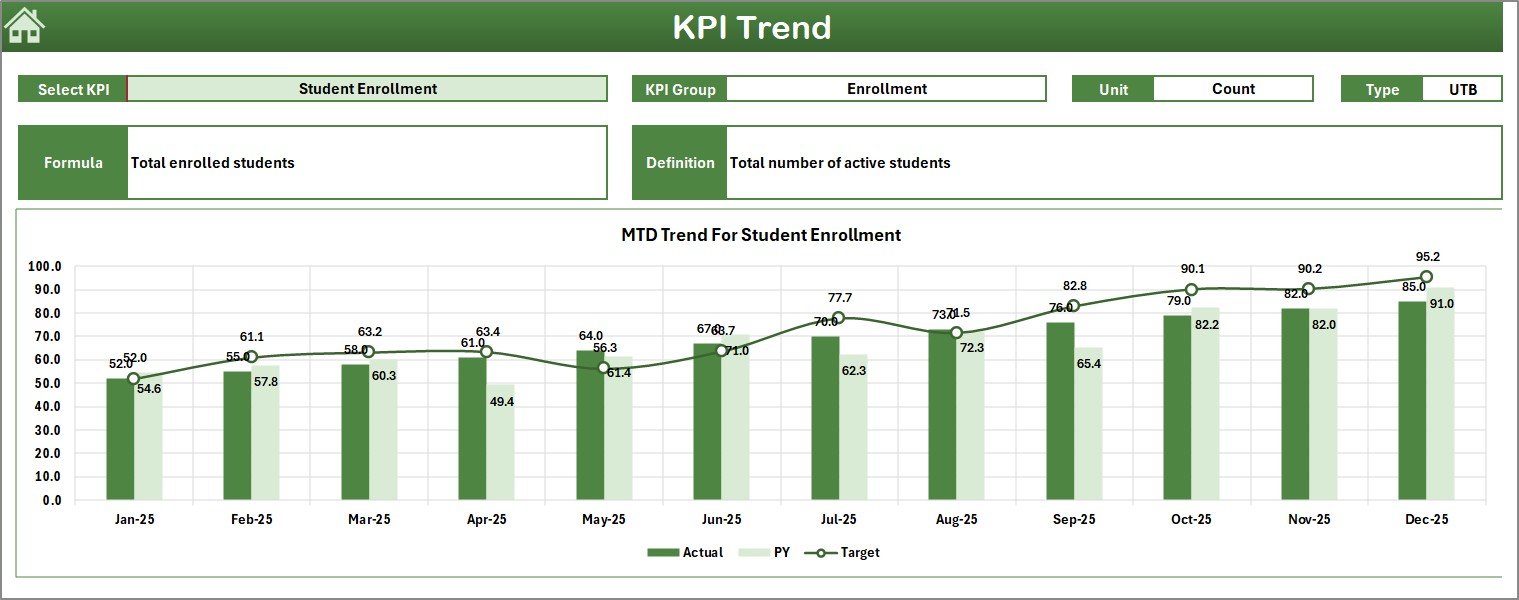 KPI Trend Sheet
Click to Buy Medical Tourism KPI Dashboard in Excel
4. Actual Numbers Input Sheet
This sheet allows you to enter actual performance numbers for both MTD and YTD for any selected month. The starting month of the year can be set in cell E1 for calibration.
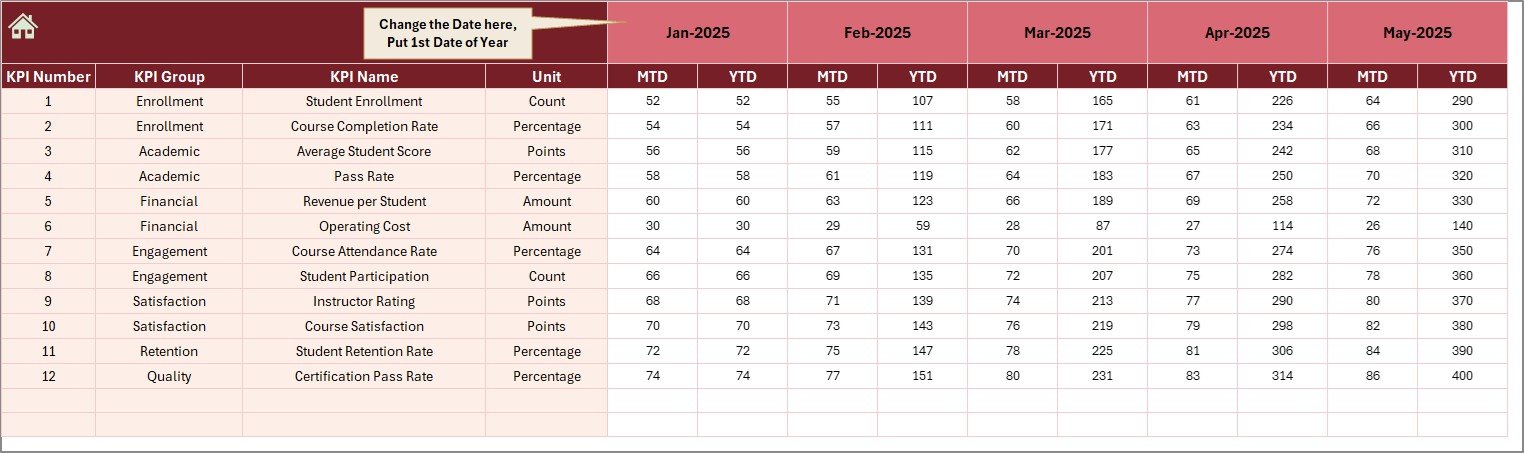 Actual Numbers Input sheet
5. Target Number Input Sheet
Use this sheet to enter target values for each KPI on both MTD and YTD bases for the selected months, making goal tracking seamless.
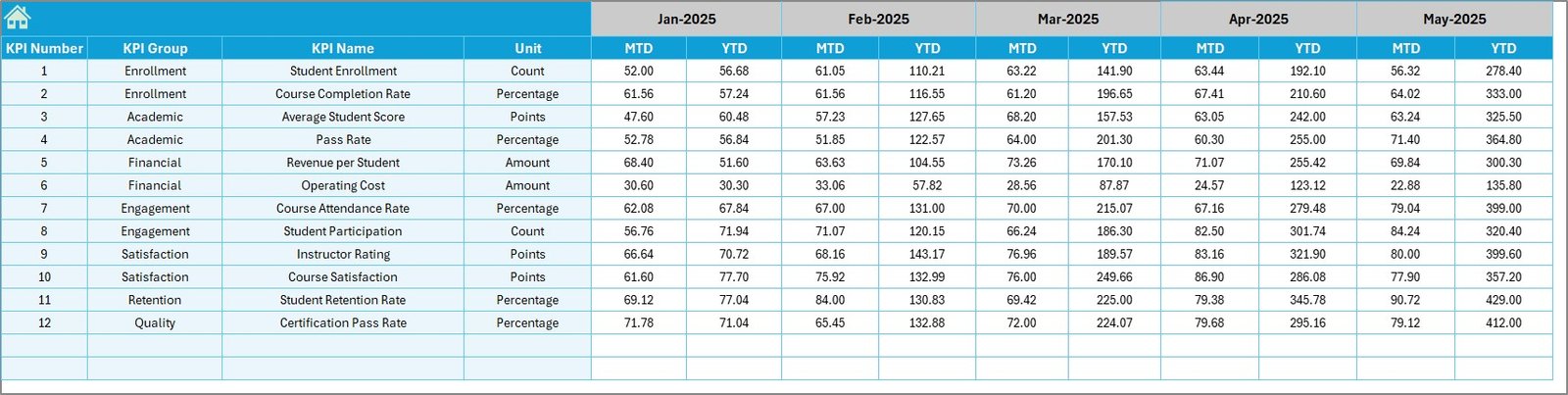 Target Number Input sheet
Click to Buy Medical Tourism KPI Dashboard in Excel
6. Previous Year Number Sheet Tab
Enter previous year’s data here just as the current year numbers. This helps in benchmarking and comparative analysis.
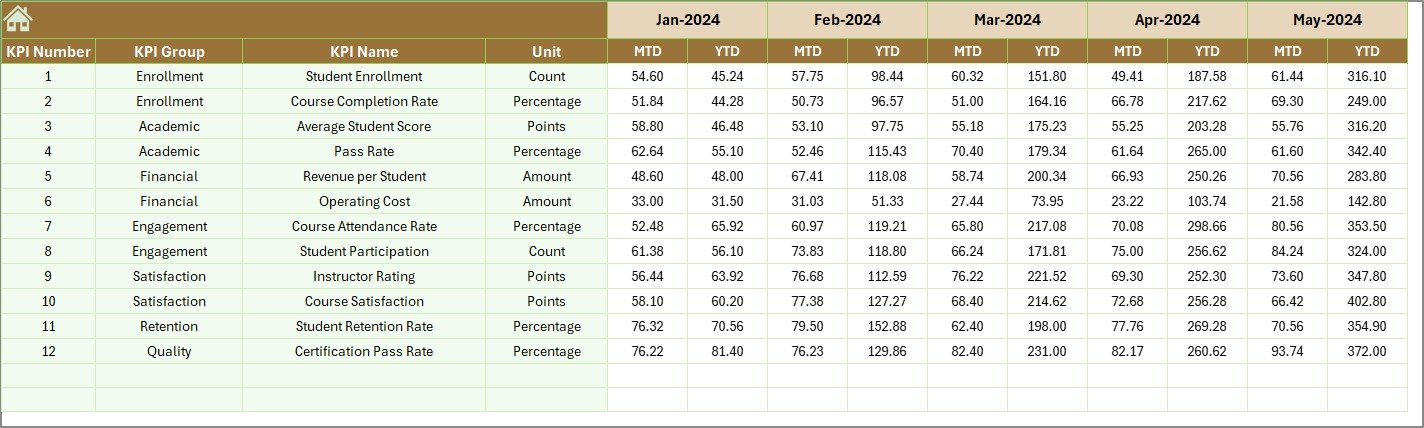 Previous Year Number Input sheet
7. KPI Definition Sheet Tab
Define each KPI by name, group, unit, and formula. Specify whether the KPI is LTB (Lower The Better) or UTB (Upper The Better) to clarify performance expectations.
 KPI Definition sheet
Click to Buy Medical Tourism KPI Dashboard in Excel
Advantages of Medical Tourism KPI Dashboard
- Real-time monitoring: Quickly assess current performance against targets and past performance.
- Data-driven decisions: Empowers management with actionable insights to improve services.
- Improved accountability: Transparent KPI tracking encourages responsibility across departments.
- Visualization and clarity: Intuitive charts and conditional formatting simplify complex data understanding.
- Flexibility: User can easily update monthly data and targets, making it adaptable to business cycles.
Opportunities for Improvement
Click to Buy Medical Tourism KPI Dashboard in Excel
- Automate data import from hospital or clinical management system for seamless updates.
- Integrate predictive analytics to forecast future trends and performance gaps.
- Include benchmarking against industry standards to contextualize business performance.
- Develop a mobile-friendly version of the dashboard for on-the-go monitoring.
Best Practices for Using the Medical Tourism KPI Dashboard
- Regular data updates: Enter accurate monthly data promptly to maintain dashboard reliability.
- Define KPIs clearly: Use the KPI Definition sheet to align team understanding on what to track and why.
- Customize targets realistically: Set achievable targets based on historical data and market trends.
- Leverage visual cues: Pay attention to conditional formatting signals to prioritize areas needing attention.
- Conduct periodic reviews: Use yearly trends and comparisons for strategic planning.
FAQs
Click to Buy Medical Tourism KPI Dashboard in Excel
What is the main purpose of the Medical Tourism KPI Dashboard?
Its primary purpose is to monitor and evaluate key performance indicators relevant to medical tourism operations, enabling informed decision-making.
Can I customize the KPIs in this dashboard?
Yes, the KPI Definition sheet allows full customization of KPI names, formulas, units, and performance types.
Is the dashboard suitable for all medical tourism businesses?
While designed broadly, it can be tailored to suit specific organizational needs by adjusting KPIs and input data.
How does the monthly selection affect the dashboard?
Selecting a month dynamically updates all related data points and visualizations to reflect that particular period.
Conclusion
Click to Buy Medical Tourism KPI Dashboard in Excel
The Medical Tourism KPI Dashboard is an invaluable tool for healthcare providers focusing on medical tourism growth and optimization. With its multi-sheet design, rich features, and easy customization, it helps organizations stay on top of their performance metrics and make proactive decisions. By adopting this dashboard, stakeholders gain clarity, tracking efficiency, and enhanced control over their medical tourism business outcomes.
For more insights and a practical walk-through, visit our YouTube channel to watch the demo: Youtube.com/@NextGenTemplates.
For additional reference on KPI dashboards and Microsoft Excel best practices, you may also visit Microsoft Excel Support.
Click to Buy Medical Tourism KPI Dashboard in Excel