The Catering Service Management System V1.0 in Excel VBA is a ready-to-use Excel and VBA-based management tool designed to help catering businesses manage orders, customers, menus, staff, vendors, payments, and reports from one centralized system.
Instead of handling catering operations through multiple Excel files or manual registers, this tool transforms Microsoft Excel into a powerful application-like system with forms, controls, and role-based access.Catering Service Management System V1.0 in Excel VBA
If you are looking for a simple, cost-effective, and offline catering management solution, this tool is the perfect choice.Catering Service Management System V1.0 in Excel VBA
What Is Catering Service Management System V1.0?
Click to Buy Catering Service Management System V1.0 in Excel VBA
The Catering Service Management System V1.0 is built using Microsoft Excel and VBA, making it easy to use while still providing structured data management.Catering Service Management System V1.0 in Excel VBA
This system allows you to:
- Store and manage catering orders
- Maintain customer, menu, staff, and vendor data
- Track payments and purchases
- Control user access with Admin and User roles
- Generate reports instantly in Excel format
Because it runs inside Excel, no additional software or internet connection is required.
Login Form: Secure Access to the System
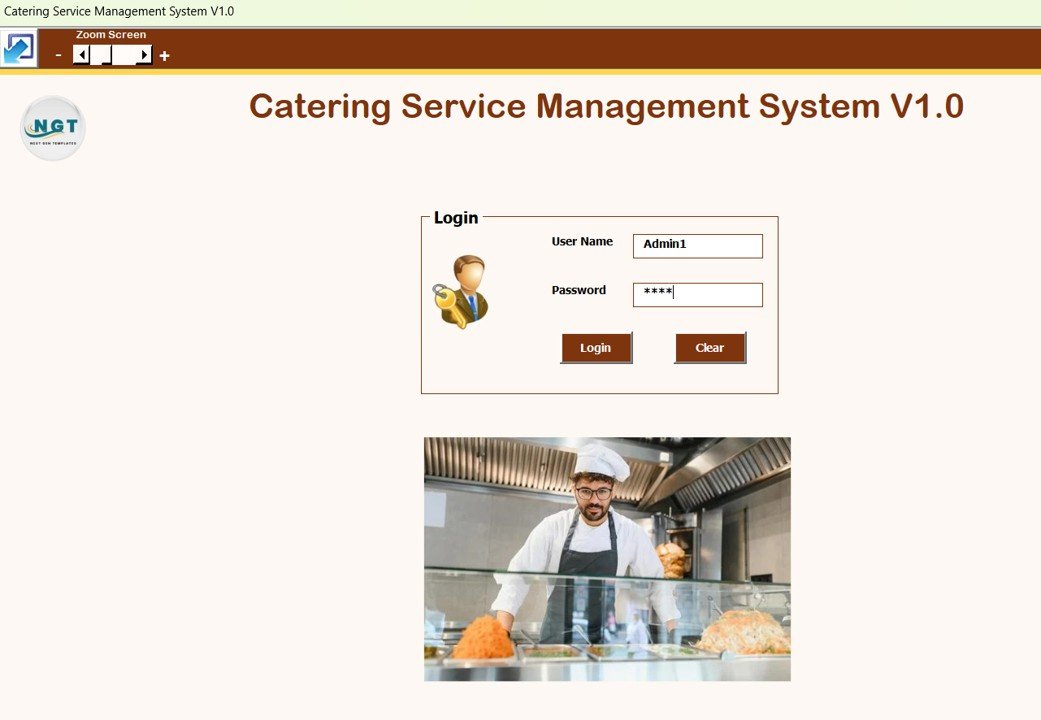
The system starts with a Login Form, ensuring secure access.
Default Login Credentials
Admin Role
-
Username: Admin1
-
Password: abcd
User Role
-
Username: User1
-
Password: abcd
After entering the credentials and clicking the Login button (or pressing Enter), the system opens the Main Form.
Click to Buy Catering Service Management System V1.0 in Excel VBA
Main Form: Central Control Panel
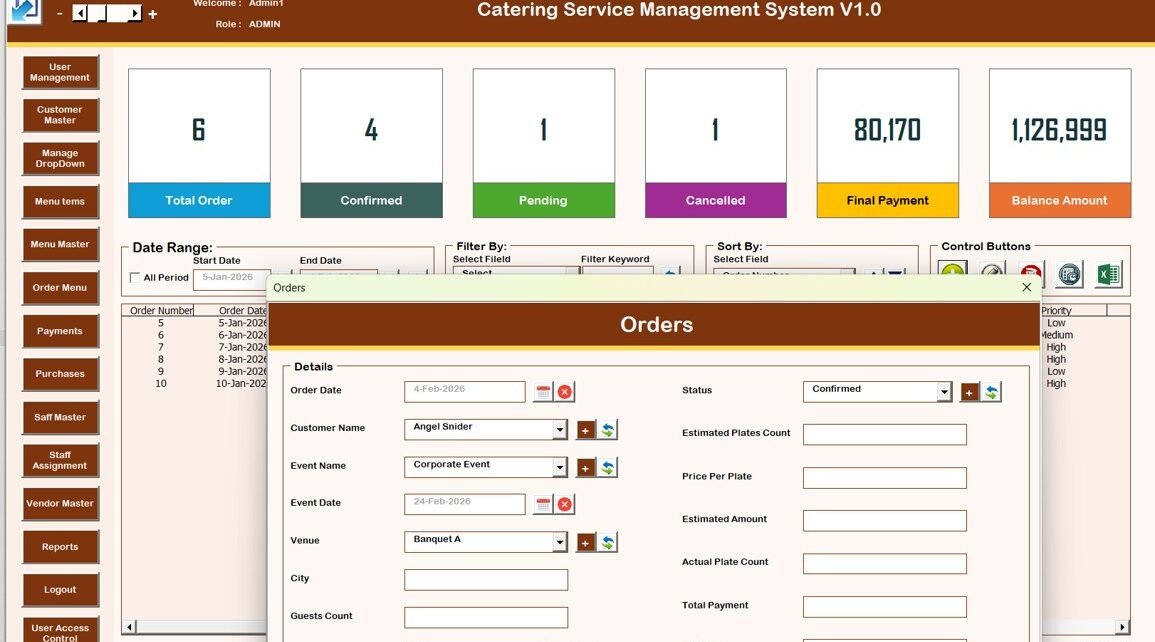
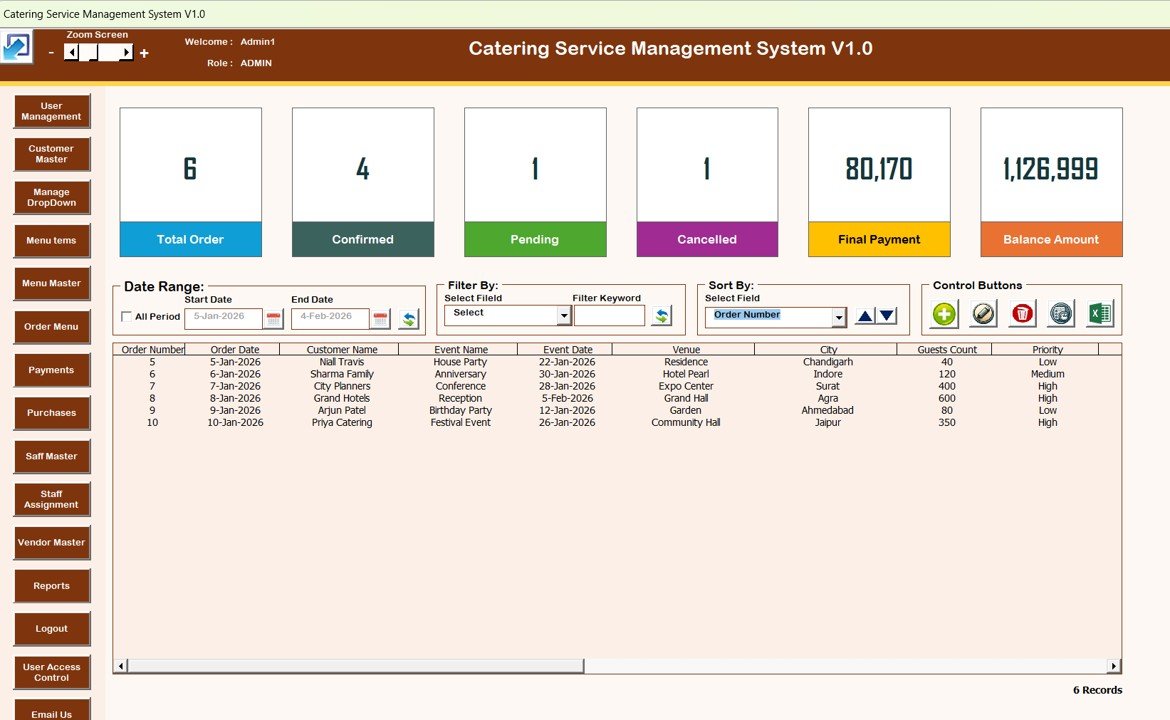
The Main Form is the core dashboard of the system. From this screen, you can manage all catering operations.
List Box on Main Form
At the center of the main form, a List Box displays relevant records such as orders or transactions. This allows quick viewing and selection of data.
Filters and Sorting Features
Filters
-
Filter records by date range
-
Filter data by selected columns
Sort By
-
Sort list box data easily
-
Quickly organize records based on selected criteria
These features help you find and analyze records faster.
Control Buttons on the Main Form
The main form includes powerful control buttons:
-
Add New Record
Add a new catering order or record. -
Update Existing Record
Select a record from the list box and click this button to edit it.
You can also double-click a record to open it in edit mode. -
Delete Record
Delete the selected record from the list box. -
Show Record History
View the complete modification history of a selected record. -
Export to Excel
Export list box data into a new Excel file instantly.
Click to Buy Catering Service Management System V1.0 in Excel VBA
Orders Form: Main Data Entry Screen
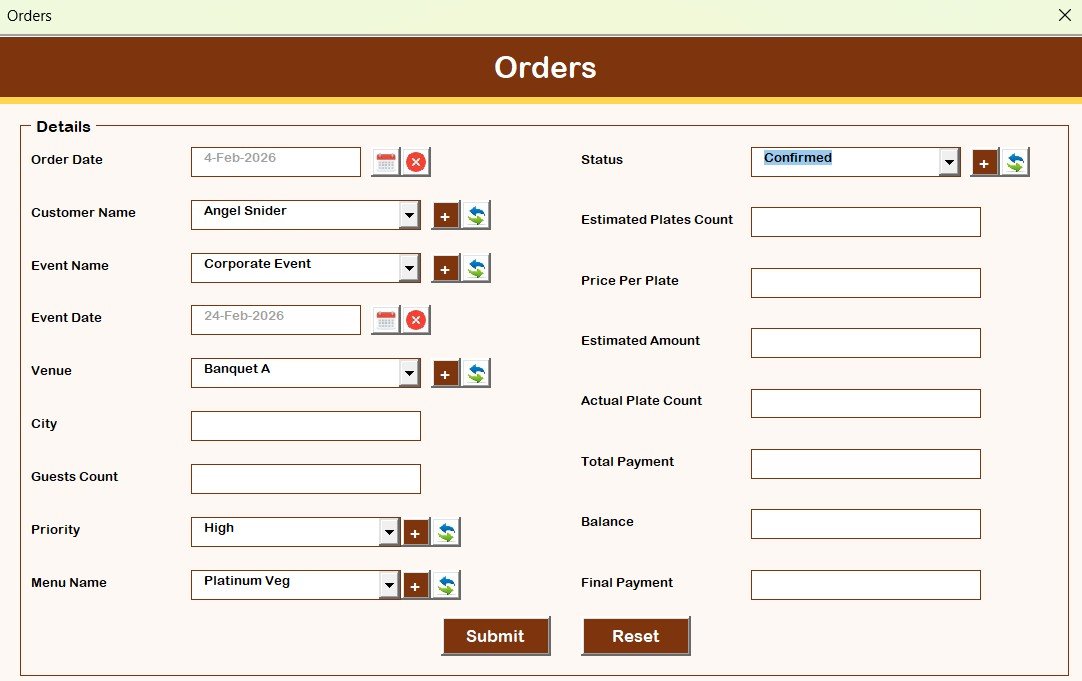
The Orders Form is the primary data entry form.
-
Opens when you click Add New Record or Update Existing Record
-
Allows you to add or modify catering order details
-
Saves data directly into the system database
Navigation Menu: Complete Catering Management
The left-side navigation menu provides access to all system modules.
Key Modules Included
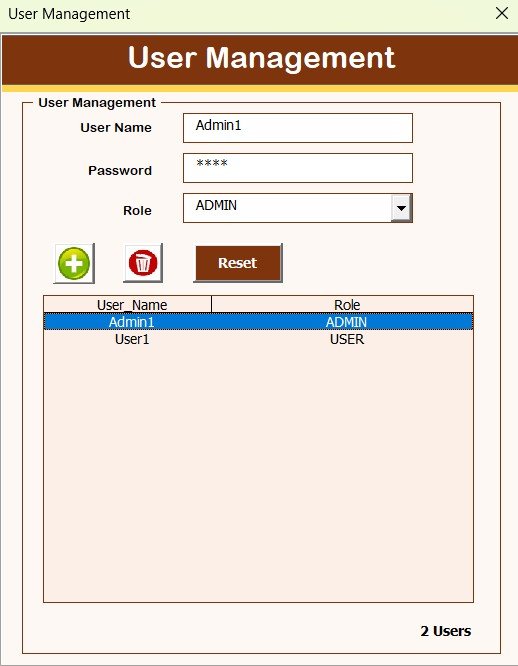
User Management
- Add, update, delete users
- Reset passwords
- Change user credentials
Click to Buy Catering Service Management System V1.0 in Excel VBA
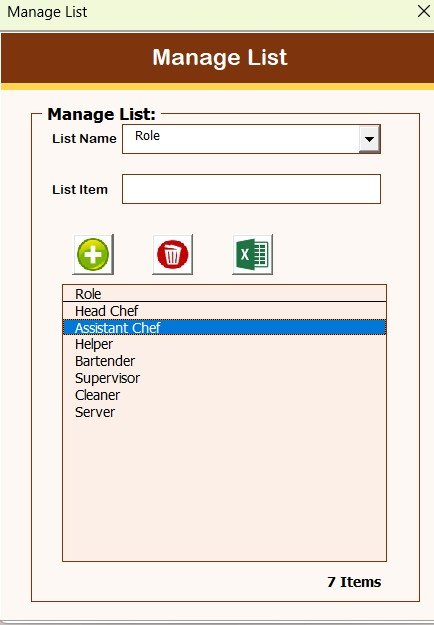
Manage List
-
-
Add or delete dropdown list values
-
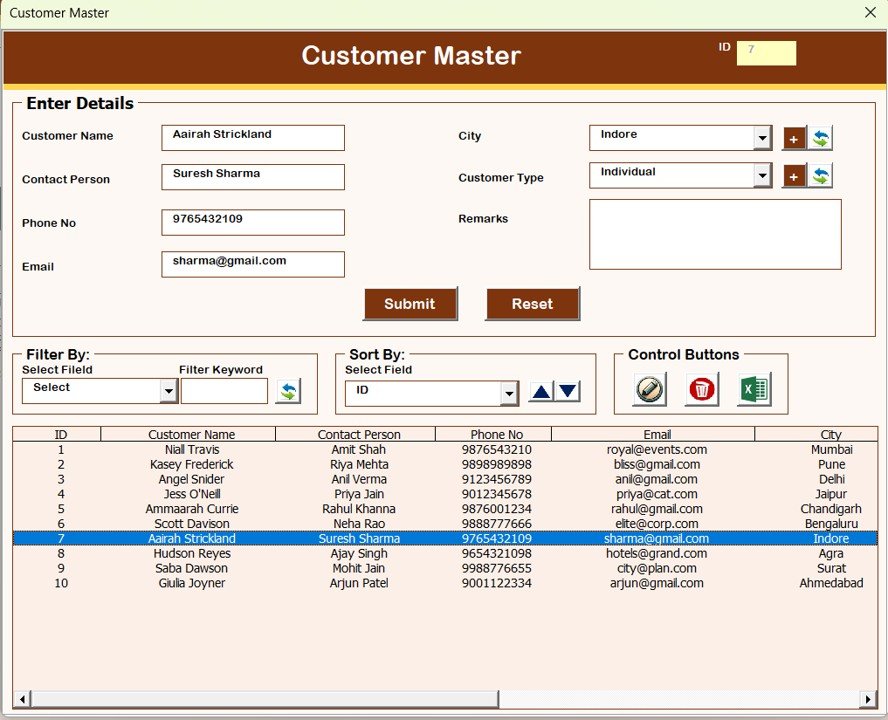
Customer Master
-
-
Maintain customer information
-
Click to Buy Catering Service Management System V1.0 in Excel VBA
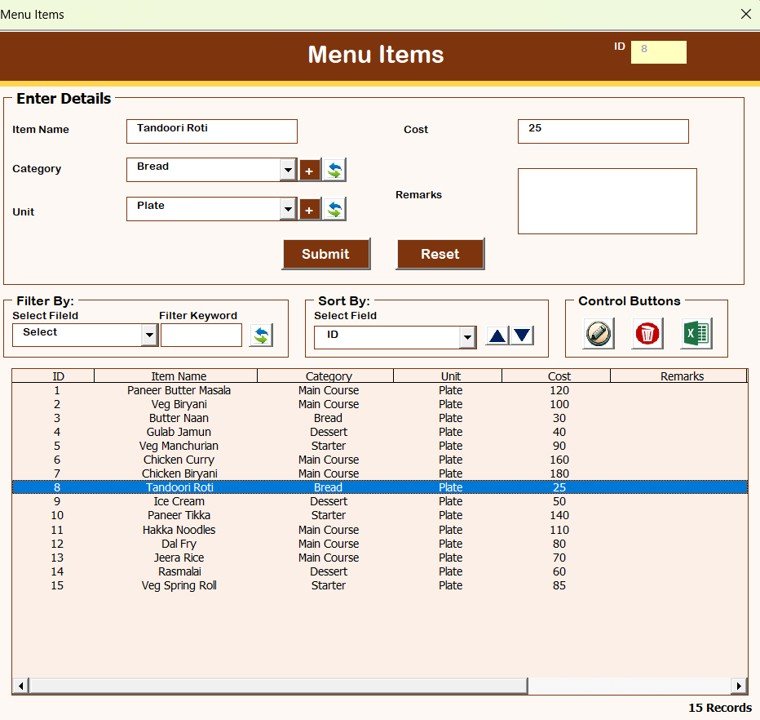
Menu Items
-
-
Manage individual menu items
-
-
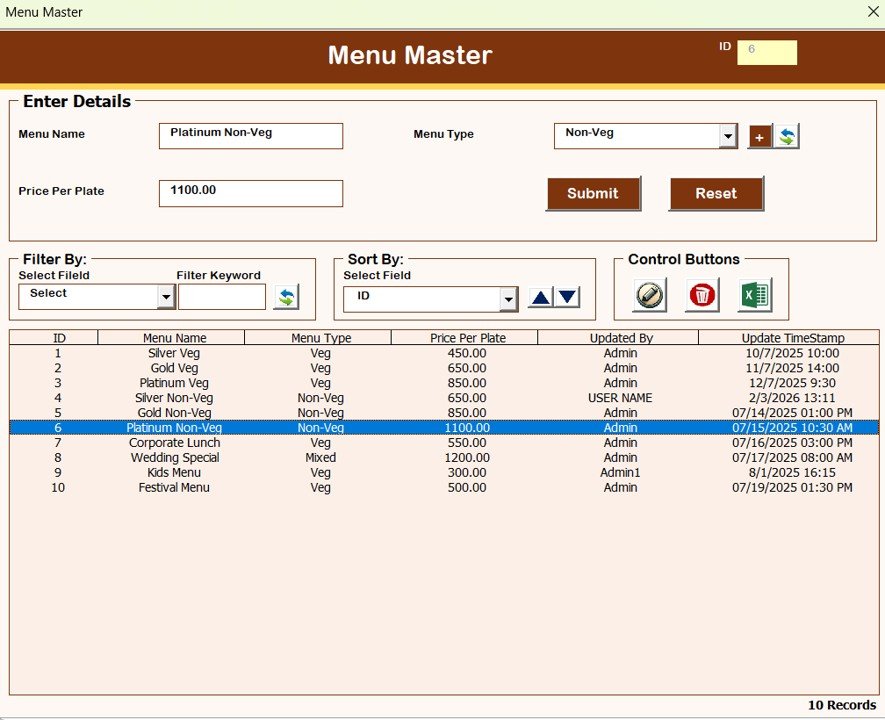
Menu Master
-
Create and manage menu combinations
-
Click to Buy Catering Service Management System V1.0 in Excel VBA
-
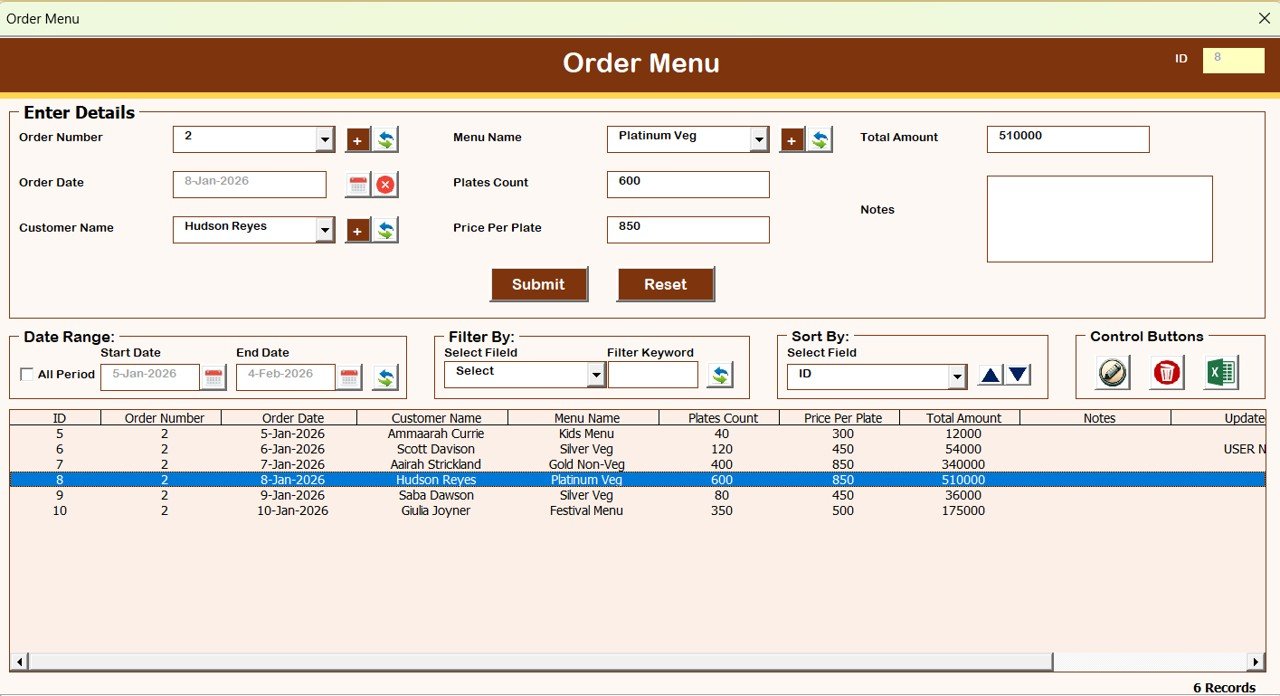
Order Menu
-
Assign menus to catering orders
-
-
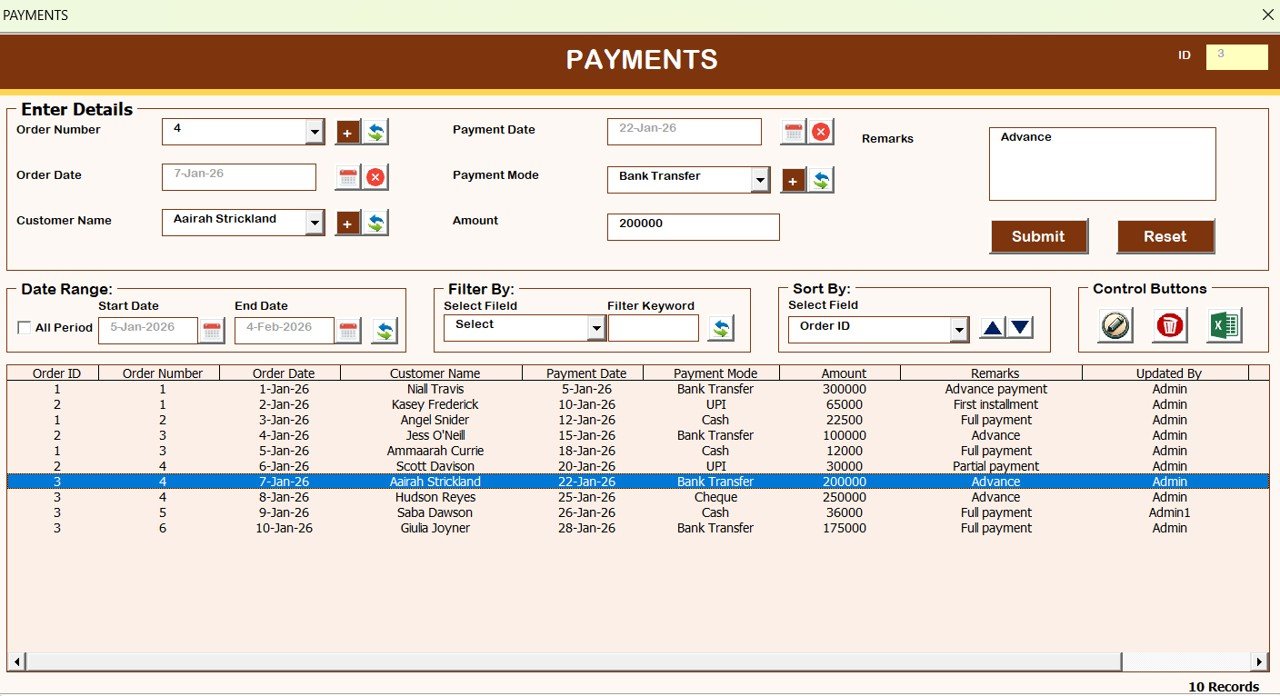
Payments
-
Record and track payments
-
Click to Buy Catering Service Management System V1.0 in Excel VBA
-
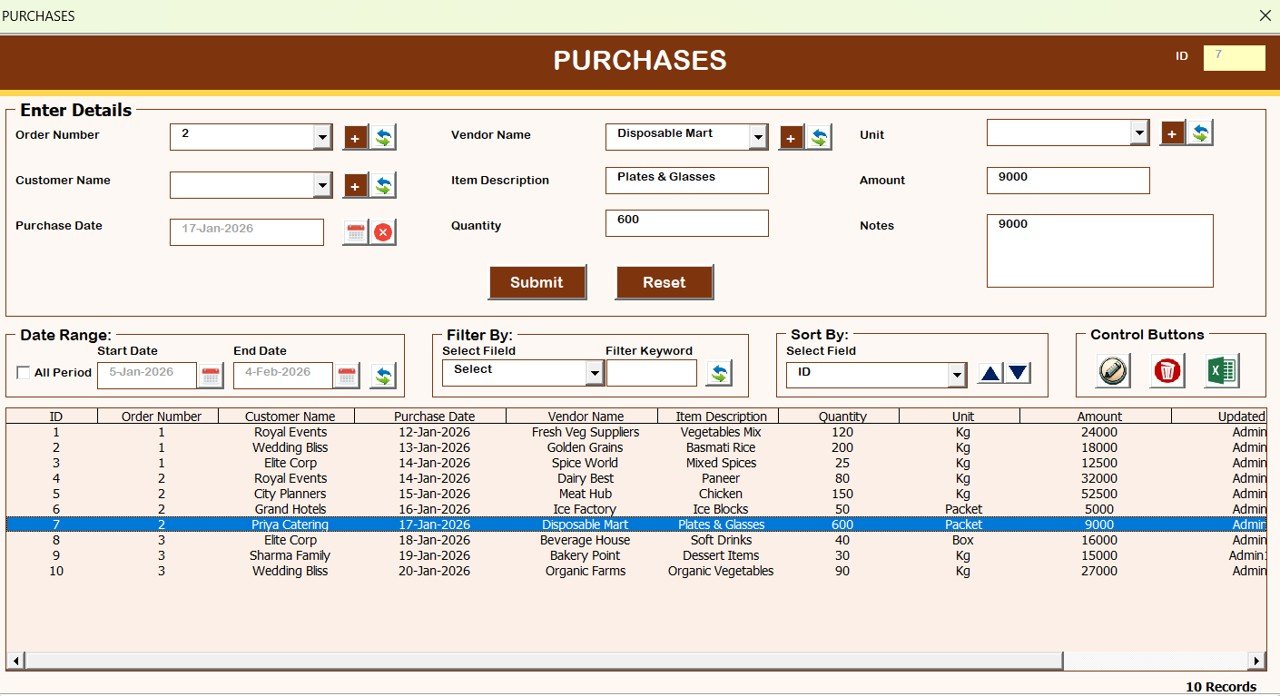
Purchases
-
Maintain purchase records
-
-
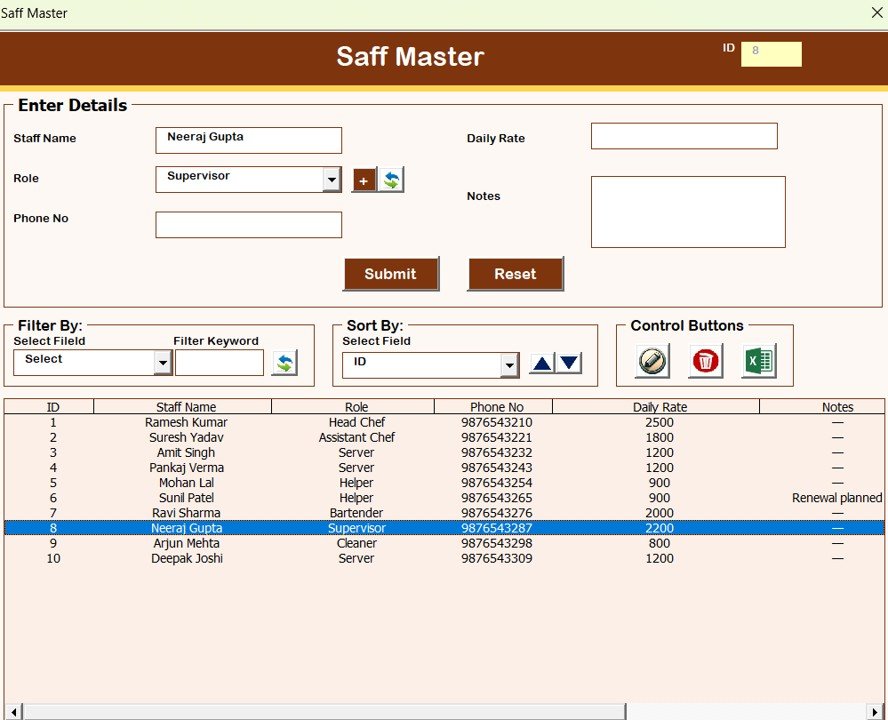
Staff Master
-
Manage staff details
-
Click to Buy Catering Service Management System V1.0 in Excel VBA
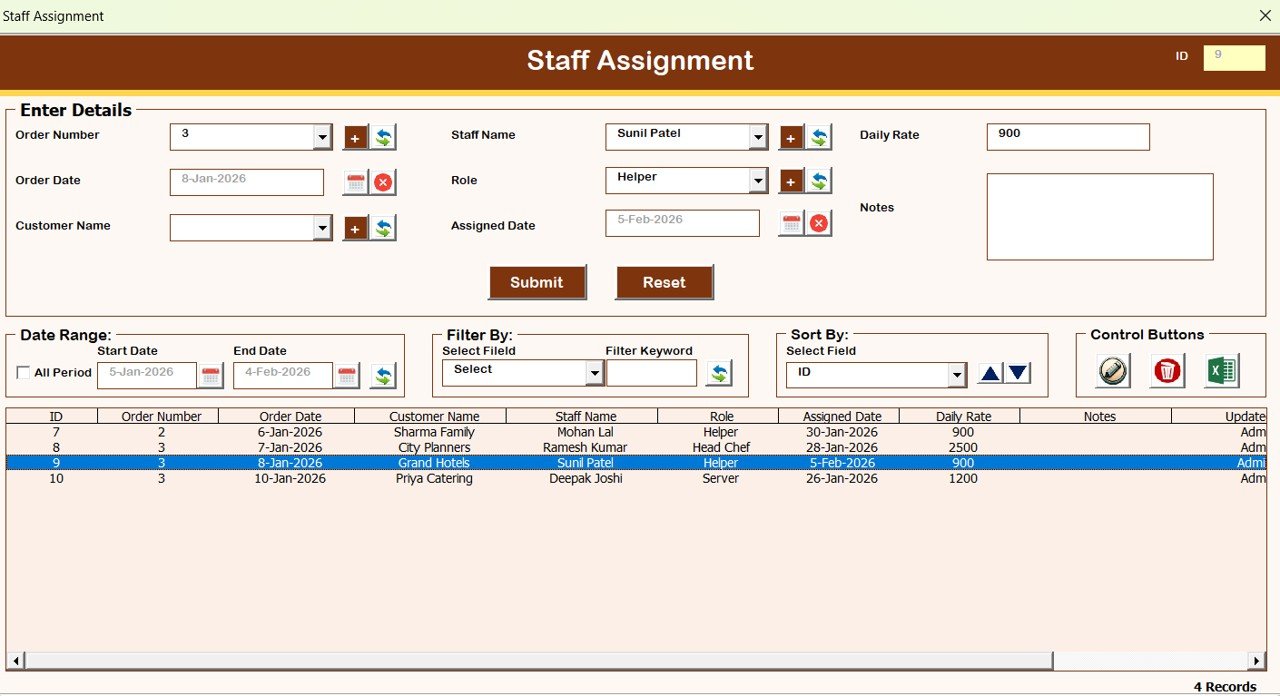
Staff Assignment
-
Assign staff to catering orders
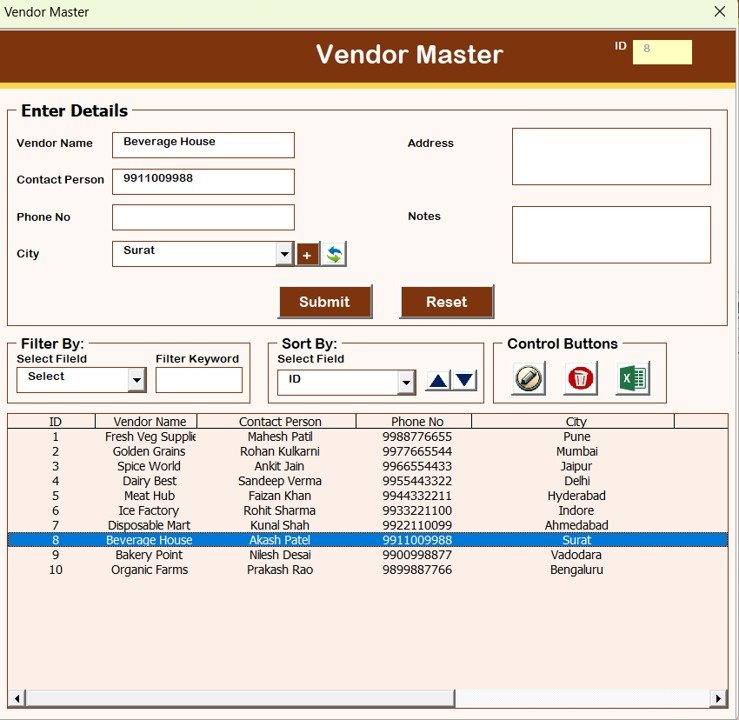
Vendor Master
-
Manage vendor information
Click to Buy Catering Service Management System V1.0 in Excel VBA
Reports Module: Export Data Easily
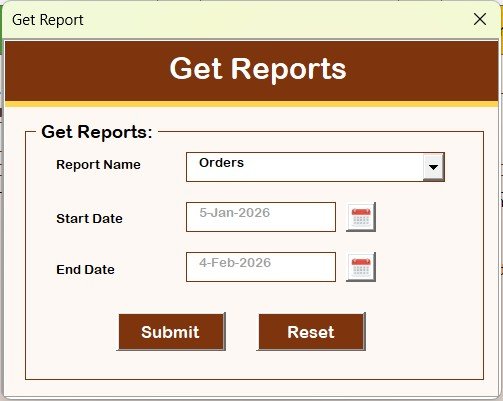
Reports
-
Generate reports for a selected date range
-
Export reports directly into Excel format
-
Useful for billing, audits, and management review
User Access Control: Role-Based Security
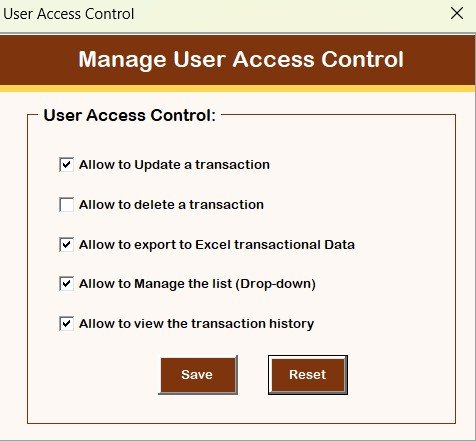
Manage User Access Control
-
Available only for Admin users
-
Define which screens and features a User role can access
-
Improve data security and operational control
Click to Buy Catering Service Management System V1.0 in Excel VBA
Additional Utility Buttons
-
Logout
Saves data and safely closes the system. -
Email Us
Displays support email for help or customization requests. -
Visit Our Website
Opens the website to explore and purchase more tools and templates.
System Compatibility and Important Notes
Click to Buy Catering Service Management System V1.0 in Excel VBA
🚨 Please read carefully before purchase
Compatibility Highlights
✅ Compatible with Windows 10 and above
✅ Works with Microsoft Excel 2010 and above
Limitations
❌ Works only with Microsoft Excel Desktop application
❌ Does not work on Mobile or Tablet devices
❌ Not compatible with Mac operating system
Why Choose Catering Service Management System V1.0?
- Fully offline Excel-based solution
- No monthly subscription
- Easy to customize
- Secure login and access control
- Structured and professional data management
- Ideal for small to mid-size catering businesses
Final Thoughts
Click to Buy Catering Service Management System V1.0 in Excel VBA
The Catering Service Management System V1.0 in Excel VBA turns Excel into a complete catering management application. With structured forms, secure access, and powerful reporting, it helps catering businesses save time, reduce errors, and manage operations efficiently.
Visit our YouTube channel to learn step-by-step video tutorials
Click to Buy Catering Service Management System V1.0 in Excel VBA