Introduction
Content marketing is a critical element in today’s digital strategy. Tracking performance through relevant Key Performance Indicators (KPIs) ensures campaigns achieve desired outcomes. In this article, we’ve created a Content Marketing KPI Scorecard—a ready-to-use template designed to streamline how you monitor and evaluate your content marketing efforts effectively.
Key Features of Content Marketing KPI Scorecard
- All-in-One Dashboard: Consolidates all your key metrics into one easy-to-navigate interface.
- Flexible Time-Based Analysis: Compare Month-to-Date (MTD) and Year-to-Date (YTD) data with the click of a dropdown menu.
- Target vs Actual Comparison: Quickly measure if your campaigns are meeting performance goals.
- Visual Indicators: Color-coded visuals and conditional formatting help highlight KPIs that need attention.
- Detailed KPI Insights: Shows KPI definitions, formulas, and trends for deeper analysis.
- Easy Data Input: Structured data entry sheets let you keep scorecard data current with minimal effort.
Dashboard Pages Explanation
1. Scorecard Sheet
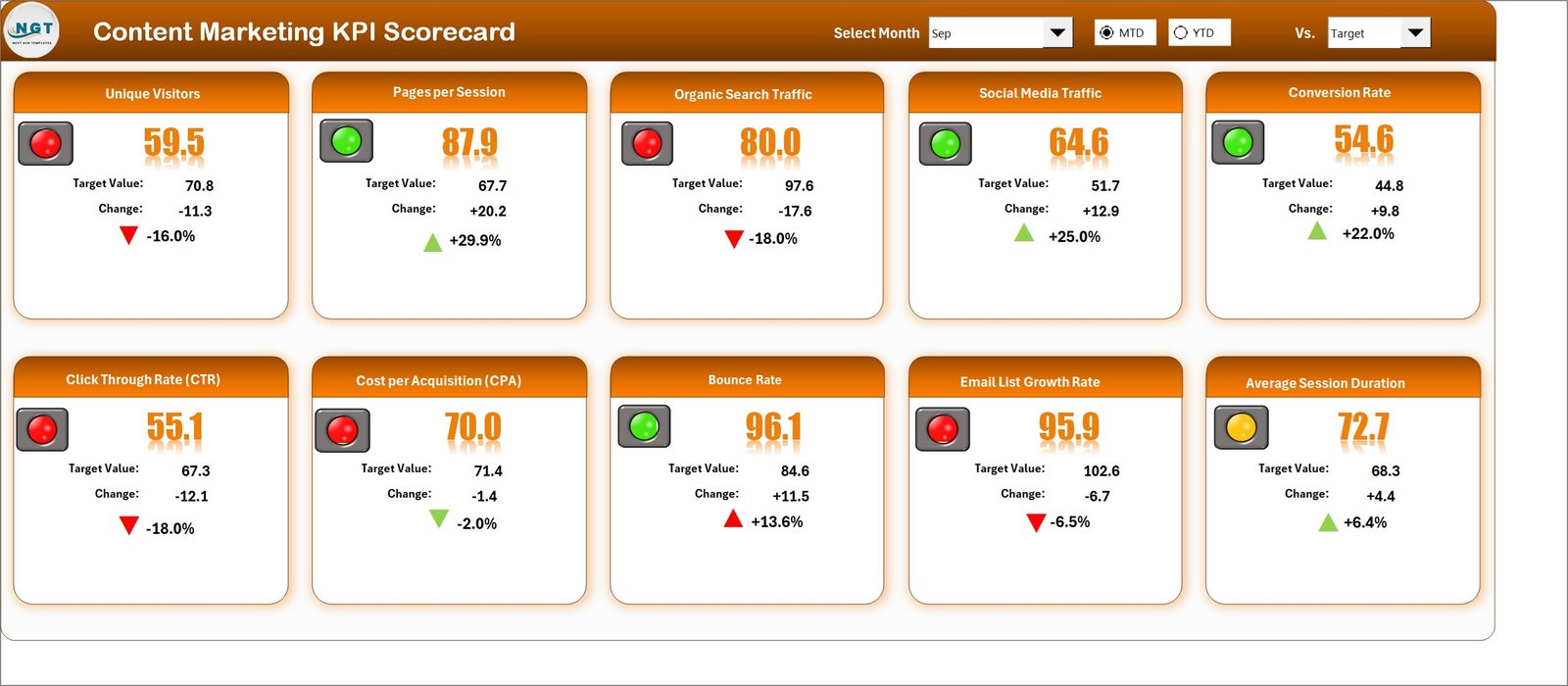
The Scorecard sheet serves as the main interface where you can quickly assess KPI performance.
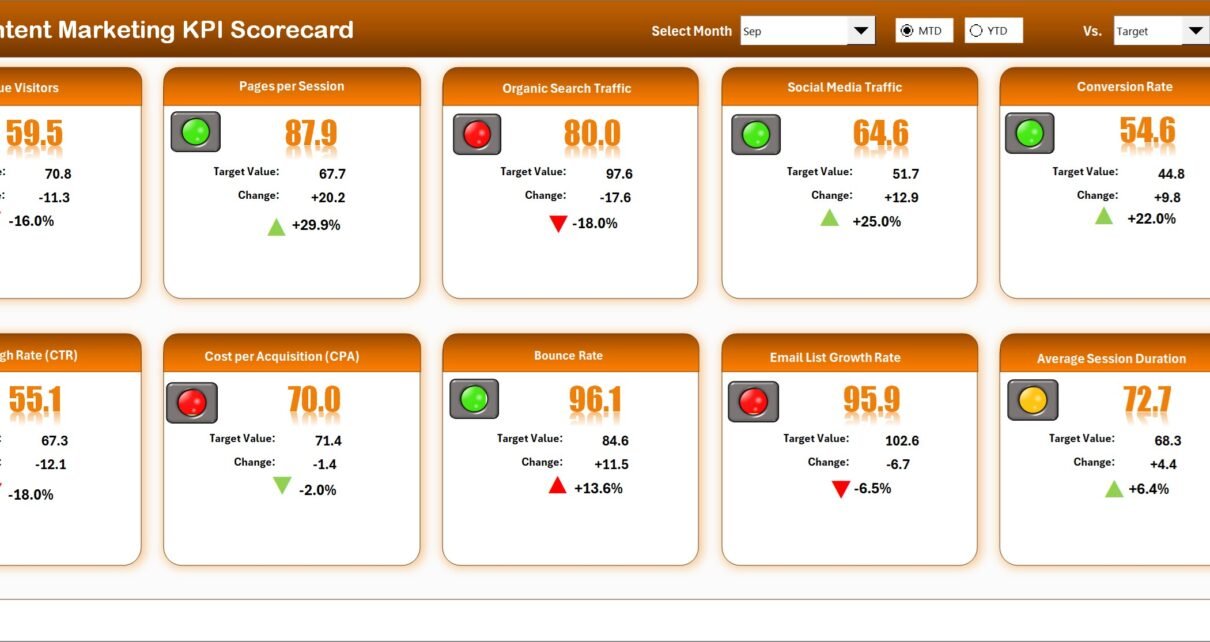
- Dropdown Menus: Choose the month and toggle between MTD and YTD to analyze performance over time.
- Actual vs Target Values: Displays real-time progress compared to set goals for each KPI.
- Visual Indicators: Utilizes color coding or conditional formatting to show KPI health status instantly.
- Comprehensive KPI Overview: Includes both MTD and YTD comparisons to provide a complete performance picture.
2. KPI Trend Sheet
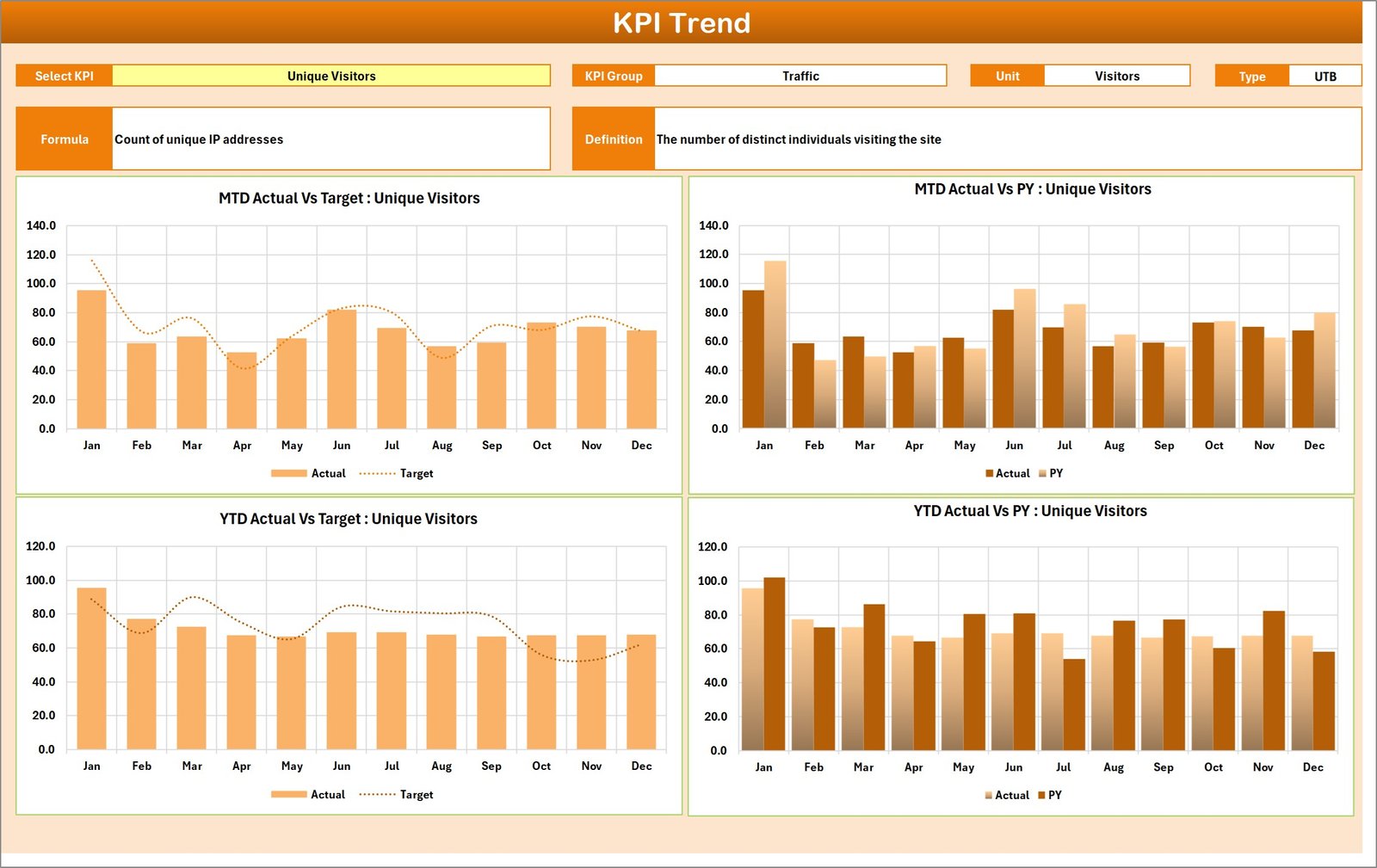
This sheet allows users to select KPIs from a dropdown menu (located at cell C3) to view detailed information including:
- KPI Group
- Unit of KPI
- Type of KPI (Lower the Better or Upper the Better)
- Formula of the KPI
- Definition of the KPI
Additionally, the sheet displays MTD and YTD trend charts for Actual, Target, and Previous Year (PY) numbers, helping users visually analyze performance over time.
3. Input Data Sheet
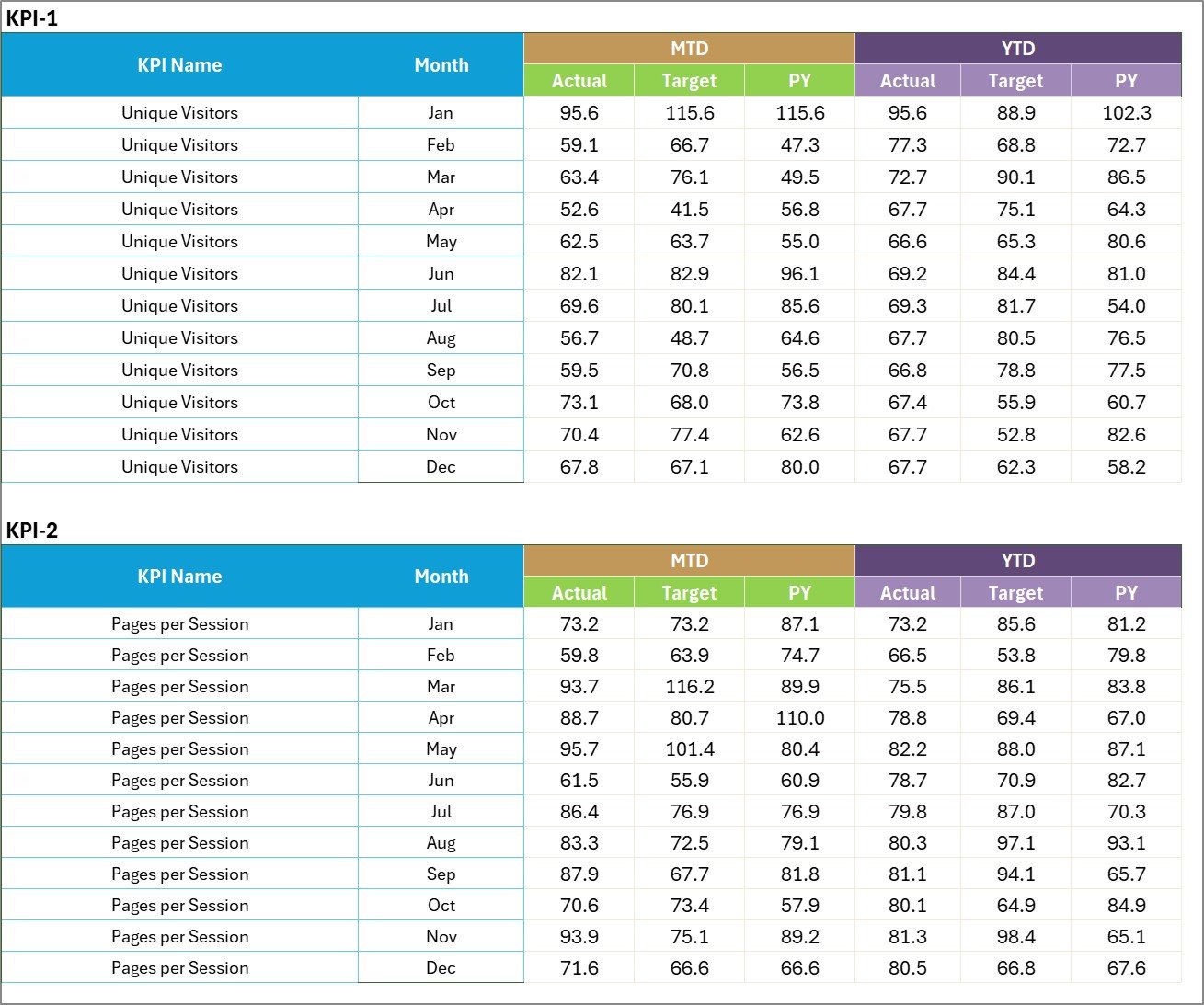
This sheet is where all KPI-related data is entered and maintained.
- Data Entry: Record actual results, targets, and other metrics for each KPI here.
- Flexibility: Easily update as new performance data becomes available to keep your scorecard relevant.
4. KPI Definition Sheet

Define each KPI comprehensively by entering:
- KPI Name
- KPI Group
- Unit
- Formula
- KPI Definition
This sheet ensures clarity and consistency in how KPIs are interpreted and measured across the organization.
Advantages of Content Marketing KPI Scorecard
- Centralized Performance Tracking: View all essential KPIs in one place, saving time and reducing errors.
- Data-Driven Decisions: Visual and numeric insights help you quickly identify areas needing attention.
- Customization and Flexibility: Adjust KPIs, targets, and timelines easily as your marketing objectives evolve.
- Performance Transparency: Facilitates communication across teams by providing clear and accessible performance data.
Opportunities for Improvement
Click to Buy Content Marketing KPI Scorecard in Excel
- Integration with CRM and Analytics Tools: Automate data input for real-time KPI updates.
- Advanced Visualization: Incorporate dynamic charts with drill-down features for more in-depth analysis.
- Mobile Compatibility: Optimize the scorecard for browser and app use on mobile devices.
- Predictive Analytics: Leverage machine learning to forecast trends and set smarter targets.
Best Practices for Using the Content Marketing KPI Scorecard
- Define Clear KPIs: Ensure each KPI aligns with your overall marketing strategy and objectives.
- Update Data Regularly: Keep your scorecard current by scheduling consistent updates.
- Engage Stakeholders: Share scorecard insights with team members to drive collaborative improvements.
- Act on Insights: Use performance gaps and trends to adjust strategies proactively.
- Train Users: Provide training so all users understand how to interpret KPIs effectively.
FAQs
Click to Buy Content Marketing KPI Scorecard in Excel
What is the primary purpose of the Content Marketing KPI Scorecard?
It helps marketers track, analyze, and optimize content performance by comparing actual KPIs against targets over time.
Can I customize the KPIs in this template?
Yes, the KPI Definition sheet lets you add or modify KPIs based on your specific business needs.
Is this scorecard suitable for beginners?
Absolutely. The template is designed with intuitive navigation and instructions making it accessible even for users new to KPI tracking.
How frequently should I update the KPI data?
It depends on your data availability but ideally update monthly or as campaign results come in for ongoing visibility.
Conclusion
The Content Marketing KPI Scorecard is a powerful tool that offers simplicity, clarity, and depth for marketers aiming to enhance their content strategy. By leveraging this template, you can transform raw performance data into actionable insights and drive your campaigns toward measurable success.
Download the scorecard today and start optimizing your content marketing efforts efficiently!
For further learning, visit Microsoft’s official resource on Excel performance tracking features.
Visit our YouTube channel to watch the demo: Youtube.com/@NextGenTemplates
Click to Buy Content Marketing KPI Scorecard in Excel