Managing contract employees using scattered Excel sheets often leads to data inconsistency, manual errors, and poor visibility across projects, attendance, and payments. To solve this challenge, we have built the Contract Employee Management System V1.0, a ready-to-use Excel and VBA–based tool designed for complete contract workforce management from a single application.
In this article, we explain the features, structure, and benefits of the Contract Employee Management System V1.0 and how it helps organizations streamline contract employee operations efficiently.
What Is Contract Employee Management System V1.0?
The Contract Employee Management System V1.0 is a Microsoft Excel Desktop–based application powered by VBA. It allows organizations to manage contract employees, agencies, projects, attendance, timesheets, rate cards, and reports in one integrated system.
This tool is ideal for HR teams, admin teams, and project managers who want a structured, secure, and offline solution without investing in expensive HR software.
Key Features of Contract Employee Management System V1.0
Click to Buy Contract Employee Management System V1.0
Login Form
The system starts with a secure Login Form.
-
Enter User ID and Password
-
Click Login or press Enter to access the system
Default Login Credentials
Admin Role
-
Username:
Admin1 -
Password:
abcd
User Role
-
Username:
User1 -
Password:
abcd
Role-based access ensures data security and controlled permissions.

Click to Buy Contract Employee Management System V1.0
Main Form (Dashboard)
After login, the Main Form appears. This is the central control panel where all activities are managed.
📋 List Box (Main View)
-
Located at the center of the main form
-
Displays relevant contract employee data
-
Supports real-time interaction
🔍 Filters
-
Filter records by date range
-
Filter by selected column values
🔃 Sort By
-
Sort list box data dynamically
-
Helps quickly arrange records for review
🎛 Control Buttons
The main form includes powerful control buttons:
-
Add New Record
-
Add a new contract employee or assignment
-
-
Update Existing Record
-
Select a record and click Update
-
Or double-click a record to edit it
-
-
Delete Record
-
Delete the selected record safely
-
-
Show Record History
-
View complete modification history
-
-
Export to Excel
-
Export displayed data to a new Excel file
-

Click to Buy Contract Employee Management System V1.0
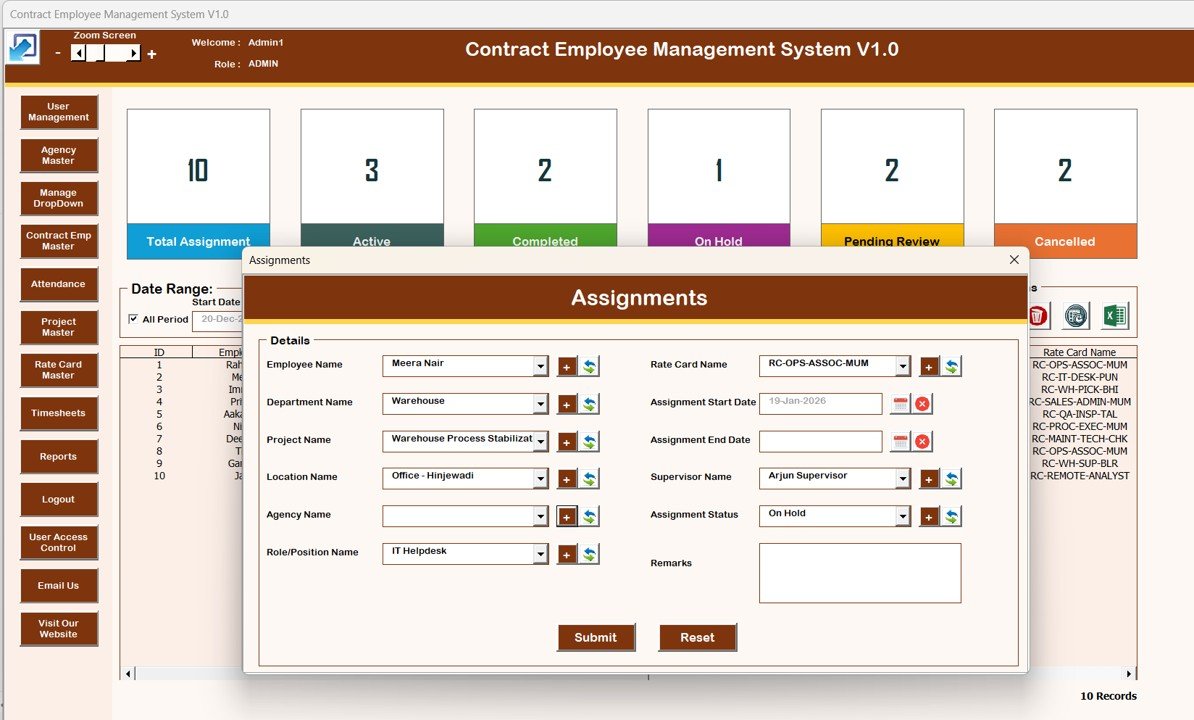
📝 Assignment Form (Main Data Entry Form)
The Assignment Form is used to add or update detailed records.
-
Opens when clicking Add New or Update Existing
-
Captures all contract-related details
-
Automatically updates the main list box
📚 Navigation Menu (Left Panel)
The left-hand navigation menu provides access to all system modules.
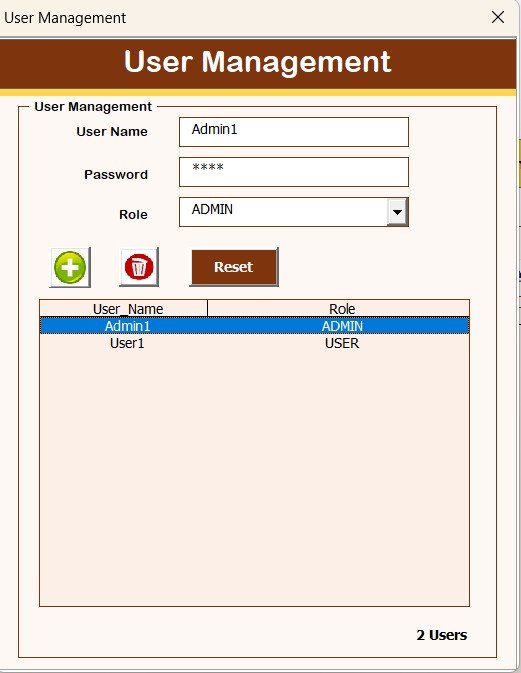
1️⃣ User Management
-
Add, update, delete users
-
Reset passwords
-
Change user credentials
Click to Buy Contract Employee Management System V1.0
2️⃣ Manage List
-
Maintain dropdown and master lists
-
Add or delete list values

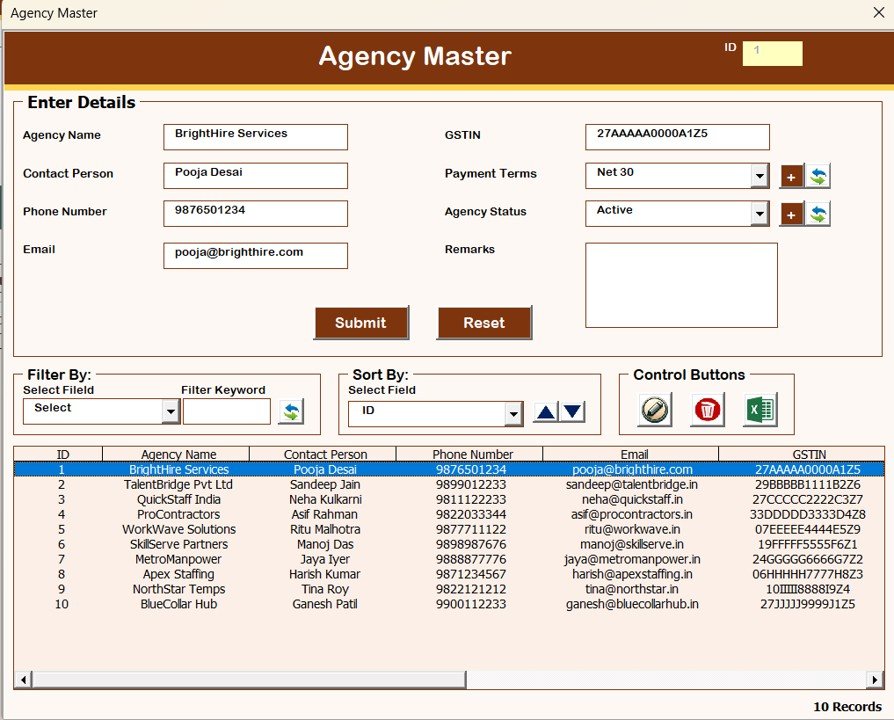
3️⃣ Agency Master
-
Store and manage agency details
Click to Buy Contract Employee Management System V1.0
4️⃣ Contract Employee Master
-
Maintain contract employee profiles

5️⃣ Project Master
-
Manage project-related information

Click to Buy Contract Employee Management System V1.0
6️⃣ Attendance
-
Record daily attendance data

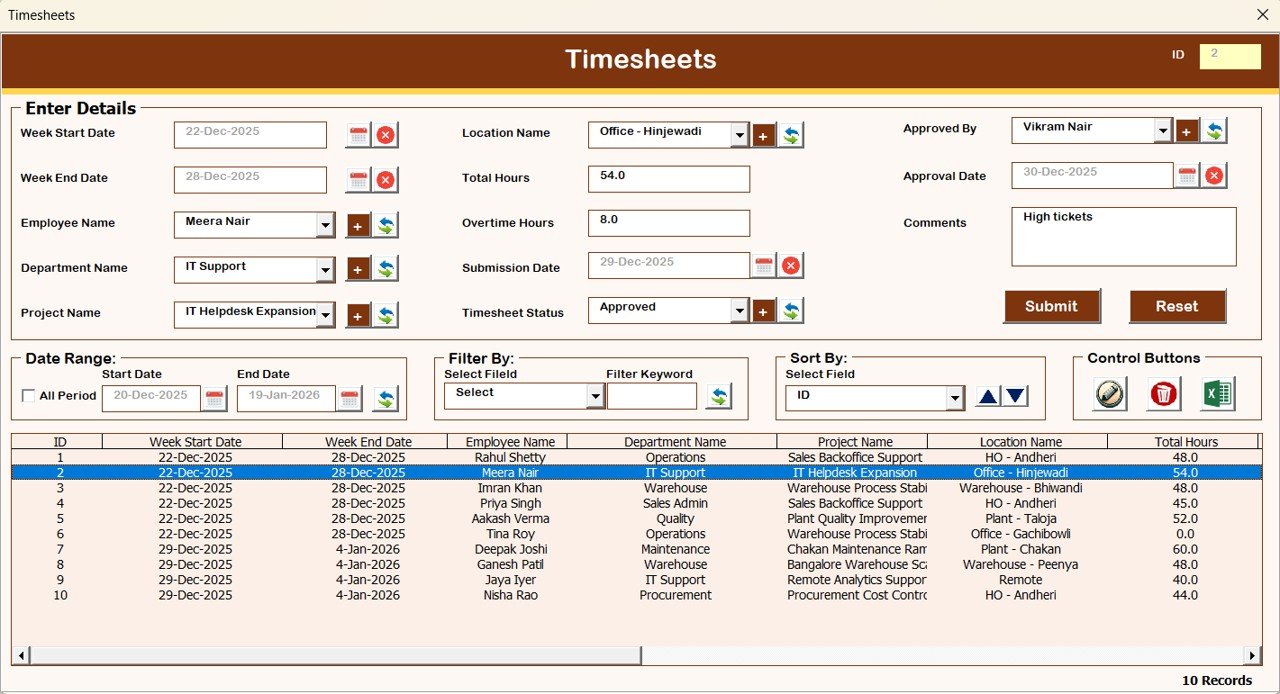
7️⃣ Timesheet
-
Capture working hours and timesheet entries
Click to Buy Contract Employee Management System V1.0
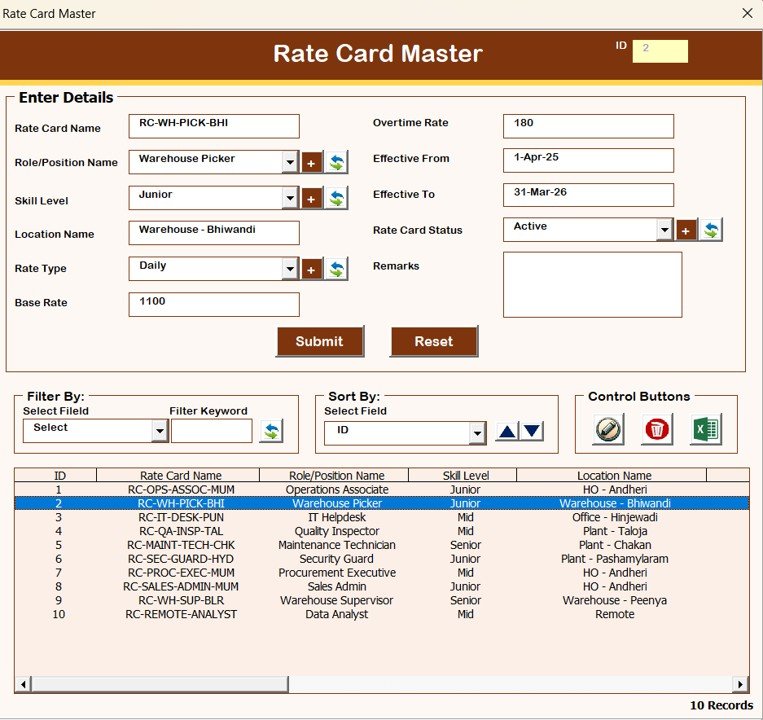
8️⃣ Rate Card Master
-
Define billing and payment rates
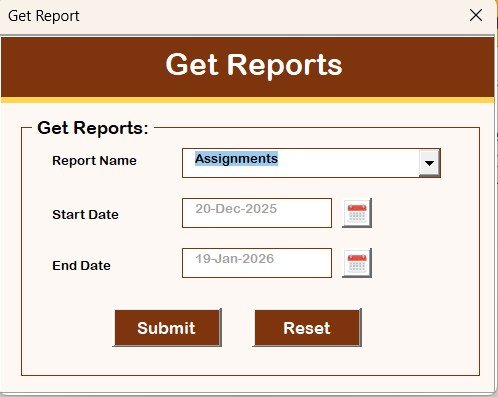
9️⃣ Reports
-
Generate Excel reports
-
Filter by selected date range
Click to Buy Contract Employee Management System V1.0
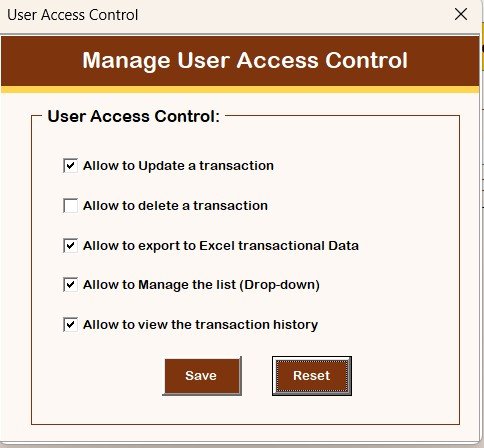
🔐 Manage User Access Control
-
Assign module-level permissions
-
Visible only to Admin users
🚪 Logout
-
Saves data automatically
-
Closes the application safely
📧 Email Us
-
Displays support email ID
-
Request customization or assistance
🌐 Visit Our Website
-
Opens our website
-
Explore and purchase more tools and templates
System Compatibility (Important Highlights)
Click to Buy Contract Employee Management System V1.0
Please review these points before using the tool:
Compatible with Windows 10 and above
Requires Microsoft Excel 2010 or later
Works only with Microsoft Excel Desktop application
Not supported on Mobile or Tablet devices
Not compatible with Mac operating system
Advantages of Contract Employee Management System V1.0
-
Centralized contract employee management
-
Secure login with role-based access
-
Fully offline Excel-based solution
-
No recurring software cost
-
Easy data export and reporting
-
Complete audit trail with record history
Who Should Use This Tool?
Click to Buy Contract Employee Management System V1.0
This system is ideal for:
-
HR Departments
-
Admin Teams
-
Staffing Agencies
-
Project Management Offices
-
Organizations managing contract or outsourced staff
Final Thoughts
The Contract Employee Management System V1.0 is a powerful yet simple Excel VBA solution that replaces fragmented spreadsheets with a structured, secure, and scalable system. It gives organizations complete control over contract employees, attendance, timesheets, projects, and payments—without complex software installations.
Visit our YouTube channel to learn step-by-step video tutorials
Watch the step-by-step video tutorial:
Click to Buy Contract Employee Management System V1.0