Introduction
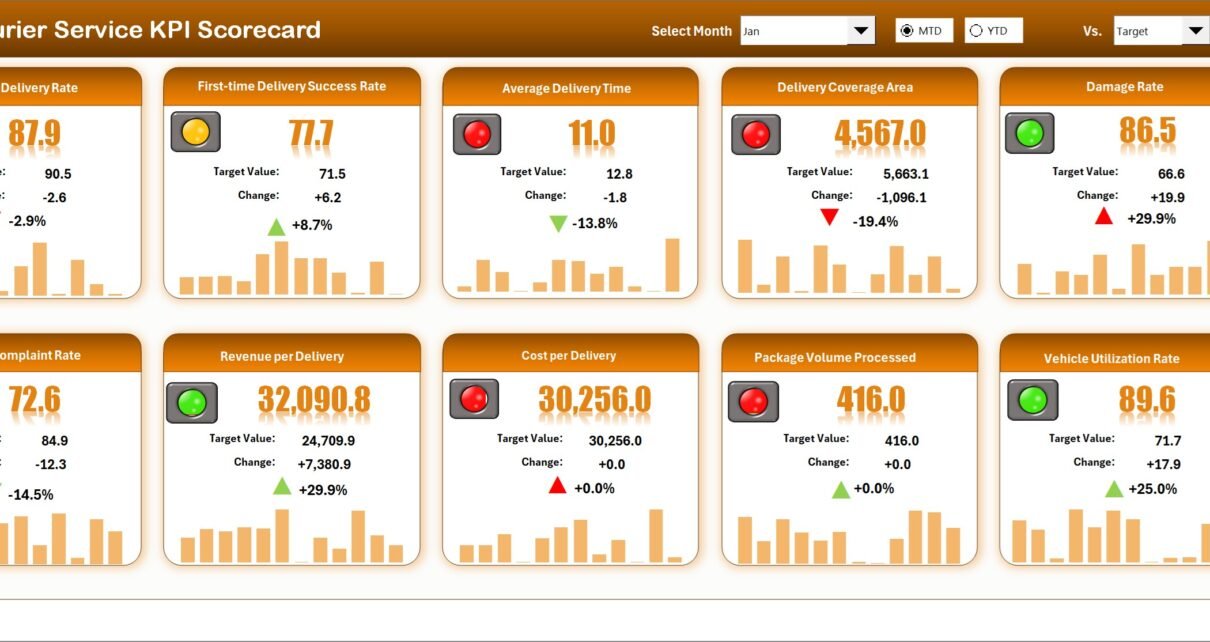
The Courier Service KPI Scorecard is a comprehensive and ready-to-use template designed to help courier businesses monitor and improve their key performance indicators effectively. Measuring KPIs is essential to track operational efficiency, customer satisfaction, and delivery accuracy, which are critical for courier service success. This scorecard offers a clear and interactive way to visualize performance data through various dynamic dashboards and sheets.
Key Features of Courier Service KPI Scorecard
- Interactive Dropdown Menus: Easily select analysis periods such as monthly, Month-to-Date (MTD), or Year-to-Date (YTD) to view KPI performance.
- Actual vs Target Comparison: Quickly compare actual results against set targets for every KPI to track goal attainment.
- Visual Performance Indicators: Color-coded signals and conditional formatting help users review KPI status at a glance.
- Comprehensive KPI Overview: Displays detailed KPI status with MTD and YTD data including comparisons to previous years.
- Multi-Sheet Design: Four worksheets provide dedicated spaces for scorecards, trend analysis, data input, and KPI definitions for better organization.
Dashboard Pages Explanation
1. Scorecard Sheet
The Scorecard Sheet is the core dashboard where you can monitor key KPIs performance visually.
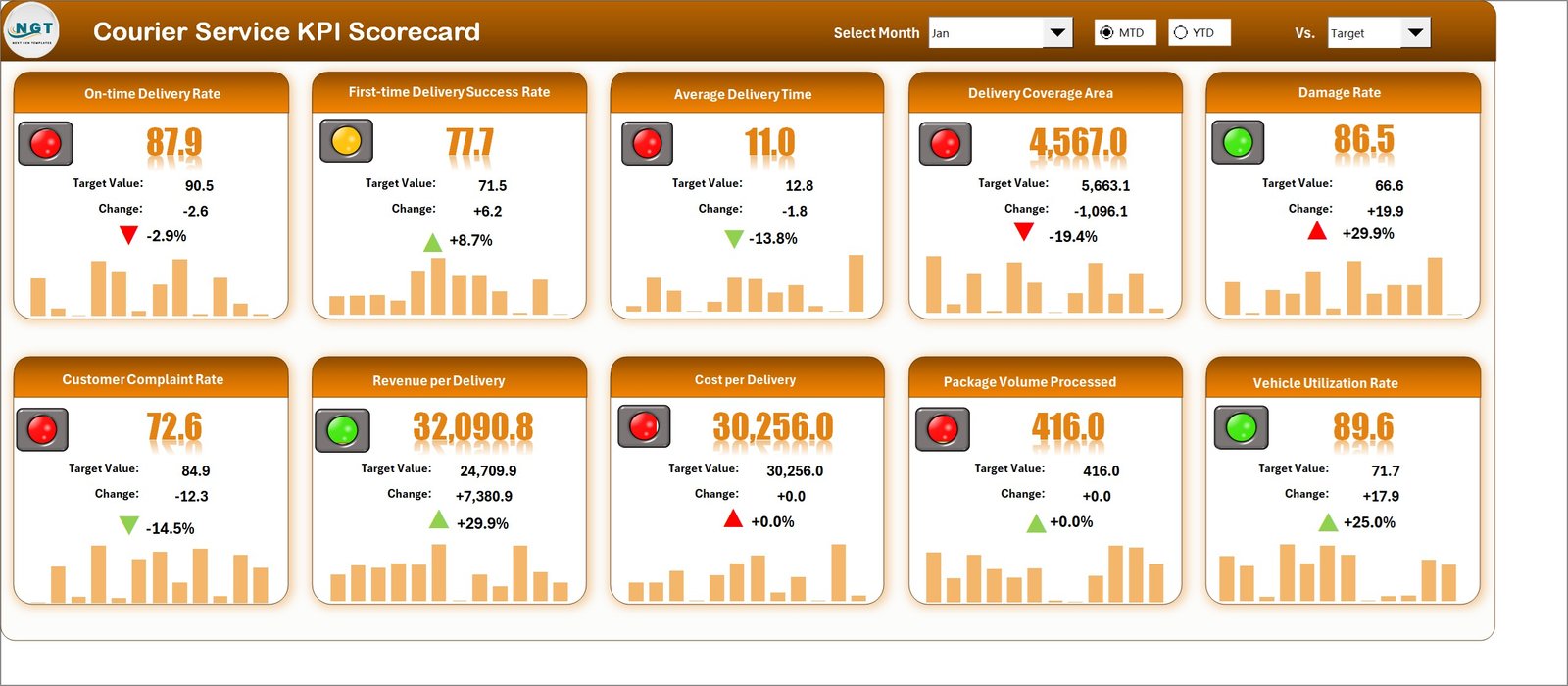
- Dropdown Menus: Choose month, MTD or YTD for flexible performance review.
- Actual vs Target Values: Easy comparison to quickly identify performance gaps.
- Visual Indicators: Color codes and conditional formatting highlight performance status.
- Comprehensive Overview: Displays all critical KPI data along with detailed MTD and YTD figures.
2. KPI Trend Sheet
This sheet offers an in-depth look at KPI trends over time to help analyze performance patterns.
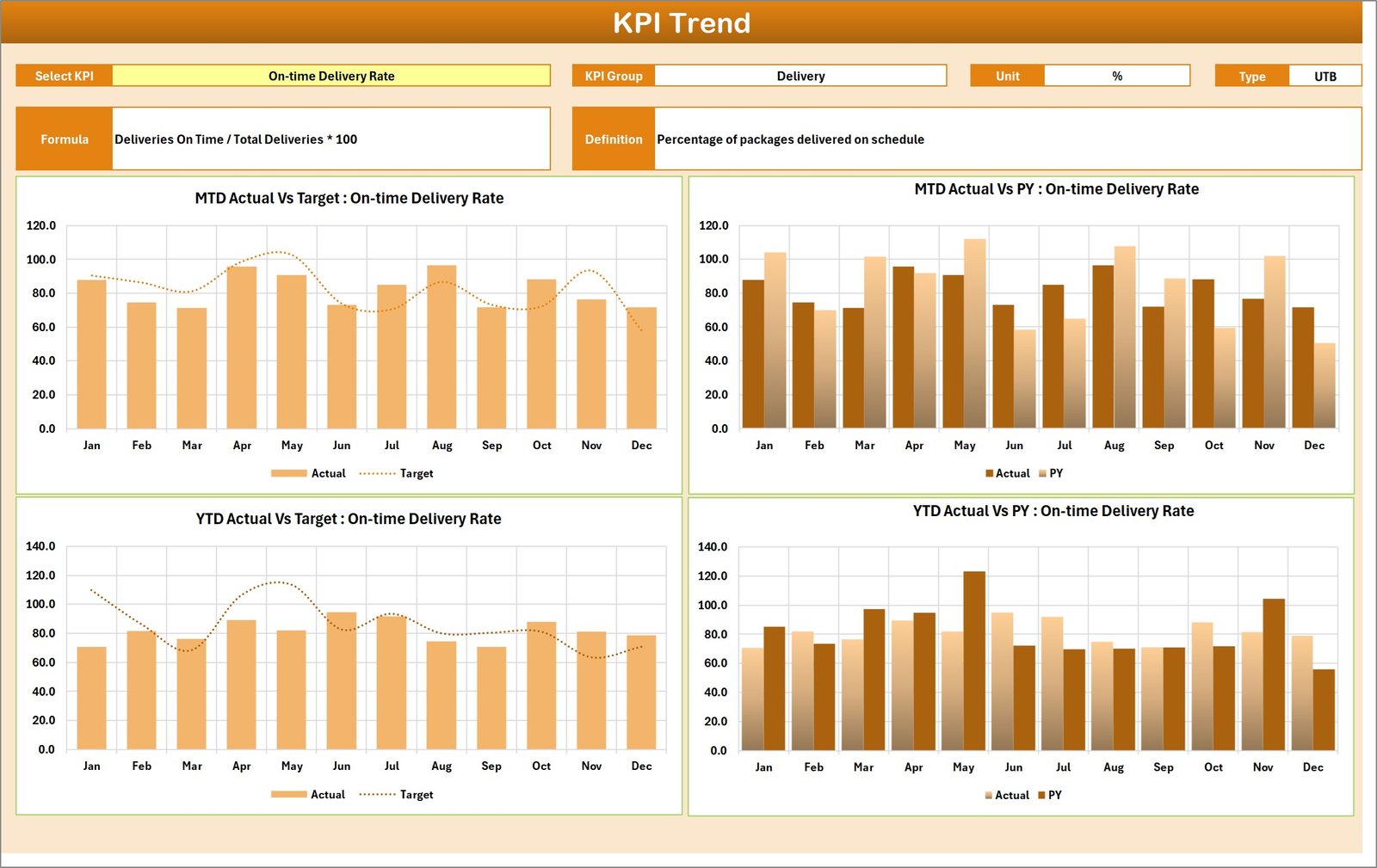
- KPI Selection: Select the KPI name from the dropdown (cell C3) to view detailed analysis.
- KPI Details: Displays KPI Group, Unit, KPI Type (Lower the Better/Upper the Better), formula, and definition.
- Trend Charts: Visualizes Month-to-Date (MTD) and Year-to-Date (YTD) trends for Actual, Target, and Previous Year (PY) data.
3. Input Data Sheet
The Input Data Sheet is where you record all KPI-related data entries.
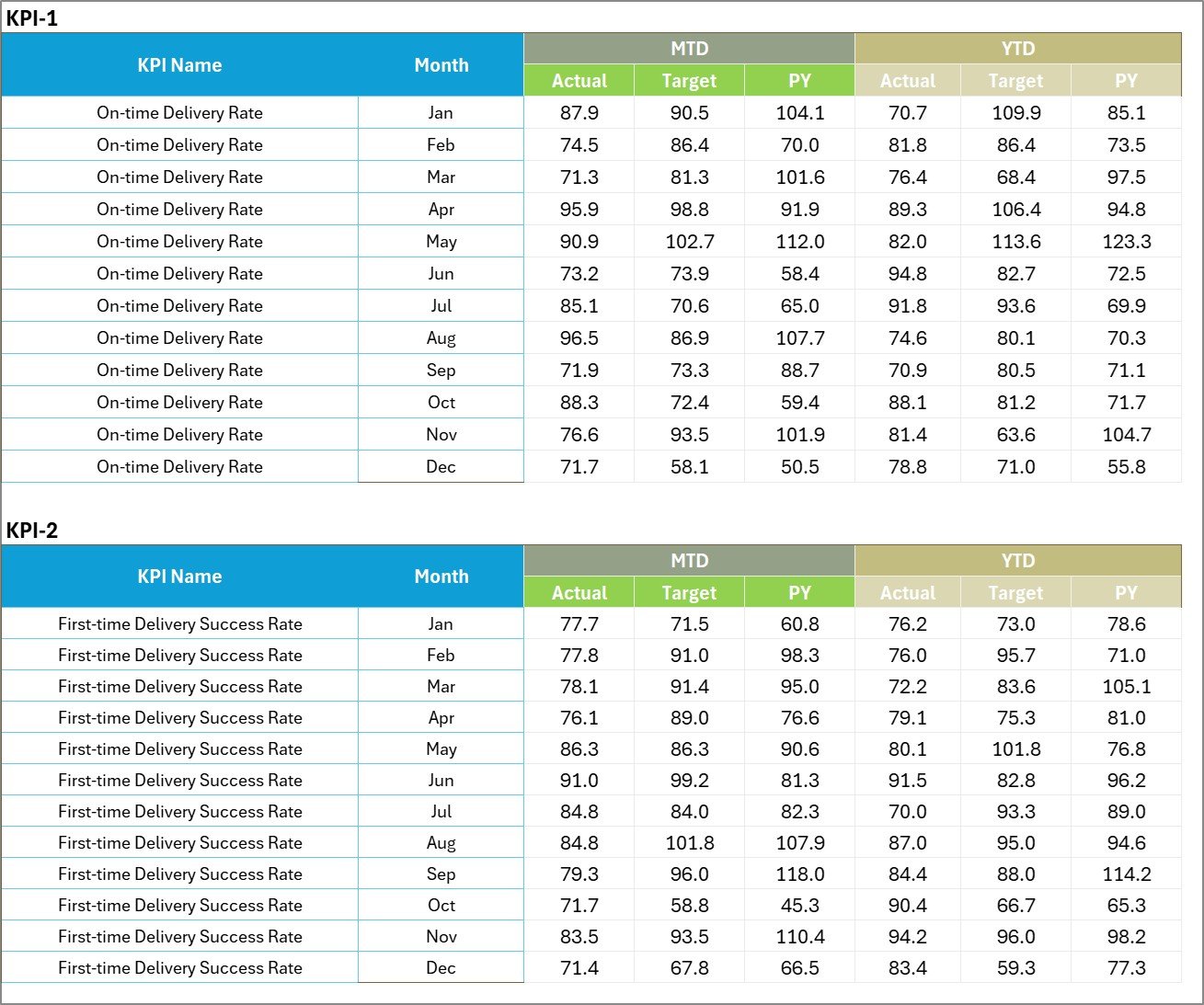
- Data Entry: Enter actual KPI values, targets, and other relevant metrics.
- Flexibility: Update KPI data easily as new results come in to keep scorecard current and relevant.
4. KPI Definition Sheet
This sheet serves as a centralized location to define the KPIs clearly for consistent understanding.

KPI Definition sheet tab
- KPI Details Input: Input KPI Name, Group, Unit, formula, and definition to clearly define each KPI.
- Consistency: Ensure uniform KPI understanding across departments and users.
Advantages of Courier Service KPI Scorecard
- Performance Transparency: Provides a clear, consolidated view of courier company KPIs, driving accountability.
- Improved Decision Making: Real-time KPI performance and trend analysis help managers make informed choices.
- Time Efficiency: User-friendly dashboards with dropdowns and visual cues save time spent on reports.
- Customizable & Scalable: Add or modify KPIs and periods, making it adaptable to business changes.
- Focus on Improvement: Highlight underperforming KPIs for targeted process optimization.
Opportunities for Improvement
Click to Buy Courier Service KPI Scorecard in Excel
- Automation Integration: Linking scorecard with live ERP or tracking systems for automated data entry.
- Mobile Access: Creating mobile-friendly dashboards for managers on the go.
- Benchmarking: Incorporate industry benchmark data for better competitive analysis.
- Enhanced Custom Alerts: Adding automatic notifications when KPIs deviate significantly from targets.
Best Practices
Click to Buy Courier Service KPI Scorecard in Excel
- Regular Data Updates: Maintain up-to-date data to ensure accurate KPI tracking.
- Define KPIs Clearly: Use the KPI Definition sheet to avoid ambiguity.
- Use Visual Indicators Consistently: Apply color codes and charts consistently across reports.
- Engage Stakeholders: Share scorecard insights with teams to create alignment around performance goals.
- Review Trends: Analyze KPI trends regularly to identify long-term performance patterns.
FAQs
What is a KPI Scorecard for courier services?
It is a visual tool that tracks key performance indicators specific to courier operations, helping improve efficiency and service quality.
Can this scorecard be customized?
Yes, all KPI sheets can be modified by adding or adjusting KPIs according to your courier business needs.
How frequently should I update the KPI data?
Ideally, update the data monthly or as often as new operational results become available to keep analysis meaningful.
Which KPIs are included?
The scorecard includes KPIs related to delivery times, accuracy, customer satisfaction, and operational efficiency.
Conclusion
Click to Buy Courier Service KPI Scorecard in Excel
The Courier Service KPI Scorecard is an essential tool for courier companies to measure, monitor, and improve performance efficiently. With its multi-sheet design offering scoreboards, trend analysis, and input sheets, it allows businesses to stay on top of operational metrics with clarity. By implementing this ready-to-use template, courier services can enhance their decision-making process, streamline operations, and ultimately deliver better customer satisfaction.
For more insights on KPI management and Excel templates, you can visit Microsoft Excel Support.
Visit our YouTube channel to watch the demo.
Click to Buy Courier Service KPI Scorecard in Excel