The healthcare industry is going through a major transformation driven by digital technologies. Hospitals, clinics, and IT departments are rapidly adopting electronic health records (EHRs), telemedicine systems, cloud data solutions, and AI-based tools to improve patient care and operational efficiency. However, managing all digital transformation activities — from software rollouts to staff training — requires precise planning and coordination.
That’s where the Healthcare IT Digital Transformation Calendar in Excel comes in.
This powerful yet easy-to-use Excel template helps healthcare organizations plan, track, and monitor their digital transformation activities throughout the year. Whether your goal is to schedule IT upgrades, align technology adoption with business goals, or ensure compliance with healthcare data standards, this Excel-based calendar provides complete visibility and control.
Click to buy Healthcare IT Digital Transformation Calendar in Excel
What Is the Healthcare IT Digital Transformation Calendar in Excel?
The Healthcare IT Digital Transformation Calendar is a structured, automated, and interactive Excel-based tool designed to help IT teams and healthcare administrators plan and manage transformation initiatives.
It acts as a centralized scheduling system for all digital activities — from implementing telemedicine platforms to integrating AI analytics and cybersecurity upgrades. Unlike generic project calendars, this one is tailored for healthcare environments, ensuring data accuracy, real-time visibility, and effortless collaboration.
This ready-to-use template is divided into five functional worksheets:
- Home
- Annual View
- Monthly View
- Daily View
- Events Database
Each sheet provides a unique perspective of your IT transformation activities, ensuring nothing falls through the cracks.
Home Sheet Tab: The Command Center
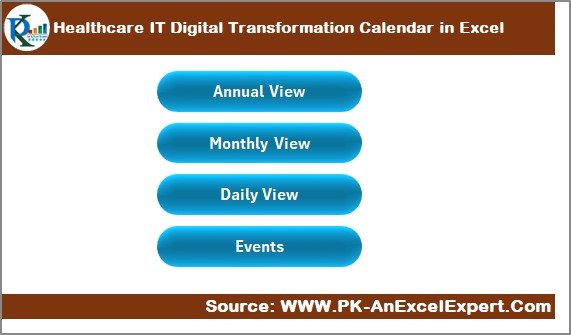
The Home sheet acts as the central hub of the calendar. It contains easy navigation buttons that let users move to other sections quickly. These include:
- Annual View Button – Opens the full-year overview of digital initiatives.
- Monthly View Button – Displays the calendar for a chosen month.
- Daily View Button – Focuses on specific dates and events.
- Events Button – Takes users directly to the main database sheet containing all event records.
This design eliminates manual searching and ensures smooth navigation — especially when multiple users collaborate on the same file.
Click to buy Healthcare IT Digital Transformation Calendar in Excel
Annual View Sheet Tab: The Big Picture
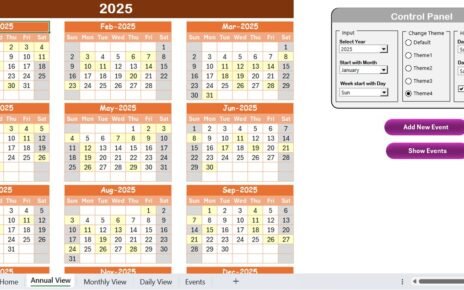
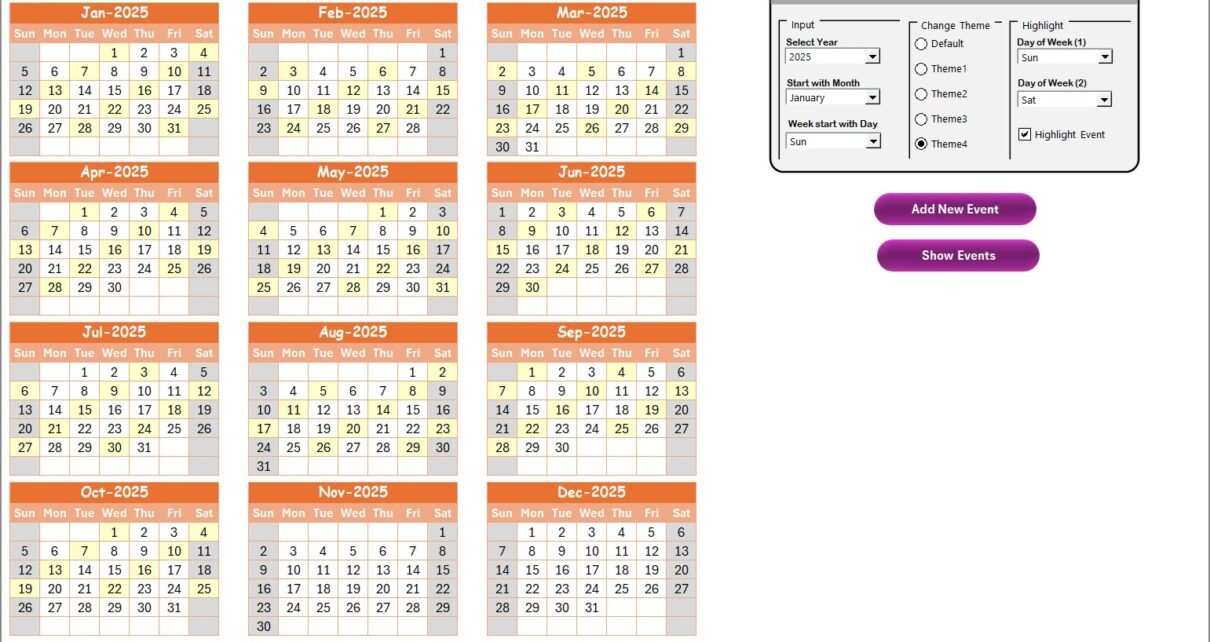
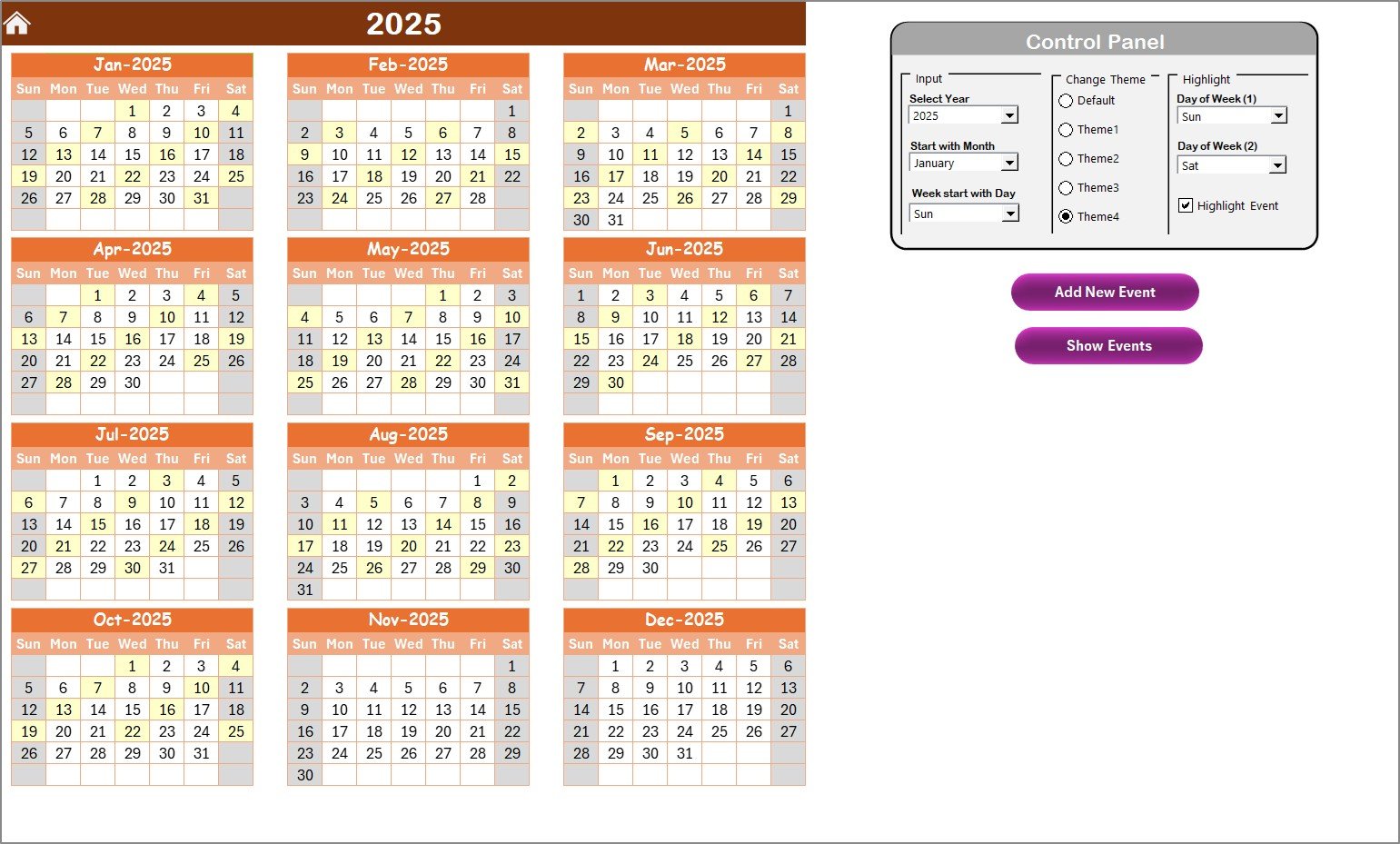
The Annual View sheet gives a comprehensive, year-round visualization of your healthcare IT transformation schedule. It displays all 12 months in a single dashboard, allowing managers to monitor project progress, downtime, or implementation timelines easily.
Click to buy Healthcare IT Digital Transformation Calendar in Excel
Control Panel Overview
The Control Panel on this sheet allows users to customize how the calendar looks and functions. It includes three powerful groups:
- Input Group – Select the year, set the calendar’s start month, and define the starting day of the week.
- Change Theme Group – Choose from five professional color themes to personalize the design.
- Highlight Group – Select up to two days of the week to highlight (e.g., Saturday and Sunday). You can also toggle the “Highlight Events” checkbox to mark scheduled events in yellow automatically.
Smart Event Management
Two buttons make this sheet even more interactive:
- Add New Event – Select any date, click this button, and fill out a short form. The event will automatically appear on the chosen date.
- Show Events – Instantly view all events scheduled for the selected day, helping managers avoid conflicts and missed deadlines.
This sheet gives decision-makers a bird’s-eye view of transformation milestones — from software rollout dates to cybersecurity training sessions.
Monthly View Sheet Tab: Focused Planning
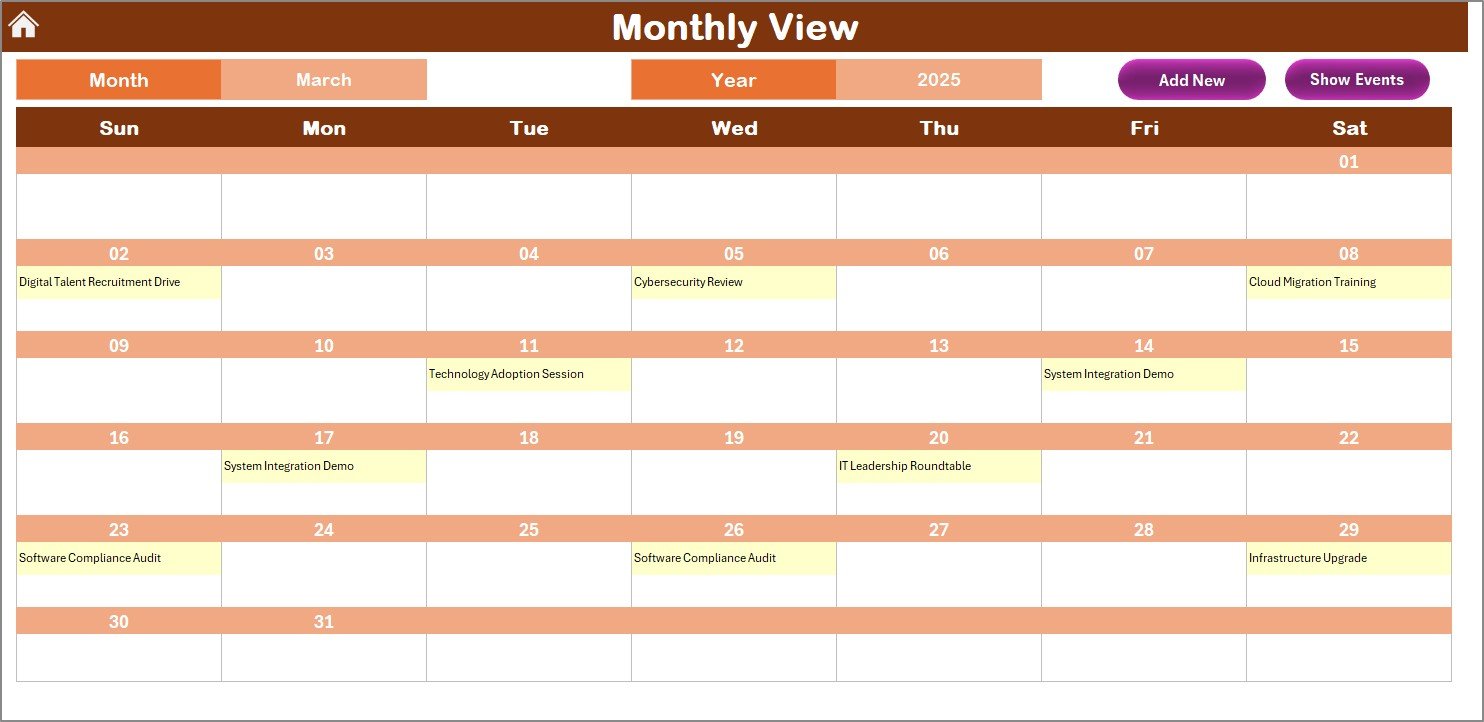
When you need to zoom in on a specific period, the Monthly View sheet offers a focused calendar for a single month. It updates automatically when you change the Month and Year at the top.
This sheet is ideal for weekly planning, team task alignment, and short-term progress reviews.
Smart Features Include:
- Dynamic Event Display – Shows one key event per date, and if multiple events exist, it displays “more than 1…” as an indicator.
- Add New Event Button – Quickly log a new activity such as “EHR Upgrade” or “Cybersecurity Audit.”
- Show Event Button – Displays a pop-up list of all activities for that date.
This functionality ensures that healthcare IT teams can plan deployments, updates, or training sessions without overlapping schedules.
Click to buy Healthcare IT Digital Transformation Calendar in Excel
Daily View Sheet Tab: Real-Time Tracking
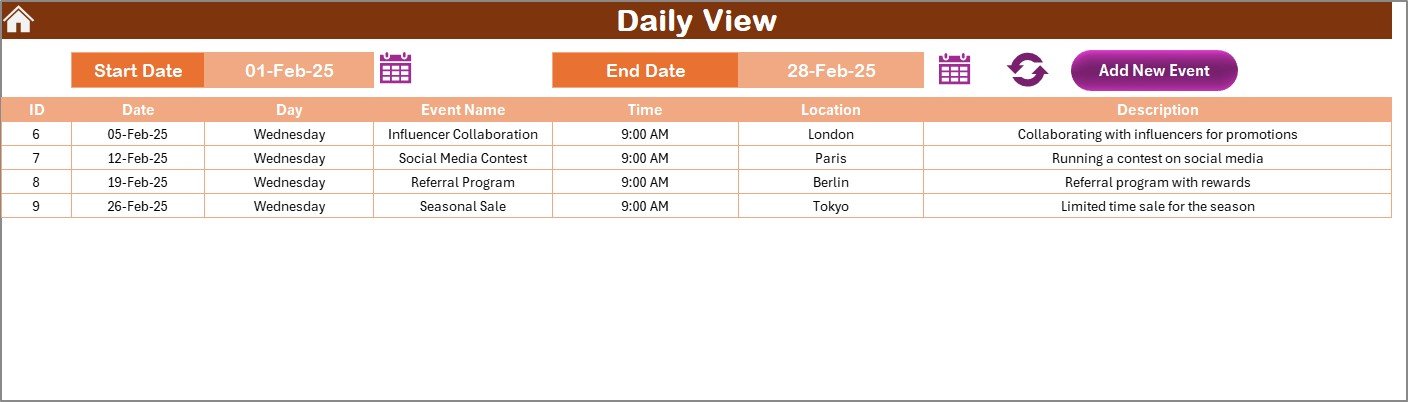
The Daily View sheet provides a detailed breakdown of events for a specific date range. Simply enter the Start Date and End Date, and the sheet will list all relevant events within that period.
This sheet is particularly useful for daily stand-up meetings, IT service planning, or project execution tracking.
Interactive Controls:
- Date Pickers – Choose any date range using built-in calendar icons.
- Refresh Button – Instantly updates the list of events within your selected range.
- Add New Event Button – Open a simple input form to schedule a new event or task.
This feature ensures real-time updates, helping IT leaders maintain full control over daily operations — from infrastructure maintenance to cloud migration steps.
Click to buy Healthcare IT Digital Transformation Calendar in Excel
Events Sheet Tab: The Database Core
The Events sheet is the backbone of the system. It stores all event data, making it easy to track every milestone in your digital transformation journey.
Key Data Columns:
- ID: Automatically generated unique identifier for each event.
- Date: Scheduled date of the event.
- Day: Automatically filled weekday name (e.g., Monday, Tuesday).
- Event Name: Title or short description of the task.
- Time: Exact timing of the event or meeting.
- Location: Venue, department, or meeting link.
- Description: A brief note about the event purpose or details.
Action Buttons:
- Add New Record: Opens an event form for entering new details.
- Update Existing Record: Edit previously recorded events using the ID field.
- Delete Record: Remove outdated or canceled events instantly.
This tab functions like a mini database system inside Excel, offering complete flexibility without the need for external software.
Why Healthcare IT Teams Need a Digital Transformation Calendar
Healthcare IT departments face complex challenges: multiple systems, compliance regulations, patient privacy requirements, and limited budgets. A well-structured calendar ensures every digital initiative aligns with organizational goals and timelines.
Here are a few reasons why using this Excel-based calendar is essential:
- Centralized Planning: Manage all transformation projects in one place.
- Improved Coordination: Sync IT, operations, and administrative departments effortlessly.
- Enhanced Accountability: Assign clear responsibilities and deadlines.
- Real-Time Tracking: Identify bottlenecks and adjust schedules immediately.
- Data-Driven Decision Making: Use event data to measure progress and allocate resources effectively.
Advantages of the Healthcare IT Digital Transformation Calendar in Excel
Streamlines Complex Projects
All transformation initiatives — from cloud adoption to AI implementation — become structured and trackable.
Improves Transparency
Everyone in the organization can view upcoming events, ensuring cross-department collaboration.
Customizable Interface
Change colors, highlight weekends, and set starting days as per your organization’s calendar.
Saves Time and Cost
Avoids redundant tools or expensive project management systems by using Excel, a tool everyone already knows.
Empowers Data-Driven Management
Use event data to identify high-impact initiatives and optimize performance metrics.
User-Friendly Design
Even non-technical staff can easily add, edit, or delete events using simple buttons and forms.
Opportunities for Improvement
Although this Excel template is comprehensive, there are areas where healthcare IT teams can enhance its usage:
- Integration with Outlook or Google Calendar: Export events for cross-platform synchronization.
- Automation with VBA Macros: Add automatic reminders or email notifications for upcoming events.
- KPI Tracking: Add columns or charts to measure the completion rate of digital transformation projects.
- Security Enhancements: Apply password protection or restrict editing access for sensitive data.
- Dashboard Extension: Add a summary dashboard to visualize key trends such as “Events by Department” or “Projects by Month.”
These upgrades can turn the calendar into a full-fledged Healthcare IT Management System.
Best Practices for Using the Healthcare IT Digital Transformation Calendar
Implementing the calendar effectively can make your healthcare IT transformation smoother and more efficient. Here are some best practices:
- Define Clear Goals
Before entering data, define your organization’s digital transformation roadmap — e.g., improving EHR efficiency or deploying telehealth systems.
- Standardize Event Categories
Use consistent event naming such as “Upgrade,” “Implementation,” “Training,” or “Review.” This ensures accurate filtering and analysis.
- Maintain Data Accuracy
Always double-check event dates, times, and responsible departments. Inaccurate data can lead to scheduling conflicts.
- Use Color Themes Wisely
Apply different color themes for departments — for example, blue for IT upgrades, green for training, and orange for compliance tasks.
- Regularly Review and Refresh
Use the Daily View or Monthly View sheet for weekly reviews. Delete outdated events and update recurring schedules.
- Backup Data Frequently
Since the Events sheet acts as the main database, back it up regularly to prevent accidental data loss.
- Encourage Collaboration
Allow department heads to access the calendar and contribute updates to ensure shared accountability.
Conclusion
The Healthcare IT Digital Transformation Calendar in Excel is more than just a scheduling tool — it’s a strategic asset for every healthcare organization looking to embrace digital excellence. With its user-friendly interface, smart navigation, and automation-ready design, it helps IT departments plan and execute transformation projects seamlessly.
From high-level annual planning to detailed daily operations, this calendar simplifies coordination, enhances visibility, and ensures your digital transformation efforts stay on track — all within Excel’s familiar environment.
Frequently Asked Questions (FAQs)
- What is the purpose of the Healthcare IT Digital Transformation Calendar?
It helps healthcare organizations plan, monitor, and manage digital transformation initiatives — including IT upgrades, automation, and compliance projects — in one centralized Excel file.
- Can I customize this Excel calendar?
Yes, you can fully customize it. You can change themes, highlight weekends, set the start day of the week, and even add or remove event fields.
- Does this calendar support event reminders?
By default, it doesn’t include reminders, but you can enhance it using simple VBA scripts to send alerts or integrate with Outlook reminders.
- Who should use this calendar?
Ideal users include healthcare IT managers, project coordinators, digital transformation officers, and department heads responsible for tech initiatives.
- Can multiple users collaborate on this file?
If stored in a shared location like OneDrive or SharePoint, multiple users can view and edit it simultaneously with real-time updates.
- How does the calendar handle recurring events?
Currently, events must be added manually, but users can copy and modify existing entries for recurring meetings or project milestones.
- Is Excel a good choice for managing digital transformation projects?
Absolutely. Excel provides flexibility, accessibility, and a no-subscription environment, making it ideal for healthcare organizations that prefer cost-effective, customizable tools.
- Can I generate reports from this calendar?
Yes. You can use pivot tables and charts based on the Events sheet to analyze trends such as “Projects by Type” or “Events by Month.”
The healthcare industry is going through a major transformation driven by digital technologies. Hospitals, clinics, and IT departments are rapidly adopting electronic health records (EHRs), telemedicine systems, cloud data solutions, and AI-based tools to improve patient care and operational efficiency. However, managing all digital transformation activities — from software rollouts to staff training — requires precise planning and coordination.
That’s where the Healthcare IT Digital Transformation Calendar in Excel comes in.
This powerful yet easy-to-use Excel template helps healthcare organizations plan, track, and monitor their digital transformation activities throughout the year. Whether your goal is to schedule IT upgrades, align technology adoption with business goals, or ensure compliance with healthcare data standards, this Excel-based calendar provides complete visibility and control.
Visit our YouTube channel to learn step-by-step video tutorials
Watch the step-by-step video tutorial:
Click to buy Healthcare IT Digital Transformation Calendar in Excel