Introduction
Office Parking Utilization Compliance Calendar In Excel is a powerful, ready-to-use template designed to efficiently manage and monitor parking utilization compliance within your office. This Excel-based calendar simplifies event scheduling, tracking, and reporting with multiple views tailored for annual, monthly, daily, and event management needs.Office Parking Utilization Compliance Calendar In ExcelOffice Parking Utilization Compliance Calendar In Excel
Key Features of Office Parking Utilization Compliance Calendar In Excel
- Five well-structured worksheets for ease of navigation and detailed event management.
- Comprehensive calendar views: Annual, Monthly, Daily, and Event database for complete oversight.
- Dynamic control panels for theme customization, date selection, and event highlighting.
- Effortless event addition, updating, and viewing with interactive buttons.
- Automated calendar updates based on selected year, month, and starting day preferences.
Dashboard Pages Explanation
1. Home Sheet Tab
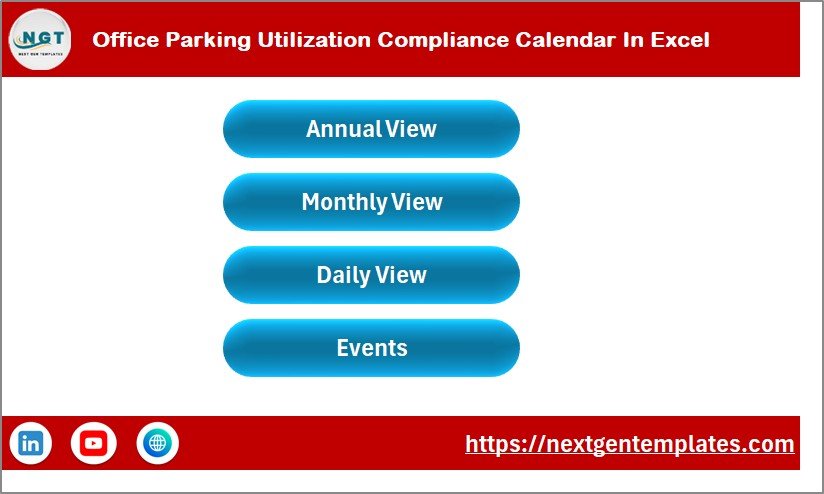
This is the main navigation hub designed with four major buttons that link you directly to the respective calendar views:
- Annual View
- Monthly View
- Daily View
- Events
Office Parking Utilization Compliance Calendar In Excel
Click to Buy Office Parking Utilization Compliance Calendar In Excel
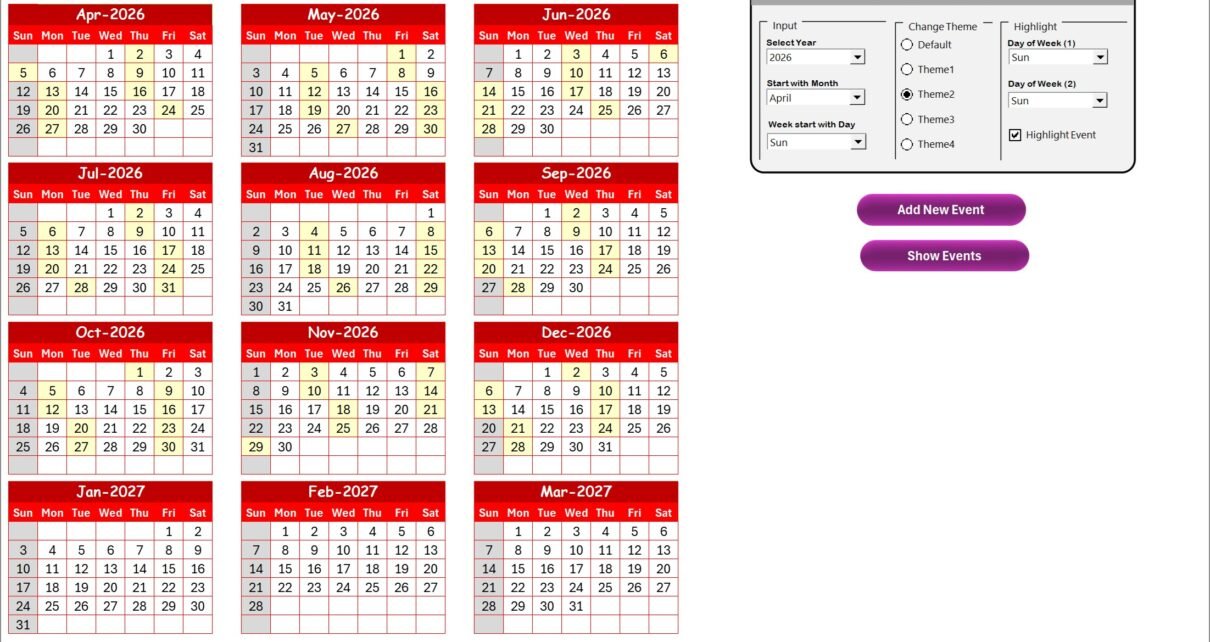
2. Annual View Sheet Tab
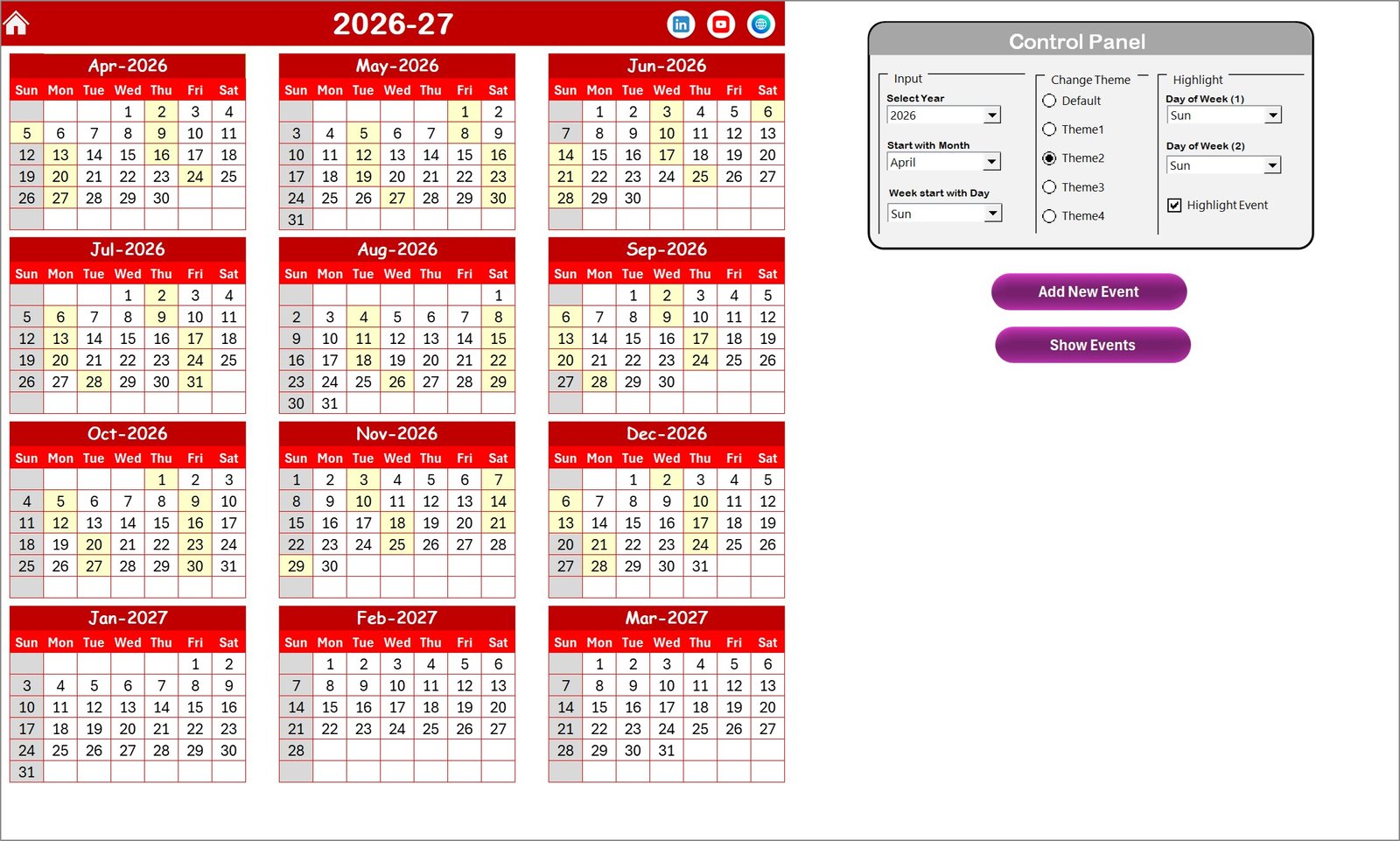
This tab displays the entire year at a glance with 12 months calendars. The control panel offers three key groups:
- Input Group: Select year, starting month, and first day of the week to dynamically update the calendar.
- Change Theme Group: Choose from five color themes to personalize the calendar’s look.
- Highlight Group: Highlight specific weekdays and events to improve visibility.
Additional two buttons facilitate adding new events or viewing existing ones on selected dates.
3. Monthly View Sheet Tab
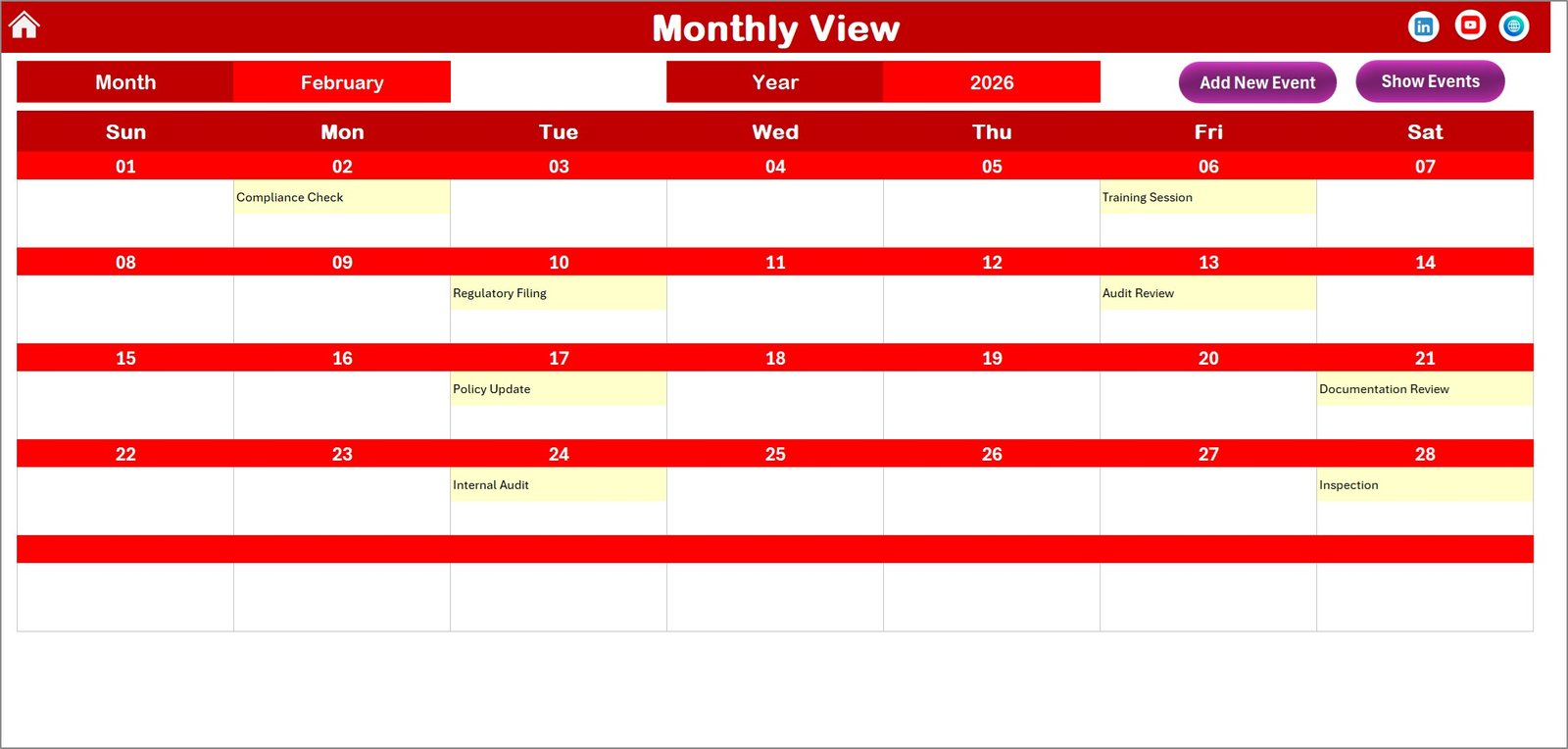
Focus on a single month with this detailed view. Simply select the desired month and year from the controls on top. It displays up to one event per day, condensing multiple events when necessary.
Two buttons are available for adding new events or viewing event details for the selected date.
Monthly View Sheet tab
4. Daily View Sheet Tab
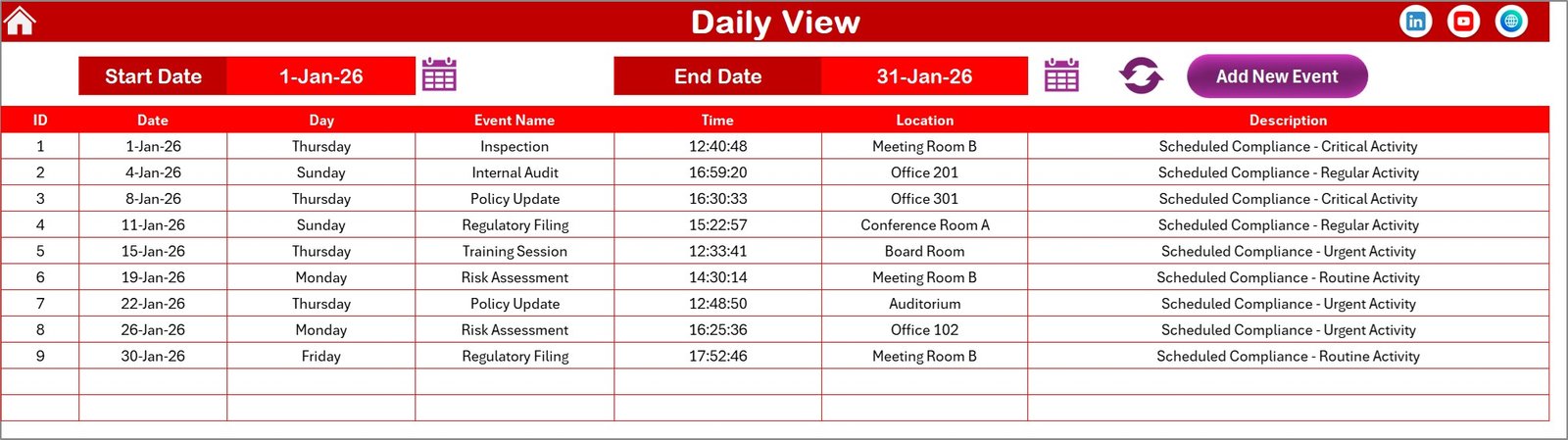
This sheet lists detailed event information for a selected date range. Select start and end dates using calendar controls and refresh to load the latest data.
It also includes an Add New Event button for quick event creation.
5. Events Sheet Tab
This is the centralized database storing all event information including:
- ID: Auto-generated unique number.
- Date: Date of the event.
- Day: Day of the week.
- Event Name: Title of the event.
- Time: Scheduled time.
- Location: Venue or location details.
- Description: Brief info about the event.
Control buttons allow adding, updating, or deleting records efficiently.
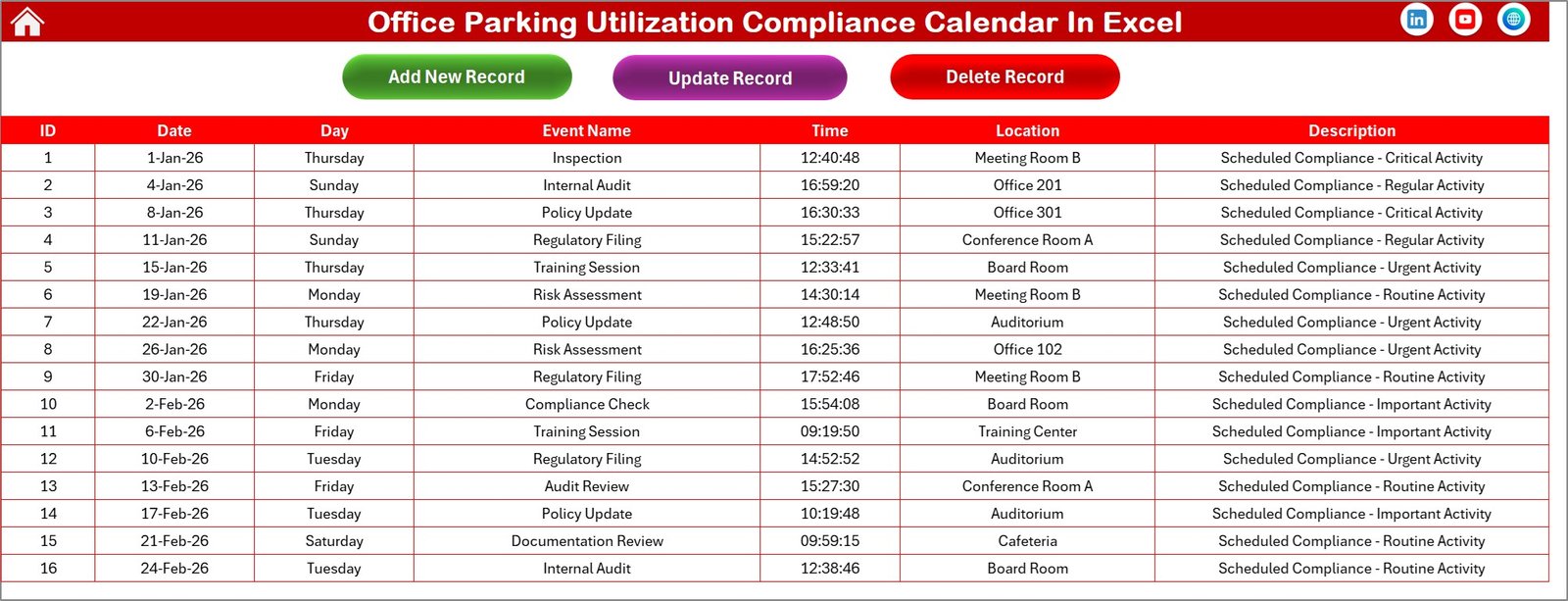
Events Sheet tab
Advantages of Office Parking Utilization Compliance Calendar In Excel
Click to Buy Office Parking Utilization Compliance Calendar In Excel
- Streamlines parking event scheduling and compliance monitoring.
- Improves visibility with customizable views and color-coded themes.
- Offers user-friendly navigation to quickly access required details.
- Reduces manual errors through event automation and validation.
- Supports better planning and resource allocation for parking management.
Opportunities for Improvement
- Integration with real-time parking sensors or IoT devices for dynamic updates.
- Incorporation of mobile app support for remote accessibility.
- Automated email or notification reminders for upcoming events.
- Advanced analytics dashboard to track utilization trends over time.
Best Practices
Click to Buy Office Parking Utilization Compliance Calendar In Excel
- Regularly update the Events Sheet to keep data accurate and relevant.
- Use the highlight feature strategically to mark weekends and special events.
- Customize themes to align with corporate branding or user preferences.
- Back up Excel workbooks frequently to prevent data loss.
- Train staff or users on how to navigate and utilize all calendar views.
FAQs
Can I customize the start day of the week in the calendar?
Yes, the Annual View sheet provides options to change the starting day of the week as per your preference.
How do I add a new event?
Select the relevant date and click the ‘Add New Event’ button in any view. Fill out the form and submit to add the event.
Can I view multiple events on a single day?
Yes, the Monthly View displays one event and indicates if there are multiple events with a ‘more than 1…’ note. Detailed views will show all events.
Is it possible to change calendar themes?
Absolutely. The Annual View includes a control panel to switch between five different themes affecting the whole workbook.
Conclusion
Click to Buy Office Parking Utilization Compliance Calendar In Excel
Office Parking Utilization Compliance Calendar In Excel is a comprehensive, user-friendly solution for managing parking compliance and event scheduling in offices. Its multiple views, dynamic controls, and ease of use make it an indispensable tool for facility managers and administrative staff alike. By leveraging this calendar, you can enhance parking space utilization, simplify event coordination, and maintain compliance effortlessly.
For further reference, explore Microsoft’s official Excel templates and guides on their Excel Support page.
Visit our YouTube channel to watch the demo.
Click to Buy Office Parking Utilization Compliance Calendar In Excel