Introduction
Office Parking Utilization Maintenance Calendar In Excel is an innovative and ready-to-use calendar template designed to streamline parking space management. This user-friendly tool helps organizations efficiently monitor and organize parking usage along with maintenance scheduling.
Key Features of Office Parking Utilization Maintenance Calendar In Excel
- Five dedicated worksheets supporting various calendar views and event management.
- Customizable annual, monthly, and daily calendar views for detailed scheduling.
- Multiple theme options and highlight features to distinguish days and events.
- Easy-to-use add, update, and delete event forms.
- Dynamic date controls to adjust calendar display and enhance usability.
Dashboard Pages Explanation
1. Home Sheet Tab
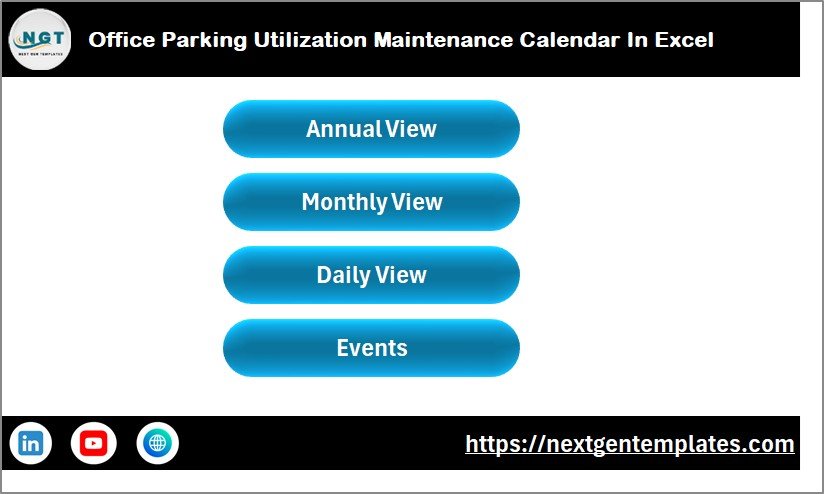
The Home sheet acts as the central index with buttons to navigate different views:
Click to Buy Office Parking Utilization Maintenance Calendar In Excel
2. Annual View Sheet Tab
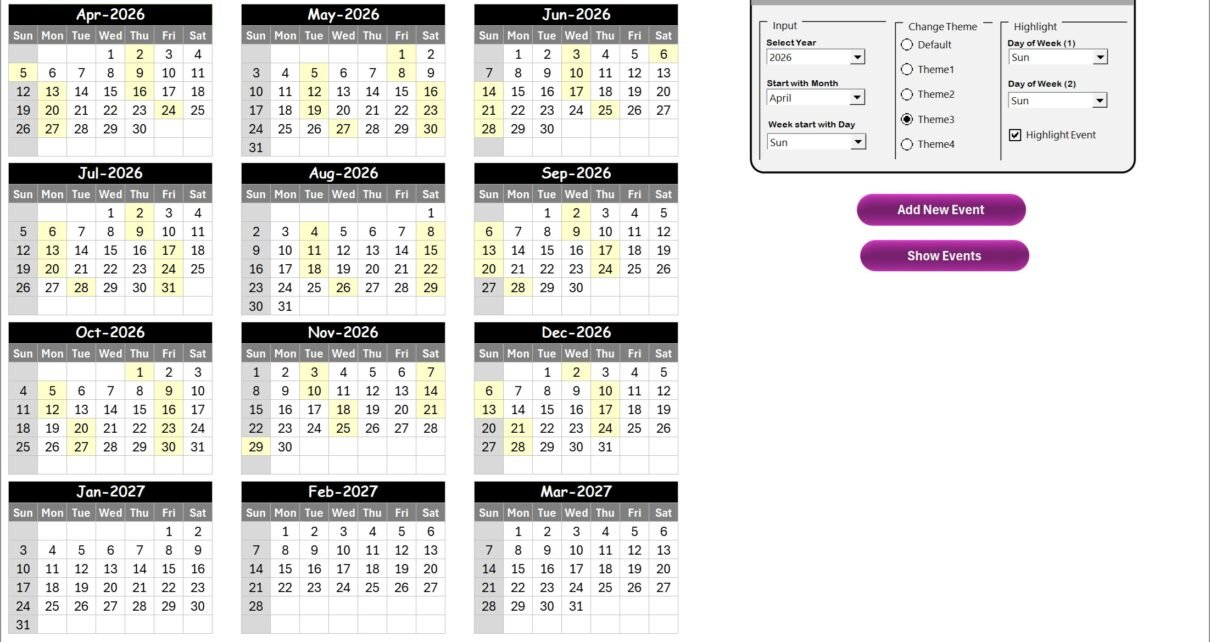
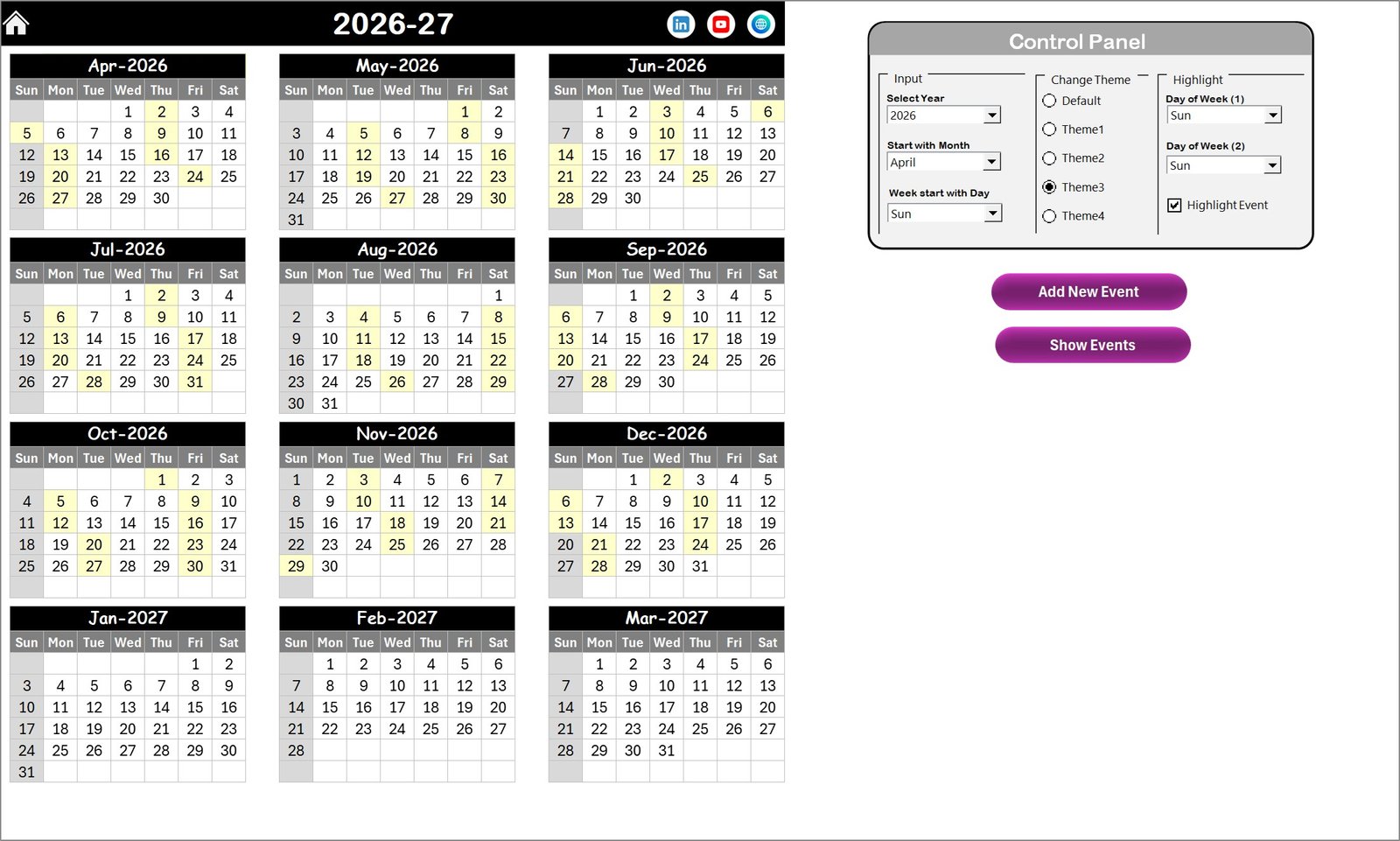
This sheet presents twelve months in a year on a single page, featuring a control panel and buttons for enhanced interactivity.
- Control Panel
- Input Group: Select year, starting month, and starting day of the week to update the calendar dynamically.
- Change Theme Group: Choose from five color themes to customize the appearance for the entire workbook.
- Highlight Group: Pick two days of the week to highlight (examples: Sat and Sun) and enable event highlighting in yellow.
- Add New Event Button: Opens a form to input details for new events by selecting a date then submitting.
- Show Event Button: Displays the list of events scheduled for the selected date.
Click to Buy Office Parking Utilization Maintenance Calendar In Excel
3. Monthly View Sheet Tab
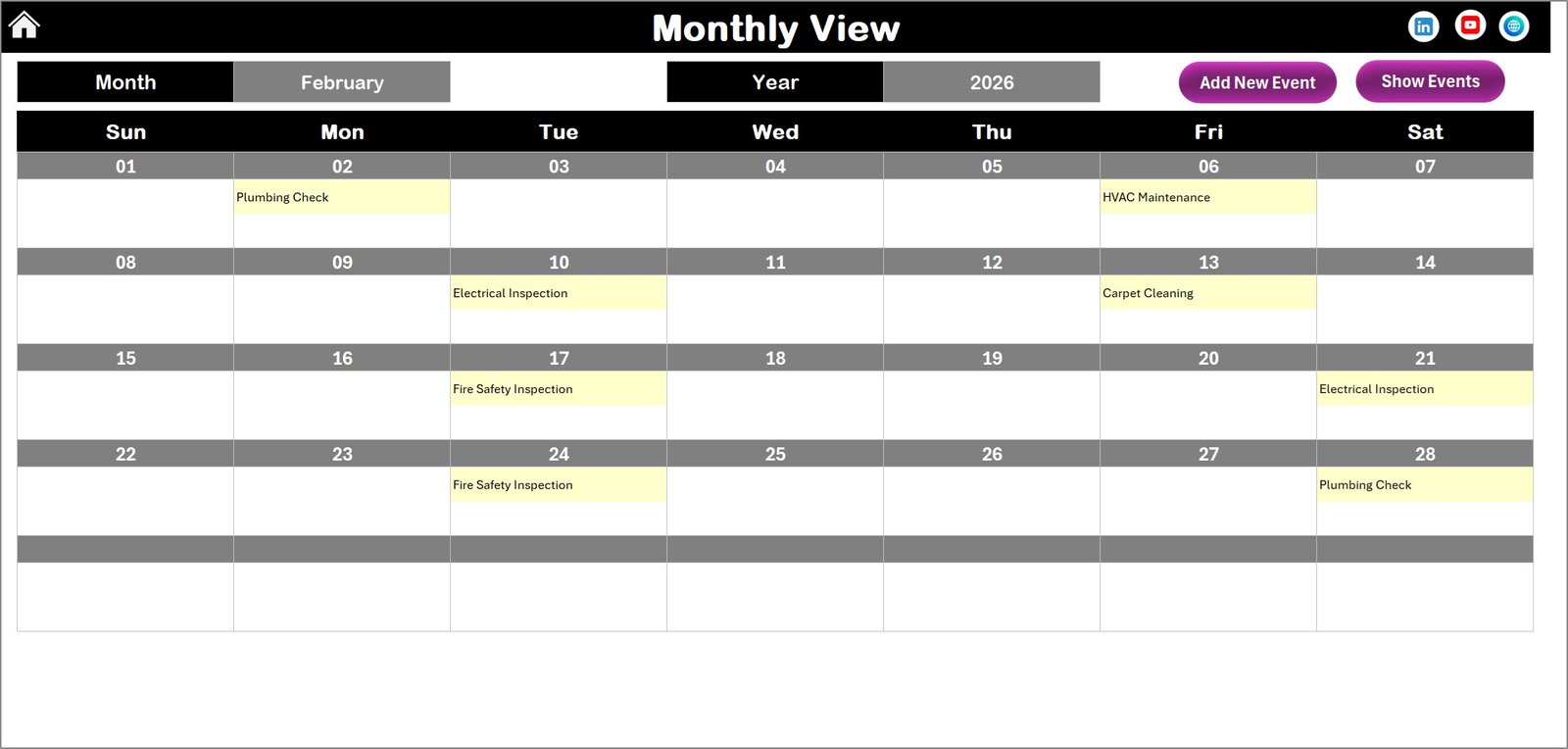
Displays a month-specific calendar with selectable month and year. It conveniently summarizes events, indicating when there are multiple events on a single day.
- Add New Event Button: Add new events by selecting a date and filling the form.
- Show Event Button: View all events occurring on the selected date.
Click to Buy Office Parking Utilization Maintenance Calendar In Excel
4. Daily View Sheet Tab
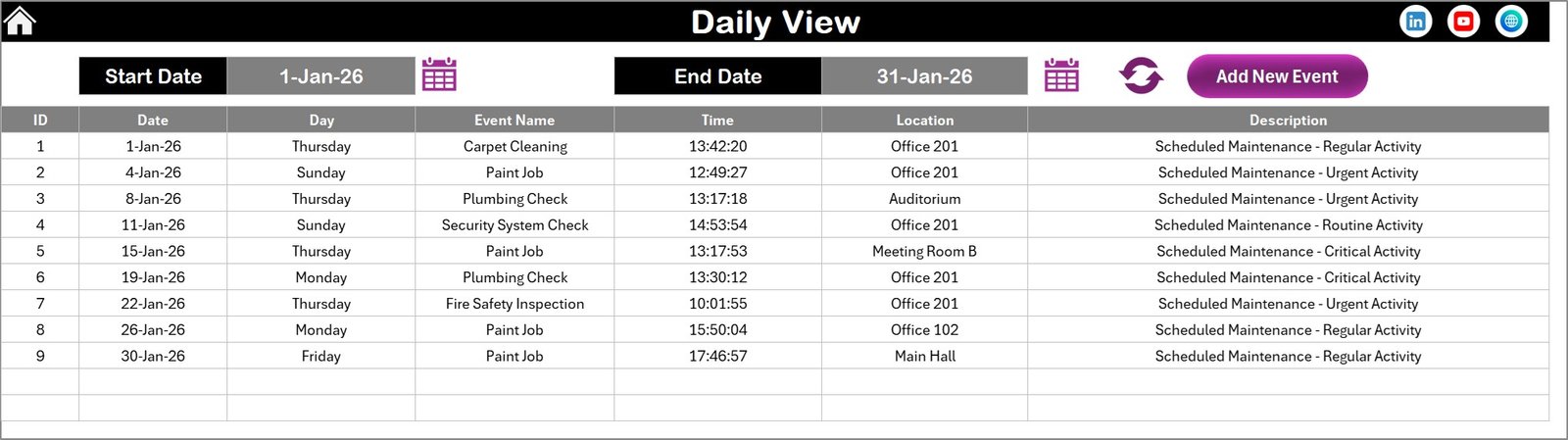
Shows detailed event listings within a specified date range. Users can select start and end dates via calendar icons and refresh to update the display.
- Add New Event Button: Quickly add new events with a comprehensive form interface.
Click to Buy Office Parking Utilization Maintenance Calendar In Excel
5. Events Sheet Tab
This is the database sheet where all event details are stored. It captures essential information, such as:
- ID: Auto-generated event number for unique identification.
- Date: Scheduled date of the event.
- Day: Corresponding day of the week.
- Event Name: Title or name of the event.
- Time: Event timing.
- Location: Venue or area of the event.
- Description: Short notes or description related to the event.
- Add New Record Button: Add new events by filling the submission form.
- Update Existing Record Button: Select an event ID to edit and update information.
- Delete Record Button: Remove event records by selecting the ID.
Advantages of Office Parking Utilization Maintenance Calendar In Excel
Click to Buy Office Parking Utilization Maintenance Calendar In Excel
- Intuitive navigation between views enhances user experience.
- Automated controls and inputs reduce manual errors and save time.
- Customization options allow branding and personalization.
- Centralized event database ensures consistent data management.
- Comprehensive event tracking supports better parking space utilization and facility maintenance.
Opportunities for Improvement
- Integrate reminders or alerts for upcoming events via email or notifications.
- Add support for exporting calendar views as PDF or printable formats.
- Enable synchronization with Outlook or Google Calendar for seamless scheduling.
- Include analytical reports on parking utilization trends and event statistics.
- Introduce mobile-friendly or cloud-based versions for remote access.
Best Practices
Click to Buy Office Parking Utilization Maintenance Calendar In Excel
- Regularly update event information to maintain accuracy.
- Use consistent naming conventions for events and locations.
- Leverage theme and highlight features to improve visual clarity.
- Backup data frequently to avoid loss.
- Train staff on calendar management to ensure efficient usage.
FAQs
Can I customize themes in the calendar?
Yes, the template provides five color themes to apply across the workbook.
How do I add a new event?
Select the desired date, click the ‘Add New Event’ button, fill in the form, and submit.
Can I view multiple events on the same date?
Yes, monthly and daily views display events with indicators when more than one is scheduled.
Is it possible to update or delete events?
On the Events sheet, you can update or delete records by selecting the event ID and using the respective buttons.
Does this calendar support viewing events by date range?
Yes, the Daily View sheet lets you specify a start and end date to list events within that period.
Conclusion
Click to Buy Office Parking Utilization Maintenance Calendar In Excel
The Office Parking Utilization Maintenance Calendar in Excel is an essential tool for organizations looking to improve their parking management efficiency. Its multiple views, intuitive controls, and event-tracking capabilities make it a comprehensive and adaptable solution for maintaining orderly parking facilities and scheduling maintenance with ease.
For more information on Excel calendar templates, visit Microsoft Excel Support.
Visit our YouTube channel to watch the demo.
Click to Buy Office Parking Utilization Maintenance Calendar In Excel