Introduction
Product Launch Countdown Calendar in Excel is an innovative and ready-to-use Excel template designed specifically to help teams plan and track product launch activities efficiently. This calendar simplifies managing timelines, events, and milestones with interactive views and easy-to-use controls.
Key Features of Product Launch Countdown Calendar in Excel
- Five dynamic worksheets providing multiple calendar views: Home, Annual, Monthly, Daily, and Events database.
- Easy navigation with clickable buttons on the Home sheet for instant access to different calendar views.
- Customizable Annual View with the ability to select year, starting month, starting weekday, and themes.
- Monthly calendar showing an overview of selected month with event indicators and quick event access.
- Detailed Daily View that lists events within a selectable date range for better tracking.
- Comprehensive Events database to store and manage event details including ID, date, day, event name, time, location, and description.
- Control panels and buttons to add, view, update, or delete events seamlessly across worksheets.
Dashboard Pages Explanation
Home Sheet Tab
The starting point of the calendar template, the Home tab serves as an index with four clearly labeled buttons for quick navigation.
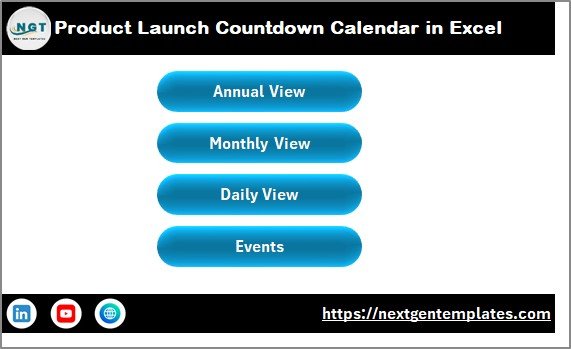 Product Launch Countdown Calendar in Excel
Annual View Sheet Tab
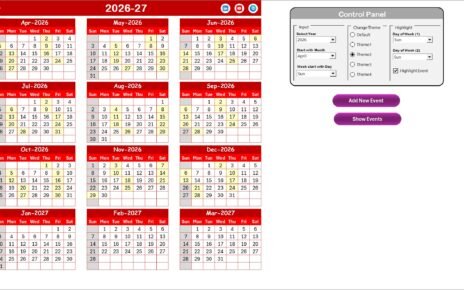
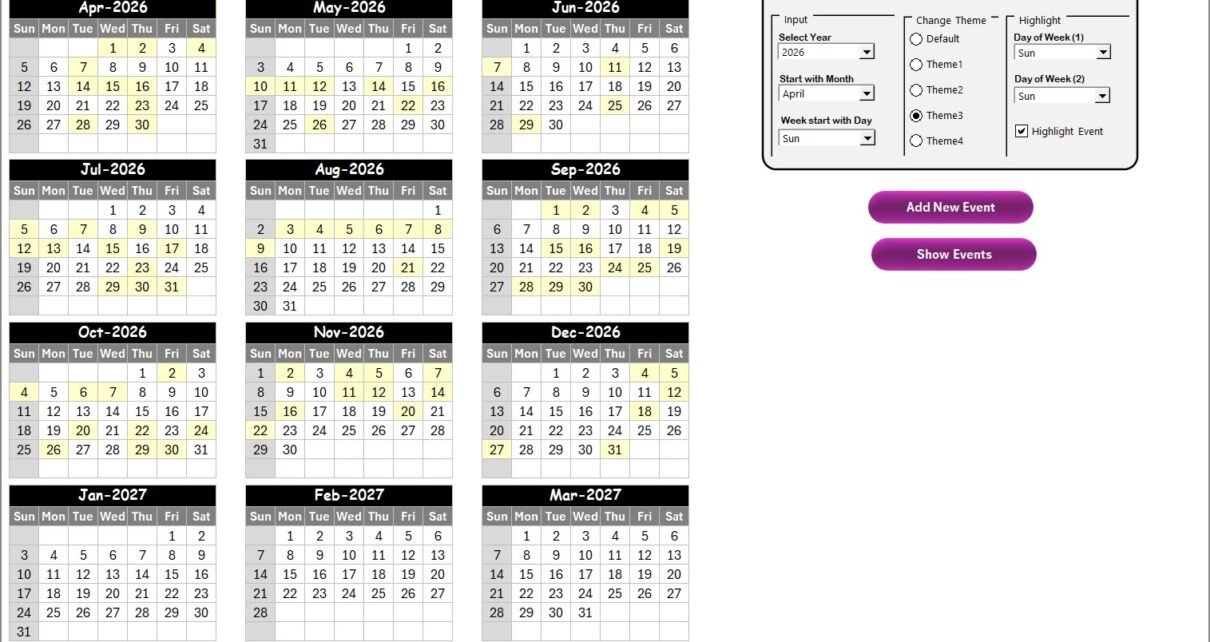
This sheet displays a full-year calendar with 12 months visible and interactive controls for customization.
- Input Group: Select the year, starting month, and starting day of the week to dynamically update the calendar.
- Change Theme Group: Choose from five color themes to personalize the workbook’s look.
- Highlight Group: Highlight specific days of the week and optionally highlight event days in yellow.
- : Add events by selecting dates directly from the calendar.
- : View events scheduled for the selected date.
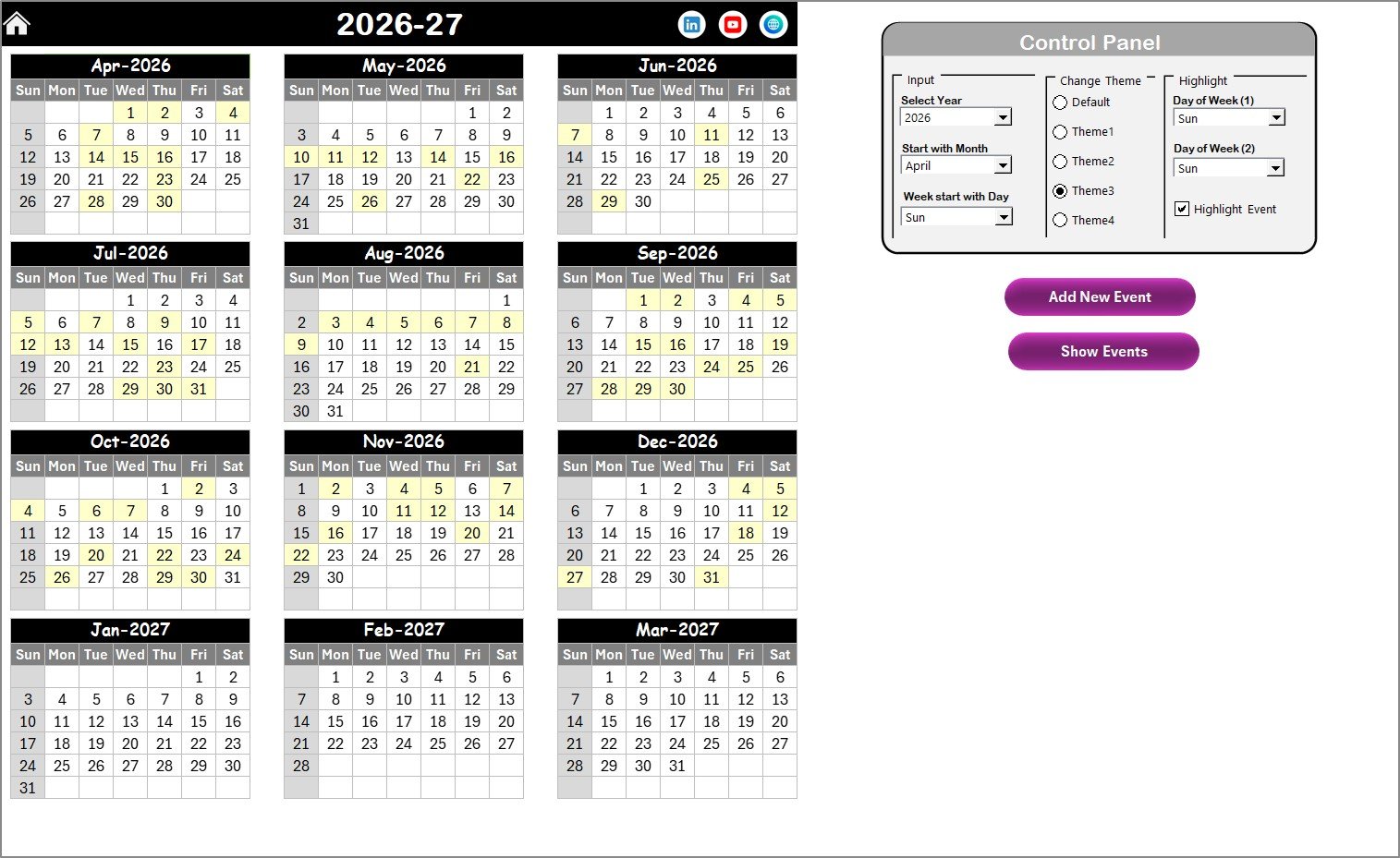 Annual View Sheet tab
Monthly View Sheet Tab
This sheet displays a single month calendar with event indicators and detailed tooltips. Users can select the month and year for customized view.
- : Quickly add new events to the selected date.
- : Review event details for any selected date.
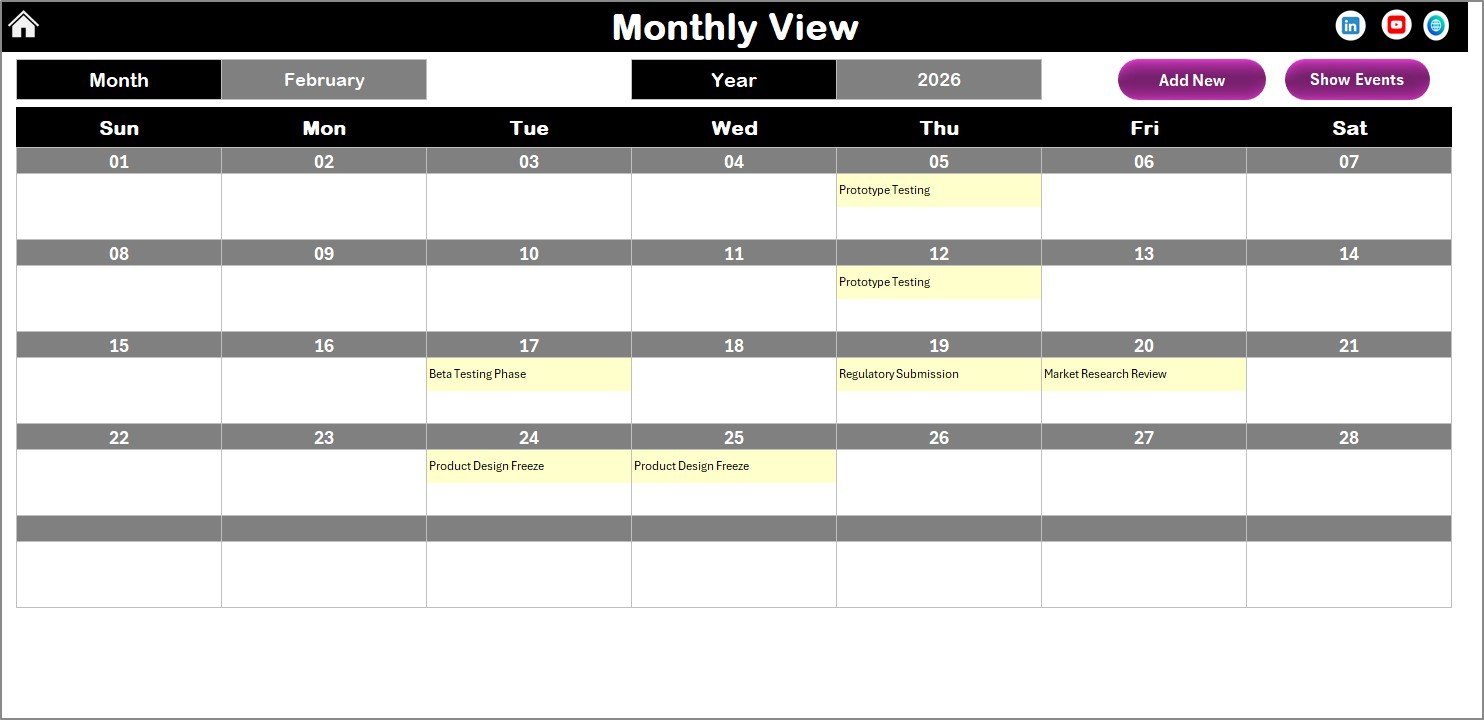 Monthly View Sheet tab
Daily View Sheet Tab
This tab provides a detailed list of events occurring within a selected date range, making it easy to focus on specific days.
- Date range selection with Start Date and End Date controls featuring calendar pickers.
- : Updates the list to show the latest event data within the selected range.
- : Opens a form to add detailed event information.
 Daily View Sheet tab
Events Sheet Tab
The database backbone of the calendar. Stores all event details for quick access and management.
- ID: Auto-generated event number.
- Date: Date of the event.
- Day: Day of the week (Sunday, Monday, etc.).
- Event Name: Name of the event.
- Time: Scheduled time for the event.
- Location: Venue or place of the event.
- Description: Brief summary or details of the event.
- Buttons to Add New Record, Update Existing Record by ID, and Delete a Record.
 Events Sheet tab
Advantages of Product Launch Countdown Calendar in Excel
- Centralized Planning: Consolidate all launch-related activities and events in one interactive workbook.
- Ease of Use: Intuitive design with control panels and navigation buttons for efficient workflow.
- Customization: Flexible yearly, monthly, and daily calendar views with theme selection.
- Event Management: Quickly add, update, or remove events across all views and maintain a detailed events database.
- Enhanced Visibility: Highlight weekends, events, and special dates to stay focused on critical launch milestones.
Opportunities for Improvement
- Integrate automated notifications or reminders for upcoming events to improve tracking.
- Enable synchronization with Outlook or Google Calendar for enhanced event visibility.
- Include reporting features to analyze event history and launch progress over time.
- Develop mobile-friendly versions for on-the-go access and updates.
- Implement collaboration features allowing multiple users to edit and update the calendar simultaneously.
Best Practices
- Regularly update the events database to ensure the calendar reflects the latest launch plans.
- Leverage the theme and highlight options to visually distinguish key dates and deadlines.
- Use the daily view for detailed event reviews and planning adjustments.
- Backup your workbook frequently to prevent loss of critical launch data.
- Train your team on navigation and event management buttons to streamline usage.
FAQs
Can this calendar be used for multiple product launches?
Yes, by adding distinct event names and using the description field, you can manage multiple launches within the same calendar.
Is prior Excel experience required to use this template?
The template is designed to be user-friendly and requires only basic Excel knowledge to navigate and update events.
Can I customize the themes beyond the five provided?
The workbook currently allows theme selection within five predefined options, but you can manually customize colors if comfortable editing Excel styles.
How do I add a new event?
Select the desired date in any calendar view and click the ‘Add New Event’ button. Fill in the event details in the popup form and submit.
Is it possible to export events data?
You can copy or export data from the Events sheet manually. Automated export options are not included but can be added with VBA scripting.
Conclusion
The Product Launch Countdown Calendar in Excel is a powerful tool to simplify and organize your launch schedules. Its multi-view layout, intuitive controls, and detailed event management capabilities will keep your team aligned and focused. Whether you plan annually, monthly, or daily, this Excel template ensures every step of your product launch is tracked efficiently.
For additional Microsoft Excel calendar resources, visit the official Microsoft Excel support page.
Visit our YouTube channel to watch the demo.