Every organization wants to handle risks in a smart way. However, many teams struggle because they do not have a structured approach to prepare, track, and manage risk-related activities. A simple Excel checklist solves this problem. It keeps everything organized, improves visibility, and helps teams follow the correct process at the correct time.
A Risk Management Preparation Guide Checklist in Excel gives you a clear roadmap for your preparation activities. It helps you stay consistent with your process, ensures that you do not miss any step, and brings more control to your risk assessment cycle. Moreover, Excel makes it easy for anyone to use, even without technical skills.
In this article, you will understand what a Risk Management Preparation Guide Checklist is, how the Excel template works, what features it offers, and how you can use it to strengthen your risk management process. You will also explore its benefits, best practices, and frequently asked questions.
Click to buy Risk Management Preparation Guide Checklist in Excel
What Is a Risk Management Preparation Guide Checklist in Excel?
A Risk Management Preparation Guide Checklist in Excel is a ready-to-use tool that helps you list, track, and manage all the preparation activities required before starting a risk management or internal audit process. It works like a step-by-step guide that supports teams in completing the essential tasks on time.
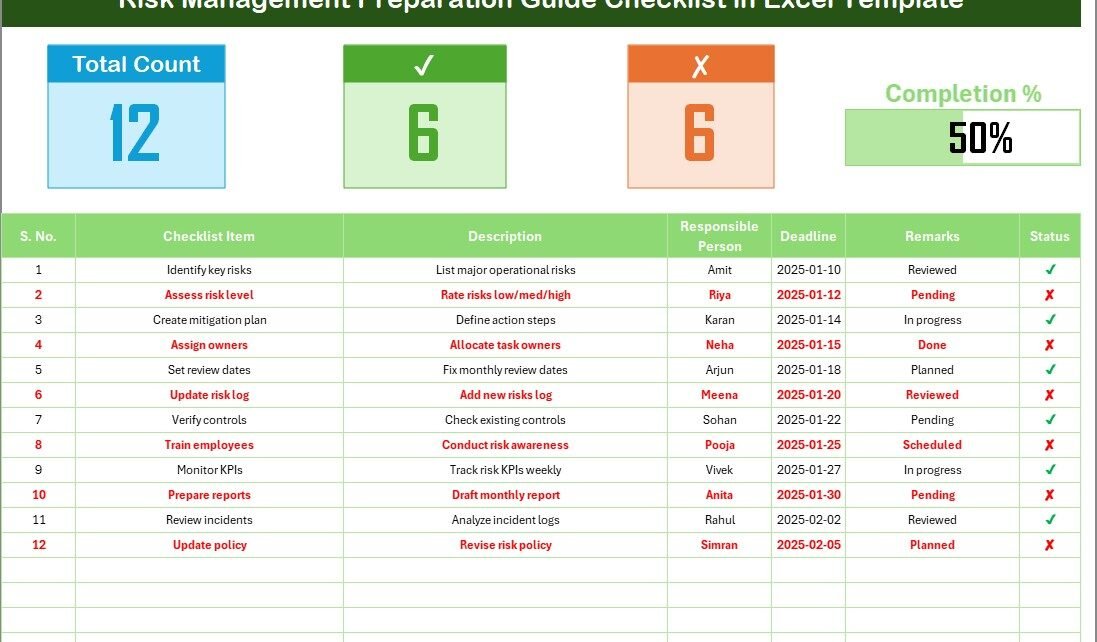
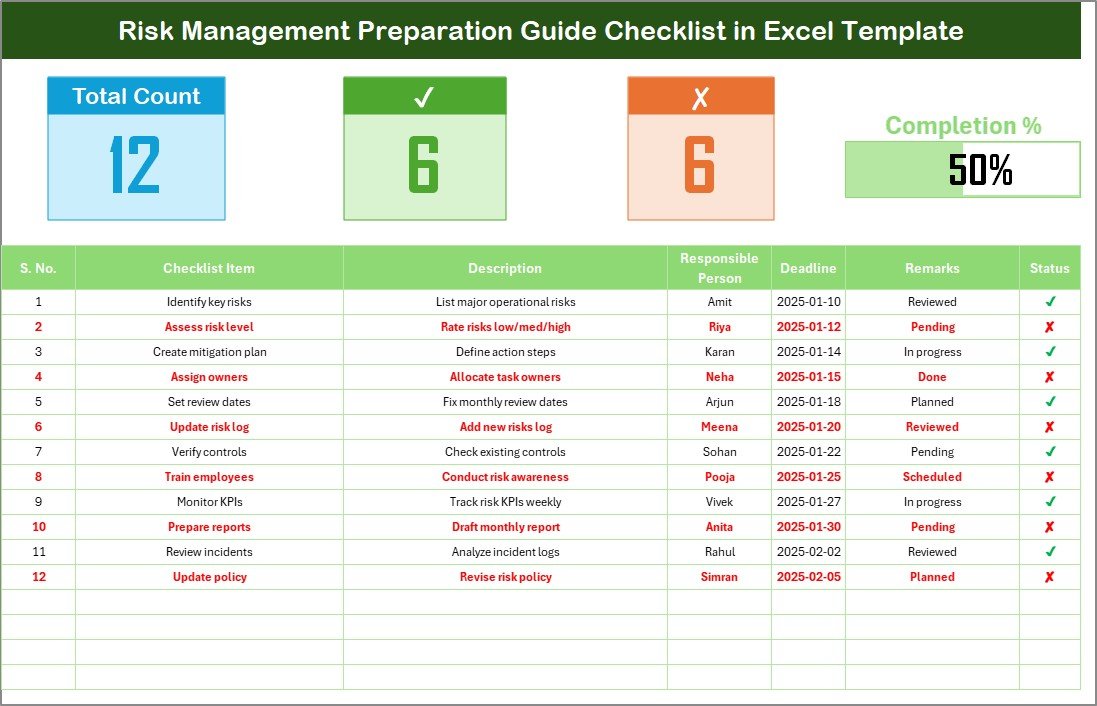
This Excel template includes a clean layout, simple navigation, dynamic drop-downs, progress tracking, and checkboxes. You can assign tasks to team members, set deadlines, write remarks, and monitor the progress through visual indicators such as cards and progress bars. Because of these features, the checklist becomes more than a table—it becomes a complete workflow tool.
Teams in all industries can use this checklist, such as:
- Finance and Banking
- Manufacturing
- Healthcare
- Education
- Retail
- IT and Software
- Government and Public Sector
You can customize the checklist for internal audits, operational risk checks, compliance audits, safety checks, vendor assessments, or departmental preparation tasks.
Why Do You Need a Risk Management Preparation Checklist?
A structured checklist helps you work more efficiently. Many organizations make the mistake of relying on memory or emails to track task status. This causes missed deadlines, miscommunication, and unnecessary delays. A checklist solves these issues.
You need a risk management preparation checklist because it:
- Keeps your tasks clearly organized
- Improves visibility across the team
- Helps you assign responsibilities
- Ensures timely completion
- Supports compliance and reporting
- Reduces duplication of work
- Creates accountability
- Enhances the overall quality of your risk management cycle
When you prepare well, you reduce the chance of errors during your risk assessment and audit stages. You also work with confidence because everything is planned, tracked, and documented.
How Does the Risk Management Preparation Guide Checklist in Excel Work?
The template includes two worksheets:
- Main Checklist Sheet
- List Sheet (to create drop-downs)
- Main Checklist Sheet Overview
The main sheet is the heart of the template. This is where you enter and update checklist items, assign responsibilities, track deadlines, and mark completion status.
The sheet has the following sections:
Top Section: Dashboard Cards and Progress Bar
The top area shows three performance indicators:
- Total Count – Total number of checklist items
- Completed Count – Number of tasks marked as done
- Pending Count – Number of items still open
You also get a progress bar that updates automatically when you check or uncheck an item. This gives you a quick visual understanding of how much work remains.
These elements act like a mini dashboard inside Excel. They help you stay on track and encourage timely completion.
Click to buy Risk Management Preparation Guide Checklist in Excel
List Sheet Tab (Drop-down List Setup)
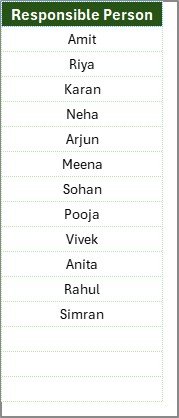
The second sheet contains a unique list of Responsible Persons. This list helps you create a drop-down menu in the main sheet. It reduces spelling mistakes and keeps the names clean and consistent.
You can update the list anytime. When you add a new name, the drop-down updates automatically. This makes the file flexible and easy to manage for all team sizes.
Click to buy Risk Management Preparation Guide Checklist in Excel
What Should You Include in a Risk Management Preparation Checklist?
To make your checklist complete, you should include tasks from different areas of preparation. Below are some task categories you may include:
Documentation Review
- Review previous year’s risk register
- Check policies and procedures
- Review audit findings
- Collect regulatory guidelines
Team Preparation
- Assign roles
- Plan task deadlines
- Share responsibilities
- Inform stakeholders
Data Collection
- Gather department data
- Collect performance metrics
- Verify source information
- Identify high-risk areas
Process Checks
- Review operational workflows
- Check compliance requirements
- Validate SOPs
- Identify control gaps
Pre-Assessment Work
- Schedule meetings
- Conduct walkthroughs
- Collect supporting documents
- Prepare questionnaires
You can add, remove, or update tasks depending on your organization’s needs.
Advantages of a Risk Management Preparation Guide Checklist in Excel
When you use a structured checklist, you gain several powerful advantages. These benefits help you improve your preparation phase and create a stronger foundation for your risk assessment.
- Improves Clarity and Organization
The Excel checklist brings structure to your planning process. You see every task in one place. This makes it easier to prioritize tasks and complete them on time.
- Ensures Accountability
Each task includes a responsible person. This brings transparency and improves ownership. Team members understand their responsibilities clearly.
- Simplifies Tracking and Monitoring
The progress bar and status indicators make tracking easier. You get a clear view of what is done, what is pending, and what needs urgent attention.
- Reduces Errors and Missed Steps
A checklist minimizes the chances of overlooking important steps. It ensures consistency across the team and supports a standardized preparation process.
- Saves Time and Effort
Because everything is documented, you stop wasting time searching emails or asking for updates. The checklist becomes your single source of truth.
- Easy to Customize
You can add more tasks, change fields, update deadlines, and adjust layouts anytime. Excel offers full freedom to customize the template.
How to Use the Risk Management Preparation Guide Checklist Effectively?
To get maximum value from this checklist, follow a simple and structured approach.
- Step 1: List All Tasks
- Start by listing every preparation task. Keep the descriptions short but clear. Make sure you cover all steps in your preparation cycle.
- Step 2: Assign Roles
Use the drop-down list to assign each task to the correct team member. Make sure every task has one clear owner.
- Step 3: Set Realistic Deadlines
- Enter planned dates based on workload and priority. Use a timeline that supports timely preparation.
- Step 4: Update Status Daily
- Mark ✔ for completed tasks and ✘ for pending ones. Updating status daily helps you maintain accurate progress tracking.
- Step 5: Review the Progress Bar
- Use the progress bar to monitor completion rate. It helps you evaluate how well you are progressing and where you need more focus.
- Step 6: Add Remarks for Follow-up Items
- Use the remarks column to record observations, pending actions, or discussion points. This keeps your file updated and ready for meetings.
Best Practices for the Risk Management Preparation Guide Checklist in Excel
You can improve your preparation process when you follow these best practices:
- Keep Checklist Items Short and Clear
Write checklist items in simple language. Avoid long sentences. Your team should understand each task immediately.
- Review and Update the Checklist Regularly
A checklist should evolve with your organization. Update it when processes change or new requirements arrive.
- Use Consistent Responsible Person Names
Use the drop-down to avoid spelling mistakes. This ensures clean data and better filtering.
- Use Color Coding for Better Clarity
Use colors to highlight urgent deadlines, overdue tasks, or important items. It helps you focus on priority tasks.
- Conduct Weekly Review Meetings
Review the checklist with your team at least once a week. Discuss progress, challenges, and upcoming tasks.
- Keep the File Simple
Avoid unnecessary formulas or complex layouts. Simple checklists work better for daily use.
Common Mistakes to Avoid When Using a Risk Management Checklist
Even good tools fail when used incorrectly. Avoid these mistakes:
- Updating status late
- Assigning unclear responsibilities
- Not reviewing deadlines
- Adding confusing descriptions
- Ignoring remarks
- Missing weekly reviews
- Overloading the checklist with too many tasks
Avoiding these mistakes helps you maintain the quality of your preparation process.
Conclusion
A Risk Management Preparation Guide Checklist in Excel acts as your preparation partner. It keeps your tasks organized, supports teamwork, and improves accountability. Moreover, it offers complete control over your preparation activities. You can assign tasks, set deadlines, track progress, and review performance in a simple and visual way.
When you use this template with discipline, you strengthen your risk management process and reduce the chances of errors. You also complete your tasks on time because you follow a consistent structure. Excel makes everything easy to customize, so you can adjust the checklist based on your industry, department, or audit requirements.
With the right preparation checklist, your risk management cycle becomes smoother, faster, and more reliable.
Frequently Asked Questions (FAQs)
- What is the purpose of a Risk Management Preparation Guide Checklist?
The checklist helps you organize preparation tasks, assign responsibilities, and track progress. It supports accuracy and timely completion.
- Who can use this Excel checklist?
Teams from any industry can use it, including finance, healthcare, manufacturing, education, retail, and IT.
- Can I customize the checklist?
Yes, you can add more rows, change columns, update fields, or modify layout based on your requirements.
- Does the progress bar update automatically?
Yes, the progress bar updates when you change the status to ✔ or ✘.
- Can I add more responsible persons?
Yes, you can add more names in the List sheet. The drop-down list updates automatically.
- What type of tasks should I include in the checklist?
Include tasks related to documentation, team preparation, data collection, workflow review, and pre-assessment steps.
- Is Excel the best tool for this?
Yes, Excel is easy to use, easy to customize, and familiar to most users. It is perfect for checklists.
Visit our YouTube channel to learn step-by-step video tutorials
Watch the step-by-step video tutorial:
Click to buy Risk Management Preparation Guide Checklist in Excel