Running a small business is exciting. However, managing finances can quickly become overwhelming. Many business owners struggle to track revenue, expenses, and profits effectively. As a result, they often miss important insights that could help them grow.Small Business Profit and Loss Template in Excel
So, how can you track your business performance, control costs, and improve profitability—all in one place?Small Business Profit and Loss Template in Excel
Small Business Profit and Loss Template in Excel.
What is a Small Business P&L Template in Excel?
A Profit and Loss (P&L) Template in Excel is a ready-to-use financial tool that helps businesses track income, expenses, and profitability over time.Small Business Profit and Loss Template in Excel
Instead of manually calculating numbers, this template allows you to:
- 💰 Track total revenue and income sources
- 📉 Monitor expenses and costs
- 📊 Calculate gross profit, EBITDA, and net income
- 📅 Analyze 12-month financial performance
- 📈 Compare budget vs actual performance
Therefore, you gain complete control over your business finances.
Why Do Small Businesses Need a P&L Template?
Click to Buy Small Business Profit and Loss Template in Excel
Many small businesses fail not because of poor sales, but because of poor financial tracking.
However, with a structured P&L template:
- You understand your financial health clearly
- You make smarter business decisions
- You avoid unnecessary expenses
- You plan future growth effectively
As a result, your business becomes more stable and profitable.
Key Features of Small Business Profit and Loss Template
This professional Excel template comes with multiple powerful features that simplify financial tracking.
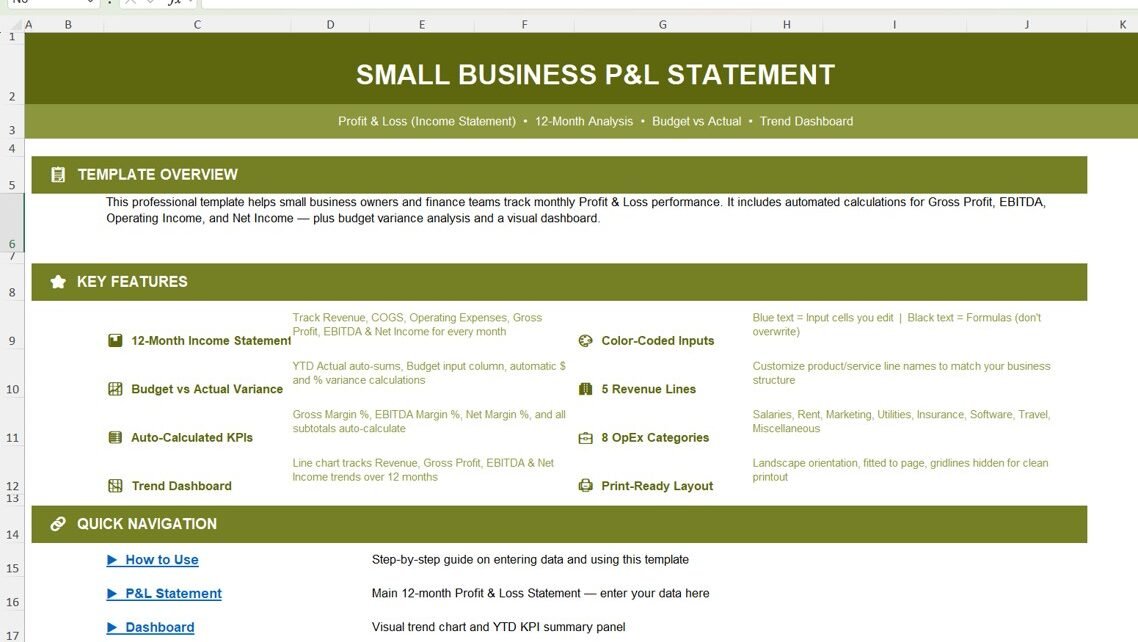
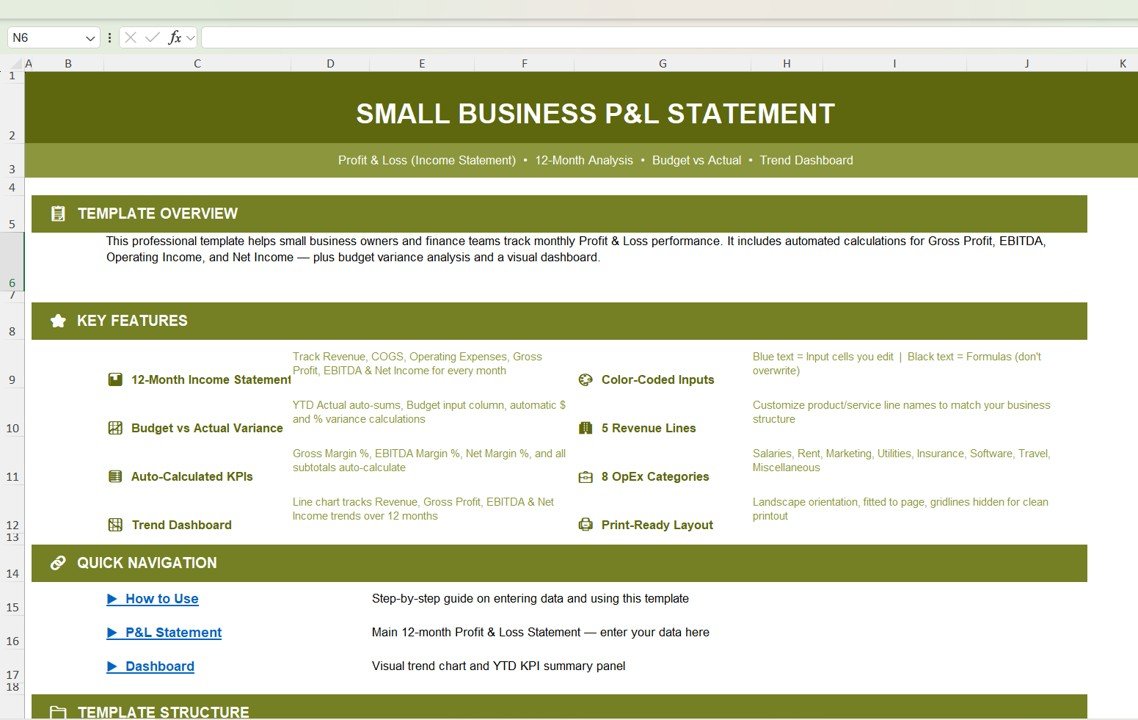
1. Template Overview – Understand Everything at a Glance
This template provides a complete overview of your financial performance. It includes:
- Automated calculations for profit metrics
- Budget vs actual comparison
- Visual dashboard for trend analysis
Click to Buy Small Business Profit and Loss Template in Excel
2. 12-Month Income Statement
This feature helps you track financial data across the entire year.
Key Components:
- Monthly revenue tracking
- Cost of Goods Sold (COGS)
- Operating expenses
- Gross profit and net income4
3. Budget vs Actual Analysis
This feature allows you to compare planned vs actual performance.
- 📈 Identify profit gaps
- 📉 Track overspending
- 🎯 Improve budgeting accuracy
-
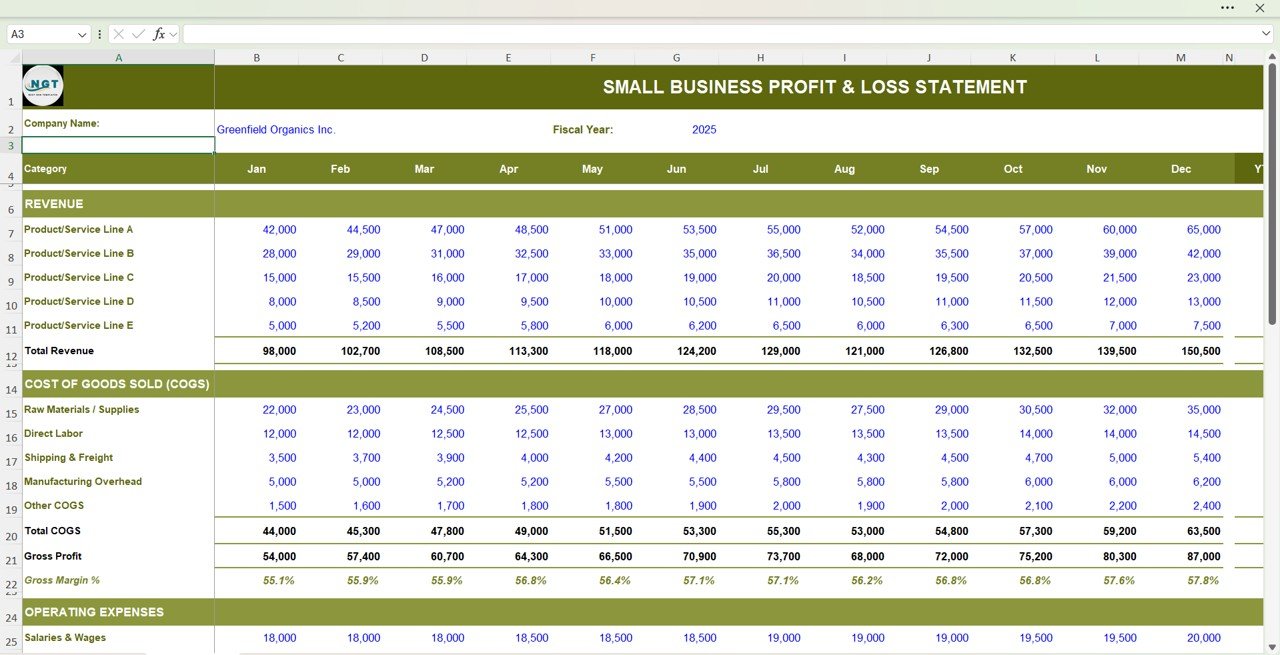
Month Income Statement - Click to Buy Small Business Profit and Loss Template in Excel
4. Auto-Calculated KPIs
The template automatically calculates important financial metrics:
- Gross Profit
- EBITDA
- Operating Income
- Net Income
- Profit Margins
5. Interactive Trend Dashboard
The dashboard provides visual insights into your financial performance.
- Revenue trends
- Profit trends
- Expense trends
- KPI summaries
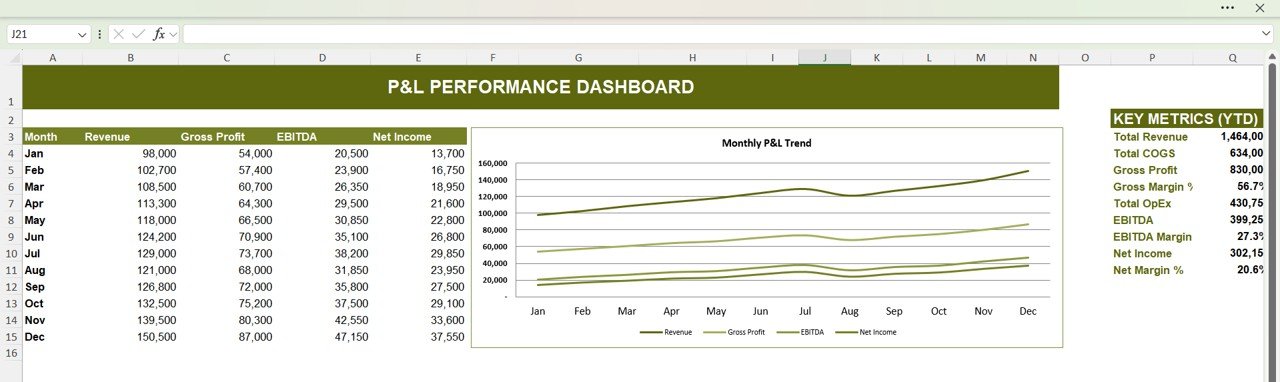
Click to Buy Small Business Profit and Loss Template in Excel
6. User-Friendly Design
This template is designed for ease of use:
- Blue cells = Input fields
- Black cells = Auto-calculated formulas
- Clean layout for better readability
- Print-ready format
How Does This Template Help Your Business?
Click to Buy Small Business Profit and Loss Template in Excel
This template does more than just track numbers. It helps you grow.
Because:
- You gain financial clarity
- You identify profit opportunities
- You control business costs
- You improve decision-making
As a result, your business becomes more efficient and scalable.
Click to Buy Small Business Profit and Loss Template in Excel
Advantages of Small Business P&L Template in Excel
Using this template offers several benefits:
🎯 Better Financial Control
- You track income and expenses easily
- You reduce financial confusion
💰 Improved Profitability
- You identify high-performing areas
- You optimize cost management
📊 Clear Data Visualization
- You understand trends quickly
- You make faster decisions
📉 Error Reduction
- Automated calculations reduce mistakes
- You avoid manual errors
📈 Business Growth Support
- You plan strategies effectively
- You scale your operations
How to Use the P&L Template?
Click to Buy Small Business Profit and Loss Template in Excel
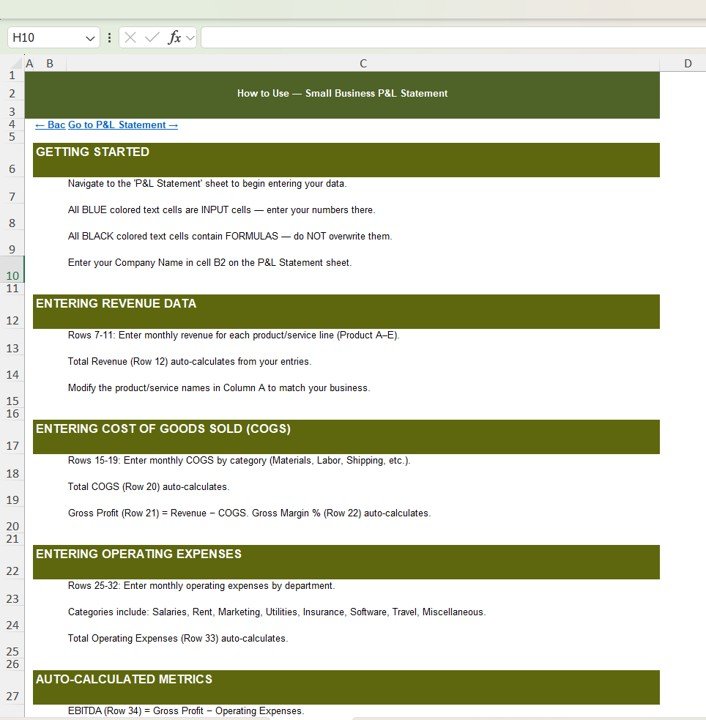
Using this template is simple and straightforward.
Step-by-Step Guide:
- Enter your company details
- Input monthly revenue data
- Add COGS and expenses
- Let formulas calculate results
- Analyze dashboard insights
Best Practices for the Small Business P&L Template
To get the best results, follow these best practices:
📌 Update Data Regularly
- Enter data monthly
- Keep records up to date
📊 Focus on Key Metrics
- Track profit margins
- Monitor expenses closely
🎯 Customize Categories
- Adjust revenue and expense categories
- Match your business needs
📈 Analyze Trends
- Review monthly performance
- Identify growth patterns
🔄 Use Budget Comparisons
- Compare planned vs actual
- Improve financial planning
Conclusion
Click to Buy Small Business Profit and Loss Template in Excel
The Small Business Profit and Loss Template in Excel is a must-have tool for anyone who wants to manage finances effectively.
Moreover, it simplifies complex financial data into clear insights. As a result, you can track performance, control costs, and improve profitability.
So, if you want to take control of your business finances, this template is the perfect solution.
Visit our YouTube channel to learn step-by-step video tutorials
Youtube.com/@NeotechNavigators
Click to Buy Small Business Profit and Loss Template in Excel