In today’s fast-moving world, every business wants better planning, better execution, and better sustainability practices. Companies want to organize technology events, marketing campaigns, and sustainability activities in a simple and structured way. However, many teams struggle when they try to manage all three areas together. Multiple spreadsheets, scattered notes, and last-minute decisions create confusion and slow down progress.
A Technology Marketing Sustainability Calendar in Excel solves these problems instantly. It brings all events into one powerful and easy-to-use template. It helps you plan annual, monthly, and daily activities without stress. You manage tasks, events, and sustainability actions with one tool and keep every team aligned from start to finish.
This blog post explains everything about this calendar, its powerful features, why teams need it, and how you can use it to improve your planning process.
Click to buy Technology Marketing Sustainability Calendar in Excel
What Is a Technology Marketing Sustainability Calendar in Excel?
A Technology Marketing Sustainability Calendar in Excel is a ready-to-use event planning tool. It organizes technology activities, marketing events, and sustainability actions throughout the year. You can track deadlines, meetings, campaigns, training programs, audits, reviews, and special sustainability days with ease.
Since the template uses Excel, you do not need any advanced software. You can customize it, filter events, highlight important days, and plan your schedule with complete flexibility. Moreover, it provides multiple views so you can check annual, monthly, or daily plans within seconds.
Why Do Teams Need This Calendar?
Modern organizations run hundreds of tasks every year. Departments like technology, marketing, and sustainability face constant pressure to complete activities on time. But when the information stays scattered, teams miss events and struggle to track progress.
This calendar helps teams because:
- It organizes the full year in one place
- It reduces confusion and last-minute planning
- It improves communication
- It helps all departments stay aligned
- It supports better reporting
Since the template is simple and interactive, teams manage their entire workflow easily. As a result, productivity increases and errors decrease.
Key Features of the Technology Marketing Sustainability Calendar in Excel
This Excel template contains five powerful worksheets, each designed to help you plan and manage your yearly schedule in the best way.
Let’s explore each sheet in detail.
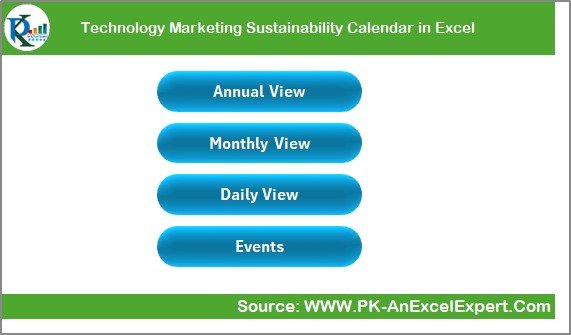
Home Sheet: The Central Navigation Hub
The Home sheet works like an index page. It helps you move to any part of the calendar with just one click. At the top, you see four important navigation buttons:
- Annual View
- Monthly View
- Daily View
- Events
When you click any button, Excel instantly takes you to the respective sheet. Because of this, you save a lot of time and manage your workflow without scrolling through multiple pages.
The design is clean and easy to use. You understand the structure immediately and move through the calendar with complete comfort.
Click to buy Technology Marketing Sustainability Calendar in Excel
Annual View Sheet: See the Entire Year in One Page
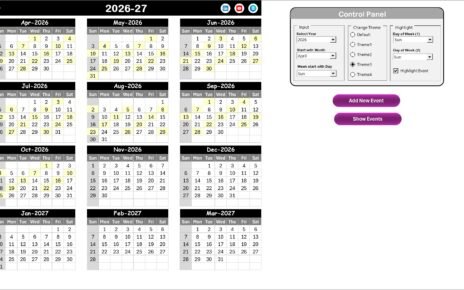
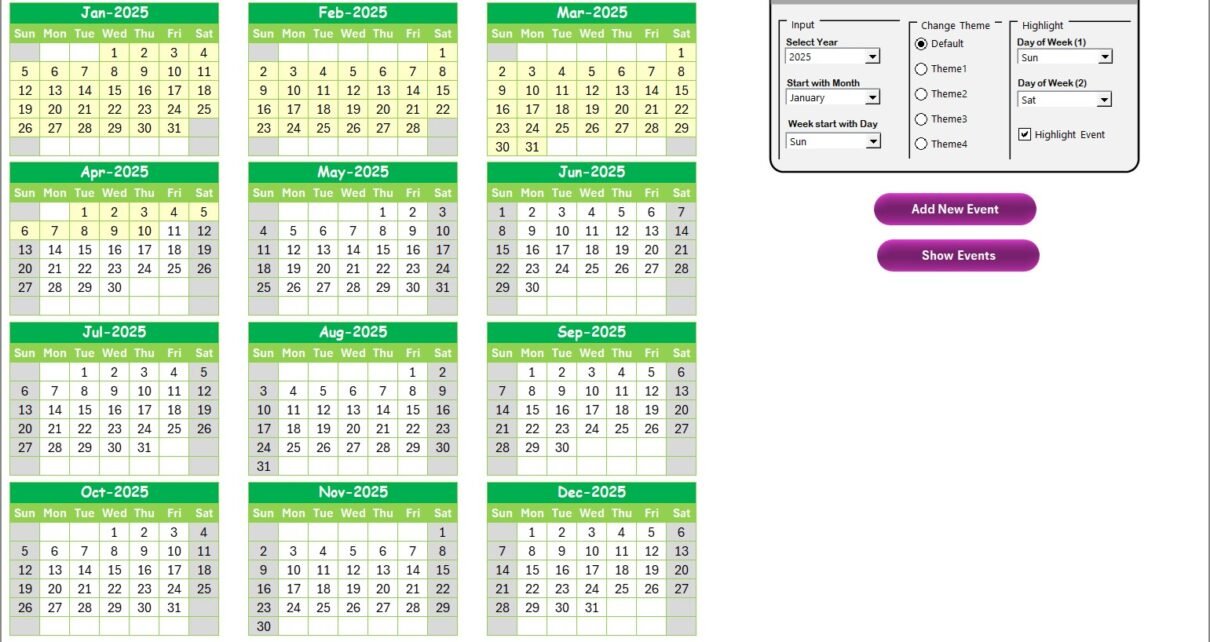
The Annual View sheet displays all 12 months on one single screen. This layout gives you a bird’s-eye view of your entire yearly schedule. You can see important days, special events, and deadlines in a clear and organized format.
This sheet includes:
A Smart Control Panel
The control panel contains three useful groups:
- a) Input Group
This group allows you to:
- Select the year
- Change the starting month of the calendar
- Adjust the starting day of the week
You can switch between different years and see the calendar update automatically.
- b) Change Theme Group
You can choose from five color themes. When you pick a theme, the entire workbook updates with the new color. Because of this, you can keep your calendar visually appealing and easy to read.
- c) Highlight Group
This feature helps you highlight weekends or special days. For example:
- Highlight Saturday and Sunday
- Highlight event days in yellow
- Mark important working days
You simply choose the day of the week from the drop-down list, and Excel highlights it instantly.
Add New Event Button
You can select any date on the calendar and click this button. It opens an Add Event Form, where you enter:
- Event name
- Date
- Time
- Location
- Description
After clicking Submit, the event gets added to the database.
Show Event Button
When you want to check the events on a specific date, this button displays the complete list instantly.

Click to buy Technology Marketing Sustainability Calendar in Excel
Monthly View Sheet: Focus on One Month at a Time
The Monthly View sheet shows a single-month calendar that updates based on your selection.
At the top of the page, you can pick:
- Month
- Year
The calendar changes instantly and shows the events for that specific month.
Highlighted Event Rules
- If a date has only one event, it displays the event name.
- If a date has multiple events, it shows:
“More than 1…”
This keeps the layout clean and readable even when the month has many scheduled activities.
Buttons on the Monthly View Page
Just like the annual view, you get two buttons:
- Add New Event
- Show Event
These buttons make it easy to manage and check events for any selected month.

Click to buy Technology Marketing Sustainability Calendar in Excel
Daily View Sheet: Detailed View of Selected Date Range
The Daily View sheet gives you complete details of events within a selected date range. You can filter events by choosing:
- Start Date
- End Date
After selecting the dates, click Refresh. Then Excel displays all the events between those two dates.
This view helps you when:
- You want to check events for a week
- You want to review activities for a project timeline
- You want to plan a campaign or sustainability drive
- You want a daily task breakdown
You also get an Add New Event button on this sheet. It opens the same form and allows you to enter new event details instantly.

Events Sheet: The Complete Event Database
The Events sheet stores all events in a neat tabular format. Each event contains:
- ID: Auto-generated unique number
- Date
- Day
- Event Name
- Time
- Location
- Description
This sheet works as the master data for the full calendar.
Buttons on the Events Sheet
At the top, you get:
- Add New Record
- Update Existing Record
- Delete Record
How They Help
- Add new events easily
- Edit any record by selecting its ID
- Delete unwanted events with one click
This database makes the entire calendar dynamic and easy to manage.

How This Calendar Helps Technology, Marketing & Sustainability Teams
This Excel calendar supports three major business functions:
Technology, Marketing, and Sustainability.
Let’s understand how each team benefits:
Technology Teams
Technology departments work on:
- Software releases
- System upgrades
- Maintenance activities
- Cybersecurity tasks
- Infrastructure planning
The calendar helps them schedule everything on time.
Marketing Teams
Marketing teams plan:
- Product campaigns
- Content releases
- Webinars
- Social media events
- Training sessions
The calendar helps them track deadlines and coordinate with other departments.
Sustainability Teams
Sustainability teams manage:
- Environmental audits
- Energy-saving events
- Training programs
- Awareness drives
- CSR activities
This calendar helps them plan all sustainability initiatives clearly.
Advantages of Using a Technology Marketing Sustainability Calendar
Using this calendar gives you many strong advantages:
- Better Planning
You plan activities early, avoid confusion, and stay consistent.
- Improved Team Coordination
Everyone follows the same structure, so collaboration becomes smooth.
- Clear Visual Layout
The annual, monthly, and daily views help you understand your schedule instantly.
- Reduced Errors
Since you track everything in one place, mistakes reduce automatically.
- Faster Event Management
The event form makes adding or updating events quick and easy.
- Strong Sustainability Tracking
You track all eco-friendly activities and maintain compliance easily.
- Complete Customization
Because it is Excel-based, you can modify everything according to your needs.
Best Practices for Using the Technology Marketing Sustainability Calendar
To get the best results, follow these practices:
- Update Events Regularly
Keep your calendar updated every week so nothing gets missed.
- Use Clear and Short Event Names
Short titles make the monthly and daily views clean and readable.
- Add Descriptions for Important Events
This helps teams understand the purpose of each event quickly.
- Use Color Themes for Better Visibility
Choose a theme that matches your workflow and improves readability.
- Highlight Weekends or Key Dates
Highlighting important days helps teams plan their workload better.
- Review Daily View for Upcoming Week
Check the daily view every Monday to stay prepared for the week ahead.
- Backup the Workbook Frequently
Maintain a weekly backup to avoid data loss.
- Train All Team Members
Give a short training session so everyone uses the template correctly.
Conclusion
A Technology Marketing Sustainability Calendar in Excel is a powerful planning tool that keeps your entire year organized. You control your schedule, view detailed event information, manage sustainability actions, and plan technology and marketing activities without stress. Because the tool is simple, customizable, and designed for real business needs, teams stay productive and deliver consistent results.
This calendar saves time, reduces confusion, and supports smart decision-making. Whether you handle technology workflows, run marketing campaigns, or manage sustainability projects, this Excel template helps you stay ahead with confidence.
Frequently Asked Questions (FAQs)
- Who should use the Technology Marketing Sustainability Calendar in Excel?
Technology teams, marketing teams, sustainability managers, project coordinators, and business planners should use this calendar.
- Can I customize the calendar?
Yes, you can change themes, update layouts, modify events, and add new fields according to your requirements.
- Does the calendar work for large organizations?
Yes, it works for all business sizes. Large teams benefit even more because it improves coordination.
- Can I track sustainability tasks with this calendar?
Yes, you can schedule sustainability events, audits, training programs, and awareness activities easily.
- Can I add unlimited events?
Yes, the Events sheet allows you to add as many events as you need.
- Do I need advanced Excel skills?
No, basic Excel knowledge is enough to use this template effectively.
Visit our YouTube channel to learn step-by-step video tutorials
Watch the step-by-step video tutorial:
Click to buy Technology Marketing Sustainability Calendar in Excel