Managing taxes can feel overwhelming, especially when you deal with multiple income sources, deductions, and tax-saving strategies. However, with the right tool, you can simplify everything and make smarter financial decisions.
So, how can you plan your taxes efficiently and reduce your tax liability?
The answer is simple — Tax Planning Worksheet Template in Excel.
In this complete guide, you will learn how this powerful Excel template helps you organize income, optimize deductions, calculate taxes, and simulate different scenarios.
What is a Tax Planning Worksheet Template in Excel?
Click to Buy Tax Planning Worksheet Template in Excel
A Tax Planning Worksheet Template in Excel is a structured and ready-to-use tool that helps individuals and professionals:
- Track income from multiple sources
- Optimize deductions
- Calculate tax liability
- Plan quarterly payments
- Analyze tax-saving strategies
Moreover, it allows you to see the complete financial picture in one place.
Why is Tax Planning Important?
Before we explore the template, let’s understand why tax planning matters.
How Does Tax Planning Help You Save Money?
Tax planning helps you:
- Reduce tax liability legally
- Utilize deductions and credits effectively
- Avoid penalties
- Improve financial planning
As a result, you can keep more of your hard-earned money.
What Does This Excel Template Include?
Click to Buy Tax Planning Worksheet Template in Excel
This template consists of multiple structured sections. Each section focuses on a specific part of tax planning.
Let’s explore each section in detail.
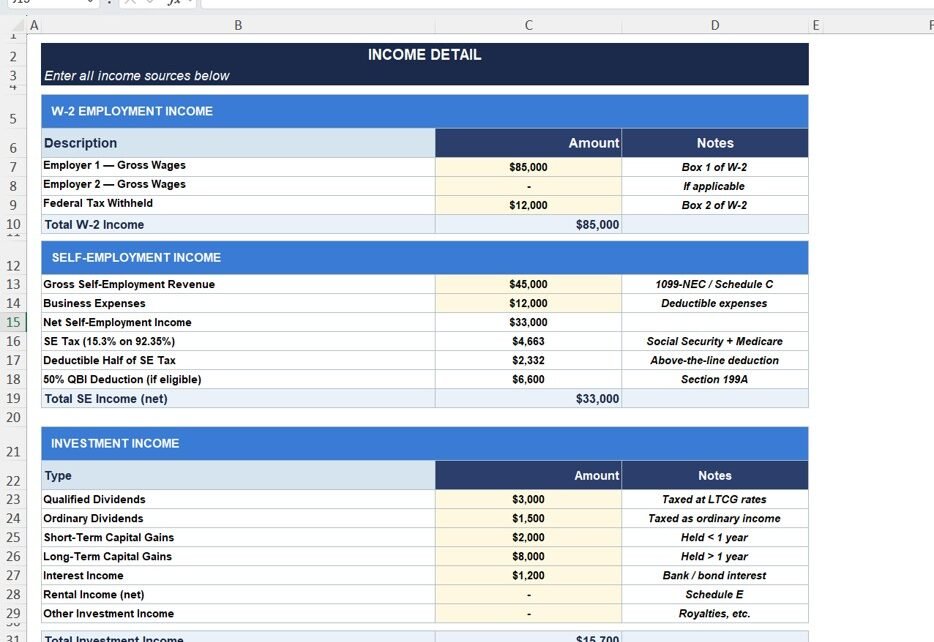
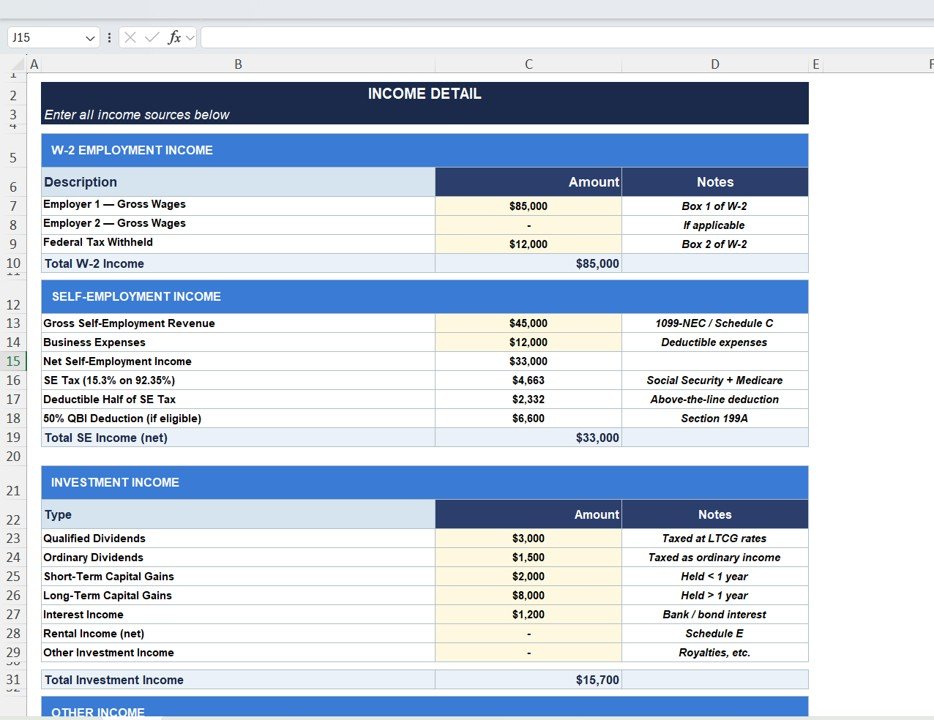
Income Detail Sheet: How Do You Track All Income Sources?
The Income Detail section captures all types of income.
Key Income Categories
💼 W-2 Employment Income
- Employer 1 Gross Wages
- Employer 2 Gross Wages
- Federal Tax Withheld
Self-Employment Income
- Gross Revenue
- Business Expenses
- Net Income
- SE Tax
- QBI Deduction
Investment Income
- Dividends
- Capital Gains (Short & Long Term)
- Interest Income
- Rental Income
Why This Section is Important?
- Consolidates all income in one place
- Improves accuracy
- Supports better tax calculations
Click to Buy Tax Planning Worksheet Template in Excel
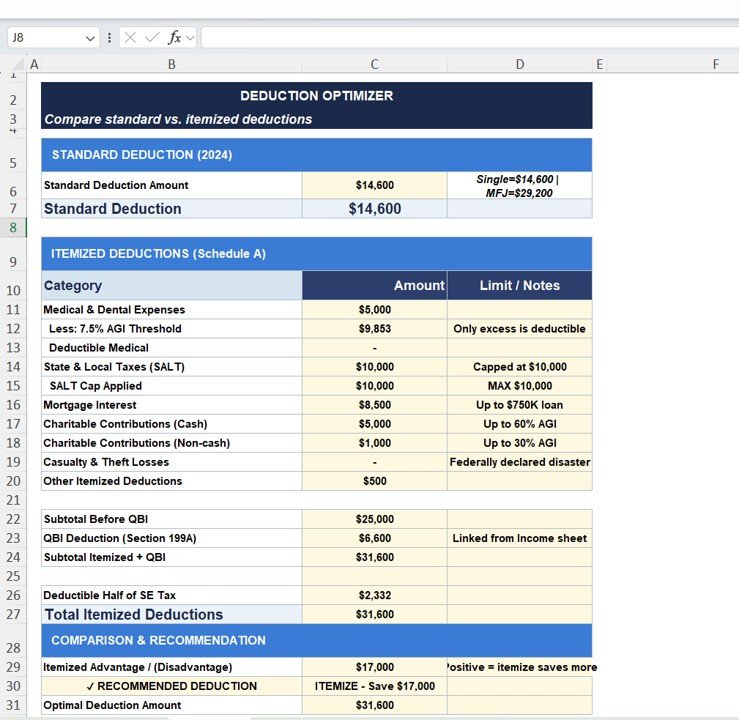
Deduction Optimizer: How Do You Maximize Savings?
The Deduction Optimizer helps you compare:
- Standard Deduction
- Itemized Deductions
Key Deduction Categories
- Medical Expenses
- SALT (State & Local Taxes)
- Mortgage Interest
- Charitable Contributions
- Other Deductions
Smart Comparison Feature
- Shows whether standard or itemized deduction is better
- Displays savings difference
Click to Buy Tax Planning Worksheet Template in Excel
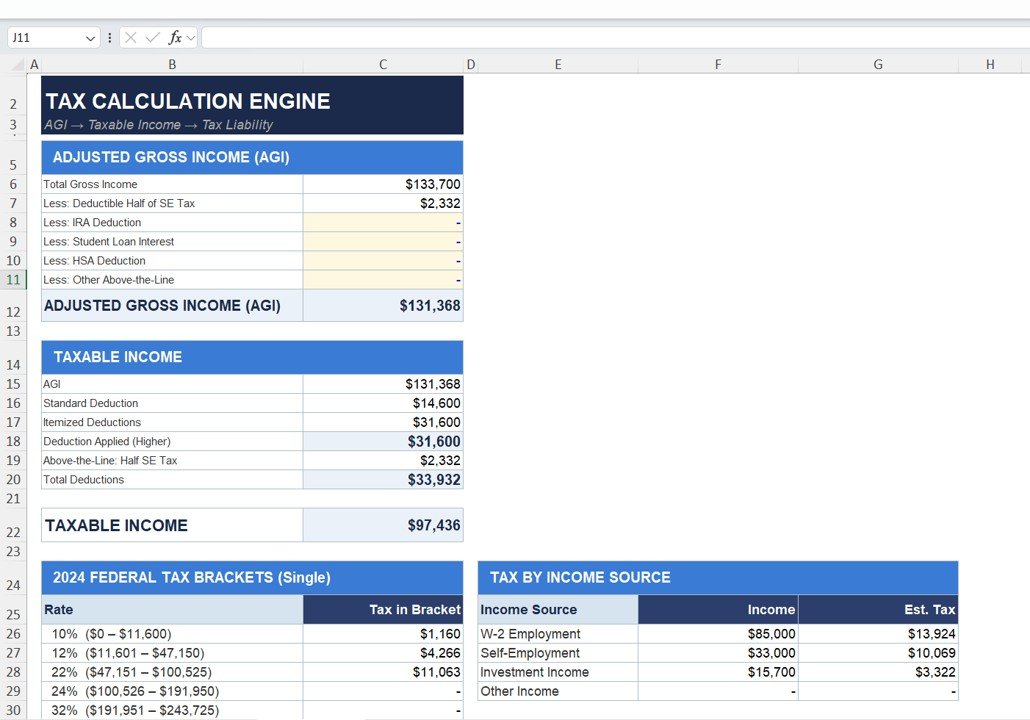
Tax Calculation Engine: How is Tax Calculated?
This section calculates your tax step by step.
Key Calculations
Adjusted Gross Income (AGI)
- Total income minus deductions
Taxable Income
- AGI minus deductions
Tax Brackets
- Applies tax rates based on income
Additional Insights
- Tax by income source
- Federal tax brackets
Click to Buy Tax Planning Worksheet Template in Excel
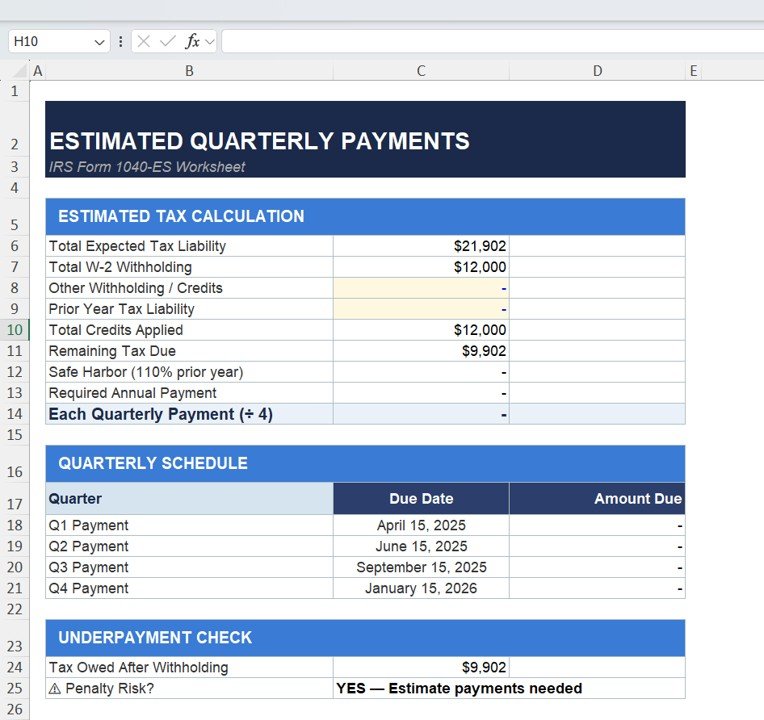
Estimated Quarterly Payments: How Do You Avoid Penalties?
This section calculates quarterly tax payments.
Key Features
- Total tax liability
- Withholding adjustments
- Remaining tax due
- Quarterly payment schedule
Why This Matters?
- Helps avoid IRS penalties
- Ensures timely payments
- Improves financial planning
Click to Buy Tax Planning Worksheet Template in Excel
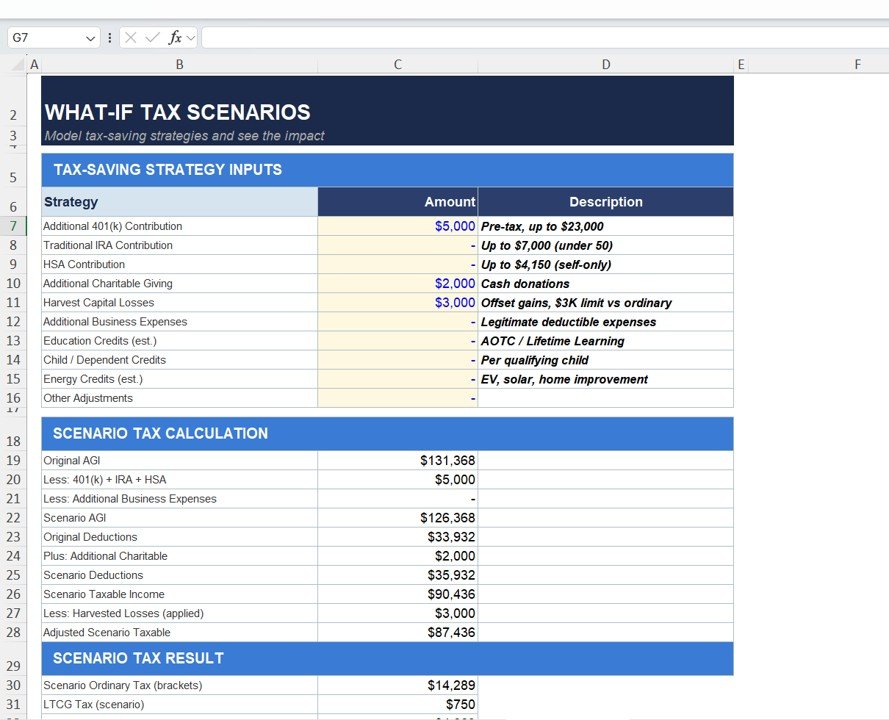
What-If Tax Scenarios: How Can You Plan Ahead?
This is one of the most powerful sections.
Tax-Saving Strategies Included
- 401(k) Contributions
- IRA Contributions
- HSA Contributions
- Charitable Donations
- Capital Loss Harvesting
- Business Expenses
Scenario Analysis
- Compare original vs adjusted tax
- Calculate savings
- Analyze impact of decisions
Click to Buy Tax Planning Worksheet Template in Excel
How Does This Template Improve Decision-Making?
Click to Buy Tax Planning Worksheet Template in Excel
This template converts complex tax data into clear insights.
Key Benefits
- Real-time calculations
- Better financial visibility
- Improved planning
- Faster decision-making
Advantages of Tax Planning Worksheet Template in Excel
Click to Buy Tax Planning Worksheet Template in Excel
🚀 Key Advantages
- All-in-One Solution → Income, deductions, and tax in one file
- Easy to Use → No advanced skills needed
- Accurate Calculations → Reduce errors
- Customizable → Adjust as per needs
- Scenario Analysis → Plan future strategies
- Cost-Effective → No expensive software required
Opportunities for Improvement in Tax Planning
Click to Buy Tax Planning Worksheet Template in Excel
🔧 Areas to Improve
- Automate data imports
- Integrate with accounting tools
- Add more tax rules
- Include country-specific tax systems
Best Practices for the Tax Planning Worksheet Template
✅ Best Practices
- Update Data Regularly → Keep calculations accurate
- Maintain Clean Data → Avoid errors
- Track All Income Sources → Ensure completeness
- Use Scenario Analysis → Plan ahead
- Review Deductions Carefully → Maximize savings
- Validate Results → Double-check numbers
Conclusion: Why This Template is a Must-Have?
Click to Buy Tax Planning Worksheet Template in Excel
To sum up, the Tax Planning Worksheet Template in Excel is a powerful tool for managing your finances.
It helps you track income, optimize deductions, calculate taxes, and plan strategies. Moreover, it simplifies complex tax calculations into easy steps.
Therefore, if you want to save money, avoid penalties, and plan your finances effectively, this template is essential.
Visit our YouTube channel to learn step-by-step video tutorials
Click to Buy Tax Planning Worksheet Template in Excel