Introduction
Agile Sprint Planning Calendar in Excel is an essential tool designed to streamline your sprint planning process with ease and precision. This ready-to-use Excel template helps teams organize, visualize, and manage their sprints, events, and schedules efficiently.
 Agile Sprint Planning Calendar in Excel
Key Features of Agile Sprint Planning Calendar in Excel
- Five comprehensive worksheets covering all sprint planning views: Home, Annual, Monthly, Daily, and Events.
- User-friendly control panel with customizable year, starting month, and week start day inputs.
- Multiple color themes allowing visual customization across the workbook.
- Ability to highlight specific days of the week and events for quick identification.
- Easy event management with buttons to add and view events on different views.
- Dynamic calendars updating automatically based on user selections.
- Event database sheet capturing detailed information for all planned activities.
Dashboard Pages Explanation
Click to Buy Agile Sprint Planning Calendar in Excel
1. Home Sheet Tab
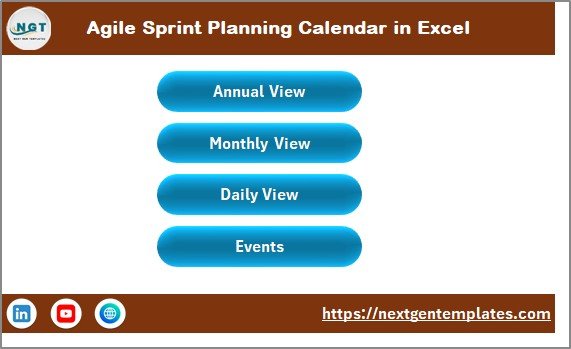
The Home sheet serves as the dashboard with quick navigation buttons to each of the key calendar views:
- Annual View button
- Monthly View button
- Daily View button
- Events button
2. Annual View Sheet Tab

Annual View Sheet tab
Click to Buy Agile Sprint Planning Calendar in Excel
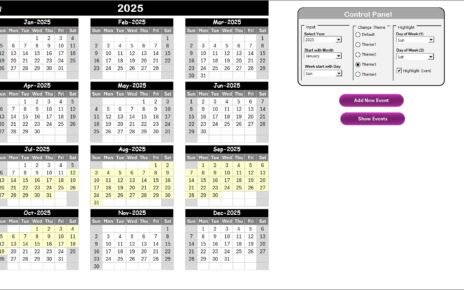
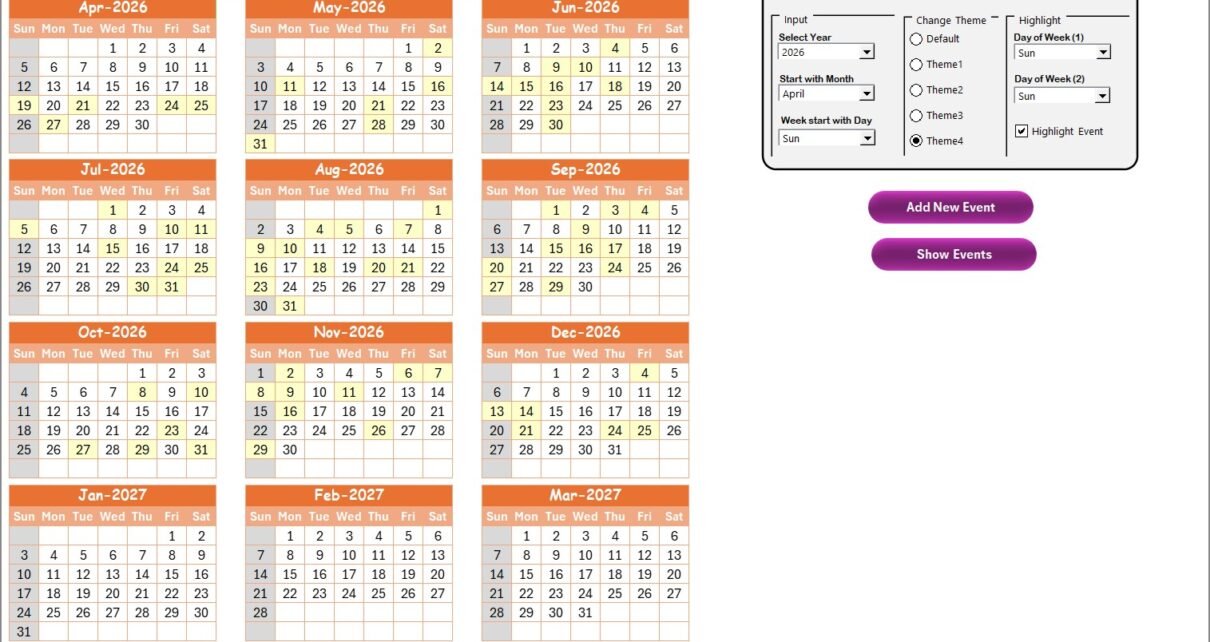
This sheet displays 12 months of calendars for the entire year with an intuitive control panel allowing:
- Input Group: Select the year, starting month, and starting day of the week to automatically update the calendar.
- Change Theme Group: Choose from 5 available color themes to customize the workbook look and feel.
- Highlight Group: Highlight specific days (like weekends) and events with selectable colors.
Additional features include:
- Add New Event button: Select any date and click to add a new event easily.
- Show Event button: View all events scheduled for the selected date.
3. Monthly View Sheet Tab
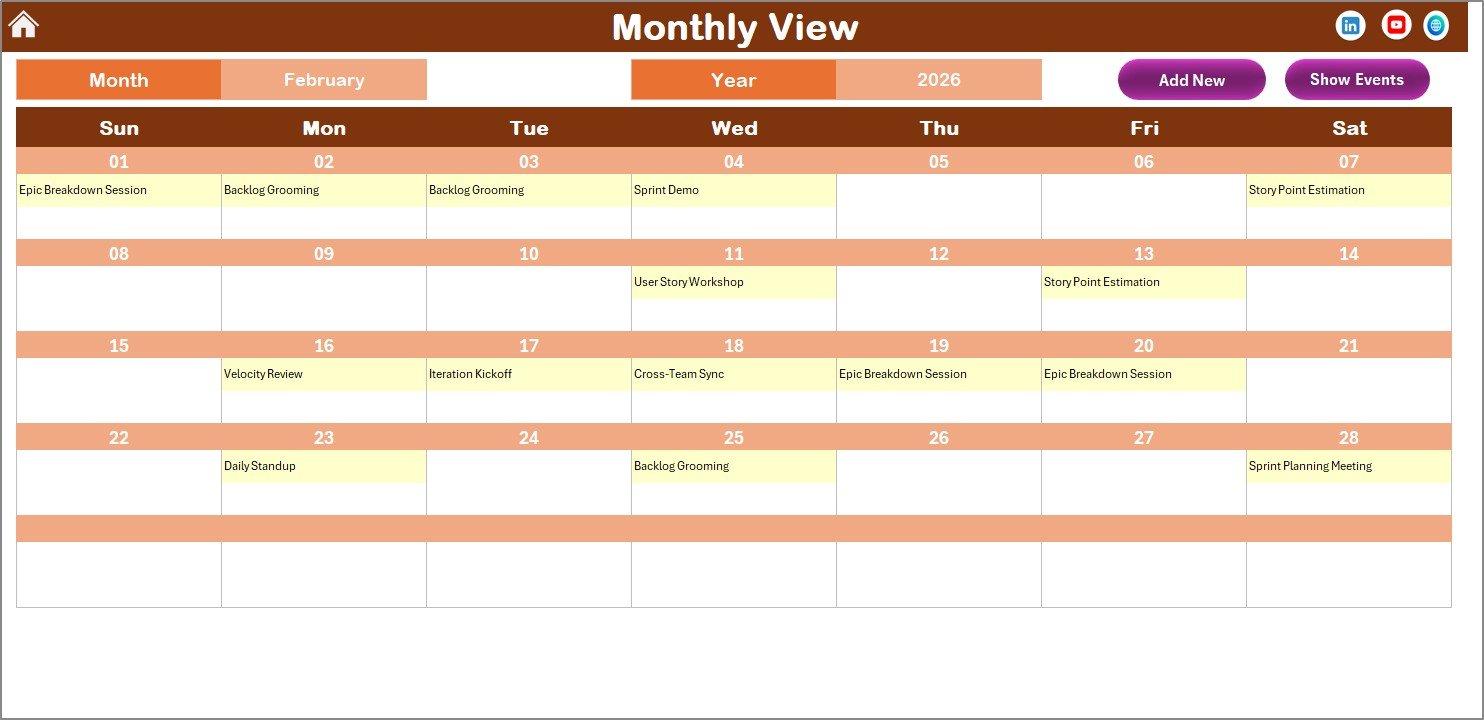
Monthly View Sheet tab
Click to Buy Agile Sprint Planning Calendar in Excel
The Monthly View displays a detailed calendar for the selected month and year. It summarizes events, showing the first event directly, or ‘more than 1…’ if multiple events are present.
Two important buttons facilitate event management:
- Add New Event button: Add an event to the selected date.
- Show Event button: List all events scheduled on the chosen date.
4. Daily View Sheet Tab
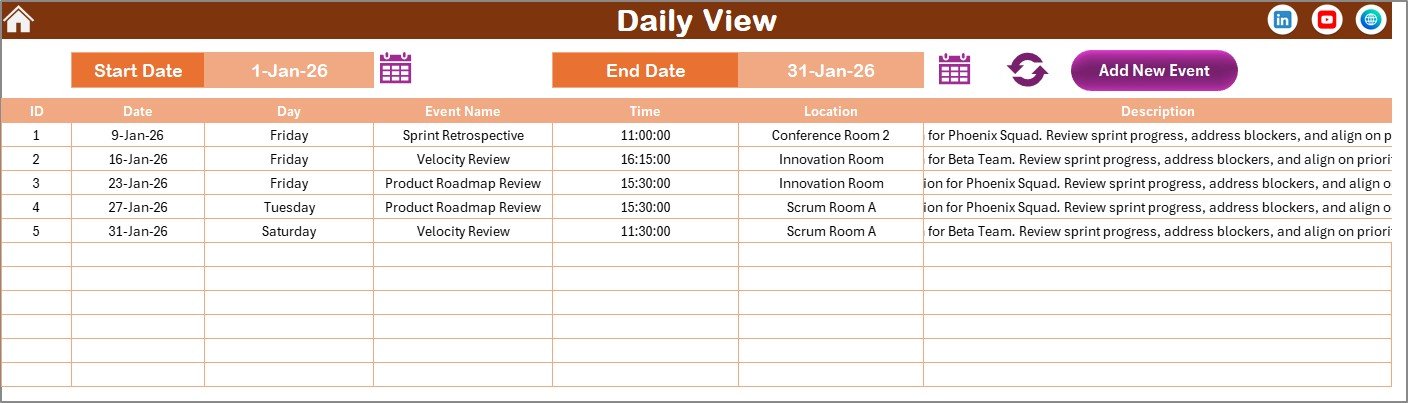
Daily View Sheet tab
Click to Buy Agile Sprint Planning Calendar in Excel
This sheet lists all events in detail within a selected date range. Users can select the start and end dates using calendar icons and refresh the list to get the latest events.
Add New Event button on the top allows quick event creation with a simple form.
5. Events Sheet Tab
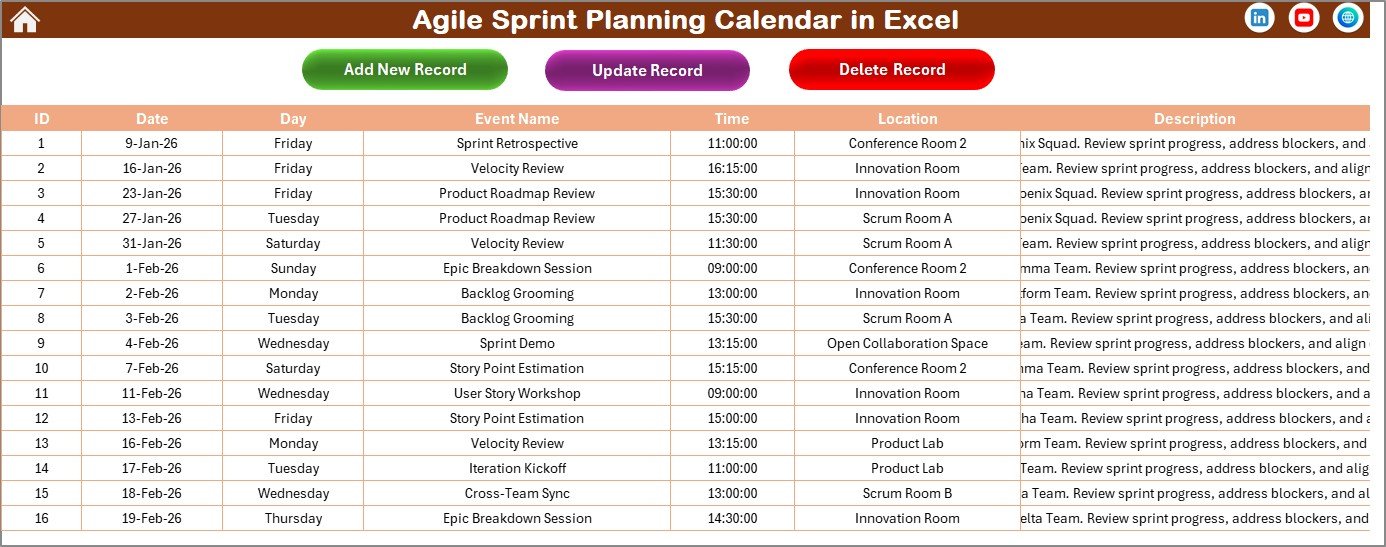
Events Sheet tab
Click to Buy Agile Sprint Planning Calendar in Excel
The Events sheet acts as the central database holding all event details:
- ID: Auto-generated event number.
- Date: Date of the event.
- Day: Day of the week such as Monday, Tuesday, etc.
- Event Name: The title of the event.
- Time: Scheduled time of the event.
- Location: Where the event is held.
- Description: Brief information about the event.
It also features three management buttons:
- Add New Record button: Opens a form to add a new event record.
- Update Existing Record button: Select an ID to edit event details via a pre-filled form.
- Delete Record button: Deletes the selected event by ID.
Advantages of Agile Sprint Planning Calendar in Excel
Click to Buy Agile Sprint Planning Calendar in Excel
- Centralized Event Management: All sprint events are organized in one workbook.
- Visual and Interactive: Multiple views make it easy to comprehend schedules at a glance.
- Customizable: Easily adapt to different team processes and preferences.
- Automation: Automatically updates calendars based on user inputs, reducing manual efforts.
- Collaborative Use: Being in Excel format, it’s widely accessible and easy to share.
Opportunities for Improvement
- Integrate with Outlook or Google Calendar for real-time updates and notifications.
- Add progress tracking features to associate tasks with sprint goals.
- Include analytics or reporting dashboards to monitor sprint velocity and event participation.
- Enhance mobile responsiveness for easier access on smartphones and tablets.
- Incorporate automation macros for quicker bulk event updates and data validation.
Best Practices
Click to Buy Agile Sprint Planning Calendar in Excel
- Regularly update the Events sheet to maintain accurate planning information.
- Customize themes thoughtfully to improve readability and reduce eye strain.
- Utilize the highlight controls to differentiate weekends, holidays, or critical deadlines.
- Encourage team members to use the Add New Event button to ensure all activities are captured.
- Save periodic backups to avoid data loss during iterative sprint planning cycles.
FAQs
Click to Buy Agile Sprint Planning Calendar in Excel
Can I customize the start day of the week?
Yes, the Annual View control panel allows you to set the starting day of the week to meet your preferences.
Is it possible to add multiple events on the same day?
Absolutely. You can add unlimited events. The Monthly View will indicate if multiple events exist by showing ‘more than 1…’.
How do I update or delete an event?
On the Events sheet, select the event by its ID and use the Update Existing Record or Delete Record button accordingly.
Are there built-in color themes available?
Yes, five color themes can be selected from the Change Theme group in the Annual View to customize the workbook look.
Can I export or print these calendar views?
Since it’s an Excel workbook, you can easily print or export any sheet as PDF or image using Excel’s native features.
Conclusion
Click to Buy Agile Sprint Planning Calendar in Excel
The Agile Sprint Planning Calendar in Excel is a powerful and flexible solution to organize your sprint events efficiently. Its multi-view approach and intuitive controls cater to different planning needs while keeping your workflow smooth and collaborative. By integrating it into your agile process, you gain clarity, control, and enhanced team productivity.
For more details on Excel calendar templates and tips, refer to Microsoft Excel official support.
Visit our YouTube channel to watch the demo.
Click to Buy Agile Sprint Planning Calendar in Excel