Introduction
Office Parking Utilization Task Calendar In Excel is a comprehensive and ready-to-use template designed to help organizations effectively manage and track parking space usage and associated events. This calendar template, created in Excel, offers multiple views and functionalities to streamline daily parking operations and event planning.
Key Features of Office Parking Utilization Task Calendar In Excel
Click to Buy Office Parking Utilization Task Calendar In Excel
- Five dedicated worksheets for different calendar views and event management.
- Annual, Monthly, Daily views with user-friendly navigation buttons.
- Interactive control panel to customize year, starting month, and week day.
- Built-in theme selection and highlighting for weekends or specific days.
- Event management with easy addition, update, and deletion of parking-related tasks.
- Detailed event database capturing all essential information including date, day, time, location, and description.
Dashboard Pages Explanation
Home Sheet Tab
This is the index page with buttons to navigate the workbook:
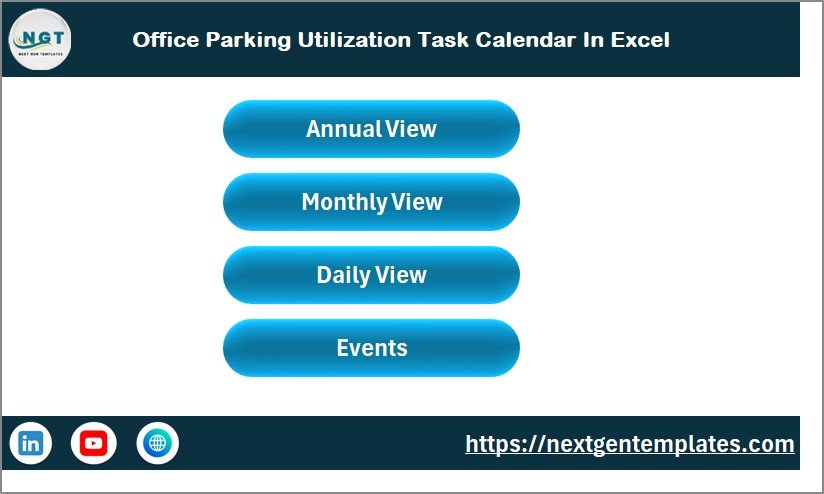 Office Parking Utilization Task Calendar In Excel
Annual View Sheet Tab
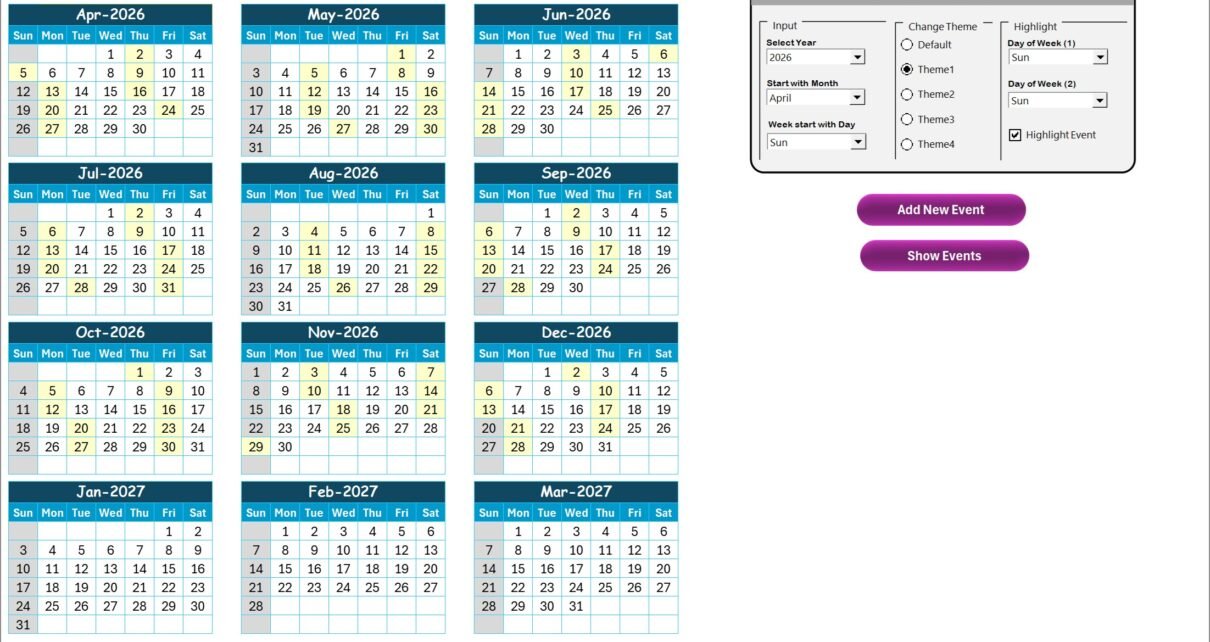
The annual sheet displays 12 months’ calendars in a compact view along with a control panel containing the following groups:
- Input Group: Select the Year, the starting month, and the starting day of the week to dynamically update the calendar.
- Change Theme Group: Choose from 5 color themes to customize the calendar’s appearance across the workbook.
- Highlight Group: Highlight two specific days of the week, such as weekends, and optionally highlight event dates.
Two functional buttons are available:
-
- Add New Event: Add an event to the selected date via a simple form.
- Show Event: View all events listed for the selected date.
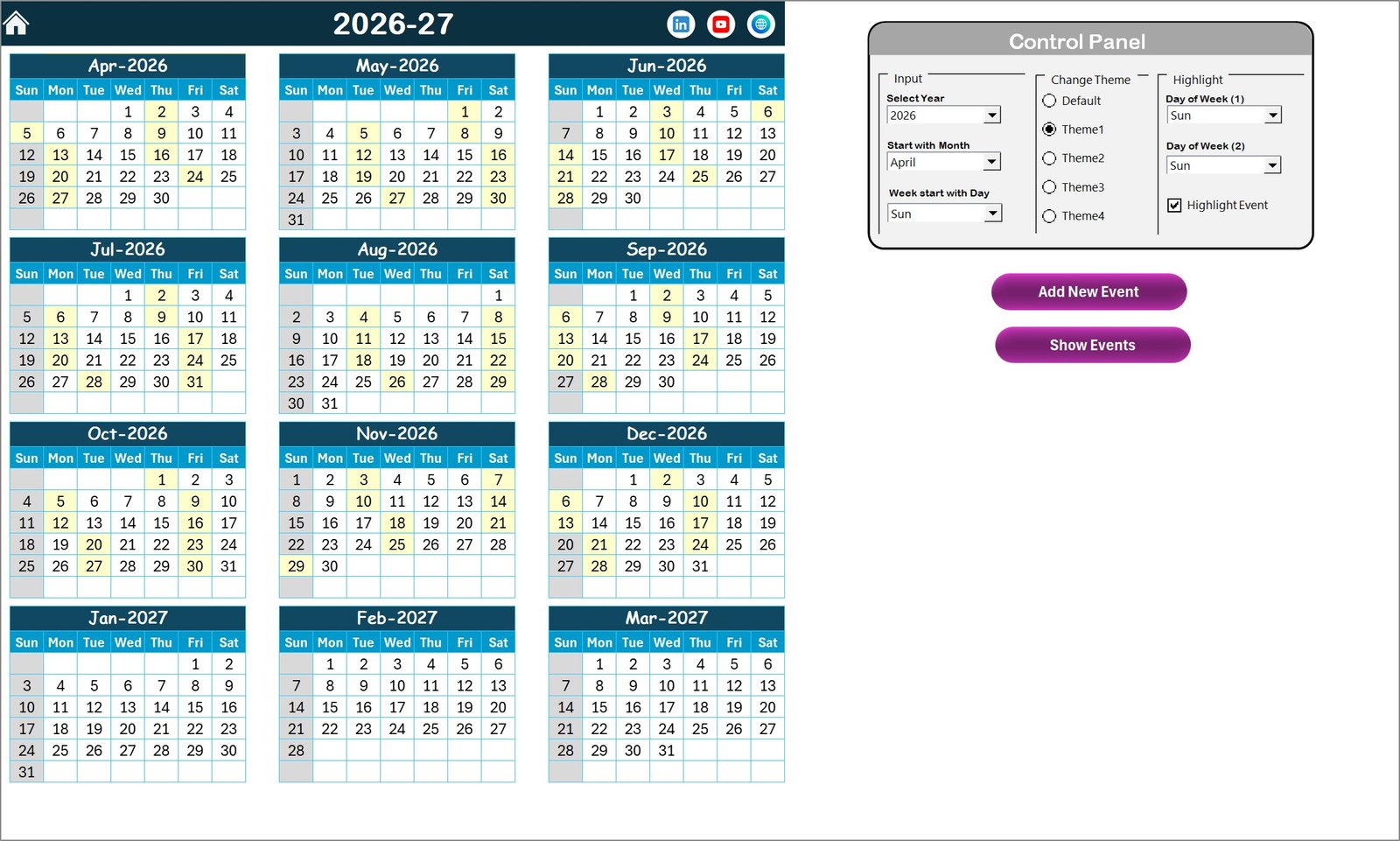 Annual View Sheet tab
Monthly View Sheet Tab
This sheet shows a detailed calendar for a selected month and year. It displays events on respective dates. If multiple events exist on one date, it indicates ‘more than 1…’ to keep the view clean.
Buttons include:
-
- Add New Event: Add an event to the selected date.
- Show Event: View the events for the selected date.
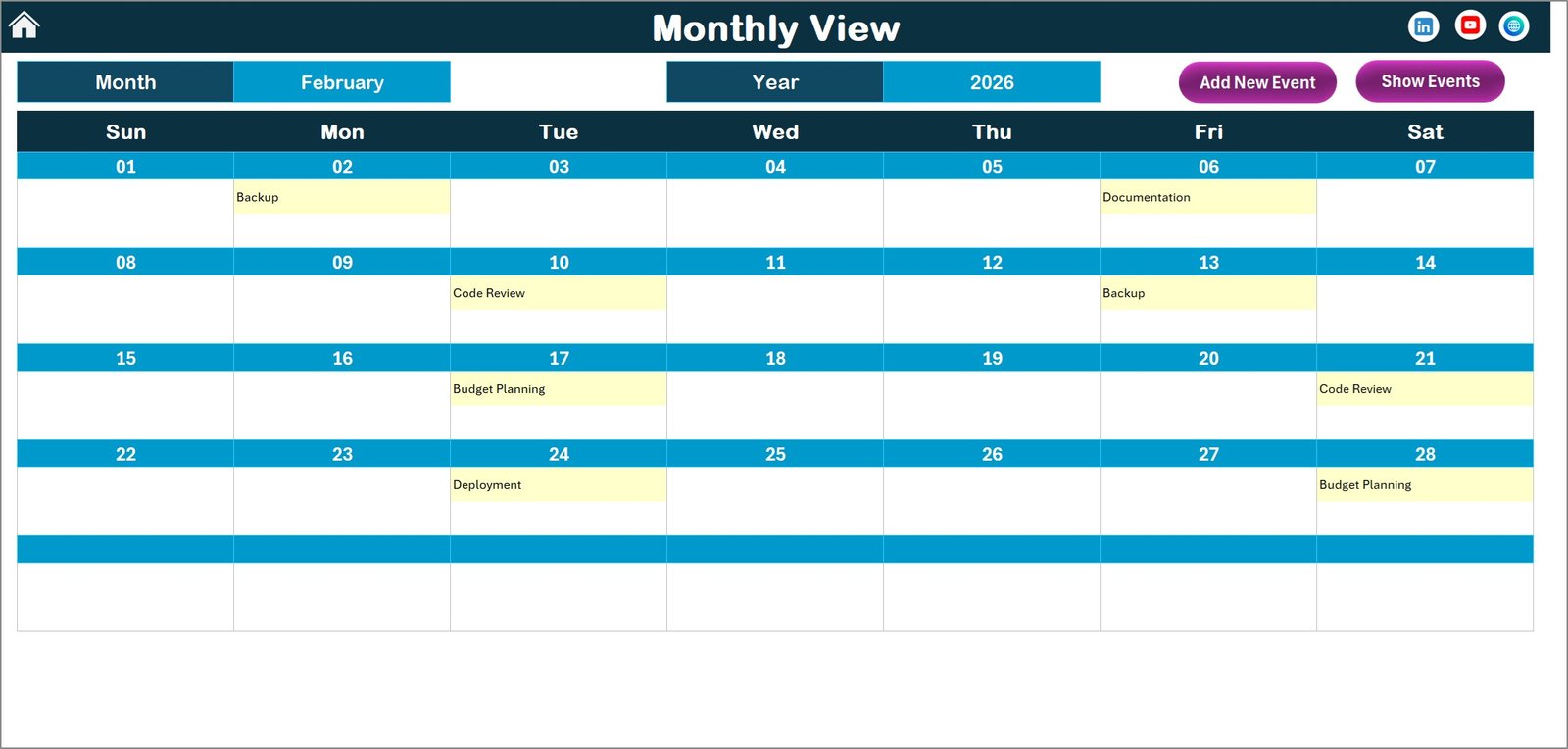 Monthly View Sheet tab
Daily View Sheet Tab
Here you can view detailed events for a specific date range by setting the start and end dates using the calendar picker. Click the Refresh button to load data for the selected range.
There is an Add New Event button to quickly insert events within the date range.
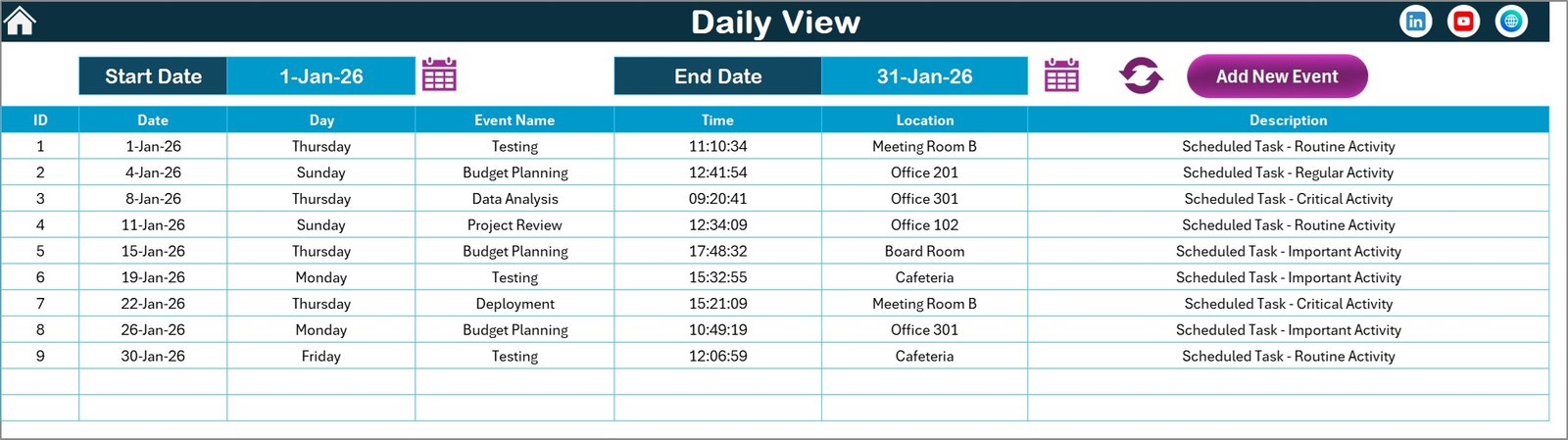 Daily View Sheet tab
Events Sheet Tab
This is the database sheet containing all event records with detailed fields:
- ID: Auto-generated unique number.
- Date: Date of the event.
- Day: Day name (e.g., Sunday, Monday).
- Event Name: Name/title of the event.
- Time: Time of the event.
- Location: Event venue.
- Description: Brief description of the event.
On top, three buttons make record management easy:
-
- Add New Record: Open the form to add a new event.
- Update Existing Record: Select an ID and update its data using a pre-filled form.
- Delete Record: Remove the selected record.
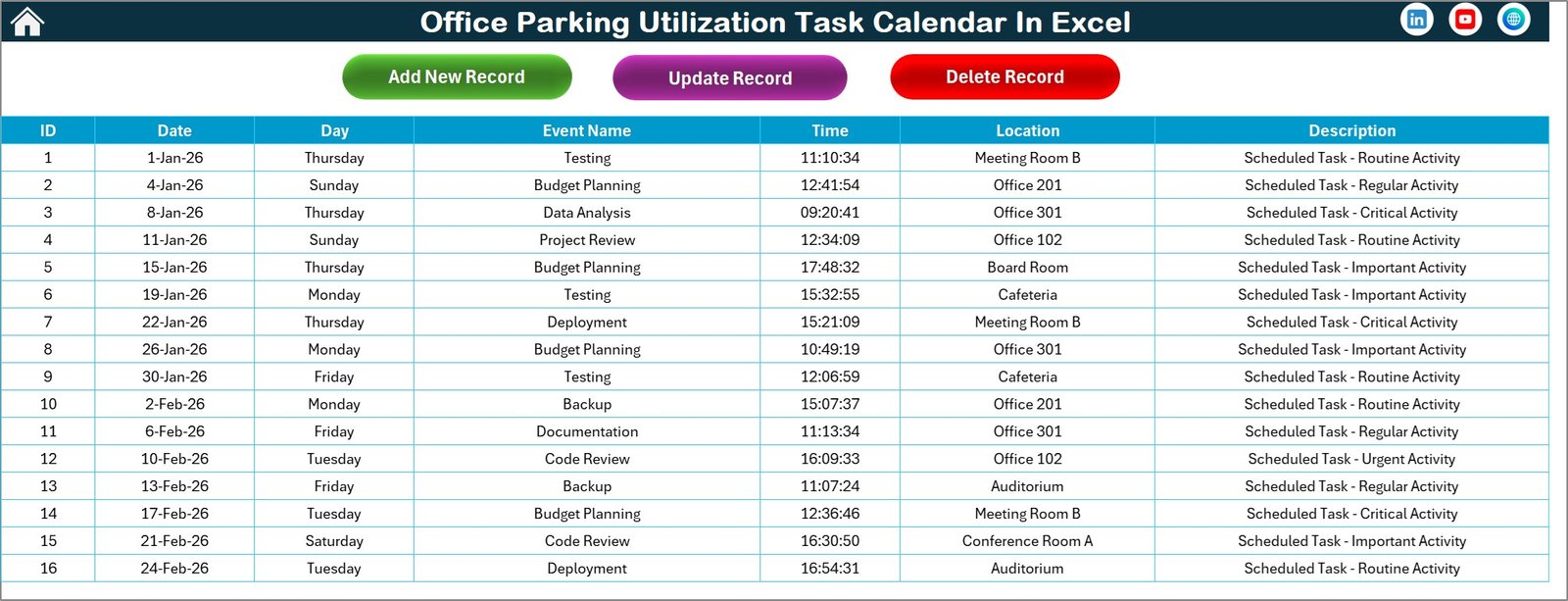 Events Sheet tab
Advantages of Office Parking Utilization Task Calendar In Excel
Click to Buy Office Parking Utilization Task Calendar In Excel
- Easy to use interface with multiple calendar views to suit any scheduling need.
- Efficient event management ensures no overlaps and helps in proper parking space allocation.
- Customizable themes and highlights improve readability and user experience.
- Automated controls reduce manual effort in managing dates and calendar settings.
- Centralized event database simplifies data maintenance and reporting.
Opportunities for Improvement
- Add real-time notifications and reminders for upcoming events.
- Incorporate user access control for better security and data integrity.
- Enable export to other formats like PDF or online calendars.
- Enhance mobile compatibility for on-the-go event management.
- Integrate with company-wide Outlook calendar or Teams schedules.
Best Practices
Click to Buy Office Parking Utilization Task Calendar In Excel
- Regularly update the event database to maintain accuracy.
- Use theme and highlight features consistently for better visual cues.
- Train staff on navigation through the Home sheet and usage of Add/Show event forms.
- Backup your Excel file frequently to avoid data loss.
- Leverage date range filters to obtain precise reports of event usage.
FAQs
Click to Buy Office Parking Utilization Task Calendar In Excel
Can I customize the starting day of the week?
Yes, the Annual View tab allows you to set any day as the week’s starting day, dynamically updating the calendar accordingly.
How do I add a new parking event?
Select the desired date on any calendar sheet and click the ‘Add New Event’ button, then fill and submit the form.
Is it possible to change the color theme?
Yes, you can select from five pre-configured color themes in the Annual View’s control panel, affecting the entire workbook.
Can I view all events occurring within a specific date range?
Use the Daily View sheet to select a start and end date. After clicking ‘Refresh,’ all events within that range will be displayed.
How can I update or delete existing events?
Navigate to the Events sheet. Select the event ID to update or delete, then use the respective button to manage the record.
Conclusion
The Office Parking Utilization Task Calendar In Excel offers a powerful yet simple solution for managing parking space and related events. Its multi-view architecture combined with intuitive controls and event tracking makes it ideal for office environments aiming to optimize parking usage. By incorporating best practices and exploring improvement opportunities, this calendar can greatly enhance operational efficiency.
For more detailed guidance, visit the official Microsoft support page: Microsoft Excel Support.
Visit our YouTube channel to watch the demo.
Click to Buy Office Parking Utilization Task Calendar In Excel