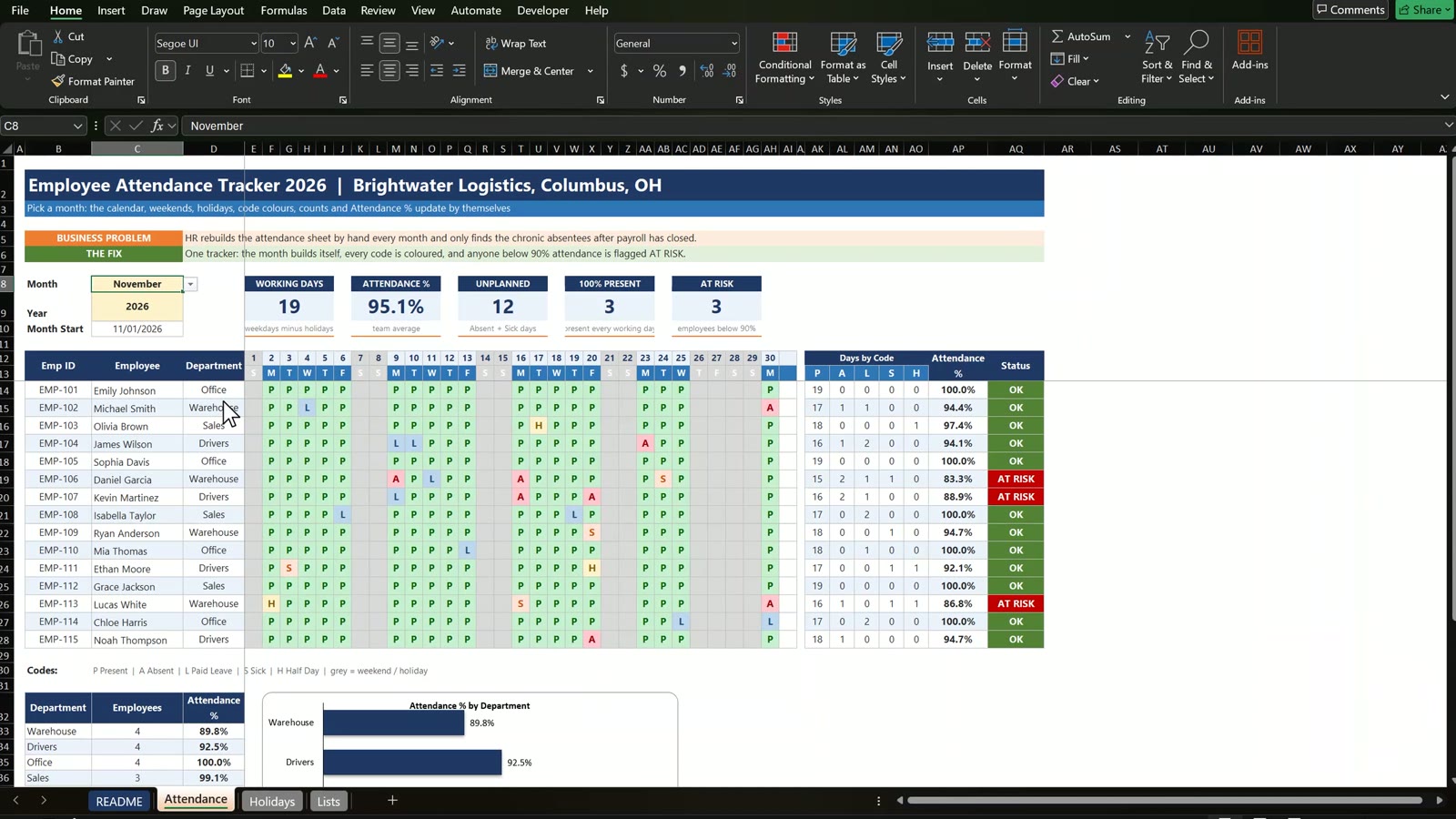
An attendance sheet that someone rebuilds by hand every month also hides the one thing a manager needs: who keeps missing work. In this tutorial you build an employee attendance tracker in Excel 2026 step by step: a month drop down, a calendar that builds itself, grey weekends and holidays, colour coded attendance codes, an attendance percentage and an AT RISK flag. No macros. The example is Brightwater Logistics in Columbus, Ohio, with 15 employees.
⬇️ Download the Free Practice Files
Practice + Solution workbooks · attendance tracker · .zip · Excel 365 / 2021 / 2019
Watch the Video Tutorial
Video Overview
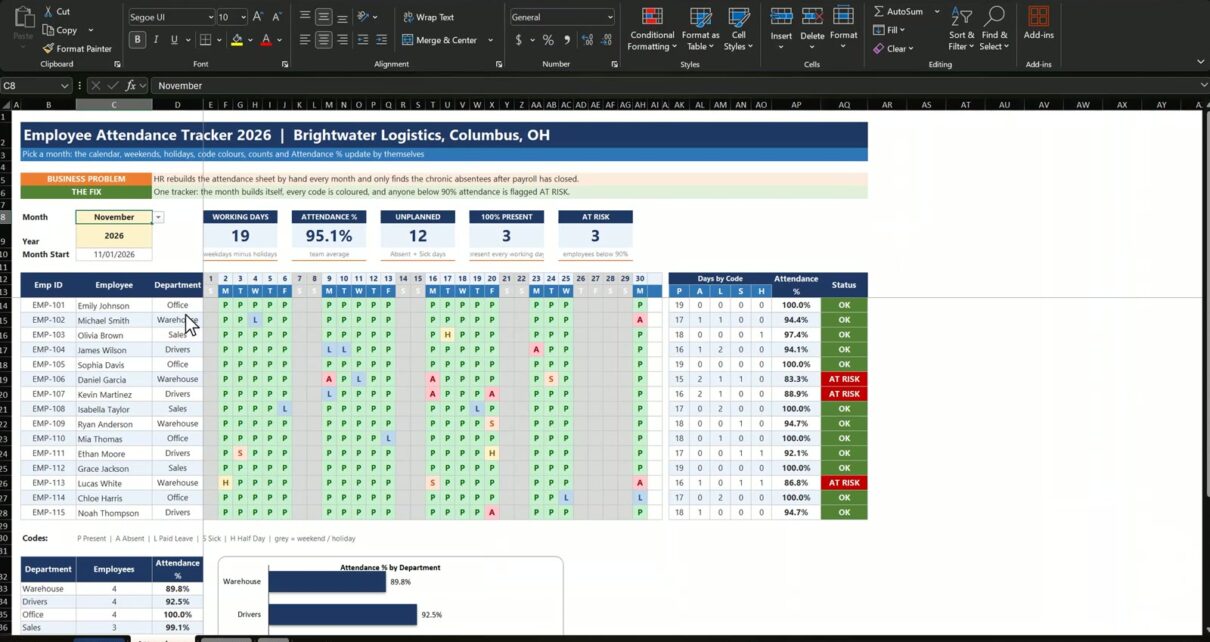
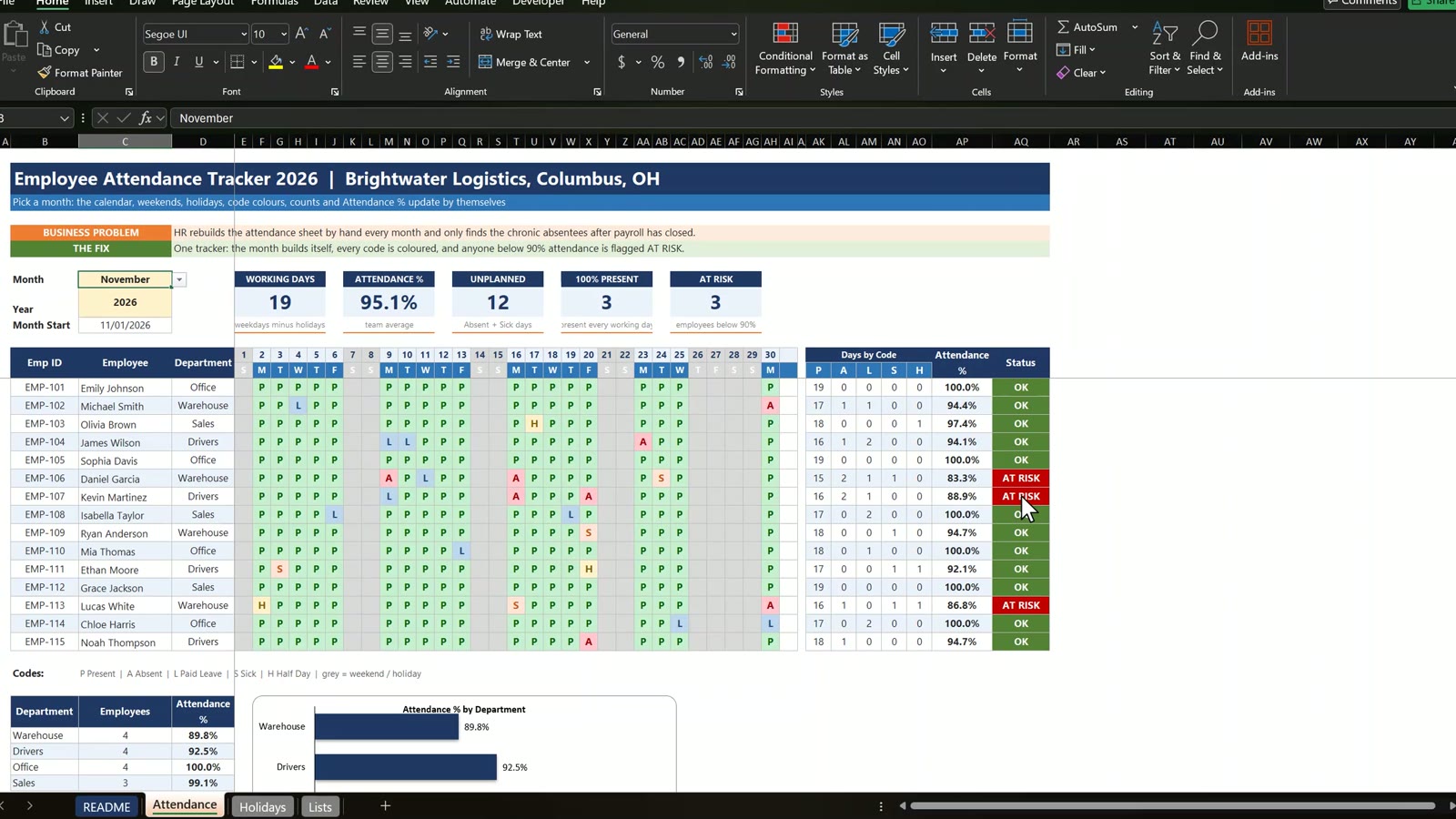
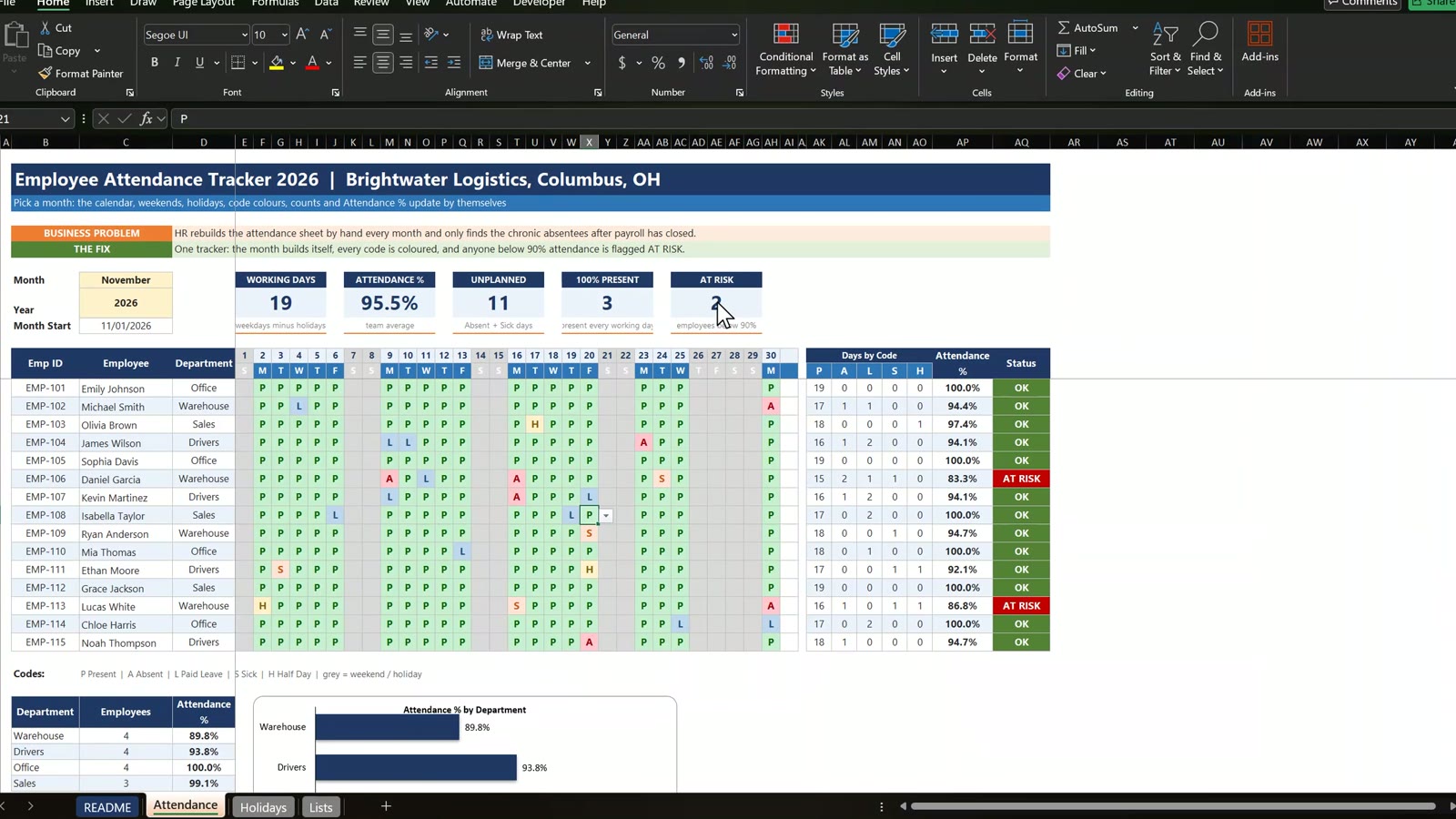
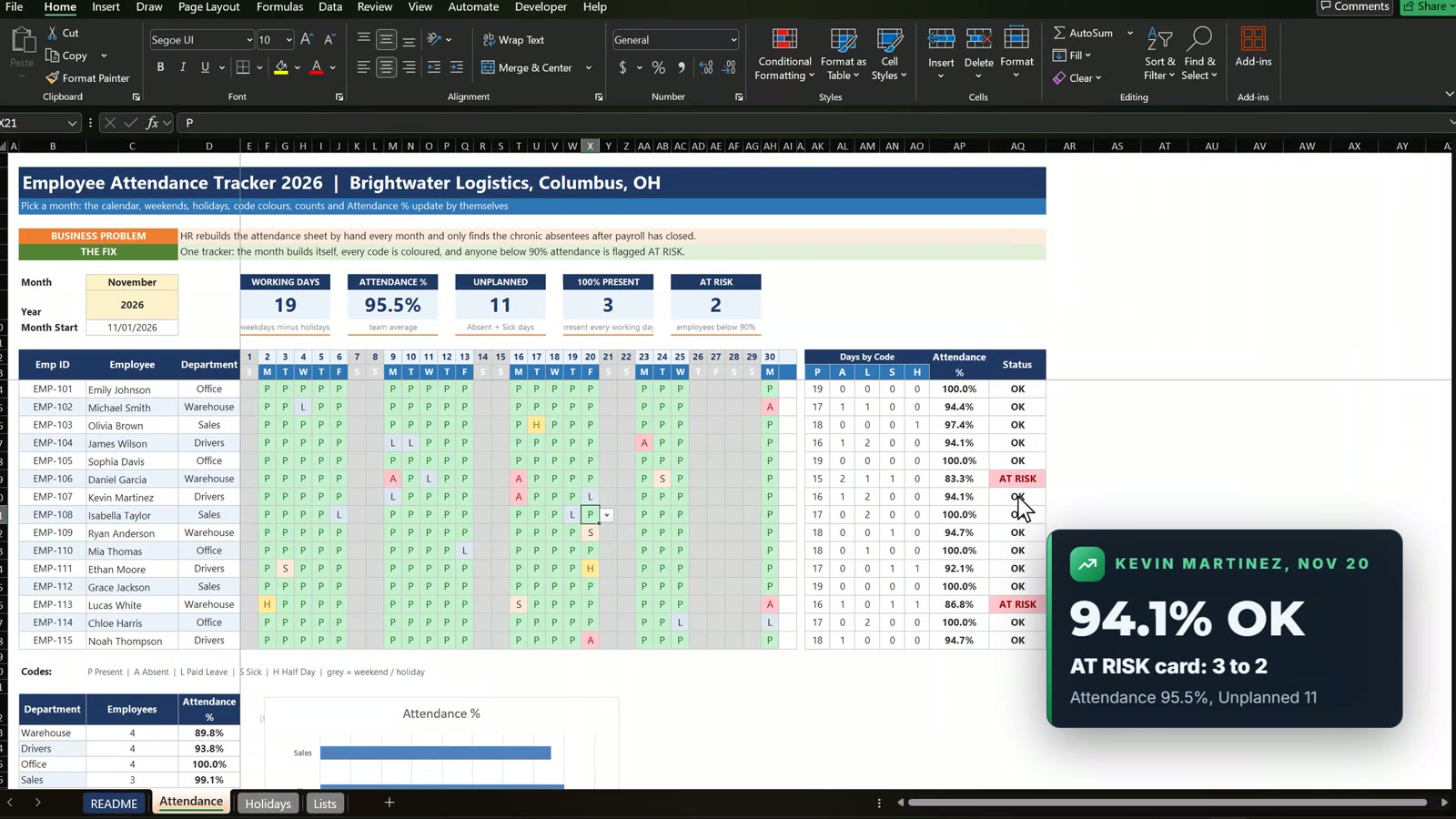
The seventeen-minute video opens with the finished tracker: November 2026 has 19 working days, average attendance is 95.1 percent and three employees are flagged AT RISK. Change Kevin Martinez’s absence on November 20 to paid leave and his status turns green, so the AT RISK card drops from 3 to 2. Then pick December and the whole calendar rebuilds itself. After that you build it from the practice file in eight steps.
What You Will Build
- A month drop down and a month start date.
- An automatic calendar with weekday letters that never shows a 31st day in a 30-day month.
- Grey weekends and holidays from one conditional formatting rule.
- A code drop down (P, A, L, S, H) with a colour for each code.
- Attendance %, status and KPI cards that update on their own.
- A department summary with a bar chart.
The Practice Files and the Data
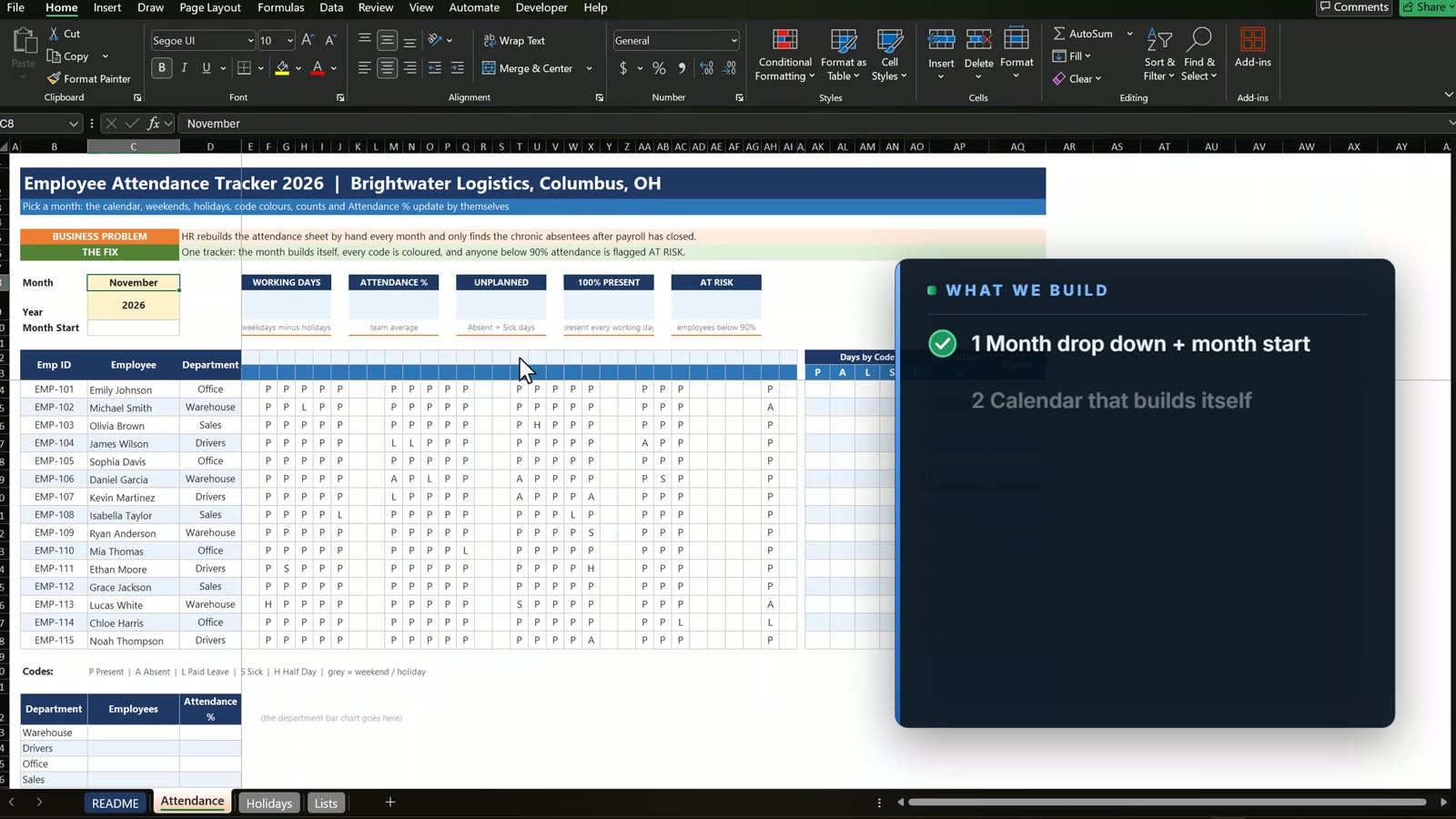
Brightwater Logistics has 15 employees in Warehouse, Drivers, Office and Sales. The practice file has the layout, the November attendance codes and the Holidays sheet; the Solution file has every formula working. All names and numbers are fictional.
Step 1: The Month Drop Down and Month Start
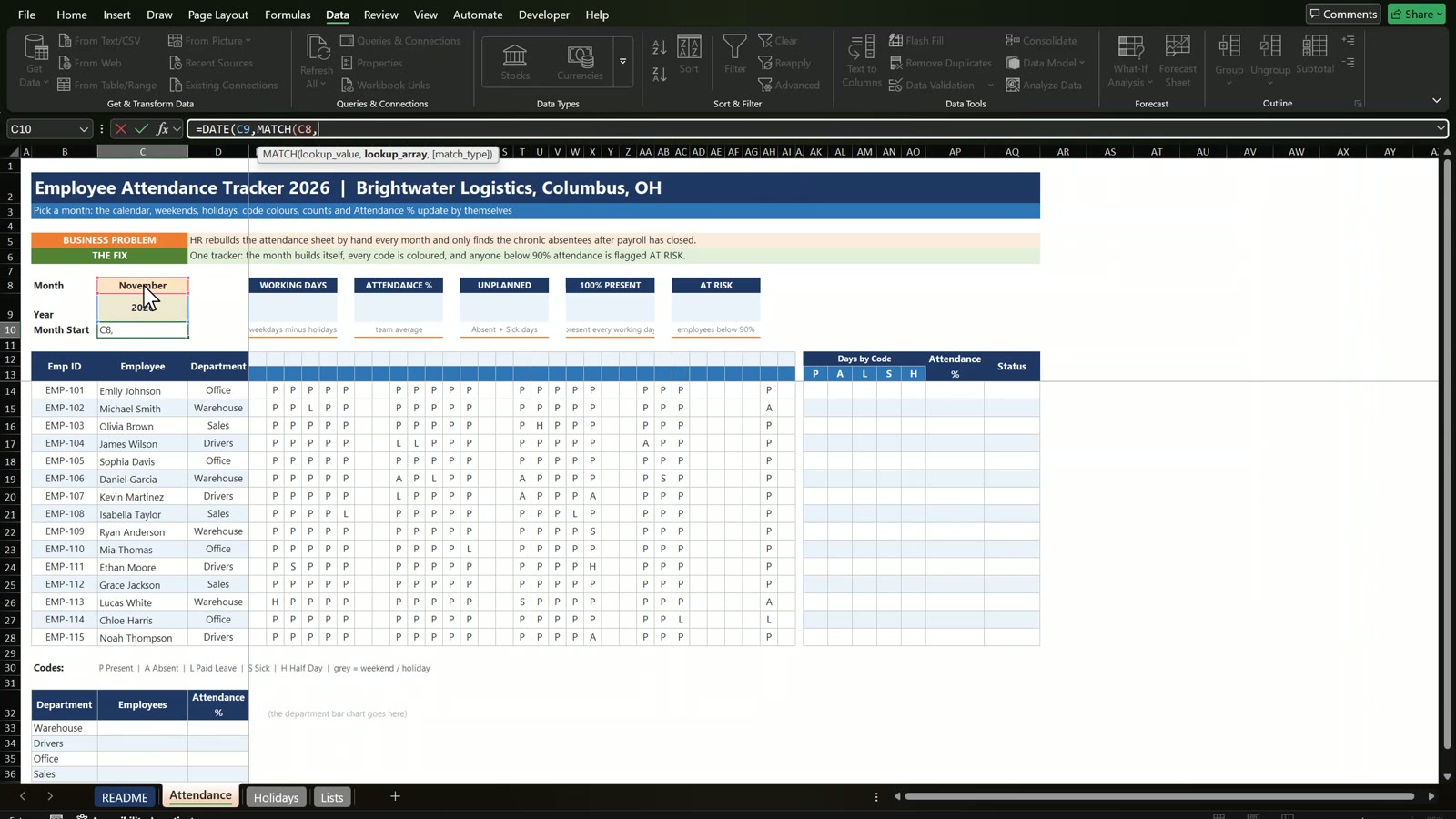
Select C8, open Data, Data Validation, choose List and use =Lists!$B$3:$B$14 as the source. Then work out the first day of the month in C10.
=DATE(C9,MATCH(C8,Lists!$B$3:$B$14,0),1)
Step 2: A Calendar Header That Builds Itself
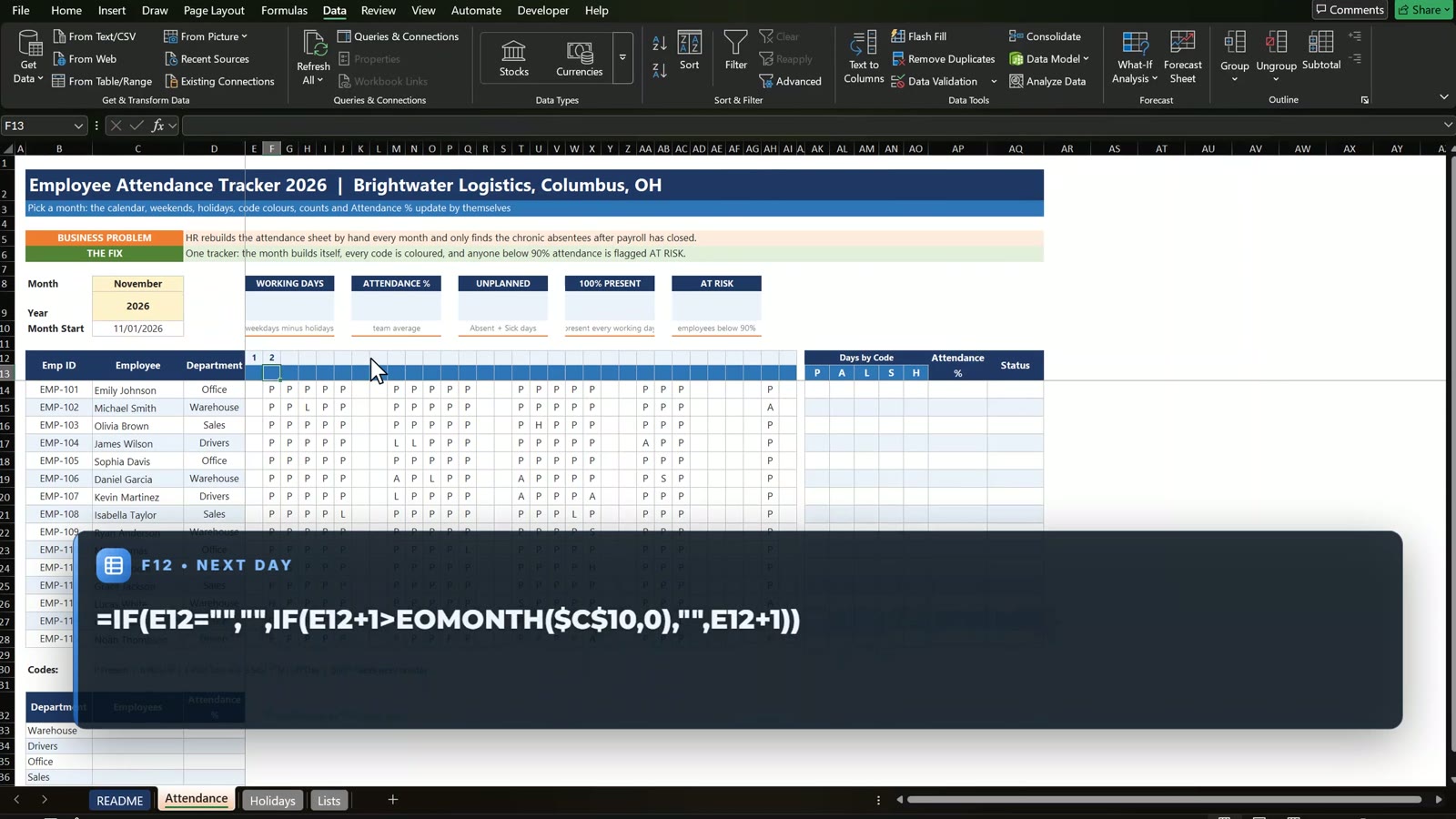
E12 holds the month start, =C10. Every next day uses an EOMONTH check, so a short month leaves the extra columns blank.
=IF(E12="","",IF(E12+1>EOMONTH($C$10,0),"",E12+1))
Format E12:AI12 with the custom format d. The weekday letter below it is =IF(E12="","",LEFT(TEXT(E12,"ddd"),1)). Switch the month to February and the last three columns go blank.
Step 3: Grey Weekends and Holidays
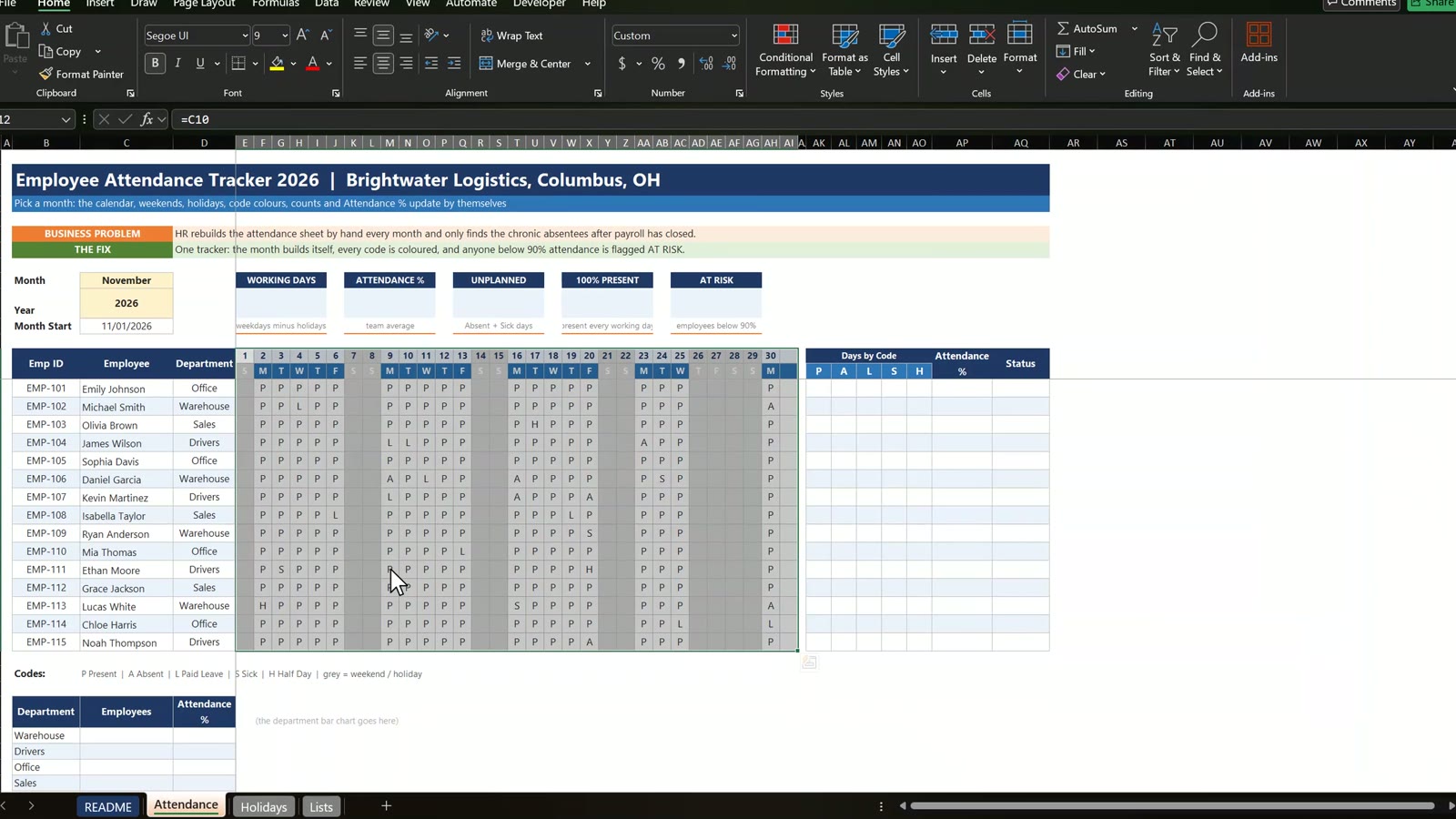
Select E12:AI28, add a new conditional formatting rule with a formula and fill it grey D9D9D9.
=AND(E$12<>"",OR(WEEKDAY(E$12,2)>5,COUNTIF(Holidays,E$12)>0))
The Holidays sheet has a defined name, Holidays, so Thanksgiving on November 26 and 27 turn grey together with the weekends.
Step 4: A Code Drop Down and Colours
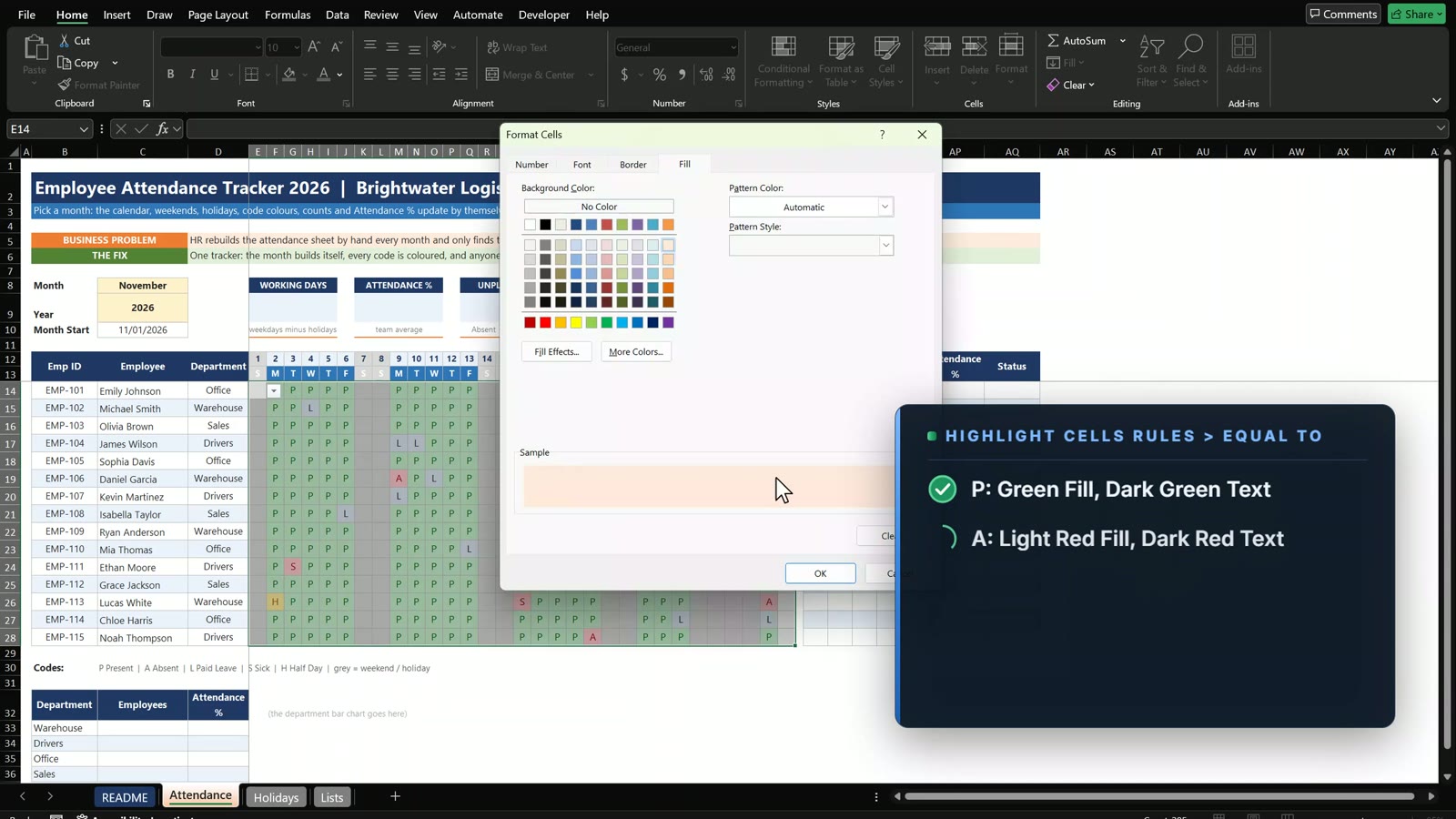
Select E14:AI28 and add a Data Validation list with P,A,L,S,H and the error message “Use P, A, L, S or H”. Then add one formula rule per code: P green, A red, L blue, S orange, H yellow.
Step 5: Count Days by Code
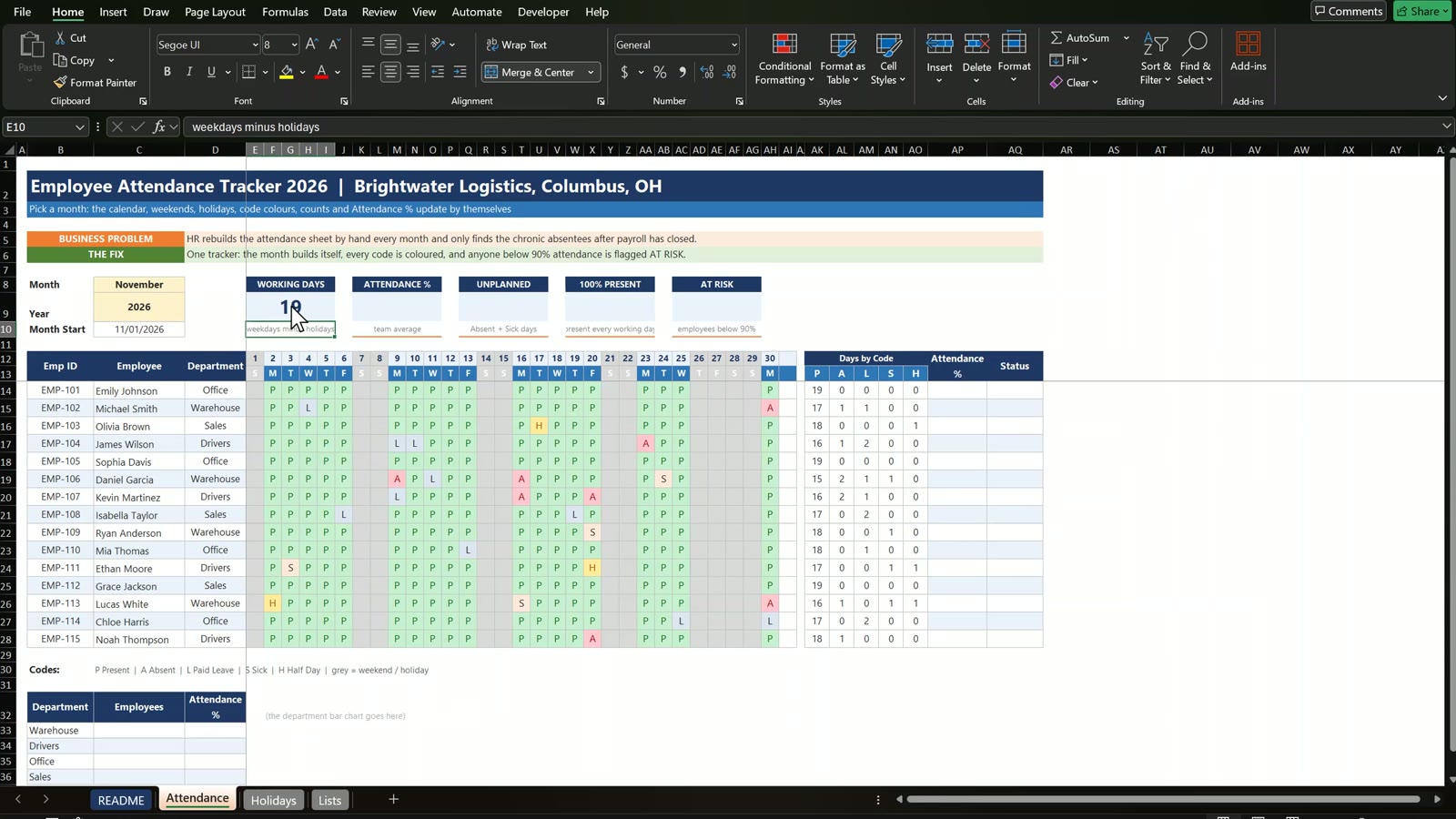
One COUNTIF formula fills the whole block to the right and down.
=COUNTIF($E14:$AI14,AK$13)
Step 6: Working Days, Attendance % and Status
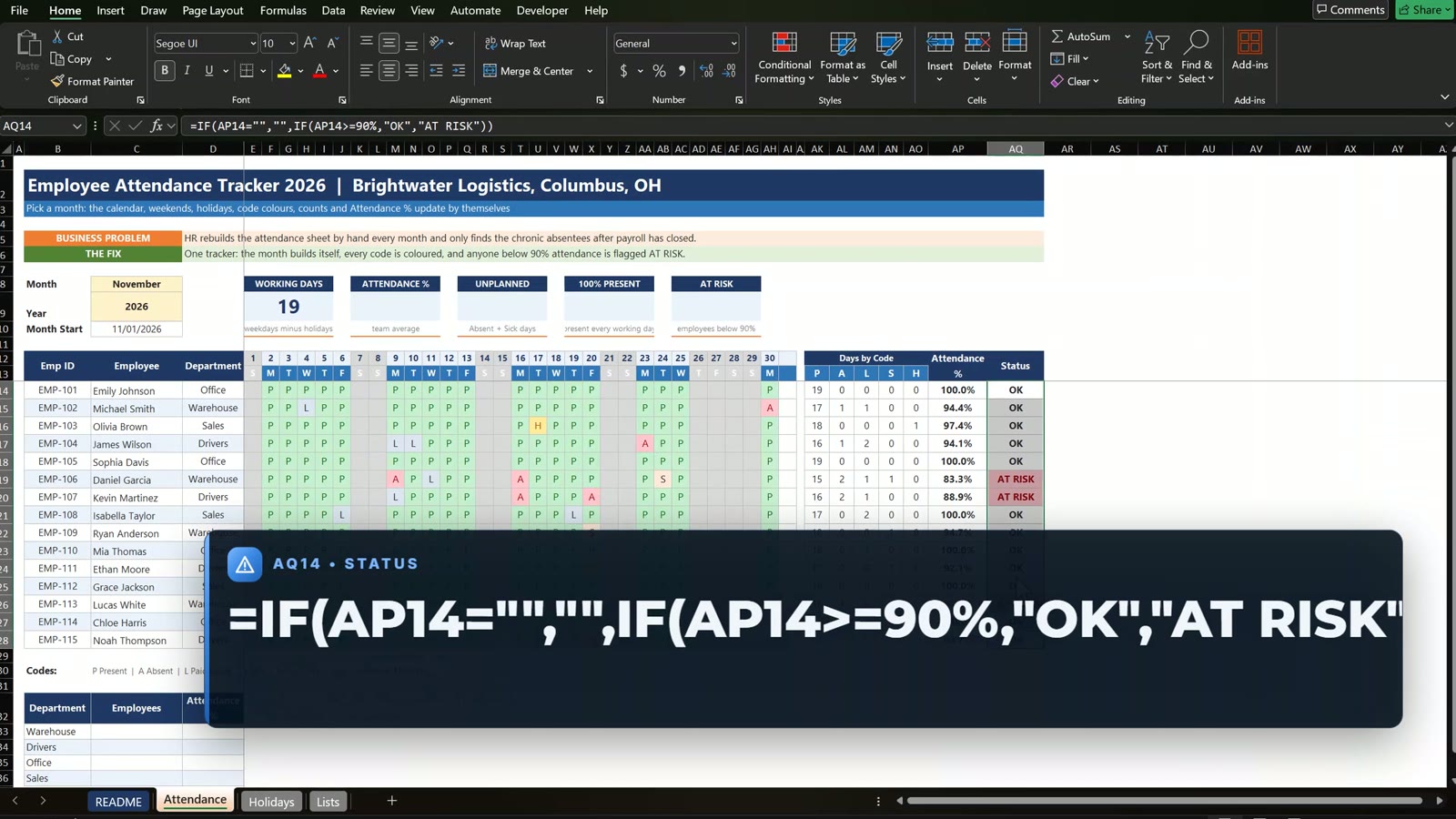
Working days in E9 use =NETWORKDAYS(C10,EOMONTH(C10,0),Holidays), which gives 19 in November. Attendance % in AP14 is =IF(SUM(AK14:AO14)=0,"",(AK14+0.5*AO14)/($E$9-AM14)), and status in AQ14 is:
=IF(AP14="","",IF(AP14>=90%,"OK","AT RISK"))
Step 7: The KPI Cards
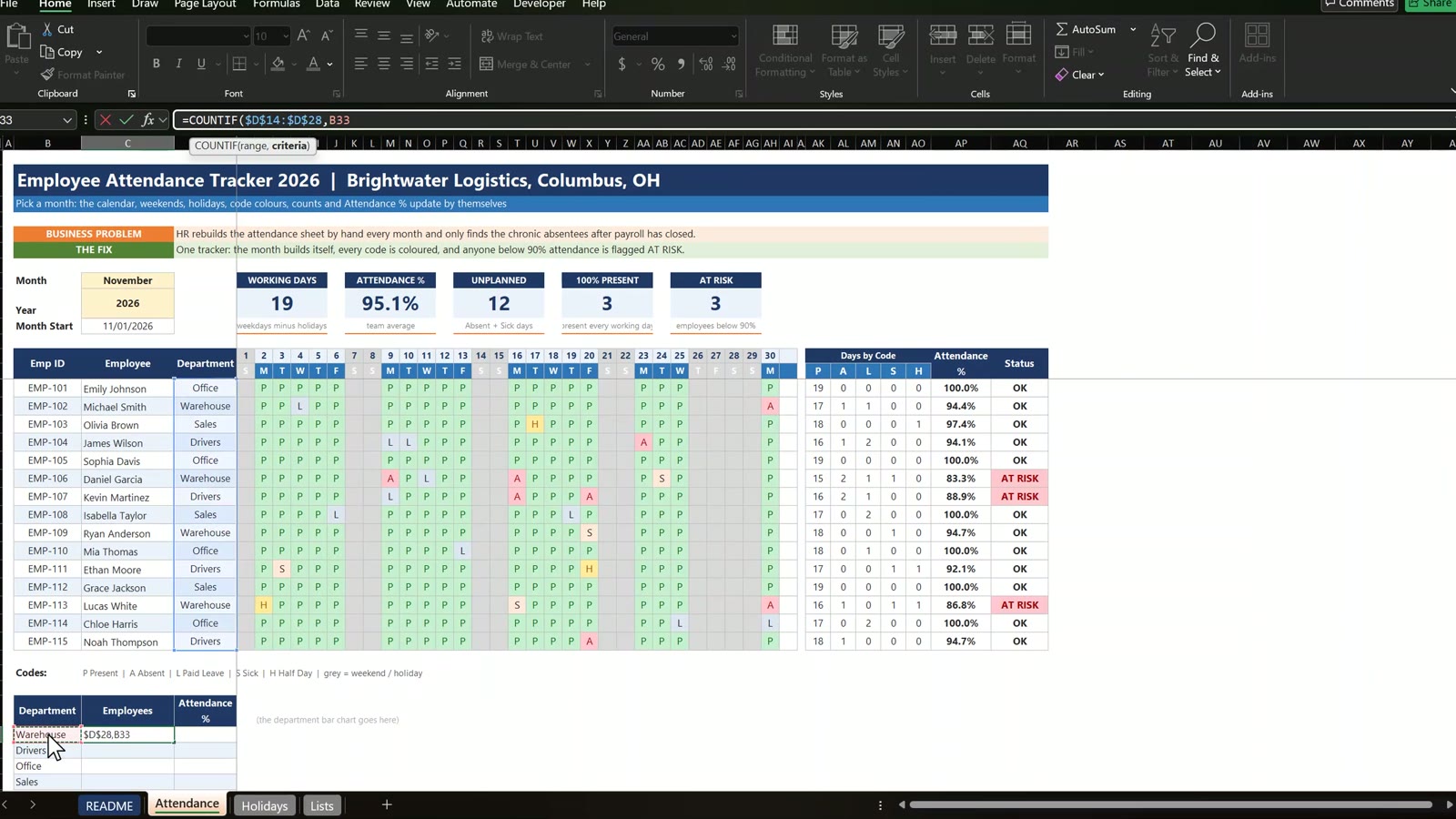
The cards use =AVERAGE(AP14:AP28) for attendance, =SUM(AL14:AL28)+SUM(AN14:AN28) for unplanned absences, =COUNTIF(AK14:AK28,E9) for employees with perfect attendance and =COUNTIF(AQ14:AQ28,"AT RISK") for the AT RISK card.
Step 8: Department Summary and Chart
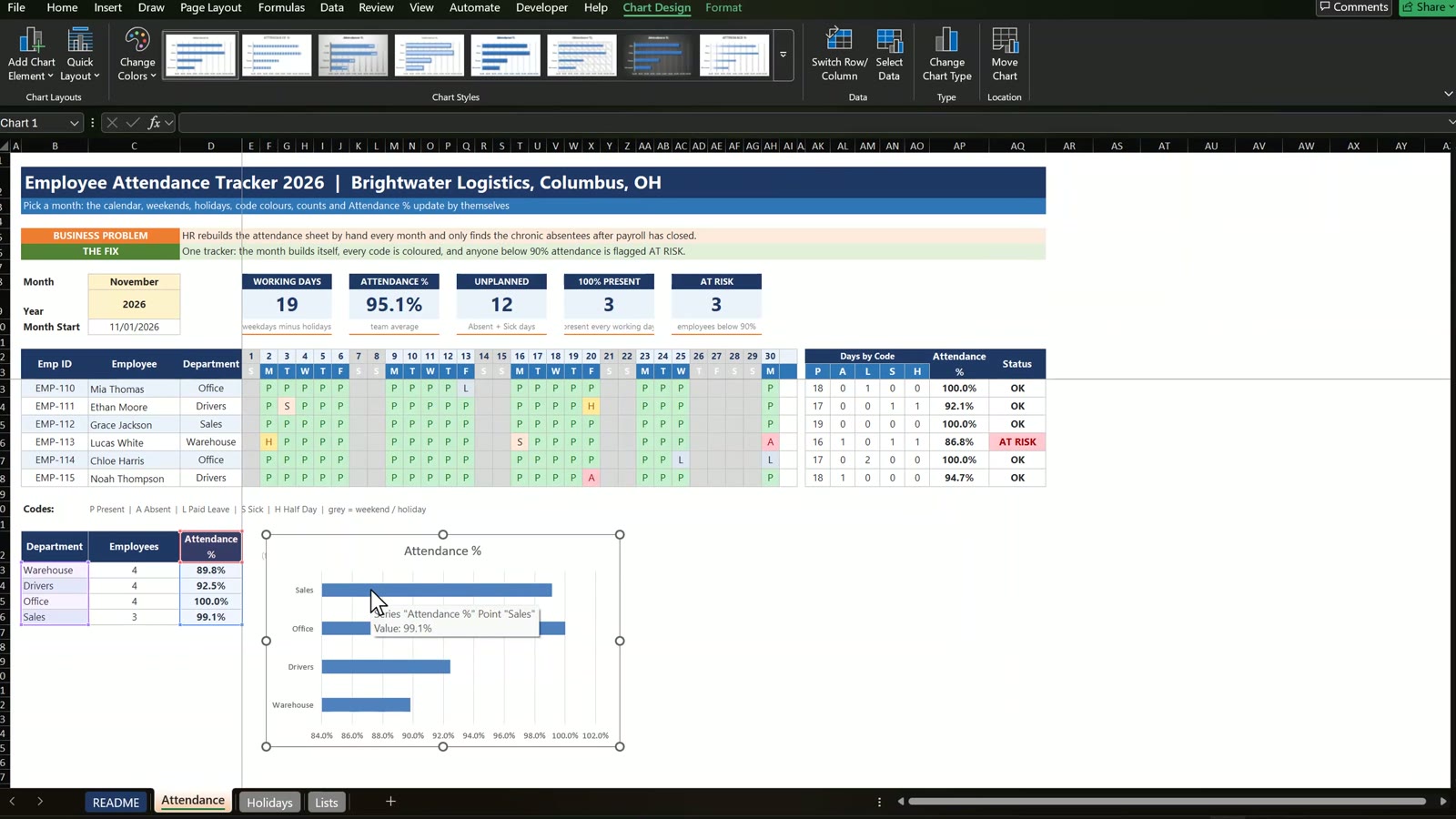
Count employees with =COUNTIF($D$14:$D$28,B33) and average their attendance with =AVERAGEIF($D$14:$D$28,B33,$AP$14:$AP$28). Then insert a bar chart on the department names and the averages.
Test It
Change Kevin Martinez’s code for November 20 from A to L: his attendance rises to 94.1 percent, the status turns OK and the AT RISK card drops to 2. For a new month, right click the sheet tab and copy the sheet.
Want a Ready-Made Version?
For a finished system with data entry forms, see Employee Attendance Data Entry System in Excel on Next Gen Templates. To master formulas like these step by step, join the Excel + AI Mastery: 100 Essential Formulas and Real-World Projects course.
This is the 2026 remake of my earlier tutorial, How to make an attractive attendance tracker.
Frequently Asked Questions
How do I make an attendance tracker in Excel?
Build a month drop down, a calendar header that rebuilds itself, a code drop down (P, A, L, S, H), COUNTIF formulas that count days by code, and an attendance percentage with an OK or AT RISK status.
How do I stop a 30-day month from showing a 31st day?
Wrap the next-day formula in an EOMONTH check: =IF(E12="","",IF(E12+1>EOMONTH($C$10,0),"",E12+1)). Once the date passes the last day of the month the cell stays blank.
How do I grey out weekends and holidays automatically?
Use one conditional formatting formula on the calendar: =AND(E$12<>"",OR(WEEKDAY(E$12,2)>5,COUNTIF(Holidays,E$12)>0)). It greys Saturdays, Sundays and every date on the Holidays sheet.
Why does NETWORKDAYS need the Holidays argument?
Without it NETWORKDAYS counts public holidays as working days. In November 2026 it says 21 instead of 19 because Thanksgiving and the day after are not removed.
How is the attendance percentage calculated?
Present days plus half of the half days, divided by the working days minus paid leave: =IF(SUM(AK14:AO14)=0,"",(AK14+0.5*AO14)/($E$9-AM14)). Approved leave comes out of the denominator.
Why do the COUNTIF references have dollar signs in different places?
$E14:$AI14 locks the columns and AK$13 locks the code row, so one formula can be filled both right and down to count every code for every employee.
Is the practice file free?
Yes. The zip has the Practice and Solution workbooks for a fictional logistics company. All names and numbers are example data for learning.
Download the Free Practice Files
⬇️ Download the Free Practice Files
Practice + Solution workbooks · attendance tracker · .zip · Excel 365 / 2021 / 2019
By PK, An Excel Expert. The business and numbers are fictional example data for learning.
Conclusion
An attendance tracker needs only a few ideas: a drop down for the month, a calendar that stops at EOMONTH, one conditional formatting rule, and COUNTIF with mixed references. Download the files, build along and compare with the Solution file if you get stuck.