Introduction
The Geriatric Care KPI Dashboard is a ready-to-use template designed to empower healthcare administrators and caregivers with actionable insights into key performance indicators (KPIs) related to elderly care. Tracking and analyzing KPIs efficiently can greatly improve the quality of service delivery, patient outcomes, and operational efficiency within geriatric care facilities.
Key Features of Geriatric Care KPI Dashboard
- Seven well-organized worksheets tailored for streamlined data entry and visualization.
- Interactive drop-down menus for dynamic data filtering by month and KPI selection.
- Conditional formatting with up and down arrows to quickly visualize performance trends.
- Separate data input sheets for actual numbers, target values, and previous year’s data to maintain clarity and ease of use.
- Comprehensive definition and formula reference for each KPI to ensure a clear understanding of measured metrics.
- Trend charts for MTD (Month-to-Date) and YTD (Year-to-Date) data allow continuous performance monitoring.
- User-friendly navigation with a Home sheet acting as an index page for quick access to all sheets.
Dashboard Pages Explanation
1. Home Sheet
This acts as the main index, featuring six buttons to navigate quickly to the respective sheets for data input, analysis, or definitions.
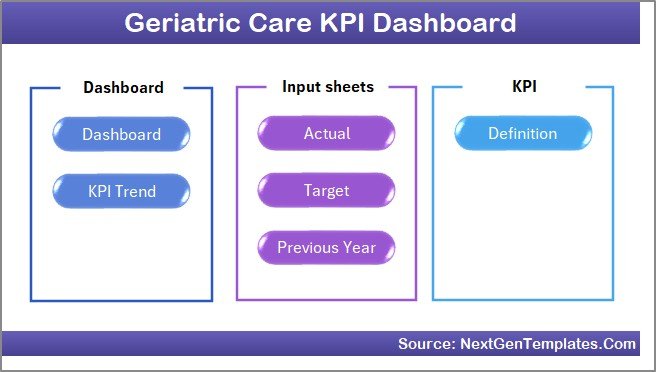 Home Page
Click to Buy Geriatric Care KPI Dashboard in Excel
2. Dashboard Sheet
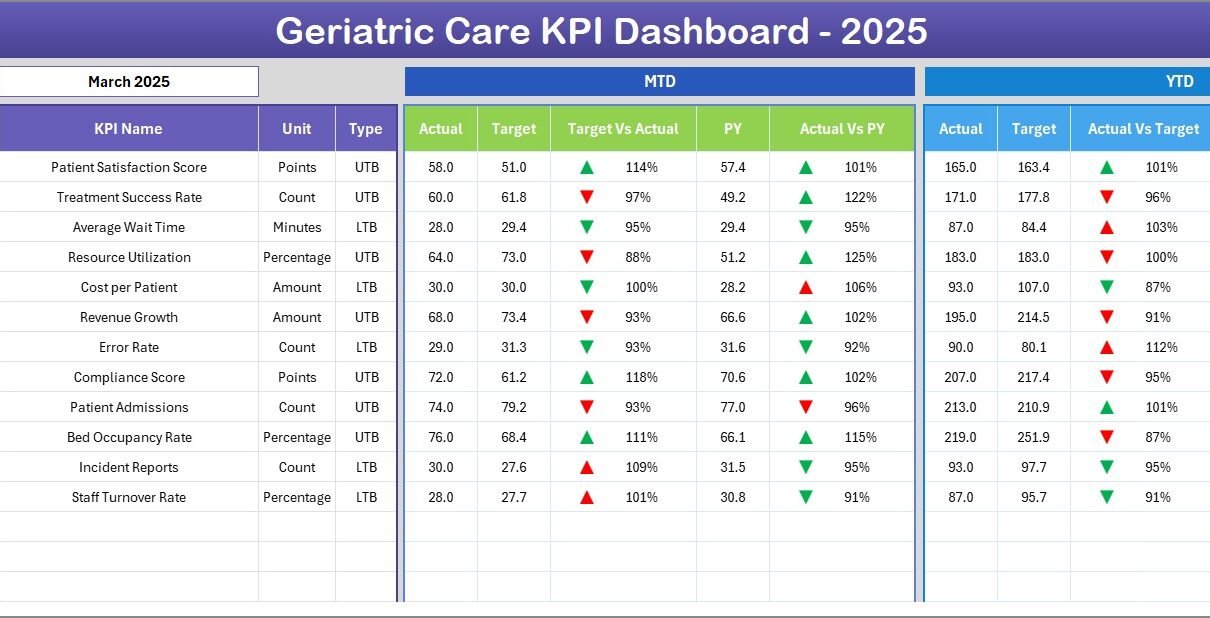
The heart of the dashboard. Users can select the month via a dropdown at cell D3, which updates all displayed KPI figures accordingly. It presents:
- MTD Actual, Target, and Previous Year Data
- Comparisons of Target vs Actual and Previous Year vs Actual with visual indicators (up/down arrows)
- YTD Actual, Target, and Previous Year Data with similar comparative metrics and conditional formatting
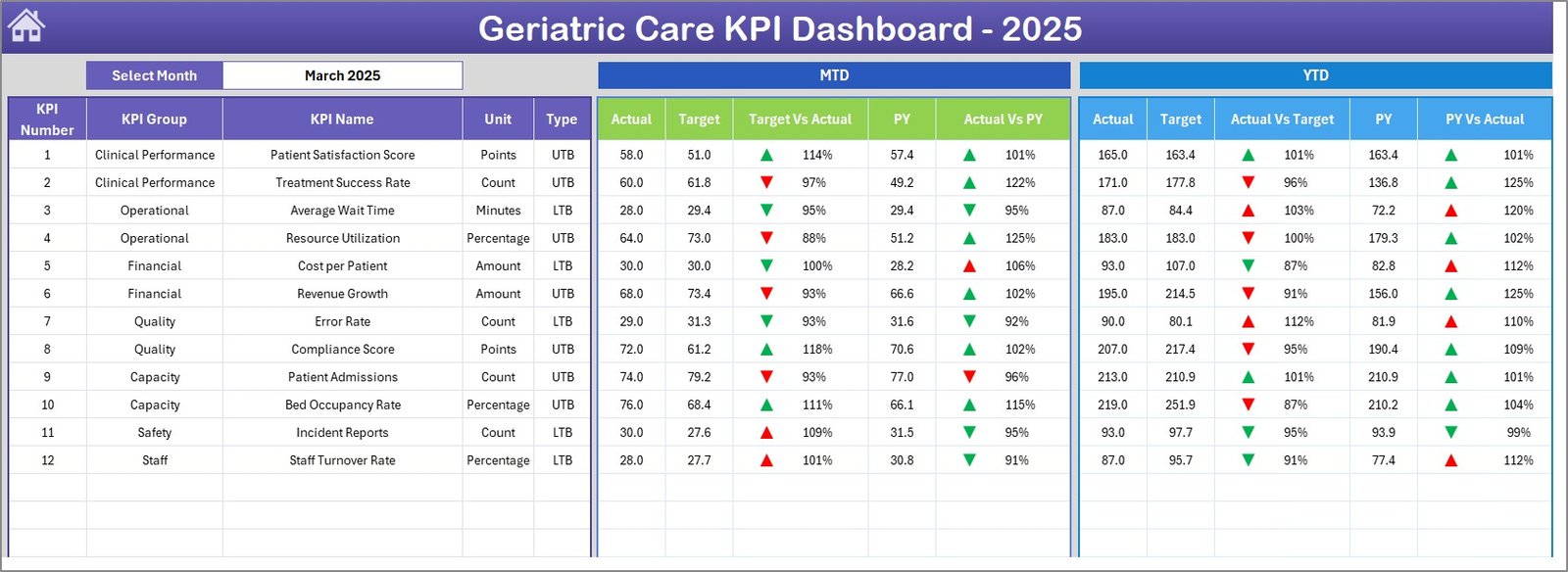 Geriatric Care KPI Dashboard
Click to Buy Geriatric Care KPI Dashboard in Excel
3. KPI Trend Sheet
Select a KPI from the dropdown at cell C3 to view detailed information about it:
- KPI Group and Unit
- Type of KPI indicating if a lower or upper value is better
- Formula and Definition for clarity
- MTD and YTD trend charts displaying Actual, Target, and Previous Year data
 KPI Trend Sheet
4. Actual Numbers Input Sheet
Enter the actual performance figures for the MTD and YTD here. The current selected month can be adjusted in cell E1, which serves as the base month for accurate calculations.
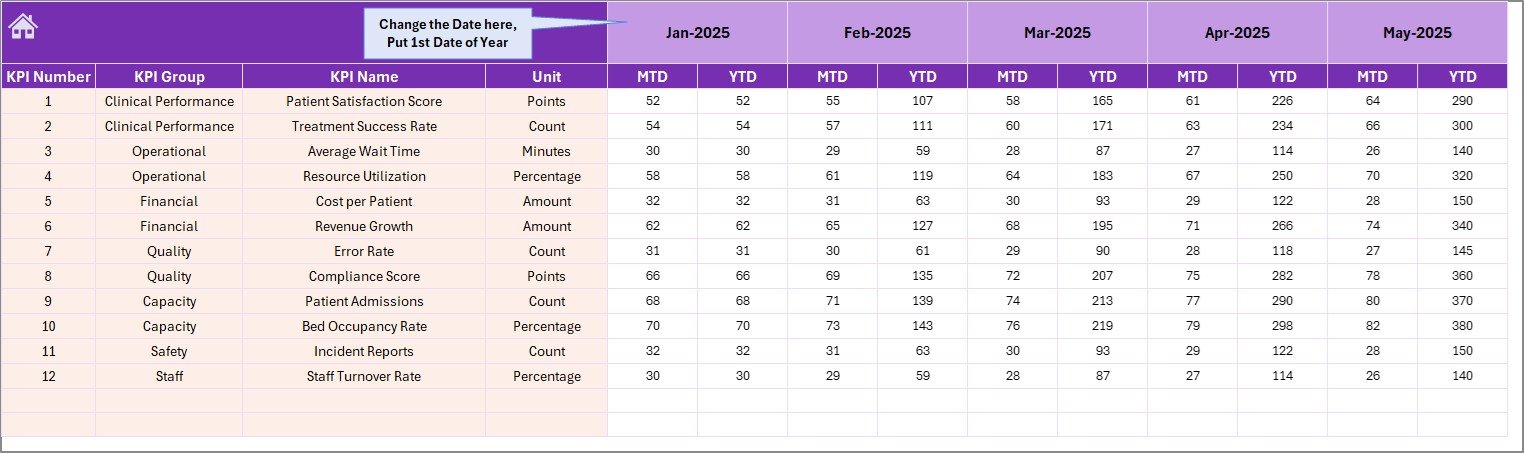 Actual Numbers Input sheet
Click to Buy Geriatric Care KPI Dashboard in Excel
5. Target Number Input Sheet
Input your monthly targets for every KPI, separately for MTD and YTD, ensuring the dashboard reflects your goal benchmarks properly.
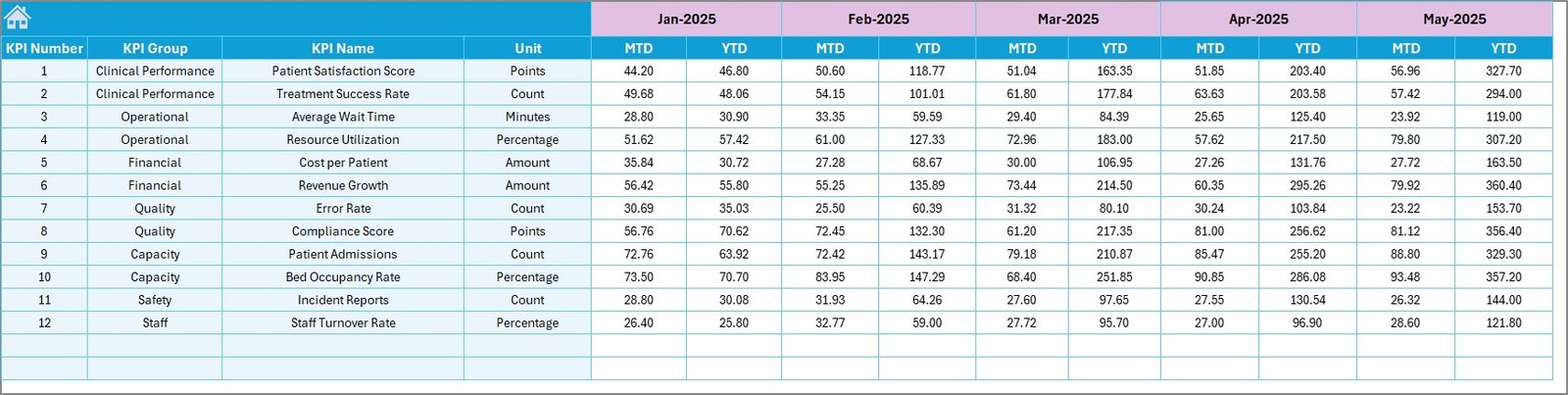 Target Number Input sheet
6. Previous Year Number Input Sheet
Enter corresponding data from the previous year for side-by-side comparison within the dashboard to track improvement or decline.
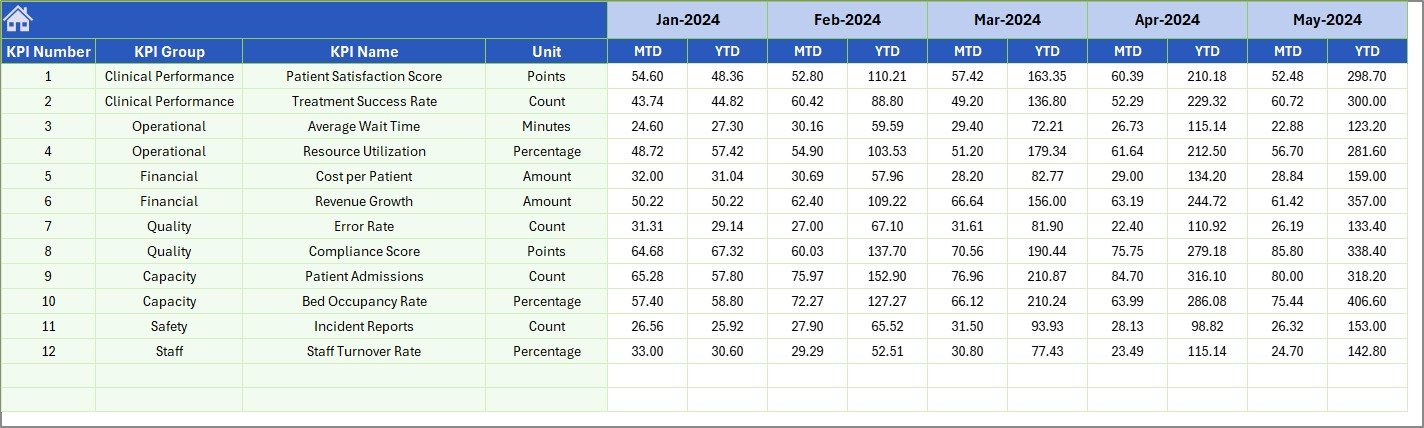 Previous Year Number Input sheet
Click to Buy Geriatric Care KPI Dashboard in Excel
7. KPI Definition Sheet
Centralized location where you document each KPI’s details including:
- KPI Name and Group
- Unit of Measurement
- Formula and Definition for clarity
- KPI Type indicating whether ‘Lower the Better’ (LTB) or ‘Upper the Better’ (UTB)
 KPI Definition sheet
Advantages of Geriatric Care KPI Dashboard
- Improved Decision-Making: Data-driven insights help stakeholders identify areas for improvement and allocate resources wisely.
- Time Efficiency: Interactive elements save time by auto-updating metrics for selected months and KPIs.
- Clear Visualization: Trend charts and conditional formatting provide quick understanding of performance fluctuations.
- Comprehensive Data Management: Separate sheets keep actual, target, and historical data organized, reducing errors.
- Customizable: Easily adaptable to different geriatric care settings and KPI requirements.
Opportunities for Improvement
Click to Buy Geriatric Care KPI Dashboard in Excel
- Integrate automated data import from EMR (Electronic Medical Record) systems to minimize manual entry.
- Add predictive analytics to forecast KPI trends and potential risk areas.
- Incorporate benchmarking against industry standards or competitor facilities for better contextual analysis.
- Mobile-friendly interactive dashboard for on-the-go access.
Best Practices
- Regularly update actual and target numbers to maintain dashboard accuracy.
- Review KPI definitions periodically to reflect alignment with evolving care standards.
- Ensure staff are trained on using dropdown filters and interpreting visual indicators.
- Utilize the Home sheet navigation buttons to facilitate quick access and workflow.
- Backup your data regularly to avoid loss and maintain historical records.
FAQs
Click to Buy Geriatric Care KPI Dashboard in Excel
Can I customize the KPIs tracked in this dashboard?
Yes, the KPI Definition sheet allows you to add or modify KPIs, including their formulas and types.
Does the dashboard support multiple years of data?
Currently, it supports current and previous year data, but it can be extended with additional sheets if required.
Is this dashboard compatible with Excel versions on Mac and Windows?
Yes, it is designed to be compatible with recent versions of Microsoft Excel across platforms.
Conclusion
Click to Buy Geriatric Care KPI Dashboard in Excel
The Geriatric Care KPI Dashboard serves as an essential tool for healthcare providers aiming to elevate the quality and efficiency of elderly care services. With its intuitive design, interactive controls, and comprehensive data management, this template simplifies complex performance monitoring challenges, empowering decision-makers to deliver better outcomes consistently.
For detailed tutorials and walkthroughs, visit the official Microsoft Excel page to enhance your Excel skills.
Visit our YouTube channel to watch the demo.
Click to Buy Geriatric Care KPI Dashboard in Excel