Employee wellness has become one of the most critical aspects of modern healthcare HR management. As organizations strive to balance productivity with employee well-being, having the right tools to plan, track, and manage wellness initiatives is essential. In healthcare settings, where professionals work under high stress and strict schedules, a structured calendar system can transform how HR manages wellness programs.
The Healthcare HR Employee Wellness Calendar in Excel offers a simple yet powerful solution. It enables HR managers to organize employee events, monitor wellness activities, and maintain clarity in scheduling without requiring expensive or complex software. With its ready-to-use design, HR teams can focus on what matters most—supporting employees and enhancing workplace well-being.
In this article, we’ll explore the features, advantages, best practices, and FAQs around this calendar template. You’ll also gain a clear understanding of how it can improve healthcare HR operations while creating a healthier work environment.
click to buy Now Healthcare HR Employee Wellness Calendar in Excel
What Is the Healthcare HR Employee Wellness Calendar in Excel?
The Healthcare HR Employee Wellness Calendar is a pre-built Excel template designed to streamline wellness-related scheduling. It eliminates the hassle of manual tracking and scattered notes by providing an organized platform where HR can manage events, workshops, health checkups, training sessions, and wellness campaigns in one place.
Unlike generic calendars, this tool is customized for healthcare HR needs. It comes with five interactive worksheets:
- Home Sheet Tab – A central hub with quick navigation buttons.
- Annual View – Displays a 12-month overview with themes and event highlights.
- Monthly View – Focuses on individual months with event indicators.
- Daily View – Shows detailed events for selected date ranges.
- Events Database – Stores event details with add, update, and delete functions.
Structure of the Calendar
Home Sheet Tab
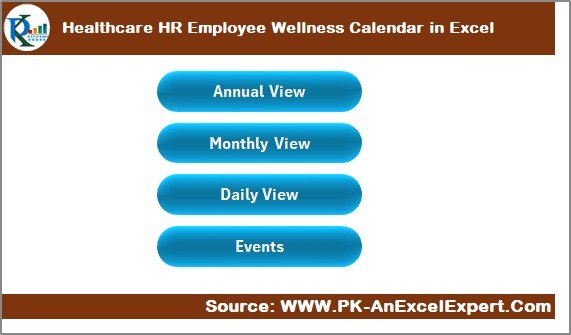
The Home sheet tab acts as an index, giving HR teams quick access to the entire system. It includes four navigation buttons:
- Annual View
- Monthly View
- Daily View
- Events
This layout reduces time spent searching and ensures that HR staff can move between different perspectives with ease.
click to buy Now Healthcare HR Employee Wellness Calendar in Excel
Annual View Sheet Tab
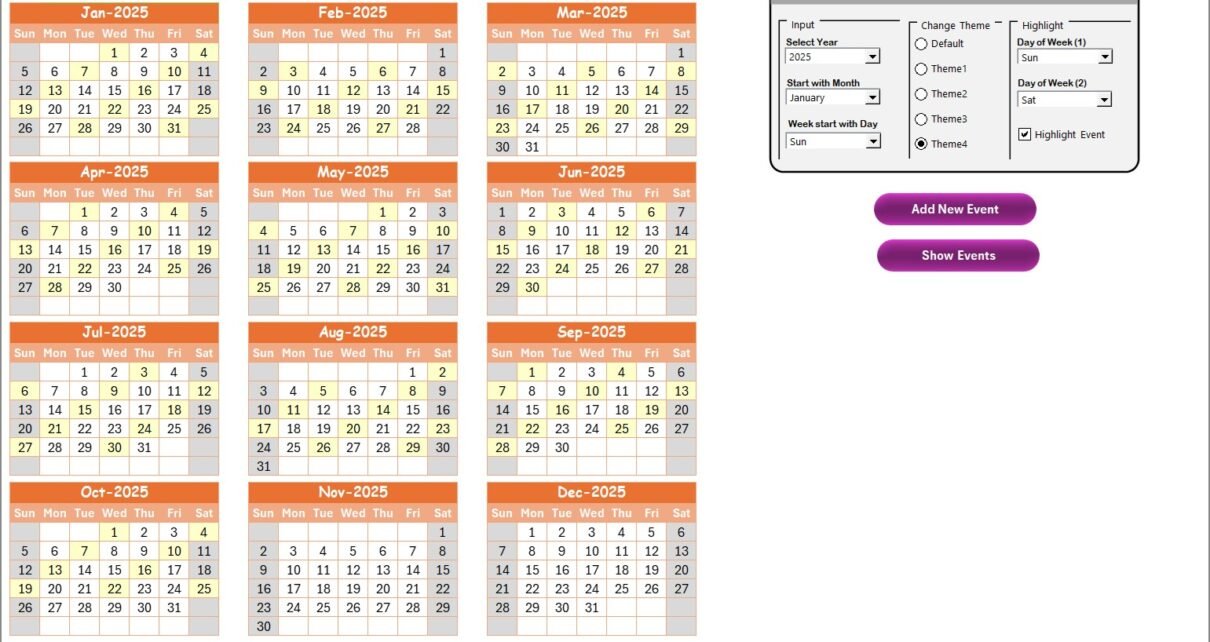
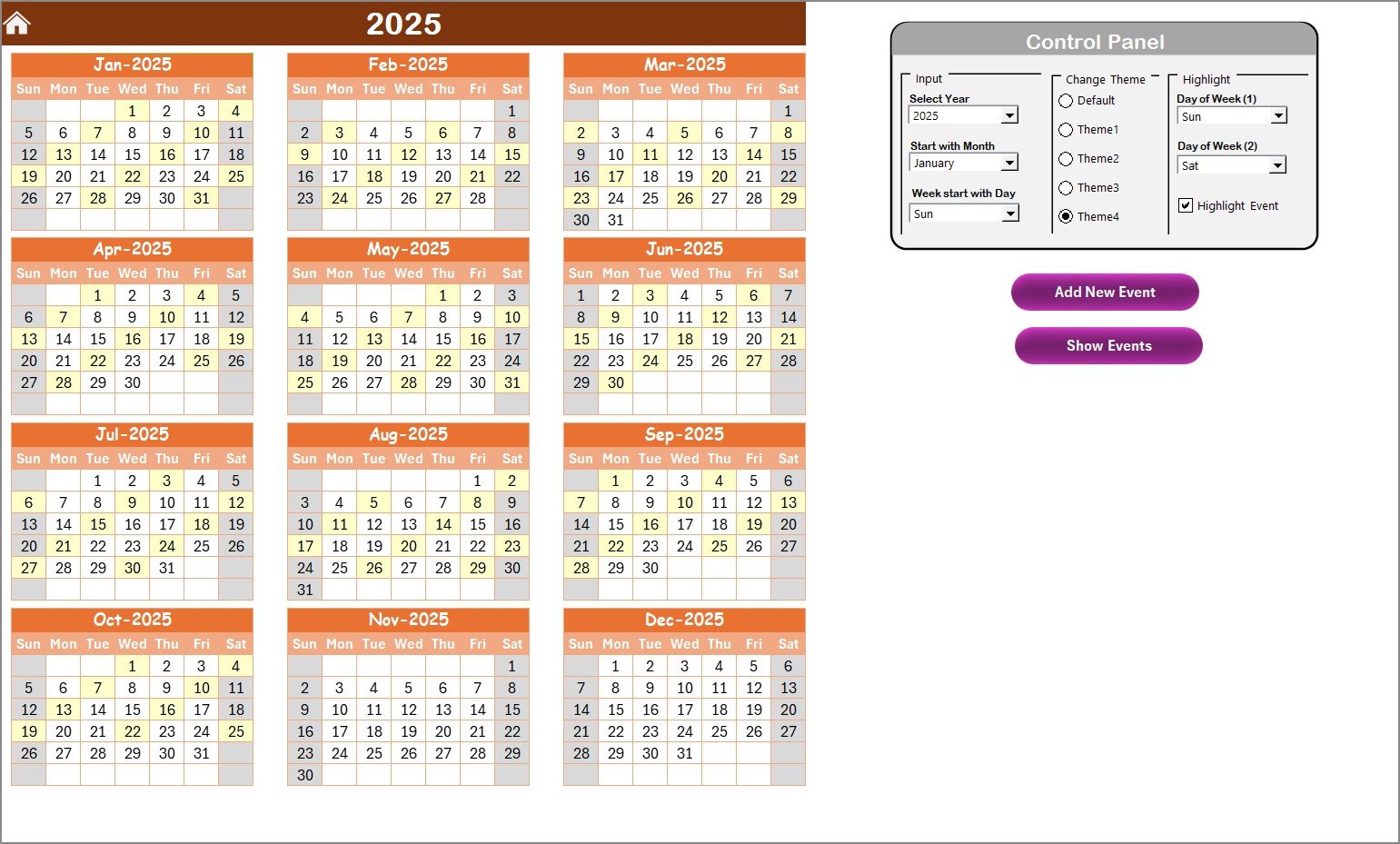
The Annual View provides a complete 12-month calendar. HR professionals can use it to plan yearly wellness campaigns, mandatory training, or recurring health checkups.
Key features include:
- Control Panel with Three Groups:
- Input Group: Select year, set starting month, and adjust the starting day of the week.
- Change Theme Group: Choose from five themes to personalize the calendar.
- Highlight Group: Highlight specific days (e.g., weekends) or highlight events for better visibility.
- Event Management Tools:
- Add New Event: Add activities directly to selected dates.
- Show Event: View the list of events on a chosen date.
click to buy Now Healthcare HR Employee Wellness Calendar in Excel
Monthly View Sheet Tab
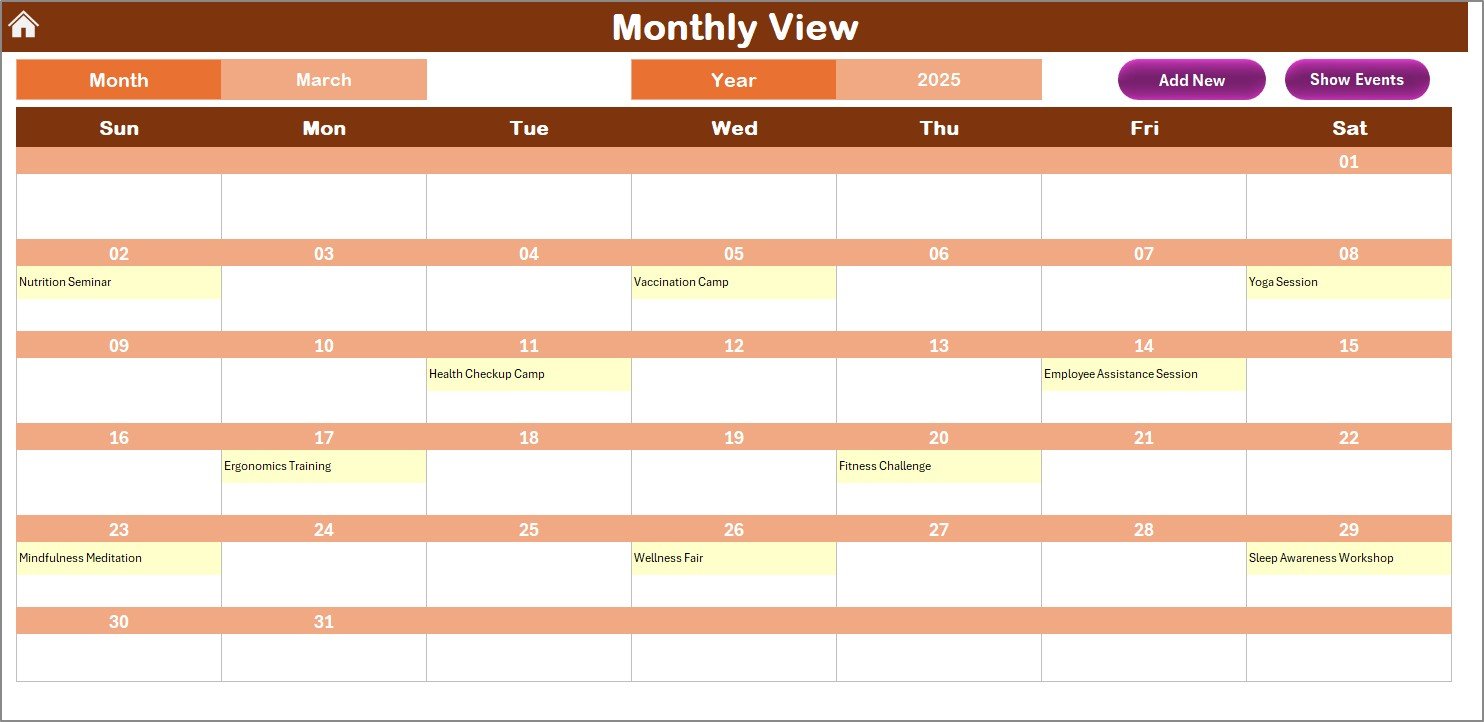
The Monthly View gives a focused look at a specific month. HR teams can filter by month and year to see relevant schedules.
Highlights include:
- Shows one primary event per date, with an indicator if multiple events exist.
- Add New Event button for inserting details easily.
- Show Event button to review activities planned for a particular day.
This view is excellent for monthly wellness campaigns, employee birthday celebrations, or department-specific events.
Daily View Sheet Tab
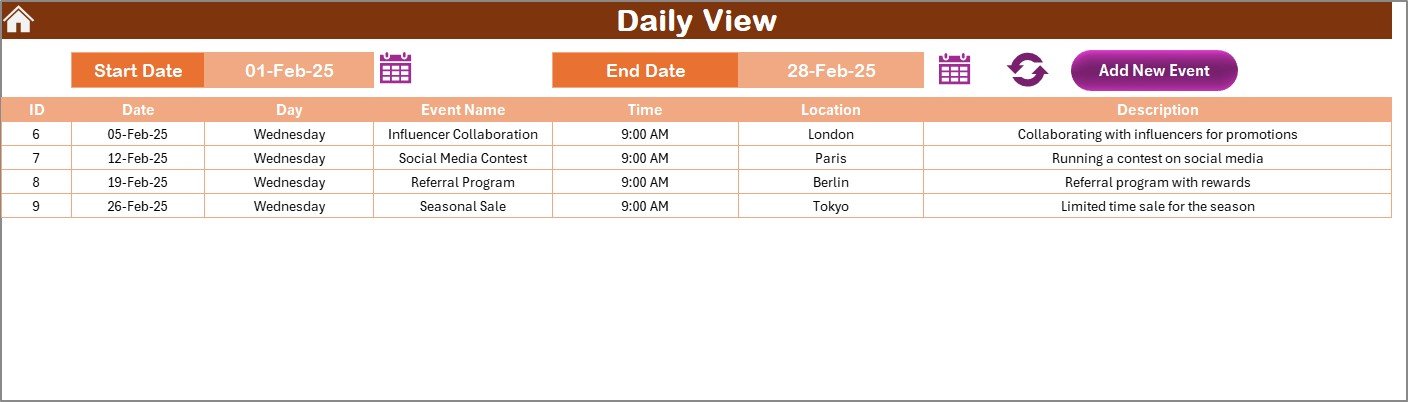
For a more detailed perspective, the Daily View presents events across a selected date range. HR professionals can:
- Input a start date and end date using a calendar picker.
- Click Refresh to update the event list.
- Use the Add New Event option to log new activities.
This sheet is ideal for daily wellness tasks, training workshops, or monitoring health screenings.
click to buy Now Healthcare HR Employee Wellness Calendar in Excel
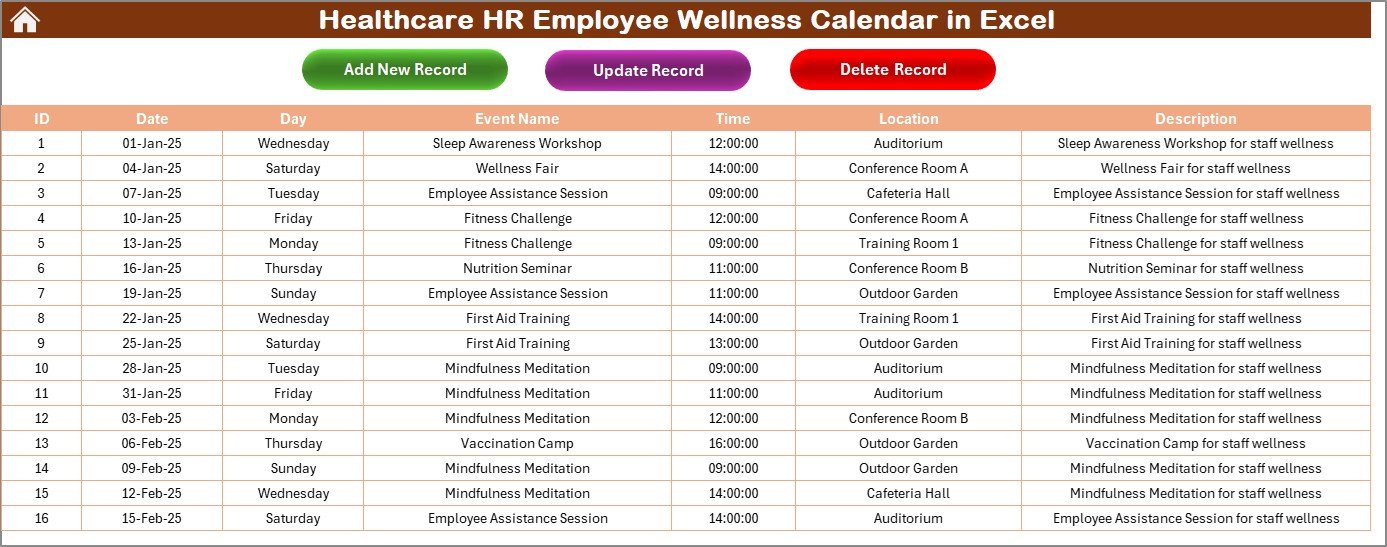
Events Sheet Tab
The Events sheet serves as the database of all activities. Every event entered through the calendar is stored here with details such as:
- ID (auto-generated)
- Date
- Day
- Event Name
- Time
- Location
- Description
Additionally, it includes three buttons:
- Add New Record – Log a fresh event.
- Update Existing Record – Edit previously entered details.
- Delete Record – Remove outdated or canceled events.
This database approach ensures that all activities remain accessible, traceable, and easy to manage.
click to buy Now Healthcare HR Employee Wellness Calendar in Excel
Advantages of the Healthcare HR Employee Wellness Calendar in Excel
Implementing this calendar template provides numerous benefits:
- Centralized Tracking – Keeps all employee wellness activities in one place.
- Cost-Effective – Eliminates the need for complex HR software.
- Time-Saving – Quick navigation and automation reduce manual effort.
- Customizable Themes – Personalize visuals to suit organizational style.
- Improved Event Management – Add, edit, and delete events seamlessly.
- Visibility at Multiple Levels – Annual, monthly, and daily views ensure complete clarity.
- Employee Engagement – Consistent wellness activities enhance job satisfaction and retention.
- Compliance Support – Helps HR track mandatory health programs and safety sessions.
Opportunities for Improvement
While the calendar is highly functional, there are areas for future enhancement:
- Integration with Outlook or Google Calendar for automatic reminders.
- Mobile Access to enable on-the-go usage for HR staff.
- Advanced Analytics to track participation and engagement.
- Automated Notifications for employees about upcoming events.
- Linking Wellness KPIs for better alignment with HR performance dashboards.
Best Practices for Using the Calendar
click to buy Now Healthcare HR Employee Wellness Calendar in Excel
To maximize the calendar’s effectiveness, healthcare HR teams should follow these practices:
- Regular Updates – Keep the events sheet up to date with new programs.
- Use Multiple Views – Check annual, monthly, and daily sheets for balanced planning.
- Keep Descriptions Short – Provide concise details for clarity.
- Leverage Themes – Use different color themes for different departments or event types.
- Set Reminders – Even though Excel doesn’t notify automatically, pair the calendar with reminders via email or task apps.
- Focus on Employee Needs – Plan wellness activities that address healthcare workers’ specific challenges like stress management and healthy lifestyle programs.
- Review Participation – Use the events sheet to monitor attendance and adjust future plans.
Conclusion
The Healthcare HR Employee Wellness Calendar in Excel is more than just a scheduling tool. It’s a complete system that empowers HR teams to plan, track, and improve employee well-being initiatives with precision and simplicity. By combining structured event management with flexible calendar views, it ensures healthcare professionals remain supported and engaged throughout the year.
For healthcare organizations aiming to improve employee wellness while maintaining efficiency, this calendar provides a practical, cost-effective, and highly impactful solution.
Frequently Asked Questions (FAQs)
- What is the Healthcare HR Employee Wellness Calendar in Excel?
It is a pre-built Excel template designed for HR teams to plan, track, and manage wellness-related events and activities in healthcare organizations.
- How many worksheet tabs does the calendar have?
The template has five worksheets: Home, Annual View, Monthly View, Daily View, and Events.
- Can I customize the calendar’s look?
Yes, you can select from five different themes using the control panel in the Annual View sheet.
- Can I highlight weekends or special days?
Yes. The Highlight Group in the Annual View allows you to highlight specific days such as Saturdays and Sundays.
- Is this template suitable only for healthcare HR?
No. While designed for healthcare HR, it can be adapted for any organization that needs structured event and wellness scheduling.
- Can I track multiple events on the same day?
Yes. The Monthly View indicates when more than one event is scheduled with a “more than 1” note.
- Does the calendar support event deletion or updates?
Yes. The Events sheet includes options to add, update, or delete records easily.
- How does this calendar improve employee wellness?
By organizing wellness programs, health checkups, and training sessions, HR can improve engagement, reduce stress, and promote a healthier workplace.
- Do I need Excel expertise to use this tool?
No. The template is user-friendly, with pre-built buttons and forms that make it accessible for HR staff with basic Excel knowledge.
- Can this calendar replace HR software?
It can’t replace a full HR software suite but serves as a cost-effective alternative for wellness planning, especially in small and mid-sized healthcare organizations.
Visit our YouTube channel to learn step-by-step video tutorials
Watch the step-by-step video tutorial:
click to buy Now Healthcare HR Employee Wellness Calendar in Excel