Introduction
The Nursing Homes KPI Dashboard is an essential tool designed to help healthcare administrators and managers monitor and improve operational performance effectively. This ready-to-use template provides comprehensive insights into key performance indicators (KPIs) critical for nursing homes, helping to ensure quality care, operational efficiency, and regulatory compliance.
Key Features of Nursing Homes KPI Dashboard
- Seven dedicated worksheets tailored for various aspects of KPI tracking and management.
- Interactive month selection to dynamically update dashboard figures.
- Conditional formatting with up/down arrows to quickly visualize KPI trends.
- Detailed KPI explanations including unit, formula, and performance type.
- Input sheets allow seamless data entry for actuals, targets, and previous year values.
- Visual trend charts for month-to-date (MTD) and year-to-date (YTD) performance comparison.
- User-friendly navigation through clickable buttons on the home sheet.
Dashboard Pages Explanation
1. Home Sheet
This is the index page featuring six navigational buttons to quickly jump to the respective sheets.
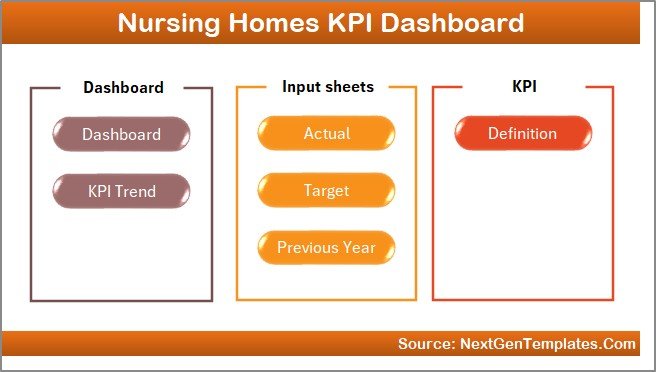 Home Page
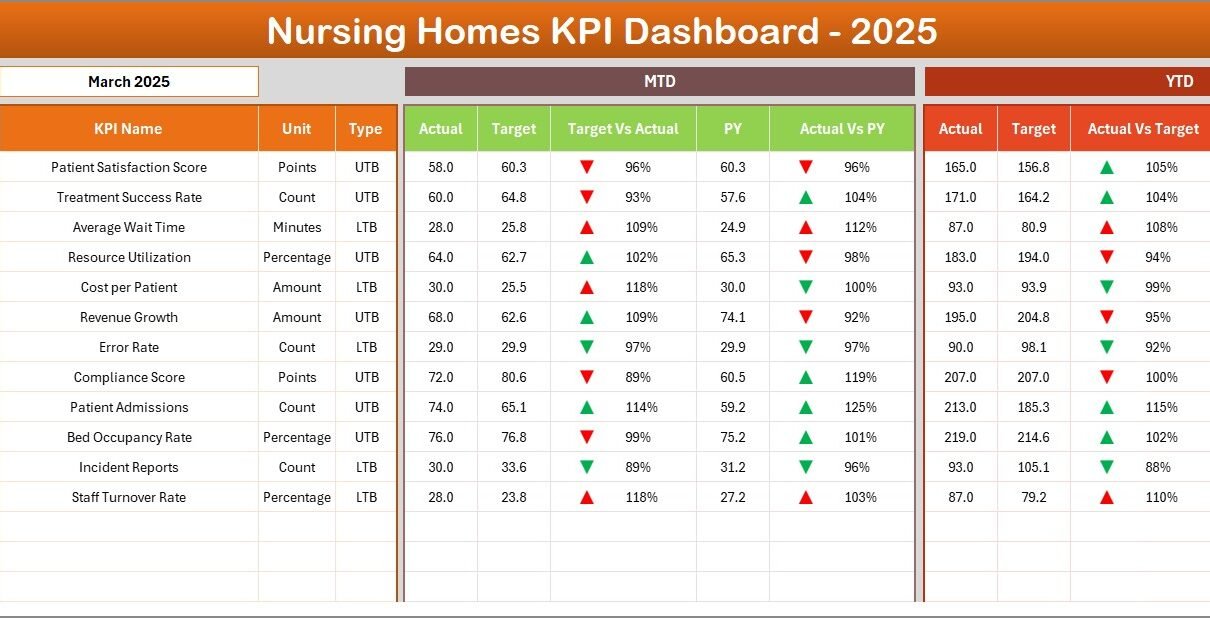
2. Dashboard Sheet
The core dashboard displays comprehensive KPI details. Users can select the desired month via a drop-down menu at cell D3. The dashboard dynamically updates to show:
- MTD: Actual, Target, Previous Year data.
- YTD: Actual, Target, Previous Year data.
- Conditional formatting with arrows indicating Target vs Actual, and Previous Year vs Actual comparisons.
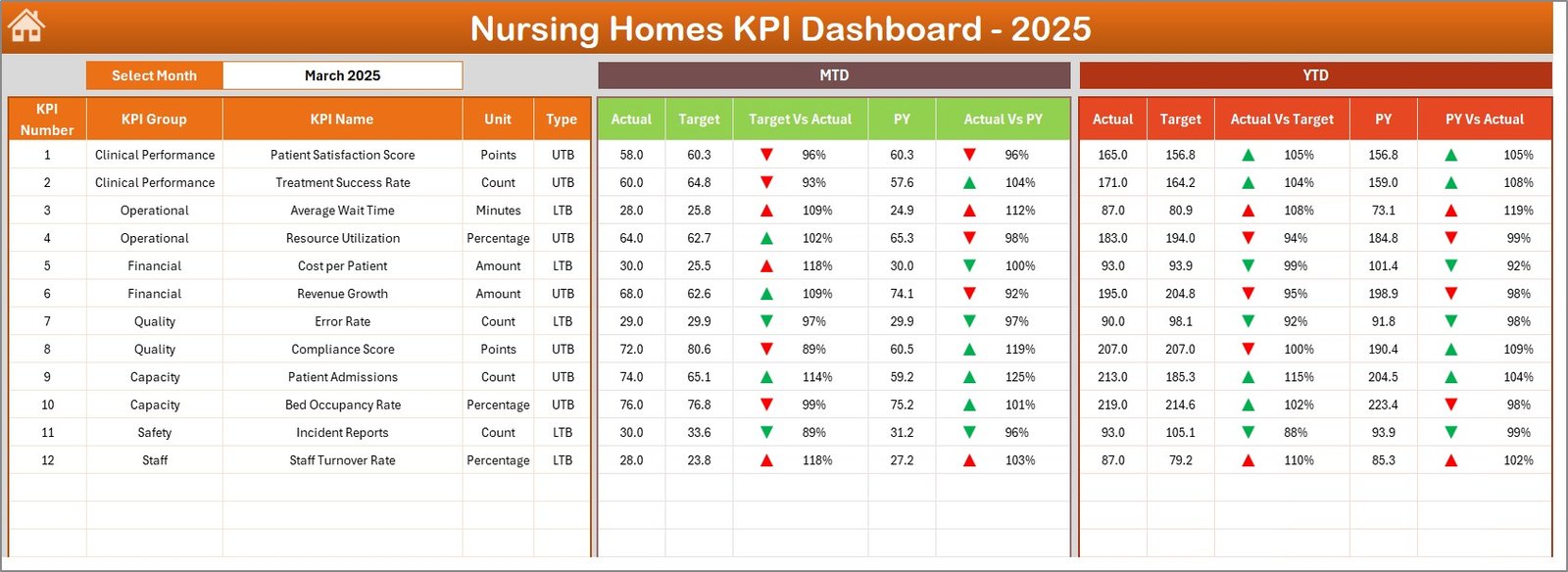 Nursing Homes KPI Dashboard
3. KPI Trend Sheet
Select any KPI using the drop-down at cell C3. This sheet presents detailed information about the chosen KPI, including:
- KPI Group
- Unit of Measurement
- Type (Lower The Better or Upper The Better)
- Formula and Definition
The bottom section features trend charts comparing MTD and YTD actual, target, and previous year numbers for deeper insight.
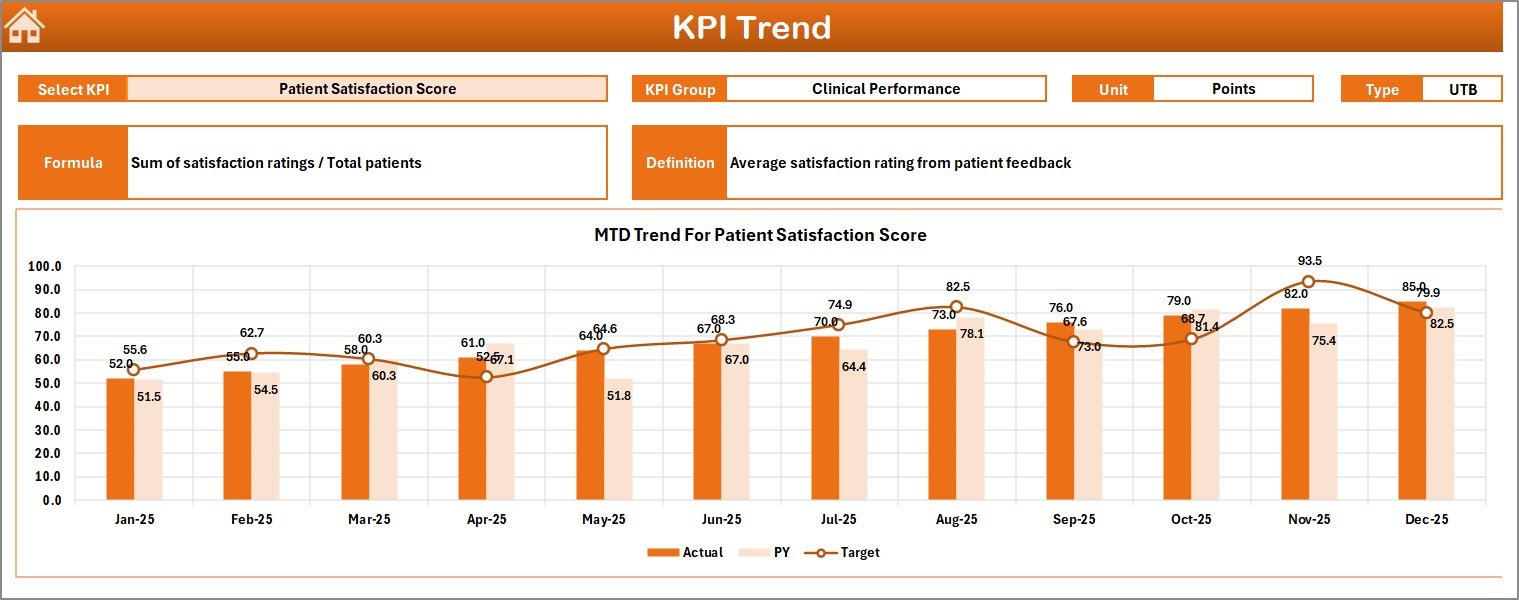 KPI Trend Sheet
4. Actual Numbers Input Sheet
This is where the user inputs actual YTD and MTD numbers for a selected month. The month can be changed using cell E1 by entering the first month of the year.
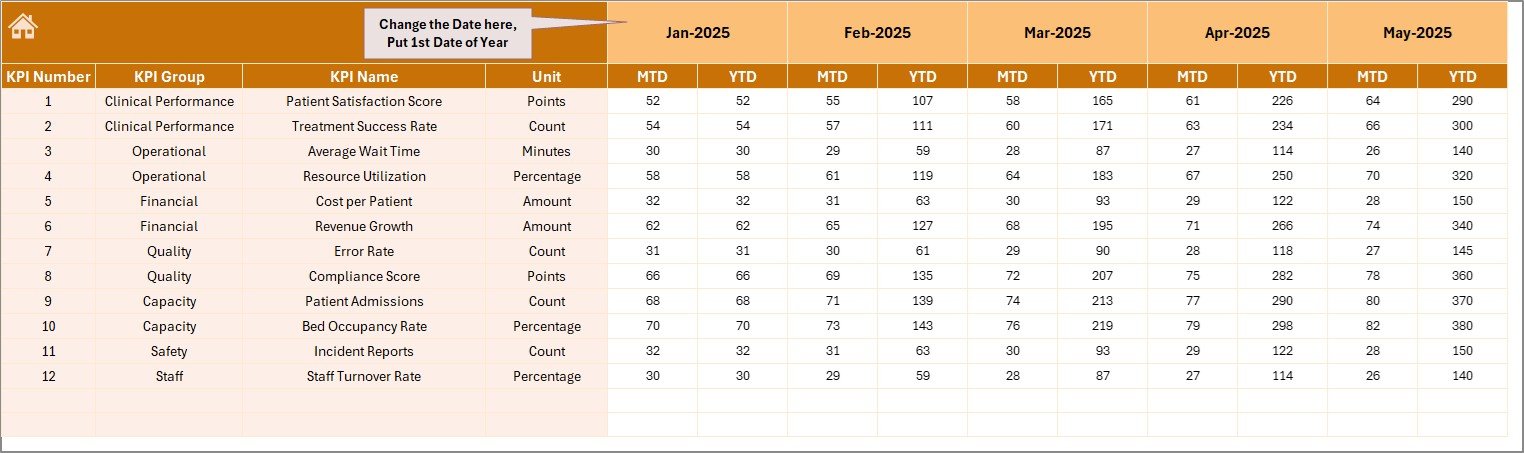 Actual Numbers Input sheet
5. Target Number Input Sheet
Enter the target values for each KPI here, both for MTD and YTD periods. This helps in benchmarking actual performance against expected goals.
 Target Number Input sheet
6. Previous Year Number Input Sheet
This sheet records data from the previous year, formatted similarly to the current year data. This information aids in year-over-year performance analysis.
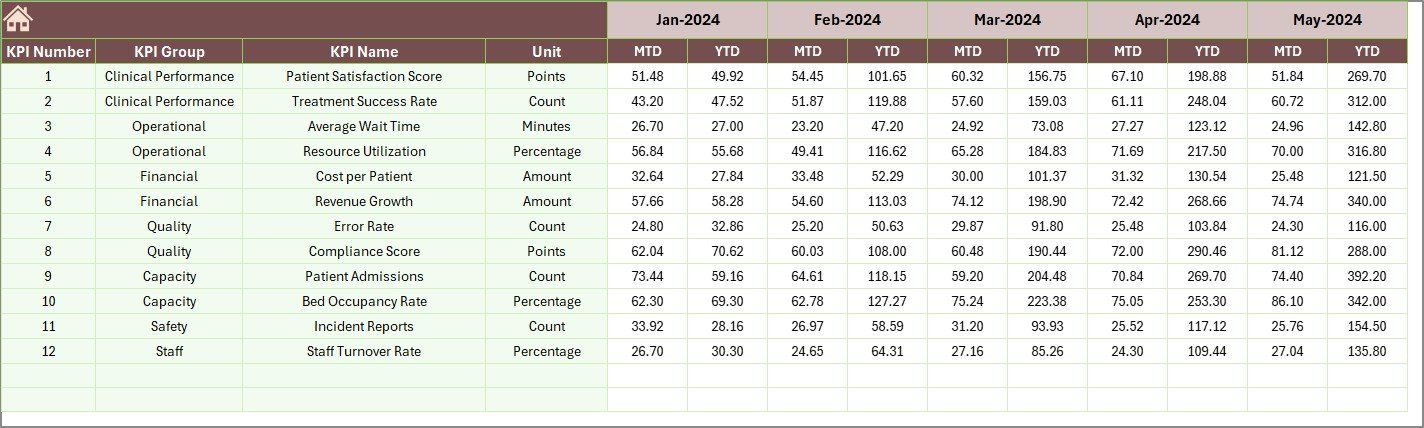 Previous Year Number Input sheet
7. KPI Definition Sheet
Maintain the metadata of each KPI here. Provide KPI Name, Group, Unit, Formula, Definition, and the KPI type: LTB (Lower The Better) or UTB (Upper The Better).
 KPI Definition sheet
Advantages of Nursing Homes KPI Dashboard
Click to Buy Nursing Homes KPI Dashboard in Excel
- Centralized Data Management: Consolidates all KPI data in one place for easy access.
- Real-Time Data Analysis: Dynamic month selection allows for instant updates and trends visualization.
- Improved Decision Making: Visual cues such as arrows and trend charts help identify areas needing attention.
- Customization: Easily adaptable for different nursing homes with varied KPIs.
- Enhanced Transparency: Clear definitions and formulas reduce ambiguity in performance measurement.
Opportunities for Improvement
- Integration with EHR Systems: Automating actual data entry by linking with Electronic Health Records for accuracy and time-saving.
- Mobile Accessibility: Developing a mobile-friendly version for on-the-go monitoring.
- Advanced Predictive Analytics: Incorporate AI to forecast trends and support proactive management.
- User Access Controls: Adding role-based permissions to enhance data security.
Best Practices
Click to Buy Nursing Homes KPI Dashboard in Excel
- Regularly update the actual, target, and previous year data to ensure accuracy.
- Use the KPI definitions sheet to educate staff for a common understanding of performance metrics.
- Leverage trend charts for monthly review meetings to track progress and issues.
- Customize KPI groups and definitions according to your specific operational goals.
- Perform periodic audits of data entry sheets to avoid inconsistencies.
FAQs
Click to Buy Nursing Homes KPI Dashboard in Excel
Can this dashboard be customized for different nursing homes?
Yes, the dashboard structure allows modification of KPIs, definitions, and data inputs to match specific facility requirements.
Is prior Excel expertise required to use this dashboard?
Basic Excel knowledge is helpful, but the dashboard is designed to be user-friendly with navigation buttons and drop-down menus.
Can the dashboard handle multiple years of data?
The current version focuses on current year and previous year data, but it can be extended with additional sheets for multi-year tracking.
Conclusion
Click to Buy Nursing Homes KPI Dashboard in Excel
The Nursing Homes KPI Dashboard is a powerful, intuitive tool for monitoring key performance indicators, streamlining data analysis, and supporting quality care in nursing homes. With its comprehensive features and easy navigation, it empowers healthcare administrators to make data-driven decisions confidently and efficiently.
To enhance your understanding and get started quickly, visit the official Microsoft Excel support page for advanced dashboard techniques: Microsoft Excel Support.
Visit our YouTube channel to watch the demo: Youtube.com/@NextGenTemplates
Click to Buy Nursing Homes KPI Dashboard in Excel