Introduction
Office Parking Utilization Event Calendar in Excel is a powerful, ready-to-use template designed to help you efficiently manage and visualize parking space utilization events throughout the year. This dynamic tool offers multiple views and an easy-to-navigate dashboard for seamless event management in office parking systems.
Key Features of Office Parking Utilization Event Calendar In Excel
- Comprehensive calendar views: annual, monthly, daily, and events database.
- Interactive control panels to customize year, starting month, and week day.
- Multiple color themes for personalized appearance.
- Event highlighting with easy toggling for weekends and special days.
- Buttons for quick event addition and viewing across all calendar views.
- Auto-generated unique IDs for all parking utilization events.
Dashboard Pages Explanation
1. Home Sheet Tab
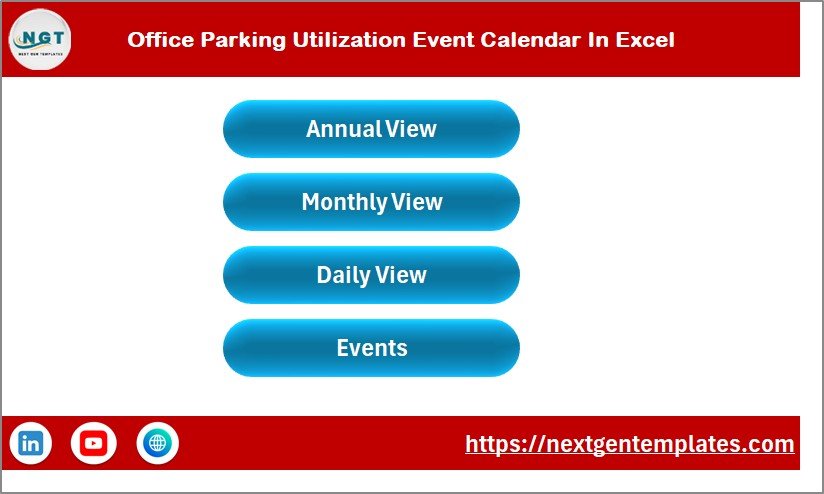
This index page contains four navigation buttons for easy access to different calendar views and the event database.
Click to Buy Office Parking Utilization Event Calendar In Excel
2. Annual View Sheet Tab
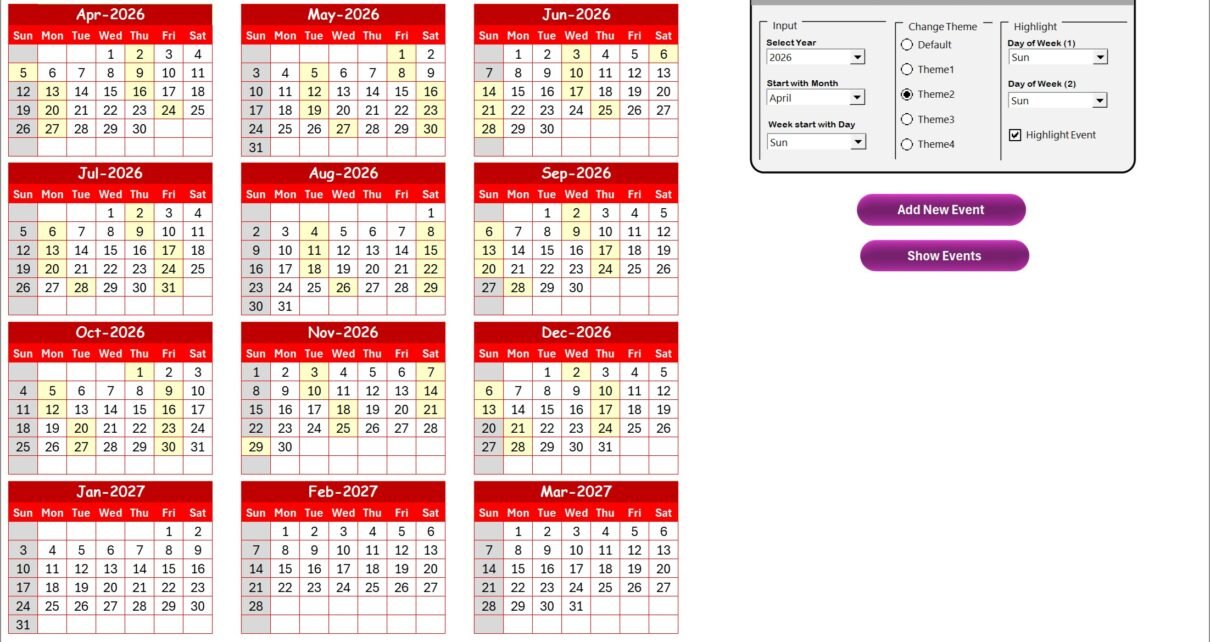
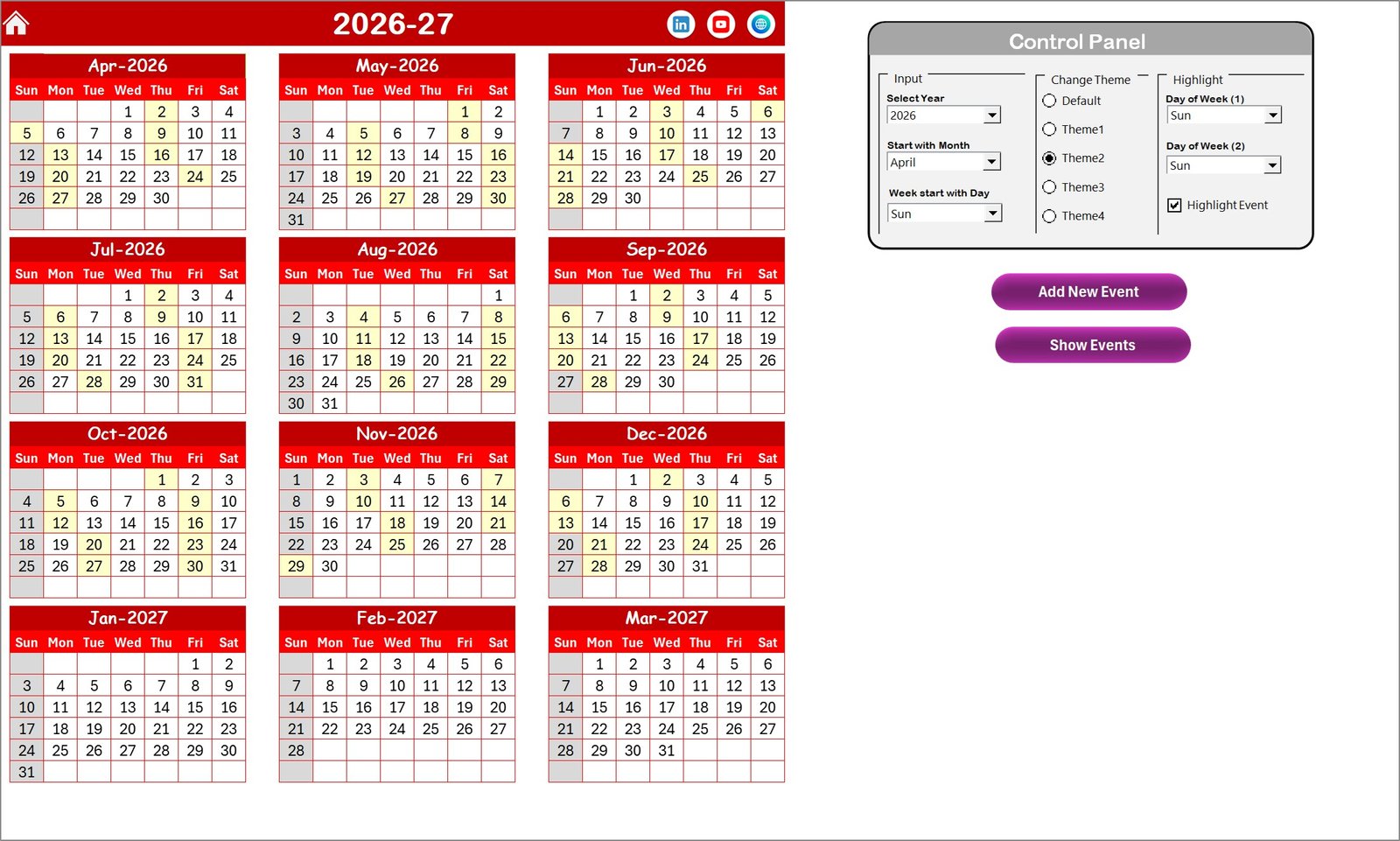
This sheet presents all 12 months of the year on a single page, providing a holistic view of parking utilization events.
Control Panel Groups:
-
- Input Group: Change year, starting month, and week start day.
- Change Theme Group: Select from 5 color themes for the workbook.
- Highlight Group: Choose two days of the week to highlight and enable event highlighting in yellow.
- Add New Event Button: Select a date and add new events via a form.
- Show Event Button: View all events scheduled for the selected date.
Click to Buy Office Parking Utilization Event Calendar In Excel
3. Monthly View Sheet Tab
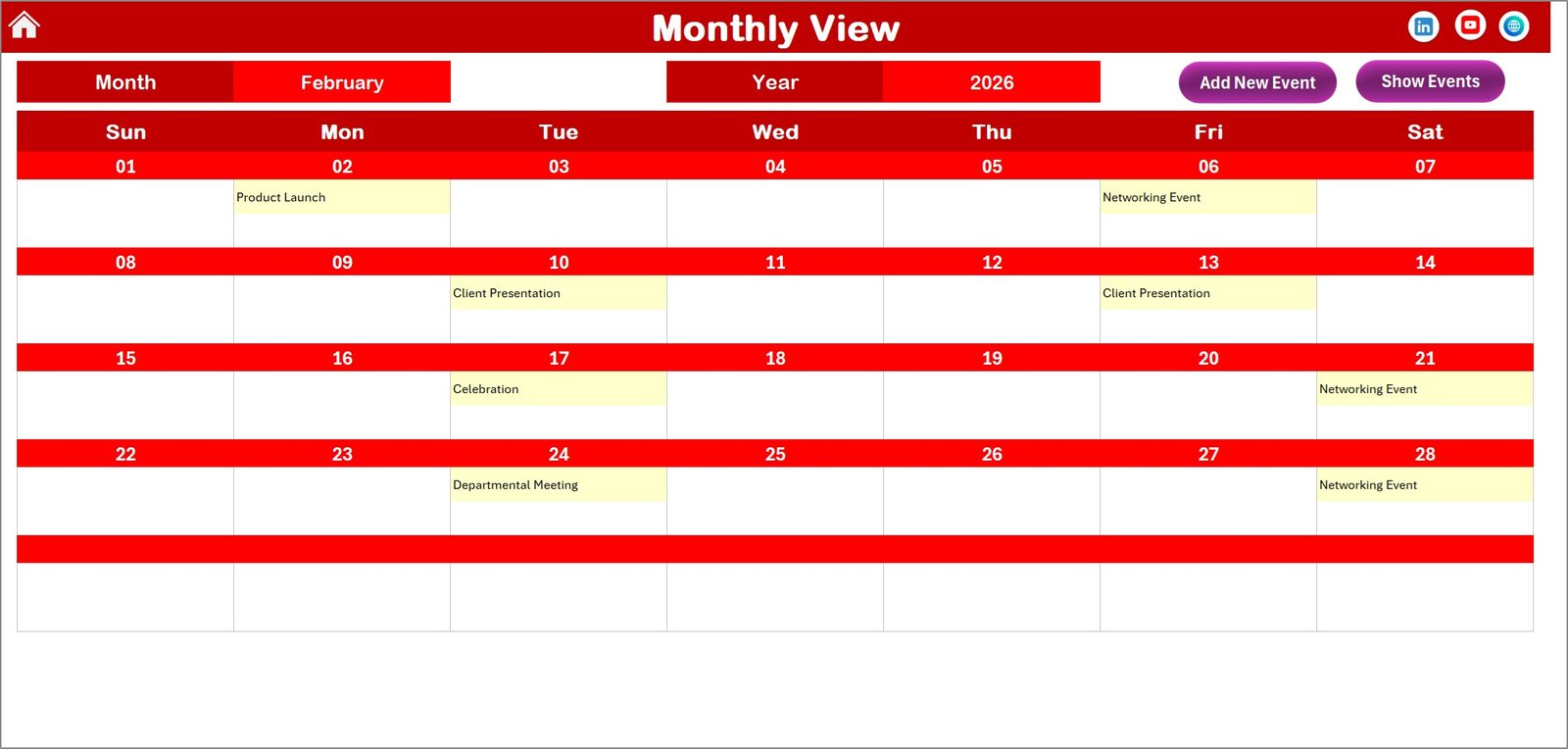
Focus on a specific month and year to view events. It displays a single month calendar with event indicators.
- Add New Event button to quickly add events for the selected date.
- Show Event button to view all events on a particular day.
4. Daily View Sheet Tab
This section lists all events based on a selectable date range for detailed daily tracking.
- Select start and end dates using the calendar icon.
- Refresh button updates the event list to reflect the current selected date range.
- Add New Event button to insert new events quickly.

Click to Buy Office Parking Utilization Event Calendar In Excel
5. Events Sheet Tab
This is the database maintaining all event details systematically with the following information:
- ID: Auto-generated unique identifier.
- Date: Date of the event.
- Day: Day of the week (e.g., Sunday, Monday).
- Event Name: Name of the parking-related event.
- Time: Event time.
- Location: Where the event takes place.
- Description: Brief description of the event.
- Control Buttons:
- Add New Record: Opens form to add event.
- Update Existing Record: Edit selected record.
- Delete Record: Remove event by ID.

Click to Buy Office Parking Utilization Event Calendar In Excel
Advantages of Office Parking Utilization Event Calendar In Excel
- Improves parking space management with clear event visualization.
- User-friendly interface with intuitive navigation and control panels.
- Saves time by automating calendar updates based on user input.
- Customization options including themes and event highlights.
- Comprehensive event tracking for better decision making.
Opportunities for Improvement
Click to Buy Office Parking Utilization Event Calendar In Excel
- Integration with mobile apps for real-time updates and notifications.
- Adding analytics dashboards to analyze parking usage patterns.
- Incorporating user permissions to secure event data.
- Enable import/export options for better data portability.
Best Practices
Click to Buy Office Parking Utilization Event Calendar In Excel
- Regularly update and review event data to maintain accuracy.
- Use the theme customization to match your office branding.
- Highlight weekends and special days relevant to your office schedule.
- Backup your event database periodically.
- Leverage Excel’s built-in filters and sorting to maximize the template’s efficiency.
FAQs
Can I customize the starting day of the week in this calendar?
Yes, the annual view sheet has options to change the starting day of the week for your calendar preferences.
How do I add a new event to the calendar?
Select the desired date on the calendar and click the ‘Add New Event’ button. Fill the form and submit to add the event.
Is it possible to highlight weekends or custom days?
Absolutely. The control panel allows highlighting two different days of the week, such as Saturday and Sunday, with custom colors.
Can I view events across a date range?
Yes, the Daily View sheet lets you select a start and end date to see all events scheduled within that period.
Conclusion
Click to Buy Office Parking Utilization Event Calendar In Excel
Utilizing the Office Parking Utilization Event Calendar In Excel unlocks efficient management of parking events with versatile views and customization options, ideal for office settings. Whether you need a yearly overview or detailed daily listings, this template accommodates all your needs, helping streamline parking space utilization with ease.
For more official Excel tools and updates, visit Microsoft Excel’s official site.
Visit our YouTube channel to watch the demo.
Click to Buy Office Parking Utilization Event Calendar In Excel