Introduction
Office Parking Utilization Holiday Calendar In Excel is a versatile template designed to help organizations manage office parking and holiday schedules efficiently. This ready-to-use Excel calendar enhancesOffice Parking Utilization Holiday Calendar In Excel workplace logistics by offering multiple calendar views and customizable event management features.
Key Features of Office Parking Utilization Holiday Calendar In Excel
- Five detailed worksheets covering annual, monthly, daily views, a dashboard, and event database.
- Easy navigation with dedicated buttons to switch between views.Office Parking Utilization Holiday Calendar In Excel
- Customizable year, starting month, and week start day in the annual calendar.
- Multiple color themes and highlight options to tailor the calendar’s look and feel.
- Event management with adding, updating, viewing, and deleting capabilities.
- Date range filtering in the daily view for focused event tracking.
Dashboard Pages Explanation
Home Sheet Tab
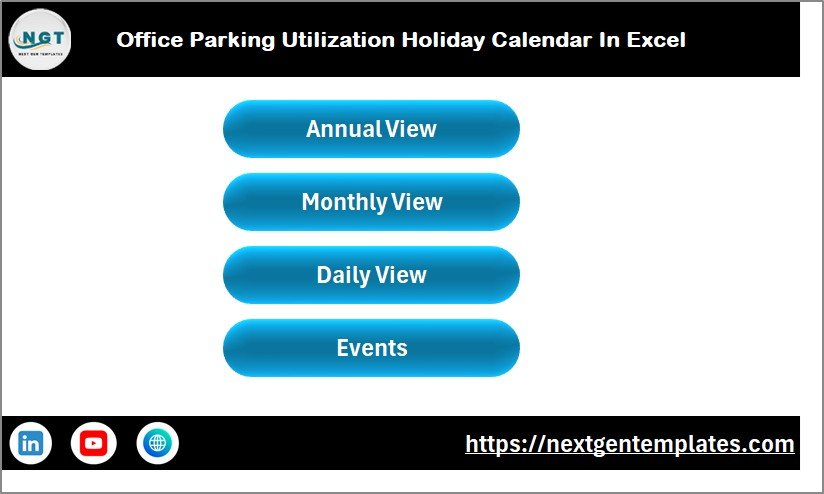
This sheet acts as an index for quick navigation with buttons to jump to Annual View, Monthly View, Daily View, and Events sheets.
 Office Parking Utilization Holiday Calendar In Excel
Click to Buy Office Parking Utilization Holiday Calendar In Excel
Annual View Sheet Tab
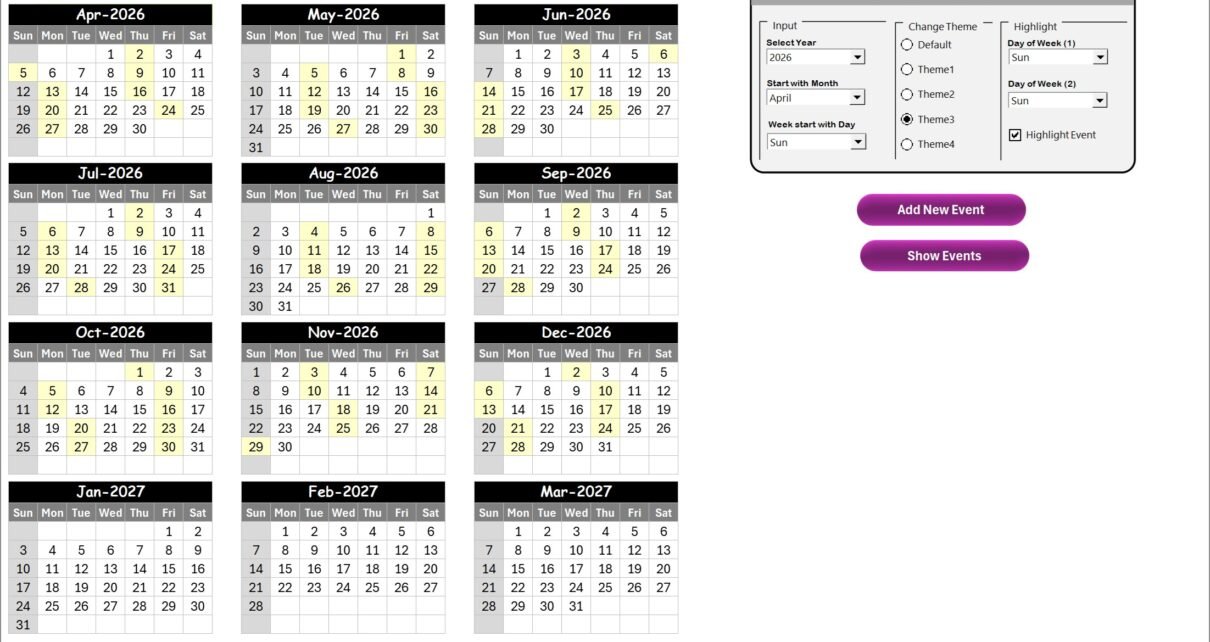
The Annual View displays all 12 months in one sheet with a control panel and buttons.
- Control Panel Groups:
- Input Group: Select Year, starting month, and week start day.Office Parking Utilization Holiday Calendar In Excel
- Change Theme Group: Choose from 5 color themes for the workbook.
- Highlight Group: Pick two days of the week to highlight and enable event highlighting.
- Add New Event Button: Add events by selecting a date and submitting event details.
- Show Event Button: View all events for the selected date.
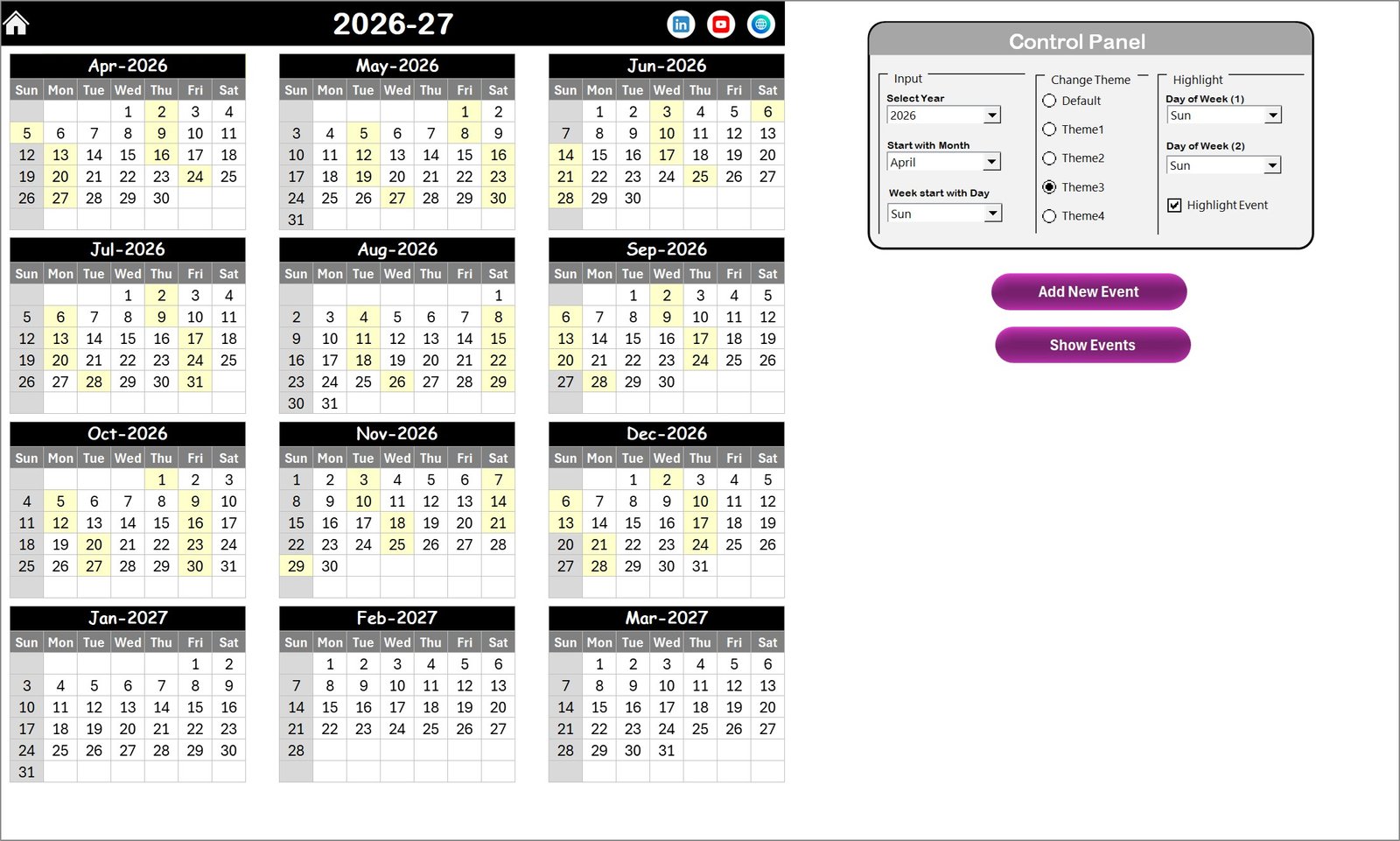 Annual View Sheet tab
Click to Buy Office Parking Utilization Holiday Calendar In Excel
Monthly View Sheet Tab
Focuses on a single month with selectable Month and Year. Events for individual dates are summarized when multiple events occur.
- Add New Event Button: Add an event for a selected date.
- Show Event Button: See event list for the selected date.
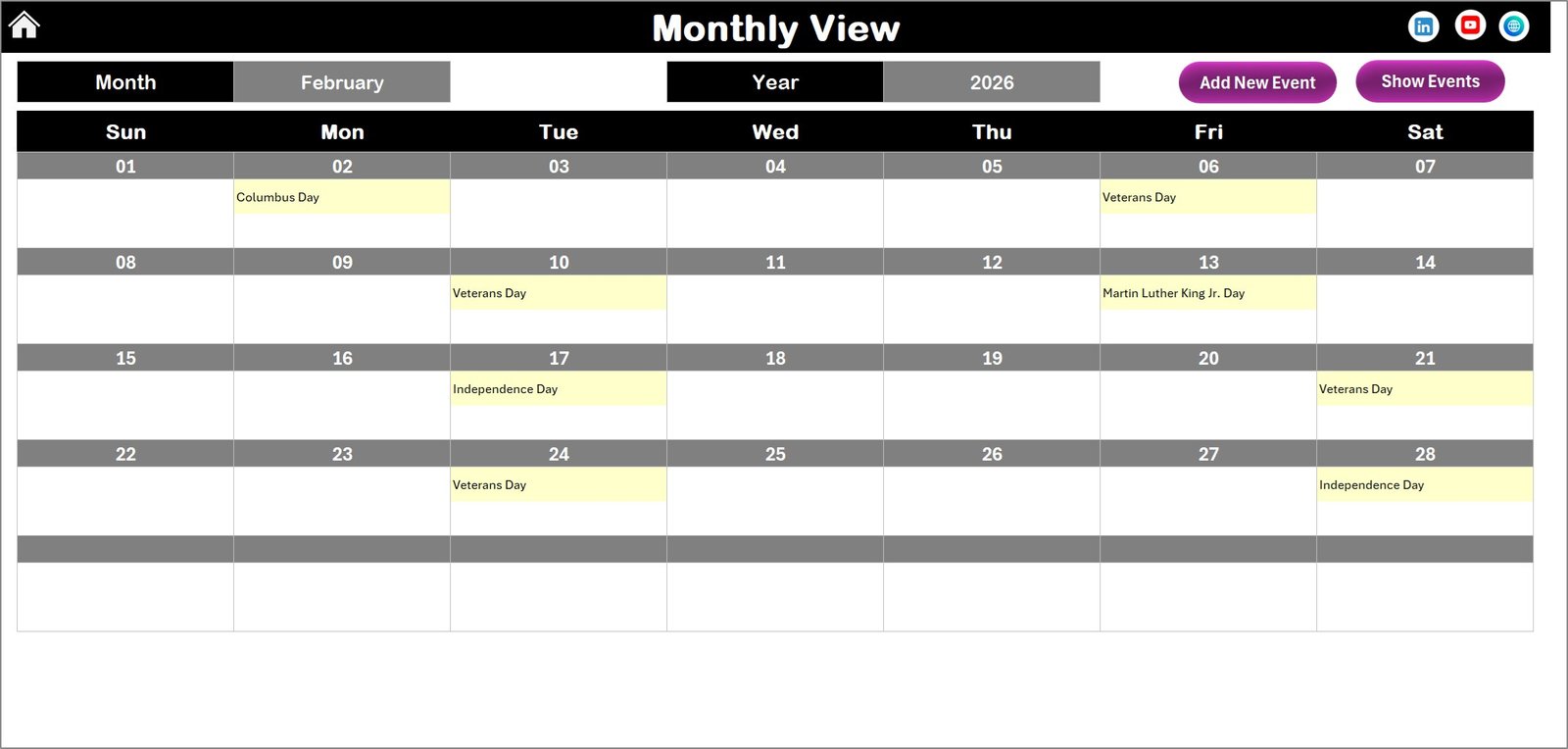 Monthly View Sheet tab
Daily View Sheet Tab
This sheet displays detailed event listings for a selected date range. Users can select the start and end dates and refresh to fetch updated data.
- Add New Event Button: Opens a form to add new event details.
- Refresh Button: Updates the displayed event data for the selected range.
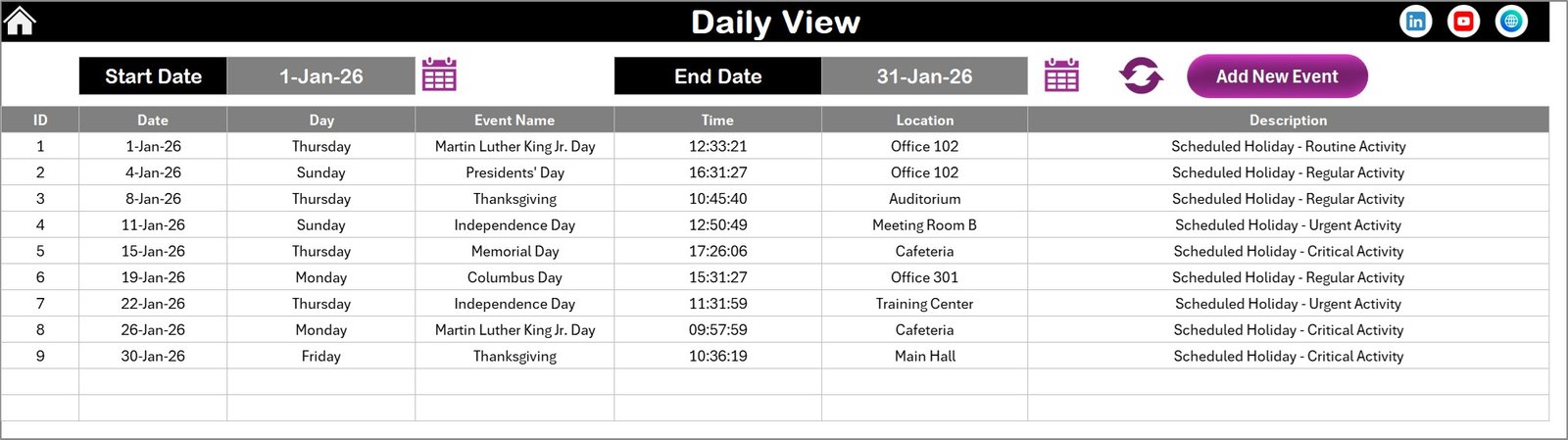 Daily View Sheet tab
Events Sheet Tab
This is the database holding all event details including ID, date, day, event name, time, location, and description.
- ID: Auto-generated number.
- Date: Event date.
- Day: Name of the event day (e.g., Sunday).
- Event Name: Title of the event.
- Time: Event timing.
- Location: Where the event takes place.
- Description: Short summary of the event.
Buttons at the top allow adding new records, updating selected records with prefilled forms, and deleting records.
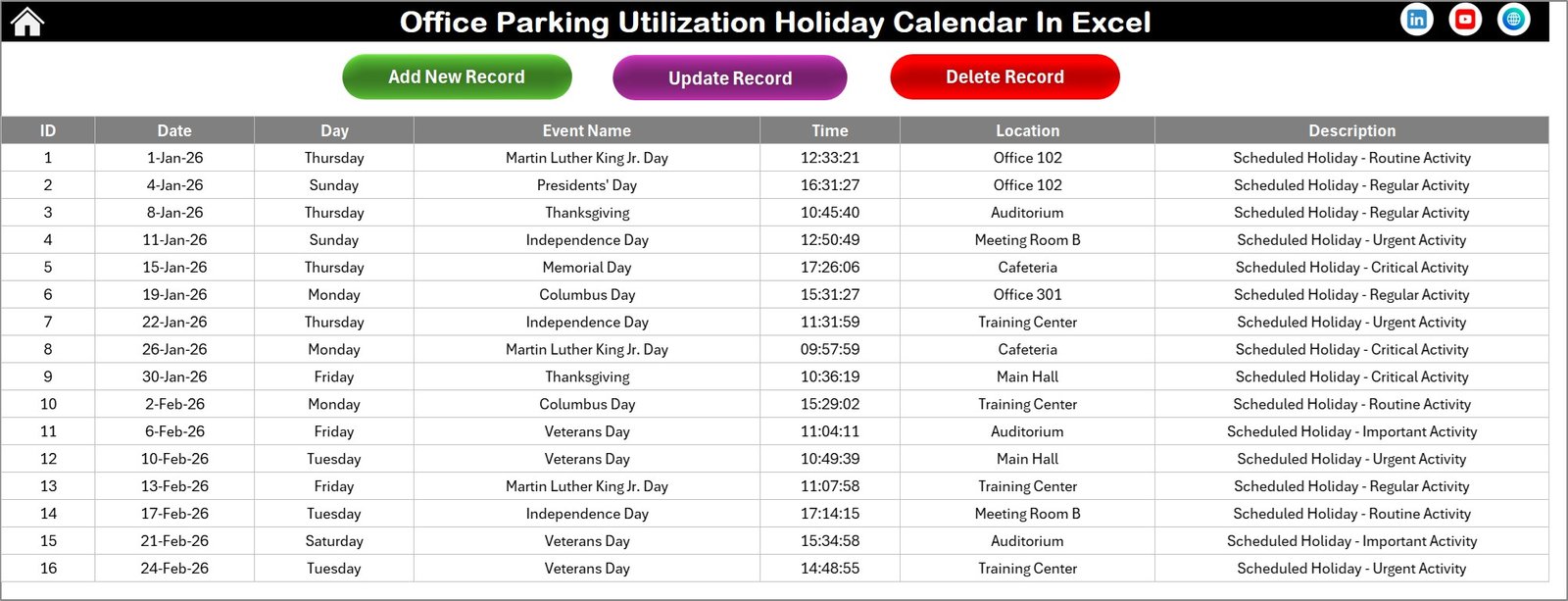 Events Sheet tab
Click to Buy Office Parking Utilization Holiday Calendar In Excel
Advantages of Office Parking Utilization Holiday Calendar In Excel
- Centralized event management streamlines office logistics.
- Customization enhances adaptability for different organizational needs.
- Multiple views support comprehensive scheduling and quick insights.
- User-friendly interface with buttons and forms for easy navigation and data entry.
- Color coding and highlights improve visual clarity.
Opportunities for Improvement
- Integration with Outlook or Google Calendar for automatic syncing.
- Mobile app support or web-based version for remote access.
- Advanced filtering and search capabilities for quick event lookup.
- Automated reminders and notifications for upcoming events.
- Role-based access control to manage edits and views securely.
Best Practices
- Regularly update the events sheet to keep data current.
- Use the highlight feature to mark important holidays and peak parking days.
- Leverage the theme options to align with corporate branding.
- Backup the Excel file periodically to prevent data loss.
- Train end-users on navigating between views and managing events efficiently.
FAQs
Click to Buy Office Parking Utilization Holiday Calendar In Excel
Can I customize the starting day of the week?
Yes, the Annual View control panel allows selecting the starting day of the week.
Is it possible to add multiple events on the same date?
Yes, you can add multiple events. On Monthly View, multiple events appear summarized.
How can I update an existing event?
Use the Events sheet Update Existing Record button, select the event ID, and edit the form.
Are there color themes available?
Yes, there are 5 color themes selectable in the Annual View control panel.
Can I filter events by date range?
Yes, the Daily View sheet supports filtering events between selected start and end dates.
Conclusion
Click to Buy Office Parking Utilization Holiday Calendar In Excel
Office Parking Utilization Holiday Calendar In Excel is a powerful and customizable tool that enhances organizational scheduling and parking management. Its intuitive design, multiple views, and event management features make it an essential asset for efficient office planning.
For more detailed information and updates, you can visit official Microsoft Excel resources on Microsoft Excel Support.
Visit our YouTube channel to watch the demo: Youtube.com/@NextGenTemplates
Click to Buy Office Parking Utilization Holiday Calendar In Excel