New: NextGenTemplates Academy - video courses on Excel formulas with AI and Pivot Tables & dashboards. Early-bird: 20% off with code EARLYBIRD20 - first 20 orders only. See the courses →
  • Learn Excel (Free Course)
    • 1. Shortcut Keys
    • 2. Fill & Flash Fill
    • 3. Find & Replace
    • 4. Sort & Filter
    • 5. Formulas & Functions
    • 6. Data Validation
    • 7. Conditional Formatting
    • 8. Basic Charts
    • 9. Advanced Charts
    • 10. Pivot Tables
    • 11. Excel Dashboards
    • 12. VBA Course
    • 13. Excel Formulas with AI
  • Templates
  • Tutorials
    • Charts and Visualization
    • VBA
    • Excel Tips and Tricks
    • Excel Dashboards
    • Power Pivot & DAX
  • Power BI
  • Template Store
    • Ready to Use Templates
  • Courses
  • Academy
    • Excel + AI Mastery: 100 Formulas
    • Excel Pivot Tables & Dashboards
  • About Us
  • Contact Us

PK: An Excel Expert

Transforming Data into Decisions

Tag: Microsoft Excel

Dashboard Templates

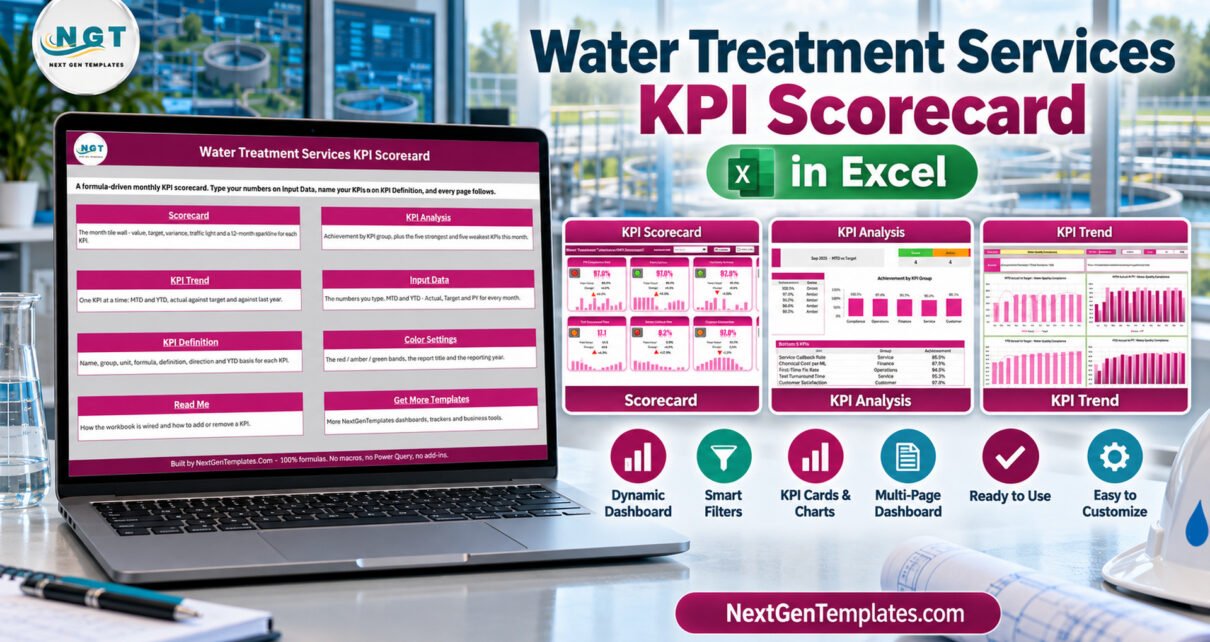
Water Treatment Services KPI Scorecard in Excel

September 28, 2026September 28, 2026 PKComments Off on Water Treatment Services KPI Scorecard in Excel
Water Treatment Services KPI Scorecard in Excel turns monthly operating figures into a consistent management review. Instead of rebuilding a slide or chasing separate sheets, a team can review ten
Read More
Dashboard Templates

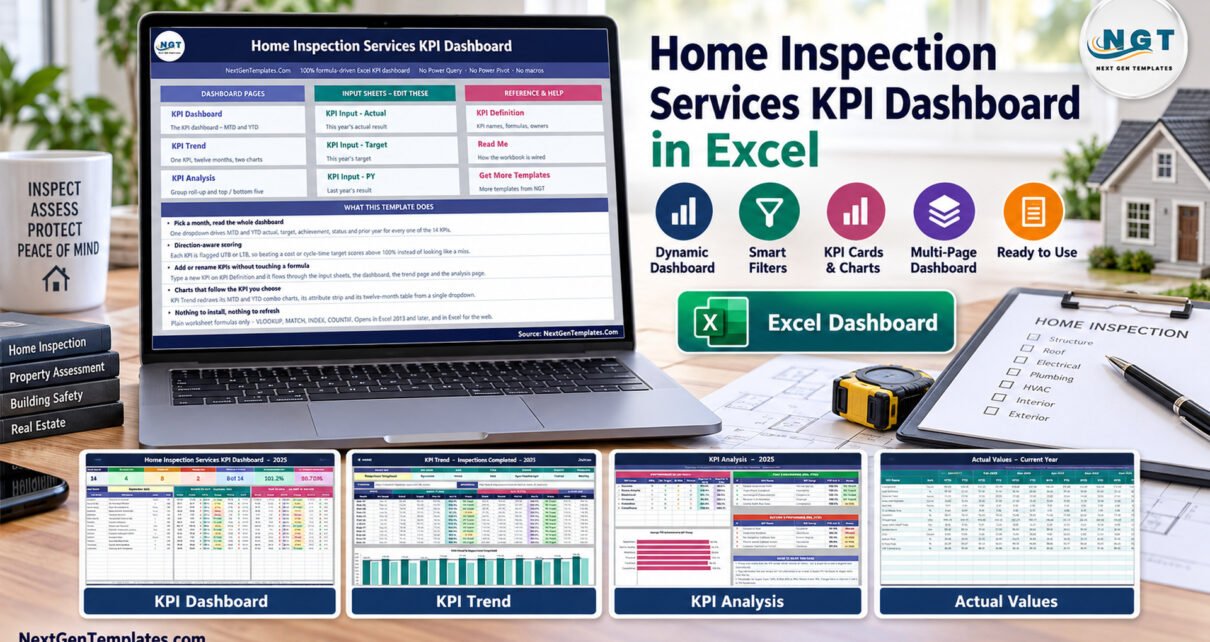
Home Inspection Services KPI Dashboard in Excel

September 27, 2026September 27, 2026 PKComments Off on Home Inspection Services KPI Dashboard in Excel
Home inspection services KPI dashboard in Excel turns monthly inspection-company figures into a structured management view. Instead of reviewing separate spreadsheets for jobs, turnaround, callbacks, revenue, customer feedback, and compliance,
Read More
Templates

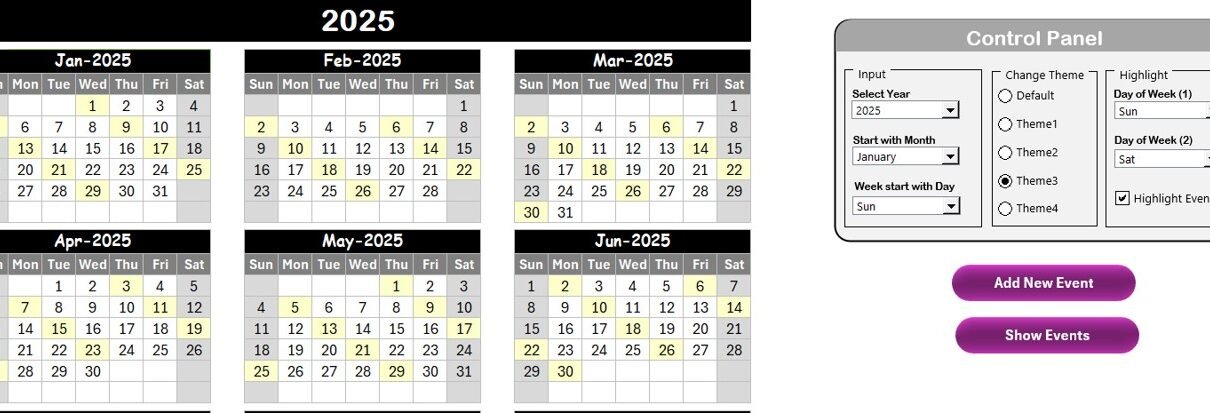
Audit Schedule Calendar in Excel

February 6, 2025March 30, 2025 PKComments Off on Audit Schedule Calendar in Excel
In today’s fast-paced work environment, staying organized is essential to ensure that audits, meetings, and important events are properly tracked. Whether you’re managing audits for a business, school, or any
Read More
Excel Tips and Tricks

MIN & MAX Function in Excel with Examples

November 2, 2024October 10, 2026 PKComments Off on MIN & MAX Function in Excel with Examples
In this article, we’re diving into the MIN & MAX Function in Excel, two of the most powerful and often-used tools when working with data. Whether you’re tracking sales, managing
Read More
Excel Tips and Tricks

New Feature Focus Cell in Microsoft Excel

October 18, 2024October 10, 2026 PKComments Off on New Feature Focus Cell in Microsoft Excel
Microsoft Excel continues to evolve with user-friendly features that make data analysis and navigation easier. One such innovation is the Focus Cell feature. In this article, we have explained this
Read More
Excel Tips and Tricks

How to use INT function in Excel with Examples

October 13, 2024October 10, 2026 PKComments Off on How to use INT function in Excel with Examples
In this blog post, we’ll explore how to use the INT function in Excel, specifically for calculating age using dates. If you’ve ever wondered how to efficiently calculate the age
Read More
Monthly Budget Tracker
Templates

Monthly Budget Tracker in Microsoft Excel

July 16, 2024February 21, 2025 PKComments Off on Monthly Budget Tracker in Microsoft Excel
A monthly budget tracker is an essential tool for anyone looking to manage their finances effectively. By keeping track of your income, expenses, and savings, you can make informed financial
Read More
Embed the Files in Excel
Excel Tips and Tricks

Excel Hacks: Seamlessly Embed Files in Excel from Other Apps

February 15, 2024October 10, 2026 PKComments Off on Excel Hacks: Seamlessly Embed Files in Excel from Other Apps
Excel Magic: Embed Files in Excel with Ease Welcome to this productivity and Excel tips article. Today, we will tell you about excellent feature of Microsoft Excel. You can embed
Read More
VBA

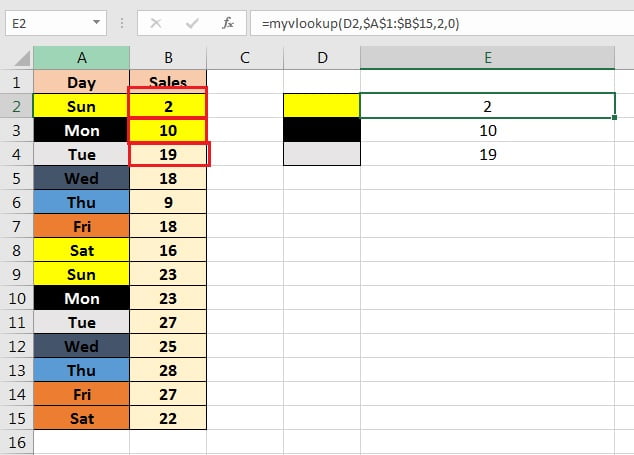
VLOOKUP by cell background color

May 13, 2018September 2, 2024 PK0
VLOOKUP is a popular function in Microsoft Excel. It helps users to find and retrieve specific data from a large table or range of data. However, there is a limitation
Read More
  • Learn Excel (Free Course)
    • 1. Shortcut Keys
    • 2. Fill & Flash Fill
    • 3. Find & Replace
    • 4. Sort & Filter
    • 5. Formulas & Functions
    • 6. Data Validation
    • 7. Conditional Formatting
    • 8. Basic Charts
    • 9. Advanced Charts
    • 10. Pivot Tables
    • 11. Excel Dashboards
    • 12. VBA Course
    • 13. Excel Formulas with AI
  • Templates
  • Tutorials
    • Charts and Visualization
    • VBA
    • Excel Tips and Tricks
    • Excel Dashboards
    • Power Pivot & DAX
  • Power BI
  • Template Store
    • Ready to Use Templates
  • Courses
  • Academy
    • Excel + AI Mastery: 100 Formulas
    • Excel Pivot Tables & Dashboards
  • About Us
  • Contact Us
Copyright © 2023 PK-AnExcelExpert.com - Privacy Policy