Customer Retention KPI Scorecard
Introduction: Customer Retention KPI Scorecard
The Customer Retention KPI Scorecard is a ready-to-use Excel scorecard template designed to help teams measure, visualize, and improve customer retention performance. This post walks you through the template, explains each dashboard page, and shares best practices to get the most from your retention KPIs.
Click to Purchases Customer Retention KPI Scorecard in Excel
Key Features of Customer Retention KPI Scorecard
- Four structured worksheets for clear data capture and visualization.
- Dropdown-driven scorecard for quick MTD / YTD analysis.
- Actual vs Target comparison with color-coded visual indicators.
- Trend charts to compare Actual, Target and Prior Year (PY) values.
- Editable KPI definitions and formulas so the template fits your business.
Dashboard Pages Explanation
1. Scorecard Sheet
The Scorecard sheet is the primary interface where you monitor KPI performance. Use dropdowns to switch months and toggle between MTD and YTD analysis. The sheet displays actual vs target values and uses visual cues (colors or icons) to show status at a glance.
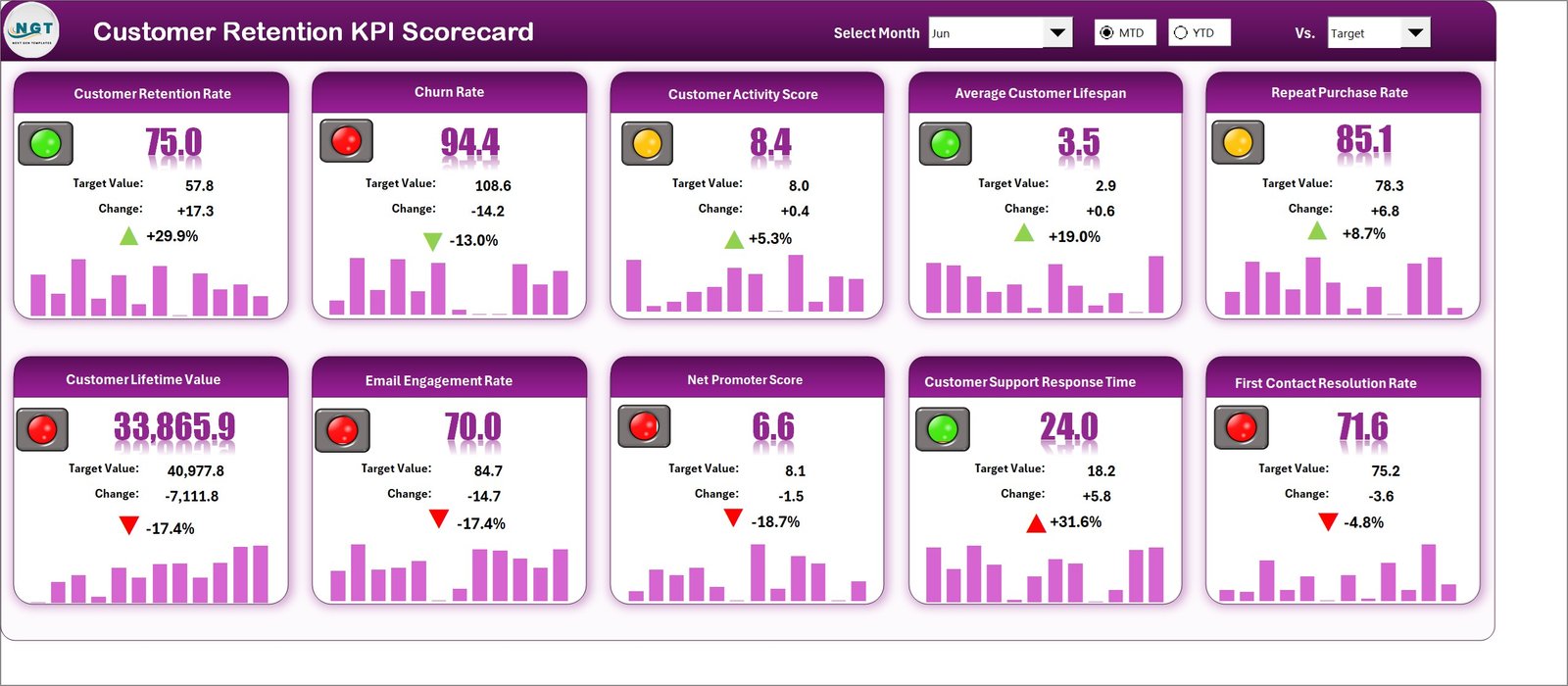
- Dropdown Menus: Select month, MTD, or YTD for tailored analysis.
- Actual vs Target: Quick comparison to identify gaps.
- Visual Indicators: Color-coded cells or icons to highlight performance.
- Comprehensive Overview: See MTD and YTD side-by-side for each KPI.
2. KPI Trend Sheet
Select a KPI from the dropdown (cell C3) to reveal contextual information and trends. The sheet shows KPI Group, Unit, KPI Type (Lower the Better / Upper the Better), Formula, and a clear definition for each metric.
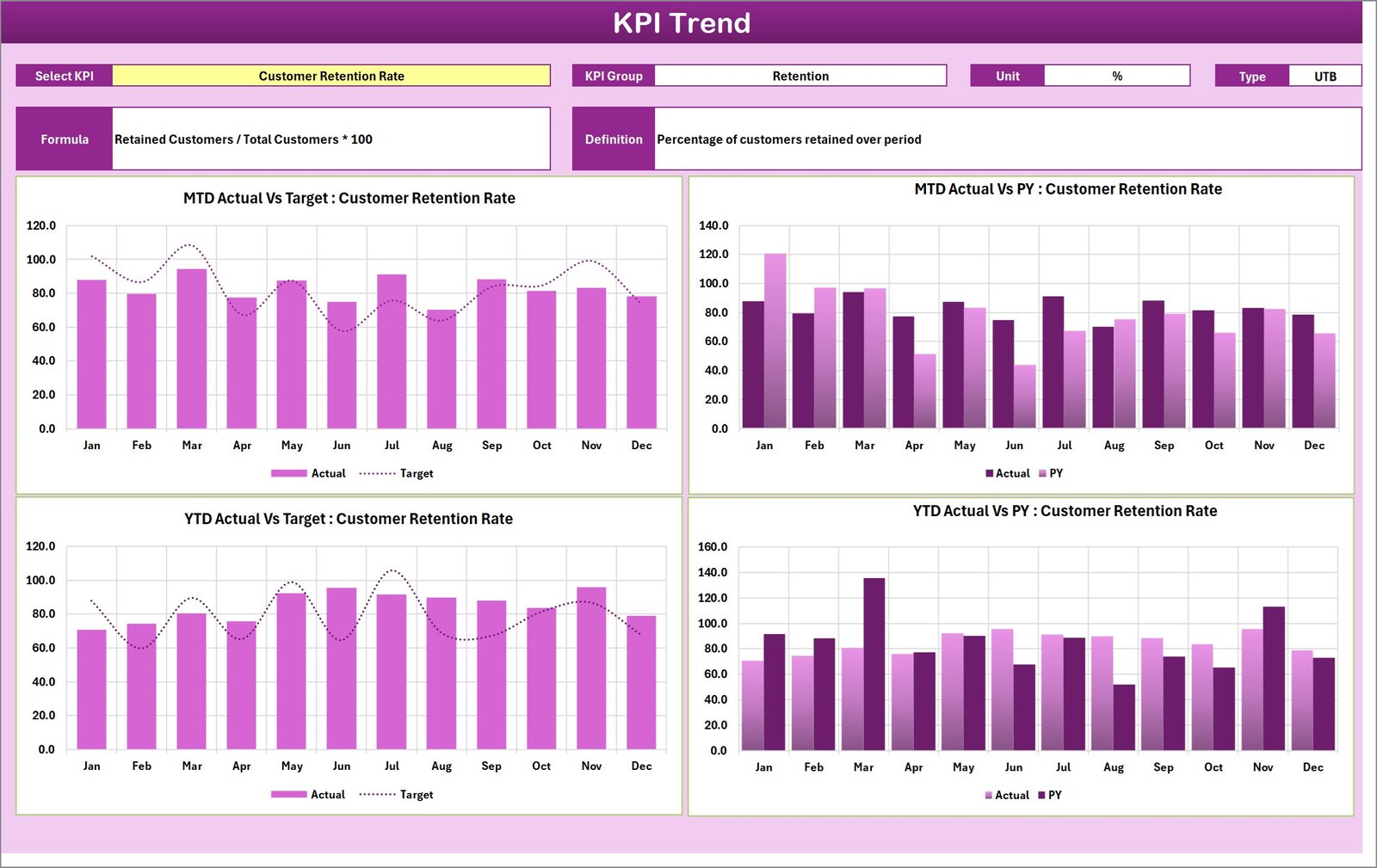
The trends include MTD and YTD charts for Actual, Target, and PY so you can:
- Spot seasonal shifts and year-over-year performance changes.
- Validate whether initiatives are improving retention over time.
3. Input Data Sheet
This sheet is the single source of truth for KPI values. Enter monthly actuals, targets, and any other required data here. The scorecard and trend sheets pull from this data so updates are instant.
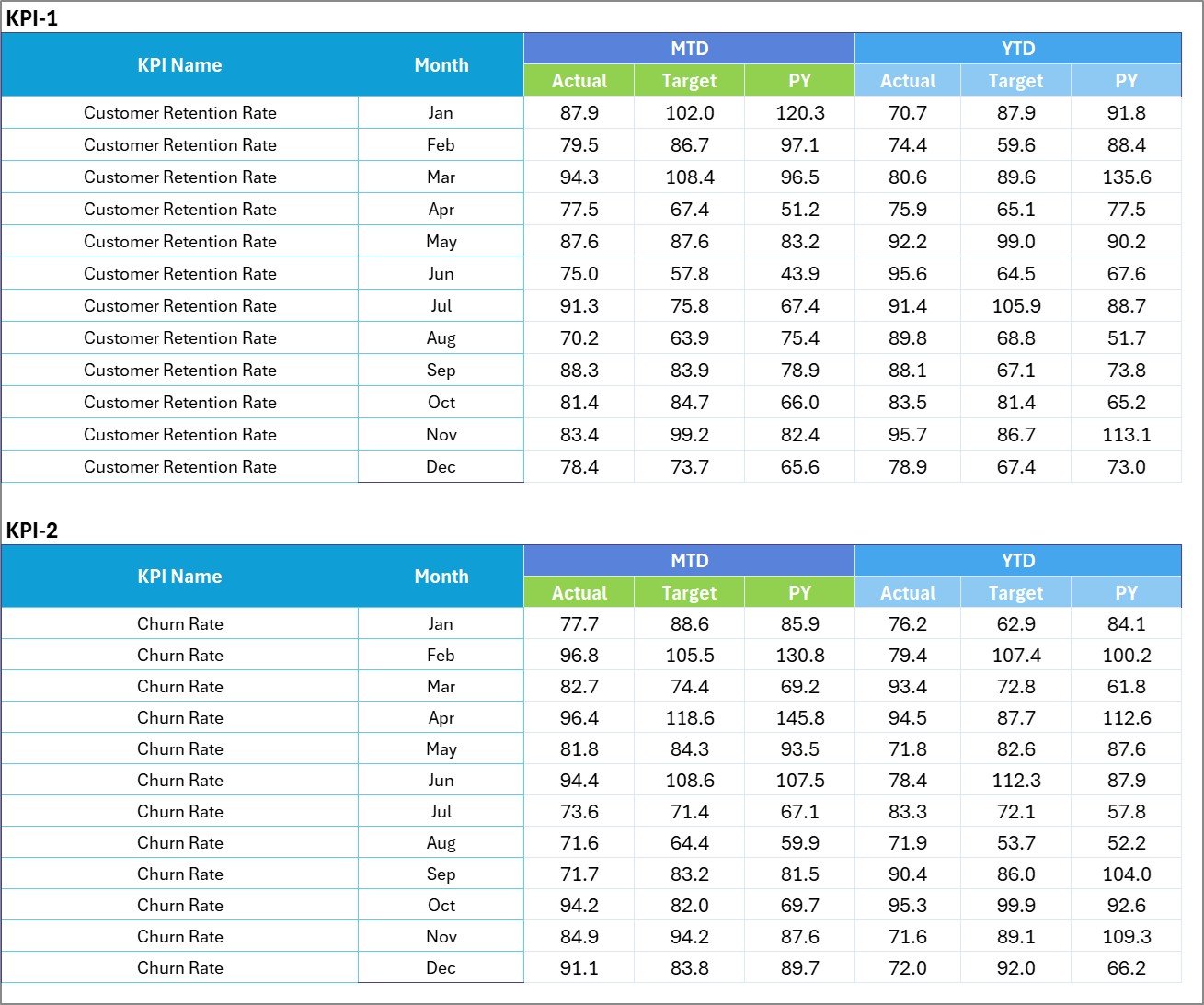
- Data Entry: Record actuals, targets, and optional notes or segments.
- Flexibility: Add rows or columns for new KPIs or sub-segments.
- Best practice: Keep raw input values intact and use separate calculation columns.
4. KPI Definition sheet tab
Record each KPI’s name, KPI group, unit, formula, and a clear definition to ensure consistency across teams.

- Standardize definitions so everyone interprets KPIs the same way.
- Include formula examples to make validation easy.
Advantages of Customer Retention KPI Scorecard
- Ready-to-use: Minimal setup required—import your numbers and go.
- Actionable insights: Quickly see which KPIs need attention.
- Consistent tracking: MTD and YTD views support short- and long-term decisions.
- Customizable: Adjust KPI list, targets, and visuals to fit your organization.
Opportunities for Improvement
- Automate data imports from CRM or billing systems to reduce manual work.
- Integrate cohort analysis for deeper retention insights.
- Add segmentation filters (by product, region, or customer tier) for tailored views.
- Build alerts for KPIs that cross risk thresholds so teams can react faster.
Best Practices
- Define KPIs clearly in the KPI Definition sheet before sharing the scorecard.
- Update Input Data at a consistent cadence (daily, weekly, or monthly).
- Use both MTD and YTD views to balance short-term signals with long-term trends.
- Share a brief actionable summary with stakeholders—what changed and what’s next.
FAQs
- Q: How do I add a new KPI?
A: Add the KPI row in the Input Data sheet and define it on the KPI Definition sheet. Update any named ranges or dropdown source lists if needed. - Q: Can I connect this to a live data source?
A: Yes. Use Power Query (Get & Transform) or connect via APIs to populate the Input Data sheet automatically. - Q: Is the template suitable for small and large teams?
A: Yes. It’s flexible: small teams can use core KPIs; larger teams can expand with segments and automation.
Conclusion
The Customer Retention KPI Scorecard gives you a compact, practical way to track retention metrics and drive actions. With clear inputs, trend analysis, and visual indicators, teams can spend less time compiling reports and more time improving retention.
Click to Purchases Customer Retention KPI Scorecard in Excel
Helpful resources:
Visit our YouTube channel to watch the demo: Youtube.com/@NextGenTemplates