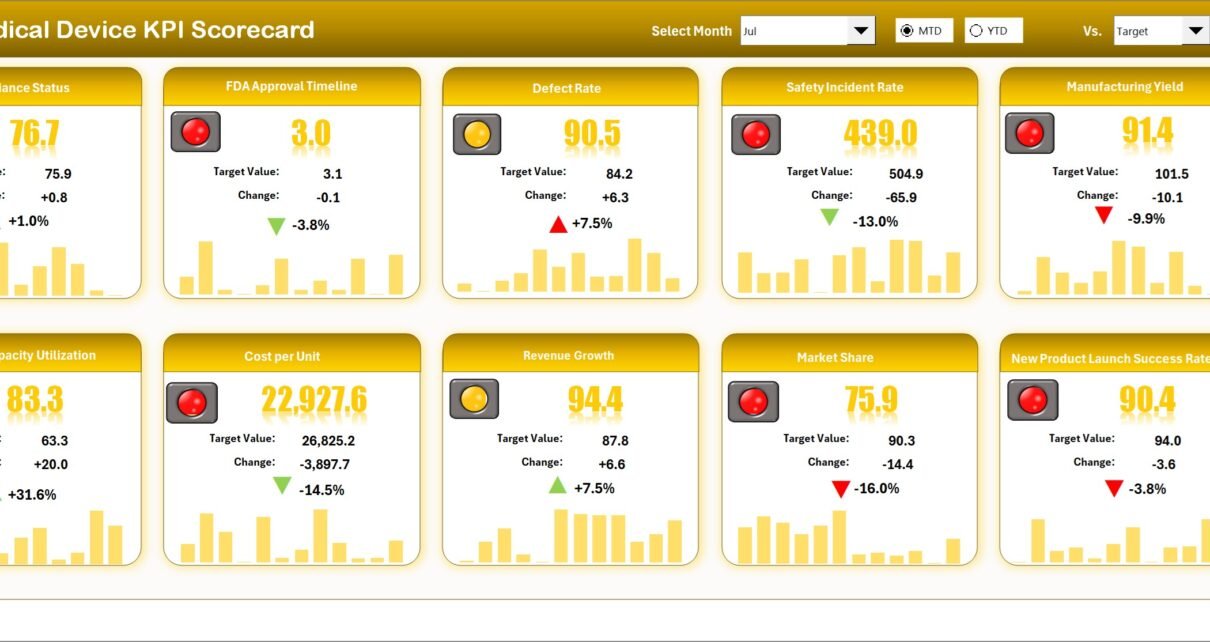
Medical Device KPI Scorecard
Introduction
Medical Device KPI Scorecard is a ready-to-use Excel template designed to help medical device teams monitor performance, compare Actual vs Target, and visualize trends MTD (Month-to-Date) and YTD (Year-to-Date). This post explains the scorecard structure, how to use each dashboard page, best practices, and improvement opportunities.
Click to Purchases Medical Device KPI Scorecard in Excel
Key Features of Medical Device KPI Scorecard
- Four interlinked worksheets for scorecarding, trend analysis, input data, and KPI definitions.
- Dynamic dropdowns for selecting month, MTD or YTD analyses.
- Actual vs Target comparisons with color-coded visual indicators.
- MTD, YTD and Prior Year (PY) trend visualization for actionable insights.
- Simple data-entry sheet to keep the scorecard updated and auditable.
Dashboard Pages Explanation
1. Scorecard Sheet (Main Interface)
The Scorecard sheet is the central interface where you can view KPI performance at a glance. It supports event-driven filtering via dropdowns and highlights status using conditional formatting.
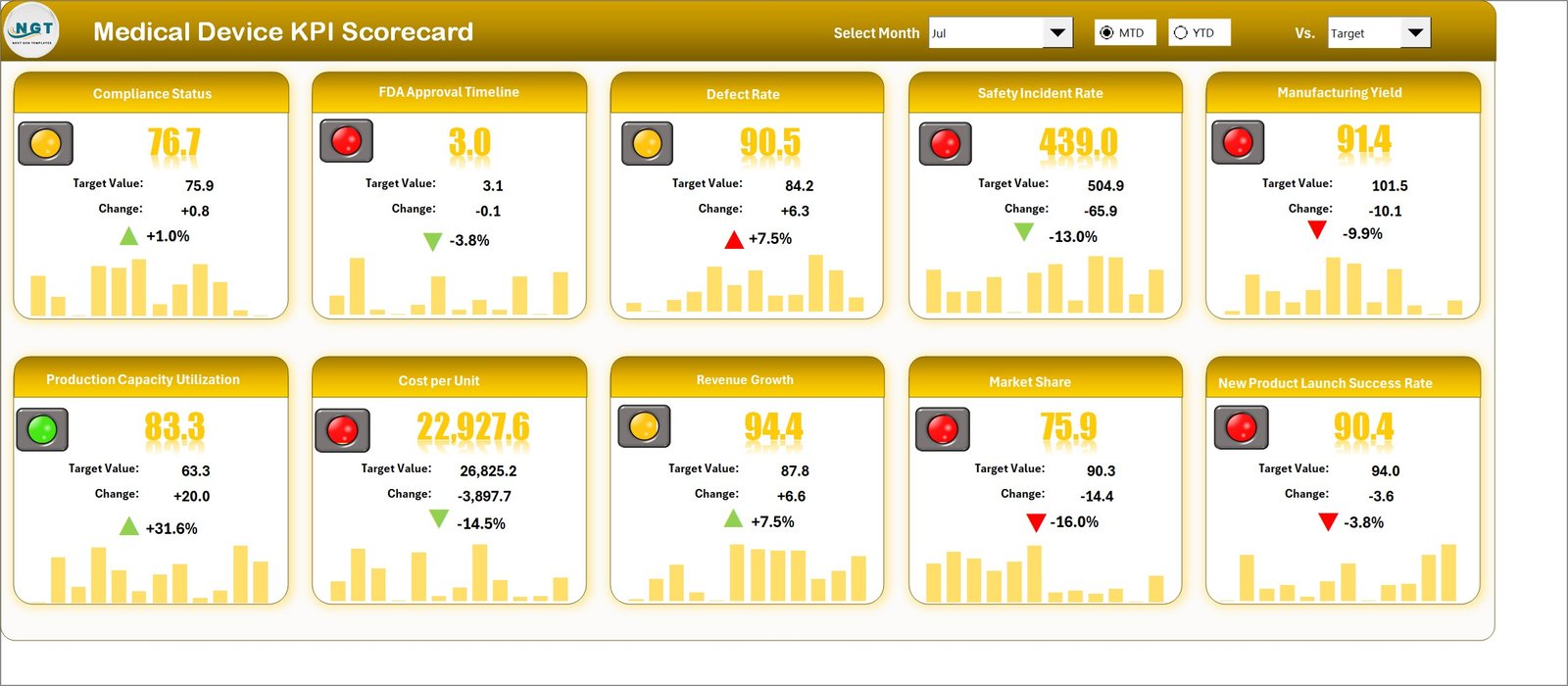
- Dropdown Menus: Select the month and timeframe (MTD/YTD) to update the whole sheet.
- Actual vs Target Values: Easily compare results against goals to quickly identify gaps.
- Visual Indicators: Color bands or icons show Good / Warning / Critical statuses.
- Comprehensive KPI Overview: Shows KPI name, group, unit, MTD, YTD, target and PY where relevant.
2. KPI Trend Sheet
Use the KPI Trend sheet to drill into a specific KPI and examine trends for Actual, Target and Prior Year values over time.
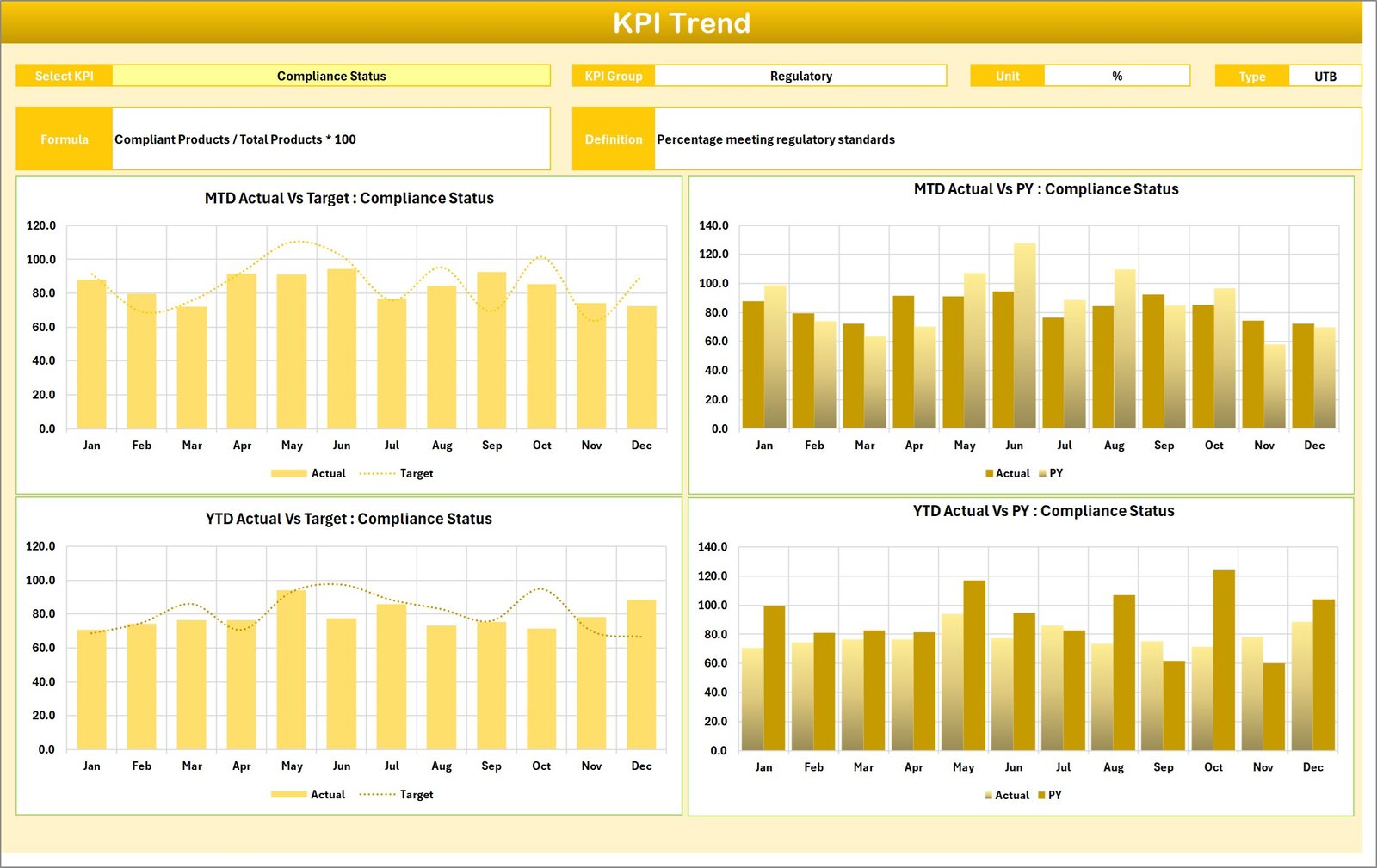
- Select KPI from the dropdown in cell C3 to populate KPI Group, Unit, KPI Type (Lower the Better / Upper the Better), Formula and Definition.
- View MTD and YTD trend charts for Actual, Target and PY to spot seasonal patterns or improvements.
3. Input Data Sheet
The Input Data sheet is where you record raw KPI values, targets, and any supporting metrics. Keeping this sheet current ensures the whole scorecard stays accurate.
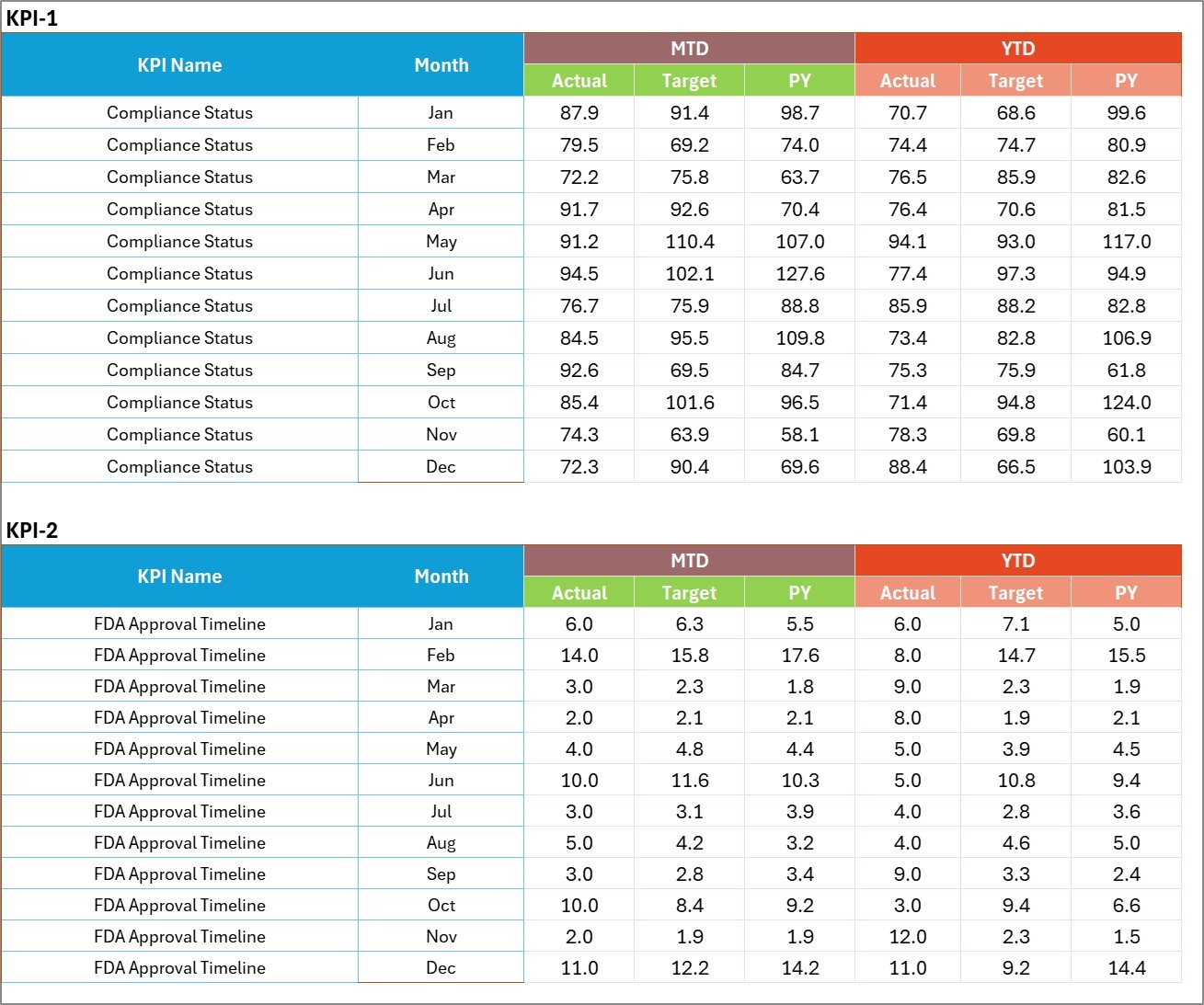
- Data Entry: Enter Actuals, Targets, and PY values in structured rows by date or period.
- Flexibility: Add or update rows as new results become available without breaking formulas.
- Validation: Use simple data validation (drop-downs, date checks) to reduce entry errors.
4. KPI Definition Sheet
The KPI Definition sheet stores metadata for each metric: name, KPI group, unit of measure, formula and a brief definition.

- Ensure each KPI has a clear unit and formula so automated calculations remain consistent.
- Maintain one source of truth for KPI descriptions to support governance and audits.
Advantages of Medical Device KPI Scorecard
- Faster decision-making with visual indicators and trend charts.
- Standardized KPI definitions reduce ambiguity across teams.
- MTD / YTD comparisons help prioritize corrective actions.
- Template-driven approach reduces time to deploy across regions and product lines.
Opportunities for Improvement
- Integrate with Power BI or another reporting tool for interactive web dashboards and scheduled refreshes.
- Automate data pulls from ERP/LIMS/CRM systems to reduce manual entry and latency.
- Add role-based views to show executives, quality, and operations the most relevant KPIs.
- Introduce anomaly detection alerts for sudden deviations from expected performance.
Best Practices
- Keep KPI definitions concise and agreed by cross-functional stakeholders.
- Use consistent data units and rounding rules across all sheets.
- Review targets quarterly to reflect regulatory and market changes.
- Archive historical data periodically to keep the file performant.
FAQs
How do I add a new KPI to the scorecard?
Add the KPI to the KPI Definition sheet with its formula and unit, then update the Input Data sheet rows for that KPI. The Scorecard and Trend sheets will pick up the new KPI if formulas reference the definition table ranges.
Can I visualize the scorecard in Power BI?
Yes. Export or connect the Input Data table to Power BI to create interactive dashboards and scheduled refreshes. See Microsoft Power BI documentation for connectors and best practices.
Is this template suitable for regulatory reporting?
The scorecard is designed for operational monitoring. For formal regulatory submissions, use validated systems and follow your organization’s documentation and audit trail requirements.
Click to Purchases Medical Device KPI Scorecard in Excel
Conclusion
Medical Device KPI Scorecard provides a compact, practical template to monitor and improve KPI performance across product and operational areas. With clear definitions, easy data entry, and visual trend analysis, teams can make informed decisions quickly. Start by filling the KPI Definition sheet, keep Input Data updated, and use the Scorecard and Trend sheets to drive continuous improvement.
External resources:
- Microsoft Power BI documentation — for visualization and interactive dashboards.
- U.S. FDA Medical Devices — regulatory guidance and device information.
Visit our YouTube channel to watch the demo: Youtube.com/@NextGenTemplates