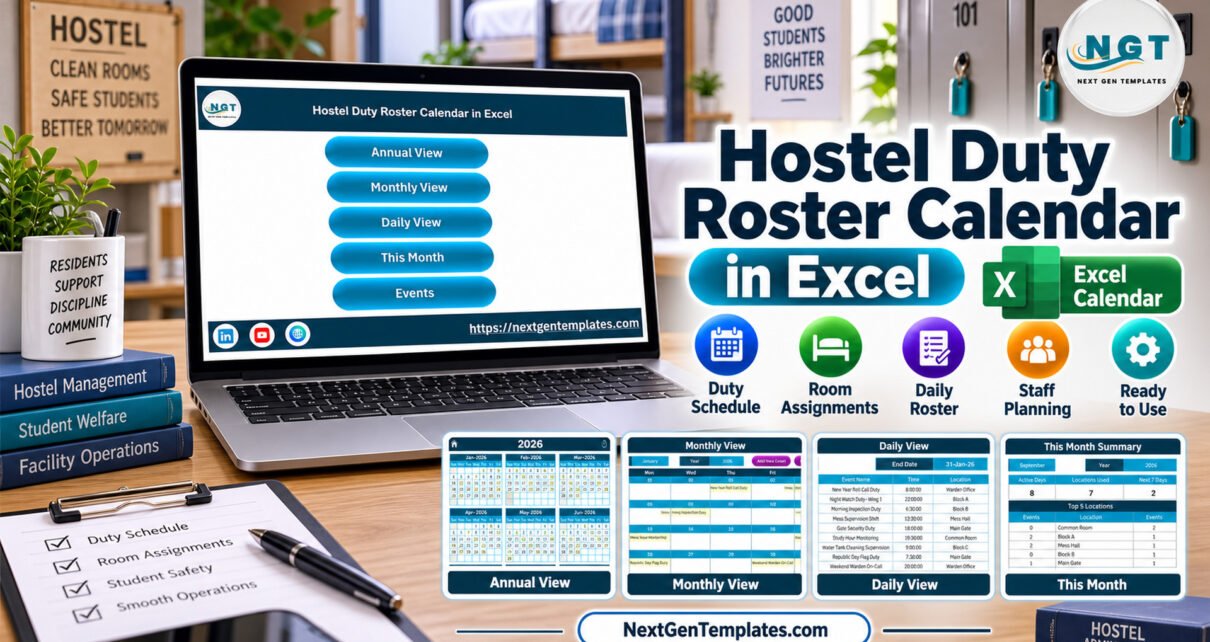
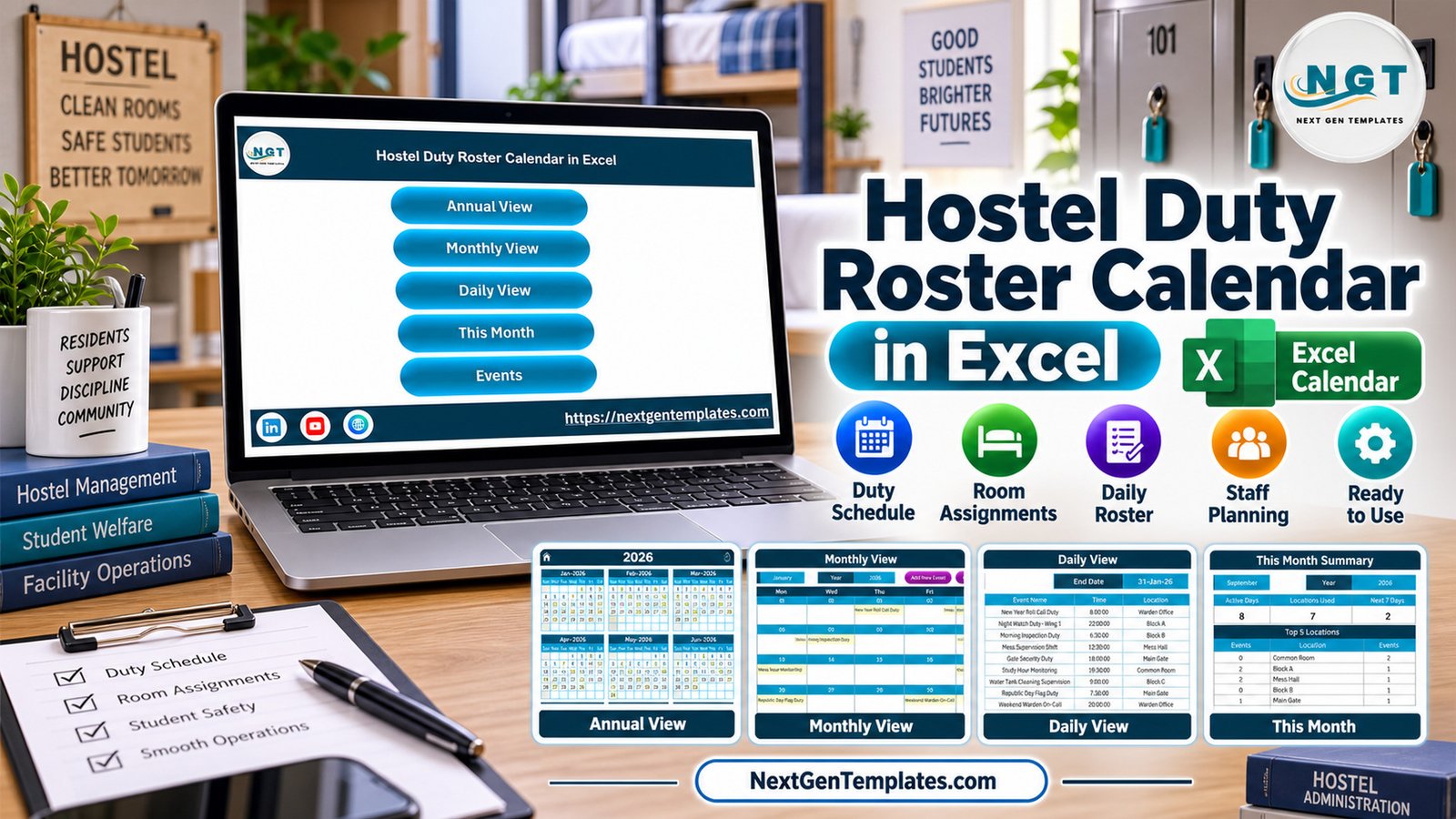
The Hostel Duty Roster Calendar in Excel is designed for hostel teams that need a practical duty schedule without building formulas, buttons, and views from scratch. A typical hostel roster can involve daily cleaning rounds, room inspections, night checks, facility work, and resident-support tasks. This workbook turns those moving pieces into 5 navigation choices, 7 visual workbook screens, and calendar views that can be reused month after month. The Hostel Duty Roster Calendar in Excel keeps the roster inside a familiar spreadsheet instead of a heavy system.
Because it is an Excel workbook, the file stays familiar: open it on a Windows desktop, enable macros, update the sample duty records, and use the annual, monthly, daily, this-month, and events screens to review the roster.
Key Features of Hostel Duty Roster Calendar in Excel
The template focuses on one job: making hostel duty planning easier to see and update. The Hostel Duty Roster Calendar in Excel includes a Home sheet with buttons, an Annual View for all 12 months, a Monthly View for selected month planning, a Daily View for date-range event listing, a This Month Summary for quick review, an Events database, and an Add New Record form.
- Annual calendar layout for full-year hostel duty visibility.
- Monthly calendar view with duty/event entries visible on dates.
- Daily list view with start date and end date controls.
- Event fields for date, day, time, location, event name, and description.
- VBA buttons and forms for guided navigation and record entry.
- Reusable Excel structure for wardens, admins, and facility teams.
Workbook Pages Explanation
Home Sheet
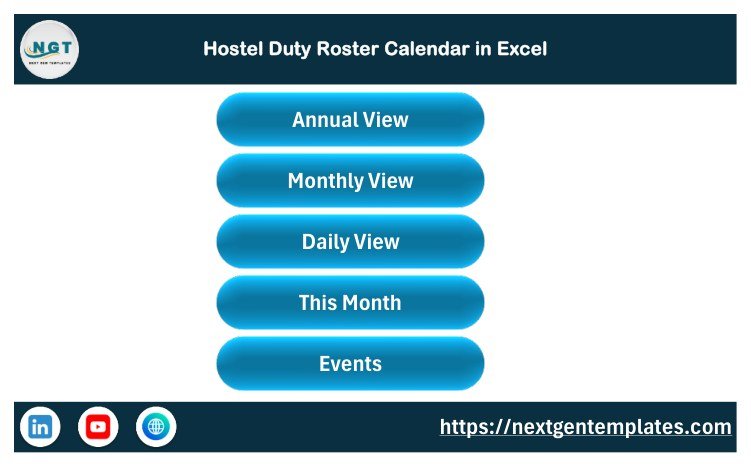
The Home sheet is the index page. It gives buttons for Annual View, Monthly View, Daily View, This Month, and Events. This is useful when the file is used by non-technical users who simply need to click and move to the right part of the roster.
Annual View
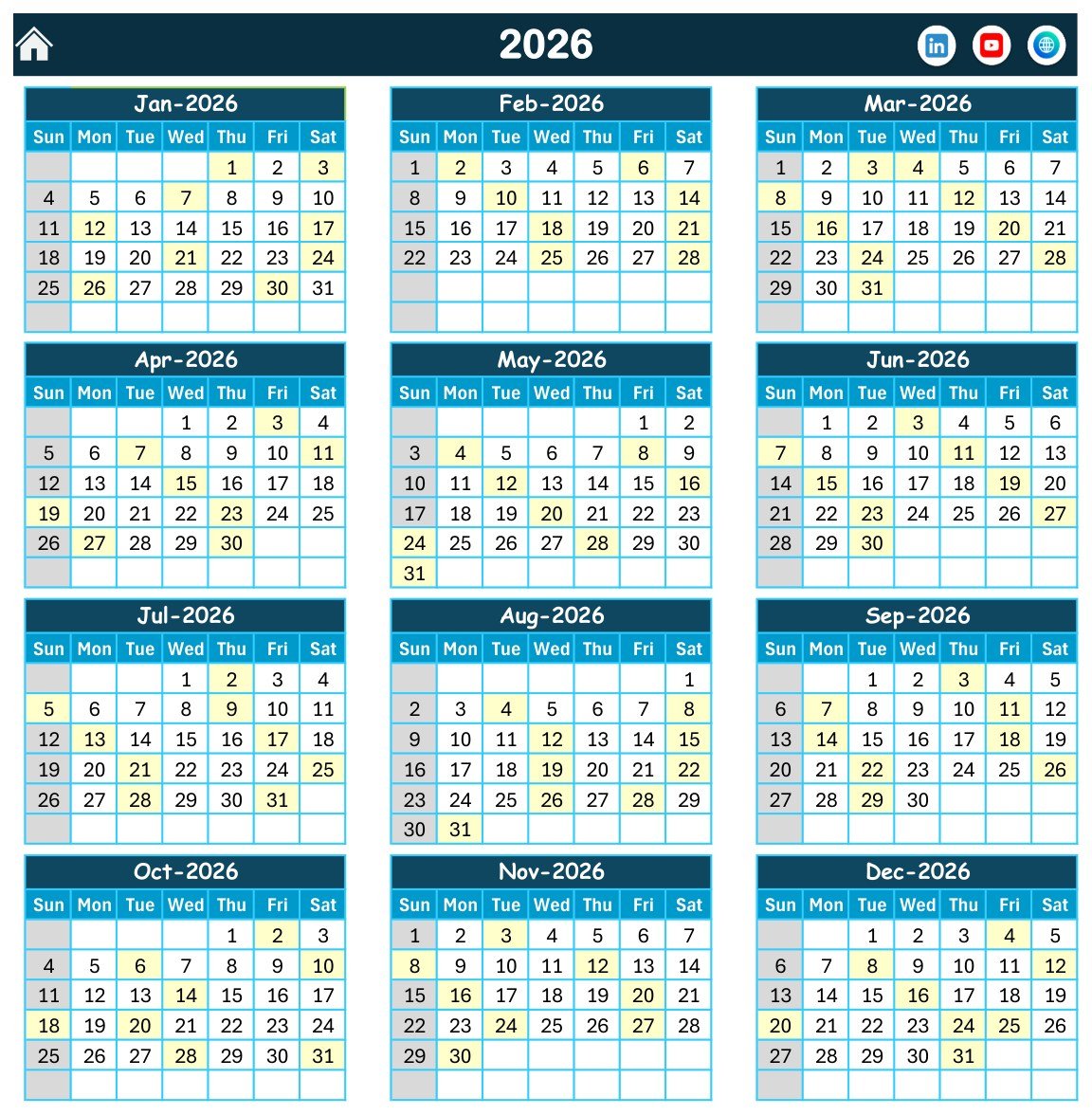
The Annual View shows the year as 12 months on one screen. It is useful for checking how duties and hostel events spread across the year. The screenshot also shows controls for year, starting month, starting weekday, theme changes, weekday highlighting, and event highlighting.
Monthly View
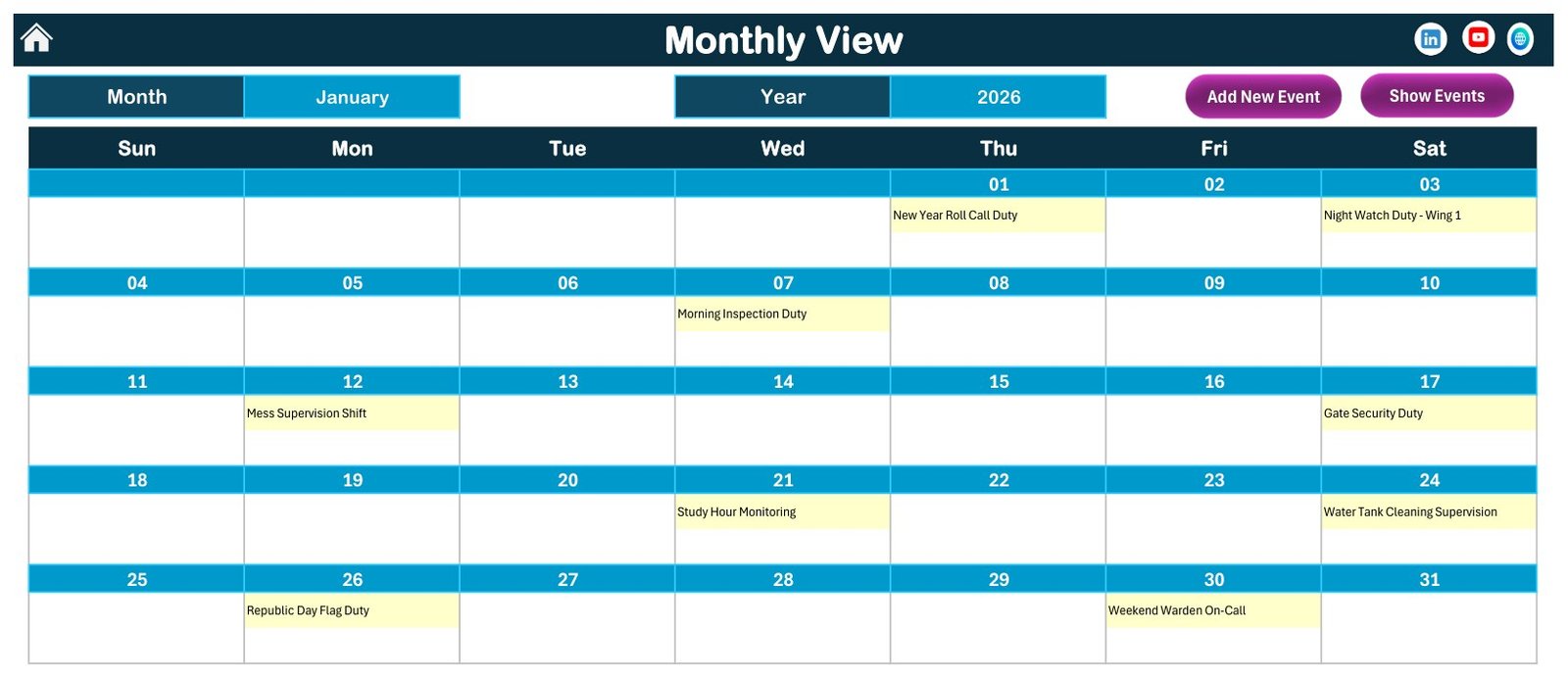
The Monthly View focuses on one selected month. For a hostel office, this is the most practical planning screen because it lets the team review upcoming duty dates before the month begins. The screenshot shows duty records appearing on calendar dates, including the type of event or responsibility.
Daily View
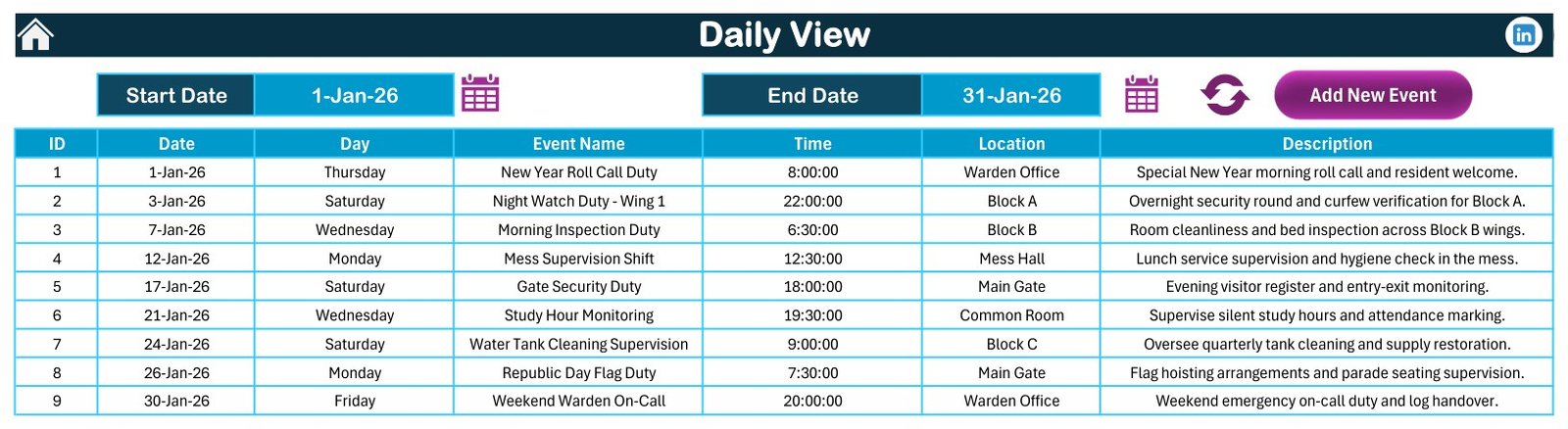
The Daily View lists records between a start date and end date. Each row includes the ID, date, day, event name, time, location, and description. This view is useful for shift handovers and end-of-day checks.
This Month Summary
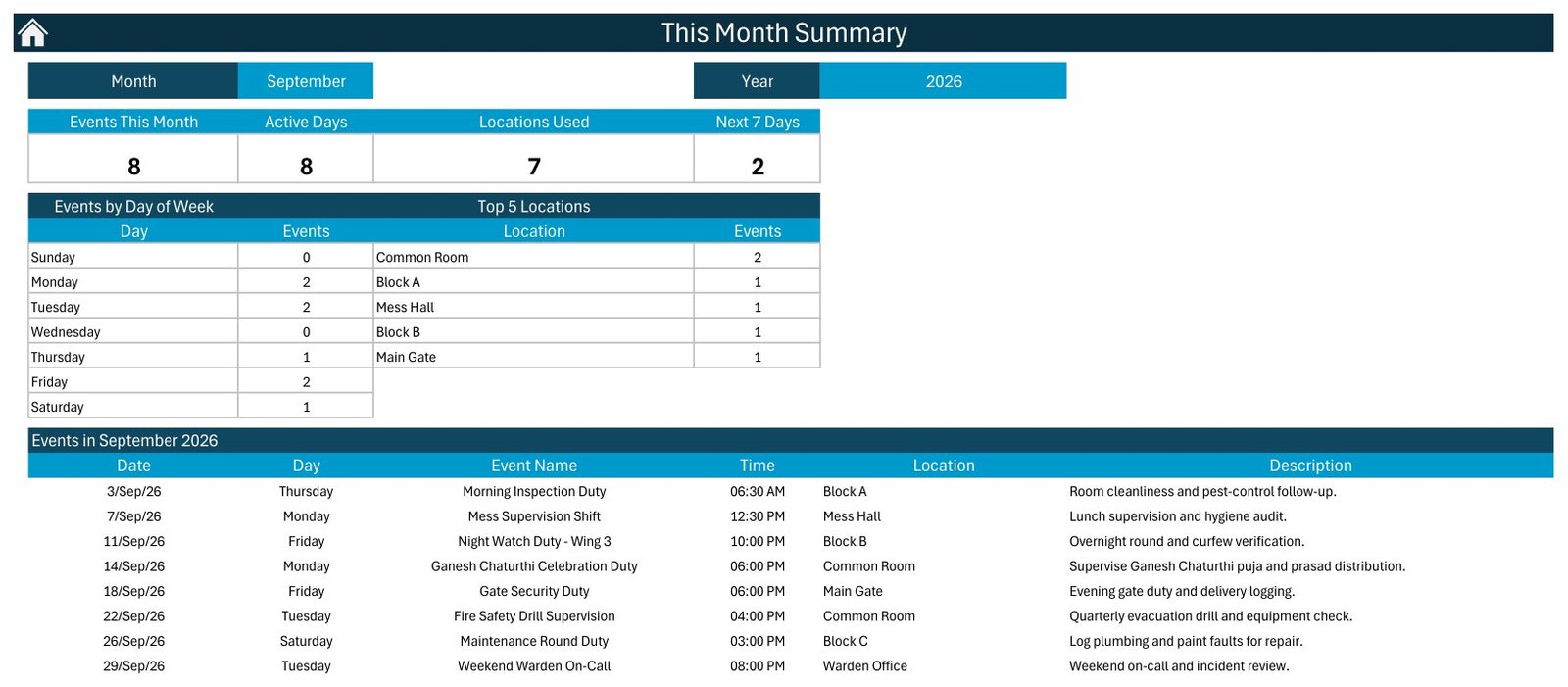
The This Month Summary brings together counts by month, counts by weekday, top locations, and the detailed events for the selected month. It gives a quick way to understand where duties are concentrated.
Events Sheet and Add New Record Form
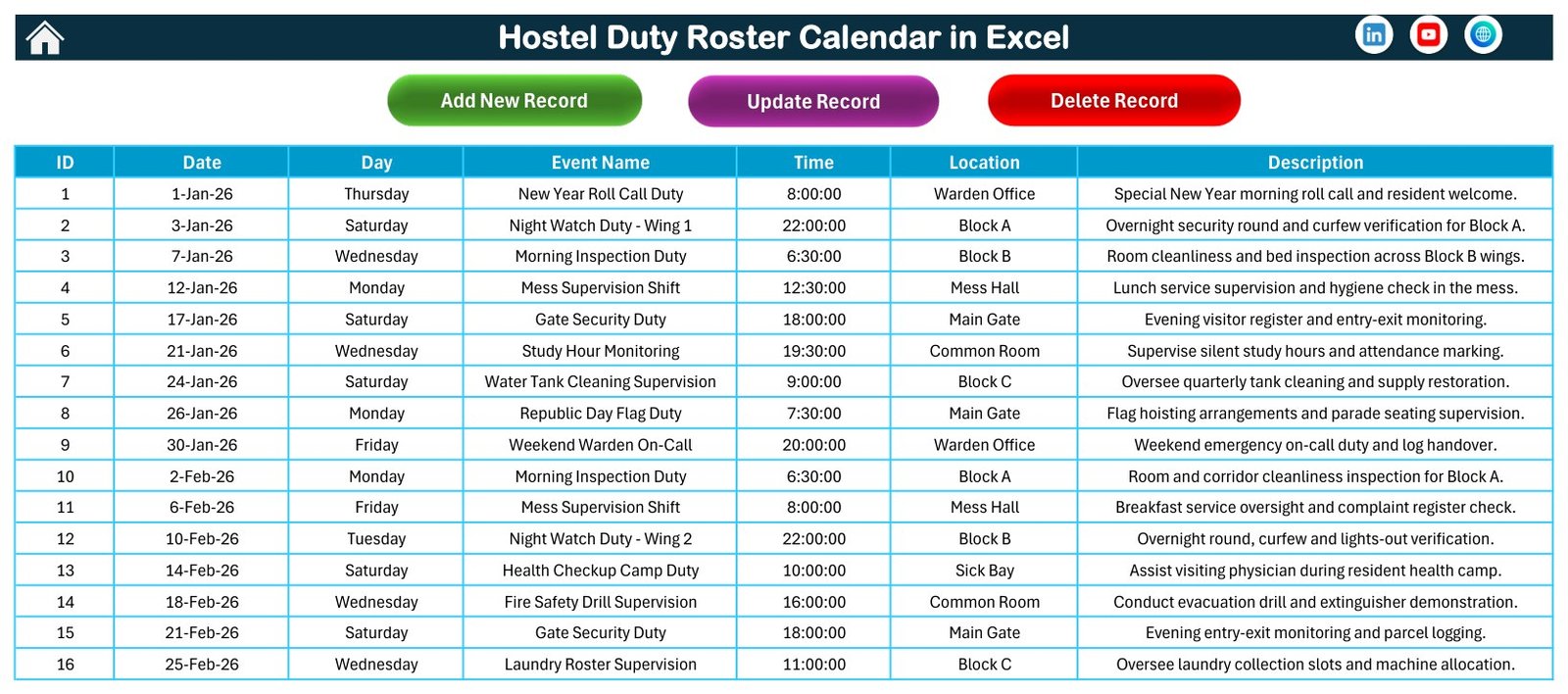
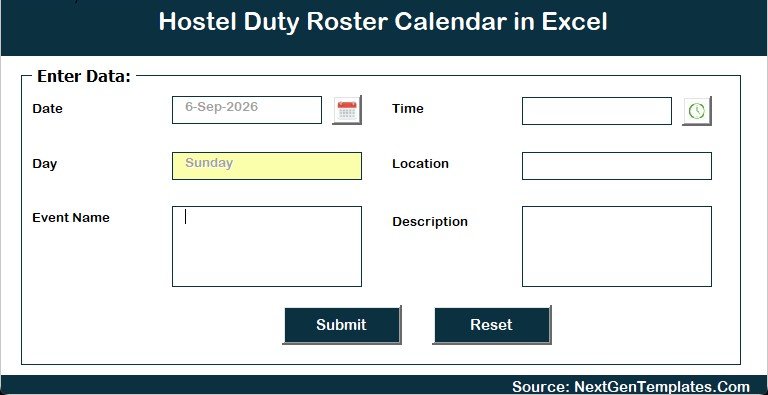
The Events sheet is the database behind the views. Users can update the records directly or use the Add New Record form for a more guided entry process. The workbook is not a resident database; it is a scheduling and event-record workbook for hostel duties.
Hostel Duty Roster Calendar in Excel vs. Google Sheets vs. Paid Hostel Software – Feature Comparison
| Feature | Excel roster calendar | Google Sheets calendar | Paid hostel software |
|---|---|---|---|
| Cost | One-time template purchase | Free if self-built | Subscription pricing |
| Setup | Open, enable macros, replace sample records | Build layout and formulas manually | Configure accounts and modules |
| Offline access | Yes | Limited | Usually no |
| Calendar views | Annual, monthly, daily, summary, events | Depends on what you build | Often built in |
| Best use case | Duty rosters and facility event planning | Collaborative lightweight planning | Full operations with resident records and billing |
| Year-1 cost at 5 users | $4.99 sale price | $0 plus setup time | Often hundreds of dollars |
Who Should Use This Template
This template is useful for hostel wardens, school or college accommodation teams, residential facility managers, student housing admins, cleaning supervisors, and small operations teams that need a clear duty calendar. It is especially helpful when duties are tracked in Excel already but the current file is too plain, scattered, or dependent on one person.
It is not meant for sensitive resident records, medical records, identity documents, or private disciplinary notes. Keep the workbook focused on duty/event scheduling fields such as date, time, location, duty name, and description.
Real-World Use Cases
Weekly cleaning rotation: A hostel can record cleaning duties by block, room area, or common area and review them in the monthly calendar.
Night duty handover: A warden can filter daily records by date range and hand the list to the next shift.
Facility operations: Maintenance checks, water tank inspections, electrical inspections, and security rounds can be entered as events with location and time.
Academic-year planning: Hostel teams can map move-in support, exam-season supervision, vacation close-down, and opening-day tasks across the annual view.
Advantages of Hostel Duty Roster Calendar in Excel
The biggest advantage is speed. You do not need to design worksheets, calendar formulas, buttons, or a record-entry form before the team can start using it. The workbook also fits teams that prefer Excel over a web dashboard because they can store the file locally, duplicate it for another year, and adapt the sample event names to match hostel operations.
Another advantage is transparency. The Events sheet keeps the underlying records visible. If a date looks wrong on the calendar, the user can check the record behind it instead of guessing what a closed system is doing.
Opportunities for Improvement
This template intentionally stays lightweight. It does not include user permissions, automated email or WhatsApp reminders, resident profile management, payment collection, biometric attendance, or web-based multi-user editing. If your hostel needs those functions, a dedicated hostel management system may be a better fit.
For future enhancement, teams could add their own staff-name column, duty category dropdown, or month-end export process. Those additions should be made carefully so they do not break the workbook’s existing macros.
Best Practices
- Keep one master copy of the workbook before editing sample records.
- Use consistent location names such as Block A, Main Gate, Study Hall, or Common Room.
- Avoid storing sensitive student or resident details in the duty description.
- Review the Monthly View before each month starts.
- Use Microsoft Excel for Windows desktop and enable macros only for files you trust.
For general macro safety guidance, see Microsoft’s documentation on enabling or disabling macros in Microsoft 365 files.
Explore Relevant Templates
You can explore more scheduling products in the Excel Calendar templates category on NextGenTemplates. Related published calendar examples include Mental Health Session Calendar in Excel, Maternity Ward Duty Calendar in Excel, and Clinical Trial Visit Calendar in Excel. For more workbook tutorials on this site, browse the PK-AnExcelExpert Templates archive.
Frequently Asked Questions
Is the Hostel Duty Roster Calendar in Excel macro-enabled?
Yes. It uses Excel macros for buttons and forms. Use Microsoft Excel for Windows desktop and enable macros when prompted.
Can I change the sample hostel duties?
Yes. The sample records can be replaced with your own duty names, times, locations, and descriptions.
Does this template manage resident profiles?
No. It is for duty and event scheduling. It is not a resident database, billing tool, attendance system, or complaint-management system.
Can I use it for school, college, or private hostels?
Yes. The structure is generic enough for educational hostels, staff accommodation, training center hostels, and small residential facilities.
Will it work in Excel Online?
Excel Online has limited macro support. For the intended experience, use Excel for Windows desktop.
What is included in the download?
The customer ZIP contains the Excel calendar workbook and supporting purchase package prepared for this product.
About the Author
Built by PK – Microsoft Certified Professional with 15+ years of Excel, Google Sheets, and Power BI experience. Founder of NextGenTemplates, reaching 300K+ subscribers across YouTube channels. Every template is hand-built and tested before release.
Conclusion
The Hostel Duty Roster Calendar in Excel is a practical fit when a hostel team wants annual, monthly, daily, summary, and event-record views inside a familiar spreadsheet. It keeps the workflow simple: open the file, enable macros, replace the sample records, and use the calendar views for routine duty planning. If your team already works in Excel, the Hostel Duty Roster Calendar in Excel gives you a cleaner starting point than a blank workbook.
For more Excel and dashboard tutorials, visit the PK: An Excel Expert YouTube channel.
🛒 Get the template here: Download the Hostel Duty Roster Calendar in Excel.
📚 Related guides: School Bus Route Calendar in Excel · Exam Timetable Calendar in Excel