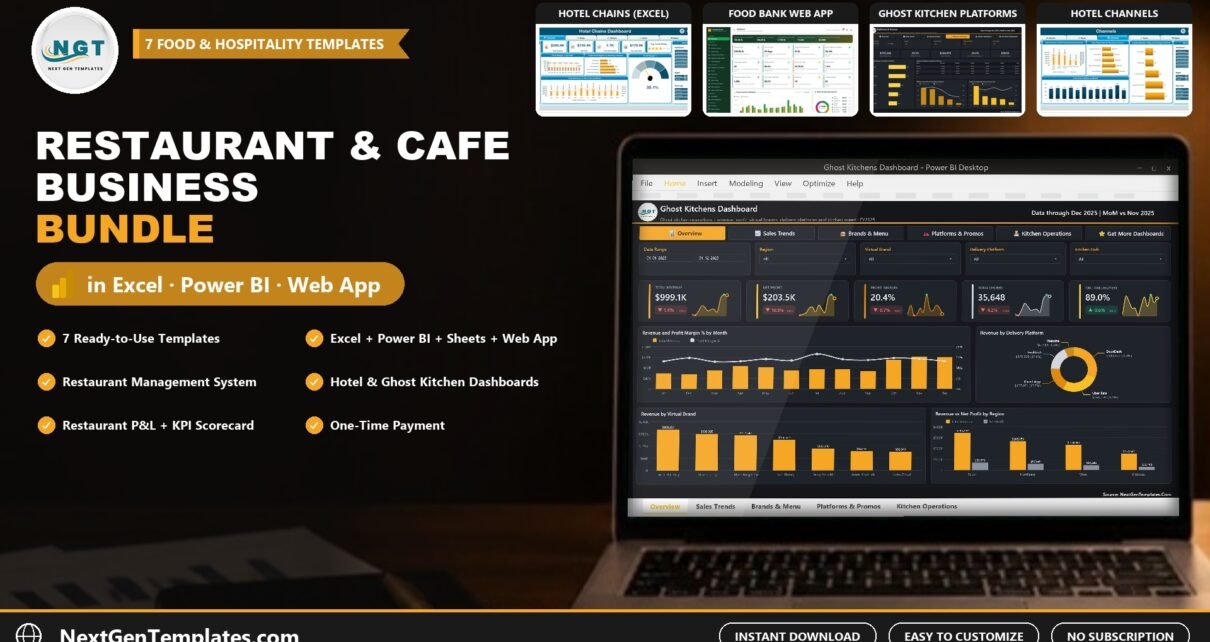
Running a restaurant, a cafe or any food service business means juggling orders, food cost, labor, delivery fees and guest experience every single day. The Restaurant and Cafe Business Bundle brings 7 ready-to-use restaurant templates and hospitality templates together in one download, so you can manage daily operations and see your numbers without building spreadsheets from scratch. Bought separately, these templates cost $125.93. In the bundle you pay $49.99 and save $75.94 (60%).
The pack mixes Excel, Excel VBA, Power BI, Google Sheets and a Google Apps Script web app. You can browse more of our work in the template bundles collection on NextGenTemplates.com.
Watch the Restaurant and Cafe Business Bundle – 7 Premium Excel, Power BI & Google Sheets Templates (Save 60%) walkthrough
Restaurant and Cafe Business Bundle – $49.99
7 templates, individual total $125.93. Save $75.94 (60%).
Key Features of the Restaurant and Cafe Business Bundle
Operations in one file. The Restaurant Management System V2.0 in Excel VBA covers the front and back of house: a menu master with prices, customer orders, table and reservation forms, stock by supplier and category, fixed and variable expenses, and user management with a secure, role-based login. It is the restaurant management system Excel users ask us for most often.
Profit you can trust. The Restaurant P&L Dashboard in Google Sheets puts revenue, food cost, labor cost, gross profit and covers on five KPI cards, with more than thirteen charts by location, cost type and month. It runs in the browser, so partners and managers can see it from any device.
Delivery economics. The Ghost Kitchens Dashboard in Power BI shows revenue and net profit after platform fees, food cost %, and margins for DoorDash, Uber Eats, Grubhub, your own app and website. A kitchen hub scorecard adds on-time rate, delivery time and cancellations.
Hospitality reporting. The Hotel Chains Dashboard tracks revenue, room nights, average daily rate and guest rating by brand, booking channel and region, while the Hospitality KPI Scorecard compares Actual vs Target vs Previous Year for month-to-date and year-to-date.
Every restaurant dashboard has filters. Slicers in Excel, synced slicers in Power BI and filter controls in Google Sheets let you cut the numbers by month, location, channel or category in one click.
What’s Included in the Bundle
1. Hotel Chains Dashboard in Excel (Excel, $17.99)
A five-page Excel dashboard for hotel groups: total revenue, net profit, room nights, average daily rate, guest rating and profit margin, with brand, booking channel, guest and region pages. Six slicers (year, month, channel, brand, region, room type) filter every page; 500 sample bookings and a PDF user manual are included. Use it to see which hotel brands, booking channels and regions bring the most profit, and where the average daily rate is slipping.
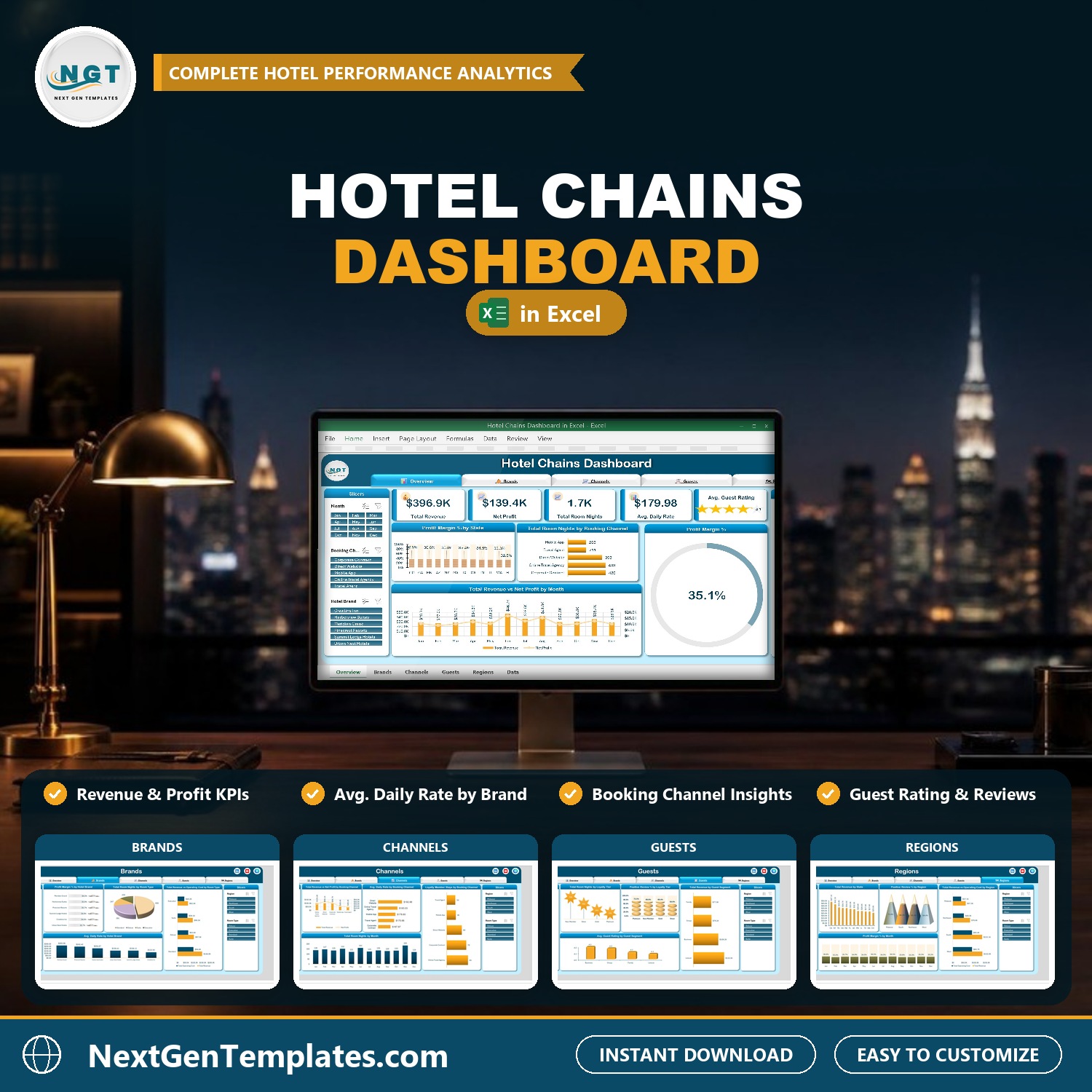
Hotel Chains Dashboard in Excel
2. Food Bank Management System Web App (Google Apps Script Web App, $39.99)
A food bank and food pantry web app that runs on your own Google account: donations and purchases, inventory lots by location and best-by date, partner agency orders with FEFO picking, household distributions, volunteer shifts, a cold storage temperature log, pallet and lot labels and 28 reports, with 7 user roles. If you run a food bank, a pantry or a community kitchen next to your restaurant business, it keeps every lot, best-by date and partner order in one place.
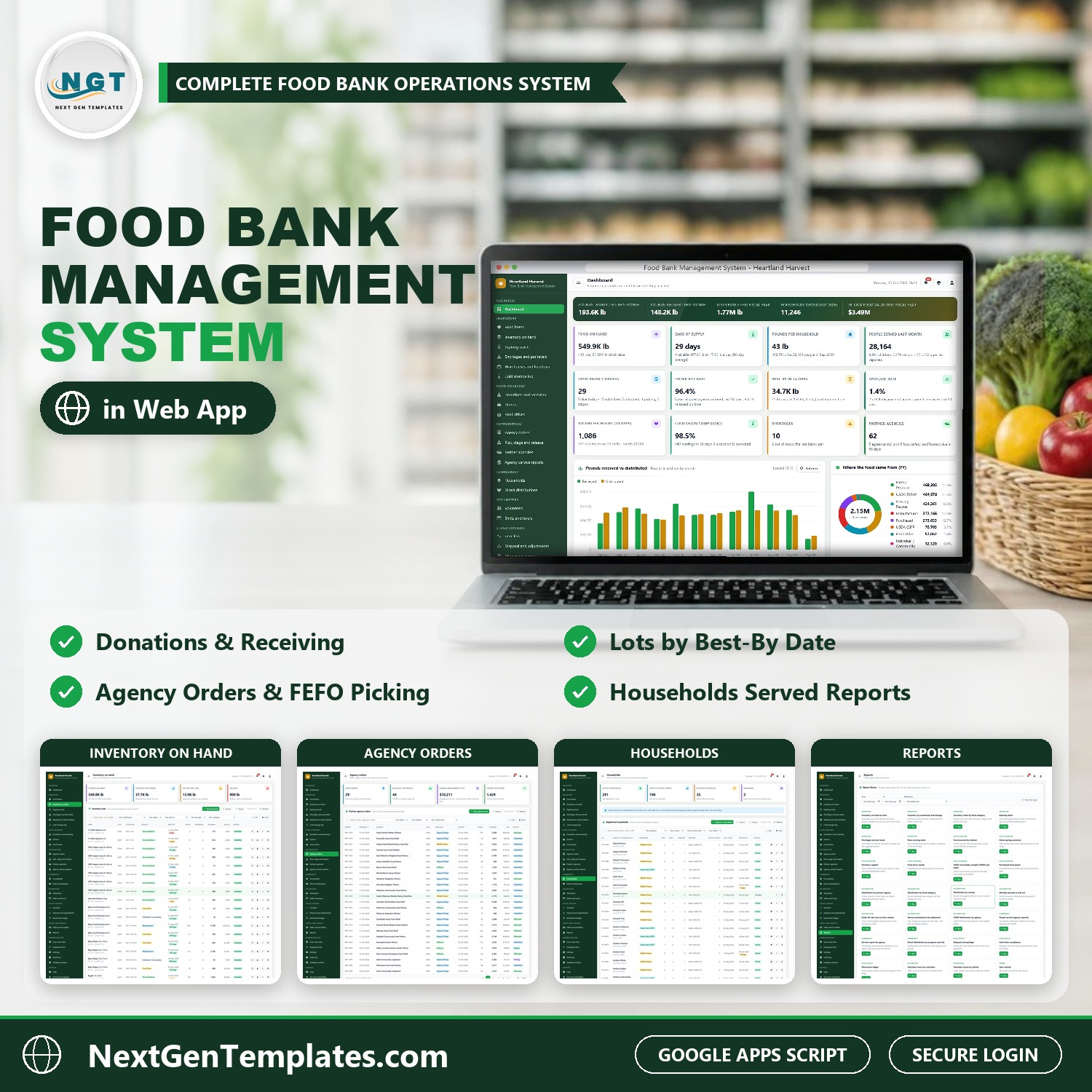
Food Bank Management System Web App
3. Ghost Kitchens Dashboard in Power BI (Power BI, $17.99)
A five-page Power BI report for delivery-only kitchens: revenue, net profit after platform fees, food cost %, DoorDash / Uber Eats / Grubhub / direct margins, virtual brand and cuisine ranking and a kitchen hub scorecard with on-time rate and delivery time. Editable .pbix with 45 DAX measures. It answers the question every delivery-only kitchen asks: after DoorDash, Uber Eats and Grubhub take their cut, which brands and platforms still make money?
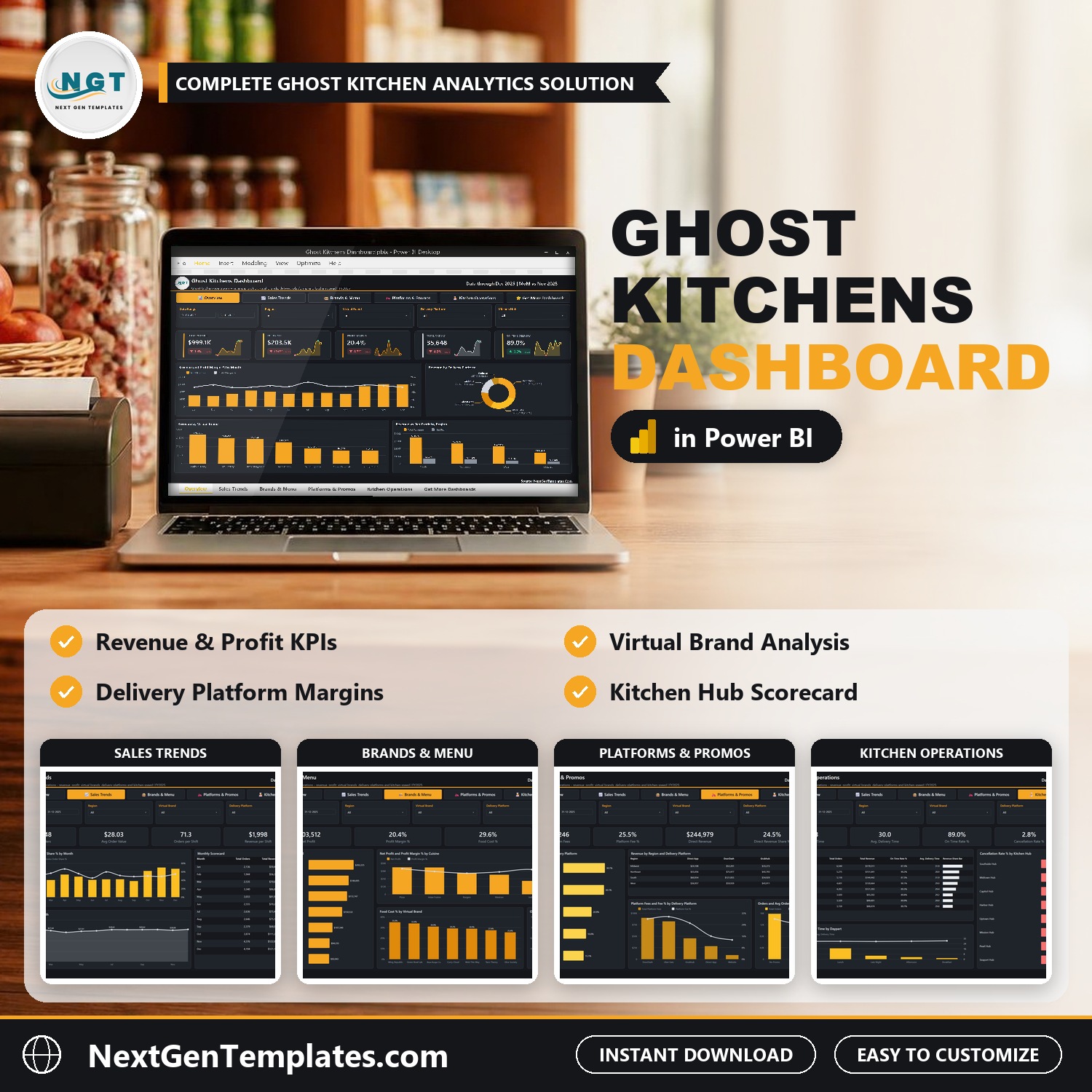
Ghost Kitchens Dashboard in Power BI
4. Restaurant Management System V2.0 in Excel VBA (Excel VBA, $19.99)
Our best-selling restaurant management system in Excel VBA: secure login with roles, menu master, customer orders, table and reservation forms, inventory by supplier, fixed and variable expenses, user management and built-in reports. This is the daily workhorse of the bundle: menu, orders, tables, reservations, stock and expenses in one Excel file with a login.
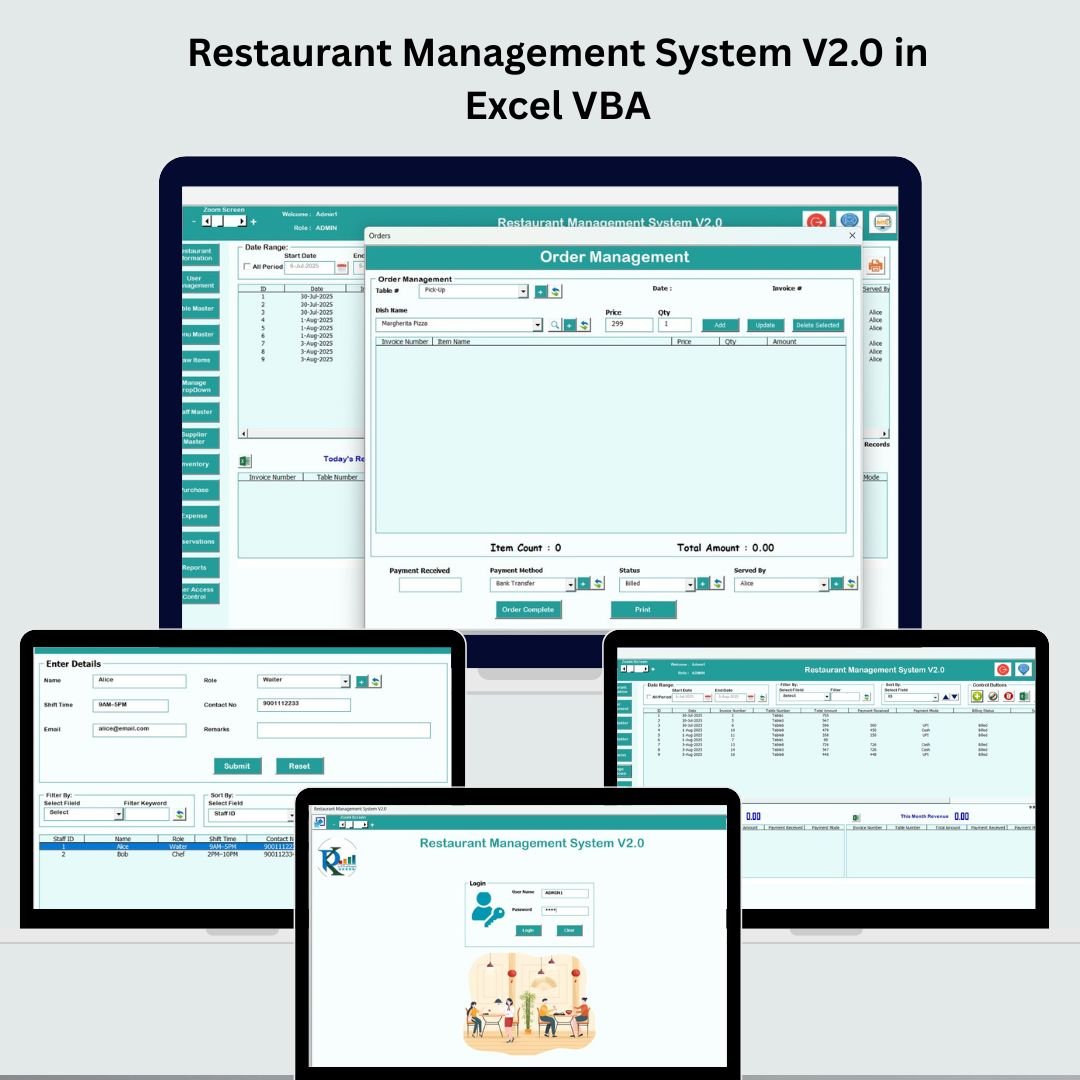
Restaurant Management System V2.0 in Excel VBA
5. Restaurant P&L Dashboard in Google Sheets (Google Sheets, $9.99)
A multi-location restaurant profit and loss dashboard in Google Sheets: revenue, food cost, labor cost, gross profit and covers on five KPI cards, 13+ charts across overview, revenue, cost and trend pages, slicers and a transaction search. Use it every month to compare revenue, food cost and labor cost across your restaurant locations without paying for accounting software.
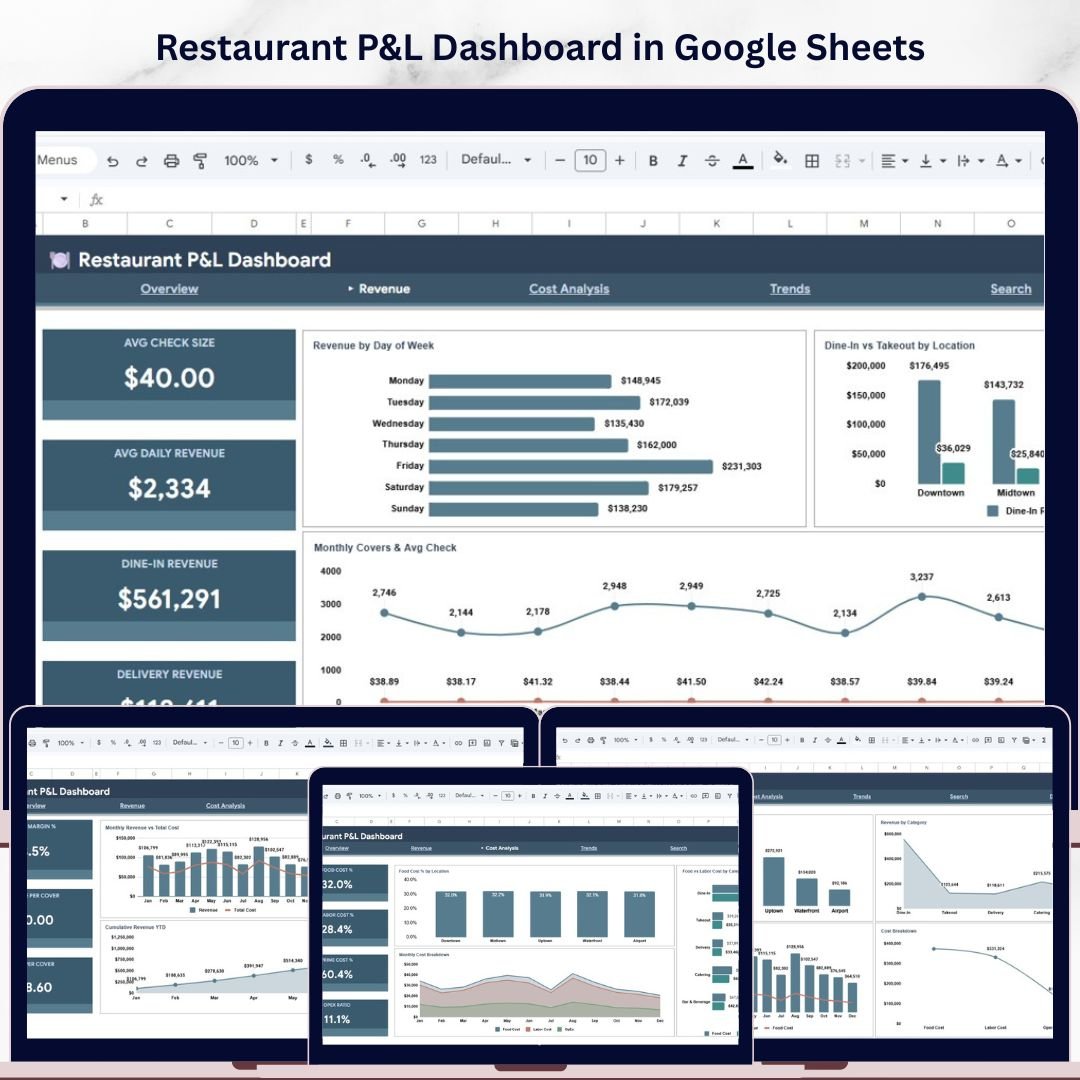
Restaurant P&L Dashboard in Google Sheets
6. Hospitality KPI Scorecard in Excel (Excel, $12.99)
A hospitality KPI scorecard in Excel that compares Actual vs Target vs Previous Year for MTD and YTD, with up/down indicators, a monthly KPI trend sheet, an input sheet and a KPI definitions sheet you can extend. Set your targets once and watch MTD and YTD performance against them and against last year.
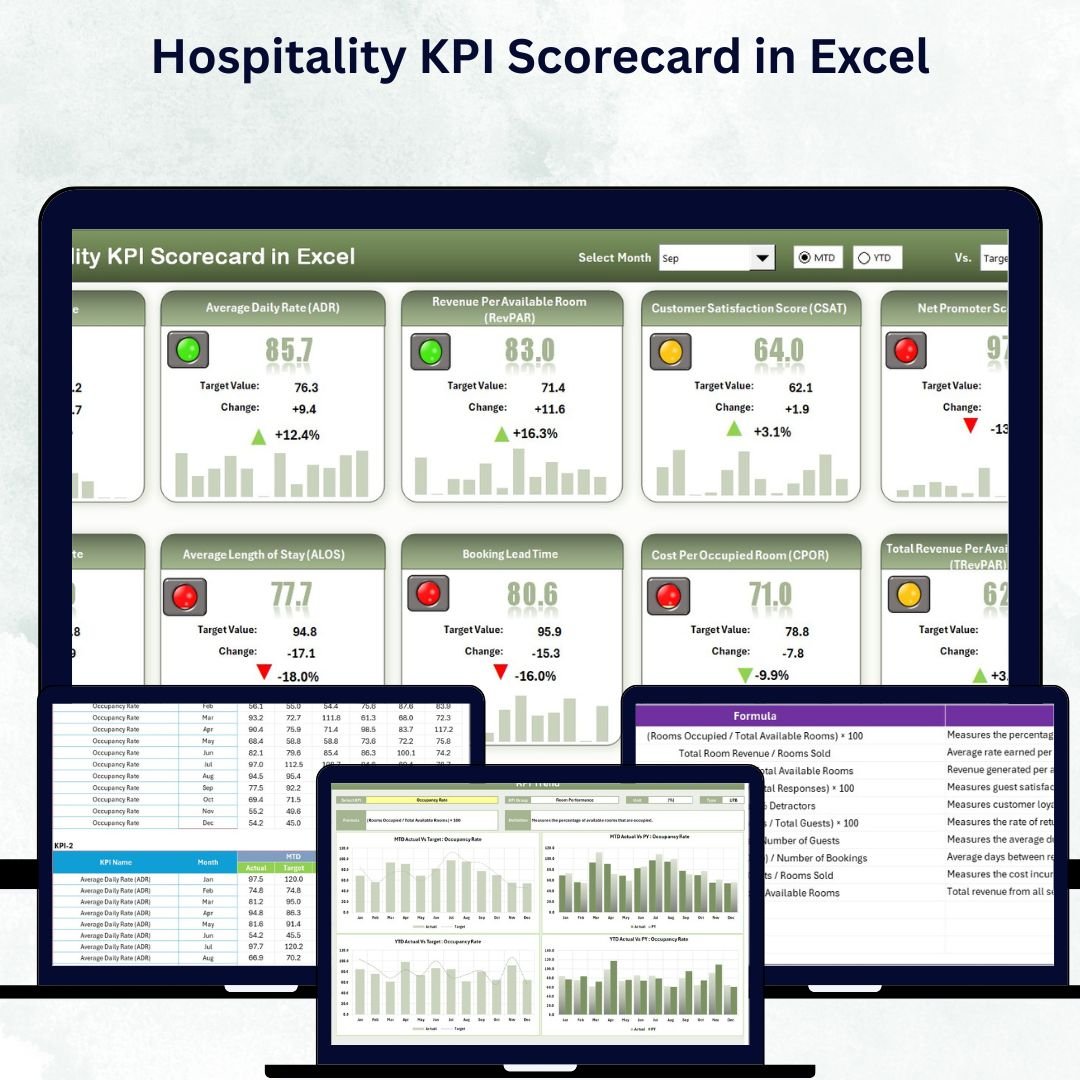
Hospitality KPI Scorecard in Excel
7. Food and Beverage Report in Excel (Excel, $6.99)
A food and beverage sales and cost report in Excel: three dashboard pages with sales, cost and profit KPIs, cost-vs-sales charts and slicers for category, region and department, ready for POS exports. A quick, lightweight report for owners who just want sales, cost and profit by category and department from their POS export.
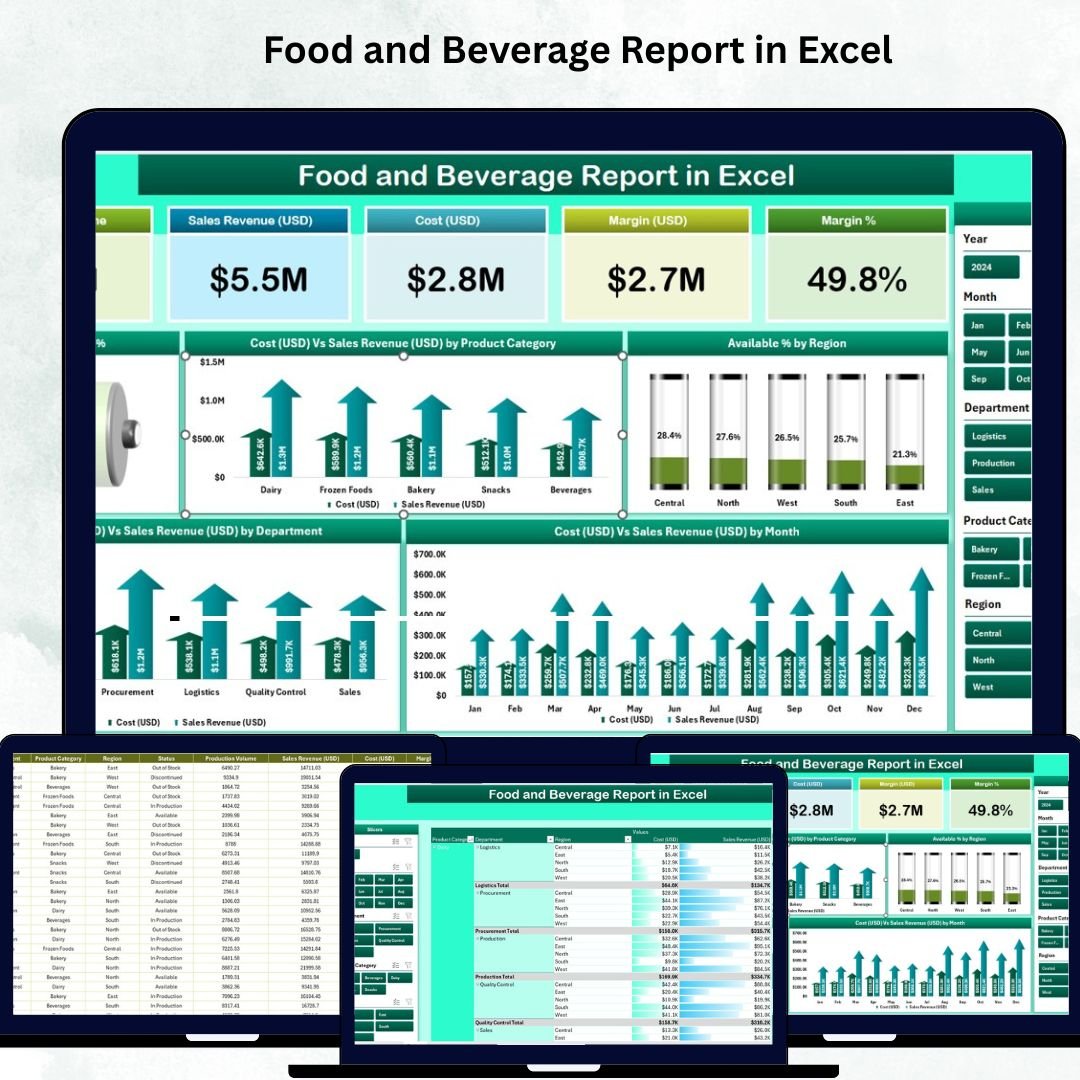
Food and Beverage Report in Excel
Smart Comparison – Individual vs Bundle
Here is what each restaurant and hospitality template costs on its own, and what you pay for the full set:
| # | Template | Platform | Individual Price |
|---|---|---|---|
| 1 | Hotel Chains Dashboard in Excel | Excel | $17.99 |
| 2 | Food Bank Management System Web App | Google Apps Script Web App | $39.99 |
| 3 | Ghost Kitchens Dashboard in Power BI | Power BI | $17.99 |
| 4 | Restaurant Management System V2.0 in Excel VBA | Excel VBA | $19.99 |
| 5 | Restaurant P&L Dashboard in Google Sheets | Google Sheets | $9.99 |
| 6 | Hospitality KPI Scorecard in Excel | Excel | $12.99 |
| 7 | Food and Beverage Report in Excel | Excel | $6.99 |
| Total if bought separately | $125.93 | ||
| Restaurant and Cafe Business Bundle price | $49.99 | ||
| You save | $75.94 (60%) | ||
Advantages of Buying the Bundle
- Lower cost per template – about $7.14 per template instead of up to $39.99 each.
- Covers the whole business – operations, profit and loss, delivery, hotel and KPI reporting, not just one dashboard.
- Works on the tools you already have – Excel, free Power BI Desktop and a free Google account.
- Consistent, professional look – every file comes from the same NextGenTemplates design standards, with user guides where included.
- One checkout, one ZIP – no hunting through separate orders and downloads.
Best Practices to Get the Most from These Restaurant Templates
- Start with operations. Set up the Restaurant Management System first: menu, tables, suppliers and users. Clean master data makes every report better.
- Close the month in the P&L. Enter revenue, food and labor costs per location at month end and compare food cost % and labor cost % with your targets.
- Check delivery fees weekly. Export orders from your delivery platforms into the Ghost Kitchens report and move promotions to the channels that keep the most margin.
- Set KPI targets once a year. Load them into the Hospitality KPI Scorecard and review it in your monthly management meeting.
- Keep sample data until you are ready. Explore every template with its sample data, then replace it with yours in one go.
Explore More Templates
Looking for something specific? Browse our template bundles, our restaurant management system in Excel and the Restaurants and Food Services Dashboard in Excel.
Frequently Asked Questions
What is included in the Restaurant and Cafe Business Bundle?
7 templates: a Restaurant Management System in Excel VBA, a Restaurant P&L Dashboard in Google Sheets, a Ghost Kitchens Dashboard in Power BI, a Hotel Chains Dashboard and a Hospitality KPI Scorecard in Excel, a Food and Beverage Report in Excel and a Food Bank Management System web app.
Which software do I need?
Microsoft Excel (desktop, with macros enabled for the VBA system), Power BI Desktop, which is free from Microsoft, and a Google account for the Google Sheets dashboard and the web app.
Is this a subscription?
No. You pay once and keep the files. There are no per-user fees, and your data stays in your own files or your own Google account.
Can I use my own restaurant data?
Yes. Every template ships with realistic sample data that you replace with your own menu, sales, costs or bookings. The dashboards refresh from the data sheets.
Are these restaurant templates good for a single cafe?
Yes. The management system, the P&L dashboard and the F&B report work for one outlet; the multi-location views simply show one location until you add more.
How much do I save with the bundle?
Bought one by one the 7 templates cost $125.93. The bundle costs $49.99, a saving of $75.94 (60%).
Conclusion
The Restaurant and Cafe Business Bundle gives restaurant, cafe, cloud kitchen and hotel teams a complete set of restaurant templates and hospitality templates for $49.99 instead of $125.93. Run daily operations in Excel, watch profit in Google Sheets, check delivery margins in Power BI and track your KPIs against target, all from one download.
Get the Restaurant and Cafe Business Bundle today
One-time payment of $49.99. Save $75.94 (60%) and download instantly.
Subscribe to our YouTube channel for Excel, Power BI and Google Sheets tutorials.