Managing schedules in the retail industry often feels overwhelming. Stores operate across long hours, events change frequently, and teams need clear visibility of upcoming activities. However, when teams rely on emails, handwritten notes, or disconnected Excel files, confusion grows quickly. As a result, missed shifts, unplanned closures, and event clashes become common.
That is exactly where a Retail Scheduling Calendar in Excel makes a real difference.
In this detailed guide, you will learn what a Retail Scheduling Calendar in Excel is, how it works, its key features, advantages, best practices, and how retail businesses can use it effectively. By the end, you will clearly understand why this ready-to-use Excel calendar is a powerful planning tool for modern retail operations.
Click to Purchases Retail Scheduling Calendar in Excel
What Is a Retail Scheduling Calendar in Excel?
A Retail Scheduling Calendar in Excel is a structured and interactive Excel-based calendar designed to plan, track, and manage retail events, schedules, and activities in one centralized workbook.
Instead of juggling multiple files or tools, retail managers can control annual schedules, monthly plans, daily events, and event databases from a single Excel file. Moreover, this calendar allows users to add, update, and delete events easily, without complex software or technical skills.
Because Excel remains familiar and widely used, this solution fits perfectly into existing retail workflows.
Why Do Retail Businesses Need a Scheduling Calendar?
Retail businesses operate in a fast-moving environment. Therefore, planning errors can quickly lead to lost sales or unhappy customers. A Retail Scheduling Calendar in Excel helps retailers:
-
Organize store events and promotions clearly
-
Avoid scheduling conflicts
-
Improve staff coordination
-
Track daily, monthly, and yearly activities
-
Save time by reducing manual work
Most importantly, it brings visibility and control to retail planning.
How Does a Retail Scheduling Calendar in Excel Work?
This ready-to-use calendar works through five interconnected worksheets, each designed for a specific planning purpose. Together, they create a smooth scheduling system that updates dynamically based on user inputs.
Let us explore each worksheet in detail.
Click to Purchases Retail Scheduling Calendar in Excel
Home Sheet Tab: Your Central Navigation Hub
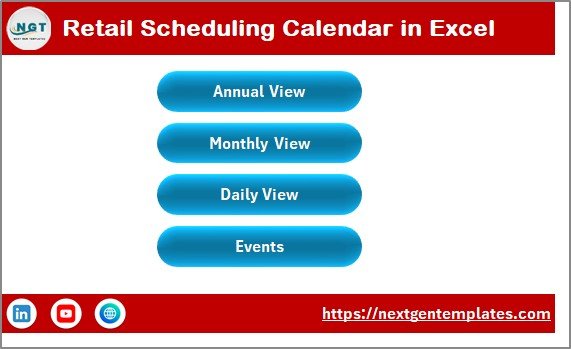
The Home sheet tab works as the index page of the Retail Scheduling Calendar in Excel. From here, users can navigate across the entire workbook with just one click.
Key Buttons on the Home Sheet
The Home sheet includes four navigation buttons:
-
Annual View Button – Opens the yearly calendar
-
Monthly View Button – Opens the monthly calendar
-
Daily View Button – Opens the detailed daily event list
-
Events Button – Opens the event database
Because of this design, users do not waste time searching for sheets. Instead, navigation stays quick and intuitive.
Annual View Sheet: Plan the Entire Year at a Glance
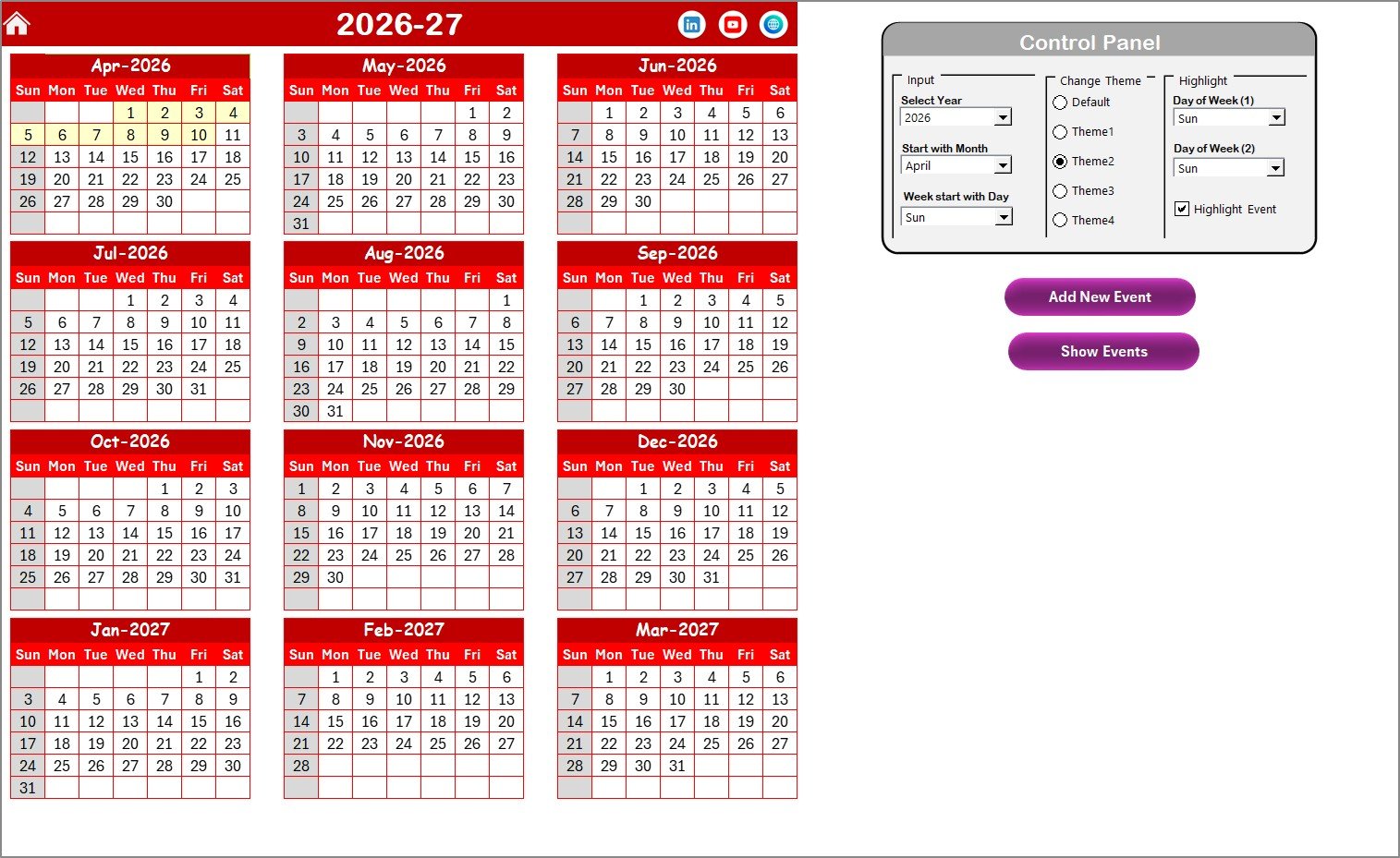
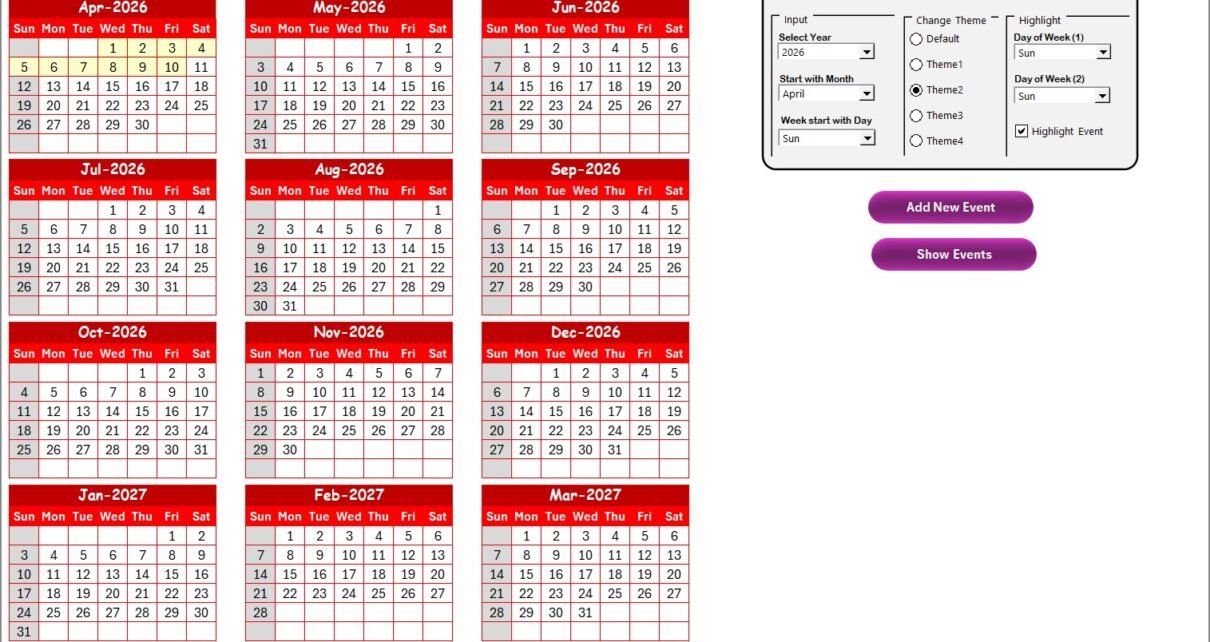
The Annual View sheet displays all 12 months in a single view, making it ideal for high-level retail planning.
Retail managers can quickly review holidays, sales campaigns, store events, and important dates across the year.
Control Panel in the Annual View Sheet
The Annual View includes a powerful control panel divided into three functional groups.
Input Group: Customize the Calendar Instantly
Using the Input Group, users can:
-
Select the Year to update the calendar automatically
-
Change the starting month of the calendar
-
Adjust the starting day of the week
As a result, the calendar adapts instantly to regional or business-specific requirements.
Change Theme Group: Apply Visual Themes Easily
Visual clarity matters in retail planning. Therefore, the calendar provides five predefined color themes.
Users can select any theme to apply it across the entire workbook. Consequently, the calendar stays visually appealing and easy to read.
Highlight Group: Focus on Important Days
This group helps users emphasize specific days:
-
Highlight Day of Week (1) and Day of Week (2)
-
For example, Saturday and Sunday can appear in grey
-
-
Enable Highlight Event checkbox
-
This highlights event dates in yellow
-
Because of these features, important days stand out immediately.
Add New Event Button in Annual View
Users can add events directly from the Annual View:
-
Select a date on the calendar
-
Click Add New Event
-
Fill the event form
-
Click Submit
The event instantly appears on the selected date.
Show Event Button in Annual View
To review events on any date:
-
Select the date
-
Click Show Event
The system displays the complete list of events for that day.
Click to Purchases Retail Scheduling Calendar in Excel
Monthly View Sheet: Focus on a Single Month
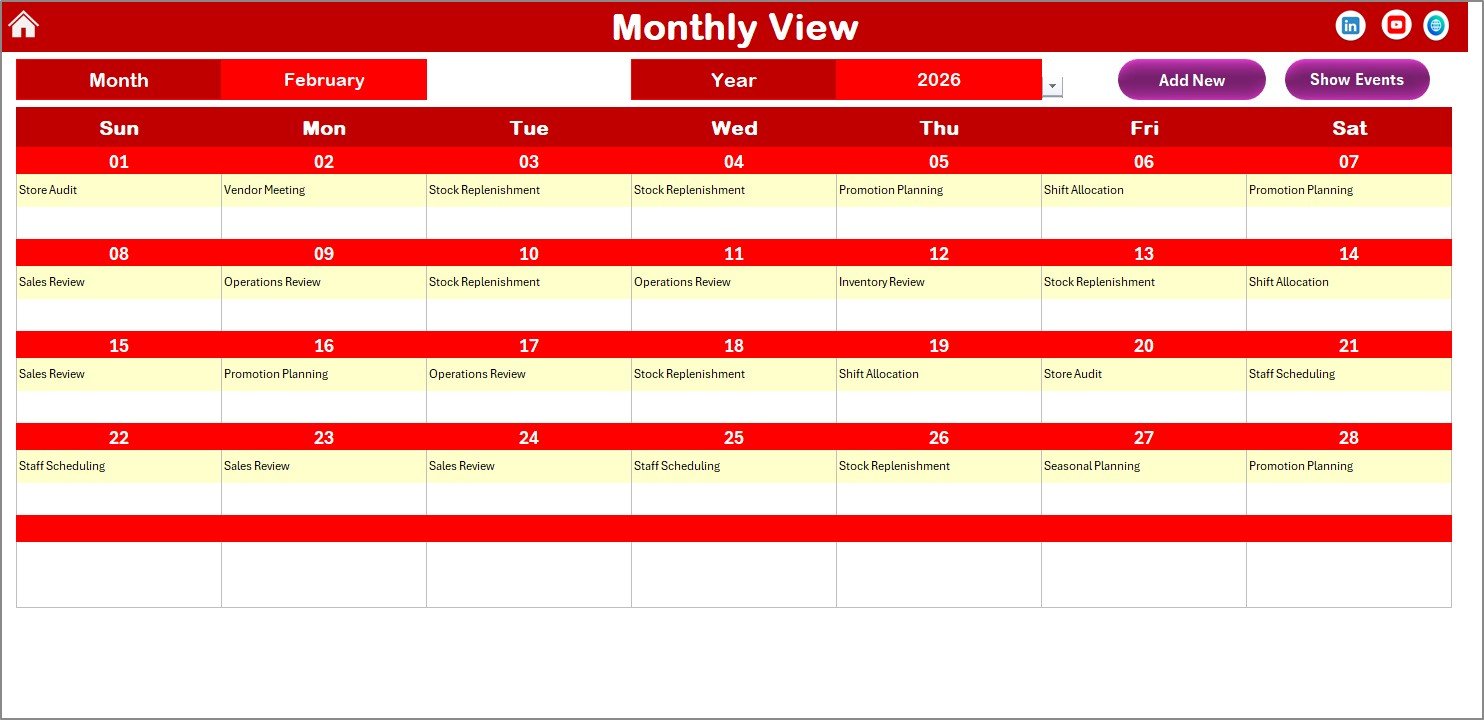
While the Annual View supports long-term planning, the Monthly View sheet helps with short-term execution.
This sheet displays a single-month calendar, allowing users to focus on day-to-day planning.
How the Monthly View Works
At the top of the sheet, users can select:
-
Month
-
Year
Based on these selections, the calendar updates automatically.
Event Display Logic
-
If only one event exists on a date, the event name appears
-
If multiple events exist, the calendar displays “more than 1…”
This approach keeps the calendar clean while still indicating busy days.
Buttons in Monthly View
The Monthly View includes two action buttons:
Add New Event Button
-
Select a date
-
Click Add New Event
-
Fill the form and submit
The event appears immediately.
Show Event Button
-
Select a date
-
Click Show Event
The system displays all events for that date.
Click to Purchases Retail Scheduling Calendar in Excel
Daily View Sheet: View Events in Detail
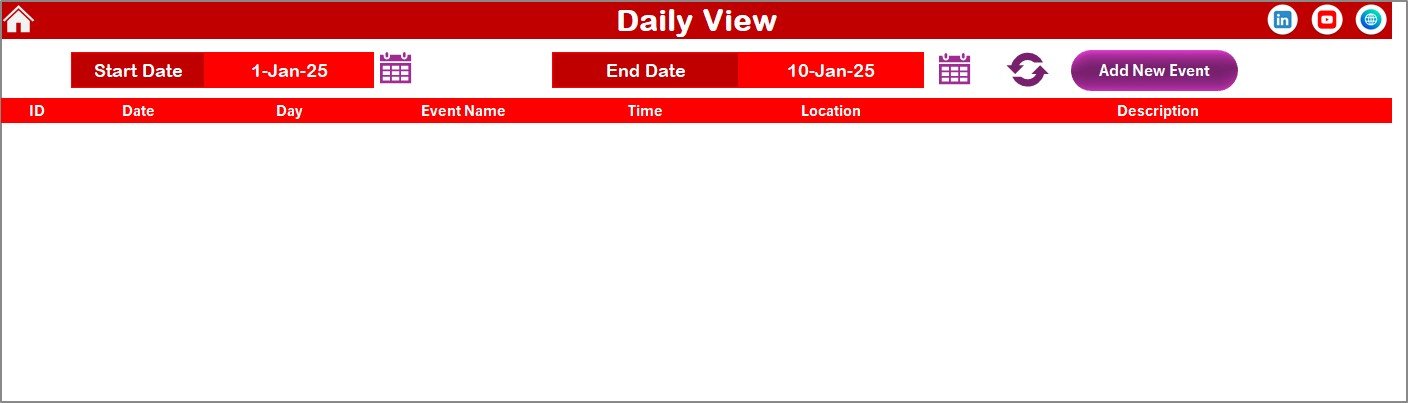
The Daily View sheet focuses on detailed event tracking over a selected date range.
This view works perfectly for store managers, supervisors, and operations teams.
How the Daily View Works
At the top of the sheet, users can:
-
Select Start Date
-
Select End Date
-
Use calendar icons for easy selection
-
Click Refresh to load data
Once refreshed, the sheet displays all events within the selected range.
Add New Event from Daily View
The Daily View also includes an Add New Event button.
By clicking it, users can open the event form, add details, and submit the record instantly.
Events Sheet: The Central Event Database
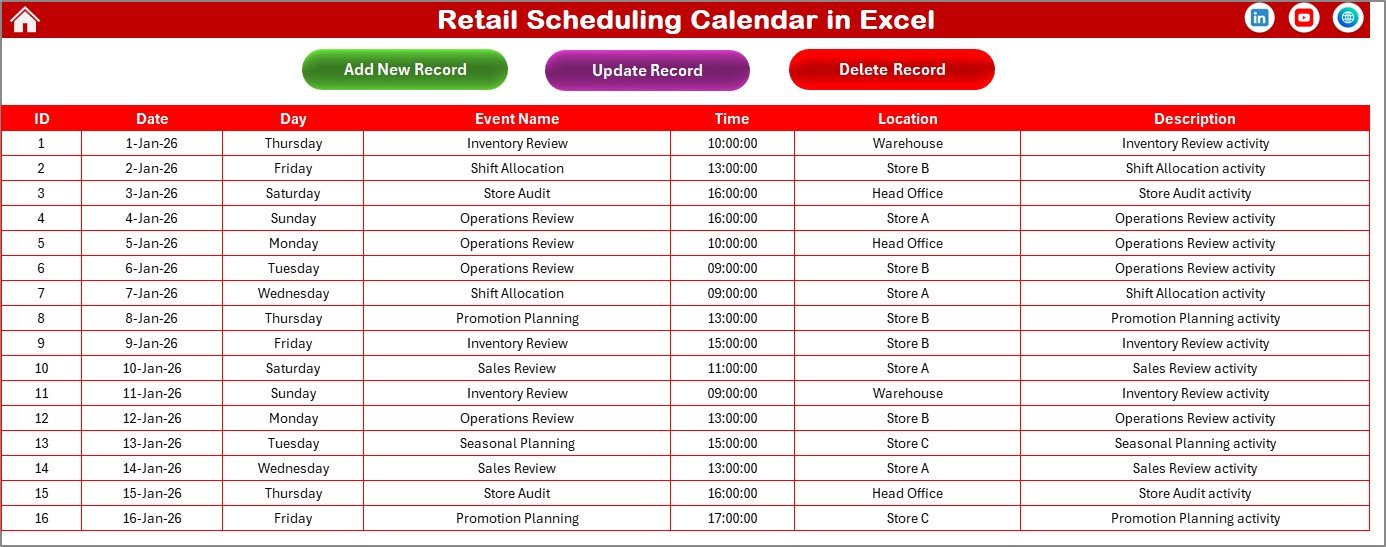
The Events sheet serves as the backend database for the entire Retail Scheduling Calendar in Excel.
All events added from Annual, Monthly, or Daily views get stored here automatically.
Columns in the Events Sheet
The database captures the following information:
-
ID – Auto-generated unique number
-
Date – Event date
-
Day – Day of the week
-
Event Name – Name of the event
-
Time – Event time
-
Location – Event location
-
Description – Short event description
Because of this structure, the data stays clean and organized.
Event Management Buttons
At the top of the Events sheet, users get three powerful buttons.
Add New Record Button
-
Opens the Add Event form
-
Users fill details and submit
-
A new record gets added automatically
Update Existing Record Button
-
Select the ID of the event
-
Click Update Existing Record
-
The form opens with prefilled data
-
Edit details and submit
The system updates the event instantly.
Delete Record Button
-
Select the ID of the event
-
Click Delete Record
The system removes the selected record safely.
Click to Purchases Retail Scheduling Calendar in Excel
Advantages of Retail Scheduling Calendar in Excel
A Retail Scheduling Calendar in Excel offers several practical benefits for retail businesses of all sizes.
Centralized Scheduling
All retail schedules stay in one Excel file, which reduces confusion and improves coordination.
Easy to Use and Customize
Because it runs in Excel, users do not need technical training or external software.
Time-Saving Automation
Automatic calendar updates, forms, and controls reduce manual effort significantly.
Better Visibility and Planning
Annual, monthly, and daily views ensure complete visibility of retail operations.
Cost-Effective Solution
Unlike expensive scheduling software, this Excel-based solution works without recurring costs.
Improved Team Coordination
Clear schedules help teams align their tasks and responsibilities easily.
Best Practices for Retail Scheduling Calendar in Excel
To get the maximum value from this calendar, retail teams should follow these best practices.
Keep Event Data Updated Regularly
Always update events as soon as changes occur. This practice ensures accuracy across all views.
Use Highlight Features Wisely
Highlight weekends, holidays, or peak sales days to improve visibility.
Maintain Clean Descriptions
Keep event names and descriptions short and meaningful for clarity.
Review Schedules Weekly
A weekly review helps detect conflicts early and supports smoother operations.
Backup the File Periodically
Although Excel is reliable, regular backups protect data from accidental loss.
Who Can Use a Retail Scheduling Calendar in Excel?
This calendar suits a wide range of retail users, including:
-
Retail store managers
-
Operations teams
-
Sales planners
-
Visual merchandising teams
-
Franchise owners
-
Small and medium retail businesses
Because of its flexibility, the calendar adapts easily to different retail formats.
Click to Purchases Retail Scheduling Calendar in Excel
How Does This Calendar Improve Retail Productivity?
When teams plan better, performance improves naturally. This calendar helps by:
-
Reducing scheduling errors
-
Improving event coordination
-
Enhancing visibility across time periods
-
Supporting better decision-making
As a result, retail operations run smoother and more efficiently.
Conclusion: Why Choose a Retail Scheduling Calendar in Excel?
A Retail Scheduling Calendar in Excel transforms the way retail teams plan and manage schedules. Instead of relying on scattered files or manual notes, teams gain a centralized, visual, and interactive planning system.
With features like Annual View, Monthly View, Daily View, and an integrated Events database, this ready-to-use Excel calendar brings clarity, control, and efficiency to retail operations.
If you want a practical, flexible, and cost-effective scheduling solution, this Excel-based retail calendar is an excellent choice.
Frequently Asked Questions (FAQs)
What is a Retail Scheduling Calendar in Excel used for?
A Retail Scheduling Calendar in Excel helps retail teams plan, track, and manage store events, schedules, and activities in one centralized file.
Can I add multiple events on the same date?
Yes, you can add multiple events on the same date. The calendar automatically manages and displays them.
Does the calendar update automatically?
Yes, the calendar updates dynamically based on year, month, and date selections.
Can I customize the calendar themes?
Yes, the calendar includes five color themes that you can apply across the entire workbook.
Is this calendar suitable for small retail stores?
Absolutely. Both small and large retail businesses can use this calendar effectively.
Do I need advanced Excel skills to use it?
No, basic Excel knowledge is enough to use this Retail Scheduling Calendar.
Can I update or delete events later?
Yes, you can easily update or delete events using the Events sheet controls.
Does the calendar support different week start days?
Yes, you can change the starting day of the week from the control panel.
Click to Purchases Retail Scheduling Calendar in Excel
Visit our YouTube channel to learn step-by-step video tutorials