Introduction
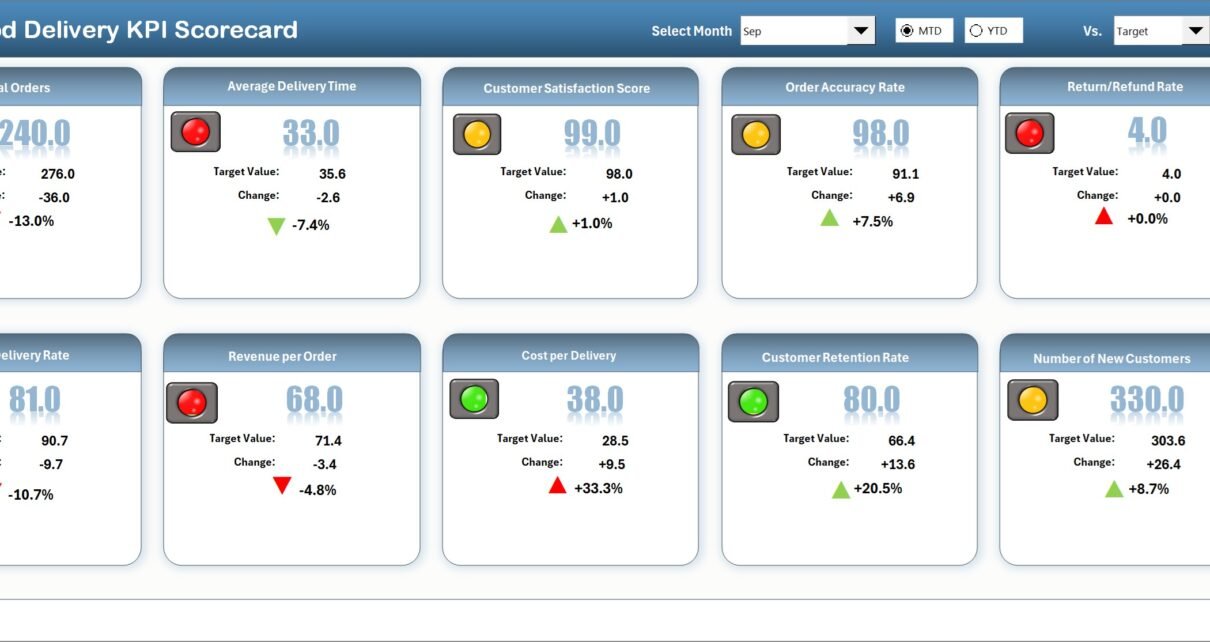
The Food Delivery KPI Scorecard is a comprehensive tool designed to help restaurants, delivery services, and food businesses monitor and improve their key performance indicators efficiently. Whether you are tracking delivery times, customer satisfaction, or operational costs, this ready-to-use scorecard template provides an organized, visual platform for performance management in the food delivery industry.
Key Features of Food Delivery KPI Scorecard
- Multiple Worksheets: Covers Scorecard, KPI Trend, Input Data, and KPI Definition.
- Dynamic Dropdown Menus: Easily toggle metrics between Month-to-Date (MTD) and Year-to-Date (YTD) for detailed analysis.
- Actual vs Target Comparison: Track real performance against set goals to pinpoint improvement areas.
- Visual Indicators: Color-coded formatting allows quick assessment of KPI health.
- KPI Details and Trends: Access KPI definitions, formulas, and trend visuals all in one place.
- User-Friendly Interface: Designed for ease of navigation and real-time data updates.
Dashboard Pages Explanation
1. Scorecard Sheet
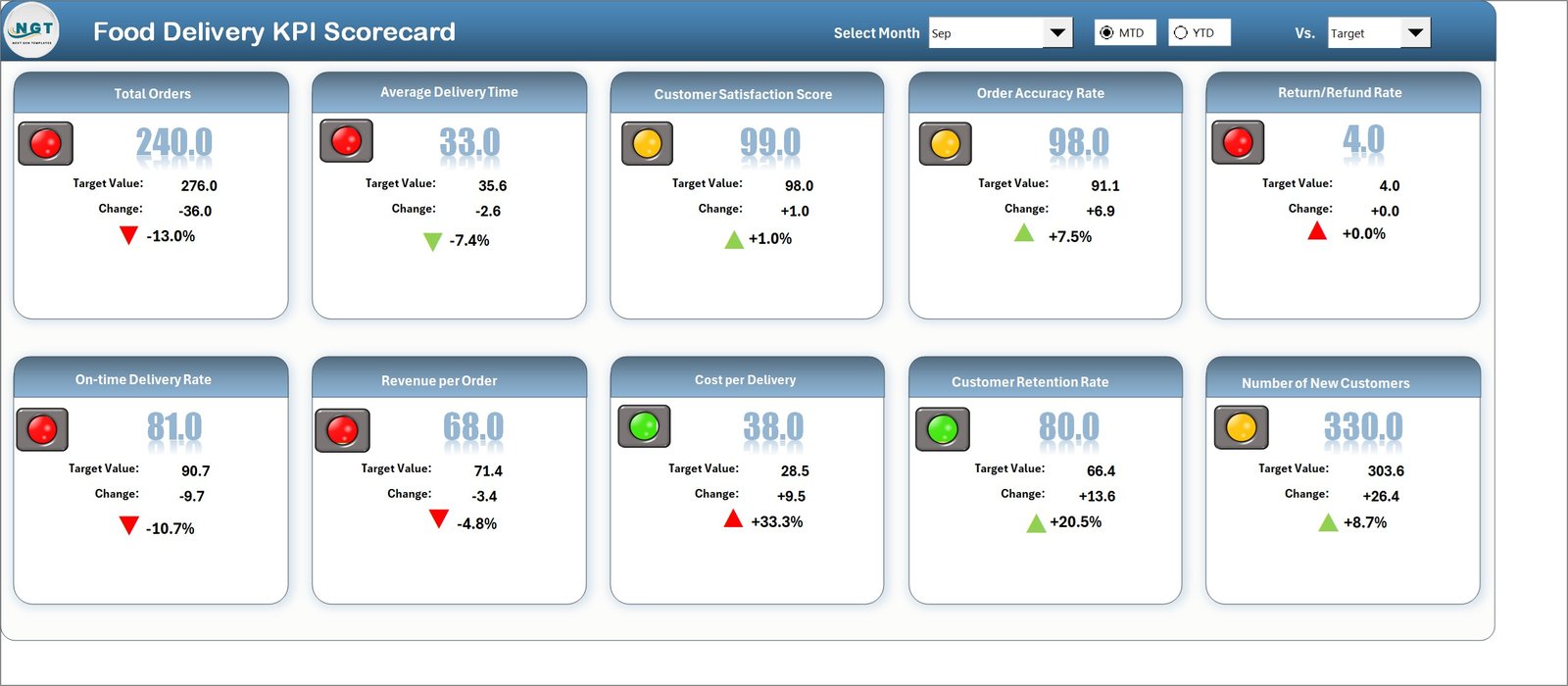
This sheet serves as the main interface where you can monitor all KPIs across different time frames.
- Dropdown Menus: Select the month and choose between MTD or YTD view.
- Actual vs Target: Clearly visualize where your performance stands.
- Visual Indicators: See performance statuses through colored highlights and conditional formatting.
- KPI Overview: Complete insight into all relevant data for a holistic review.
2. KPI Trend Sheet
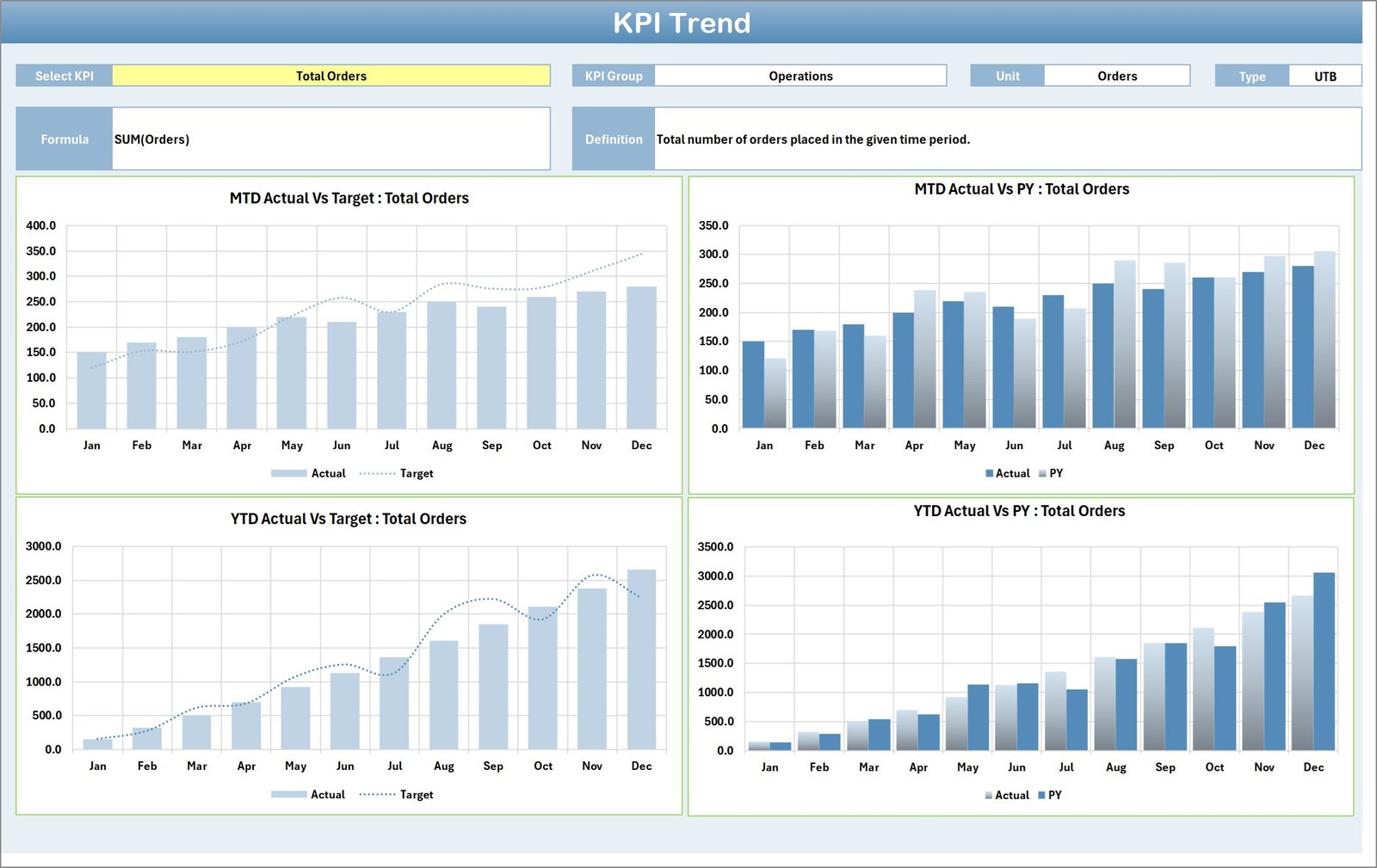
This sheet allows users to delve deeper into specific KPIs and observe their trends over time.
- KPI Selection: Pick the desired KPI from the dropdown in cell C3.
- KPI Details: Displays KPI Group, Unit, Type (whether ‘Lower the Better’ or ‘Upper the Better’), Formula, and Definition.
- MTD and YTD Charts: Visualize Actual vs Target vs Previous Year (PY) data for enhanced insight.
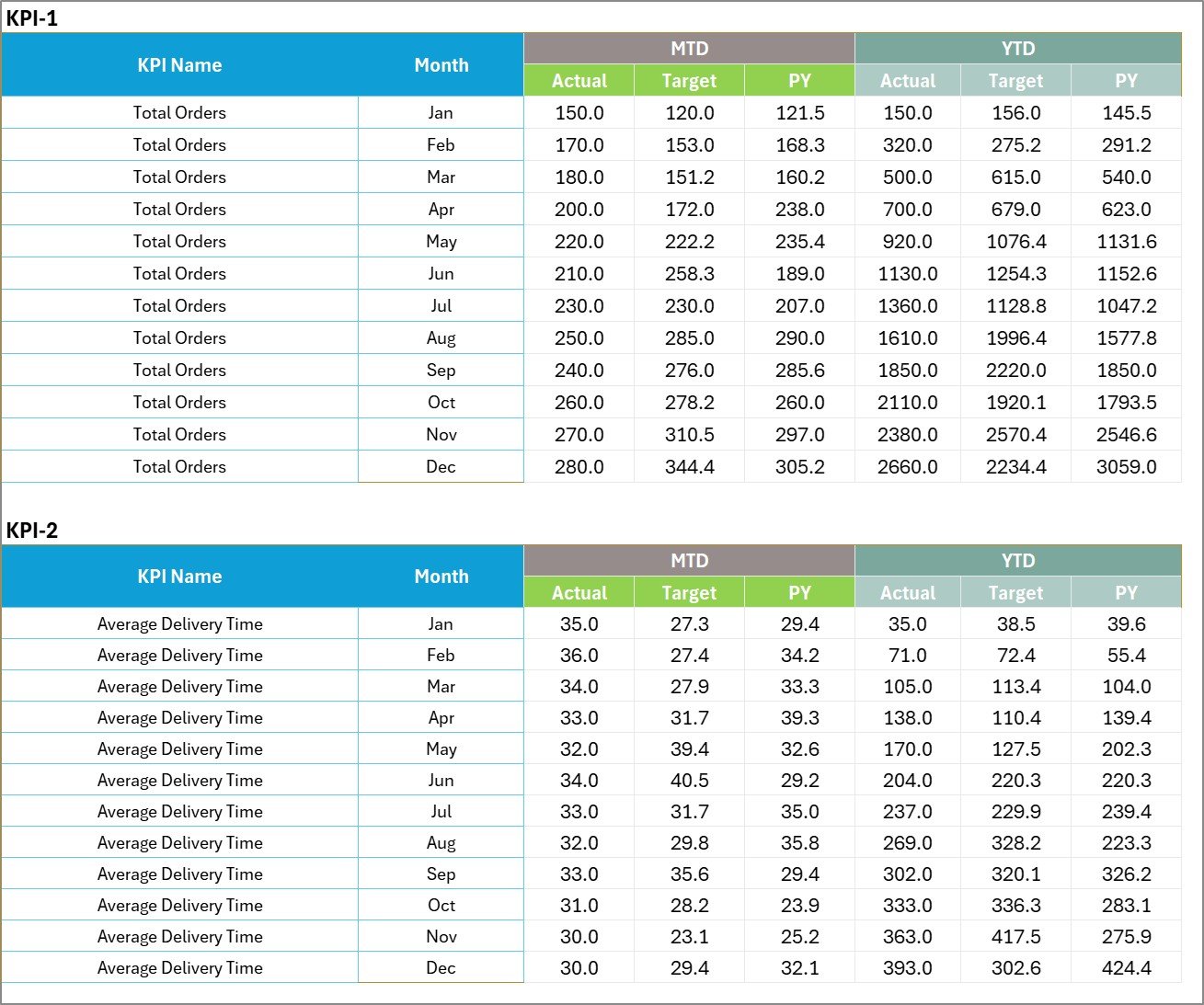
3. Input Data Sheet
This sheet is the backbone where all KPI-related data is input and updated by the users.
- Data Entry: Record actual values, targets, and other essential metrics for each KPI.
- Flexibility: Easily update and maintain current data for accurate scorecard reflection.
4. KPI Definition Sheet
This tab provides a detailed description of KPIs including their names, groups, measurement units, formulas, and definitions.

Advantages of Food Delivery KPI Scorecard
- Real-Time Performance Tracking: Immediate understanding of how your food delivery operations are performing.
- Data-Driven Decision Making: Metrics and visuals aid stakeholders in making informed strategic decisions.
- Improved Accountability: Clear KPIs provide performance targets for teams to meet or exceed.
- Trend Analysis Capability: Helps in spotting emerging patterns and potential problem areas early.
- Customizable & Scalable: Adapt easily to varying business sizes or changing KPI requirements.
Opportunities for Improvement
Click to Buy Food Delivery KPI Scorecard in Excel
- Integrate automated data feeds from delivery platforms to reduce manual input errors.
- Enable mobile-friendly views for managers on the go.
- Incorporate predictive analytics to forecast delivery issues and resource needs.
- Expand KPI coverage to include customer feedback sentiment analysis.
Best Practices
- Regular Updates: Ensure KPI data is updated promptly to keep scorecard insights relevant.
- Set Clear Targets: Define realistic and achievable KPI goals to motivate teams.
- Review Trends: Use historical data and trend charts to understand progress over time.
- Communicate Results: Share insights regularly with your team to foster transparency and collective improvement.
- Leverage Visuals: Utilize charts and color cues to simplify complex data for all stakeholders.
FAQs
Click to Buy Food Delivery KPI Scorecard in Excel
What is a KPI Scorecard in food delivery?
It’s a tool that helps businesses track critical metrics like delivery times, accuracy, and customer satisfaction to improve service quality.
How often should I update the KPI Scorecard?
Ideally, update your KPIs daily or weekly depending on data availability to keep your insights actionable.
Can this Scorecard be customized?
Yes, it is designed to be flexible to fit various food delivery business models and KPI priorities.
Is it suitable for small or large delivery operations?
This scorecard scales well for both small and larger enterprises with multiple delivery zones.
Conclusion
Click to Buy Food Delivery KPI Scorecard in Excel
In summary, the Food Delivery KPI Scorecard is an essential tool to help food delivery businesses monitor, analyze, and improve their performance metrics effectively. With its user-friendly design, comprehensive features, and clear visualizations, it enables actionable insights that drive better decision-making and operational excellence.
For additional tips and detailed walkthroughs, consider exploring relevant resources such as the Microsoft Excel Support page.
Visit our YouTube channel to watch the demo.
Click to Buy Food Delivery KPI Scorecard in Excel