According to a 2025 survey by ClearTax, 34% of small businesses in India missed at least one GST filing deadline in the past 12 months, resulting in average penalties of ₹8,500 per incident. A dedicated tax calendar with structured event tracking reduces missed filings by an estimated 80% compared to relying on memory or generic calendar apps. The Tax Deadline and GST Filing Calendar in Excel organizes 12 months of filing dates across 5 interactive worksheets with annual, monthly, and daily views — all in a single offline Excel file.Tax Deadline and GST Filing Calendar in Excel
Click here to Purchase the Tax Deadline and GST Filing Calendar in Excel
Whether you track GSTR-1, GSTR-3B, TDS deposits, advance tax installments, or income tax returns, this template gives you a structured system to enter, view, and manage every deadline. With 5 color themes, customizable week start days, and VBA-powered event forms, setup takes under 10 minutes.Tax Deadline and GST Filing Calendar in Excel
Key Features of Tax Deadline and GST Filing Calendar in Excel
This Excel calendar template includes 5 worksheets, 5 built-in color themes, and a VBA-powered event management system with Add, Update, and Delete functionality. It tracks tax deadlines across 3 calendar views (annual, monthly, daily) and stores all events in a searchable database with 7 data fields per record.
- 5 Dedicated Worksheets — Home (navigation index), Annual View (12-month grid), Monthly View (single-month focus), Daily View (date-range event list), and Events Database (master record sheet).
- 5 Color Themes — Switch the entire workbook’s visual style instantly from the Annual View control panel.Tax Deadline and GST Filing Calendar in Excel
- VBA-Powered Event Forms — Add New Event popup captures Date, Event Name, Time, Location, and Description without touching raw data cells.
- Event Highlighting — Toggle yellow highlights on the annual calendar grid to visually mark dates with tax events.Tax Deadline and GST Filing Calendar in Excel
- Weekend Highlighting — Select any two days of the week to highlight in grey (e.g., Saturday and Sunday).
- Customizable Year and Week Start — Change the calendar year, starting month, and starting day of the week from the control panel.
- Date-Range Filtering — The Daily View filters events between a custom Start Date and End Date for focused deadline reviews.
- Full CRUD Operations — Add, Update, and Delete event records directly from the Events sheet using 3 action buttons.
Template Pages Explained
Click here to Purchase the Tax Deadline and GST Filing Calendar in Excel
1. Home Sheet
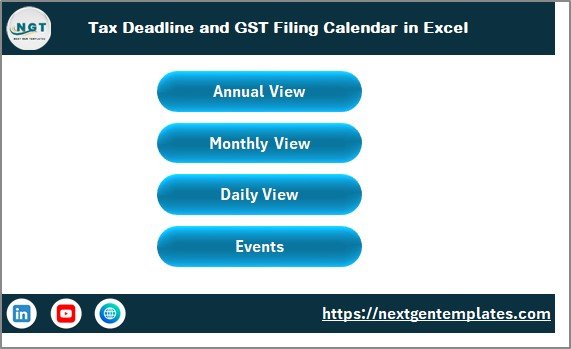
The Home sheet serves as a central navigation index with 4 buttons: Annual View, Monthly View, Daily View, and Events. Click any button to jump directly to that worksheet. This is the landing page you see when opening the file.
2. Annual View Sheet
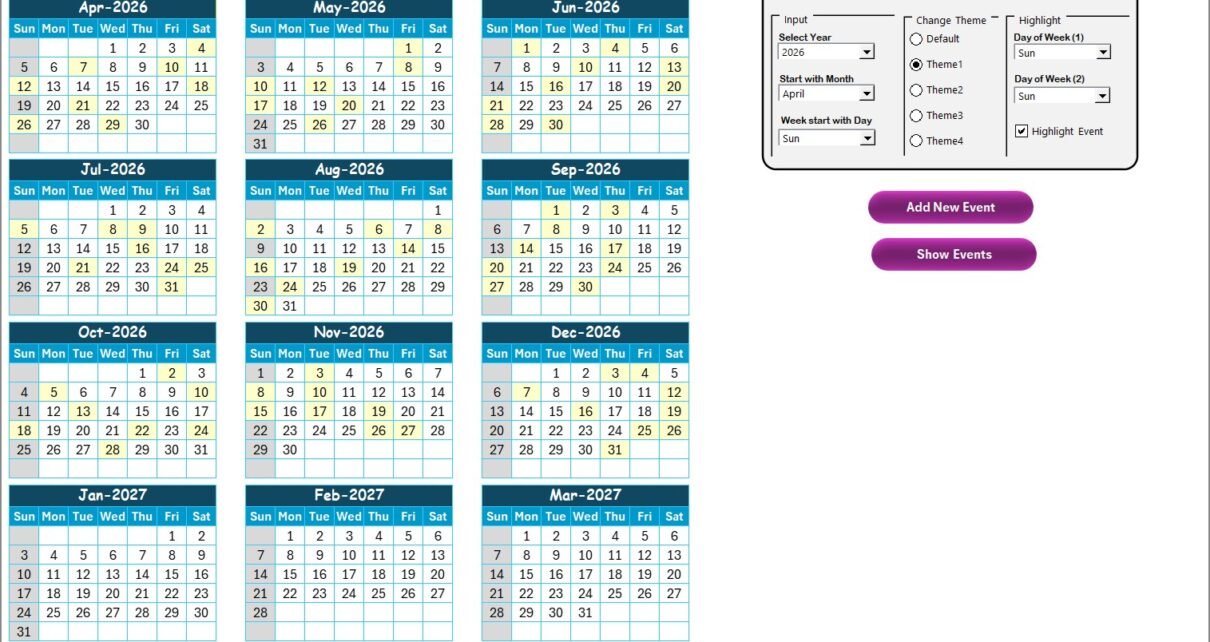
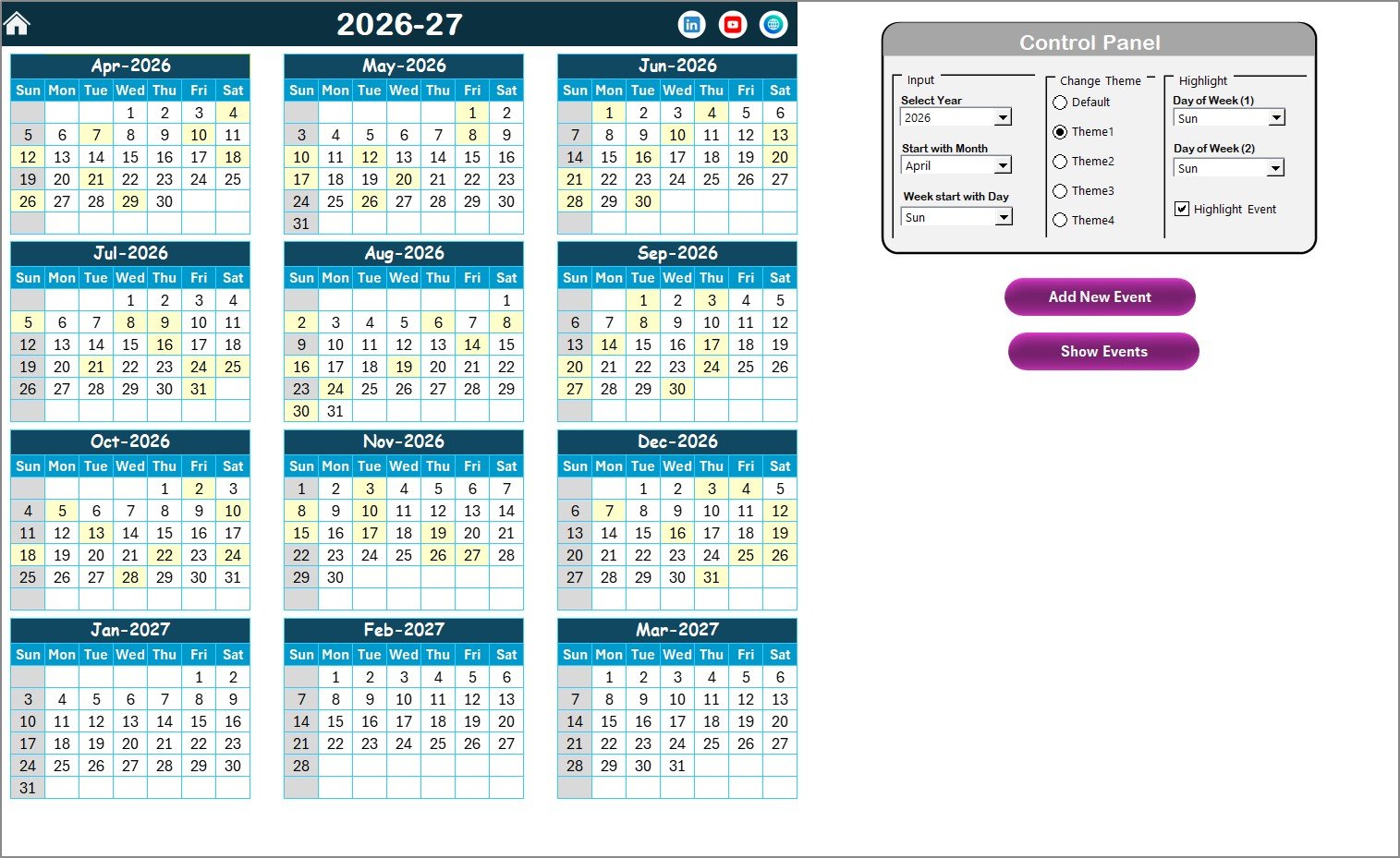
Displays all 12 months on a single screen. The control panel at the top includes 3 groups:
- Input Group — Select the Year, starting month, and starting day of the week.
- Change Theme Group — Choose from 5 color themes applied across the entire workbook.
- Highlight Group — Pick Day of Week (1) and Day of Week (2) for weekend highlighting. Check the Highlight Event checkbox to mark event dates in yellow.
Two buttons sit below the control panel: Add New Event (opens the VBA form) and Show Event (displays events on the selected date).
3. Monthly View Sheet
Click here to Purchase the Tax Deadline and GST Filing Calendar in Excel
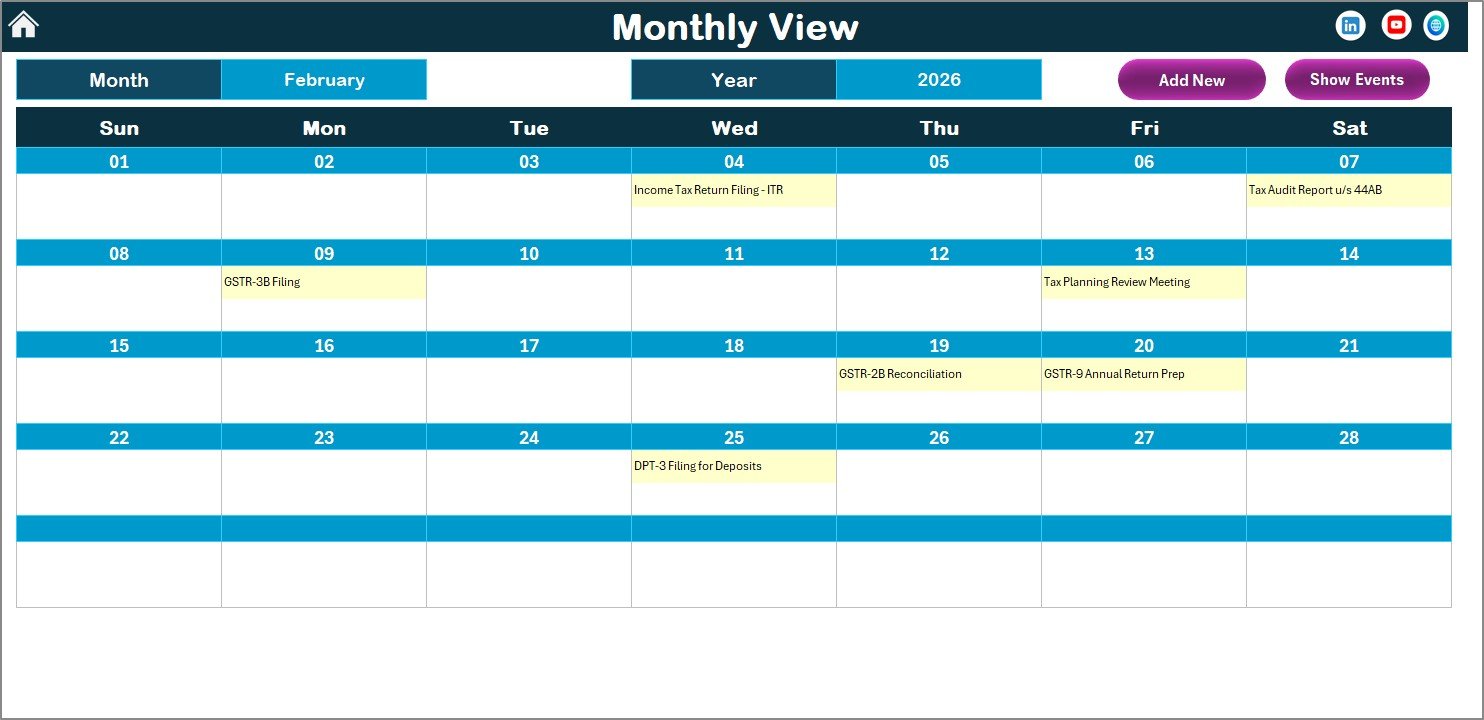
Shows a single month’s calendar with one event name displayed per date cell. If a date has more than one event, it shows a “more than 1…” indicator. Select Month and Year from the top dropdowns to navigate. The Add New Event and Show Event buttons work the same way as on the Annual View.
4. Daily View Sheet
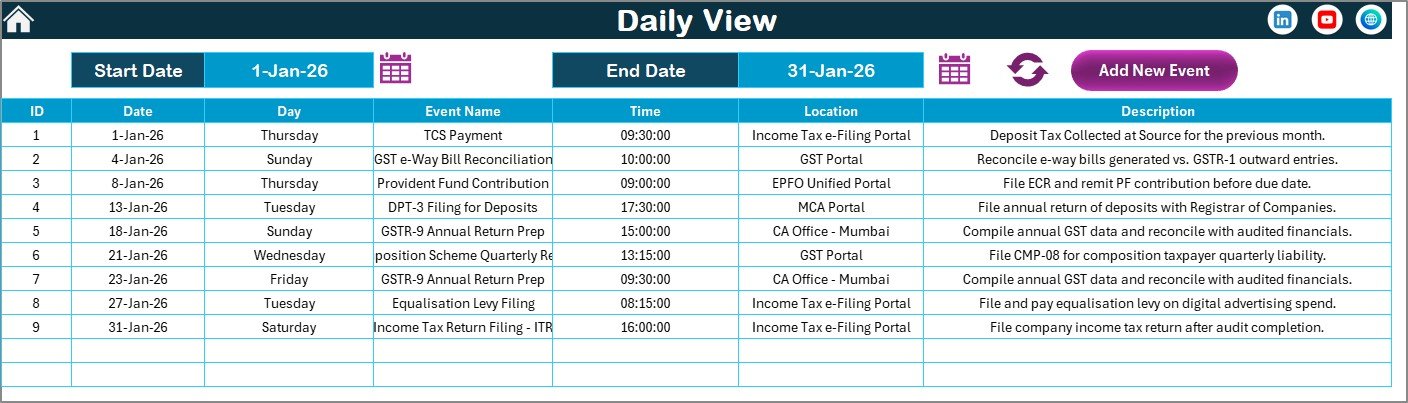
Lists all events with full details (Date, Day, Event Name, Time, Location, Description) within a selected date range. Set the Start Date and End Date using the calendar icons, then click Refresh to load the filtered data. The Add New Event button is also available here for quick entry. This view is ideal for reviewing the next 7 or 30 days of upcoming tax filings.
5. Events Database Sheet
Click here to Purchase the Tax Deadline and GST Filing Calendar in Excel
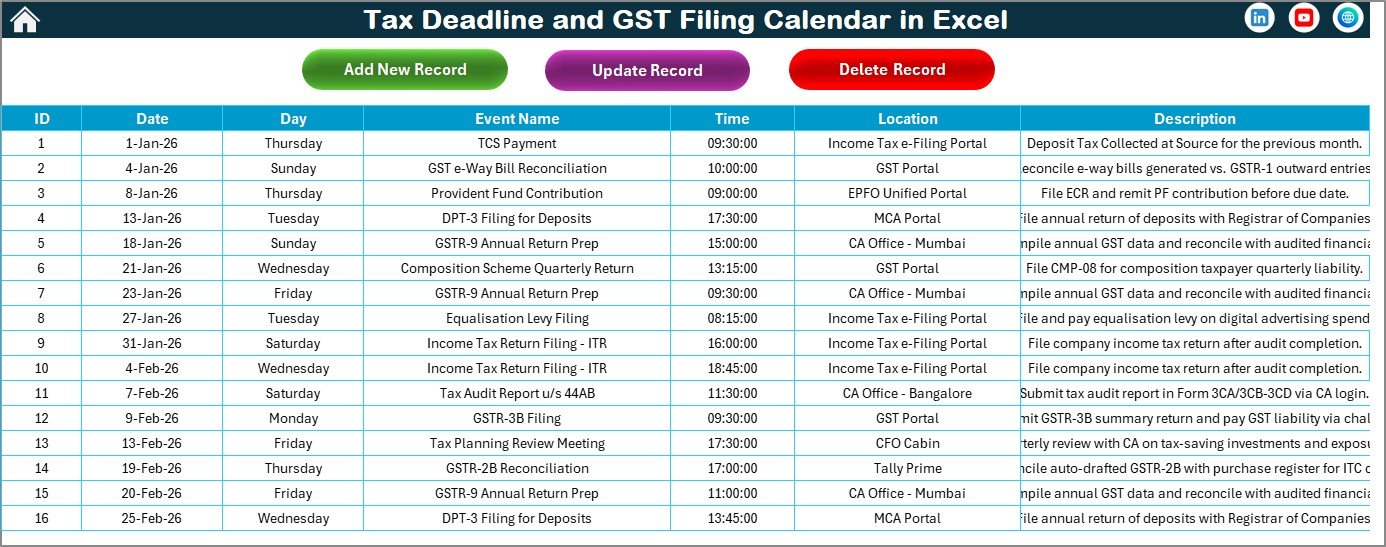
The master data sheet where all events are stored. Each record has 7 fields: ID (auto-generated), Date, Day, Event Name, Time, Location, and Description. Three action buttons at the top allow you to Add New Record, Update Existing Record (select the ID first), and Delete Record (select the ID first).
Tax Deadline Calendar vs. Google Calendar vs. TaxAct — Feature Comparison
| Feature | Tax Deadline Calendar in Excel | Google Calendar | TaxAct / TurboTax |
|---|---|---|---|
| Cost | $4.99 one-time | Free | $25–$90 / year |
| Platform | Microsoft Excel (offline + online) | Browser-based | Browser / Desktop |
| Setup Time | Under 10 minutes | Manual entry per event | 30–60 minutes |
| Custom Color Themes | ✅ 5 built-in themes | Limited | ❌ |
| Annual + Monthly + Daily Views | ✅ All 3 views | ✅ | ❌ |
| Event Database with CRUD | ✅ Add, Update, Delete | ✅ | ❌ |
| Works Offline | ✅ | ❌ | Partial |
| Customizable Week Start | ✅ | ✅ | ❌ |
| Year-1 Cost (5 users) | $4.99 total | Free | $125–$450 |
For finance teams and freelancers who want a dedicated tax deadline tracker without paying annual SaaS fees, this Excel calendar sits in the sweet spot.
Who Should Use This Template
Click here to Purchase the Tax Deadline and GST Filing Calendar in Excel
Perfect for:
- Small business owners and freelancers tracking quarterly GST returns and income tax deadlines
- Chartered accountants and CA firms managing filing dates for multiple clients
- Finance teams at 5–200 person companies needing an offline tax compliance calendar
- Consultants and tax advisors who prefer Excel over cloud-based SaaS tools
Not a fit if:
- You need automated API integrations with government tax portals (GST portal, TRACES)
- Your team needs real-time multi-user editing — consider a Google Sheets calendar instead
- You want pre-loaded country-specific tax deadline libraries with zero manual entry
Real-World Use Cases
Ravi runs a mid-size textile export business in Surat. He uses the Tax Deadline and GST Filing Calendar to track GSTR-1, GSTR-3B, and annual return deadlines. Before this template, he missed a quarterly filing and paid ₹5,000 in late fees. Now every deadline is visible on the annual view with yellow highlights, and he adds reminders 7 days before each due date.
Meera is a freelance chartered accountant handling 15 SME clients. She maintains a separate copy of this calendar for each client, color-coded by theme. The Daily View with date-range filtering lets her pull up the next 30 days of deadlines across all clients in seconds.
David manages finance at a 40-person SaaS startup in Bangalore. He tracks TDS deposit dates, advance tax installments, and GST filings in one calendar. The Events database gives his CFO a single source of truth for compliance audits.
Advantages of Tax Deadline and GST Filing Calendar in Excel
- One-time cost of $4.99 — No recurring subscription, no per-user fees, lifetime access to the file.
- Works offline — No internet required. Runs entirely in Microsoft Excel on Windows or Mac.
- Country-agnostic — Works for India (GST), US (IRS), UK (HMRC), Canada (CRA), or any jurisdiction since you enter your own deadlines.
- VBA automation saves time — Popup forms prevent data entry errors that happen when typing directly into cells.
- Visual deadline scanning — Yellow event highlights on the annual grid let you spot filing-heavy months at a glance.
Opportunities for Improvement
Click here to Purchase the Tax Deadline and GST Filing Calendar in Excel
- No automated deadline import — All tax dates must be entered manually. A future version could include pre-loaded deadline sets for major countries.
- VBA forms limited on Mac — Excel for Mac has restricted macro support. VBA UserForms may not render fully, though the Events sheet can still be edited manually.
- Single-user by default — For team collaboration, you’d need to save to SharePoint/OneDrive and use Excel Online co-authoring, which doesn’t support VBA.
- No notification/reminder system — The calendar shows deadlines visually but doesn’t send email or desktop alerts. You’d pair it with Outlook or phone reminders for notifications.
Best Practices
- Enter deadlines at the start of each quarter — Batch-enter the next 3 months of filing dates so you’re never caught off guard.
- Use the Daily View weekly — Every Monday, filter the next 7 days to see what’s due this week.
- Color-code by client or entity — If managing multiple businesses, use the 5 themes to differentiate calendars.
- Back up your file — Since all data lives in the Excel file, save a backup copy to OneDrive or Google Drive weekly.
- Pair with the Monthly Budgeting Calendar — Track tax outflows alongside your monthly budget to avoid cash flow surprises near filing dates.
Explore Relevant Templates
- Tax Deadline and GST Filing Calendar in Excel — Purchase this template on NextGenTemplates.com
- Monthly Budgeting Calendar in Excel — Track budgets alongside tax deadlines
- Tax Compliance KPI Dashboard in Google Sheets — Monitor compliance KPIs with charts
- GST Billing Software V1.0 — Generate GST-compliant invoices in Excel
- Payroll Calculator and Payslip Generator — Payroll with built-in tax deductions
Also read: Financial Year-End Close Calendar in Excel for year-end compliance tracking.
Frequently Asked Questions
Click here to Purchase the Tax Deadline and GST Filing Calendar in Excel
What tax deadlines can I track with this Excel calendar?
The Tax Deadline and GST Filing Calendar in Excel tracks any tax event you add — GST returns (GSTR-1, GSTR-3B, GSTR-9), TDS deposits, advance tax installments, income tax returns, and custom compliance deadlines. All entries are manual, giving you full control over what appears on the calendar.
Does this calendar auto-populate tax deadlines for my country?
No. The Tax Deadline and GST Filing Calendar in Excel is a blank template you fill with your own deadlines. This design makes it usable in any country — India, US, UK, Canada, or elsewhere — without being locked to one jurisdiction’s tax schedule.
How does this compare to using Google Calendar for tax tracking?
Google Calendar is free but lacks a unified annual view with event highlighting, color themes, and a structured event database. This calendar provides 3 dedicated views plus a searchable event table with full CRUD operations — all in one offline Excel file.
Can I use this template on Mac?
The calendar layout and views work on Mac. The VBA-powered Add Event forms may have limited functionality in Excel for Mac due to macro restrictions. The Events sheet can still be edited manually on any platform.
How long does setup take?
Setup takes under 10 minutes. Open the file, enable macros, set your year and theme preferences in the Annual View control panel, and start adding tax deadlines. No formulas to configure — the structure is ready to use immediately.
Can multiple people use this calendar simultaneously?
Excel files are single-user by default. For team access, save to SharePoint or OneDrive and use Excel Online co-authoring. Note that VBA features won’t work in the browser version.
Is there a Google Sheets version of this calendar?
NextGenTemplates offers various calendar templates in Google Sheets. Check the catalog for tax-related Google Sheets calendar options with native multi-user collaboration.
About the Author
Built by PK — Microsoft Certified Professional with 15+ years of Excel, Google Sheets, and Power BI experience. Founder of NextGenTemplates, reaching 300K+ subscribers across YouTube channels. Every template is hand-built and tested before release.
Conclusion
The Tax Deadline and GST Filing Calendar in Excel gives you a structured, offline system to track every tax filing date — from quarterly GST returns to annual income tax deadlines. With 5 worksheets, 5 color themes, VBA-powered event forms, and a searchable events database, it replaces scattered notes and generic calendar apps with a single, purpose-built Excel file.
Click here to Purchase the Tax Deadline and GST Filing Calendar in Excel
✅ Instant download · One-time payment of $4.99 · No subscription · Lifetime access
🎬 Visit our YouTube channel for tutorials: Youtube.com/@PK-AnExcelExpert