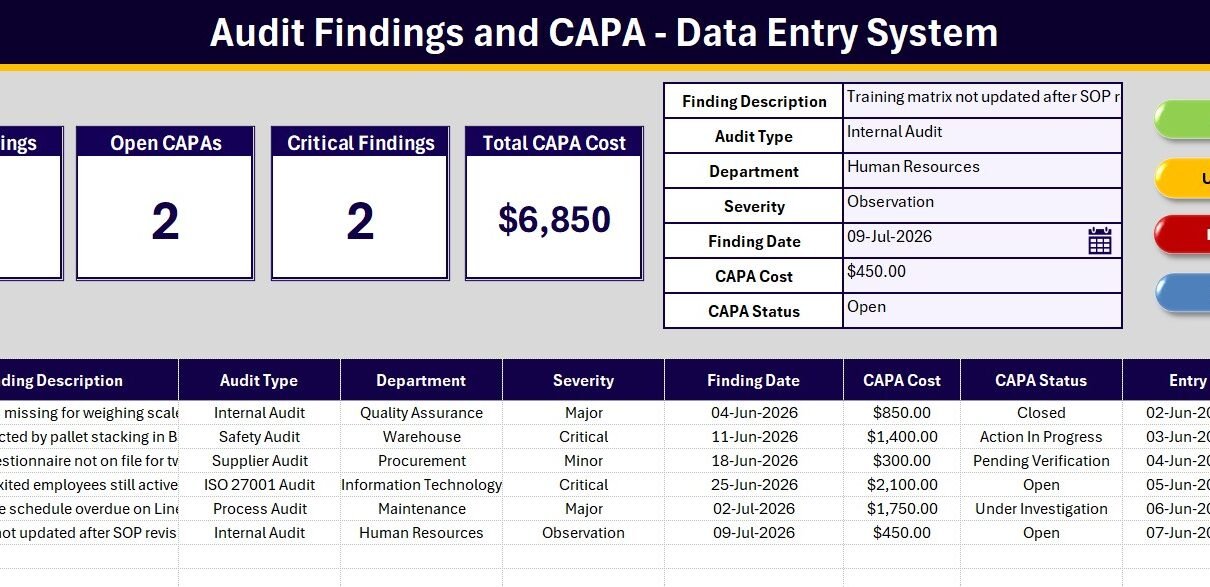
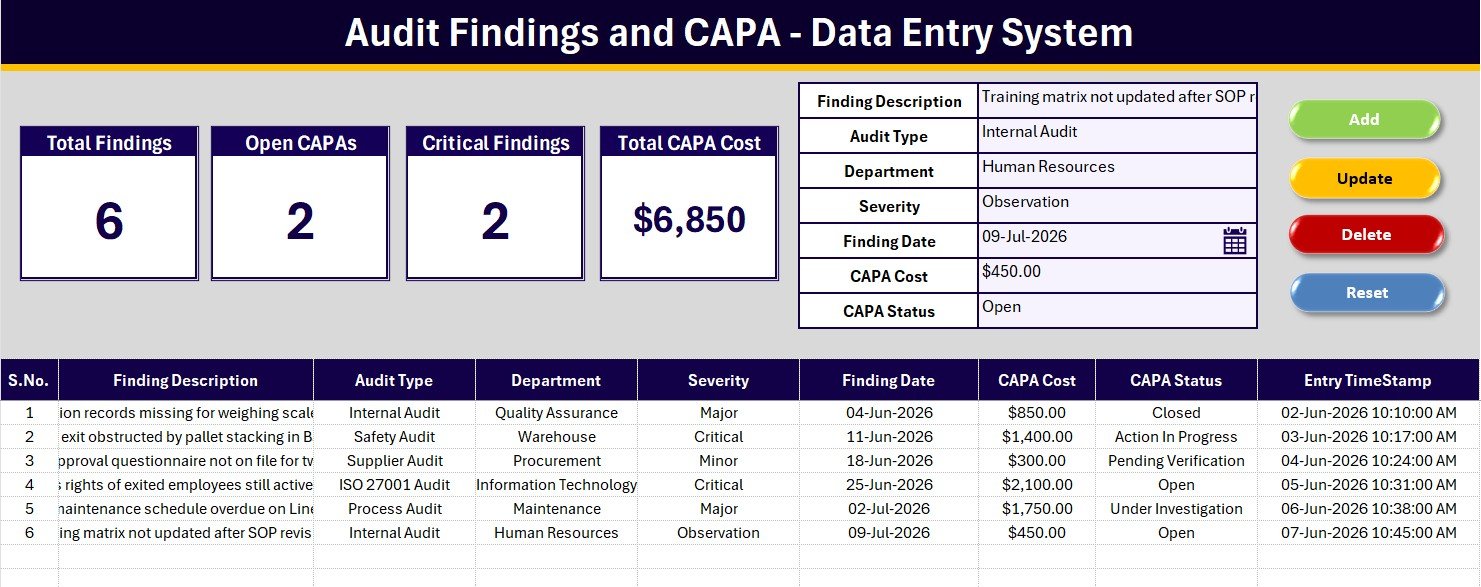
The Audit Findings and CAPA Data Entry System in Excel captures every audit finding in 7 structured fields, ships with 36 pre-loaded dropdown options across 4 controlled lists, and drives 4 live KPI cards: Total Findings, Open CAPAs, Critical Findings and Total CAPA Cost. Four VBA macros handle Add, Update, Delete and Reset, so logging a finding takes roughly 20 seconds instead of a careful crawl across spreadsheet columns.
Most quality teams do not lose findings because nobody wrote them down. They lose them because the findings live in three places at once: the auditor’s notebook, an email to the department head, and a spreadsheet that grew a new column every audit cycle. By the time the next surveillance audit arrives, nobody can say with confidence which corrective actions actually closed. This template solves the narrow, unglamorous part of that problem: a single structured entry point with a severity grade, a CAPA status and a timestamp on every row.
Key Features of the Audit Findings and CAPA Data Entry System in Excel
- Seven-field entry form: Finding Description, Audit Type, Department, Severity, Finding Date, CAPA Cost and CAPA Status, all on one screen above the records table.
- Four live KPI cards: Total Findings, Open CAPAs, Critical Findings and Total CAPA Cost, each driven by a live formula that recalculates the moment a record is added or a status changes.
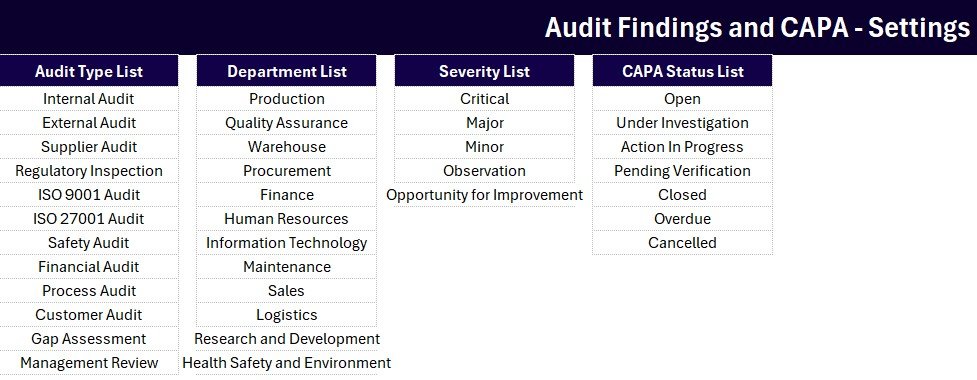
- Four controlled dropdown lists: 12 audit types, 12 departments, 5 severity grades and 7 CAPA statuses, all sourced from the Setting sheet and fully editable.
- Severity grading built in: Critical, Major, Minor, Observation and Opportunity for Improvement, so findings can be triaged rather than treated as one undifferentiated pile.
- CAPA lifecycle states: Open, Under Investigation, Action In Progress, Pending Verification, Closed, Overdue and Cancelled.
- Automatic audit trail: serial numbers generate themselves and every saved row stamps an Entry TimeStamp column.
- VBA Add, Update, Delete and Reset: double-click a record to load it back into the form, edit it, and the Update macro writes to the same row without creating a duplicate.
- Remediation cost tracking: a currency-formatted CAPA Cost column and a summed KPI card, so the cost of closing findings is visible rather than assumed.
Sheets Explanation
Sheet 1: Data Entry
This is the working screen and the only sheet most users touch. A gray dashboard panel across the top holds the four KPI cards on the left and the seven-field entry form on the right, with the Add, Delete, Update and Reset buttons arranged in a 2×2 block. Below the panel the records table logs every finding with an automatic serial number, a currency-formatted CAPA Cost and an Entry TimeStamp.
Sheet 2: Setting
Every dropdown in the form reads from a named list on this sheet: audit types, departments, severity grades and CAPA statuses. Replace the sample values with your own department names and audit programme labels, and the form picks up the change immediately with no formula editing. The same four KPI stat cards are duplicated here so you can copy them into a report as a linked picture.
Sheet 3: Instructions
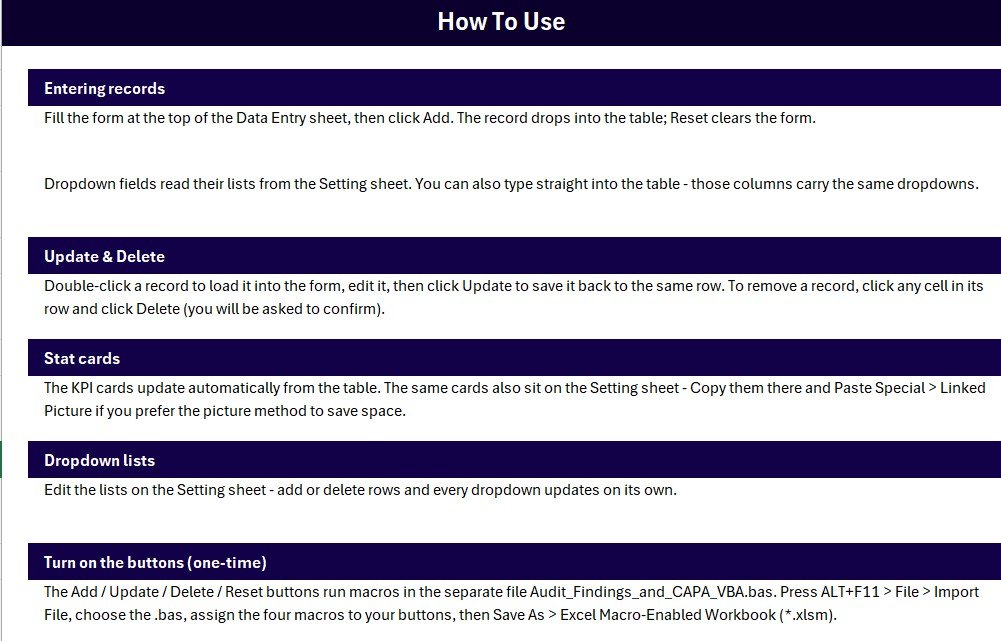
The one-time activation walkthrough: importing the supplied VBA module, assigning the four macros to the coloured button cells, and saving the workbook as a macro-enabled file. A fourth sheet, Get More Templates, links across to the rest of the quality and audit catalogue.
Audit Findings and CAPA Data Entry System in Excel vs. Google Sheets Equivalent vs. Paid QMS SaaS – Feature Comparison
| Feature | Audit Findings and CAPA Data Entry System in Excel | Google Sheets equivalent | Qualio / MasterControl / ETQ |
|---|---|---|---|
| Cost | $5.99 one-time | Free sheet plus your build time | $400–$2,000+ per month |
| Platform | Microsoft Excel with VBA, runs offline | Browser, Google account required | Vendor cloud only |
| Setup time | Import the macros, about 5 minutes | Hours of formula and script work | Weeks of vendor onboarding |
| Real-time team collaboration | Via OneDrive or SharePoint | Native | Native |
| Mobile access | Excel mobile, view and light edit | Sheets mobile app | Vendor app |
| Customisable fields and lists | Every field and dropdown editable | Editable | Limited to vendor permissions |
| Severity and CAPA status workflow | Built in: 5 grades, 7 statuses | You define it yourself | Built in with enforced routing |
| Data stays on your machine | Yes | No, Google cloud | No, vendor cloud |
| Year-1 cost at 5 users | $5.99 total | Workspace fees plus build time | $4,800–$24,000+ |
For teams that want structured findings and CAPA tracking without a five-figure QMS contract, the Audit Findings and CAPA Data Entry System sits in the sweet spot.
Who Should Use This Template
Perfect for:
- Quality managers and QA leads at 10 to 500 person manufacturing, food, pharma or engineering firms
- Internal auditors running ISO 9001, ISO 27001 or ISO 45001 cycles without a QMS platform
- EHS and compliance officers who need a defensible findings register before an external audit
- Consultants auditing multiple client sites who want one portable workbook per client
- Operations managers who inherited findings scattered across email and paper forms
Not a fit if:
- You operate under 21 CFR Part 11 and need electronic signatures with tamper-evident logging – a validated QMS is the correct answer
- You need automatic email escalation, approval routing or role-based field security
- Macros are blocked by Group Policy and the file location cannot be added to Trusted Locations
- You want root-cause analysis tooling such as fishbone or 5-Why worksheets – this is a findings and CAPA log, not an investigation toolkit
Real-World Use Cases
Priya is the quality manager at a 90-person food processing plant. After each internal audit she types findings straight into the form, grades them from Critical down to Observation, and records the expected remediation cost. When the ISO 9001 surveillance audit arrives she filters CAPA Status to Closed and hands the auditor a timestamped register instead of a folder of scanned forms and a verbal summary.
Daniel runs EHS across three warehouse sites. He keeps one workbook per site and treats the Critical Findings card as his weekly escalation trigger. Anything sitting in Open or Overdue for more than a fortnight goes to the site manager with the log as evidence, which changes the conversation from a disagreement about memory into a review of a record.
Meera consults on ISO 27001 readiness for small software firms. She hands each client a copy with their own departments already loaded into the Setting sheet, then uses the Total CAPA Cost card to show the board what closing the gaps will actually cost – without first asking them to commit to a $600-a-month GRC platform.
Advantages of the Audit Findings and CAPA Data Entry System in Excel
The main advantage is that data entry stops being a chore that people postpone. A form with seven labelled inputs and a save button is a fundamentally different experience from a spreadsheet with nine columns where you have to find the next empty row and remember which column held the severity. The lower the friction, the more findings actually get logged on the day they were observed rather than reconstructed a week later.
The second advantage is cost visibility. Most findings registers record what went wrong and who owns it, but not what fixing it costs. Because CAPA Cost is a first-class field with its own summed KPI card, quality managers can walk into a budget conversation with a number rather than an impression.
The third is portability. The workbook runs locally, needs no account, and can be handed to a client or a site manager as a single file. Nothing is uploaded to a vendor cloud, which matters when findings touch supplier disputes or personnel issues.
Opportunities for Improvement
This is a log, not a workflow engine. It will not email the owner of an overdue CAPA, will not enforce that a Critical finding gets a root-cause analysis before closure, and will not stop somebody overwriting a record they should not have touched. Those are the things a validated QMS is built for, and if your regulatory environment demands them, this template is a stopgap rather than a destination.
The seven-field limit is also a deliberate constraint. A dedicated CAPA Owner column would be useful, and Department is doing double duty as the ownership axis. If you need named owners, the cleanest fix is to add an eighth column to the records table and a matching form input rather than overloading the description field.
Finally, macro-enabled workbooks carry friction in locked-down environments. Review Microsoft’s guidance on enabling macros before rolling the file out to a team, and expect to involve IT if Trusted Locations are centrally managed.
Best Practices
- Customise the four dropdown lists on the Setting sheet before entering real data. Retagging historical records after the fact is tedious and introduces inconsistency.
- Delete the six sample rows but keep the header row intact, so the auto serial number formula and the KPI cards keep referencing the right range.
- Never edit a historical finding to reflect a new decision. Update the CAPA Status instead, so the Entry TimeStamp still tells the story of when the finding was raised.
- Agree what Critical means in writing before the first audit. Severity grades are only useful if two auditors would grade the same finding the same way.
- Start a fresh workbook each audit year and archive the previous one. A register that grows indefinitely gets slower and harder to defend.
- Review Open and Overdue CAPAs on a fixed cadence, weekly or fortnightly. A findings log nobody opens becomes stale within a quarter.
Explore Relevant Templates
Purchase the template here: Audit Findings and CAPA Data Entry System in Excel.
Pair the log with reporting using the Compliance Audits Dashboard in Excel, or add a secure login layer for multi-auditor teams with the Compliance Audit Tracker in Excel. To make sure every finding gets an owner and a due date, the Internal Audit Action Plan Checklist in Excel closes the loop.
The same entry-form pattern shows up in the Incident Near Miss Data Entry System in Excel and the Maintenance Work Order Data Entry System in Excel. If audit sits inside a wider compliance remit, the IT Manager and CISO Toolkit bundles the full audit stack.
Or save 40% and take all eight quality templates at once in the Quality & Audit Management Bundle. Browse more in Quality Control Templates.
Frequently Asked Questions
What fields does the Audit Findings and CAPA Data Entry System capture?
The Audit Findings and CAPA Data Entry System captures seven fields per record: Finding Description, Audit Type, Department, Severity, Finding Date, CAPA Cost and CAPA Status. Four of those are dropdown-controlled, and every saved row also receives an automatic serial number and an Entry TimeStamp.
How long does setup take?
About five minutes. Import the supplied VBA module, assign the four macros to the coloured button cells, and save the file as a macro-enabled workbook. Replacing the sample dropdown lists with your own departments and audit types takes a few minutes more.
How does this compare to Qualio or MasterControl?
A dedicated QMS gives you enforced approval routing, electronic signatures and validated audit trails, which are worth paying for in regulated industries. The Audit Findings and CAPA Data Entry System costs $5.99 once rather than $400 or more per month, and covers the core need: a structured, timestamped findings log with CAPA status and cost tracking.
Can I add my own severity grades or CAPA statuses?
Yes. Every dropdown in the Audit Findings and CAPA Data Entry System reads from a list on the Setting sheet. Edit, add or remove options there and the form reflects the change immediately, with no formula editing or macro changes required.
Do I need to enable macros?
Yes. The Add, Update, Delete and Reset buttons are VBA macros, so Excel will prompt you to enable macros on first open. If your organisation restricts macros, add the file’s folder to Excel’s Trusted Locations or ask IT to do so on your behalf.
Will this satisfy an ISO 9001 auditor?
It helps you produce the evidence an auditor asks for: a complete findings register with severity grading, owning department, remediation status and dates. It is not a validated compliance system and provides no electronic signatures, so treat it as your working record rather than a certified system of record.
About the Author
Built by PK – Microsoft Certified Professional with 15+ years of Excel, Google Sheets, and Power BI experience. Founder of NextGenTemplates, reaching 300K+ subscribers across YouTube channels. Every template is hand-built and tested before release.
Conclusion
Audit findings do not go missing because quality teams are careless. They go missing because the recording step is more painful than it needs to be, and painful steps get deferred. The Audit Findings and CAPA Data Entry System in Excel shrinks that step to a seven-field form and a save button, then keeps the register honest with automatic timestamps, five severity grades and seven CAPA states.
Click here to purchase the Audit Findings and CAPA Data Entry System in Excel.
Instant download · One-time payment · No subscription
For step-by-step Excel and VBA tutorials, visit Youtube.com/@PK-AnExcelExpert.
Last updated: July 2026