Introduction
Loan and EMI repayment is a crucial part of personal finance management. To streamline this process, we present a Loan and EMI Repayment Calendar in Excel, a comprehensive and user-friendly solution to track your loan payments and schedule events effectively within Excel.
Key Features of Loan and EMI Repayment Calendar in Excel
- Five interactive worksheets tailored for different calendar views and event management.
- Annual, Monthly, Daily calendar views providing insight at various granularities.
- Dynamic controls to select year, month, starting day, and themes to personalize views.
- Event highlighting, color themes, and easy event addition and management.
- Comprehensive database to track and manage all loan-related events.
Dashboard Pages Explanation
1. Home Sheet Tab
This is the index sheet where you can navigate between different calendar views and event management sections using the four interactive buttons below.
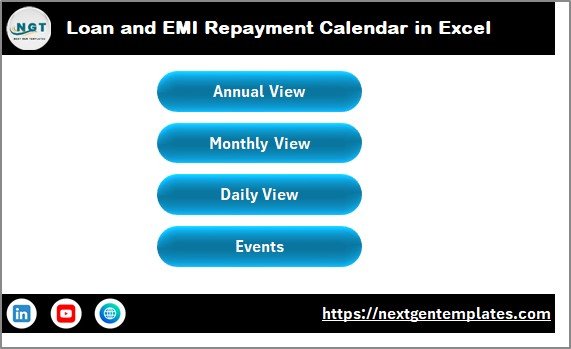 Loan and EMI Repayment Calendar in Excel
2. Annual View Sheet Tab
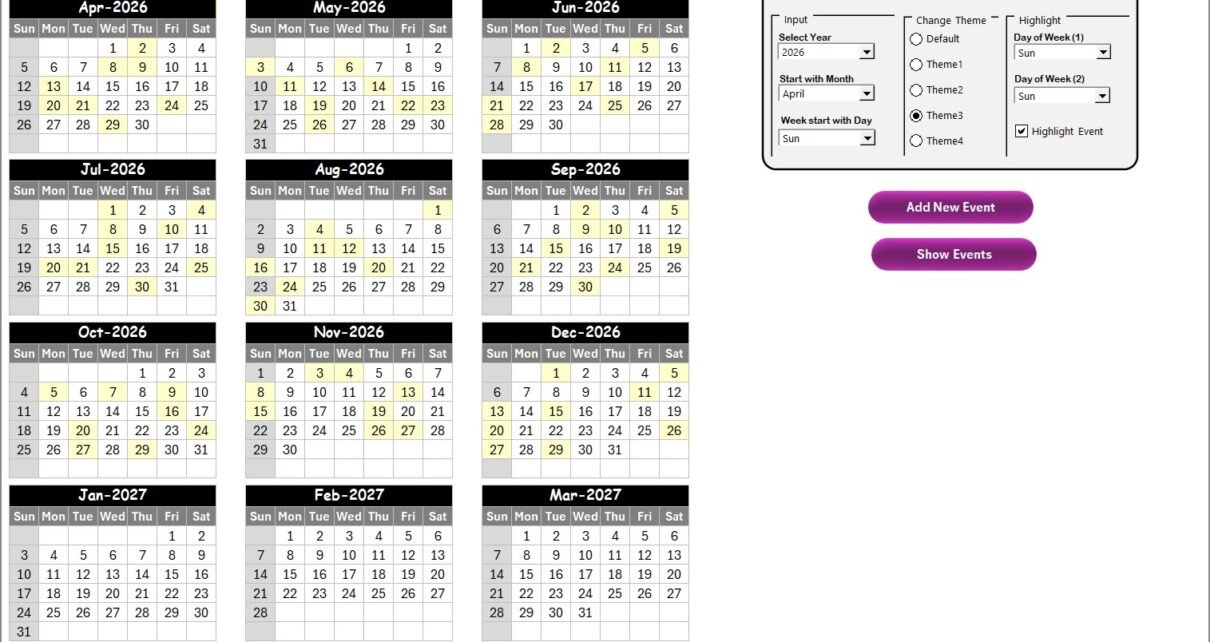
The Annual View Sheet displays a calendar of all 12 months, enabling you to see your entire year’s loan and EMI schedule at a glance.
- Control panel: Features three groups:
- Input group: Select the Year, Start Month, and Starting Day of the Week. Changes update the calendar automatically.
- Change Theme group: Choose from five color themes to style the entire workbook.
- Highlight group: Select two days of the week for highlighting (e.g., Saturday and Sunday), and enable event highlighting.
- Add New Event button: Add events by selecting a date and filling the form.
- Show Event button: View all events scheduled for the selected date.
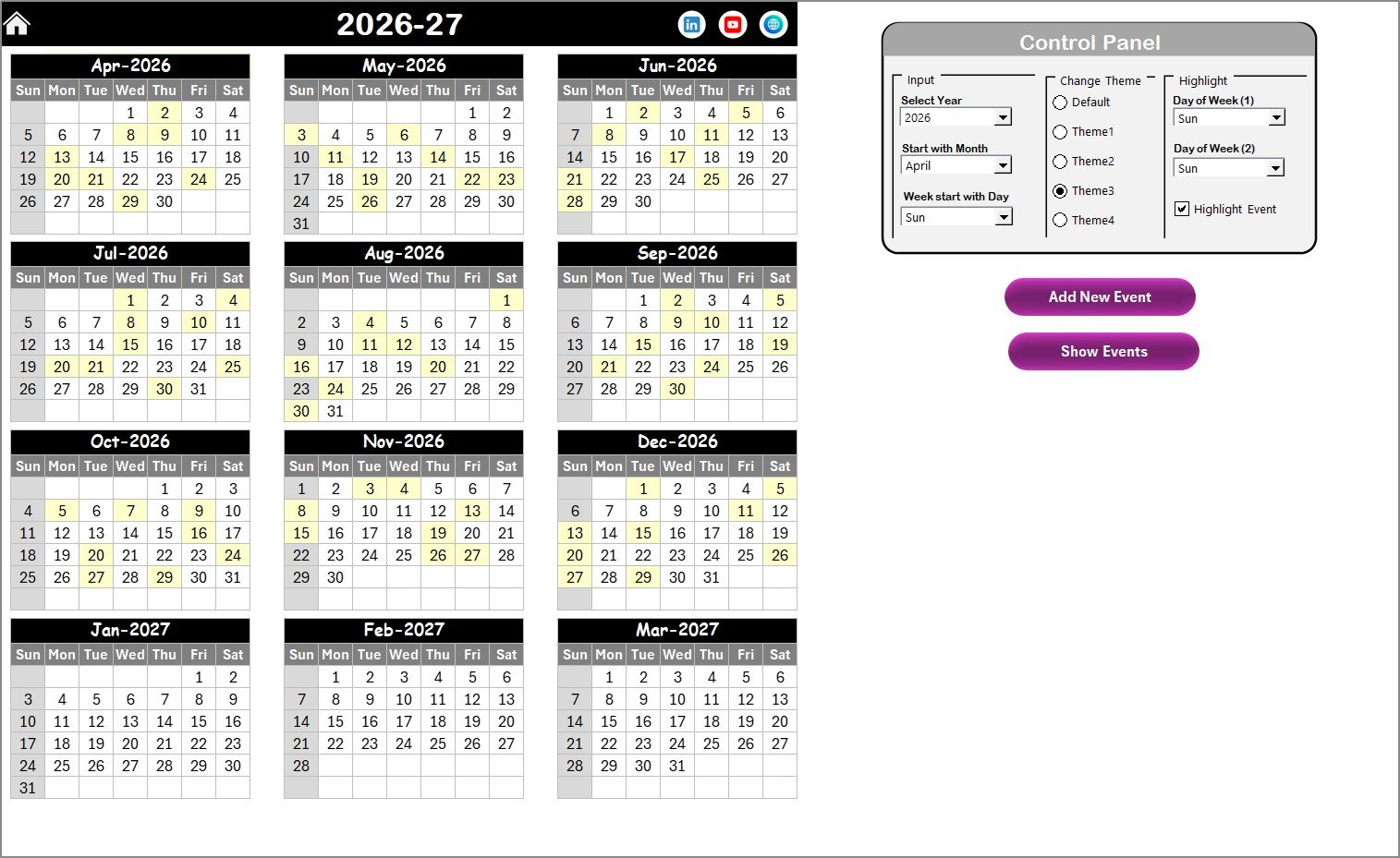 Annual View Sheet tab
3. Monthly View Sheet Tab
This is a focused calendar for a selected month and year, showing up to one event per date. If there are multiple events, a summary like ‘more than 1…’ will appear.
- Add New Event button: Add an event by clicking the button after selecting a date.
- Show Event button: View all events for the selected date.
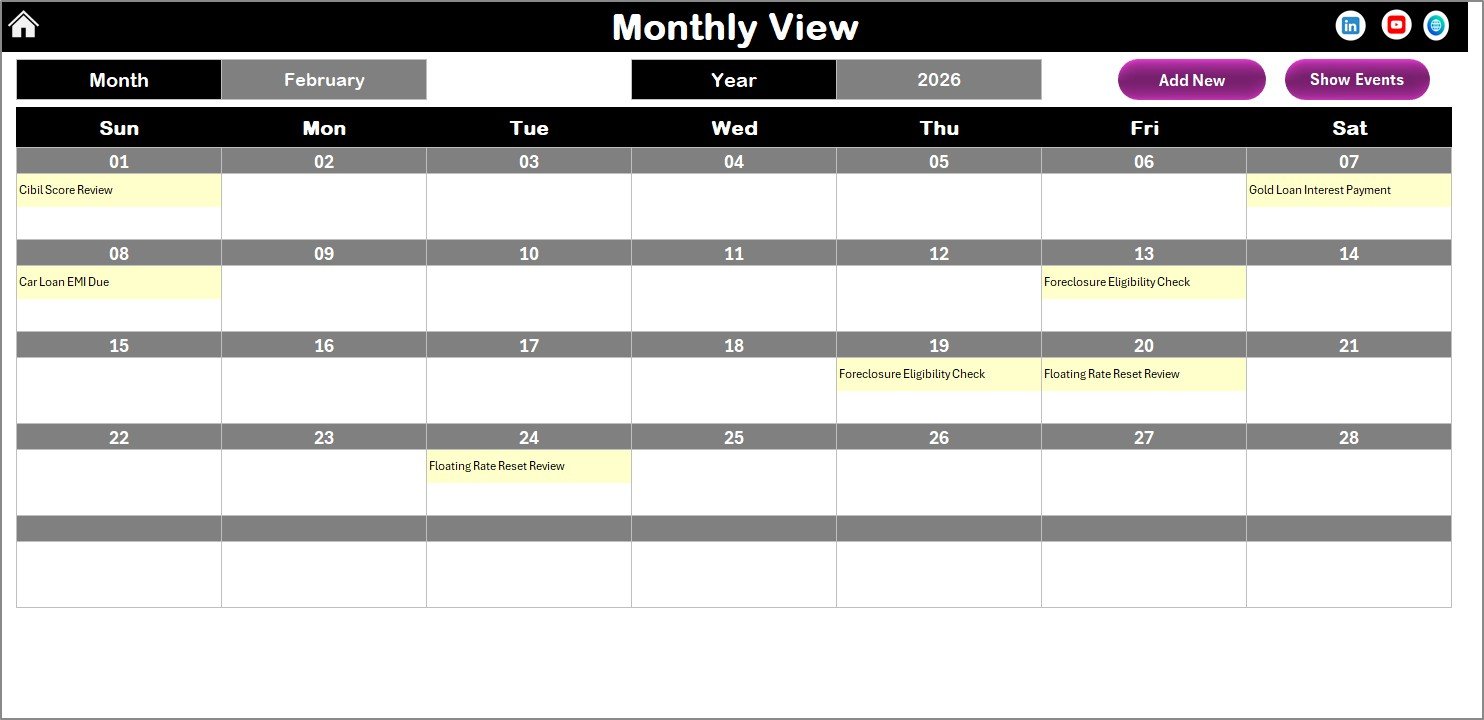 Monthly View Sheet tab
4. Daily View Sheet Tab
Displays a detailed list of events within a specified date range. You can select the start and end dates using calendar icons and refresh the view.
- Refresh button: Updates the event list based on the selected date range.
- Add New Event button: Add events through a pop-up form.
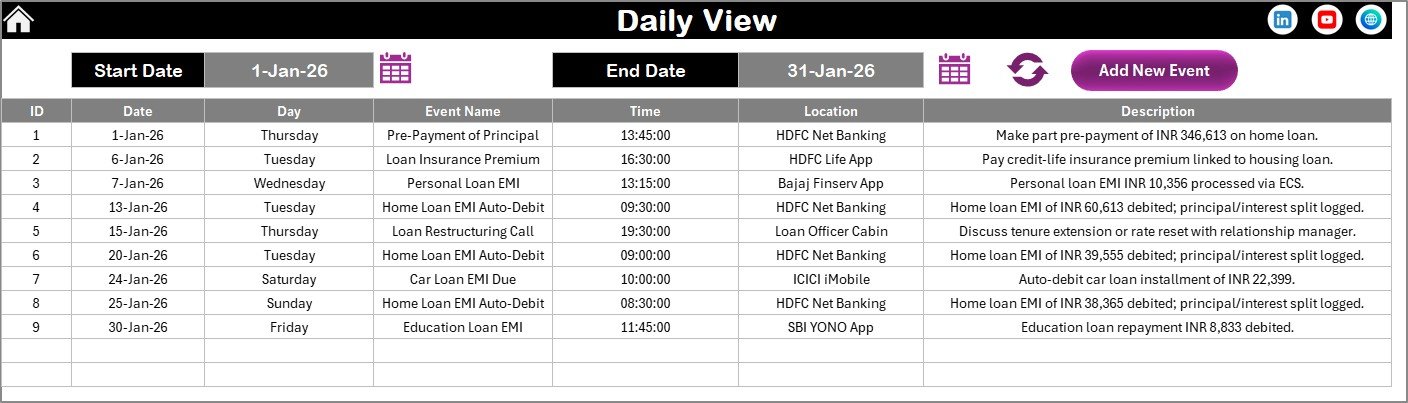 Daily View Sheet tab
5. Events Sheet Tab
This is the backend database capturing details of all events:
- ID: Auto-generated number.
- Date: Event date.
- Day: Day name (e.g., Sunday, Monday).
- Event Name: The event’s title.
- Time: Scheduled time.
- Location: Where the event takes place.
- Description: Brief details about the event.
- Add New Record button: Open the form to add new events.
- Update Existing Record button: Select an event ID and modify information via form.
- Delete Record button: Remove event by selecting its ID.
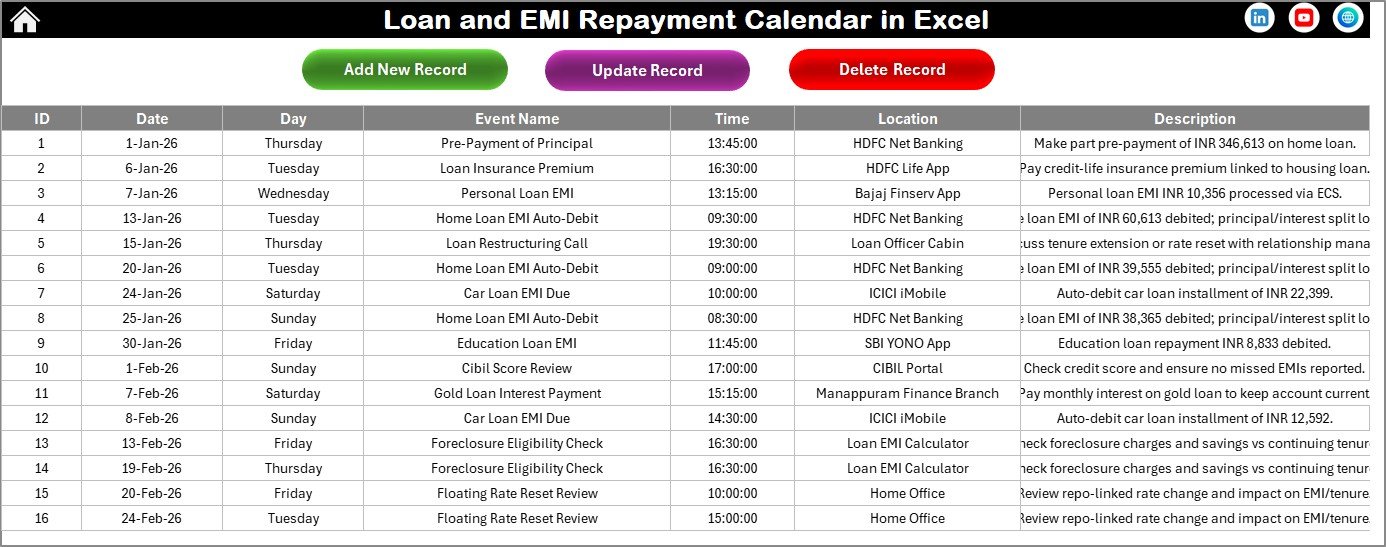 Events Sheet tab
Advantages of Loan and EMI Repayment Calendar in Excel
- User-friendly interface without the need for external software.
- Customizable calendar views to suit different tracking needs.
- Efficient loan payment tracking and event scheduling in a single workbook.
- Visual highlights for important days and events ensure nothing is missed.
- Direct event management enhances productivity and loan discipline.
Opportunities for Improvement
- Integration with mobile apps for on-the-go access.
- Automatic notifications or reminders via email or SMS.
- Enhanced reporting with analytics on payment patterns.
- Support for multiple currencies and loan types.
Best Practices
Click to Buy Loan and EMI Repayment Calendar in Excel
- Regularly update your event records to keep the calendar accurate.
- Use highlighting features to prioritize important payment dates.
- Backup your Excel workbook frequently to prevent data loss.
- Leverage theme options for better visual comfort and accessibility.
FAQs
Can this calendar handle multiple loans simultaneously?
Yes, by adding distinct events with proper naming, you can track multiple loans within this calendar.
Is this calendar compatible with Excel versions?
It is designed to work with modern versions of Microsoft Excel supporting macros.
Can events be exported or printed?
Yes, you can print any sheet directly from Excel or export to PDF for sharing.
How to reset the calendar to a new year?
Use the Input group in the Annual View control panel to select the desired year and update the calendar automatically.
Conclusion
Click to Buy Loan and EMI Repayment Calendar in Excel
The Loan and EMI Repayment Calendar in Excel is a powerful tool for managing your loan payments and related events effortlessly. Its intuitive design, customizable features, and comprehensive event management make it ideal for individuals seeking better financial discipline.
For more advanced insights and demo videos, check out our YouTube channel.
For additional resources, visit Microsoft Excel Support for tutorials and updates.
Click to Buy Loan and EMI Repayment Calendar in Excel