Retail businesses run on timing. Promotions, sales campaigns, product launches, festivals, and seasonal events all depend on accurate planning. However, when teams track events using emails, notes, or scattered files, they often miss deadlines and lose visibility. Therefore, retailers increasingly rely on a Retail Event Calendar in Excel to manage events in a structured and reliable way.
A Retail Event Calendar in Excel offers a centralized, visual, and easy-to-use solution for planning retail activities across the year. Moreover, because Excel remains familiar to most teams, adoption becomes quick and smooth. As a result, retailers gain clarity, control, and confidence in their event planning process.
In this detailed article, you will learn everything about the Retail Event Calendar in Excel, including how it works, its worksheets, key features, advantages, best practices, and frequently asked questions.
Click to Purchases Retail Event Calendar in Excel
What Is a Retail Event Calendar in Excel?
A Retail Event Calendar in Excel is a ready-to-use calendar template designed to plan, track, and manage retail events in one centralized workbook. It helps retailers visualize events across annual, monthly, and daily views while maintaining a structured event database.
Instead of managing multiple tools, teams use one Excel file to:
-
Plan upcoming retail events
-
Track event details clearly
-
Avoid schedule conflicts
-
Improve coordination across teams
Because Excel supports automation, forms, and visual layouts, this calendar delivers both simplicity and power.
Why Do Retail Businesses Need an Event Calendar?
Retail operations involve constant event planning. Sales campaigns, festive offers, store activities, and product launches all require careful scheduling. Without a proper calendar, teams often face confusion and missed opportunities.
A Retail Event Calendar in Excel helps because it:
-
Centralizes all retail events
-
Improves visibility across timelines
-
Enhances team coordination
-
Reduces planning errors
Therefore, retailers gain better control over marketing and operational activities.
Click to Purchases Retail Event Calendar in Excel
How Does a Retail Event Calendar in Excel Work?
The calendar works by combining multiple calendar views with an event database and user-friendly forms.
Here is how it works step by step:
-
First, users add events using a simple form.
-
Next, the system stores event details in the Events sheet.
-
Then, the calendar automatically reflects events in annual, monthly, and daily views.
-
Finally, users review, update, or delete events as needed.
As a result, teams always see the latest and most accurate event information.
Click to Purchases Retail Event Calendar in Excel
What Are the Key Worksheets in a Retail Event Calendar in Excel?
This Retail Event Calendar in Excel includes five well-designed worksheets, each serving a specific purpose.
What Is the Home Sheet and Why Is It Important?
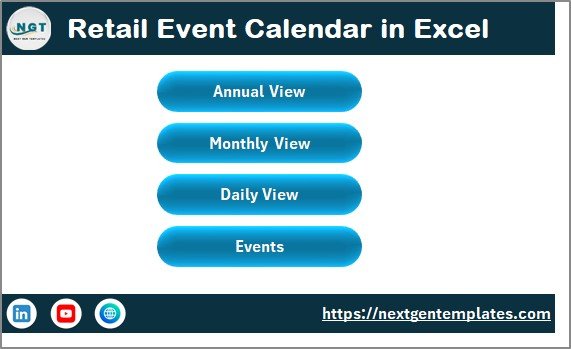
The Home sheet acts as the index page of the calendar. It provides quick navigation to all major sections of the workbook.
Key Features of the Home Sheet
The Home sheet includes four navigation buttons:
-
Annual View
-
Monthly View
-
Daily View
-
Events
Because of these buttons, users move between views instantly without scrolling or searching.
Moreover, the Home sheet improves user experience by keeping navigation simple and intuitive.
Click to Purchases Retail Event Calendar in Excel
What Is the Annual View Sheet and How Does It Help?
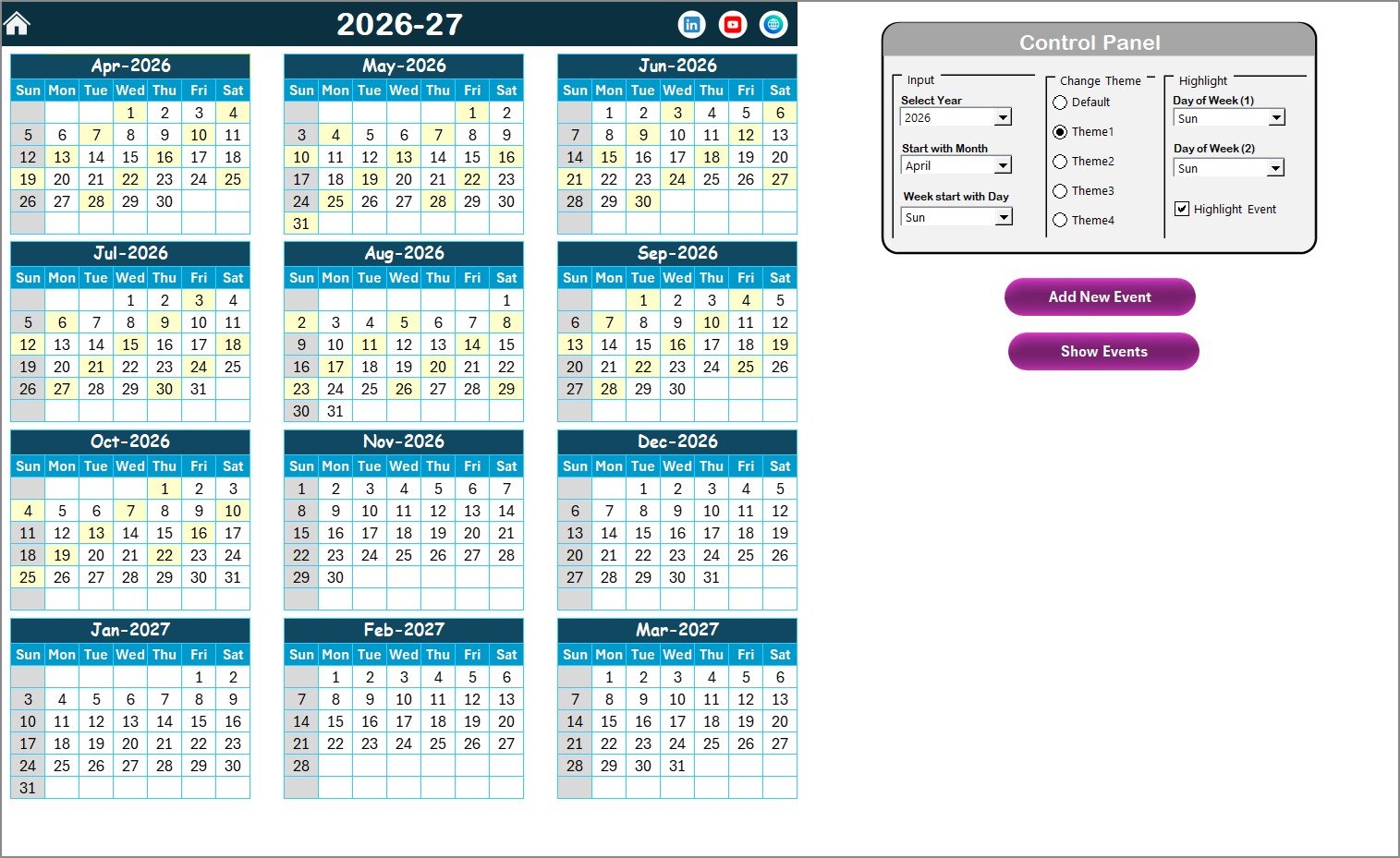
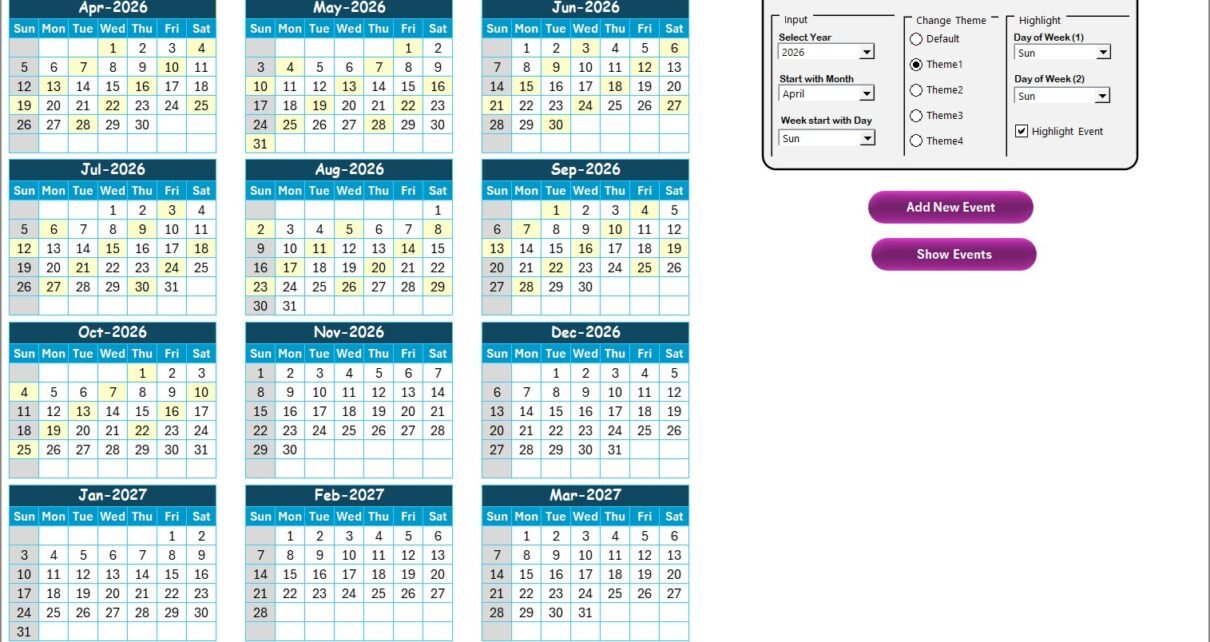
The Annual View Sheet displays all 12 months in a single view. This sheet helps retailers visualize events across the entire year.
Key Features of the Annual View Sheet
12-Month Calendar Display
The sheet shows a full-year calendar, allowing users to:
-
Spot busy months quickly
-
Identify gaps in planning
-
Balance events across the year
What Is the Control Panel in the Annual View Sheet?
The Control Panel adds flexibility and customization to the calendar.
Input Group
In this group, users can:
-
Select the year
-
Change the starting month
-
Change the starting day of the week
As soon as users change these inputs, the annual calendar updates automatically.
Change Theme Group
Users can select from five color themes to apply across the entire workbook. Therefore, teams can align the calendar with branding or personal preference.
Highlight Group
This group allows users to:
-
Highlight Day of Week (1)
-
Highlight Day of Week (2)
For example, users can highlight Saturday and Sunday in grey color. Additionally, users can enable the Highlight Event checkbox to display events in yellow color.
Click to Purchases Retail Event Calendar in Excel
How Does the Add New Event Button Work in Annual View?
The Add New Event button simplifies event creation.
Steps to add an event:
-
Select a date on the calendar.
-
Click the Add New Event button.
-
Fill in the event details in the form.
-
Click Submit.
As a result, the event appears automatically on the selected date.
What Is the Show Event Button Used For?
The Show Event button displays all events scheduled for the selected date. Therefore, users can quickly review daily activities without navigating away from the calendar.
Click to Purchases Retail Event Calendar in Excel
What Is the Monthly View Sheet and When Should You Use It?
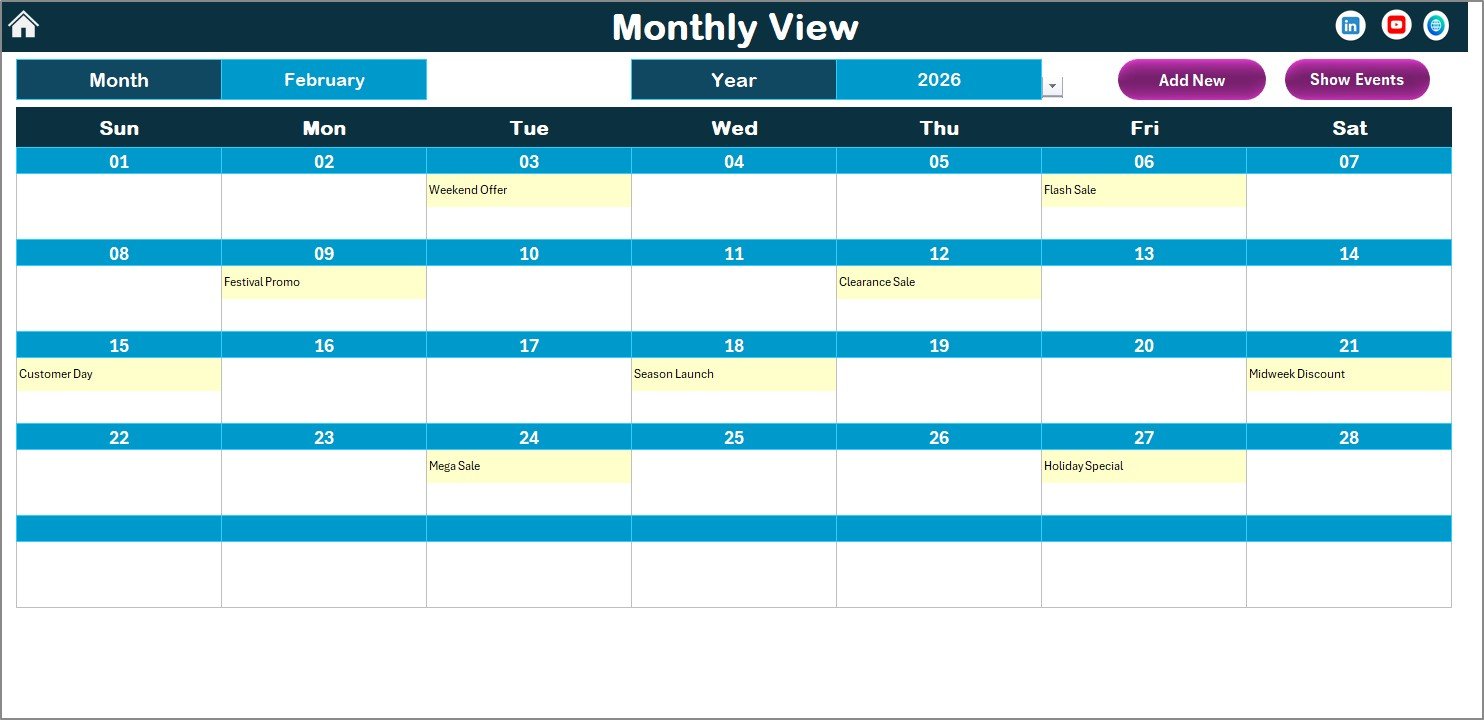
The Monthly View Sheet shows a detailed calendar for a selected month and year.
Key Features of the Monthly View Sheet
-
Month and Year selection at the top
-
Single-month calendar display
-
Event indicators on calendar dates
If more than one event exists on a date, the calendar displays “more than 1…” to keep the layout clean.
What Buttons Are Available in the Monthly View Sheet?
The Monthly View includes two action buttons:
Add New Event Button
Users can select a date and add an event directly using the event form.
Show Event Button
Users can view the list of events scheduled on the selected date.
Because of these buttons, monthly planning becomes fast and interactive.
Click to Purchases Retail Event Calendar in Excel
What Is the Daily View Sheet and Why Is It Useful?
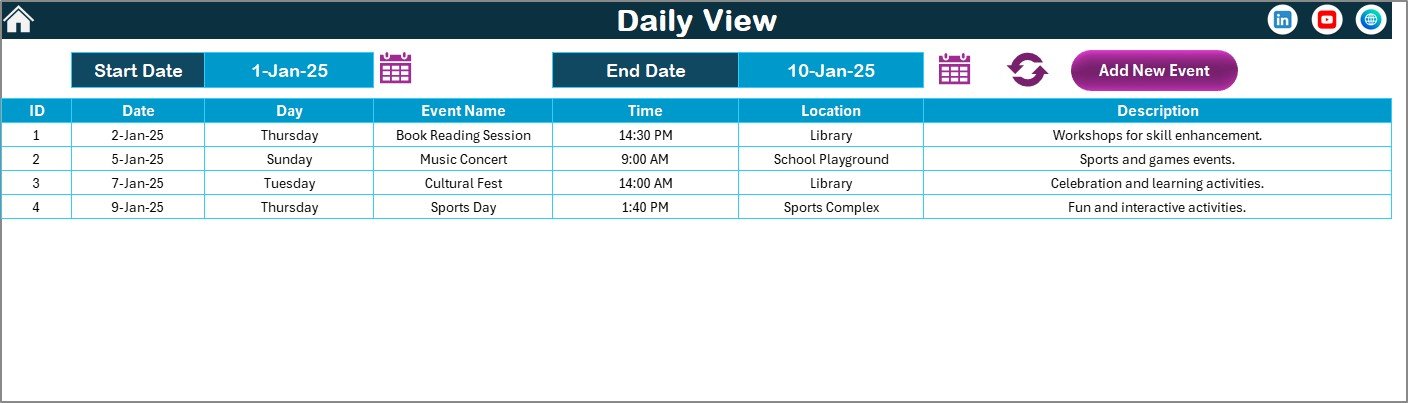
The Daily View Sheet displays a detailed list of events within a selected date range.
Key Features of the Daily View Sheet
-
Start Date and End Date selection
-
Calendar icons for date selection
-
Refresh button to update data
After selecting the date range, users click Refresh to view the latest events.
How Does the Add New Event Button Work in Daily View?
The Add New Event button opens the event form. Users fill in event details and submit the form. As a result, the new event appears immediately in the daily event list.
What Is the Events Sheet and Why Is It Critical?
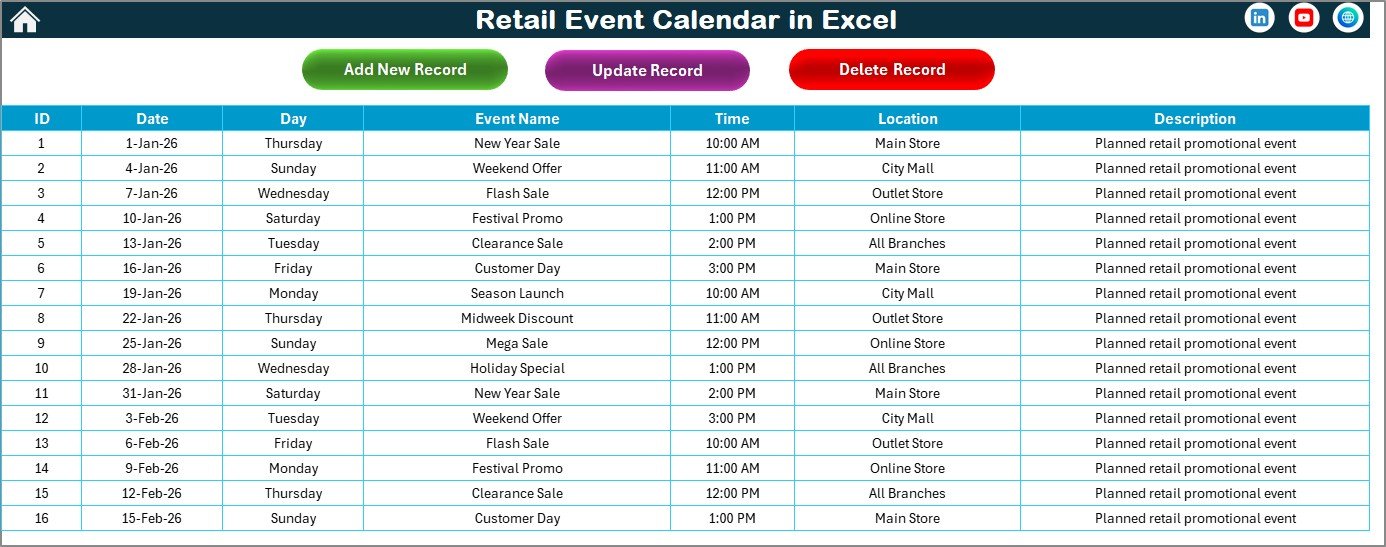
The Events Sheet acts as the database for all retail events. Every event added through forms gets stored here.
Information Captured in the Events Sheet
-
ID – Auto-generated unique number
-
Date – Event date
-
Day – Day of the week
-
Event Name – Name of the event
-
Time – Event time
-
Location – Event location
-
Description – Short event description
Because all data remains centralized, reporting and filtering become easy.
Click to Purchases Retail Event Calendar in Excel
What Buttons Are Available in the Events Sheet?
The Events sheet includes three management buttons:
Add New Record
Adds a new event using the event form.
Update Existing Record
Allows users to select an ID and update event details using a prefilled form.
Delete Record
Deletes the selected event record permanently.
Therefore, users maintain complete control over event data.
How Does a Retail Event Calendar in Excel Improve Retail Planning?
This calendar improves planning by converting event data into visual and actionable information.
It helps retailers:
-
Plan promotions efficiently
-
Avoid overlapping events
-
Improve team coordination
-
Track event history accurately
Moreover, because updates reflect instantly, teams always work with current data.
Who Can Use a Retail Event Calendar in Excel?
This calendar suits many retail roles, including:
-
Retail Managers
-
Store Operations Teams
-
Marketing Teams
-
Merchandising Teams
-
Franchise Managers
-
Retail Analysts
Because Excel remains widely used, teams require minimal training.
Click to Purchases Retail Event Calendar in Excel
Advantages of Retail Event Calendar in Excel
Using a Retail Event Calendar in Excel offers several advantages.
1. Centralized Event Management
All retail events remain in one structured workbook.
2. Multiple Calendar Views
Annual, monthly, and daily views support different planning needs.
3. Easy Event Creation
Forms simplify event entry and reduce errors.
4. Better Visibility
Visual calendars improve planning clarity.
5. Customizable Themes
Color themes enhance readability and branding.
6. No Extra Software Cost
Excel eliminates the need for paid tools.
7. Scalable for Growing Retailers
The calendar grows easily with business expansion.
Click to Purchases Retail Event Calendar in Excel
How Can You Customize a Retail Event Calendar in Excel?
Customization makes the calendar more powerful.
You can:
-
Add new event fields
-
Modify color themes
-
Adjust calendar layouts
-
Add filters or reports
Therefore, the calendar adapts to changing retail needs.
Best Practices for Using a Retail Event Calendar in Excel
Follow these best practices to get maximum value.
1. Update Events Regularly
Always add or update events as soon as plans change.
2. Use Clear Event Names
Short and clear event names improve readability.
3. Review Annual View Monthly
Monthly reviews help identify gaps early.
4. Avoid Duplicate Events
Check existing events before adding new ones.
5. Use Descriptions Wisely
Add brief descriptions only when needed.
6. Protect Database Sheet
Lock formulas and ID columns to prevent errors.
7. Archive Old Data
Save past years separately for reference.
How Does This Calendar Support Retail Team Collaboration?
Teams can share the calendar file on a shared drive. As a result, everyone stays aligned with upcoming events. Moreover, managers can review planning status during meetings easily.
When Should Retailers Use a Retail Event Calendar in Excel?
Retailers should use this calendar when:
-
Event planning becomes complex
-
Multiple teams manage promotions
-
Visibility across timelines decreases
-
Manual tracking causes errors
Therefore, the calendar acts as a planning backbone.
Conclusion: Why Is a Retail Event Calendar in Excel Essential?
A Retail Event Calendar in Excel provides a structured, visual, and reliable way to manage retail events. Instead of relying on scattered notes, retailers gain a centralized system that improves planning accuracy and coordination.
Because Excel remains flexible and user-friendly, teams adopt the calendar quickly. When used consistently, this tool becomes an essential part of retail operations and marketing success.
Click to Purchases Retail Event Calendar in Excel
Frequently Asked Questions About Retail Event Calendar in Excel
What Is a Retail Event Calendar in Excel Used For?
It helps plan, track, and manage retail events across annual, monthly, and daily views.
Can Multiple Users Use This Calendar?
Yes, teams can share the file using a shared drive with proper version control.
Does This Calendar Require VBA?
The calendar may use forms and buttons, but users do not need VBA knowledge to operate it.
Can I Add Unlimited Events?
Yes, you can add as many events as needed in the Events sheet.
Is This Calendar Suitable for Small Retail Stores?
Yes, small retailers benefit because it provides structure without high cost.
Can I Customize the Calendar Layout?
Yes, Excel allows easy customization of layouts, colors, and fields.
Can This Calendar Be Used for Multiple Years?
Yes, you can change the year dynamically and archive past data separately.
Click to Purchases Retail Event Calendar in Excel
Visit our YouTube channel to learn step-by-step video tutorials