Customer feedback plays a critical role in business success. Companies constantly collect feedback through surveys, service interactions, product reviews, and support channels. However, many organizations struggle to organize feedback activities efficiently, especially during holidays, peak seasons, or special campaigns.
Therefore, businesses need a structured system that helps them plan feedback collection, schedule analysis activities, and manage customer engagement events without confusion. The Customer Feedback Analysis Holiday Calendar in Excel provides a powerful yet simple solution.
In this detailed guide, you will learn everything about the Customer Feedback Analysis Holiday Calendar in Excel, including its structure, features, benefits, best practices, and frequently asked questions. Moreover, you will understand how this ready-to-use Excel calendar transforms feedback planning into an organized and efficient workflow.
Click to buy Customer Feedback Analysis Holiday Calendar in Excel
What Is a Customer Feedback Analysis Holiday Calendar in Excel?
A Customer Feedback Analysis Holiday Calendar in Excel is an interactive calendar-based management tool designed to plan, track, and analyze customer feedback activities alongside holidays and events.
Instead of managing feedback schedules through emails or scattered spreadsheets, teams use a centralized Excel calendar where they can:
- Schedule feedback campaigns
- Track surveys and customer interactions
- Plan analysis sessions
- Monitor holidays and non-working days
- Manage feedback-related events
As a result, organizations improve coordination, avoid missed feedback opportunities, and maintain consistent customer engagement.
Why Do Businesses Need a Customer Feedback Calendar?
Many companies collect feedback regularly. However, without structured planning, teams face several challenges.
For example:
- Feedback surveys overlap with holidays.
- Analysis meetings get delayed.
- Important customer reviews remain unaddressed.
- Teams miss follow-up deadlines.
Therefore, a dedicated feedback calendar becomes essential.
Key Reasons Businesses Use This Calendar
- Improve feedback planning efficiency
- Align customer surveys with business schedules
- Avoid holiday disruptions
- Track feedback campaigns easily
- Enhance customer satisfaction strategy
Consequently, teams move from reactive feedback handling to proactive customer experience management.
Key Features of Customer Feedback Analysis Holiday Calendar in Excel
This ready-to-use Excel template includes five powerful worksheets, each designed to simplify planning and monitoring.
Home Sheet — The Central Navigation Hub
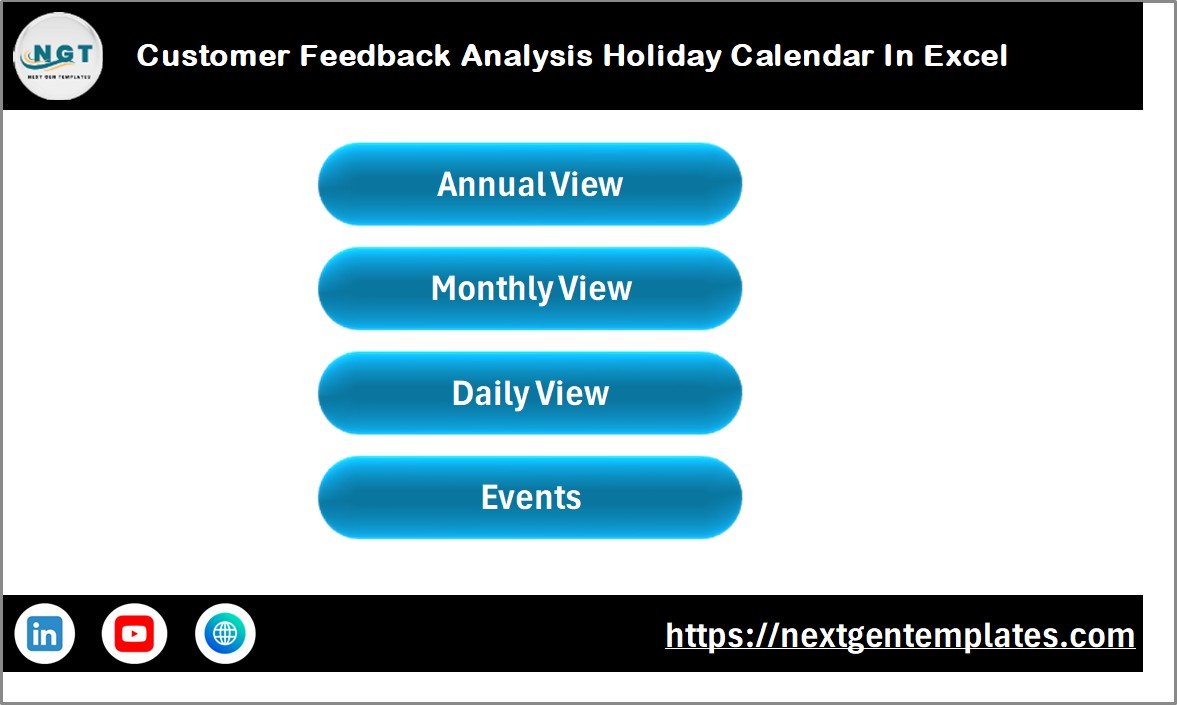
The Home Sheet acts as the index page of the workbook. It allows users to navigate quickly between different calendar views.
Available Navigation Buttons
- Annual View
- Monthly View
- Daily View
- Events Database
Because of this structured navigation, users do not waste time searching across sheets.
Why the Home Sheet Matters
- Provides quick access to all modules
- Improves usability
- Reduces learning time for new users
- Creates a professional dashboard experience
Click to buy Customer Feedback Analysis Holiday Calendar in Excel
Annual View Sheet — Full-Year Planning at a Glance
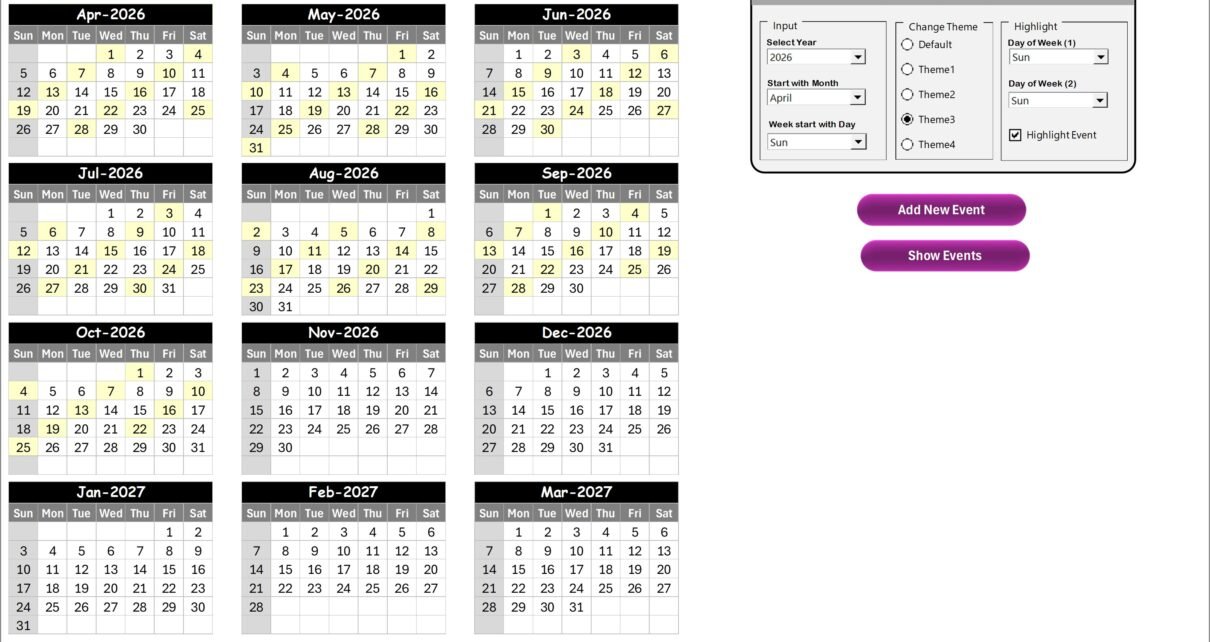
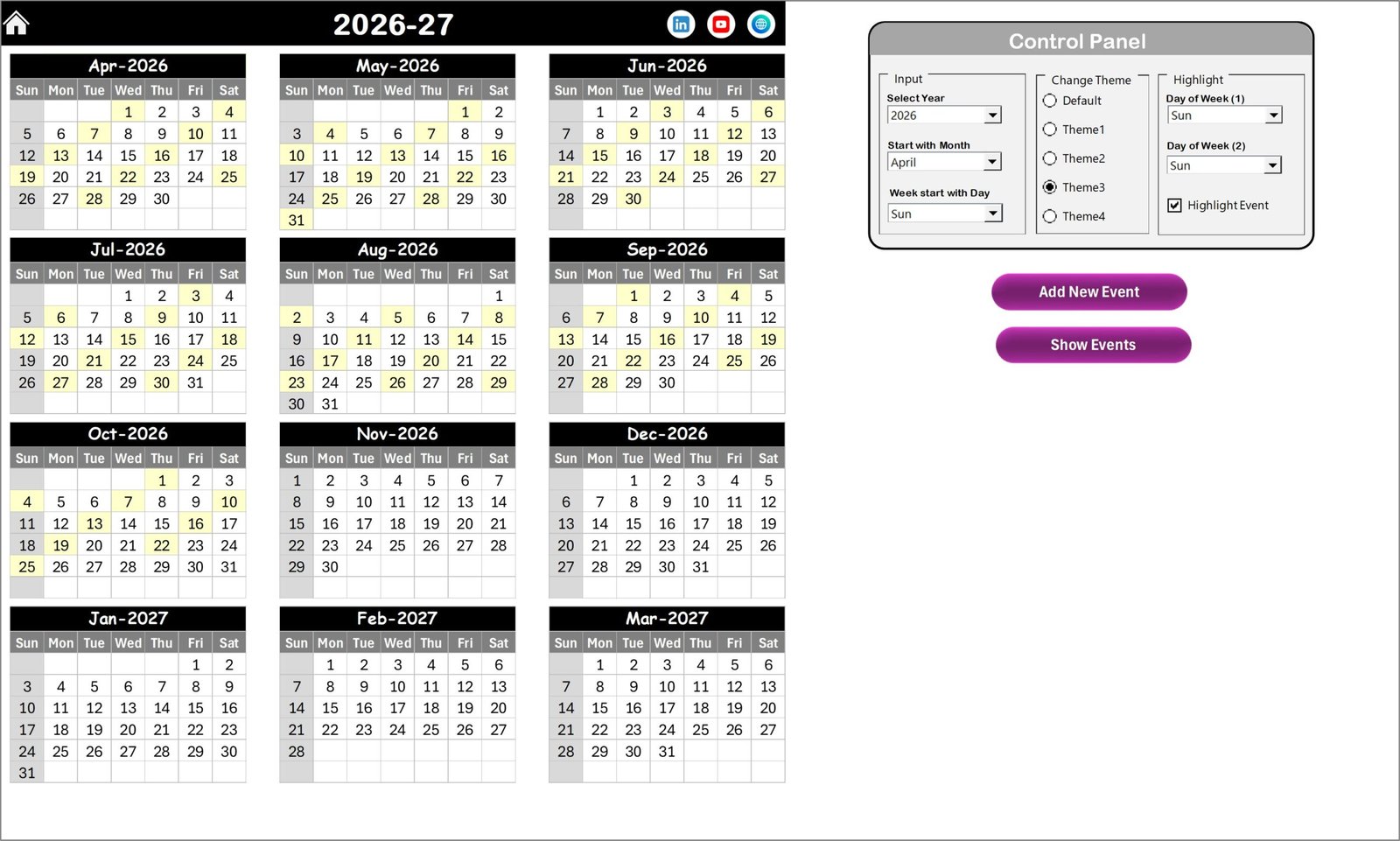
The Annual View Sheet displays all 12 months in one screen. Therefore, managers can plan feedback activities across the entire year.
Control Panel Features
The annual view includes a powerful control panel divided into three groups.
Input Group
Users can:
- Select Year automatically
- Change starting month
- Modify starting weekday
Thus, the calendar adapts instantly without manual editing.
Change Theme Group
The template provides five color themes. Users can apply themes across the workbook with one click, improving visual consistency.
Highlight Group
Users can:
- Highlight two selected weekdays
- Mark weekends automatically
- Highlight events in yellow color
For example, teams can highlight Saturdays and Sundays to visualize non-working days.
Action Buttons
Add New Event Button
Users simply select a date and click the button to open an event form. After submitting details, Excel automatically records the event.
Show Event Button
This feature displays all events scheduled for the selected date.
As a result, annual planning becomes fast and organized.
Click to buy Customer Feedback Analysis Holiday Calendar in Excel
Monthly View Sheet — Detailed Monthly Scheduling
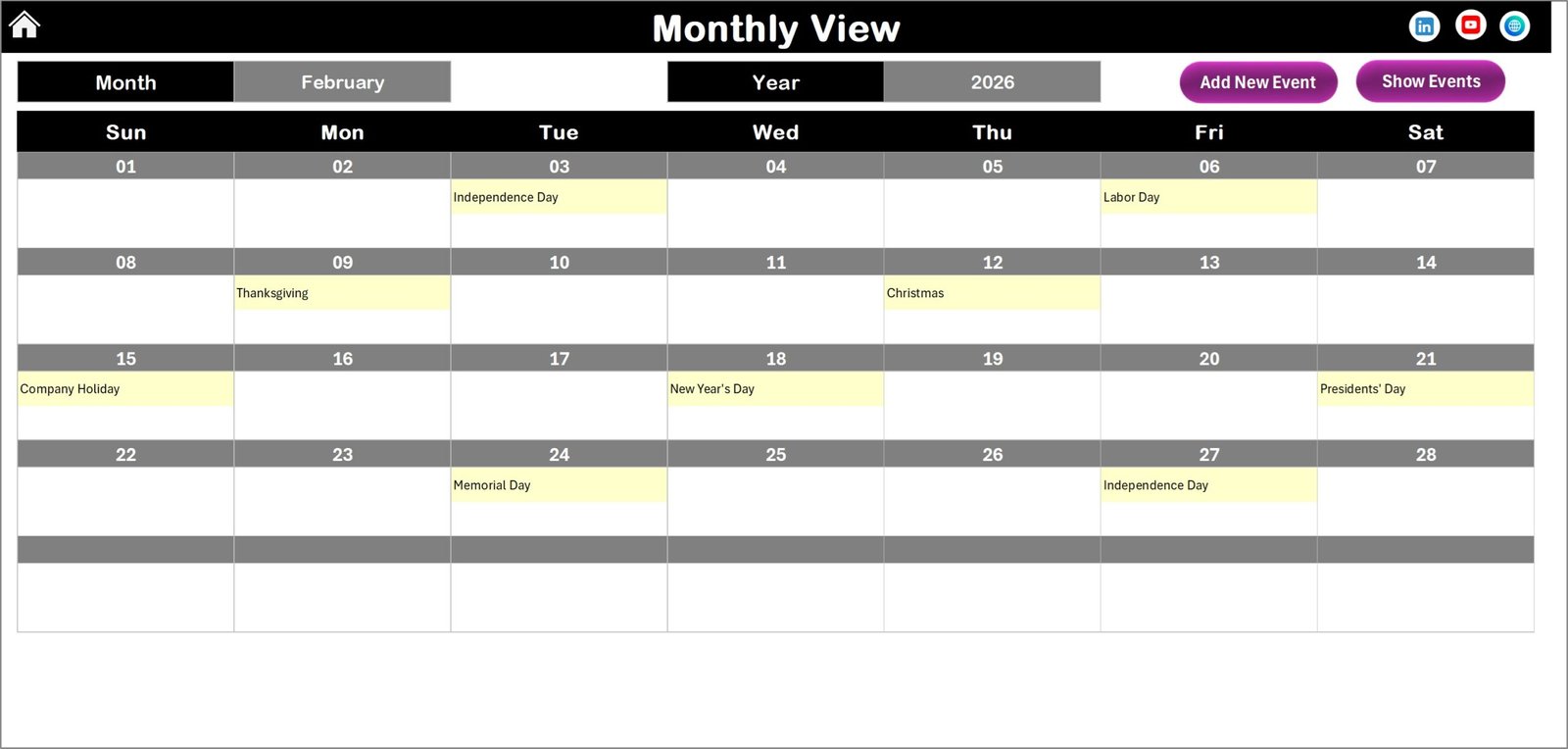
The Monthly View Sheet focuses on a single month, allowing detailed planning.
Features of Monthly View
- Month and Year selection dropdowns
- Automatic calendar updates
- Event display inside date cells
- Multiple-event indicator (“more than 1…”)
Therefore, teams quickly identify busy periods.
Available Buttons
- Add New Event
- Show Event
These buttons simplify event creation and monitoring.
Click to buy Customer Feedback Analysis Holiday Calendar in Excel
Daily View Sheet — Event Tracking and Analysis
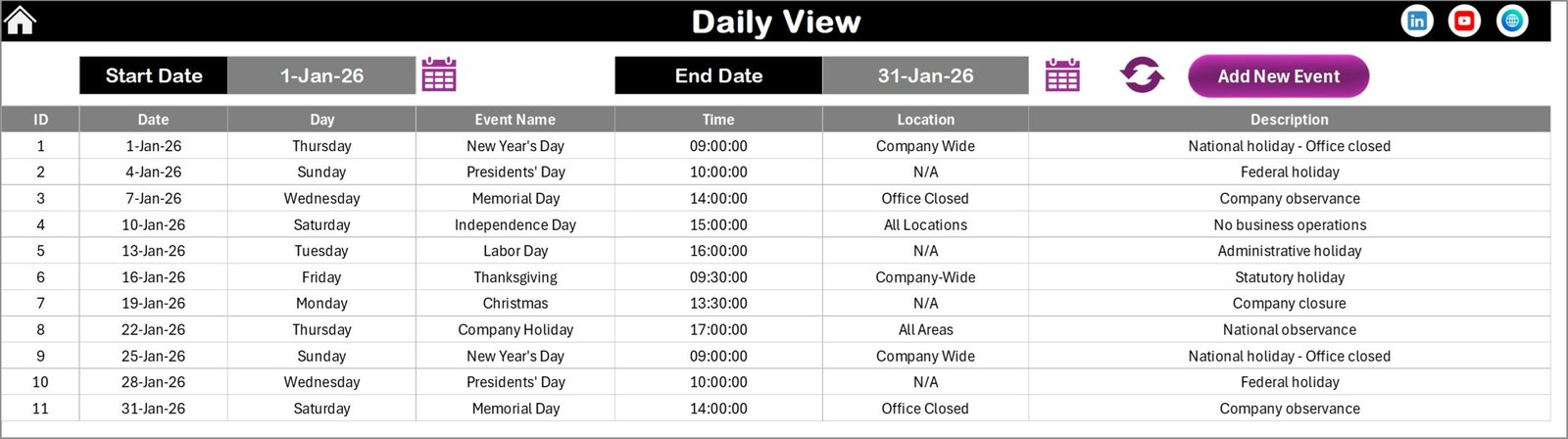
The Daily View Sheet shows detailed event information within a selected date range.
Key Capabilities
- Select Start Date and End Date
- Refresh data instantly
- View event details in table format
- Add new feedback events quickly
This sheet helps teams analyze activities such as:
- Feedback surveys conducted
- Customer review sessions
- Support follow-ups
- Analysis meetings
Consequently, managers gain complete operational visibility.
Click to buy Customer Feedback Analysis Holiday Calendar in Excel
Events Sheet — Central Feedback Database
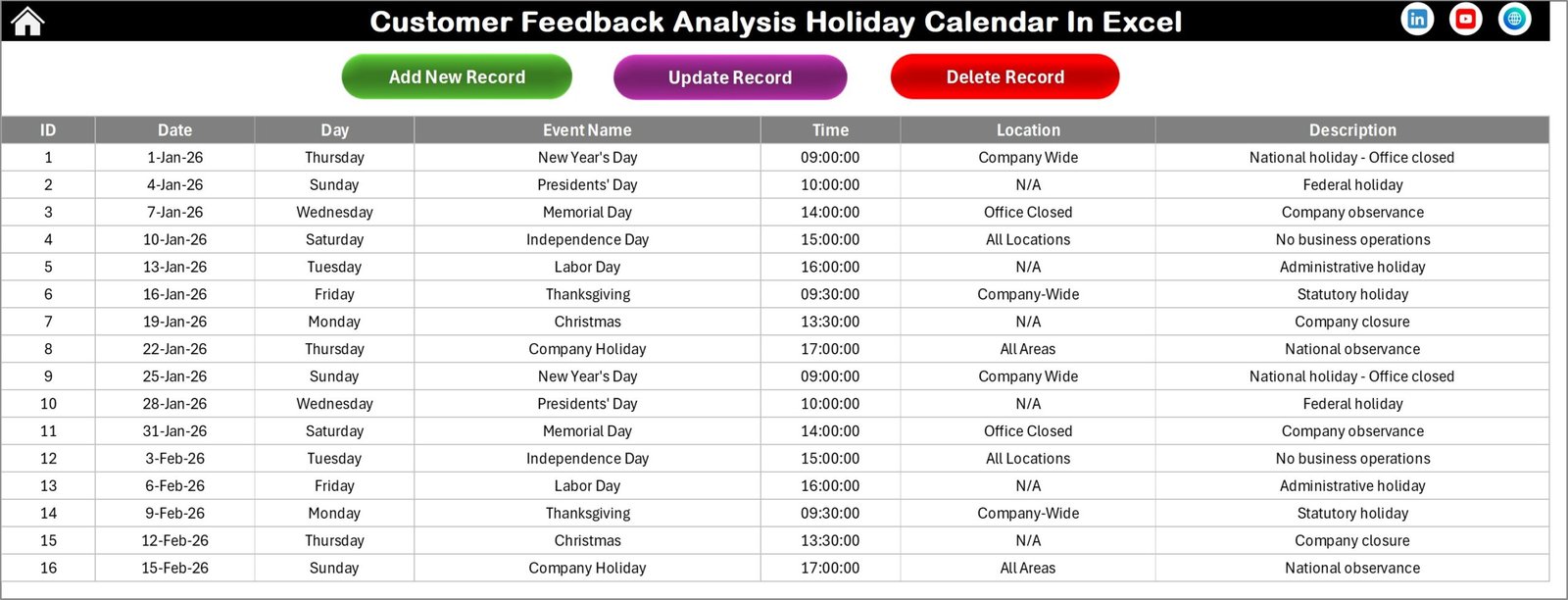
The Events Sheet works as the backend database storing all event information.
Stored Data Fields
- ID (Auto Generated)
- Event Date
- Day Name
- Event Name
- Time
- Location
- Description
Because data remains centralized, reporting and tracking become reliable.
Click to buy Customer Feedback Analysis Holiday Calendar in Excel
Database Management Buttons
Add New Record
Opens an event entry form.
Update Existing Record
Loads selected event data for editing.
Delete Record
Removes selected events safely.
Therefore, users maintain accurate records without manual data editing.
How Does This Calendar Improve Customer Feedback Analysis?
This template does more than scheduling. It supports structured feedback management.
Practical Use Cases
- Plan survey launches
- Schedule feedback review meetings
- Track customer interview sessions
- Manage complaint analysis timelines
- Organize holiday-adjusted feedback cycles
As a result, businesses analyze feedback consistently.
Advantages of Customer Feedback Analysis Holiday Calendar in Excel
Using this calendar provides several strategic benefits.
- Better Planning and Organization
Teams schedule activities clearly and avoid conflicts.
- Improved Customer Experience
Consistent feedback analysis leads to faster improvements.
- Holiday-Aware Scheduling
Organizations avoid launching campaigns during non-working periods.
- Centralized Data Management
All events remain in one structured location.
- Easy Customization
Users modify themes, dates, and highlights easily.
- No Advanced Software Required
Excel provides a familiar environment.
What Analysis Can Businesses Perform Using This Calendar?
Although it is a calendar tool, it enables valuable insights.
Operational Analysis
- Feedback activity frequency
- Monthly engagement trends
- Event distribution analysis
Performance Analysis
- Survey completion timing
- Feedback response cycles
- Follow-up tracking
Planning Insights
- Busy vs low activity periods
- Holiday impact on engagement
- Resource allocation planning
Therefore, decision-makers gain actionable insights.
Best Practices for the Customer Feedback Analysis Holiday Calendar
To maximize results, follow these best practices.
Maintain Consistent Data Entry
Always enter events immediately after scheduling.
Define Standard Event Names
Use consistent naming like:
- Survey Launch
- Feedback Review
- Customer Interview
Update Records Regularly
Review weekly to ensure accuracy.
Use Highlight Features Strategically
Mark weekends and holidays clearly.
Assign Ownership
Ensure responsible team members manage updates.
Review Monthly Trends
Analyze monthly activity patterns to improve planning.
How to Use the Customer Feedback Calendar Effectively?
Follow this simple workflow:
- Select year and theme in Annual View.
- Add feedback events using Add Event button.
- Review monthly workload in Monthly View.
- Analyze detailed activities in Daily View.
- Maintain records in Events sheet.
Because of this workflow, teams maintain structured processes.
Who Can Benefit from This Excel Calendar?
This template supports many industries.
Ideal Users
- Customer Experience Teams
- Marketing Departments
- Product Managers
- Support Teams
- Service Organizations
- Consultants
- Small Businesses
Moreover, startups benefit because they avoid expensive software tools.
Why Choose Excel for Feedback Planning?
Many organizations prefer Excel because:
- Easy to use
- Highly customizable
- No subscription cost
- Works offline
- Supports automation
- Familiar interface
Therefore, Excel remains one of the most practical planning platforms.
Future Improvements You Can Add
You can further enhance the template by adding:
- KPI dashboard integration
- Feedback score tracking
- Pivot chart reporting
- Department filters
- Automated reminders using VBA
Thus, the calendar evolves into a full feedback management system.
Conclusion
Customer feedback drives business growth, innovation, and customer satisfaction. However, without structured planning, organizations struggle to manage feedback activities effectively.
The Customer Feedback Analysis Holiday Calendar in Excel provides a smart and practical solution. It combines annual planning, monthly scheduling, daily tracking, and centralized event management into one easy-to-use system.
Moreover, its automation features, customizable themes, and structured workflow help teams stay organized throughout the year. As a result, businesses improve feedback analysis, avoid scheduling conflicts, and strengthen customer relationships.
Ultimately, this Excel calendar transforms feedback management from a manual task into a strategic advantage.
Frequently Asked Questions (FAQs)
- What is a Customer Feedback Analysis Holiday Calendar?
It is an Excel-based planning tool used to schedule and manage customer feedback activities along with holidays and events.
- Do I need advanced Excel skills to use this template?
No. The template uses buttons and forms, so beginners can use it easily.
- Can I customize the calendar theme?
Yes. You can choose from multiple color themes using the control panel.
- Can I add multiple events on the same date?
Yes. The calendar automatically handles multiple events and displays indicators.
- Is this calendar suitable for small businesses?
Absolutely. Small teams benefit greatly because it simplifies planning without expensive tools.
- Can this template support feedback campaigns?
Yes. You can schedule surveys, reviews, interviews, and analysis sessions.
- Does the calendar store historical data?
Yes. The Events sheet acts as a database storing all records.
- Can I update or delete events later?
Yes. Use Update or Delete buttons in the Events sheet.
- Can I track activities for a date range?
Yes. The Daily View allows date range analysis.
- Why should companies use a feedback calendar?
Because structured planning improves customer experience, efficiency, and decision-making.
Visit our YouTube channel to learn step-by-step video tutorials
Watch the step-by-step video tutorial: